1
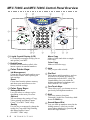
MFC 7300C and MFC 7400C Control Panel Overview
2
1
15
14
13
3
12
4
5
6
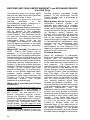
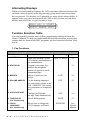
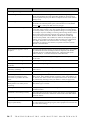
1 Liquid Crystal Display (LCD)
LCD displays messages to help you set
and operate your MFC.
2 Redial/Pause
Redials the last number called. Also
inserts a pause in autodial numbers.
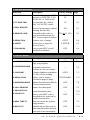
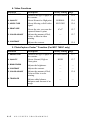
3 Color Printer Keys:
Ink Management
Cleans the ink print heads and/or resets
the ink dot counter after replacing an
ink cartridge.
Reset
Clears data from the printer memory,
and then resets and restores to the
factory default settings.
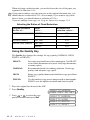
4 Color Copy Keys:
Enlarge/Reduce
Lets you reduce or enlarge copies
depending on the ratio you select.
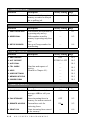
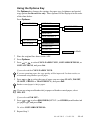
Options
You can change the setting of Copy,
Video printing and PhotoCapture
Center ™ (For MFC 7400C only).
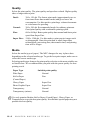
Quality
Use this key to temporarily change the
quality for Copy and Video Printing
and PhotoCapture Center ™
(For MFC 7400C only).
1-3
INTRODUCTION
7
8
9
10
11
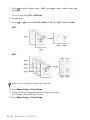
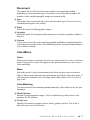
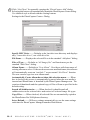
Mono Copy
Makes a black-and-white or singlecolor copy.
Color Copy
Makes a full-color copy.
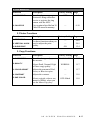
5 Hold
Lets you put calls on hold.
6 Dial Pad
Dials phone and fax numbers, and can
be used as a keyboard for entering
information into the MFC. (Only for
Canada: # key lets you switch the
dialing type during a telephone call
from “PULSE” to “TONE”.
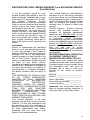
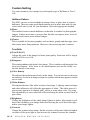
7 One Touch Keys
These 4 keys give you instant access to
previously stored phone numbers.
8 Shift
To access memory locations
5 through 8 in the One Touch keys hold
down the Shift key.
9 Search/Speed Dial
Lets you look up numbers stored in the
dialing memory. Also lets you dial
stored phone numbers by pressing a #
and a two-digit number.