1
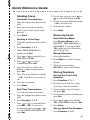
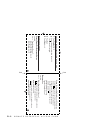
Quick Reference Guide
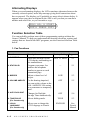
Sending Faxes
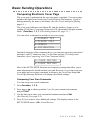
Automatic Transmission
1
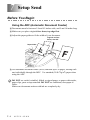
Place the original face down in the
ADF.
2
Enter the fax number using One
Touch, Speed Dial, Search or the
dial pad.
4
For the next fax only, press
or
to select ON and press Set.
5
Press 1 to select additional settings
—OR—Press 2 to fax.
6
7
Enter the fax number.
Press Start.
Press Start.
Receiving Faxes
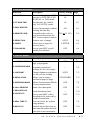
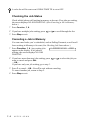
Sending a Cover Page
Select Receive Mode
1
Place the original face down in the
ADF.
2
3
Press Function, 1, 3, 1.
Press Receive Mode to select
FAX/TEL, TAD, MANUAL, or
FAX ONLY. If you select FAX/
TEL, make sure to set Ring Delay
and F/T Ring Time.
4
Press
or
to select ON (or
OFF) and press Set.
5
Press
or
to select a
comment and press Set.
6
Enter two digits to indicate the
number of pages being sent and
press Set.
7
Press 1 to select additional settings
—OR—Press 2 if you are ready to
fax.
8
9
Enter the fax number.
3
When NEXT FAX ONLY?
appears, press Set.
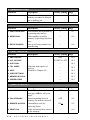
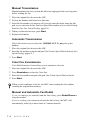
Manual Reception
1
2
3
Pick up the handset.
Press Start if you hear fax tones
(beeps).
When the screen displays
RECEIVE, replace the handset.
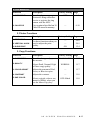
Storing Numbers
Storing One Touch Dial
Numbers
1
2
Press Function, 1, 5, 1.
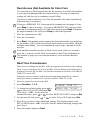
Real Time Transmission
You can send faxes in real time.
3
Enter a number (up to 20 digits)
and press Set.
1
Place the original face down in the
ADF.
4
Enter a name (or leave it blank) and
press Set.
2
3
Press Function, 1, 3, 9.
5
Press
or
to select FAX,
TEL, or FAX/TEL and press Set.
6
Press Stop.
Press Start.
Press
or
to select ON and
press Set—OR—For the next
transmission only, press
or
to select NEXT FAX ONLY and
press Set.
Press the One Touch key where
you want to store the number.
Storing Speed Dial Numbers
1
Press Function, 1, 5, 2.
vii