1
1
Preparations
1.2.2 Reverse Side
The color and shape of parts may differ from what is shown.
Specifications are subject to change without notice to improve quality.
1
1
2
2
3
4
3
4
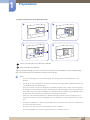
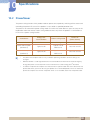
Port
Description
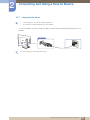
Connect the power cord for your monitor to the [POWER IN] port on
the back of the product.
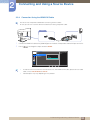
Connects to a source device via a DVI cable.
Connect to a source device using an HDMI cable.
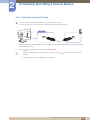
Connects to a PC using a DP cable.
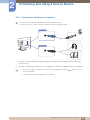
Connects to a PC using a USB cable.
This port can only connect to a PC.
1 Preparations
21