1
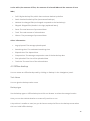
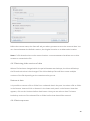
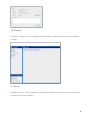
4.5.1 General In the “General”-tab, you can set general options of the Online Backup Client: You can change the language of the application You can enable or disable the sending of backup and restore reports by email You can enable or disable to always install an update when it is available You can change the password for your backup account Note: It might not be possible to change your password in the Online Backup Client, since your Online Backup Provider can disable this option Note: It is not possible to change the username or encryption key. 4.5.2 Backup and Restore In the “Backup and Restore”-tab, you can set options that are specific for backing up and restoring with the Online Backup Client: Data Retention In this view you can set the default data retention value. By default this is 30 days. This default value will be used when creating new backup tasks. 23