1
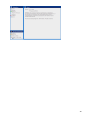
Navigation panel The Navigation panel is the main navigation through the Online Backup Client. The options are: Home: Start View Backup: Select local data for a backup Restore: Select remote data for a restore Reports and Logs: View information on executed backups Options: Configure backup tasks Support: View contact information for support About: Additional information about the Online Backup Client Account Information Shows account details: account name, storage space, status and usage of storage space. Main Panel The main panel is the working space of the Online Backup Client. Depending on what you want to do, this panel will show the necessary views. 7