1
Valgrind Documentation
Release 3.6.1 16 February 2011
Copyright © 2000-2011 AUTHORS
Permission is granted to copy, distribute and/or modify this document under the terms of the GNU Free Documentation
License, Version 1.2 or any later version published by the Free Software Foundation; with no Invariant Sections, with
no Front-Cover Texts, and with no Back-Cover Texts. A copy of the license is included in the section entitled The
GNU Free Documentation License.
This is the top level of Valgrind’s documentation tree. The documentation is contained in six logically separate
documents, as listed in the following Table of Contents. To get started quickly, read the Valgrind Quick Start Guide.
For full documentation on Valgrind, read the Valgrind User Manual.
Valgrind Documentation
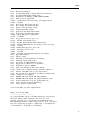
Table of Contents
The Valgrind Quick Start Guide . . . . . . . . . . . . . . . . . . . . . . . . . . . . . . . . . . . . . . . . . . . . . . . . . . . . . . . . . . . . . . . . . . . .
Valgrind User Manual . . . . . . . . . . . . . . . . . . . . . . . . . . . . . . . . . . . . . . . . . . . . . . . . . . . . . . . . . . . . . . . . . . . . . . . . . . . .
Valgrind FAQ . . . . . . . . . . . . . . . . . . . . . . . . . . . . . . . . . . . . . . . . . . . . . . . . . . . . . . . . . . . . . . . . . . . . . . . . . . . . . . . . . . . .
Valgrind Technical Documentation . . . . . . . . . . . . . . . . . . . . . . . . . . . . . . . . . . . . . . . . . . . . . . . . . . . . . . . . . . . . . . . . .
Valgrind Distribution Documents . . . . . . . . . . . . . . . . . . . . . . . . . . . . . . . . . . . . . . . . . . . . . . . . . . . . . . . . . . . . . . . . . .
GNU Licenses . . . . . . . . . . . . . . . . . . . . . . . . . . . . . . . . . . . . . . . . . . . . . . . . . . . . . . . . . . . . . . . . . . . . . . . . . . . . . . . . . . .
1
1
1
1
1
1
2
The Valgrind Quick Start Guide
Release 3.6.1 16 February 2011
Copyright © 2000-2011 Valgrind Developers
Email: [email protected]
The Valgrind Quick Start Guide
Table of Contents
The Valgrind Quick Start Guide . . . . . . . . . . . . . . . . . . . . . . . . . . . . . . . . . . . . . . . . . . . . . . . . . . . . . . . . . . . . . . . . . . . .
1. Introduction . . . . . . . . . . . . . . . . . . . . . . . . . . . . . . . . . . . . . . . . . . . . . . . . . . . . . . . . . . . . . . . . . . . . . . . . . . . . . . . . . . .
2. Preparing your program . . . . . . . . . . . . . . . . . . . . . . . . . . . . . . . . . . . . . . . . . . . . . . . . . . . . . . . . . . . . . . . . . . . . . . . .
3. Running your program under Memcheck . . . . . . . . . . . . . . . . . . . . . . . . . . . . . . . . . . . . . . . . . . . . . . . . . . . . . . . . .
4. Interpreting Memcheck’s output . . . . . . . . . . . . . . . . . . . . . . . . . . . . . . . . . . . . . . . . . . . . . . . . . . . . . . . . . . . . . . . . .
5. Caveats . . . . . . . . . . . . . . . . . . . . . . . . . . . . . . . . . . . . . . . . . . . . . . . . . . . . . . . . . . . . . . . . . . . . . . . . . . . . . . . . . . . . . . .
6. More information . . . . . . . . . . . . . . . . . . . . . . . . . . . . . . . . . . . . . . . . . . . . . . . . . . . . . . . . . . . . . . . . . . . . . . . . . . . . . .
1
1
1
1
1
3
3
ii
The Valgrind Quick Start Guide
The Valgrind Quick Start Guide
1. Introduction
The Valgrind tool suite provides a number of debugging and profiling tools that help you make your programs faster
and more correct. The most popular of these tools is called Memcheck. It can detect many memory-related errors
that are common in C and C++ programs and that can lead to crashes and unpredictable behaviour.
The rest of this guide gives the minimum information you need to start detecting memory errors in your program with
Memcheck. For full documentation of Memcheck and the other tools, please read the User Manual.
2. Preparing your program
Compile your program with -g to include debugging information so that Memcheck’s error messages include exact
line numbers. Using -O0 is also a good idea, if you can tolerate the slowdown. With -O1 line numbers in
error messages can be inaccurate, although generally speaking running Memcheck on code compiled at -O1 works
fairly well, and the speed improvement compared to running -O0 is quite significant. Use of -O2 and above is not
recommended as Memcheck occasionally reports uninitialised-value errors which don’t really exist.
3. Running your program under Memcheck
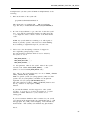
If you normally run your program like this:
myprog arg1 arg2
Use this command line:
valgrind --leak-check=yes myprog arg1 arg2
Memcheck is the default tool. The --leak-check option turns on the detailed memory leak detector.
Your program will run much slower (eg. 20 to 30 times) than normal, and use a lot more memory. Memcheck will
issue messages about memory errors and leaks that it detects.
4. Interpreting Memcheck’s output
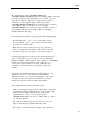
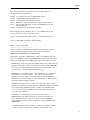
Here’s an example C program, in a file called a.c, with a memory error and a memory leak.
1
The Valgrind Quick Start Guide
#include <stdlib.h>
void f(void)
{
int* x = malloc(10 * sizeof(int));
x[10] = 0;
// problem 1: heap block overrun
}
// problem 2: memory leak -- x not freed
int main(void)
{
f();
return 0;
}
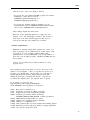
Most error messages look like the following, which describes problem 1, the heap block overrun:
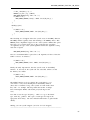
==19182== Invalid write of size 4
==19182==
at 0x804838F: f (example.c:6)
==19182==
by 0x80483AB: main (example.c:11)
==19182== Address 0x1BA45050 is 0 bytes after a block of size 40 alloc’d
==19182==
at 0x1B8FF5CD: malloc (vg_replace_malloc.c:130)
==19182==
by 0x8048385: f (example.c:5)
==19182==
by 0x80483AB: main (example.c:11)
Things to notice:
• There is a lot of information in each error message; read it carefully.
• The 19182 is the process ID; it’s usually unimportant.
• The first line ("Invalid write...") tells you what kind of error it is.
should not have due to a heap block overrun.
Here, the program wrote to some memory it
• Below the first line is a stack trace telling you where the problem occurred. Stack traces can get quite large, and be
confusing, especially if you are using the C++ STL. Reading them from the bottom up can help. If the stack trace
is not big enough, use the --num-callers option to make it bigger.
• The code addresses (eg. 0x804838F) are usually unimportant, but occasionally crucial for tracking down weirder
bugs.
• Some error messages have a second component which describes the memory address involved. This one shows
that the written memory is just past the end of a block allocated with malloc() on line 5 of example.c.
2
The Valgrind Quick Start Guide
It’s worth fixing errors in the order they are reported, as later errors can be caused by earlier errors. Failing to do this
is a common cause of difficulty with Memcheck.
Memory leak messages look like this:
==19182== 40 bytes in 1 blocks are definitely lost in loss record 1 of 1
==19182==
at 0x1B8FF5CD: malloc (vg_replace_malloc.c:130)
==19182==
by 0x8048385: f (a.c:5)
==19182==
by 0x80483AB: main (a.c:11)
The stack trace tells you where the leaked memory was allocated. Memcheck cannot tell you why the memory leaked,
unfortunately. (Ignore the "vg_replace_malloc.c", that’s an implementation detail.)
There are several kinds of leaks; the two most important categories are:
• "definitely lost": your program is leaking memory -- fix it!
• "probably lost": your program is leaking memory, unless you’re doing funny things with pointers (such as moving
them to point to the middle of a heap block).
Memcheck also reports uses of uninitialised values, most commonly with the message "Conditional jump or move
depends on uninitialised value(s)". It can be difficult to determine the root cause of these errors. Try using the
--track-origins=yes to get extra information. This makes Memcheck run slower, but the extra information
you get often saves a lot of time figuring out where the uninitialised values are coming from.
If you don’t understand an error message, please consult Explanation of error messages from Memcheck in the
Valgrind User Manual which has examples of all the error messages Memcheck produces.
5. Caveats
Memcheck is not perfect; it occasionally produces false positives, and there are mechanisms for suppressing these
(see Suppressing errors in the Valgrind User Manual). However, it is typically right 99% of the time, so you should be
wary of ignoring its error messages. After all, you wouldn’t ignore warning messages produced by a compiler, right?
The suppression mechanism is also useful if Memcheck is reporting errors in library code that you cannot change.
The default suppression set hides a lot of these, but you may come across more.
Memcheck cannot detect every memory error your program has. For example, it can’t detect out-of-range reads or
writes to arrays that are allocated statically or on the stack. But it should detect many errors that could crash your
program (eg. cause a segmentation fault).
Try to make your program so clean that Memcheck reports no errors. Once you achieve this state, it is much easier to
see when changes to the program cause Memcheck to report new errors. Experience from several years of Memcheck
use shows that it is possible to make even huge programs run Memcheck-clean. For example, large parts of KDE,
OpenOffice.org and Firefox are Memcheck-clean, or very close to it.
6. More information
Please consult the Valgrind FAQ and the Valgrind User Manual, which have much more information. Note that the
other tools in the Valgrind distribution can be invoked with the --tool option.
3
Valgrind User Manual
Release 3.6.1 16 February 2011
Copyright © 2000-2011 Valgrind Developers
Email: [email protected]
Valgrind User Manual
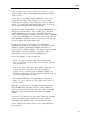
Table of Contents
1. Introduction . . . . . . . . . . . . . . . . . . . . . . . . . . . . . . . . . . . . . . . . . . . . . . . . . . . . . . . . . . . . . . . . . . . . . . . . . . . . . . . . . . . 1
1.1. An Overview of Valgrind . . . . . . . . . . . . . . . . . . . . . . . . . . . . . . . . . . . . . . . . . . . . . . . . . . . . . . . . . . . . . . . . . . . . . . 1
1.2. How to navigate this manual . . . . . . . . . . . . . . . . . . . . . . . . . . . . . . . . . . . . . . . . . . . . . . . . . . . . . . . . . . . . . . . . . . . 1
2. Using and understanding the Valgrind core . . . . . . . . . . . . . . . . . . . . . . . . . . . . . . . . . . . . . . . . . . . . . . . . . . . . . . . 3
2.1. What Valgrind does with your program . . . . . . . . . . . . . . . . . . . . . . . . . . . . . . . . . . . . . . . . . . . . . . . . . . . . . . . . . 3
2.2. Getting started . . . . . . . . . . . . . . . . . . . . . . . . . . . . . . . . . . . . . . . . . . . . . . . . . . . . . . . . . . . . . . . . . . . . . . . . . . . . . . . 4
2.3. The Commentary . . . . . . . . . . . . . . . . . . . . . . . . . . . . . . . . . . . . . . . . . . . . . . . . . . . . . . . . . . . . . . . . . . . . . . . . . . . . . 4
2.4. Reporting of errors . . . . . . . . . . . . . . . . . . . . . . . . . . . . . . . . . . . . . . . . . . . . . . . . . . . . . . . . . . . . . . . . . . . . . . . . . . . 6
2.5. Suppressing errors . . . . . . . . . . . . . . . . . . . . . . . . . . . . . . . . . . . . . . . . . . . . . . . . . . . . . . . . . . . . . . . . . . . . . . . . . . . . 6
2.6. Core Command-line Options . . . . . . . . . . . . . . . . . . . . . . . . . . . . . . . . . . . . . . . . . . . . . . . . . . . . . . . . . . . . . . . . . . 9
2.6.1. Tool-selection Option . . . . . . . . . . . . . . . . . . . . . . . . . . . . . . . . . . . . . . . . . . . . . . . . . . . . . . . . . . . . . . . . . . . . . . . 9
2.6.2. Basic Options . . . . . . . . . . . . . . . . . . . . . . . . . . . . . . . . . . . . . . . . . . . . . . . . . . . . . . . . . . . . . . . . . . . . . . . . . . . . . . 9
2.6.3. Error-related Options . . . . . . . . . . . . . . . . . . . . . . . . . . . . . . . . . . . . . . . . . . . . . . . . . . . . . . . . . . . . . . . . . . . . . . 11
2.6.4. malloc-related Options . . . . . . . . . . . . . . . . . . . . . . . . . . . . . . . . . . . . . . . . . . . . . . . . . . . . . . . . . . . . . . . . . . . . . 15
2.6.5. Uncommon Options . . . . . . . . . . . . . . . . . . . . . . . . . . . . . . . . . . . . . . . . . . . . . . . . . . . . . . . . . . . . . . . . . . . . . . . 16
2.6.6. Debugging Options . . . . . . . . . . . . . . . . . . . . . . . . . . . . . . . . . . . . . . . . . . . . . . . . . . . . . . . . . . . . . . . . . . . . . . . . 18
2.6.7. Setting Default Options . . . . . . . . . . . . . . . . . . . . . . . . . . . . . . . . . . . . . . . . . . . . . . . . . . . . . . . . . . . . . . . . . . . . 18
2.7. Support for Threads . . . . . . . . . . . . . . . . . . . . . . . . . . . . . . . . . . . . . . . . . . . . . . . . . . . . . . . . . . . . . . . . . . . . . . . . . 18
2.8. Handling of Signals . . . . . . . . . . . . . . . . . . . . . . . . . . . . . . . . . . . . . . . . . . . . . . . . . . . . . . . . . . . . . . . . . . . . . . . . . 19
2.9. Building and Installing Valgrind . . . . . . . . . . . . . . . . . . . . . . . . . . . . . . . . . . . . . . . . . . . . . . . . . . . . . . . . . . . . . . 19
2.10. If You Have Problems . . . . . . . . . . . . . . . . . . . . . . . . . . . . . . . . . . . . . . . . . . . . . . . . . . . . . . . . . . . . . . . . . . . . . . 20
2.11. Limitations . . . . . . . . . . . . . . . . . . . . . . . . . . . . . . . . . . . . . . . . . . . . . . . . . . . . . . . . . . . . . . . . . . . . . . . . . . . . . . . . 20
2.12. An Example Run . . . . . . . . . . . . . . . . . . . . . . . . . . . . . . . . . . . . . . . . . . . . . . . . . . . . . . . . . . . . . . . . . . . . . . . . . . 23
2.13. Warning Messages You Might See . . . . . . . . . . . . . . . . . . . . . . . . . . . . . . . . . . . . . . . . . . . . . . . . . . . . . . . . . . . 23
3. Using and understanding the Valgrind core: Advanced Topics . . . . . . . . . . . . . . . . . . . . . . . . . . . . . . . . . . . . . 25
3.1. The Client Request mechanism . . . . . . . . . . . . . . . . . . . . . . . . . . . . . . . . . . . . . . . . . . . . . . . . . . . . . . . . . . . . . . . 25
3.2. Function wrapping . . . . . . . . . . . . . . . . . . . . . . . . . . . . . . . . . . . . . . . . . . . . . . . . . . . . . . . . . . . . . . . . . . . . . . . . . . 27
3.2.1. A Simple Example . . . . . . . . . . . . . . . . . . . . . . . . . . . . . . . . . . . . . . . . . . . . . . . . . . . . . . . . . . . . . . . . . . . . . . . . 27
3.2.2. Wrapping Specifications . . . . . . . . . . . . . . . . . . . . . . . . . . . . . . . . . . . . . . . . . . . . . . . . . . . . . . . . . . . . . . . . . . . 28
3.2.3. Wrapping Semantics . . . . . . . . . . . . . . . . . . . . . . . . . . . . . . . . . . . . . . . . . . . . . . . . . . . . . . . . . . . . . . . . . . . . . . . 29
3.2.4. Debugging . . . . . . . . . . . . . . . . . . . . . . . . . . . . . . . . . . . . . . . . . . . . . . . . . . . . . . . . . . . . . . . . . . . . . . . . . . . . . . . . 30
3.2.5. Limitations - control flow . . . . . . . . . . . . . . . . . . . . . . . . . . . . . . . . . . . . . . . . . . . . . . . . . . . . . . . . . . . . . . . . . . 30
3.2.6. Limitations - original function signatures . . . . . . . . . . . . . . . . . . . . . . . . . . . . . . . . . . . . . . . . . . . . . . . . . . . . . 31
3.2.7. Examples . . . . . . . . . . . . . . . . . . . . . . . . . . . . . . . . . . . . . . . . . . . . . . . . . . . . . . . . . . . . . . . . . . . . . . . . . . . . . . . . . 31
4. Memcheck: a memory error detector . . . . . . . . . . . . . . . . . . . . . . . . . . . . . . . . . . . . . . . . . . . . . . . . . . . . . . . . . . . . 33
4.1. Overview . . . . . . . . . . . . . . . . . . . . . . . . . . . . . . . . . . . . . . . . . . . . . . . . . . . . . . . . . . . . . . . . . . . . . . . . . . . . . . . . . . 33
4.2. Explanation of error messages from Memcheck . . . . . . . . . . . . . . . . . . . . . . . . . . . . . . . . . . . . . . . . . . . . . . . . 33
4.2.1. Illegal read / Illegal write errors . . . . . . . . . . . . . . . . . . . . . . . . . . . . . . . . . . . . . . . . . . . . . . . . . . . . . . . . . . . . . 33
4.2.2. Use of uninitialised values . . . . . . . . . . . . . . . . . . . . . . . . . . . . . . . . . . . . . . . . . . . . . . . . . . . . . . . . . . . . . . . . . . 34
4.2.3. Use of uninitialised or unaddressable values in system calls . . . . . . . . . . . . . . . . . . . . . . . . . . . . . . . . . . . . 35
4.2.4. Illegal frees . . . . . . . . . . . . . . . . . . . . . . . . . . . . . . . . . . . . . . . . . . . . . . . . . . . . . . . . . . . . . . . . . . . . . . . . . . . . . . . 35
4.2.5. When a heap block is freed with an inappropriate deallocation function . . . . . . . . . . . . . . . . . . . . . . . . . . 36
4.2.6. Overlapping source and destination blocks . . . . . . . . . . . . . . . . . . . . . . . . . . . . . . . . . . . . . . . . . . . . . . . . . . . 37
4.2.7. Memory leak detection . . . . . . . . . . . . . . . . . . . . . . . . . . . . . . . . . . . . . . . . . . . . . . . . . . . . . . . . . . . . . . . . . . . . . 37
4.3. Memcheck Command-Line Options . . . . . . . . . . . . . . . . . . . . . . . . . . . . . . . . . . . . . . . . . . . . . . . . . . . . . . . . . . . 40
4.4. Writing suppression files . . . . . . . . . . . . . . . . . . . . . . . . . . . . . . . . . . . . . . . . . . . . . . . . . . . . . . . . . . . . . . . . . . . . . 42
4.5. Details of Memcheck’s checking machinery . . . . . . . . . . . . . . . . . . . . . . . . . . . . . . . . . . . . . . . . . . . . . . . . . . . . 43
4.5.1. Valid-value (V) bits . . . . . . . . . . . . . . . . . . . . . . . . . . . . . . . . . . . . . . . . . . . . . . . . . . . . . . . . . . . . . . . . . . . . . . . . 43
4.5.2. Valid-address (A) bits . . . . . . . . . . . . . . . . . . . . . . . . . . . . . . . . . . . . . . . . . . . . . . . . . . . . . . . . . . . . . . . . . . . . . . 44
4.5.3. Putting it all together . . . . . . . . . . . . . . . . . . . . . . . . . . . . . . . . . . . . . . . . . . . . . . . . . . . . . . . . . . . . . . . . . . . . . . 45
4.6. Client Requests . . . . . . . . . . . . . . . . . . . . . . . . . . . . . . . . . . . . . . . . . . . . . . . . . . . . . . . . . . . . . . . . . . . . . . . . . . . . . 46
4.7. Memory Pools: describing and working with custom allocators . . . . . . . . . . . . . . . . . . . . . . . . . . . . . . . . . . 47
ii
Valgrind User Manual
4.8. Debugging MPI Parallel Programs with Valgrind . . . . . . . . . . . . . . . . . . . . . . . . . . . . . . . . . . . . . . . . . . . . . . . 50
4.8.1. Building and installing the wrappers . . . . . . . . . . . . . . . . . . . . . . . . . . . . . . . . . . . . . . . . . . . . . . . . . . . . . . . . . 50
4.8.2. Getting started . . . . . . . . . . . . . . . . . . . . . . . . . . . . . . . . . . . . . . . . . . . . . . . . . . . . . . . . . . . . . . . . . . . . . . . . . . . . 50
4.8.3. Controlling the wrapper library . . . . . . . . . . . . . . . . . . . . . . . . . . . . . . . . . . . . . . . . . . . . . . . . . . . . . . . . . . . . . 51
4.8.4. Functions . . . . . . . . . . . . . . . . . . . . . . . . . . . . . . . . . . . . . . . . . . . . . . . . . . . . . . . . . . . . . . . . . . . . . . . . . . . . . . . . . 52
4.8.5. Types . . . . . . . . . . . . . . . . . . . . . . . . . . . . . . . . . . . . . . . . . . . . . . . . . . . . . . . . . . . . . . . . . . . . . . . . . . . . . . . . . . . . 52
4.8.6. Writing new wrappers . . . . . . . . . . . . . . . . . . . . . . . . . . . . . . . . . . . . . . . . . . . . . . . . . . . . . . . . . . . . . . . . . . . . . 53
4.8.7. What to expect when using the wrappers . . . . . . . . . . . . . . . . . . . . . . . . . . . . . . . . . . . . . . . . . . . . . . . . . . . . . 53
5. Cachegrind: a cache and branch-prediction profiler . . . . . . . . . . . . . . . . . . . . . . . . . . . . . . . . . . . . . . . . . . . . . . . 55
5.1. Overview . . . . . . . . . . . . . . . . . . . . . . . . . . . . . . . . . . . . . . . . . . . . . . . . . . . . . . . . . . . . . . . . . . . . . . . . . . . . . . . . . . 55
5.2. Using Cachegrind, cg_annotate and cg_merge . . . . . . . . . . . . . . . . . . . . . . . . . . . . . . . . . . . . . . . . . . . . . . . . . . 55
5.2.1. Running Cachegrind . . . . . . . . . . . . . . . . . . . . . . . . . . . . . . . . . . . . . . . . . . . . . . . . . . . . . . . . . . . . . . . . . . . . . . . 56
5.2.2. Output File . . . . . . . . . . . . . . . . . . . . . . . . . . . . . . . . . . . . . . . . . . . . . . . . . . . . . . . . . . . . . . . . . . . . . . . . . . . . . . . 56
5.2.3. Running cg_annotate . . . . . . . . . . . . . . . . . . . . . . . . . . . . . . . . . . . . . . . . . . . . . . . . . . . . . . . . . . . . . . . . . . . . . . 57
5.2.4. The Output Preamble . . . . . . . . . . . . . . . . . . . . . . . . . . . . . . . . . . . . . . . . . . . . . . . . . . . . . . . . . . . . . . . . . . . . . . 57
5.2.5. The Global and Function-level Counts . . . . . . . . . . . . . . . . . . . . . . . . . . . . . . . . . . . . . . . . . . . . . . . . . . . . . . . 58
5.2.6. Line-by-line Counts . . . . . . . . . . . . . . . . . . . . . . . . . . . . . . . . . . . . . . . . . . . . . . . . . . . . . . . . . . . . . . . . . . . . . . . 59
5.2.7. Annotating Assembly Code Programs . . . . . . . . . . . . . . . . . . . . . . . . . . . . . . . . . . . . . . . . . . . . . . . . . . . . . . . 61
5.2.8. Forking Programs . . . . . . . . . . . . . . . . . . . . . . . . . . . . . . . . . . . . . . . . . . . . . . . . . . . . . . . . . . . . . . . . . . . . . . . . 121
5.2.9. cg_annotate Warnings . . . . . . . . . . . . . . . . . . . . . . . . . . . . . . . . . . . . . . . . . . . . . . . . . . . . . . . . . . . . . . . . . . . . . . 61
5.2.10. Unusual Annotation Cases . . . . . . . . . . . . . . . . . . . . . . . . . . . . . . . . . . . . . . . . . . . . . . . . . . . . . . . . . . . . . . . . 62
5.2.11. Merging Profiles with cg_merge . . . . . . . . . . . . . . . . . . . . . . . . . . . . . . . . . . . . . . . . . . . . . . . . . . . . . . . . . . . 63
5.2.12. Differencing Profiles with cg_diff . . . . . . . . . . . . . . . . . . . . . . . . . . . . . . . . . . . . . . . . . . . . . . . . . . . . . . . . . . 63
5.3. Cachegrind Command-line Options . . . . . . . . . . . . . . . . . . . . . . . . . . . . . . . . . . . . . . . . . . . . . . . . . . . . . . . . . . . 64
5.4. cg_annotate Command-line Options . . . . . . . . . . . . . . . . . . . . . . . . . . . . . . . . . . . . . . . . . . . . . . . . . . . . . . . . . . . 64
5.5. cg_diff Command-line Options . . . . . . . . . . . . . . . . . . . . . . . . . . . . . . . . . . . . . . . . . . . . . . . . . . . . . . . . . . . . . . . 65
5.6. Acting on Cachegrind’s Information . . . . . . . . . . . . . . . . . . . . . . . . . . . . . . . . . . . . . . . . . . . . . . . . . . . . . . . . . . . 66
5.7. Simulation Details . . . . . . . . . . . . . . . . . . . . . . . . . . . . . . . . . . . . . . . . . . . . . . . . . . . . . . . . . . . . . . . . . . . . . . . . . . 67
5.7.1. Cache Simulation Specifics . . . . . . . . . . . . . . . . . . . . . . . . . . . . . . . . . . . . . . . . . . . . . . . . . . . . . . . . . . . . . . . . . 67
5.7.2. Branch Simulation Specifics . . . . . . . . . . . . . . . . . . . . . . . . . . . . . . . . . . . . . . . . . . . . . . . . . . . . . . . . . . . . . . . . 68
5.7.3. Accuracy . . . . . . . . . . . . . . . . . . . . . . . . . . . . . . . . . . . . . . . . . . . . . . . . . . . . . . . . . . . . . . . . . . . . . . . . . . . . . . . . . 68
5.8. Implementation Details . . . . . . . . . . . . . . . . . . . . . . . . . . . . . . . . . . . . . . . . . . . . . . . . . . . . . . . . . . . . . . . . . . . . . . 69
5.8.1. How Cachegrind Works . . . . . . . . . . . . . . . . . . . . . . . . . . . . . . . . . . . . . . . . . . . . . . . . . . . . . . . . . . . . . . . . . . . . 69
5.8.2. Cachegrind Output File Format . . . . . . . . . . . . . . . . . . . . . . . . . . . . . . . . . . . . . . . . . . . . . . . . . . . . . . . . . . . . . 69
6. Callgrind: a call-graph generating cache and branch prediction profiler . . . . . . . . . . . . . . . . . . . . . . . . . . . . . 71
6.1. Overview . . . . . . . . . . . . . . . . . . . . . . . . . . . . . . . . . . . . . . . . . . . . . . . . . . . . . . . . . . . . . . . . . . . . . . . . . . . . . . . . . . 71
6.1.1. Functionality . . . . . . . . . . . . . . . . . . . . . . . . . . . . . . . . . . . . . . . . . . . . . . . . . . . . . . . . . . . . . . . . . . . . . . . . . . . . . . 71
6.1.2. Basic Usage . . . . . . . . . . . . . . . . . . . . . . . . . . . . . . . . . . . . . . . . . . . . . . . . . . . . . . . . . . . . . . . . . . . . . . . . . . . . . . 72
6.2. Advanced Usage . . . . . . . . . . . . . . . . . . . . . . . . . . . . . . . . . . . . . . . . . . . . . . . . . . . . . . . . . . . . . . . . . . . . . . . . . . . . 73
6.2.1. Multiple profiling dumps from one program run . . . . . . . . . . . . . . . . . . . . . . . . . . . . . . . . . . . . . . . . . . . . . . 73
6.2.2. Limiting the range of collected events . . . . . . . . . . . . . . . . . . . . . . . . . . . . . . . . . . . . . . . . . . . . . . . . . . . . . . . 74
6.2.3. Counting global bus events . . . . . . . . . . . . . . . . . . . . . . . . . . . . . . . . . . . . . . . . . . . . . . . . . . . . . . . . . . . . . . . . . 75
6.2.4. Avoiding cycles . . . . . . . . . . . . . . . . . . . . . . . . . . . . . . . . . . . . . . . . . . . . . . . . . . . . . . . . . . . . . . . . . . . . . . . . . . . 75
6.2.5. Forking Programs . . . . . . . . . . . . . . . . . . . . . . . . . . . . . . . . . . . . . . . . . . . . . . . . . . . . . . . . . . . . . . . . . . . . . . . . . 76
6.3. Callgrind Command-line Options . . . . . . . . . . . . . . . . . . . . . . . . . . . . . . . . . . . . . . . . . . . . . . . . . . . . . . . . . . . . . 76
6.3.1. Dump creation options . . . . . . . . . . . . . . . . . . . . . . . . . . . . . . . . . . . . . . . . . . . . . . . . . . . . . . . . . . . . . . . . . . . . . 76
6.3.2. Activity options . . . . . . . . . . . . . . . . . . . . . . . . . . . . . . . . . . . . . . . . . . . . . . . . . . . . . . . . . . . . . . . . . . . . . . . . . . . 77
6.3.3. Data collection options . . . . . . . . . . . . . . . . . . . . . . . . . . . . . . . . . . . . . . . . . . . . . . . . . . . . . . . . . . . . . . . . . . . . . 77
6.3.4. Cost entity separation options . . . . . . . . . . . . . . . . . . . . . . . . . . . . . . . . . . . . . . . . . . . . . . . . . . . . . . . . . . . . . . . 78
6.3.5. Simulation options . . . . . . . . . . . . . . . . . . . . . . . . . . . . . . . . . . . . . . . . . . . . . . . . . . . . . . . . . . . . . . . . . . . . . . . . 79
6.3.6. Cache simulation options . . . . . . . . . . . . . . . . . . . . . . . . . . . . . . . . . . . . . . . . . . . . . . . . . . . . . . . . . . . . . . . . . . . 79
6.4. Callgrind specific client requests . . . . . . . . . . . . . . . . . . . . . . . . . . . . . . . . . . . . . . . . . . . . . . . . . . . . . . . . . . . . . . 80
6.5. callgrind_annotate Command-line Options . . . . . . . . . . . . . . . . . . . . . . . . . . . . . . . . . . . . . . . . . . . . . . . . . . . . . 81
6.6. callgrind_control Command-line Options . . . . . . . . . . . . . . . . . . . . . . . . . . . . . . . . . . . . . . . . . . . . . . . . . . . . . . 82
iii
Valgrind User Manual
7. Helgrind: a thread error detector . . . . . . . . . . . . . . . . . . . . . . . . . . . . . . . . . . . . . . . . . . . . . . . . . . . . . . . . . . . . . . . . 83
7.1. Overview . . . . . . . . . . . . . . . . . . . . . . . . . . . . . . . . . . . . . . . . . . . . . . . . . . . . . . . . . . . . . . . . . . . . . . . . . . . . . . . . . . 83
7.2. Detected errors: Misuses of the POSIX pthreads API . . . . . . . . . . . . . . . . . . . . . . . . . . . . . . . . . . . . . . . . . . . . 83
7.3. Detected errors: Inconsistent Lock Orderings . . . . . . . . . . . . . . . . . . . . . . . . . . . . . . . . . . . . . . . . . . . . . . . . . . 84
7.4. Detected errors: Data Races . . . . . . . . . . . . . . . . . . . . . . . . . . . . . . . . . . . . . . . . . . . . . . . . . . . . . . . . . . . . . . . . . . 85
7.4.1. A Simple Data Race . . . . . . . . . . . . . . . . . . . . . . . . . . . . . . . . . . . . . . . . . . . . . . . . . . . . . . . . . . . . . . . . . . . . . . . 86
7.4.2. Helgrind’s Race Detection Algorithm . . . . . . . . . . . . . . . . . . . . . . . . . . . . . . . . . . . . . . . . . . . . . . . . . . . . . . . . 88
7.4.3. Interpreting Race Error Messages . . . . . . . . . . . . . . . . . . . . . . . . . . . . . . . . . . . . . . . . . . . . . . . . . . . . . . . . . . . 90
7.5. Hints and Tips for Effective Use of Helgrind . . . . . . . . . . . . . . . . . . . . . . . . . . . . . . . . . . . . . . . . . . . . . . . . . . . 92
7.6. Helgrind Command-line Options . . . . . . . . . . . . . . . . . . . . . . . . . . . . . . . . . . . . . . . . . . . . . . . . . . . . . . . . . . . . . 95
7.7. Helgrind Client Requests . . . . . . . . . . . . . . . . . . . . . . . . . . . . . . . . . . . . . . . . . . . . . . . . . . . . . . . . . . . . . . . . . . . . 95
7.8. A To-Do List for Helgrind . . . . . . . . . . . . . . . . . . . . . . . . . . . . . . . . . . . . . . . . . . . . . . . . . . . . . . . . . . . . . . . . . . . 96
8. DRD: a thread error detector . . . . . . . . . . . . . . . . . . . . . . . . . . . . . . . . . . . . . . . . . . . . . . . . . . . . . . . . . . . . . . . . . . . 97
8.1. Overview . . . . . . . . . . . . . . . . . . . . . . . . . . . . . . . . . . . . . . . . . . . . . . . . . . . . . . . . . . . . . . . . . . . . . . . . . . . . . . . . . . 97
8.1.1. Multithreaded Programming Paradigms . . . . . . . . . . . . . . . . . . . . . . . . . . . . . . . . . . . . . . . . . . . . . . . . . . . . . . 97
8.1.2. POSIX Threads Programming Model . . . . . . . . . . . . . . . . . . . . . . . . . . . . . . . . . . . . . . . . . . . . . . . . . . . . . . . . 97
8.1.3. Multithreaded Programming Problems . . . . . . . . . . . . . . . . . . . . . . . . . . . . . . . . . . . . . . . . . . . . . . . . . . . . . . . 98
8.1.4. Data Race Detection . . . . . . . . . . . . . . . . . . . . . . . . . . . . . . . . . . . . . . . . . . . . . . . . . . . . . . . . . . . . . . . . . . . . . . . 98
8.2. Using DRD . . . . . . . . . . . . . . . . . . . . . . . . . . . . . . . . . . . . . . . . . . . . . . . . . . . . . . . . . . . . . . . . . . . . . . . . . . . . . . . . . 99
8.2.1. DRD Command-line Options . . . . . . . . . . . . . . . . . . . . . . . . . . . . . . . . . . . . . . . . . . . . . . . . . . . . . . . . . . . . . . . 99
8.2.2. Detected Errors: Data Races . . . . . . . . . . . . . . . . . . . . . . . . . . . . . . . . . . . . . . . . . . . . . . . . . . . . . . . . . . . . . . . 101
8.2.3. Detected Errors: Lock Contention . . . . . . . . . . . . . . . . . . . . . . . . . . . . . . . . . . . . . . . . . . . . . . . . . . . . . . . . . . 102
8.2.4. Detected Errors: Misuse of the POSIX threads API . . . . . . . . . . . . . . . . . . . . . . . . . . . . . . . . . . . . . . . . . . 102
8.2.5. Client Requests . . . . . . . . . . . . . . . . . . . . . . . . . . . . . . . . . . . . . . . . . . . . . . . . . . . . . . . . . . . . . . . . . . . . . . . . . . 103
8.2.6. Debugging GNOME Programs . . . . . . . . . . . . . . . . . . . . . . . . . . . . . . . . . . . . . . . . . . . . . . . . . . . . . . . . . . . . 106
8.2.7. Debugging Qt Programs . . . . . . . . . . . . . . . . . . . . . . . . . . . . . . . . . . . . . . . . . . . . . . . . . . . . . . . . . . . . . . . . . . 106
8.2.8. Debugging Boost.Thread Programs . . . . . . . . . . . . . . . . . . . . . . . . . . . . . . . . . . . . . . . . . . . . . . . . . . . . . . . . . 106
8.2.9. Debugging OpenMP Programs . . . . . . . . . . . . . . . . . . . . . . . . . . . . . . . . . . . . . . . . . . . . . . . . . . . . . . . . . . . . . 107
8.2.10. DRD and Custom Memory Allocators . . . . . . . . . . . . . . . . . . . . . . . . . . . . . . . . . . . . . . . . . . . . . . . . . . . . . 108
8.2.11. DRD Versus Memcheck . . . . . . . . . . . . . . . . . . . . . . . . . . . . . . . . . . . . . . . . . . . . . . . . . . . . . . . . . . . . . . . . . 108
8.2.12. Resource Requirements . . . . . . . . . . . . . . . . . . . . . . . . . . . . . . . . . . . . . . . . . . . . . . . . . . . . . . . . . . . . . . . . . . 109
8.2.13. Hints and Tips for Effective Use of DRD . . . . . . . . . . . . . . . . . . . . . . . . . . . . . . . . . . . . . . . . . . . . . . . . . . 109
8.3. Using the POSIX Threads API Effectively . . . . . . . . . . . . . . . . . . . . . . . . . . . . . . . . . . . . . . . . . . . . . . . . . . . . 110
8.3.1. Mutex types . . . . . . . . . . . . . . . . . . . . . . . . . . . . . . . . . . . . . . . . . . . . . . . . . . . . . . . . . . . . . . . . . . . . . . . . . . . . . 110
8.3.2. Condition variables . . . . . . . . . . . . . . . . . . . . . . . . . . . . . . . . . . . . . . . . . . . . . . . . . . . . . . . . . . . . . . . . . . . . . . . 110
8.3.3. pthread_cond_timedwait and timeouts . . . . . . . . . . . . . . . . . . . . . . . . . . . . . . . . . . . . . . . . . . . . . . . . . . . . . . 110
8.4. Limitations . . . . . . . . . . . . . . . . . . . . . . . . . . . . . . . . . . . . . . . . . . . . . . . . . . . . . . . . . . . . . . . . . . . . . . . . . . . . . . . . 111
8.5. Feedback . . . . . . . . . . . . . . . . . . . . . . . . . . . . . . . . . . . . . . . . . . . . . . . . . . . . . . . . . . . . . . . . . . . . . . . . . . . . . . . . . 111
9. Massif: a heap profiler . . . . . . . . . . . . . . . . . . . . . . . . . . . . . . . . . . . . . . . . . . . . . . . . . . . . . . . . . . . . . . . . . . . . . . . 112
9.1. Overview . . . . . . . . . . . . . . . . . . . . . . . . . . . . . . . . . . . . . . . . . . . . . . . . . . . . . . . . . . . . . . . . . . . . . . . . . . . . . . . . . 142
9.2. Using Massif and ms_print . . . . . . . . . . . . . . . . . . . . . . . . . . . . . . . . . . . . . . . . . . . . . . . . . . . . . . . . . . . . . . . . . . 112
9.2.1. An Example Program . . . . . . . . . . . . . . . . . . . . . . . . . . . . . . . . . . . . . . . . . . . . . . . . . . . . . . . . . . . . . . . . . . . . . 112
9.2.2. Running Massif . . . . . . . . . . . . . . . . . . . . . . . . . . . . . . . . . . . . . . . . . . . . . . . . . . . . . . . . . . . . . . . . . . . . . . . . . . 113
9.2.3. Running ms_print . . . . . . . . . . . . . . . . . . . . . . . . . . . . . . . . . . . . . . . . . . . . . . . . . . . . . . . . . . . . . . . . . . . . . . . . 113
9.2.4. The Output Preamble . . . . . . . . . . . . . . . . . . . . . . . . . . . . . . . . . . . . . . . . . . . . . . . . . . . . . . . . . . . . . . . . . . . . . 114
9.2.5. The Output Graph . . . . . . . . . . . . . . . . . . . . . . . . . . . . . . . . . . . . . . . . . . . . . . . . . . . . . . . . . . . . . . . . . . . . . . . . 114
9.2.6. The Snapshot Details . . . . . . . . . . . . . . . . . . . . . . . . . . . . . . . . . . . . . . . . . . . . . . . . . . . . . . . . . . . . . . . . . . . . . 117
9.2.7. Forking Programs . . . . . . . . . . . . . . . . . . . . . . . . . . . . . . . . . . . . . . . . . . . . . . . . . . . . . . . . . . . . . . . . . . . . . . . . 121
9.2.8. Measuring All Memory in a Process . . . . . . . . . . . . . . . . . . . . . . . . . . . . . . . . . . . . . . . . . . . . . . . . . . . . . . . . 121
9.2.9. Acting on Massif’s Information . . . . . . . . . . . . . . . . . . . . . . . . . . . . . . . . . . . . . . . . . . . . . . . . . . . . . . . . . . . . 121
9.3. Massif Command-line Options . . . . . . . . . . . . . . . . . . . . . . . . . . . . . . . . . . . . . . . . . . . . . . . . . . . . . . . . . . . . . . 122
9.4. Massif Client Requests . . . . . . . . . . . . . . . . . . . . . . . . . . . . . . . . . . . . . . . . . . . . . . . . . . . . . . . . . . . . . . . . . . . . . 124
9.5. ms_print Command-line Options . . . . . . . . . . . . . . . . . . . . . . . . . . . . . . . . . . . . . . . . . . . . . . . . . . . . . . . . . . . . 124
9.6. Massif’s Output File Format . . . . . . . . . . . . . . . . . . . . . . . . . . . . . . . . . . . . . . . . . . . . . . . . . . . . . . . . . . . . . . . . 124
iv
Valgrind User Manual
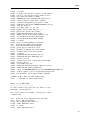
10. DHAT: a dynamic heap analysis tool . . . . . . . . . . . . . . . . . . . . . . . . . . . . . . . . . . . . . . . . . . . . . . . . . . . . . . . . . .
10.1. Overview . . . . . . . . . . . . . . . . . . . . . . . . . . . . . . . . . . . . . . . . . . . . . . . . . . . . . . . . . . . . . . . . . . . . . . . . . . . . . . . .
10.2. Understanding DHAT’s output . . . . . . . . . . . . . . . . . . . . . . . . . . . . . . . . . . . . . . . . . . . . . . . . . . . . . . . . . . . . .
10.2.1. Interpreting the max-live, tot-alloc and deaths fields . . . . . . . . . . . . . . . . . . . . . . . . . . . . . . . . . . . . . . . . .
10.2.2. Interpreting the acc-ratios fields . . . . . . . . . . . . . . . . . . . . . . . . . . . . . . . . . . . . . . . . . . . . . . . . . . . . . . . . . . .
10.2.3. Interpreting "Aggregated access counts by offset" data . . . . . . . . . . . . . . . . . . . . . . . . . . . . . . . . . . . . . .
10.3. DHAT Command-line Options . . . . . . . . . . . . . . . . . . . . . . . . . . . . . . . . . . . . . . . . . . . . . . . . . . . . . . . . . . . . .
11. Ptrcheck: an experimental heap, stack and global array overrun detector . . . . . . . . . . . . . . . . . . . . . . . . . .
11.1. Overview . . . . . . . . . . . . . . . . . . . . . . . . . . . . . . . . . . . . . . . . . . . . . . . . . . . . . . . . . . . . . . . . . . . . . . . . . . . . . . . .
11.2. Ptrcheck Command-line Options . . . . . . . . . . . . . . . . . . . . . . . . . . . . . . . . . . . . . . . . . . . . . . . . . . . . . . . . . . .
11.3. How Ptrcheck Works: Heap Checks . . . . . . . . . . . . . . . . . . . . . . . . . . . . . . . . . . . . . . . . . . . . . . . . . . . . . . . . .
11.4. How Ptrcheck Works: Stack and Global Checks . . . . . . . . . . . . . . . . . . . . . . . . . . . . . . . . . . . . . . . . . . . . . .
11.5. Comparison with Memcheck . . . . . . . . . . . . . . . . . . . . . . . . . . . . . . . . . . . . . . . . . . . . . . . . . . . . . . . . . . . . . . .
11.6. Limitations . . . . . . . . . . . . . . . . . . . . . . . . . . . . . . . . . . . . . . . . . . . . . . . . . . . . . . . . . . . . . . . . . . . . . . . . . . . . . . .
11.7. Still To Do: User-visible Functionality . . . . . . . . . . . . . . . . . . . . . . . . . . . . . . . . . . . . . . . . . . . . . . . . . . . . . .
11.8. Still To Do: Implementation Tidying . . . . . . . . . . . . . . . . . . . . . . . . . . . . . . . . . . . . . . . . . . . . . . . . . . . . . . . .
12. BBV: an experimental basic block vector generation tool . . . . . . . . . . . . . . . . . . . . . . . . . . . . . . . . . . . . . . . .
12.1. Overview . . . . . . . . . . . . . . . . . . . . . . . . . . . . . . . . . . . . . . . . . . . . . . . . . . . . . . . . . . . . . . . . . . . . . . . . . . . . . . . .
12.2. Using Basic Block Vectors to create SimPoints . . . . . . . . . . . . . . . . . . . . . . . . . . . . . . . . . . . . . . . . . . . . . . .
12.3. BBV Command-line Options . . . . . . . . . . . . . . . . . . . . . . . . . . . . . . . . . . . . . . . . . . . . . . . . . . . . . . . . . . . . . . .
12.4. Basic Block Vector File Format . . . . . . . . . . . . . . . . . . . . . . . . . . . . . . . . . . . . . . . . . . . . . . . . . . . . . . . . . . . . .
12.5. Implementation . . . . . . . . . . . . . . . . . . . . . . . . . . . . . . . . . . . . . . . . . . . . . . . . . . . . . . . . . . . . . . . . . . . . . . . . . . .
12.6. Threaded Executable Support . . . . . . . . . . . . . . . . . . . . . . . . . . . . . . . . . . . . . . . . . . . . . . . . . . . . . . . . . . . . . .
12.7. Validation . . . . . . . . . . . . . . . . . . . . . . . . . . . . . . . . . . . . . . . . . . . . . . . . . . . . . . . . . . . . . . . . . . . . . . . . . . . . . . . .
12.8. Performance . . . . . . . . . . . . . . . . . . . . . . . . . . . . . . . . . . . . . . . . . . . . . . . . . . . . . . . . . . . . . . . . . . . . . . . . . . . . .
13. Lackey: an example tool . . . . . . . . . . . . . . . . . . . . . . . . . . . . . . . . . . . . . . . . . . . . . . . . . . . . . . . . . . . . . . . . . . . .
13.1. Overview . . . . . . . . . . . . . . . . . . . . . . . . . . . . . . . . . . . . . . . . . . . . . . . . . . . . . . . . . . . . . . . . . . . . . . . . . . . . . . . .
13.2. Lackey Command-line Options . . . . . . . . . . . . . . . . . . . . . . . . . . . . . . . . . . . . . . . . . . . . . . . . . . . . . . . . . . . . .
14. Nulgrind: the minimal Valgrind tool . . . . . . . . . . . . . . . . . . . . . . . . . . . . . . . . . . . . . . . . . . . . . . . . . . . . . . . . . .
14.1. Overview . . . . . . . . . . . . . . . . . . . . . . . . . . . . . . . . . . . . . . . . . . . . . . . . . . . . . . . . . . . . . . . . . . . . . . . . . . . . . . . .
125
125
126
126
127
128
129
131
131
131
132
132
133
134
135
135
137
137
137
138
138
139
139
139
140
141
141
141
142
142
v
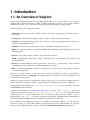
1. Introduction
1.1. An Overview of Valgrind
Valgrind is an instrumentation framework for building dynamic analysis tools. It comes with a set of tools each of
which performs some kind of debugging, profiling, or similar task that helps you improve your programs. Valgrind’s
architecture is modular, so new tools can be created easily and without disturbing the existing structure.
A number of useful tools are supplied as standard.
1. Memcheck is a memory error detector. It helps you make your programs, particularly those written in C and C++,
more correct.
2. Cachegrind is a cache and branch-prediction profiler. It helps you make your programs run faster.
3. Callgrind is a call-graph generating cache profiler. It has some overlap with Cachegrind, but also gathers some
information that Cachegrind does not.
4. Helgrind is a thread error detector. It helps you make your multi-threaded programs more correct.
5. DRD is also a thread error detector. It is similar to Helgrind but uses different analysis techniques and so may find
different problems.
6. Massif is a heap profiler. It helps you make your programs use less memory.
7. DHAT is a different kind of heap profiler. It helps you understand issues of block lifetimes, block utilisation, and
layout inefficiencies.
8. Ptrcheck is an experimental heap, stack and global array overrun detector. Its functionality overlaps somewhat
with Memcheck’s, but it can find some problems that Memcheck would miss.
9. BBV is an experimental SimPoint basic block vector generator. It is useful to people doing computer architecture
research and development.
There are also a couple of minor tools that aren’t useful to most users: Lackey is an example tool that illustrates
some instrumentation basics; and Nulgrind is the minimal Valgrind tool that does no analysis or instrumentation, and
is only useful for testing purposes.
Valgrind is closely tied to details of the CPU and operating system, and to a lesser extent, the compiler and basic C
libraries. Nonetheless, it supports a number of widely-used platforms, listed in full at http://www.valgrind.org/.
Valgrind is built via the standard Unix ./configure, make, make install process; full details are given in
the README file in the distribution.
Valgrind is licensed under the The GNU General Public License, version 2. The valgrind/*.h headers that
you may wish to include in your code (eg. valgrind.h, memcheck.h, helgrind.h, etc.) are distributed under
a BSD-style license, so you may include them in your code without worrying about license conflicts. Some of
the PThreads test cases, pth_*.c, are taken from "Pthreads Programming" by Bradford Nichols, Dick Buttlar &
Jacqueline Proulx Farrell, ISBN 1-56592-115-1, published by O’Reilly & Associates, Inc.
If you contribute code to Valgrind, please ensure your contributions are licensed as "GPLv2, or (at your option) any
later version." This is so as to allow the possibility of easily upgrading the license to GPLv3 in future. If you want to
modify code in the VEX subdirectory, please also see the file VEX/HACKING.README in the distribution.
1
Introduction
1.2. How to navigate this manual
This manual’s structure reflects the structure of Valgrind itself. First, we describe the Valgrind core, how to use it, and
the options it supports. Then, each tool has its own chapter in this manual. You only need to read the documentation
for the core and for the tool(s) you actually use, although you may find it helpful to be at least a little bit familiar with
what all tools do. If you’re new to all this, you probably want to run the Memcheck tool and you might find the The
Valgrind Quick Start Guide useful.
Be aware that the core understands some command line options, and the tools have their own options which they know
about. This means there is no central place describing all the options that are accepted -- you have to read the options
documentation both for Valgrind’s core and for the tool you want to use.
2
2. Using and understanding the
Valgrind core
This chapter describes the Valgrind core services, command-line options and behaviours. That means it is relevant
regardless of what particular tool you are using. The information should be sufficient for you to make effective
day-to-day use of Valgrind. Advanced topics related to the Valgrind core are described in Valgrind’s core: advanced
topics.
A point of terminology: most references to "Valgrind" in this chapter refer to the Valgrind core services.
2.1. What Valgrind does with your program
Valgrind is designed to be as non-intrusive as possible. It works directly with existing executables. You don’t need to
recompile, relink, or otherwise modify the program to be checked.
You invoke Valgrind like this:
valgrind [valgrind-options] your-prog [your-prog-options]
The most important option is --tool which dictates which Valgrind tool to run. For example, if want to run the
command ls -l using the memory-checking tool Memcheck, issue this command:
valgrind --tool=memcheck ls -l
However, Memcheck is the default, so if you want to use it you can omit the --tool option.
Regardless of which tool is in use, Valgrind takes control of your program before it starts. Debugging information is
read from the executable and associated libraries, so that error messages and other outputs can be phrased in terms of
source code locations, when appropriate.
Your program is then run on a synthetic CPU provided by the Valgrind core. As new code is executed for the first
time, the core hands the code to the selected tool. The tool adds its own instrumentation code to this and hands the
result back to the core, which coordinates the continued execution of this instrumented code.
The amount of instrumentation code added varies widely between tools. At one end of the scale, Memcheck adds
code to check every memory access and every value computed, making it run 10-50 times slower than natively. At the
other end of the spectrum, the minimal tool, called Nulgrind, adds no instrumentation at all and causes in total "only"
about a 4 times slowdown.
Valgrind simulates every single instruction your program executes. Because of this, the active tool checks, or profiles,
not only the code in your application but also in all supporting dynamically-linked libraries, including the C library,
graphical libraries, and so on.
If you’re using an error-detection tool, Valgrind may detect errors in system libraries, for example the GNU C or X11
libraries, which you have to use. You might not be interested in these errors, since you probably have no control
over that code. Therefore, Valgrind allows you to selectively suppress errors, by recording them in a suppressions
file which is read when Valgrind starts up. The build mechanism selects default suppressions which give reasonable
behaviour for the OS and libraries detected on your machine. To make it easier to write suppressions, you can use the
--gen-suppressions=yes option. This tells Valgrind to print out a suppression for each reported error, which
you can then copy into a suppressions file.
3
Using and understanding the Valgrind core
Different error-checking tools report different kinds of errors. The suppression mechanism therefore allows you to say
which tool or tool(s) each suppression applies to.
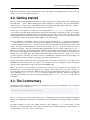
2.2. Getting started
First off, consider whether it might be beneficial to recompile your application and supporting libraries with debugging
info enabled (the -g option). Without debugging info, the best Valgrind tools will be able to do is guess which function
a particular piece of code belongs to, which makes both error messages and profiling output nearly useless. With -g,
you’ll get messages which point directly to the relevant source code lines.
Another option you might like to consider, if you are working with C++, is -fno-inline. That makes it easier to
see the function-call chain, which can help reduce confusion when navigating around large C++ apps. For example,
debugging OpenOffice.org with Memcheck is a bit easier when using this option. You don’t have to do this, but doing
so helps Valgrind produce more accurate and less confusing error reports. Chances are you’re set up like this already,
if you intended to debug your program with GNU GDB, or some other debugger.
If you are planning to use Memcheck: On rare occasions, compiler optimisations (at -O2 and above, and sometimes
-O1) have been observed to generate code which fools Memcheck into wrongly reporting uninitialised value errors,
or missing uninitialised value errors. We have looked in detail into fixing this, and unfortunately the result is that
doing so would give a further significant slowdown in what is already a slow tool. So the best solution is to turn off
optimisation altogether. Since this often makes things unmanageably slow, a reasonable compromise is to use -O.
This gets you the majority of the benefits of higher optimisation levels whilst keeping relatively small the chances of
false positives or false negatives from Memcheck. Also, you should compile your code with -Wall because it can
identify some or all of the problems that Valgrind can miss at the higher optimisation levels. (Using -Wall is also a
good idea in general.) All other tools (as far as we know) are unaffected by optimisation level, and for profiling tools
like Cachegrind it is better to compile your program at its normal optimisation level.
Valgrind understands both the older "stabs" debugging format, used by GCC versions prior to 3.1, and the newer
DWARF2/3/4 formats used by GCC 3.1 and later. We continue to develop our debug-info readers, although the
majority of effort will naturally enough go into the newer DWARF readers.
When you’re ready to roll, run Valgrind as described above. Note that you should run the real (machine-code)
executable here. If your application is started by, for example, a shell or Perl script, you’ll need to modify it to
invoke Valgrind on the real executables. Running such scripts directly under Valgrind will result in you getting error
reports pertaining to /bin/sh, /usr/bin/perl, or whatever interpreter you’re using. This may not be what you
want and can be confusing. You can force the issue by giving the option --trace-children=yes, but confusion
is still likely.
2.3. The Commentary
Valgrind tools write a commentary, a stream of text, detailing error reports and other significant events. All lines in
the commentary have following form:
==12345== some-message-from-Valgrind
The 12345 is the process ID. This scheme makes it easy to distinguish program output from Valgrind commentary,
and also easy to differentiate commentaries from different processes which have become merged together, for whatever
reason.
By default, Valgrind tools write only essential messages to the commentary, so as to avoid flooding you with
information of secondary importance. If you want more information about what is happening, re-run, passing the -v
option to Valgrind. A second -v gives yet more detail.
4
Using and understanding the Valgrind core
You can direct the commentary to three different places:
1. The default: send it to a file descriptor, which is by default 2 (stderr). So, if you give the core no options, it will
write commentary to the standard error stream. If you want to send it to some other file descriptor, for example
number 9, you can specify --log-fd=9.
This is the simplest and most common arrangement, but can cause problems when Valgrinding entire trees of
processes which expect specific file descriptors, particularly stdin/stdout/stderr, to be available for their own use.
2. A less intrusive option is to write the commentary to a file, which you specify by --log-file=filename.
There are special format specifiers that can be used to use a process ID or an environment variable name in the log
file name. These are useful/necessary if your program invokes multiple processes (especially for MPI programs).
See the basic options section for more details.
3. The least intrusive option is to send the commentary to a network socket. The socket is specified as an IP address
and port number pair, like this: --log-socket=192.168.0.1:12345 if you want to send the output to host
IP 192.168.0.1 port 12345 (note: we have no idea if 12345 is a port of pre-existing significance). You can also omit
the port number: --log-socket=192.168.0.1, in which case a default port of 1500 is used. This default is
defined by the constant VG_CLO_DEFAULT_LOGPORT in the sources.
Note, unfortunately, that you have to use an IP address here, rather than a hostname.
Writing to a network socket is pointless if you don’t have something listening at the other end. We provide a simple
listener program, valgrind-listener, which accepts connections on the specified port and copies whatever
it is sent to stdout. Probably someone will tell us this is a horrible security risk. It seems likely that people will
write more sophisticated listeners in the fullness of time.
valgrind-listener can accept simultaneous connections from up to 50 Valgrinded processes.
each line of output it prints the current number of active connections in round brackets.
In front of
valgrind-listener accepts two command-line options:
• -e or --exit-at-zero: when the number of connected processes falls back to zero, exit. Without this, it
will run forever, that is, until you send it Control-C.
• portnumber: changes the port it listens on from the default (1500). The specified port must be in the range
1024 to 65535. The same restriction applies to port numbers specified by a --log-socket to Valgrind itself.
If a Valgrinded process fails to connect to a listener, for whatever reason (the listener isn’t running, invalid or
unreachable host or port, etc), Valgrind switches back to writing the commentary to stderr. The same goes for
any process which loses an established connection to a listener. In other words, killing the listener doesn’t kill the
processes sending data to it.
5
Using and understanding the Valgrind core
Here is an important point about the relationship between the commentary and profiling output from tools. The
commentary contains a mix of messages from the Valgrind core and the selected tool. If the tool reports errors, it will
report them to the commentary. However, if the tool does profiling, the profile data will be written to a file of some
kind, depending on the tool, and independent of what --log-* options are in force. The commentary is intended
to be a low-bandwidth, human-readable channel. Profiling data, on the other hand, is usually voluminous and not
meaningful without further processing, which is why we have chosen this arrangement.
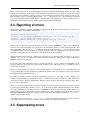
2.4. Reporting of errors
When an error-checking tool detects something bad happening in the program, an error message is written to the
commentary. Here’s an example from Memcheck:
==25832== Invalid read of size 4
==25832==
at 0x8048724: BandMatrix::ReSize(int, int, int) (bogon.cpp:45)
==25832==
by 0x80487AF: main (bogon.cpp:66)
==25832== Address 0xBFFFF74C is not stack’d, malloc’d or free’d
This message says that the program did an illegal 4-byte read of address 0xBFFFF74C, which, as far as Memcheck
can tell, is not a valid stack address, nor corresponds to any current heap blocks or recently freed heap blocks. The
read is happening at line 45 of bogon.cpp, called from line 66 of the same file, etc. For errors associated with
an identified (current or freed) heap block, for example reading freed memory, Valgrind reports not only the location
where the error happened, but also where the associated heap block was allocated/freed.
Valgrind remembers all error reports. When an error is detected, it is compared against old reports, to see if it is a
duplicate. If so, the error is noted, but no further commentary is emitted. This avoids you being swamped with
bazillions of duplicate error reports.
If you want to know how many times each error occurred, run with the -v option. When execution finishes, all the
reports are printed out, along with, and sorted by, their occurrence counts. This makes it easy to see which errors have
occurred most frequently.
Errors are reported before the associated operation actually happens. For example, if you’re using Memcheck and
your program attempts to read from address zero, Memcheck will emit a message to this effect, and your program will
then likely die with a segmentation fault.
In general, you should try and fix errors in the order that they are reported. Not doing so can be confusing. For
example, a program which copies uninitialised values to several memory locations, and later uses them, will generate
several error messages, when run on Memcheck. The first such error message may well give the most direct clue to
the root cause of the problem.
The process of detecting duplicate errors is quite an expensive one and can become a significant performance overhead
if your program generates huge quantities of errors. To avoid serious problems, Valgrind will simply stop collecting
errors after 1,000 different errors have been seen, or 10,000,000 errors in total have been seen. In this situation you
might as well stop your program and fix it, because Valgrind won’t tell you anything else useful after this. Note that
the 1,000/10,000,000 limits apply after suppressed errors are removed. These limits are defined in m_errormgr.c
and can be increased if necessary.
To avoid this cutoff you can use the --error-limit=no option. Then Valgrind will always show errors, regardless
of how many there are. Use this option carefully, since it may have a bad effect on performance.
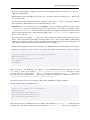
2.5. Suppressing errors
6
Using and understanding the Valgrind core
The error-checking tools detect numerous problems in the system libraries, such as the C library, which come preinstalled with your OS. You can’t easily fix these, but you don’t want to see these errors (and yes, there are many!)
So Valgrind reads a list of errors to suppress at startup. A default suppression file is created by the ./configure
script when the system is built.
You can modify and add to the suppressions file at your leisure, or, better, write your own. Multiple suppression files
are allowed. This is useful if part of your project contains errors you can’t or don’t want to fix, yet you don’t want to
continuously be reminded of them.
Note: By far the easiest way to add suppressions is to use the --gen-suppressions=yes option described in
Core Command-line Options. This generates suppressions automatically. For best results, though, you may want to
edit the output of --gen-suppressions=yes by hand, in which case it would be advisable to read through this
section.
Each error to be suppressed is described very specifically, to minimise the possibility that a suppression-directive
inadvertently suppresses a bunch of similar errors which you did want to see. The suppression mechanism is designed
to allow precise yet flexible specification of errors to suppress.
If you use the -v option, at the end of execution, Valgrind prints out one line for each used suppression, giving its name
and the number of times it got used. Here’s the suppressions used by a run of valgrind --tool=memcheck
ls -l:
--27579-- supp: 1 socketcall.connect(serv_addr)/__libc_connect/__nscd_getgrgid_r
--27579-- supp: 1 socketcall.connect(serv_addr)/__libc_connect/__nscd_getpwuid_r
--27579-- supp: 6 strrchr/_dl_map_object_from_fd/_dl_map_object
Multiple suppressions files are allowed. By default, Valgrind uses $PREFIX/lib/valgrind/default.supp.
You can ask to add suppressions from another file, by specifying --suppressions=/path/to/file.supp.
If you want to understand more about suppressions, look at an existing suppressions file whilst reading the following
documentation. The file glibc-2.3.supp, in the source distribution, provides some good examples.
Each suppression has the following components:
• First line: its name. This merely gives a handy name to the suppression, by which it is referred to in the summary
of used suppressions printed out when a program finishes. It’s not important what the name is; any identifying
string will do.
• Second line: name of the tool(s) that the suppression is for (if more than one, comma-separated), and the name of
the suppression itself, separated by a colon (n.b.: no spaces are allowed), eg:
tool_name1,tool_name2:suppression_name
Recall that Valgrind is a modular system, in which different instrumentation tools can observe your program whilst it
is running. Since different tools detect different kinds of errors, it is necessary to say which tool(s) the suppression
is meaningful to.
Tools will complain, at startup, if a tool does not understand any suppression directed to it.
Tools ignore
suppressions which are not directed to them. As a result, it is quite practical to put suppressions for all tools
into the same suppression file.
7
Using and understanding the Valgrind core
• Next line: a small number of suppression types have extra information after the second line (eg. the Param
suppression for Memcheck)
• Remaining lines: This is the calling context for the error -- the chain of function calls that led to it. There can be
up to 24 of these lines.
Locations may be names of either shared objects or functions. They begin obj: and fun: respectively. Function
and object names to match against may use the wildcard characters * and ?.
Important note: C++ function names must be mangled. If you are writing suppressions by hand, use the
--demangle=no option to get the mangled names in your error messages. An example of a mangled C++ name
is _ZN9QListView4showEv. This is the form that the GNU C++ compiler uses internally, and the form that
must be used in suppression files. The equivalent demangled name, QListView::show(), is what you see at
the C++ source code level.
A location line may also be simply "..." (three dots). This is a frame-level wildcard, which matches zero or more
frames. Frame level wildcards are useful because they make it easy to ignore varying numbers of uninteresting
frames in between frames of interest. That is often important when writing suppressions which are intended to be
robust against variations in the amount of function inlining done by compilers.
• Finally, the entire suppression must be between curly braces. Each brace must be the first character on its own line.
A suppression only suppresses an error when the error matches all the details in the suppression. Here’s an example:
{
__gconv_transform_ascii_internal/__mbrtowc/mbtowc
Memcheck:Value4
fun:__gconv_transform_ascii_internal
fun:__mbr*toc
fun:mbtowc
}
What it means is: for Memcheck only, suppress a use-of-uninitialised-value error, when
is 4, when it occurs in the function __gconv_transform_ascii_internal, when
from any function of name matching __mbr*toc, when that is called from mbtowc.
ply under any other circumstances.
The string by which this suppression is identified
__gconv_transform_ascii_internal/__mbrtowc/mbtowc.
the data size
that is called
It doesn’t apto the user is
(See Writing suppression files for more details on the specifics of Memcheck’s suppression kinds.)
Another example, again for the Memcheck tool:
{
libX11.so.6.2/libX11.so.6.2/libXaw.so.7.0
Memcheck:Value4
obj:/usr/X11R6/lib/libX11.so.6.2
obj:/usr/X11R6/lib/libX11.so.6.2
obj:/usr/X11R6/lib/libXaw.so.7.0
}
This suppresses any size 4 uninitialised-value error which occurs anywhere in libX11.so.6.2, when called from
anywhere in the same library, when called from anywhere in libXaw.so.7.0. The inexact specification of
8
Using and understanding the Valgrind core
locations is regrettable, but is about all you can hope for, given that the X11 libraries shipped on the Linux distro on
which this example was made have had their symbol tables removed.
Although the above two examples do not make this clear, you can freely mix obj: and fun: lines in a suppression.
Finally, here’s an example using three frame-level wildcards:
{
a-contrived-example
Memcheck:Leak
fun:malloc
...
fun:ddd
...
fun:ccc
...
fun:main
}
This suppresses Memcheck memory-leak errors, in the case where the allocation was done by main calling (though
any number of intermediaries, including zero) ccc, calling onwards via ddd and eventually to malloc..
2.6. Core Command-line Options
As mentioned above, Valgrind’s core accepts a common set of options. The tools also accept tool-specific options,
which are documented separately for each tool.
Valgrind’s default settings succeed in giving reasonable behaviour in most cases. We group the available options by
rough categories.
2.6.1. Tool-selection Option
The single most important option.
--tool=<toolname> [default: memcheck]
Run the Valgrind tool called toolname, e.g. Memcheck, Cachegrind, etc.
2.6.2. Basic Options
These options work with all tools.
-h --help
Show help for all options, both for the core and for the selected tool. If the option is repeated it is equivalent to giving
--help-debug.
--help-debug
Same as --help, but also lists debugging options which usually are only of use to Valgrind’s developers.
9
Using and understanding the Valgrind core
--version
Show the version number of the Valgrind core. Tools can have their own version numbers. There is a scheme in place
to ensure that tools only execute when the core version is one they are known to work with. This was done to minimise
the chances of strange problems arising from tool-vs-core version incompatibilities.
-q, --quiet
Run silently, and only print error messages. Useful if you are running regression tests or have some other automated
test machinery.
-v, --verbose
Be more verbose. Gives extra information on various aspects of your program, such as: the shared objects loaded, the
suppressions used, the progress of the instrumentation and execution engines, and warnings about unusual behaviour.
Repeating the option increases the verbosity level.
--trace-children=<yes|no> [default: no]
When enabled, Valgrind will trace into sub-processes initiated via the exec system call.
multi-process programs.
This is necessary for
Note that Valgrind does trace into the child of a fork (it would be difficult not to, since fork makes an identical
copy of a process), so this option is arguably badly named. However, most children of fork calls immediately call
exec anyway.
--trace-children-skip=patt1,patt2
This option only has an effect when --trace-children=yes is specified. It allows for some children to be
skipped. The option takes a comma separated list of patterns for the names of child executables that Valgrind should
not trace into. Patterns may include the metacharacters ? and *, which have the usual meaning.
This can be useful for pruning uninteresting branches from a tree of processes being run on Valgrind. But you should
be careful when using it. When Valgrind skips tracing into an executable, it doesn’t just skip tracing that executable,
it also skips tracing any of that executable’s child processes. In other words, the flag doesn’t merely cause tracing to
stop at the specified executables -- it skips tracing of entire process subtrees rooted at any of the specified executables.
--child-silent-after-fork=<yes|no> [default: no]
When enabled, Valgrind will not show any debugging or logging output for the child process resulting from a fork
call. This can make the output less confusing (although more misleading) when dealing with processes that create
children. It is particularly useful in conjunction with --trace-children=. Use of this option is also strongly
recommended if you are requesting XML output (--xml=yes), since otherwise the XML from child and parent may
become mixed up, which usually makes it useless.
--track-fds=<yes|no> [default: no]
When enabled, Valgrind will print out a list of open file descriptors on exit. Along with each file descriptor is printed
a stack backtrace of where the file was opened and any details relating to the file descriptor such as the file name or
socket details.
--time-stamp=<yes|no> [default: no]
When enabled, each message is preceded with an indication of the elapsed wallclock time since startup, expressed as
days, hours, minutes, seconds and milliseconds.
--log-fd=<number> [default: 2, stderr]
Specifies that Valgrind should send all of its messages to the specified file descriptor. The default, 2, is the standard
error channel (stderr). Note that this may interfere with the client’s own use of stderr, as Valgrind’s output will be
interleaved with any output that the client sends to stderr.
10
Using and understanding the Valgrind core
--log-file=<filename>
Specifies that Valgrind should send all of its messages to the specified file. If the file name is empty, it causes an
abort. There are three special format specifiers that can be used in the file name.
%p is replaced with the current process ID. This is very useful for program that invoke multiple processes. WARNING:
If you use --trace-children=yes and your program invokes multiple processes OR your program forks without
calling exec afterwards, and you don’t use this specifier (or the %q specifier below), the Valgrind output from all those
processes will go into one file, possibly jumbled up, and possibly incomplete.
%q{FOO} is replaced with the contents of the environment variable FOO. If the {FOO} part is malformed, it causes an
abort. This specifier is rarely needed, but very useful in certain circumstances (eg. when running MPI programs). The
idea is that you specify a variable which will be set differently for each process in the job, for example BPROC_RANK
or whatever is applicable in your MPI setup. If the named environment variable is not set, it causes an abort. Note
that in some shells, the { and } characters may need to be escaped with a backslash.
%% is replaced with %.
If an % is followed by any other character, it causes an abort.
--log-socket=<ip-address:port-number>
Specifies that Valgrind should send all of its messages to the specified port at the specified IP address. The port
may be omitted, in which case port 1500 is used. If a connection cannot be made to the specified socket, Valgrind
falls back to writing output to the standard error (stderr). This option is intended to be used in conjunction with the
valgrind-listener program. For further details, see the commentary in the manual.
2.6.3. Error-related Options
These options are used by all tools that can report errors, e.g. Memcheck, but not Cachegrind.
--xml=<yes|no> [default: no]
When enabled, the important parts of the output (e.g. tool error messages) will be in XML format rather than plain
text. Furthermore, the XML output will be sent to a different output channel than the plain text output. Therefore,
you also must use one of --xml-fd, --xml-file or --xml-socket to specify where the XML is to be sent.
Less important messages will still be printed in plain text, but because the XML output and plain text output are sent
to different output channels (the destination of the plain text output is still controlled by --log-fd, --log-file
and --log-socket) this should not cause problems.
This option is aimed at making life easier for tools that consume Valgrind’s output as input, such as GUI front ends.
Currently this option works with Memcheck, Helgrind and Ptrcheck. The output format is specified in the file
docs/internals/xml-output-protocol4.txt in the source tree for Valgrind 3.5.0 or later.
The recommended options for a GUI to pass, when requesting XML output, are: --xml=yes to enable XML output,
--xml-file to send the XML output to a (presumably GUI-selected) file, --log-file to send the plain text
output to a second GUI-selected file, --child-silent-after-fork=yes, and -q to restrict the plain text
output to critical error messages created by Valgrind itself. For example, failure to read a specified suppressions file
counts as a critical error message. In this way, for a successful run the text output file will be empty. But if it isn’t
empty, then it will contain important information which the GUI user should be made aware of.
--xml-fd=<number> [default: -1, disabled]
Specifies that Valgrind should send its XML output to the specified file descriptor.
with --xml=yes.
It must be used in conjunction
11
Using and understanding the Valgrind core
--xml-file=<filename>
Specifies that Valgrind should send its XML output to the specified file.
It must be used in conjunction with
--xml=yes. Any %p or %q sequences appearing in the filename are expanded in exactly the same way as they
are for --log-file. See the description of --log-file for details.
--xml-socket=<ip-address:port-number>
Specifies that Valgrind should send its XML output the specified port at the specified IP address. It must be used in
conjunction with --xml=yes. The form of the argument is the same as that used by --log-socket. See the
description of --log-socket for further details.
--xml-user-comment=<string>
Embeds an extra user comment string at the start of the XML output. Only works when --xml=yes is specified;
ignored otherwise.
--demangle=<yes|no> [default: yes]
Enable/disable automatic demangling (decoding) of C++ names. Enabled by default. When enabled, Valgrind will
attempt to translate encoded C++ names back to something approaching the original. The demangler handles symbols
mangled by g++ versions 2.X, 3.X and 4.X.
An important fact about demangling is that function names mentioned in suppressions files should be in their mangled
form. Valgrind does not demangle function names when searching for applicable suppressions, because to do otherwise
would make suppression file contents dependent on the state of Valgrind’s demangling machinery, and also slow down
suppression matching.
--num-callers=<number> [default: 12]
Specifies the maximum number of entries shown in stack traces that identify program locations. Note that errors
are commoned up using only the top four function locations (the place in the current function, and that of its three
immediate callers). So this doesn’t affect the total number of errors reported.
The maximum value for this is 50. Note that higher settings will make Valgrind run a bit more slowly and take a bit
more memory, but can be useful when working with programs with deeply-nested call chains.
--error-limit=<yes|no> [default: yes]
When enabled, Valgrind stops reporting errors after 10,000,000 in total, or 1,000 different ones, have been seen. This
is to stop the error tracking machinery from becoming a huge performance overhead in programs with many errors.
--error-exitcode=<number> [default: 0]
Specifies an alternative exit code to return if Valgrind reported any errors in the run. When set to the default value
(zero), the return value from Valgrind will always be the return value of the process being simulated. When set to a
nonzero value, that value is returned instead, if Valgrind detects any errors. This is useful for using Valgrind as part
of an automated test suite, since it makes it easy to detect test cases for which Valgrind has reported errors, just by
inspecting return codes.
--show-below-main=<yes|no> [default: no]
By default, stack traces for errors do not show any functions that appear beneath main because most of the time it’s
uninteresting C library stuff and/or gobbledygook. Alternatively, if main is not present in the stack trace, stack traces
will not show any functions below main-like functions such as glibc’s __libc_start_main. Furthermore, if
main-like functions are present in the trace, they are normalised as (below main), in order to make the output
more deterministic.
If this option is enabled, all stack trace entries will be shown and main-like functions will not be normalised.
12
Using and understanding the Valgrind core
--fullpath-after=<string> [default: don’t show source paths]
By default Valgrind only shows the filenames in stack traces, but not full paths to source files.
When using
Valgrind in large projects where the sources reside in multiple different directories, this can be inconvenient.
--fullpath-after provides a flexible solution to this problem. When this option is present, the path to each
source file is shown, with the following all-important caveat: if string is found in the path, then the path up to and
including string is omitted, else the path is shown unmodified. Note that string is not required to be a prefix of
the path.
For example, consider a file named /home/janedoe/blah/src/foo/bar/xyzzy.c.
Specifying --fullpath-after=/home/janedoe/blah/src/ will cause Valgrind to show the name as
foo/bar/xyzzy.c.
Because the string is not required to be a prefix, --fullpath-after=src/ will produce the same output.
This is useful when the path contains arbitrary machine-generated characters.
For example,
the path /my/build/dir/C32A1B47/blah/src/foo/xyzzy can be pruned to foo/xyzzy using
--fullpath-after=/blah/src/.
If you simply want to see the full path, just specify an empty string: --fullpath-after=. This isn’t a special
case, merely a logical consequence of the above rules.
Finally, you can use --fullpath-after multiple times.
Any appearance of it causes Valgrind to switch
to producing full paths and applying the above filtering rule. Each produced path is compared against all the
--fullpath-after-specified strings, in the order specified. The first string to match causes the path to be
truncated as described above. If none match, the full path is shown. This facilitates chopping off prefixes when the
sources are drawn from a number of unrelated directories.
--suppressions=<filename> [default: $PREFIX/lib/valgrind/default.supp]
Specifies an extra file from which to read descriptions of errors to suppress. You may use up to 100 extra suppression
files.
--gen-suppressions=<yes|no|all> [default: no]
When set to yes, Valgrind will pause after every error shown and print the line:
---- Print suppression ? --- [Return/N/n/Y/y/C/c] ---The prompt’s behaviour is the same as for the --db-attach option (see below).
If you choose to, Valgrind will print out a suppression for this error. You can then cut and paste it into a suppression
file if you don’t want to hear about the error in the future.
When set to all, Valgrind will print a suppression for every reported error, without querying the user.
This option is particularly useful with C++ programs, as it prints out the suppressions with mangled names, as required.
Note that the suppressions printed are as specific as possible. You may want to common up similar ones, by adding
wildcards to function names, and by using frame-level wildcards. The wildcarding facilities are powerful yet flexible,
and with a bit of careful editing, you may be able to suppress a whole family of related errors with only a few
suppressions.
Sometimes two different errors are suppressed by the same suppression, in which case Valgrind will output the
suppression more than once, but you only need to have one copy in your suppression file (but having more than
one won’t cause problems). Also, the suppression name is given as <insert a suppression name here>;
the name doesn’t really matter, it’s only used with the -v option which prints out all used suppression records.
13
Using and understanding the Valgrind core
--db-attach=<yes|no> [default: no]
When enabled, Valgrind will pause after every error shown and print the line:
---- Attach to debugger ? --- [Return/N/n/Y/y/C/c] ---Pressing Ret, or N Ret or n Ret, causes Valgrind not to start a debugger for this error.
Pressing Y Ret or y Ret causes Valgrind to start a debugger for the program at this point. When you have finished
with the debugger, quit from it, and the program will continue. Trying to continue from inside the debugger doesn’t
work.
C Ret or c Ret causes Valgrind not to start a debugger, and not to ask again.
--db-command=<command> [default: gdb -nw %f %p]
Specify the debugger to use with the --db-attach command. The default debugger is GDB. This option is a
template that is expanded by Valgrind at runtime. %f is replaced with the executable’s file name and %p is replaced
by the process ID of the executable.
This specifies how Valgrind will invoke the debugger. By default it will use whatever GDB is detected at build time,
which is usually /usr/bin/gdb. Using this command, you can specify some alternative command to invoke the
debugger you want to use.
The command string given can include one or instances of the %p and %f expansions. Each instance of %p expands to
the PID of the process to be debugged and each instance of %f expands to the path to the executable for the process to
be debugged.
Since <command> is likely to contain spaces, you will need to put this entire option in quotes to ensure it is correctly
handled by the shell.
--input-fd=<number> [default: 0, stdin]
When using --db-attach=yes or --gen-suppressions=yes, Valgrind will stop so as to read keyboard
input from you when each error occurs. By default it reads from the standard input (stdin), which is problematic for
programs which close stdin. This option allows you to specify an alternative file descriptor from which to read input.
--dsymutil=no|yes [no]
This option is only relevant when running Valgrind on Mac OS X.
Mac OS X uses a deferred debug information (debuginfo) linking scheme. When object files containing debuginfo
are linked into a .dylib or an executable, the debuginfo is not copied into the final file. Instead, the debuginfo must
be linked manually by running dsymutil, a system-provided utility, on the executable or .dylib. The resulting
combined debuginfo is placed in a directory alongside the executable or .dylib, but with the extension .dSYM.
With --dsymutil=no, Valgrind will detect cases where the .dSYM directory is either missing, or is present but
does not appear to match the associated executable or .dylib, most likely because it is out of date. In these cases,
Valgrind will print a warning message but take no further action.
With --dsymutil=yes, Valgrind will, in such cases, automatically run dsymutil as necessary to bring the
debuginfo up to date. For all practical purposes, if you always use --dsymutil=yes, then there is never any need
to run dsymutil manually or as part of your applications’s build system, since Valgrind will run it as necessary.
Valgrind will not attempt to run dsymutil on any executable or library in /usr/, /bin/, /sbin/, /opt/, /sw/,
/System/, /Library/ or /Applications/ since dsymutil will always fail in such situations. It fails both
because the debuginfo for such pre-installed system components is not available anywhere, and also because it would
require write privileges in those directories.
Be careful when using --dsymutil=yes, since it will cause pre-existing .dSYM directories to be silently deleted
and re-created. Also note that dsymutil is quite slow, sometimes excessively so.
14
Using and understanding the Valgrind core
--max-stackframe=<number> [default: 2000000]
The maximum size of a stack frame. If the stack pointer moves by more than this amount then Valgrind will assume
that the program is switching to a different stack.
You may need to use this option if your program has large stack-allocated arrays. Valgrind keeps track of your
program’s stack pointer.
If it changes by more than the threshold amount, Valgrind assumes your program is
switching to a different stack, and Memcheck behaves differently than it would for a stack pointer change smaller
than the threshold. Usually this heuristic works well. However, if your program allocates large structures on the
stack, this heuristic will be fooled, and Memcheck will subsequently report large numbers of invalid stack accesses.
This option allows you to change the threshold to a different value.
You should only consider use of this option if Valgrind’s debug output directs you to do so. In that case it will tell
you the new threshold you should specify.
In general, allocating large structures on the stack is a bad idea, because you can easily run out of stack space,
especially on systems with limited memory or which expect to support large numbers of threads each with a small
stack, and also because the error checking performed by Memcheck is more effective for heap-allocated data than for
stack-allocated data. If you have to use this option, you may wish to consider rewriting your code to allocate on the
heap rather than on the stack.
--main-stacksize=<number> [default:
Specifies the size of the main thread’s stack.
use current ’ulimit’ value]
To simplify its memory management, Valgrind reserves all required space for the main thread’s stack at startup. That
means it needs to know the required stack size at startup.
By default, Valgrind uses the current "ulimit" value for the stack size, or 16 MB, whichever is lower. In many cases
this gives a stack size in the range 8 to 16 MB, which almost never overflows for most applications.
If you need a larger total stack size, use --main-stacksize to specify it. Only set it as high as you need, since
reserving far more space than you need (that is, hundreds of megabytes more than you need) constrains Valgrind’s
memory allocators and may reduce the total amount of memory that Valgrind can use.
This is only really of
significance on 32-bit machines.
On Linux, you may request a stack of size up to 2GB. Valgrind will stop with a diagnostic message if the stack cannot
be allocated. On AIX5 the allowed stack size is restricted to 128MB.
--main-stacksize only affects the stack size for the program’s initial thread. It has no bearing on the size of
thread stacks, as Valgrind does not allocate those.
You may need to use both --main-stacksize and --max-stackframe together. It is important to understand
that --main-stacksize sets the maximum total stack size, whilst --max-stackframe specifies the largest size
of any one stack frame. You will have to work out the --main-stacksize value for yourself (usually, if your
applications segfaults). But Valgrind will tell you the needed --max-stackframe size, if necessary.
As discussed further in the description of --max-stackframe, a requirement for a large stack is a sign of potential
portability problems. You are best advised to place all large data in heap-allocated memory.
2.6.4. malloc-related Options
For tools that use their own version of malloc (e.g. Memcheck and Massif), the following options apply.
15
Using and understanding the Valgrind core
--alignment=<number> [default: 8 or 16, depending on the platform]
By default Valgrind’s malloc, realloc, etc, return a block whose starting address is 8-byte aligned or 16-byte
aligned (the value depends on the platform and matches the platform default). This option allows you to specify a
different alignment. The supplied value must be greater than or equal to the default, less than or equal to 4096, and
must be a power of two.
2.6.5. Uncommon Options
These options apply to all tools, as they affect certain obscure workings of the Valgrind core. Most people won’t need
to use these.
--smc-check=<none|stack|all> [default: stack]
This option controls Valgrind’s detection of self-modifying code. If no checking is done, if a program executes some
code, then overwrites it with new code, and executes the new code, Valgrind will continue to execute the translations
it made for the old code. This will likely lead to incorrect behaviour and/or crashes.
Valgrind has three levels of self-modifying code detection: no detection, detect self-modifying code on the stack
(which is used by GCC to implement nested functions), or detect self-modifying code everywhere. Note that the
default option will catch the vast majority of cases. The main case it will not catch is programs such as JIT compilers
that dynamically generate code and subsequently overwrite part or all of it. Running with all will slow Valgrind
down noticeably. Running with none will rarely speed things up, since very little code gets put on the stack for most
programs. The VALGRIND_DISCARD_TRANSLATIONS client request is an alternative to --smc-check=all
that requires more effort but is much faster.
Some architectures (including ppc32, ppc64 and ARM) require programs which create code at runtime to flush the
instruction cache in between code generation and first use. Valgrind observes and honours such instructions. Hence,
on ppc32/Linux, ppc64/Linux and ARM/Linux, Valgrind always provides complete, transparent support for selfmodifying code. It is only on platforms such as x86/Linux, AMD64/Linux and x86/Darwin that you need to use
this option.
--read-var-info=<yes|no> [default: no]
When enabled, Valgrind will read information about variable types and locations from DWARF3 debug info. This
slows Valgrind down and makes it use more memory, but for the tools that can take advantage of it (Memcheck,
Helgrind, DRD) it can result in more precise error messages. For example, here are some standard errors issued by
Memcheck:
==15516==
==15516==
==15516==
==15516==
==15516==
==15516==
==15516==
==15516==
==15516==
Uninitialised byte(s) found during client check request
at 0x400633: croak (varinfo1.c:28)
by 0x4006B2: main (varinfo1.c:55)
Address 0x60103b is 7 bytes inside data symbol "global_i2"
Uninitialised byte(s) found during client check request
at 0x400633: croak (varinfo1.c:28)
by 0x4006BC: main (varinfo1.c:56)
Address 0x7fefffefc is on thread 1’s stack
And here are the same errors with --read-var-info=yes:
16
Using and understanding the Valgrind core
==15522==
==15522==
==15522==
==15522==
==15522==
==15522==
==15522==
==15522==
==15522==
==15522==
==15522==
Uninitialised byte(s) found during client check request
at 0x400633: croak (varinfo1.c:28)
by 0x4006B2: main (varinfo1.c:55)
Location 0x60103b is 0 bytes inside global_i2[7],
a global variable declared at varinfo1.c:41
Uninitialised byte(s) found during client check request
at 0x400633: croak (varinfo1.c:28)
by 0x4006BC: main (varinfo1.c:56)
Location 0x7fefffefc is 0 bytes inside local var "local"
declared at varinfo1.c:46, in frame #1 of thread 1
--run-libc-freeres=<yes|no> [default: yes]
This option is only relevant when running Valgrind on Linux.
The GNU C library (libc.so), which is used by all programs, may allocate memory for its own uses. Usually it
doesn’t bother to free that memory when the program ends—there would be no point, since the Linux kernel reclaims
all process resources when a process exits anyway, so it would just slow things down.
The glibc authors realised that this behaviour causes leak checkers, such as Valgrind, to falsely report leaks in glibc,
when a leak check is done at exit.
In order to avoid this, they provided a routine called __libc_freeres
specifically to make glibc release all memory it has allocated. Memcheck therefore tries to run __libc_freeres
at exit.
Unfortunately, in some very old versions of glibc, __libc_freeres is sufficiently buggy to cause segmentation
faults. This was particularly noticeable on Red Hat 7.1. So this option is provided in order to inhibit the run
of __libc_freeres. If your program seems to run fine on Valgrind, but segfaults at exit, you may find that
--run-libc-freeres=no fixes that, although at the cost of possibly falsely reporting space leaks in libc.so.
--sim-hints=hint1,hint2,...
Pass miscellaneous hints to Valgrind which slightly modify the simulated behaviour in nonstandard or dangerous ways,
possibly to help the simulation of strange features. By default no hints are enabled. Use with caution! Currently
known hints are:
• lax-ioctls:
Be very lax about ioctl handling; the only assumption is that the size is correct. Doesn’t require
the full buffer to be initialized when writing. Without this, using some device drivers with a large number of strange
ioctl commands becomes very tiresome.
• enable-inner:
Enable some special magic needed when the program being run is itself Valgrind.
--kernel-variant=variant1,variant2,...
Handle system calls and ioctls arising from minor variants of the default kernel for this platform. This is useful for
running on hacked kernels or with kernel modules which support nonstandard ioctls, for example. Use with caution.
If you don’t understand what this option does then you almost certainly don’t need it. Currently known variants are:
• bproc:
Support the sys_broc system call on x86. This is for running on BProc, which is a minor variant of
standard Linux which is sometimes used for building clusters.
--show-emwarns=<yes|no> [default: no]
When enabled, Valgrind will emit warnings about its CPU emulation in certain cases.
interesting.
These are usually not
17
Using and understanding the Valgrind core
--require-text-symbol=:sonamepatt:fnnamepatt
When a shared object whose soname matches sonamepatt is loaded into the process, examine all the text symbols
it exports. If none of those match fnnamepatt, print an error message and abandon the run. This makes it possible
to ensure that the run does not continue unless a given shared object contains a particular function name.
Both sonamepatt and fnnamepatt can be written using the usual ? and * wildcards.
For example:
":*libc.so*:foo?bar". You may use characters other than a colon to separate the two patterns. It is
only important that the first character and the separator character are the same. For example, the above example could
also be written "Q*libc.so*Qfoo?bar". Multiple --require-text-symbol flags are allowed, in which
case shared objects that are loaded into the process will be checked against all of them.
The purpose of this is to support reliable usage of marked-up libraries.
For example, suppose we have a
version of GCC’s libgomp.so which has been marked up with annotations to support Helgrind.
It is only
too easy and confusing to load the wrong, un-annotated libgomp.so into the application.
So the idea is:
add a text symbol in the marked-up library, for example annotated_for_helgrind_3_6, and then give
the flag --require-text-symbol=:*libgomp*so*:annotated_for_helgrind_3_6 so that when
libgomp.so is loaded, Valgrind scans its symbol table, and if the symbol isn’t present the run is aborted, rather
than continuing silently with the un-marked-up library. Note that you should put the entire flag in quotes to stop
shells expanding up the * and ? wildcards.
2.6.6. Debugging Options
There are also some options for debugging Valgrind itself. You shouldn’t need to use them in the normal run of
things. If you wish to see the list, use the --help-debug option.
2.6.7. Setting Default Options
Note that Valgrind also reads options from three places:
1. The file ~/.valgrindrc
2. The environment variable $VALGRIND_OPTS
3. The file ./.valgrindrc
These are processed in the given order, before the command-line options. Options processed later override those
processed earlier; for example, options in ./.valgrindrc will take precedence over those in ~/.valgrindrc.
Please note that the ./.valgrindrc file is ignored if it is marked as world writeable or not owned by the current
user. This is because the ./.valgrindrc can contain options that are potentially harmful or can be used by a local
attacker to execute code under your user account.
Any tool-specific options put in $VALGRIND_OPTS or the .valgrindrc files should be prefixed with the tool
name and a colon. For example, if you want Memcheck to always do leak checking, you can put the following entry
in ~/.valgrindrc:
--memcheck:leak-check=yes
This will be ignored if any tool other than Memcheck is run. Without the memcheck: part, this will cause problems
if you select other tools that don’t understand --leak-check=yes.
18
Using and understanding the Valgrind core
2.7. Support for Threads
Threaded programs are fully supported.
The main thing to point out with respect to threaded programs is that your program will use the native threading
library, but Valgrind serialises execution so that only one (kernel) thread is running at a time. This approach avoids
the horrible implementation problems of implementing a truly multithreaded version of Valgrind, but it does mean that
threaded apps run only on one CPU, even if you have a multiprocessor or multicore machine.
Valgrind doesn’t schedule the threads itself. It merely ensures that only one thread runs at once, using a simple
locking scheme. The actual thread scheduling remains under control of the OS kernel. What this does mean, though,
is that your program will see very different scheduling when run on Valgrind than it does when running normally. This
is both because Valgrind is serialising the threads, and because the code runs so much slower than normal.
This difference in scheduling may cause your program to behave differently, if you have some kind of concurrency,
critical race, locking, or similar, bugs. In that case you might consider using the tools Helgrind and/or DRD to track
them down.
On Linux, Valgrind also supports direct use of the clone system call, futex and so on. clone is supported where
either everything is shared (a thread) or nothing is shared (fork-like); partial sharing will fail.
2.8. Handling of Signals
Valgrind has a fairly complete signal implementation. It should be able to cope with any POSIX-compliant use of
signals.
If you’re using signals in clever ways (for example, catching SIGSEGV, modifying page state and restarting the instruction), you’re probably relying on precise exceptions.
In this case, you will need to use
--vex-iropt-precise-memory-exns=yes.
If your program dies as a result of a fatal core-dumping signal, Valgrind will generate its own core file
(vgcore.NNNNN) containing your program’s state.
You may use this core file for post-mortem debugging
with GDB or similar. (Note: it will not generate a core if your core dump size limit is 0.) At the time of writing the
core dumps do not include all the floating point register information.
In the unlikely event that Valgrind itself crashes, the operating system will create a core dump in the usual way.
2.9. Building and Installing Valgrind
We use the standard Unix ./configure, make, make install mechanism. Once you have completed make
install you may then want to run the regression tests with make regtest.
In addition to the usual --prefix=/path/to/install/tree, there are three options which affect how Valgrind
is built:
• --enable-inner
This builds Valgrind with some special magic hacks which make it possible to run it on a standard build of Valgrind
(what the developers call "self-hosting"). Ordinarily you should not use this option as various kinds of safety
checks are disabled.
19
Using and understanding the Valgrind core
• --enable-only64bit
--enable-only32bit
On 64-bit platforms (amd64-linux, ppc64-linux, amd64-darwin), Valgrind is by default built in such a way that both
32-bit and 64-bit executables can be run. Sometimes this cleverness is a problem for a variety of reasons. These
two options allow for single-target builds in this situation. If you issue both, the configure script will complain.
Note they are ignored on 32-bit-only platforms (x86-linux, ppc32-linux, arm-linux, x86-darwin).
The configure script tests the version of the X server currently indicated by the current $DISPLAY. This is a
known bug. The intention was to detect the version of the current X client libraries, so that correct suppressions could
be selected for them, but instead the test checks the server version. This is just plain wrong.
If you are building a binary package of Valgrind for distribution, please read README_PACKAGERS Readme
Packagers. It contains some important information.
Apart from that, there’s not much excitement here. Let us know if you have build problems.
2.10. If You Have Problems
Contact us at http://www.valgrind.org/.
See Limitations for the known limitations of Valgrind, and for a list of programs which are known not to work on it.
All parts of the system make heavy use of assertions and internal self-checks. They are permanently enabled, and we
have no plans to disable them. If one of them breaks, please mail us!
If you get an assertion failure in m_mallocfree.c, this may have happened because your program wrote off the
end of a heap block, or before its beginning, thus corrupting head metadata. Valgrind hopefully will have emitted a
message to that effect before dying in this way.
Read the Valgrind FAQ for more advice about common problems, crashes, etc.
2.11. Limitations
The following list of limitations seems long. However, most programs actually work fine.
Valgrind will run programs on the supported platforms subject to the following constraints:
• On x86 and amd64, there is no support for 3DNow! instructions. If the translator encounters these, Valgrind will
generate a SIGILL when the instruction is executed. Apart from that, on x86 and amd64, essentially all instructions
are supported, up to and including SSE4.2 in 64-bit mode and SSSE3 in 32-bit mode. Some exceptions: SSE4.2
AES instructions are not supported in 64-bit mode, and 32-bit mode does in fact support the bare minimum SSE4
instructions to needed to run programs on MacOSX 10.6 on 32-bit targets.
• On ppc32 and ppc64, almost all integer, floating point and Altivec instructions are supported. Specifically: integer
and FP insns that are mandatory for PowerPC, the "General-purpose optional" group (fsqrt, fsqrts, stfiwx), the
"Graphics optional" group (fre, fres, frsqrte, frsqrtes), and the Altivec (also known as VMX) SIMD instruction
set, are supported. Also, instructions from the Power ISA 2.05 specification, as present in POWER6 CPUs, are
supported.
20
Using and understanding the Valgrind core
• On ARM, essentially the entire ARMv7-A instruction set is supported, in both ARM and Thumb mode. ThumbEE
and Jazelle are not supported. NEON and VFPv3 support is fairly complete. ARMv6 media instruction support is
mostly done but not yet complete.
• If your program does its own memory management, rather than using malloc/new/free/delete, it should still work,
but Memcheck’s error checking won’t be so effective. If you describe your program’s memory management
scheme using "client requests" (see The Client Request mechanism), Memcheck can do better. Nevertheless, using
malloc/new and free/delete is still the best approach.
• Valgrind’s signal simulation is not as robust as it could be. Basic POSIX-compliant sigaction and sigprocmask
functionality is supplied, but it’s conceivable that things could go badly awry if you do weird things with signals.
Workaround: don’t. Programs that do non-POSIX signal tricks are in any case inherently unportable, so should be
avoided if possible.
• Machine instructions, and system calls, have been implemented on demand. So it’s possible, although unlikely,
that a program will fall over with a message to that effect. If this happens, please report all the details printed out,
so we can try and implement the missing feature.
• Memory consumption of your program is majorly increased whilst running under Valgrind’s Memcheck tool. This
is due to the large amount of administrative information maintained behind the scenes. Another cause is that
Valgrind dynamically translates the original executable. Translated, instrumented code is 12-18 times larger than
the original so you can easily end up with 100+ MB of translations when running (eg) a web browser.
• Valgrind can handle dynamically-generated code just fine. If you regenerate code over the top of old code (ie.
at the same memory addresses), if the code is on the stack Valgrind will realise the code has changed, and work
correctly. This is necessary to handle the trampolines GCC uses to implemented nested functions. If you regenerate
code somewhere other than the stack, and you are running on an 32- or 64-bit x86 CPU, you will need to use the
--smc-check=all option, and Valgrind will run more slowly than normal. Or you can add client requests that
tell Valgrind when your program has overwritten code.
On other platforms (ARM, PowerPC) Valgrind observes and honours the cache invalidation hints that programs are
obliged to emit to notify new code, and so self-modifying-code support should work automatically, without the need
for --smc-check=all.
• Valgrind has the following limitations in its implementation of x86/AMD64 floating point relative to IEEE754.
Precision: There is no support for 80 bit arithmetic. Internally, Valgrind represents all such "long double" numbers
in 64 bits, and so there may be some differences in results. Whether or not this is critical remains to be seen. Note,
the x86/amd64 fldt/fstpt instructions (read/write 80-bit numbers) are correctly simulated, using conversions to/from
64 bits, so that in-memory images of 80-bit numbers look correct if anyone wants to see.
The impression observed from many FP regression tests is that the accuracy differences aren’t significant. Generally
speaking, if a program relies on 80-bit precision, there may be difficulties porting it to non x86/amd64 platforms
which only support 64-bit FP precision. Even on x86/amd64, the program may get different results depending on
whether it is compiled to use SSE2 instructions (64-bits only), or x87 instructions (80-bit). The net effect is to
make FP programs behave as if they had been run on a machine with 64-bit IEEE floats, for example PowerPC.
On amd64 FP arithmetic is done by default on SSE2, so amd64 looks more like PowerPC than x86 from an FP
perspective, and there are far fewer noticeable accuracy differences than with x86.
Rounding: Valgrind does observe the 4 IEEE-mandated rounding modes (to nearest, to +infinity, to -infinity, to
zero) for the following conversions: float to integer, integer to float where there is a possibility of loss of precision,
and float-to-float rounding. For all other FP operations, only the IEEE default mode (round to nearest) is supported.
Numeric exceptions in FP code: IEEE754 defines five types of numeric exception that can happen: invalid operation
(sqrt of negative number, etc), division by zero, overflow, underflow, inexact (loss of precision).
21
Using and understanding the Valgrind core
For each exception, two courses of action are defined by IEEE754: either (1) a user-defined exception handler may
be called, or (2) a default action is defined, which "fixes things up" and allows the computation to proceed without
throwing an exception.
Currently Valgrind only supports the default fixup actions. Again, feedback on the importance of exception support
would be appreciated.
When Valgrind detects that the program is trying to exceed any of these limitations (setting exception handlers,
rounding mode, or precision control), it can print a message giving a traceback of where this has happened, and
continue execution. This behaviour used to be the default, but the messages are annoying and so showing them is
now disabled by default. Use --show-emwarns=yes to see them.
The above limitations define precisely the IEEE754 ’default’ behaviour: default fixup on all exceptions, round-tonearest operations, and 64-bit precision.
• Valgrind has the following limitations in its implementation of x86/AMD64 SSE2 FP arithmetic, relative to
IEEE754.
Essentially the same: no exceptions, and limited observance of rounding mode. Also, SSE2 has control bits which
make it treat denormalised numbers as zero (DAZ) and a related action, flush denormals to zero (FTZ). Both of
these cause SSE2 arithmetic to be less accurate than IEEE requires. Valgrind detects, ignores, and can warn about,
attempts to enable either mode.
• Valgrind has the following limitations in its implementation of ARM VFPv3 arithmetic, relative to IEEE754.
Essentially the same: no exceptions, and limited observance of rounding mode. Also, switching the VFP unit into
vector mode will cause Valgrind to abort the program -- it has no way to emulate vector uses of VFP at a reasonable
performance level. This is no big deal given that non-scalar uses of VFP instructions are in any case deprecated.
• Valgrind has the following limitations in its implementation of PPC32 and PPC64 floating point arithmetic, relative
to IEEE754.
Scalar (non-Altivec): Valgrind provides a bit-exact emulation of all floating point instructions, except for "fre" and
"fres", which are done more precisely than required by the PowerPC architecture specification. All floating point
operations observe the current rounding mode.
However, fpscr[FPRF] is not set after each operation. That could be done but would give measurable performance
overheads, and so far no need for it has been found.
As on x86/AMD64, IEEE754 exceptions are not supported: all floating point exceptions are handled using the
default IEEE fixup actions. Valgrind detects, ignores, and can warn about, attempts to unmask the 5 IEEE FP
exception kinds by writing to the floating-point status and control register (fpscr).
Vector (Altivec, VMX): essentially as with x86/AMD64 SSE/SSE2: no exceptions, and limited observance of
rounding mode. For Altivec, FP arithmetic is done in IEEE/Java mode, which is more accurate than the Linux
default setting. "More accurate" means that denormals are handled properly, rather than simply being flushed to
zero.
Programs which are known not to work are:
• emacs starts up but immediately concludes it is out of memory and aborts. It may be that Memcheck does not
provide a good enough emulation of the mallinfo function. Emacs works fine if you build it to use the standard
malloc/free routines.
22
Using and understanding the Valgrind core
2.12. An Example Run
This is the log for a run of a small program using Memcheck. The program is in fact correct, and the reported error is
as the result of a potentially serious code generation bug in GNU g++ (snapshot 20010527).
sewardj@phoenix:~/newmat10$ ~/Valgrind-6/valgrind -v ./bogon
==25832== Valgrind 0.10, a memory error detector for x86 RedHat 7.1.
==25832== Copyright (C) 2000-2001, and GNU GPL’d, by Julian Seward.
==25832== Startup, with flags:
==25832== --suppressions=/home/sewardj/Valgrind/redhat71.supp
==25832== reading syms from /lib/ld-linux.so.2
==25832== reading syms from /lib/libc.so.6
==25832== reading syms from /mnt/pima/jrs/Inst/lib/libgcc_s.so.0
==25832== reading syms from /lib/libm.so.6
==25832== reading syms from /mnt/pima/jrs/Inst/lib/libstdc++.so.3
==25832== reading syms from /home/sewardj/Valgrind/valgrind.so
==25832== reading syms from /proc/self/exe
==25832==
==25832== Invalid read of size 4
==25832==
at 0x8048724: BandMatrix::ReSize(int,int,int) (bogon.cpp:45)
==25832==
by 0x80487AF: main (bogon.cpp:66)
==25832== Address 0xBFFFF74C is not stack’d, malloc’d or free’d
==25832==
==25832== ERROR SUMMARY: 1 errors from 1 contexts (suppressed: 0 from 0)
==25832== malloc/free: in use at exit: 0 bytes in 0 blocks.
==25832== malloc/free: 0 allocs, 0 frees, 0 bytes allocated.
==25832== For a detailed leak analysis, rerun with: --leak-check=yes
The GCC folks fixed this about a week before GCC 3.0 shipped.
2.13. Warning Messages You Might See
Some of these only appear if you run in verbose mode (enabled by -v):
• More than 100 errors detected.
but in less detail than before.
Subsequent errors will still be recorded,
After 100 different errors have been shown, Valgrind becomes more conservative about collecting them. It then
requires only the program counters in the top two stack frames to match when deciding whether or not two errors
are really the same one. Prior to this point, the PCs in the top four frames are required to match. This hack has
the effect of slowing down the appearance of new errors after the first 100. The 100 constant can be changed by
recompiling Valgrind.
• More than 1000 errors detected.
error counts may be inaccurate.
I’m not reporting any more.
Go fix your program!
Final
After 1000 different errors have been detected, Valgrind ignores any more. It seems unlikely that collecting even
more different ones would be of practical help to anybody, and it avoids the danger that Valgrind spends more
and more of its time comparing new errors against an ever-growing collection. As above, the 1000 number is a
compile-time constant.
23
Using and understanding the Valgrind core
• Warning:
client switching stacks?
Valgrind spotted such a large change in the stack pointer that it guesses the client is switching to a different stack.
At this point it makes a kludgey guess where the base of the new stack is, and sets memory permissions accordingly.
You may get many bogus error messages following this, if Valgrind guesses wrong. At the moment "large change"
is defined as a change of more that 2000000 in the value of the stack pointer register.
• Warning:
client attempted to close Valgrind’s logfile fd <number>
Valgrind doesn’t allow the client to close the logfile, because you’d never see any diagnostic information after that
point. If you see this message, you may want to use the --log-fd=<number> option to specify a different
logfile file-descriptor number.
• Warning:
noted but unhandled ioctl <number>
Valgrind observed a call to one of the vast family of ioctl system calls, but did not modify its memory status
info (because nobody has yet written a suitable wrapper). The call will still have gone through, but you may get
spurious errors after this as a result of the non-update of the memory info.
• Warning:
set address range perms:
large range <number>
Diagnostic message, mostly for benefit of the Valgrind developers, to do with memory permissions.
24
3. Using and understanding the
Valgrind core: Advanced Topics
This chapter describes advanced aspects of the Valgrind core services, which are mostly of interest to power users who
wish to customise and modify Valgrind’s default behaviours in certain useful ways. The subjects covered are:
• The "Client Request" mechanism
• Function Wrapping
3.1. The Client Request mechanism
Valgrind has a trapdoor mechanism via which the client program can pass all manner of requests and queries to
Valgrind and the current tool. Internally, this is used extensively to make various things work, although that’s not
visible from the outside.
For your convenience, a subset of these so-called client requests is provided to allow you to tell Valgrind facts about
the behaviour of your program, and also to make queries. In particular, your program can tell Valgrind about things
that it otherwise would not know, leading to better results.
Clients need to include a header file to make this work. Which header file depends on which client requests you use.
Some client requests are handled by the core, and are defined in the header file valgrind/valgrind.h. Toolspecific header files are named after the tool, e.g. valgrind/memcheck.h. Each tool-specific header file includes
valgrind/valgrind.h so you don’t need to include it in your client if you include a tool-specific header. All
header files can be found in the include/valgrind directory of wherever Valgrind was installed.
The macros in these header files have the magical property that they generate code in-line which Valgrind can spot.
However, the code does nothing when not run on Valgrind, so you are not forced to run your program under Valgrind
just because you use the macros in this file. Also, you are not required to link your program with any extra supporting
libraries.
The code added to your binary has negligible performance impact: on x86, amd64, ppc32, ppc64 and ARM, the
overhead is 6 simple integer instructions and is probably undetectable except in tight loops. However, if you really
wish to compile out the client requests, you can compile with -DNVALGRIND (analogous to -DNDEBUG’s effect on
assert).
You are encouraged to copy the valgrind/*.h headers into your project’s include directory, so your program
doesn’t have a compile-time dependency on Valgrind being installed. The Valgrind headers, unlike most of the rest
of the code, are under a BSD-style license so you may include them without worrying about license incompatibility.
Here is a brief description of the macros available in valgrind.h, which work with more than one tool (see the
tool-specific documentation for explanations of the tool-specific macros).
RUNNING_ON_VALGRIND:
Returns 1 if running on Valgrind, 0 if running on the real CPU. If you are running Valgrind on itself, returns the
number of layers of Valgrind emulation you’re running on.
25
Using and understanding the Valgrind core: Advanced Topics
VALGRIND_DISCARD_TRANSLATIONS:
Discards translations of code in the specified address range. Useful if you are debugging a JIT compiler or some
other dynamic code generation system. After this call, attempts to execute code in the invalidated address range will
cause Valgrind to make new translations of that code, which is probably the semantics you want. Note that code
invalidations are expensive because finding all the relevant translations quickly is very difficult, so try not to call it
often. Note that you can be clever about this: you only need to call it when an area which previously contained code is
overwritten with new code. You can choose to write code into fresh memory, and just call this occasionally to discard
large chunks of old code all at once.
Alternatively, for transparent self-modifying-code support, use--smc-check=all, or run on ppc32/Linux,
ppc64/Linux or ARM/Linux.
VALGRIND_COUNT_ERRORS:
Returns the number of errors found so far by Valgrind. Can be useful in test harness code when combined with
the --log-fd=-1 option; this runs Valgrind silently, but the client program can detect when errors occur. Only
useful for tools that report errors, e.g. it’s useful for Memcheck, but for Cachegrind it will always return zero because
Cachegrind doesn’t report errors.
VALGRIND_MALLOCLIKE_BLOCK:
If your program manages its own memory instead of using the standard malloc / new / new[], tools that track
information about heap blocks will not do nearly as good a job. For example, Memcheck won’t detect nearly as
many errors, and the error messages won’t be as informative. To improve this situation, use this macro just after your
custom allocator allocates some new memory. See the comments in valgrind.h for information on how to use it.
VALGRIND_FREELIKE_BLOCK:
This should be used in conjunction with VALGRIND_MALLOCLIKE_BLOCK. Again, see valgrind.h for information on how to use it.
VALGRIND_CREATE_MEMPOOL,
VALGRIND_DESTROY_MEMPOOL,
VALGRIND_MEMPOOL_ALLOC,
VALGRIND_MEMPOOL_FREE,
VALGRIND_MOVE_MEMPOOL,
VALGRIND_MEMPOOL_CHANGE,
VALGRIND_MEMPOOL_EXISTS:
These are similar to VALGRIND_MALLOCLIKE_BLOCK and VALGRIND_FREELIKE_BLOCK but are tailored
towards code that uses memory pools. See Memory Pools for a detailed description.
VALGRIND_NON_SIMD_CALL[0123]:
Executes a function in the client program on the real CPU, not the virtual CPU that Valgrind normally runs code on.
The function must take an integer (holding a thread ID) as the first argument and then 0, 1, 2 or 3 more arguments
(depending on which client request is used). These are used in various ways internally to Valgrind. They might be
useful to client programs.
Warning: Only use these if you really know what you are doing. They aren’t entirely reliable, and can cause Valgrind
to crash. See valgrind.h for more details.
VALGRIND_PRINTF(format, ...):
Print a printf-style message to the Valgrind log file. The message is prefixed with the PID between a pair of **
markers. (Like all client requests, nothing is output if the client program is not running under Valgrind.) Output is not
produced until a newline is encountered, or subsequent Valgrind output is printed; this allows you to build up a single
line of output over multiple calls. Returns the number of characters output, excluding the PID prefix.
VALGRIND_PRINTF_BACKTRACE(format, ...):
Like VALGRIND_PRINTF (in particular, the return value is identical), but prints a stack backtrace immediately
afterwards.
26
Using and understanding the Valgrind core: Advanced Topics
VALGRIND_STACK_REGISTER(start, end):
Registers a new stack. Informs Valgrind that the memory range between start and end is a unique stack. Returns a
stack identifier that can be used with other VALGRIND_STACK_* calls.
Valgrind will use this information to determine if a change to the stack pointer is an item pushed onto the stack or a
change over to a new stack. Use this if you’re using a user-level thread package and are noticing spurious errors from
Valgrind about uninitialized memory reads.
Warning: Unfortunately, this client request is unreliable and best avoided.
VALGRIND_STACK_DEREGISTER(id):
Deregisters a previously registered stack. Informs Valgrind that previously registered memory range with stack id id
is no longer a stack.
Warning: Unfortunately, this client request is unreliable and best avoided.
VALGRIND_STACK_CHANGE(id, start, end):
Changes a previously registered stack. Informs Valgrind that the previously registered stack with stack id id has
changed its start and end values. Use this if your user-level thread package implements stack growth.
Warning: Unfortunately, this client request is unreliable and best avoided.
3.2. Function wrapping
Valgrind allows calls to some specified functions to be intercepted and rerouted to a different, user-supplied function.
This can do whatever it likes, typically examining the arguments, calling onwards to the original, and possibly
examining the result. Any number of functions may be wrapped.
Function wrapping is useful for instrumenting an API in some way. For example, Helgrind wraps functions in
the POSIX pthreads API so it can know about thread status changes, and the core is able to wrap functions in the
MPI (message-passing) API so it can know of memory status changes associated with message arrival/departure.
Such information is usually passed to Valgrind by using client requests in the wrapper functions, although the exact
mechanism may vary.
3.2.1. A Simple Example
Supposing we want to wrap some function
int foo ( int x, int y ) { return x + y; }
A wrapper is a function of identical type, but with a special name which identifies it as the wrapper for foo. Wrappers
need to include supporting macros from valgrind.h. Here is a simple wrapper which prints the arguments and
return value:
27
Using and understanding the Valgrind core: Advanced Topics
#include <stdio.h>
#include "valgrind.h"
int I_WRAP_SONAME_FNNAME_ZU(NONE,foo)( int x, int y )
{
int
result;
OrigFn fn;
VALGRIND_GET_ORIG_FN(fn);
printf("foo’s wrapper: args %d %d\n", x, y);
CALL_FN_W_WW(result, fn, x,y);
printf("foo’s wrapper: result %d\n", result);
return result;
}
To become active, the wrapper merely needs to be present in a text section somewhere in the same process’ address
space as the function it wraps, and for its ELF symbol name to be visible to Valgrind. In practice, this means either
compiling to a .o and linking it in, or compiling to a .so and LD_PRELOADing it in. The latter is more convenient
in that it doesn’t require relinking.
All wrappers have approximately the above form. There are three crucial macros:
I_WRAP_SONAME_FNNAME_ZU: this generates the real name of the wrapper. This is an encoded name which
Valgrind notices when reading symbol table information. What it says is: I am the wrapper for any function named
foo which is found in an ELF shared object with an empty ("NONE") soname field. The specification mechanism is
powerful in that wildcards are allowed for both sonames and function names. The details are discussed below.
VALGRIND_GET_ORIG_FN: once in the the wrapper, the first priority is to get hold of the address of the original
(and any other supporting information needed). This is stored in a value of opaque type OrigFn. The information is
acquired using VALGRIND_GET_ORIG_FN. It is crucial to make this macro call before calling any other wrapped
function in the same thread.
CALL_FN_W_WW: eventually we will want to call the function being wrapped. Calling it directly does not work, since
that just gets us back to the wrapper and leads to an infinite loop. Instead, the result lvalue, OrigFn and arguments
are handed to one of a family of macros of the form CALL_FN_*. These cause Valgrind to call the original and avoid
recursion back to the wrapper.
3.2.2. Wrapping Specifications
This scheme has the advantage of being self-contained. A library of wrappers can be compiled to object code in the
normal way, and does not rely on an external script telling Valgrind which wrappers pertain to which originals.
Each wrapper has a name which, in the most general case says: I am the wrapper for any function whose name matches
FNPATT and whose ELF "soname" matches SOPATT. Both FNPATT and SOPATT may contain wildcards (asterisks)
and other characters (spaces, dots, @, etc) which are not generally regarded as valid C identifier names.
This flexibility is needed to write robust wrappers for POSIX pthread functions, where typically we are not completely
sure of either the function name or the soname, or alternatively we want to wrap a whole set of functions at once.
For example, pthread_create in GNU libpthread is usually a versioned symbol - one whose name ends in, eg,
@GLIBC_2.3. Hence we are not sure what its real name is. We also want to cover any soname of the form
libpthread.so*. So the header of the wrapper will be
28
Using and understanding the Valgrind core: Advanced Topics
int I_WRAP_SONAME_FNNAME_ZZ(libpthreadZdsoZd0,pthreadZucreateZAZa)
( ... formals ... )
{ ... body ... }
In order to write unusual characters as valid C function names, a Z-encoding scheme is used.
literally, except that a capital Z acts as an escape character, with the following encoding:
Za
Zp
Zc
Zd
Zu
Zh
Zs
ZA
ZZ
ZL
ZR
encodes
Names are written
*
+
:
.
_
(space)
@
Z
(
# only in valgrind 3.3.0 and later
)
# only in valgrind 3.3.0 and later
Hence libpthreadZdsoZd0 is an encoding of the soname libpthread.so.0 and pthreadZucreateZAZa
is an encoding of the function name pthread_create@*.
The macro I_WRAP_SONAME_FNNAME_ZZ constructs a wrapper name in which both the soname (first component)
and function name (second component) are Z-encoded. Encoding the function name can be tiresome and is often
unnecessary, so a second macro, I_WRAP_SONAME_FNNAME_ZU, can be used instead. The _ZU variant is also
useful for writing wrappers for C++ functions, in which the function name is usually already mangled using some
other convention in which Z plays an important role. Having to encode a second time quickly becomes confusing.
Since the function name field may contain wildcards, it can be anything, including just *. The same is true for
the soname. However, some ELF objects - specifically, main executables - do not have sonames.
Any object
lacking a soname is treated as if its soname was NONE, which is why the original example above had a name
I_WRAP_SONAME_FNNAME_ZU(NONE,foo).
Note that the soname of an ELF object is not the same as its file name, although it is often similar. You can find the
soname of an object libfoo.so using the command readelf -a libfoo.so | grep soname.
3.2.3. Wrapping Semantics
The ability for a wrapper to replace an infinite family of functions is powerful but brings complications in situations
where ELF objects appear and disappear (are dlopen’d and dlclose’d) on the fly. Valgrind tries to maintain sensible
behaviour in such situations.
For example, suppose a process has dlopened (an ELF object with soname) object1.so, which contains
function1. It starts to use function1 immediately.
After a while it dlopens wrappers.so, which contains a wrapper for function1 in (soname) object1.so. All
subsequent calls to function1 are rerouted to the wrapper.
If wrappers.so is later dlclose’d, calls to function1 are naturally routed back to the original.
29
Using and understanding the Valgrind core: Advanced Topics
Alternatively, if object1.so is dlclose’d but wrappers.so remains, then the wrapper exported by
wrappers.so becomes inactive, since there is no way to get to it - there is no original to call any more.
However, Valgrind remembers that the wrapper is still present. If object1.so is eventually dlopen’d again, the
wrapper will become active again.
In short, valgrind inspects all code loading/unloading events to ensure that the set of currently active wrappers remains
consistent.
A second possible problem is that of conflicting wrappers. It is easily possible to load two or more wrappers, both of
which claim to be wrappers for some third function. In such cases Valgrind will complain about conflicting wrappers
when the second one appears, and will honour only the first one.
3.2.4. Debugging
Figuring out what’s going on given the dynamic nature of wrapping can be difficult. The --trace-redir=yes
option makes this possible by showing the complete state of the redirection subsystem after every mmap/munmap
event affecting code (text).
There are two central concepts:
• A "redirection specification" is a binding of a (soname pattern, fnname pattern) pair to a code address. These
bindings are created by writing functions with names made with the I_WRAP_SONAME_FNNAME_{ZZ,_ZU}
macros.
• An "active redirection" is a code-address to code-address binding currently in effect.
The state of the wrapping-and-redirection subsystem comprises a set of specifications and a set of active bindings.
The specifications are acquired/discarded by watching all mmap/munmap events on code (text) sections. The active
binding set is (conceptually) recomputed from the specifications, and all known symbol names, following any change
to the specification set.
--trace-redir=yes shows the contents of both sets following any such event.
-v prints a line of text each time an active specification is used for the first time.
Hence for maximum debugging effectiveness you will need to use both options.
One final comment. The function-wrapping facility is closely tied to Valgrind’s ability to replace (redirect) specified
functions, for example to redirect calls to malloc to its own implementation. Indeed, a replacement function can be
regarded as a wrapper function which does not call the original. However, to make the implementation more robust,
the two kinds of interception (wrapping vs replacement) are treated differently.
--trace-redir=yes shows specifications and bindings for both replacement and wrapper functions.
differentiate the two, replacement bindings are printed using R-> whereas wraps are printed using W->.
To
3.2.5. Limitations - control flow
For the most part, the function wrapping implementation is robust. The only important caveat is: in a wrapper, get hold
of the OrigFn information using VALGRIND_GET_ORIG_FN before calling any other wrapped function. Once you
have the OrigFn, arbitrary calls between, recursion between, and longjumps out of wrappers should work correctly.
There is never any interaction between wrapped functions and merely replaced functions (eg malloc), so you can
call malloc etc safely from within wrappers.
The above comments are true for {x86,amd64,ppc32,arm}-linux. On ppc64-linux function wrapping is more fragile
due to the (arguably poorly designed) ppc64-linux ABI. This mandates the use of a shadow stack which tracks
30
Using and understanding the Valgrind core: Advanced Topics
entries/exits of both wrapper and replacement functions. This gives two limitations: firstly, longjumping out of
wrappers will rapidly lead to disaster, since the shadow stack will not get correctly cleared. Secondly, since the
shadow stack has finite size, recursion between wrapper/replacement functions is only possible to a limited depth,
beyond which Valgrind has to abort the run. This depth is currently 16 calls.
For all platforms ({x86,amd64,ppc32,ppc64,arm}-linux) all the above comments apply on a per-thread basis. In other
words, wrapping is thread-safe: each thread must individually observe the above restrictions, but there is no need for
any kind of inter-thread cooperation.
3.2.6. Limitations - original function signatures
As shown in the above example, to call the original you must use a macro of the form CALL_FN_*. For technical
reasons it is impossible to create a single macro to deal with all argument types and numbers, so a family of macros
covering the most common cases is supplied. In what follows, ’W’ denotes a machine-word-typed value (a pointer or
a C long), and ’v’ denotes C’s void type. The currently available macros are:
CALL_FN_v_v
CALL_FN_W_v
-- call an original of type void fn ( void )
-- call an original of type long fn ( void )
CALL_FN_v_W
CALL_FN_W_W
-- call an original of type void fn ( long )
-- call an original of type long fn ( long )
CALL_FN_v_WW
CALL_FN_W_WW
-- call an original of type void fn ( long, long )
-- call an original of type long fn ( long, long )
CALL_FN_v_WWW -- call an original of type void fn ( long, long, long )
CALL_FN_W_WWW -- call an original of type long fn ( long, long, long )
CALL_FN_W_WWWW -- call an original of type long fn ( long, long, long, long )
CALL_FN_W_5W -- call an original of type long fn ( long, long, long, long, long )
CALL_FN_W_6W
-- call an original of type long fn ( long, long, long, long, long, long )
and so on, up to
CALL_FN_W_12W
The set of supported types can be expanded as needed. It is regrettable that this limitation exists. Function
wrapping has proven difficult to implement, with a certain apparently unavoidable level of ickiness. After several
implementation attempts, the present arrangement appears to be the least-worst tradeoff. At least it works reliably in
the presence of dynamic linking and dynamic code loading/unloading.
You should not attempt to wrap a function of one type signature with a wrapper of a different type signature.
Such trickery will surely lead to crashes or strange behaviour. This is not a limitation of the function wrapping
implementation, merely a reflection of the fact that it gives you sweeping powers to shoot yourself in the foot if you
are not careful. Imagine the instant havoc you could wreak by writing a wrapper which matched any function name
in any soname - in effect, one which claimed to be a wrapper for all functions in the process.
3.2.7. Examples
In the source tree, memcheck/tests/wrap[1-8].c provide a series of examples, ranging from very simple to
quite advanced.
31
Using and understanding the Valgrind core: Advanced Topics
mpi/libmpiwrap.c is an example of wrapping a big, complex API (the MPI-2 interface). This file defines almost
300 different wrappers.
32
4. Memcheck: a memory error detector
To use this tool, you may specify --tool=memcheck on the Valgrind command line. You don’t have to, though,
since Memcheck is the default tool.
4.1. Overview
Memcheck is a memory error detector. It can detect the following problems that are common in C and C++ programs.
• Accessing memory you shouldn’t, e.g. overrunning and underrunning heap blocks, overrunning the top of the stack,
and accessing memory after it has been freed.
• Using undefined values, i.e. values that have not been initialised, or that have been derived from other undefined
values.
• Incorrect freeing of heap memory, such as double-freeing heap blocks, or mismatched use of malloc/new/new[]
versus free/delete/delete[]
• Overlapping src and dst pointers in memcpy and related functions.
• Memory leaks.
Problems like these can be difficult to find by other means, often remaining undetected for long periods, then causing
occasional, difficult-to-diagnose crashes.
4.2. Explanation of error messages from
Memcheck
Memcheck issues a range of error messages. This section presents a quick summary of what error messages mean.
The precise behaviour of the error-checking machinery is described in Details of Memcheck’s checking machinery.
4.2.1. Illegal read / Illegal write errors
For example:
Invalid read of size 4
at 0x40F6BBCC: (within /usr/lib/libpng.so.2.1.0.9)
by 0x40F6B804: (within /usr/lib/libpng.so.2.1.0.9)
by 0x40B07FF4: read_png_image(QImageIO *) (kernel/qpngio.cpp:326)
by 0x40AC751B: QImageIO::read() (kernel/qimage.cpp:3621)
Address 0xBFFFF0E0 is not stack’d, malloc’d or free’d
This happens when your program reads or writes memory at a place which Memcheck reckons it shouldn’t. In
this example, the program did a 4-byte read at address 0xBFFFF0E0, somewhere within the system-supplied library
libpng.so.2.1.0.9, which was called from somewhere else in the same library, called from line 326 of qpngio.cpp,
and so on.
Memcheck tries to establish what the illegal address might relate to, since that’s often useful.
So, if it points
into a block of memory which has already been freed, you’ll be informed of this, and also where the block was
33
Memcheck: a memory error detector
freed.
Likewise, if it should turn out to be just off the end of a heap block, a common result of off-by-oneerrors in array subscripting, you’ll be informed of this fact, and also where the block was allocated. If you use
the --read-var-info option Memcheck will run more slowly but may give a more detailed description of any
illegal address.
In this example, Memcheck can’t identify the address. Actually the address is on the stack, but, for some reason, this
is not a valid stack address -- it is below the stack pointer and that isn’t allowed. In this particular case it’s probably
caused by GCC generating invalid code, a known bug in some ancient versions of GCC.
Note that Memcheck only tells you that your program is about to access memory at an illegal address. It can’t stop the
access from happening. So, if your program makes an access which normally would result in a segmentation fault,
you program will still suffer the same fate -- but you will get a message from Memcheck immediately prior to this. In
this particular example, reading junk on the stack is non-fatal, and the program stays alive.
4.2.2. Use of uninitialised values
For example:
Conditional jump or move depends on uninitialised value(s)
at 0x402DFA94: _IO_vfprintf (_itoa.h:49)
by 0x402E8476: _IO_printf (printf.c:36)
by 0x8048472: main (tests/manuel1.c:8)
An uninitialised-value use error is reported when your program uses a value which hasn’t been initialised -- in other
words, is undefined. Here, the undefined value is used somewhere inside the printf machinery of the C library.
This error was reported when running the following small program:
int main()
{
int x;
printf ("x = %d\n", x);
}
It is important to understand that your program can copy around junk (uninitialised) data as much as it likes.
Memcheck observes this and keeps track of the data, but does not complain. A complaint is issued only when
your program attempts to make use of uninitialised data in a way that might affect your program’s externally-visible
behaviour. In this example, x is uninitialised. Memcheck observes the value being passed to _IO_printf and
thence to _IO_vfprintf, but makes no comment. However, _IO_vfprintf has to examine the value of x so it
can turn it into the corresponding ASCII string, and it is at this point that Memcheck complains.
Sources of uninitialised data tend to be:
• Local variables in procedures which have not been initialised, as in the example above.
• The contents of heap blocks (allocated with malloc, new, or a similar function) before you (or a constructor) write
something there.
34
Memcheck: a memory error detector
To see information on the sources of uninitialised data in your program, use the --track-origins=yes option.
This makes Memcheck run more slowly, but can make it much easier to track down the root causes of uninitialised
value errors.
4.2.3. Use of uninitialised or unaddressable values in
system calls
Memcheck checks all parameters to system calls:
• It checks all the direct parameters themselves, whether they are initialised.
• Also, if a system call needs to read from a buffer provided by your program, Memcheck checks that the entire buffer
is addressable and its contents are initialised.
• Also, if the system call needs to write to a user-supplied buffer, Memcheck checks that the buffer is addressable.
After the system call, Memcheck updates its tracked information to precisely reflect any changes in memory state
caused by the system call.
Here’s an example of two system calls with invalid parameters:
#include <stdlib.h>
#include <unistd.h>
int main( void )
{
char* arr = malloc(10);
int* arr2 = malloc(sizeof(int));
write( 1 /* stdout */, arr, 10 );
exit(arr2[0]);
}
You get these complaints ...
Syscall param write(buf) points to uninitialised byte(s)
at 0x25A48723: __write_nocancel (in /lib/tls/libc-2.3.3.so)
by 0x259AFAD3: __libc_start_main (in /lib/tls/libc-2.3.3.so)
by 0x8048348: (within /auto/homes/njn25/grind/head4/a.out)
Address 0x25AB8028 is 0 bytes inside a block of size 10 alloc’d
at 0x259852B0: malloc (vg_replace_malloc.c:130)
by 0x80483F1: main (a.c:5)
Syscall param exit(error_code) contains uninitialised byte(s)
at 0x25A21B44: __GI__exit (in /lib/tls/libc-2.3.3.so)
by 0x8048426: main (a.c:8)
... because the program has (a) written uninitialised junk from the heap block to the standard output, and (b) passed an
uninitialised value to exit. Note that the first error refers to the memory pointed to by buf (not buf itself), but the
second error refers directly to exit’s argument arr2[0].
35
Memcheck: a memory error detector
4.2.4. Illegal frees
For example:
Invalid free()
at 0x4004FFDF: free (vg_clientmalloc.c:577)
by 0x80484C7: main (tests/doublefree.c:10)
Address 0x3807F7B4 is 0 bytes inside a block of size 177 free’d
at 0x4004FFDF: free (vg_clientmalloc.c:577)
by 0x80484C7: main (tests/doublefree.c:10)
Memcheck keeps track of the blocks allocated by your program with malloc/new, so it can know exactly whether
or not the argument to free/delete is legitimate or not. Here, this test program has freed the same block twice.
As with the illegal read/write errors, Memcheck attempts to make sense of the address freed. If, as here, the address
is one which has previously been freed, you wil be told that -- making duplicate frees of the same block easy to spot.
You will also get this message if you try to free a pointer that doesn’t point to the start of a heap block.
4.2.5. When a heap block is freed with an inappropriate
deallocation function
In the following example, a block allocated with new[] has wrongly been deallocated with free:
Mismatched free() / delete / delete []
at 0x40043249: free (vg_clientfuncs.c:171)
by 0x4102BB4E: QGArray::~QGArray(void) (tools/qgarray.cpp:149)
by 0x4C261C41: PptDoc::~PptDoc(void) (include/qmemarray.h:60)
by 0x4C261F0E: PptXml::~PptXml(void) (pptxml.cc:44)
Address 0x4BB292A8 is 0 bytes inside a block of size 64 alloc’d
at 0x4004318C: operator new[](unsigned int) (vg_clientfuncs.c:152)
by 0x4C21BC15: KLaola::readSBStream(int) const (klaola.cc:314)
by 0x4C21C155: KLaola::stream(KLaola::OLENode const *) (klaola.cc:416)
by 0x4C21788F: OLEFilter::convert(QCString const &) (olefilter.cc:272)
In C++ it’s important to deallocate memory in a way compatible with how it was allocated. The deal is:
• If allocated with malloc, calloc, realloc, valloc or memalign, you must deallocate with free.
• If allocated with new, you must deallocate with delete.
• If allocated with new[], you must deallocate with delete[].
36
Memcheck: a memory error detector
The worst thing is that on Linux apparently it doesn’t matter if you do mix these up, but the same program may then
crash on a different platform, Solaris for example. So it’s best to fix it properly. According to the KDE folks "it’s
amazing how many C++ programmers don’t know this".
The reason behind the requirement is as follows. In some C++ implementations, delete[] must be used for objects
allocated by new[] because the compiler stores the size of the array and the pointer-to-member to the destructor of
the array’s content just before the pointer actually returned. delete doesn’t account for this and will get confused,
possibly corrupting the heap.
4.2.6. Overlapping source and destination blocks
The following C library functions copy some data from one memory block to another (or something similar): memcpy,
strcpy, strncpy, strcat, strncat. The blocks pointed to by their src and dst pointers aren’t allowed to
overlap. The POSIX standards have wording along the lines "If copying takes place between objects that overlap, the
behavior is undefined." Therefore, Memcheck checks for this.
For example:
==27492== Source and destination overlap in memcpy(0xbffff294, 0xbffff280, 21)
==27492==
at 0x40026CDC: memcpy (mc_replace_strmem.c:71)
==27492==
by 0x804865A: main (overlap.c:40)
You don’t want the two blocks to overlap because one of them could get partially overwritten by the copying.
You might think that Memcheck is being overly pedantic reporting this in the case where dst is less than src.
For example, the obvious way to implement memcpy is by copying from the first byte to the last. However, the
optimisation guides of some architectures recommend copying from the last byte down to the first. Also, some
implementations of memcpy zero dst before copying, because zeroing the destination’s cache line(s) can improve
performance.
The moral of the story is: if you want to write truly portable code, don’t make any assumptions about the language
implementation.
4.2.7. Memory leak detection
Memcheck keeps track of all heap blocks issued in response to calls to malloc/new et al. So when the program exits,
it knows which blocks have not been freed.
If --leak-check is set appropriately, for each remaining block, Memcheck determines if the block is reachable
from pointers within the root-set.
The root-set consists of (a) general purpose registers of all threads, and (b)
initialised, aligned, pointer-sized data words in accessible client memory, including stacks.
There are two ways a block can be reached. The first is with a "start-pointer", i.e. a pointer to the start of the block.
The second is with an "interior-pointer", i.e. a pointer to the middle of the block. There are three ways we know of
that an interior-pointer can occur:
• The pointer might have originally been a start-pointer and have been moved along deliberately (or not deliberately)
by the program. In particular, this can happen if your program uses tagged pointers, i.e. if it uses the bottom one,
two or three bits of a pointer, which are normally always zero due to alignment, in order to store extra information.
• It might be a random junk value in memory, entirely unrelated, just a coincidence.
37
Memcheck: a memory error detector
• It might be a pointer to an array of C++ objects (which possess destructors) allocated with new[]. In this case,
some compilers store a "magic cookie" containing the array length at the start of the allocated block, and return a
pointer to just past that magic cookie, i.e. an interior-pointer. See this page for more information.
With that in mind, consider the nine possible cases described by the following figure.
(1)
(2)
(3)
(4)
(5)
(6)
(7)
(8)
(9)
Pointer chain
AAA Category
BBB Category
----------------------------------RRR ------------> BBB
DR
RRR ---> AAA ---> BBB
DR
IR
RRR
BBB
DL
RRR
AAA ---> BBB
DL
IL
RRR ------?-----> BBB
(y)DR, (n)DL
RRR ---> AAA -?-> BBB
DR
(y)IR, (n)DL
RRR -?-> AAA ---> BBB
(y)DR, (n)DL
(y)IR, (n)IL
RRR -?-> AAA -?-> BBB
(y)DR, (n)DL
(y,y)IR, (n,y)IL, (_,n)DL
RRR
AAA -?-> BBB
DL
(y)IL, (n)DL
Pointer chain legend:
- RRR: a root set node or DR block
- AAA, BBB: heap blocks
- --->: a start-pointer
- -?->: an interior-pointer
Category legend:
- DR: Directly reachable
- IR: Indirectly reachable
- DL: Directly lost
- IL: Indirectly lost
- (y)XY: it’s XY if the interior-pointer is a real pointer
- (n)XY: it’s XY if the interior-pointer is not a real pointer
- (_)XY: it’s XY in either case
Every possible case can be reduced to one of the above nine. Memcheck merges some of these cases in its output,
resulting in the following four categories.
• "Still reachable". This covers cases 1 and 2 (for the BBB blocks) above. A start-pointer or chain of start-pointers
to the block is found. Since the block is still pointed at, the programmer could, at least in principle, have freed it
before program exit. Because these are very common and arguably not a problem, Memcheck won’t report such
blocks individually unless --show-reachable=yes is specified.
• "Definitely lost". This covers case 3 (for the BBB blocks) above. This means that no pointer to the block can be
found. The block is classified as "lost", because the programmer could not possibly have freed it at program exit,
since no pointer to it exists. This is likely a symptom of having lost the pointer at some earlier point in the program.
Such cases should be fixed by the programmer.
• "Indirectly lost". This covers cases 4 and 9 (for the BBB blocks) above. This means that the block is lost, not
because there are no pointers to it, but rather because all the blocks that point to it are themselves lost. For example,
if you have a binary tree and the root node is lost, all its children nodes will be indirectly lost. Because the problem
will disappear if the definitely lost block that caused the indirect leak is fixed, Memcheck won’t report such blocks
individually unless --show-reachable=yes is specified.
38
Memcheck: a memory error detector
• "Possibly lost". This covers cases 5--8 (for the BBB blocks) above. This means that a chain of one or more
pointers to the block has been found, but at least one of the pointers is an interior-pointer. This could just be a
random value in memory that happens to point into a block, and so you shouldn’t consider this ok unless you know
you have interior-pointers.
(Note: This mapping of the nine possible cases onto four categories is not necessarily the best way that leaks could be
reported; in particular, interior-pointers are treated inconsistently. It is possible the categorisation may be improved
in the future.)
Furthermore, if suppressions exists for a block, it will be reported as "suppressed" no matter what which of the above
four categories it belongs to.
The following is an example leak summary.
LEAK SUMMARY:
definitely lost: 48 bytes in 3 blocks.
indirectly lost: 32 bytes in 2 blocks.
possibly lost: 96 bytes in 6 blocks.
still reachable: 64 bytes in 4 blocks.
suppressed: 0 bytes in 0 blocks.
If --leak-check=full is specified, Memcheck will give details for each definitely lost or possibly lost block,
including where it was allocated.
(Actually, it merges results for all blocks that have the same category and
sufficiently similar stack traces into a single "loss record". The --leak-resolution lets you control the meaning
of "sufficiently similar".) It cannot tell you when or how or why the pointer to a leaked block was lost; you have to
work that out for yourself. In general, you should attempt to ensure your programs do not have any definitely lost or
possibly lost blocks at exit.
For example:
8 bytes in 1 blocks are definitely lost in loss record 1 of 14
at 0x........: malloc (vg_replace_malloc.c:...)
by 0x........: mk (leak-tree.c:11)
by 0x........: main (leak-tree.c:39)
88 (8 direct, 80 indirect) bytes in 1 blocks are definitely lost in loss record 13 of 14
at 0x........: malloc (vg_replace_malloc.c:...)
by 0x........: mk (leak-tree.c:11)
by 0x........: main (leak-tree.c:25)
The first message describes a simple case of a single 8 byte block that has been definitely lost. The second case
mentions another 8 byte block that has been definitely lost; the difference is that a further 80 bytes in other blocks are
indirectly lost because of this lost block. The loss records are not presented in any notable order, so the loss record
numbers aren’t particularly meaningful.
If you specify --show-reachable=yes, reachable and indirectly lost blocks will also be shown, as the following
two examples show.
39
Memcheck: a memory error detector
64 bytes in 4 blocks are still reachable in loss record 2 of 4
at 0x........: malloc (vg_replace_malloc.c:177)
by 0x........: mk (leak-cases.c:52)
by 0x........: main (leak-cases.c:74)
32 bytes in 2 blocks are indirectly lost in loss record 1 of 4
at 0x........: malloc (vg_replace_malloc.c:177)
by 0x........: mk (leak-cases.c:52)
by 0x........: main (leak-cases.c:80)
Because there are different kinds of leaks with different severities, an interesting question is this: which leaks should
be counted as true "errors" and which should not? The answer to this question affects the numbers printed in the
ERROR SUMMARY line, and also the effect of the --error-exitcode option. Memcheck uses the following
criteria:
• First, a leak is only counted as a true "error" if --leak-check=full is specified. In other words, an unprinted
leak is not considered a true "error". If this were not the case, it would be possible to get a high error count but not
have any errors printed, which would be confusing.
• After that, definitely lost and possibly lost blocks are counted as true "errors". Indirectly lost and still reachable
blocks are not counted as true "errors", even if --show-reachable=yes is specified and they are printed; this
is because such blocks don’t need direct fixing by the programmer.
4.3. Memcheck Command-Line Options
--leak-check=<no|summary|yes|full> [default: summary]
When enabled, search for memory leaks when the client program finishes. If set to summary, it says how many leaks
occurred. If set to full or yes, it also gives details of each individual leak.
--show-possibly-lost=<yes|no> [default: yes]
When disabled, the memory leak detector will not show "possibly lost" blocks.
--leak-resolution=<low|med|high> [default: high]
When doing leak checking, determines how willing Memcheck is to consider different backtraces to be the same for
the purposes of merging multiple leaks into a single leak report. When set to low, only the first two entries need
match. When med, four entries have to match. When high, all entries need to match.
For hardcore leak debugging, you probably want to use --leak-resolution=high together with
--num-callers=40 or some such large number.
Note that the --leak-resolution setting does not affect Memcheck’s ability to find leaks. It only changes how
the results are presented.
--show-reachable=<yes|no> [default: no]
When disabled, the memory leak detector only shows "definitely lost" and "possibly lost" blocks. When enabled,
the leak detector also shows "reachable" and "indirectly lost" blocks. (In other words, it shows all blocks, except
suppressed ones, so --show-all would be a better name for it.)
40
Memcheck: a memory error detector
--undef-value-errors=<yes|no> [default: yes]
Controls whether Memcheck reports uses of undefined value errors. Set this to no if you don’t want to see undefined
value errors. It also has the side effect of speeding up Memcheck somewhat.
--track-origins=<yes|no> [default: no]
Controls whether Memcheck tracks the origin of uninitialised values. By default, it does not, which means that
although it can tell you that an uninitialised value is being used in a dangerous way, it cannot tell you where the
uninitialised value came from. This often makes it difficult to track down the root problem.
When set to yes, Memcheck keeps track of the origins of all uninitialised values. Then, when an uninitialised value
error is reported, Memcheck will try to show the origin of the value. An origin can be one of the following four
places: a heap block, a stack allocation, a client request, or miscellaneous other sources (eg, a call to brk).
For uninitialised values originating from a heap block, Memcheck shows where the block was allocated.
For
uninitialised values originating from a stack allocation, Memcheck can tell you which function allocated the value, but
no more than that -- typically it shows you the source location of the opening brace of the function. So you should
carefully check that all of the function’s local variables are initialised properly.
Performance overhead: origin tracking is expensive. It halves Memcheck’s speed and increases memory use by a
minimum of 100MB, and possibly more. Nevertheless it can drastically reduce the effort required to identify the root
cause of uninitialised value errors, and so is often a programmer productivity win, despite running more slowly.
Accuracy: Memcheck tracks origins quite accurately.
To avoid very large space and time overheads, some
approximations are made. It is possible, although unlikely, that Memcheck will report an incorrect origin, or not
be able to identify any origin.
Note that the combination --track-origins=yes and --undef-value-errors=no is nonsensical. Memcheck checks for and rejects this combination at startup.
--partial-loads-ok=<yes|no> [default: no]
Controls how Memcheck handles word-sized, word-aligned loads from addresses for which some bytes are addressable
and others are not. When yes, such loads do not produce an address error. Instead, loaded bytes originating from
illegal addresses are marked as uninitialised, and those corresponding to legal addresses are handled in the normal
way.
When no, loads from partially invalid addresses are treated the same as loads from completely invalid addresses: an
illegal-address error is issued, and the resulting bytes are marked as initialised.
Note that code that behaves in this way is in violation of the the ISO C/C++ standards, and should be considered
broken. If at all possible, such code should be fixed. This option should be used only as a last resort.
--freelist-vol=<number> [default: 20000000]
When the client program releases memory using free (in C) or delete (C++), that memory is not immediately made
available for re-allocation. Instead, it is marked inaccessible and placed in a queue of freed blocks. The purpose
is to defer as long as possible the point at which freed-up memory comes back into circulation. This increases the
chance that Memcheck will be able to detect invalid accesses to blocks for some significant period of time after they
have been freed.
This option specifies the maximum total size, in bytes, of the blocks in the queue. The default value is twenty million
bytes. Increasing this increases the total amount of memory used by Memcheck but may detect invalid uses of freed
blocks which would otherwise go undetected.
41
Memcheck: a memory error detector
--workaround-gcc296-bugs=<yes|no> [default: no]
When enabled, assume that reads and writes some small distance below the stack pointer are due to bugs in GCC 2.96,
and does not report them. The "small distance" is 256 bytes by default. Note that GCC 2.96 is the default compiler
on some ancient Linux distributions (RedHat 7.X) and so you may need to use this option. Do not use it if you do not
have to, as it can cause real errors to be overlooked. A better alternative is to use a more recent GCC in which this
bug is fixed.
You may also need to use this option when working with GCC 3.X or 4.X on 32-bit PowerPC Linux. This is because
GCC generates code which occasionally accesses below the stack pointer, particularly for floating-point to/from integer
conversions. This is in violation of the 32-bit PowerPC ELF specification, which makes no provision for locations
below the stack pointer to be accessible.
--ignore-ranges=0xPP-0xQQ[,0xRR-0xSS]
Any ranges listed in this option (and multiple ranges can be specified, separated by commas) will be ignored by
Memcheck’s addressability checking.
--malloc-fill=<hexnumber>
Fills blocks allocated by malloc, new, etc, but not by calloc, with the specified byte. This can be useful when
trying to shake out obscure memory corruption problems. The allocated area is still regarded by Memcheck as
undefined -- this option only affects its contents.
--free-fill=<hexnumber>
Fills blocks freed by free, delete, etc, with the specified byte value. This can be useful when trying to shake out
obscure memory corruption problems. The freed area is still regarded by Memcheck as not valid for access -- this
option only affects its contents.
4.4. Writing suppression files
The basic suppression format is described in Suppressing errors.
The suppression-type (second) line should have the form:
Memcheck:suppression_type
The Memcheck suppression types are as follows:
• Value1, Value2, Value4, Value8, Value16, meaning an uninitialised-value error when using a value of 1,
2, 4, 8 or 16 bytes.
• Cond (or its old name, Value0), meaning use of an uninitialised CPU condition code.
• Addr1, Addr2, Addr4, Addr8, Addr16, meaning an invalid address during a memory access of 1, 2, 4, 8 or 16
bytes respectively.
• Jump, meaning an jump to an unaddressable location error.
• Param, meaning an invalid system call parameter error.
• Free, meaning an invalid or mismatching free.
• Overlap, meaning a src / dst overlap in memcpy or a similar function.
• Leak, meaning a memory leak.
42
Memcheck: a memory error detector
Param errors have an extra information line at this point, which is the name of the offending system call parameter.
No other error kinds have this extra line.
The first line of the calling context: for ValueN and AddrN errors, it is either the name of the function in which the
error occurred, or, failing that, the full path of the .so file or executable containing the error location. For Free
errors, is the name of the function doing the freeing (eg, free, __builtin_vec_delete, etc). For Overlap
errors, is the name of the function with the overlapping arguments (eg. memcpy, strcpy, etc).
Lastly, there’s the rest of the calling context.
4.5. Details of Memcheck’s checking machinery
Read this section if you want to know, in detail, exactly what and how Memcheck is checking.
4.5.1. Valid-value (V) bits
It is simplest to think of Memcheck implementing a synthetic CPU which is identical to a real CPU, except for one
crucial detail. Every bit (literally) of data processed, stored and handled by the real CPU has, in the synthetic CPU, an
associated "valid-value" bit, which says whether or not the accompanying bit has a legitimate value. In the discussions
which follow, this bit is referred to as the V (valid-value) bit.
Each byte in the system therefore has a 8 V bits which follow it wherever it goes. For example, when the CPU loads a
word-size item (4 bytes) from memory, it also loads the corresponding 32 V bits from a bitmap which stores the V bits
for the process’ entire address space. If the CPU should later write the whole or some part of that value to memory at
a different address, the relevant V bits will be stored back in the V-bit bitmap.
In short, each bit in the system has (conceptually) an associated V bit, which follows it around everywhere, even
inside the CPU. Yes, all the CPU’s registers (integer, floating point, vector and condition registers) have their own V
bit vectors. For this to work, Memcheck uses a great deal of compression to represent the V bits compactly.
Copying values around does not cause Memcheck to check for, or report on, errors. However, when a value is
used in a way which might conceivably affect your program’s externally-visible behaviour, the associated V bits are
immediately checked. If any of these indicate that the value is undefined (even partially), an error is reported.
Here’s an (admittedly nonsensical) example:
int i, j;
int a[10], b[10];
for ( i = 0; i < 10; i++ ) {
j = a[i];
b[i] = j;
}
Memcheck emits no complaints about this, since it merely copies uninitialised values from a[] into b[], and doesn’t
use them in a way which could affect the behaviour of the program. However, if the loop is changed to:
for ( i = 0; i < 10; i++ ) {
j += a[i];
}
if ( j == 77 )
printf("hello there\n");
43
Memcheck: a memory error detector
then Memcheck will complain, at the if, that the condition depends on uninitialised values. Note that it doesn’t
complain at the j += a[i];, since at that point the undefinedness is not "observable". It’s only when a decision
has to be made as to whether or not to do the printf -- an observable action of your program -- that Memcheck
complains.
Most low level operations, such as adds, cause Memcheck to use the V bits for the operands to calculate the V bits for
the result. Even if the result is partially or wholly undefined, it does not complain.
Checks on definedness only occur in three places: when a value is used to generate a memory address, when control
flow decision needs to be made, and when a system call is detected, Memcheck checks definedness of parameters as
required.
If a check should detect undefinedness, an error message is issued. The resulting value is subsequently regarded as
well-defined. To do otherwise would give long chains of error messages. In other words, once Memcheck reports an
undefined value error, it tries to avoid reporting further errors derived from that same undefined value.
This sounds overcomplicated. Why not just check all reads from memory, and complain if an undefined value is
loaded into a CPU register? Well, that doesn’t work well, because perfectly legitimate C programs routinely copy
uninitialised values around in memory, and we don’t want endless complaints about that. Here’s the canonical
example. Consider a struct like this:
struct S { int x; char c; };
struct S s1, s2;
s1.x = 42;
s1.c = ’z’;
s2 = s1;
The question to ask is: how large is struct S, in bytes? An int is 4 bytes and a char one byte, so perhaps a
struct S occupies 5 bytes? Wrong. All non-toy compilers we know of will round the size of struct S up to
a whole number of words, in this case 8 bytes. Not doing this forces compilers to generate truly appalling code for
accessing arrays of struct S’s on some architectures.
So s1 occupies 8 bytes, yet only 5 of them will be initialised. For the assignment s2 = s1, GCC generates code
to copy all 8 bytes wholesale into s2 without regard for their meaning. If Memcheck simply checked values as they
came out of memory, it would yelp every time a structure assignment like this happened. So the more complicated
behaviour described above is necessary. This allows GCC to copy s1 into s2 any way it likes, and a warning will
only be emitted if the uninitialised values are later used.
4.5.2. Valid-address (A) bits
Notice that the previous subsection describes how the validity of values is established and maintained without having
to say whether the program does or does not have the right to access any particular memory location. We now consider
the latter question.
As described above, every bit in memory or in the CPU has an associated valid-value (V) bit. In addition, all bytes
in memory, but not in the CPU, have an associated valid-address (A) bit. This indicates whether or not the program
can legitimately read or write that location. It does not give any indication of the validity or the data at that location
-- that’s the job of the V bits -- only whether or not the location may be accessed.
Every time your program reads or writes memory, Memcheck checks the A bits associated with the address. If any of
them indicate an invalid address, an error is emitted. Note that the reads and writes themselves do not change the A
bits, only consult them.
44
Memcheck: a memory error detector
So how do the A bits get set/cleared? Like this:
When the program starts, all the global data areas are marked as accessible.
• When the program does malloc/new, the A bits for exactly the area allocated, and not a byte more, are marked as
accessible. Upon freeing the area the A bits are changed to indicate inaccessibility.
• When the stack pointer register (SP) moves up or down, A bits are set. The rule is that the area from SP up to
the base of the stack is marked as accessible, and below SP is inaccessible. (If that sounds illogical, bear in mind
that the stack grows down, not up, on almost all Unix systems, including GNU/Linux.) Tracking SP like this has
the useful side-effect that the section of stack used by a function for local variables etc is automatically marked
accessible on function entry and inaccessible on exit.
• When doing system calls, A bits are changed appropriately. For example, mmap magically makes files appear in the
process’ address space, so the A bits must be updated if mmap succeeds.
• Optionally, your program can tell Memcheck about such changes explicitly, using the client request mechanism
described above.
4.5.3. Putting it all together
Memcheck’s checking machinery can be summarised as follows:
• Each byte in memory has 8 associated V (valid-value) bits, saying whether or not the byte has a defined value, and
a single A (valid-address) bit, saying whether or not the program currently has the right to read/write that address.
As mentioned above, heavy use of compression means the overhead is typically around 25%.
• When memory is read or written, the relevant A bits are consulted. If they indicate an invalid address, Memcheck
emits an Invalid read or Invalid write error.
• When memory is read into the CPU’s registers, the relevant V bits are fetched from memory and stored in the
simulated CPU. They are not consulted.
• When a register is written out to memory, the V bits for that register are written back to memory too.
• When values in CPU registers are used to generate a memory address, or to determine the outcome of a conditional
branch, the V bits for those values are checked, and an error emitted if any of them are undefined.
• When values in CPU registers are used for any other purpose, Memcheck computes the V bits for the result, but
does not check them.
• Once the V bits for a value in the CPU have been checked, they are then set to indicate validity. This avoids long
chains of errors.
• When values are loaded from memory, Memcheck checks the A bits for that location and issues an illegal-address
warning if needed. In that case, the V bits loaded are forced to indicate Valid, despite the location being invalid.
This apparently strange choice reduces the amount of confusing information presented to the user. It avoids the
unpleasant phenomenon in which memory is read from a place which is both unaddressable and contains invalid
values, and, as a result, you get not only an invalid-address (read/write) error, but also a potentially large set of
uninitialised-value errors, one for every time the value is used.
There is a hazy boundary case to do with multi-byte loads from addresses which are partially valid and partially
invalid. See details of the option --partial-loads-ok for details.
45
Memcheck: a memory error detector
Memcheck intercepts calls to malloc, calloc, realloc, valloc, memalign, free, new, new[], delete
and delete[]. The behaviour you get is:
• malloc/new/new[]: the returned memory is marked as addressable but not having valid values. This means you
have to write to it before you can read it.
• calloc: returned memory is marked both addressable and valid, since calloc clears the area to zero.
• realloc: if the new size is larger than the old, the new section is addressable but invalid, as with malloc. If the
new size is smaller, the dropped-off section is marked as unaddressable. You may only pass to realloc a pointer
previously issued to you by malloc/calloc/realloc.
• free/delete/delete[]: you may only pass to these functions a pointer previously issued to you by the
corresponding allocation function. Otherwise, Memcheck complains. If the pointer is indeed valid, Memcheck
marks the entire area it points at as unaddressable, and places the block in the freed-blocks-queue. The aim is
to defer as long as possible reallocation of this block. Until that happens, all attempts to access it will elicit an
invalid-address error, as you would hope.
4.6. Client Requests
The following client requests are defined in memcheck.h. See memcheck.h for exact details of their arguments.
• VALGRIND_MAKE_MEM_NOACCESS, VALGRIND_MAKE_MEM_UNDEFINED and VALGRIND_MAKE_MEM_DEFINED.
These mark address ranges as completely inaccessible, accessible but containing undefined data, and accessible
and containing defined data, respectively.
• VALGRIND_MAKE_MEM_DEFINED_IF_ADDRESSABLE. This is just like VALGRIND_MAKE_MEM_DEFINED
but only affects those bytes that are already addressable.
• VALGRIND_CHECK_MEM_IS_ADDRESSABLE and VALGRIND_CHECK_MEM_IS_DEFINED: check immediately whether or not the given address range has the relevant property, and if not, print an error message. Also, for
the convenience of the client, returns zero if the relevant property holds; otherwise, the returned value is the address
of the first byte for which the property is not true. Always returns 0 when not run on Valgrind.
• VALGRIND_CHECK_VALUE_IS_DEFINED: a quick and easy way to find out whether Valgrind thinks a particular
value (lvalue, to be precise) is addressable and defined. Prints an error message if not. It has no return value.
• VALGRIND_DO_LEAK_CHECK: does a full memory leak check (like --leak-check=full) right now. This is
useful for incrementally checking for leaks between arbitrary places in the program’s execution. It has no return
value.
• VALGRIND_DO_QUICK_LEAK_CHECK: like VALGRIND_DO_LEAK_CHECK, except it produces only a leak
summary (like --leak-check=summary). It has no return value.
• VALGRIND_COUNT_LEAKS: fills in the four arguments with the number of bytes of memory found by
the previous leak check to be leaked (i.e. the sum of direct leaks and indirect leaks), dubious, reachable and suppressed.
This is useful in test harness code, after calling VALGRIND_DO_LEAK_CHECK or
VALGRIND_DO_QUICK_LEAK_CHECK.
• VALGRIND_COUNT_LEAK_BLOCKS: identical to VALGRIND_COUNT_LEAKS except that it returns the number
of blocks rather than the number of bytes in each category.
46
Memcheck: a memory error detector
• VALGRIND_GET_VBITS and VALGRIND_SET_VBITS: allow you to get and set the V (validity) bits for an
address range. You should probably only set V bits that you have got with VALGRIND_GET_VBITS. Only for
those who really know what they are doing.
• VALGRIND_CREATE_BLOCK and VALGRIND_DISCARD. VALGRIND_CREATE_BLOCK takes an address, a
number of bytes and a character string. The specified address range is then associated with that string. When
Memcheck reports an invalid access to an address in the range, it will describe it in terms of this block rather than
in terms of any other block it knows about. Note that the use of this macro does not actually change the state of
memory in any way -- it merely gives a name for the range.
At some point you may want Memcheck to
VALGRIND_CREATE_BLOCK. To make this
handle", which is a C int value. You can pass
Valgrind will no longer relate addressing errors in
VALGRIND_DISCARD is harmless.
stop reporting errors in terms of the block named by
possible, VALGRIND_CREATE_BLOCK returns a "block
this block handle to VALGRIND_DISCARD. After doing so,
the specified range to the block. Passing invalid handles to
4.7. Memory Pools: describing and working
with custom allocators
Some programs use custom memory allocators, often for performance reasons. Left to itself, Memcheck is unable
to understand the behaviour of custom allocation schemes as well as it understands the standard allocators, and so
may miss errors and leaks in your program. What this section describes is a way to give Memcheck enough of a
description of your custom allocator that it can make at least some sense of what is happening.
There are many different sorts of custom allocator, so Memcheck attempts to reason about them using a loose, abstract
model. We use the following terminology when describing custom allocation systems:
• Custom allocation involves a set of independent "memory pools".
• Memcheck’s notion of a a memory pool consists of a single "anchor address" and a set of non-overlapping "chunks"
associated with the anchor address.
• Typically a pool’s anchor address is the address of a book-keeping "header" structure.
• Typically the pool’s chunks are drawn from a contiguous "superblock" acquired through the system malloc or
mmap.
47
Memcheck: a memory error detector
Keep in mind that the last two points above say "typically": the Valgrind mempool client request API is intentionally
vague about the exact structure of a mempool. There is no specific mention made of headers or superblocks.
Nevertheless, the following picture may help elucidate the intention of the terms in the API:
"pool"
(anchor address)
|
v
+--------+---+
| header | o |
+--------+-|-+
|
v
superblock
+------+---+--------------+---+------------------+
|
|rzB| allocation |rzB|
|
+------+---+--------------+---+------------------+
^
^
|
|
"addr"
"addr"+"size"
Note that the header and the superblock may be contiguous or discontiguous, and there may be multiple superblocks
associated with a single header; such variations are opaque to Memcheck. The API only requires that your allocation
scheme can present sensible values of "pool", "addr" and "size".
Typically, before making client requests related to mempools, a client program will have allocated
such a header and superblock for their mempool, and marked the superblock NOACCESS using the
VALGRIND_MAKE_MEM_NOACCESS client request.
When dealing with mempools, the goal is to maintain a particular invariant condition: that Memcheck believes the
unallocated portions of the pool’s superblock (including redzones) are NOACCESS. To maintain this invariant, the
client program must ensure that the superblock starts out in that state; Memcheck cannot make it so, since Memcheck
never explicitly learns about the superblock of a pool, only the allocated chunks within the pool.
Once the header and superblock for a pool are established and properly marked, there are a number of client requests
programs can use to inform Memcheck about changes to the state of a mempool:
• VALGRIND_CREATE_MEMPOOL(pool, rzB, is_zeroed): This request registers the address pool as the
anchor address for a memory pool. It also provides a size rzB, specifying how large the redzones placed around
chunks allocated from the pool should be. Finally, it provides an is_zeroed argument that specifies whether the
pool’s chunks are zeroed (more precisely: defined) when allocated.
Upon completion of this request, no chunks are associated with the pool. The request simply tells Memcheck that
the pool exists, so that subsequent calls can refer to it as a pool.
• VALGRIND_DESTROY_MEMPOOL(pool): This request tells Memcheck that a pool is being torn down. Memcheck then removes all records of chunks associated with the pool, as well as its record of the pool’s existence. While
destroying its records of a mempool, Memcheck resets the redzones of any live chunks in the pool to NOACCESS.
48
Memcheck: a memory error detector
• VALGRIND_MEMPOOL_ALLOC(pool, addr, size): This request informs Memcheck that a size-byte
chunk has been allocated at addr, and associates the chunk with the specified pool. If the pool was created
with nonzero rzB redzones, Memcheck will mark the rzB bytes before and after the chunk as NOACCESS. If
the pool was created with the is_zeroed argument set, Memcheck will mark the chunk as DEFINED, otherwise
Memcheck will mark the chunk as UNDEFINED.
• VALGRIND_MEMPOOL_FREE(pool, addr): This request informs Memcheck that the chunk at addr should
no longer be considered allocated. Memcheck will mark the chunk associated with addr as NOACCESS, and
delete its record of the chunk’s existence.
• VALGRIND_MEMPOOL_TRIM(pool, addr, size): This request trims the chunks associated with pool.
The request only operates on chunks associated with pool. Trimming is formally defined as:
• All chunks entirely inside the range addr..(addr+size-1) are preserved.
• All chunks entirely outside the range addr..(addr+size-1)
VALGRIND_MEMPOOL_FREE was called on them.
are
discarded,
as
though
• All other chunks must intersect with the range addr..(addr+size-1); areas outside the intersection are
marked as NOACCESS, as though they had been independently freed with VALGRIND_MEMPOOL_FREE.
This is a somewhat rare request, but can be useful in implementing the type of mass-free operations common in
custom LIFO allocators.
• VALGRIND_MOVE_MEMPOOL(poolA, poolB): This request informs Memcheck that the pool previously
anchored at address poolA has moved to anchor address poolB. This is a rare request, typically only needed
if you realloc the header of a mempool.
No memory-status bits are altered by this request.
• VALGRIND_MEMPOOL_CHANGE(pool, addrA, addrB, size): This request informs Memcheck that the
chunk previously allocated at address addrA within pool has been moved and/or resized, and should be changed
to cover the region addrB..(addrB+size-1). This is a rare request, typically only needed if you realloc a
superblock or wish to extend a chunk without changing its memory-status bits.
No memory-status bits are altered by this request.
• VALGRIND_MEMPOOL_EXISTS(pool): This request informs the caller whether or not Memcheck is currently
tracking a mempool at anchor address pool. It evaluates to 1 when there is a mempool associated with that address,
0 otherwise. This is a rare request, only useful in circumstances when client code might have lost track of the set of
active mempools.
49
Memcheck: a memory error detector
4.8. Debugging MPI Parallel Programs with
Valgrind
Memcheck supports debugging of distributed-memory applications which use the MPI message passing standard.
This support consists of a library of wrapper functions for the PMPI_* interface. When incorporated into the
application’s address space, either by direct linking or by LD_PRELOAD, the wrappers intercept calls to PMPI_Send,
PMPI_Recv, etc. They then use client requests to inform Memcheck of memory state changes caused by the
function being wrapped. This reduces the number of false positives that Memcheck otherwise typically reports for
MPI applications.
The wrappers also take the opportunity to carefully check size and definedness of buffers passed as arguments to MPI
functions, hence detecting errors such as passing undefined data to PMPI_Send, or receiving data into a buffer which
is too small.
Unlike most of the rest of Valgrind, the wrapper library is subject to a BSD-style license, so you can link it into any
code base you like. See the top of mpi/libmpiwrap.c for license details.
4.8.1. Building and installing the wrappers
The wrapper library will be built automatically if possible. Valgrind’s configure script will look for a suitable mpicc
to build it with. This must be the same mpicc you use to build the MPI application you want to debug. By default,
Valgrind tries mpicc, but you can specify a different one by using the configure-time option --with-mpicc.
Currently the wrappers are only buildable with mpiccs which are based on GNU GCC or Intel’s C++ Compiler.
Check that the configure script prints a line like this:
checking for usable MPI2-compliant mpicc and mpi.h... yes, mpicc
If it says ...
no, your mpicc has failed to compile and link a test MPI2 program.
If the configure test succeeds, continue in the usual way with make and make install.
should then contain libmpiwrap-<platform>.so.
The final install tree
Compile up a test MPI program (eg, MPI hello-world) and try this:
LD_PRELOAD=$prefix/lib/valgrind/libmpiwrap-<platform>.so
mpirun [args] $prefix/bin/valgrind ./hello
\
You should see something similar to the following
valgrind MPI wrappers 31901: Active for pid 31901
valgrind MPI wrappers 31901: Try MPIWRAP_DEBUG=help for possible options
repeated for every process in the group. If you do not see these, there is an build/installation problem of some kind.
The MPI functions to be wrapped are assumed to be in an ELF shared object with soname matching libmpi.so*.
This is known to be correct at least for Open MPI and Quadrics MPI, and can easily be changed if required.
50
Memcheck: a memory error detector
4.8.2. Getting started
Compile your MPI application as usual, taking care to link it using the same mpicc that your Valgrind build was
configured with.
Use the following basic scheme to run your application on Valgrind with the wrappers engaged:
MPIWRAP_DEBUG=[wrapper-args]
\
LD_PRELOAD=$prefix/lib/valgrind/libmpiwrap-<platform>.so
mpirun [mpirun-args]
\
$prefix/bin/valgrind [valgrind-args]
\
[application] [app-args]
\
As an alternative to LD_PRELOADing libmpiwrap-<platform>.so, you can simply link it to your application
if desired. This should not disturb native behaviour of your application in any way.
4.8.3. Controlling the wrapper library
Environment variable MPIWRAP_DEBUG is consulted at startup. The default behaviour is to print a starting banner
valgrind MPI wrappers 16386: Active for pid 16386
valgrind MPI wrappers 16386: Try MPIWRAP_DEBUG=help for possible options
and then be relatively quiet.
You can give a list of comma-separated options in MPIWRAP_DEBUG. These are
• verbose: show entries/exits of all wrappers. Also show extra debugging info, such as the status of outstanding
MPI_Requests resulting from uncompleted MPI_Irecvs.
• quiet: opposite of verbose, only print anything when the wrappers want to report a detected programming
error, or in case of catastrophic failure of the wrappers.
• warn: by default, functions which lack proper wrappers are not commented on, just silently ignored. This causes
a warning to be printed for each unwrapped function used, up to a maximum of three warnings per function.
• strict: print an error message and abort the program if a function lacking a wrapper is used.
51
Memcheck: a memory error detector
If you want to use Valgrind’s XML output facility (--xml=yes), you should pass quiet in MPIWRAP_DEBUG so
as to get rid of any extraneous printing from the wrappers.
4.8.4. Functions
All MPI2 functions except MPI_Wtick, MPI_Wtime and MPI_Pcontrol have wrappers. The first two are not
wrapped because they return a double, which Valgrind’s function-wrap mechanism cannot handle (but it could easily
be extended to do so). MPI_Pcontrol cannot be wrapped as it has variable arity: int MPI_Pcontrol(const
int level, ...)
Most functions are wrapped with a default wrapper which does nothing except complain or abort if it is called,
depending on settings in MPIWRAP_DEBUG listed above. The following functions have "real", do-something-useful
wrappers:
PMPI_Send PMPI_Bsend PMPI_Ssend PMPI_Rsend
PMPI_Recv PMPI_Get_count
PMPI_Isend PMPI_Ibsend PMPI_Issend PMPI_Irsend
PMPI_Irecv
PMPI_Wait PMPI_Waitall
PMPI_Test PMPI_Testall
PMPI_Iprobe PMPI_Probe
PMPI_Cancel
PMPI_Sendrecv
PMPI_Type_commit PMPI_Type_free
PMPI_Pack PMPI_Unpack
PMPI_Bcast PMPI_Gather PMPI_Scatter PMPI_Alltoall
PMPI_Reduce PMPI_Allreduce PMPI_Op_create
PMPI_Comm_create PMPI_Comm_dup PMPI_Comm_free PMPI_Comm_rank PMPI_Comm_size
PMPI_Error_string
PMPI_Init PMPI_Initialized PMPI_Finalize
A few functions such as PMPI_Address are listed as HAS_NO_WRAPPER. They have no wrapper at all as there is
nothing worth checking, and giving a no-op wrapper would reduce performance for no reason.
Note that the wrapper library itself can itself generate large numbers of calls to the MPI implementation, especially when walking complex types.
The most common functions called are PMPI_Extent,
PMPI_Type_get_envelope, PMPI_Type_get_contents, and PMPI_Type_free.
4.8.5. Types
52
Memcheck: a memory error detector
MPI-1.1 structured types are supported, and walked exactly.
The currently supported combiners
are
MPI_COMBINER_NAMED,
MPI_COMBINER_CONTIGUOUS,
MPI_COMBINER_VECTOR,
MPI_COMBINER_HVECTOR MPI_COMBINER_INDEXED, MPI_COMBINER_HINDEXED and MPI_COMBINER_STRUCT.
This should cover all MPI-1.1 types. The mechanism (function walk_type) should extend easily to cover MPI2
combiners.
MPI defines some named structured types (MPI_FLOAT_INT, MPI_DOUBLE_INT, MPI_LONG_INT, MPI_2INT,
MPI_SHORT_INT, MPI_LONG_DOUBLE_INT) which are pairs of some basic type and a C int. Unfortunately the
MPI specification makes it impossible to look inside these types and see where the fields are. Therefore these
wrappers assume the types are laid out as struct { float val; int loc; } (for MPI_FLOAT_INT), etc,
and act accordingly. This appears to be correct at least for Open MPI 1.0.2 and for Quadrics MPI.
If strict is an option specified in MPIWRAP_DEBUG, the application will abort if an unhandled type is encountered.
Otherwise, the application will print a warning message and continue.
Some effort is made to mark/check memory ranges corresponding to arrays of values in a single pass. This is
important for performance since asking Valgrind to mark/check any range, no matter how small, carries quite a large
constant cost. This optimisation is applied to arrays of primitive types (double, float, int, long, long long,
short, char, and long double on platforms where sizeof(long double) == 8). For arrays of all other
types, the wrappers handle each element individually and so there can be a very large performance cost.
4.8.6. Writing new wrappers
For the most part the wrappers are straightforward. The only significant complexity arises with nonblocking receives.
The issue is that MPI_Irecv states the recv buffer and returns immediately, giving a handle (MPI_Request)
for the transaction. Later the user will have to poll for completion with MPI_Wait etc, and when the transaction
completes successfully, the wrappers have to paint the recv buffer. But the recv buffer details are not presented to
MPI_Wait -- only the handle is. The library therefore maintains a shadow table which associates uncompleted
MPI_Requests with the corresponding buffer address/count/type. When an operation completes, the table is
searched for the associated address/count/type info, and memory is marked accordingly.
Access to the table is guarded by a (POSIX pthreads) lock, so as to make the library thread-safe.
The table is allocated with malloc and never freed, so it will show up in leak checks.
Writing new wrappers should be fairly easy. The source file is mpi/libmpiwrap.c. If possible, find an existing
wrapper for a function of similar behaviour to the one you want to wrap, and use it as a starting point. The wrappers
are organised in sections in the same order as the MPI 1.1 spec, to aid navigation. When adding a wrapper, remember
to comment out the definition of the default wrapper in the long list of defaults at the bottom of the file (do not remove
it, just comment it out).
4.8.7. What to expect when using the wrappers
The wrappers should reduce Memcheck’s false-error rate on MPI applications. Because the wrapping is done at the
MPI interface, there will still potentially be a large number of errors reported in the MPI implementation below the
interface. The best you can do is try to suppress them.
You may also find that the input-side (buffer length/definedness) checks find errors in your MPI use, for example
passing too short a buffer to MPI_Recv.
Functions which are not wrapped may increase the false error rate. A possible approach is to run with MPI_DEBUG
containing warn. This will show you functions which lack proper wrappers but which are nevertheless used. You
can then write wrappers for them.
53
Memcheck: a memory error detector
A known source of potential false errors are the PMPI_Reduce family of functions, when using a custom (userdefined) reduction function. In a reduction operation, each node notionally sends data to a "central point" which uses
the specified reduction function to merge the data items into a single item. Hence, in general, data is passed between
nodes and fed to the reduction function, but the wrapper library cannot mark the transferred data as initialised before
it is handed to the reduction function, because all that happens "inside" the PMPI_Reduce call. As a result you may
see false positives reported in your reduction function.
54
5. Cachegrind: a cache and
branch-prediction profiler
To use this tool, you must specify --tool=cachegrind on the Valgrind command line.
5.1. Overview
Cachegrind simulates how your program interacts with a machine’s cache hierarchy and (optionally) branch predictor.
It simulates a machine with independent first-level instruction and data caches (I1 and D1), backed by a unified
second-level cache (L2). This exactly matches the configuration of many modern machines.
However, some modern machines have three levels of cache. For these machines (in the cases where Cachegrind can
auto-detect the cache configuration) Cachegrind simulates the first-level and third-level caches. The reason for this
choice is that the L3 cache has the most influence on runtime, as it masks accesses to main memory. Furthermore, the
L1 caches often have low associativity, so simulating them can detect cases where the code interacts badly with this
cache (eg. traversing a matrix column-wise with the row length being a power of 2).
Therefore, Cachegrind always refers to the I1, D1 and LL (last-level) caches.
Cachegrind gathers the following statistics (abbreviations used for each statistic is given in parentheses):
• I cache reads (Ir, which equals the number of instructions executed), I1 cache read misses (I1mr) and LL cache
instruction read misses (ILmr).
• D cache reads (Dr, which equals the number of memory reads), D1 cache read misses (D1mr), and LL cache data
read misses (DLmr).
• D cache writes (Dw, which equals the number of memory writes), D1 cache write misses (D1mw), and LL cache
data write misses (DLmw).
• Conditional branches executed (Bc) and conditional branches mispredicted (Bcm).
• Indirect branches executed (Bi) and indirect branches mispredicted (Bim).
Note that D1 total accesses is given by D1mr + D1mw, and that LL total accesses is given by ILmr + DLmr + DLmw.
These statistics are presented for the entire program and for each function in the program. You can also annotate each
line of source code in the program with the counts that were caused directly by it.
On a modern machine, an L1 miss will typically cost around 10 cycles, an LL miss can cost as much as 200 cycles,
and a mispredicted branch costs in the region of 10 to 30 cycles. Detailed cache and branch profiling can be very
useful for understanding how your program interacts with the machine and thus how to make it faster.
Also, since one instruction cache read is performed per instruction executed, you can find out how many instructions
are executed per line, which can be useful for traditional profiling.
5.2. Using Cachegrind, cg_annotate and
cg_merge
55
Cachegrind: a cache and branch-prediction profiler
First off, as for normal Valgrind use, you probably want to compile with debugging info (the -g option). But
by contrast with normal Valgrind use, you probably do want to turn optimisation on, since you should profile your
program as it will be normally run.
Then, you need to run Cachegrind itself to gather the profiling information, and then run cg_annotate to get a detailed
presentation of that information. As an optional intermediate step, you can use cg_merge to sum together the outputs
of multiple Cachegrind runs into a single file which you then use as the input for cg_annotate. Alternatively, you
can use cg_diff to difference the outputs of two Cachegrind runs into a signel file which you then use as the input for
cg_annotate.
5.2.1. Running Cachegrind
To run Cachegrind on a program prog, run:
valgrind --tool=cachegrind prog
The program will execute (slowly). Upon completion, summary statistics that look like this will be printed:
==31751==
==31751==
==31751==
==31751==
==31751==
==31751==
==31751==
==31751==
==31751==
==31751==
==31751==
==31751==
==31751==
==31751==
I refs:
27,742,716
I1 misses:
276
LLi misses:
275
I1 miss rate:
0.0%
LLi miss rate:
0.0%
D refs:
15,430,290 (10,955,517 rd + 4,474,773 wr)
D1 misses:
41,185 (
21,905 rd +
19,280 wr)
LLd misses:
23,085 (
3,987 rd +
19,098 wr)
D1 miss rate:
0.2% (
0.1% +
0.4%)
LLd miss rate:
0.1% (
0.0% +
0.4%)
LL misses:
LL miss rate:
23,360 (
0.0% (
4,262 rd +
0.0% +
19,098 wr)
0.4%)
Cache accesses for instruction fetches are summarised first, giving the number of fetches made (this is the number of
instructions executed, which can be useful to know in its own right), the number of I1 misses, and the number of LL
instruction (LLi) misses.
Cache accesses for data follow. The information is similar to that of the instruction fetches, except that the values are
also shown split between reads and writes (note each row’s rd and wr values add up to the row’s total).
Combined instruction and data figures for the LL cache follow that. Note that the LL miss rate is computed relative
to the total number of memory accesses, not the number of L1 misses. I.e. it is (ILmr + DLmr + DLmw) /
(Ir + Dr + Dw) not (ILmr + DLmr + DLmw) / (I1mr + D1mr + D1mw)
Branch prediction statistics are not collected by default. To do so, add the option --branch-sim=yes.
5.2.2. Output File
As well as printing summary information, Cachegrind also writes more detailed profiling information to a file. By
default this file is named cachegrind.out.<pid> (where <pid> is the program’s process ID), but its name
56
Cachegrind: a cache and branch-prediction profiler
can be changed with the --cachegrind-out-file option. This file is human-readable, but is intended to be
interpreted by the accompanying program cg_annotate, described in the next section.
The default .<pid> suffix on the output file name serves two purposes. Firstly, it means you don’t have to rename
old log files that you don’t want to overwrite. Secondly, and more importantly, it allows correct profiling with the
--trace-children=yes option of programs that spawn child processes.
The output file can be big, many megabytes for large applications built with full debugging information.
5.2.3. Running cg_annotate
Before using cg_annotate, it is worth widening your window to be at least 120-characters wide if possible, as the
output lines can be quite long.
To get a function-by-function summary, run:
cg_annotate <filename>
on a Cachegrind output file.
5.2.4. The Output Preamble
The first part of the output looks like this:
-------------------------------------------------------------------------------I1 cache:
65536 B, 64 B, 2-way associative
D1 cache:
65536 B, 64 B, 2-way associative
LL cache:
262144 B, 64 B, 8-way associative
Command:
concord vg_to_ucode.c
Events recorded:
Ir I1mr ILmr Dr D1mr DLmr Dw D1mw DLmw
Events shown:
Ir I1mr ILmr Dr D1mr DLmr Dw D1mw DLmw
Event sort order:
Ir I1mr ILmr Dr D1mr DLmr Dw D1mw DLmw
Threshold:
99%
Chosen for annotation:
Auto-annotation:
off
This is a summary of the annotation options:
• I1 cache, D1 cache, LL cache: cache configuration. So you know the configuration with which these results were
obtained.
• Command: the command line invocation of the program under examination.
• Events recorded: which events were recorded.
• Events shown: the events shown, which is a subset of the events gathered. This can be adjusted with the --show
option.
57
Cachegrind: a cache and branch-prediction profiler
• Event sort order: the sort order in which functions are shown. For example, in this case the functions are sorted
from highest Ir counts to lowest. If two functions have identical Ir counts, they will then be sorted by I1mr
counts, and so on. This order can be adjusted with the --sort option.
Note that this dictates the order the functions appear. It is not the order in which the columns appear; that is dictated
by the "events shown" line (and can be changed with the --show option).
• Threshold: cg_annotate by default omits functions that cause very low counts to avoid drowning you in information.
In this case, cg_annotate shows summaries the functions that account for 99% of the Ir counts; Ir is chosen as the
threshold event since it is the primary sort event. The threshold can be adjusted with the --threshold option.
• Chosen for annotation: names of files specified manually for annotation; in this case none.
• Auto-annotation: whether auto-annotation was requested via the --auto=yes option. In this case no.
5.2.5. The Global and Function-level Counts
Then follows summary statistics for the whole program:
-------------------------------------------------------------------------------Ir
I1mr ILmr Dr
D1mr DLmr Dw
D1mw DLmw
-------------------------------------------------------------------------------27,742,716 276 275 10,955,517 21,905 3,987 4,474,773 19,280 19,098 PROGRAM TOTALS
These are similar to the summary provided when Cachegrind finishes running.
Then comes function-by-function statistics:
58
Cachegrind: a cache and branch-prediction profiler
-------------------------------------------------------------------------------Ir
I1mr ILmr Dr
D1mr DLmr Dw
D1mw DLmw
file:function
-------------------------------------------------------------------------------8,821,482
5
5,222,023
4
2,649,248
2
2,521,927
2
2,242,740
2
1,496,937
4
897,991 51
598,068
1
5
4
2
2
2
4
51
1
2,242,702 1,621
73 1,794,230
0
0 getc.c:_IO_getc
2,276,334
16
12 875,959
1
1 concord.c:get_word
1,344,810 7,326 1,385
.
.
. vg_main.c:strcmp
591,215
0
0 179,398
0
0 concord.c:hash
1,046,612 568
22 448,548
0
0 ctype.c:tolower
630,874 9,000 1,400 279,388
0
0 concord.c:insert
897,831
95
30
62
1
1 ???:???
299,034
0
0 149,517
0
0 ../sysdeps/generic/lockfile.c:__flo
598,068
0
0
299,034
0
0
598,024
4
4
213,580
35
16
446,587
1
1
215,973 2,167
430
341,760
2
2
128,160
0
0
320,782
4
4
150,711
276
298,998
149,518
149,518
95,983
1
0
0
4
1
0
0
4
106,785
149,516
149,516
38,031
0
0
0
0
0
0
0
0
64,071
1
1 concord.c:create
1
0
0 ???:tolower@@GLIBC_2.0
1
0
0 ???:fgetc@@GLIBC_2.0
34,409 3,152 3,150 concord.c:new_word_node
85,440
0
0
42,720
0
0
21,360
0
149,517
0
149,506
0
0 ../sysdeps/generic/lockfile.c:__fun
0 vg_clientmalloc.c:malloc
129,948 14,057 13,957 concord.c:add_existing
128,160
56,027
0
0 vg_clientmalloc.c:vg_trap_here_WRAP
53
53 concord.c:init_hash_table
0
0 vg_clientmalloc.c:vg_bogus_epilogue
Each function is identified by a file_name:function_name pair. If a column contains only a dot it means the
function never performs that event (e.g. the third row shows that strcmp() contains no instructions that write to
memory). The name ??? is used if the the file name and/or function name could not be determined from debugging
information. If most of the entries have the form ???:??? the program probably wasn’t compiled with -g.
It is worth noting that functions will come both from the profiled program (e.g. concord.c) and from libraries (e.g.
getc.c)
5.2.6. Line-by-line Counts
There are two ways to annotate source files -- by specifying them manually as arguments to cg_annotate, or with the
--auto=yes option. For example, the output from running cg_annotate <filename> concord.c for our
example produces the same output as above followed by an annotated version of concord.c, a section of which
looks like:
59
Cachegrind: a cache and branch-prediction profiler
--------------------------------------------------------------------------------- User-annotated source: concord.c
-------------------------------------------------------------------------------Ir
I1mr ILmr Dr
D1mr DLmr Dw
D1mw
DLmw
.
.
.
.
.
.
.
.
. void init_hash_table(char *file_name, Word_N
3
.
.
1
.
5
1
.
.
0
.
0
1
.
.
0
.
0
.
.
.
.
.
.
.
.
.
.
.
.
.
.
.
.
.
.
1
.
.
1
.
3
0
.
.
1
.
0
0 {
.
.
1
.
0
.
4,991
3,988
.
.
6
2
.
.
.
0
0
1
1
.
.
0
.
.
0
0
.
0
.
.
.
998
1,994
0
0
.
.
.
.
.
.
1
0
0
997
53
52
table[i] = NULL;
.
.
.
.
.
.
/* Open file, check it. */
4
0
0
file_ptr = fopen(file_name, "r");
0
.
1
1
1
.
.
.
.
.
.
.
.
.
.
.
.
165,062
1
1 73,360
.
.
.
146,712
.
4
4
3
.
0
0
0
1
.
0 73,356
.
0
0
0
data = (Word_Info *) create(sizeof(Word_In
.
.
.
1,995
0
0
0
.
0
FILE *file_ptr;
Word_Info *data;
int line = 1, i;
.
1
1
2
.
0
0
0
0
for (i = 0; i < TABLE_SIZE; i++)
.
.
.
.
0
.
.
.
.
.
.
0 91,700
.
.
.
0
0
0
0 73,356
0
0
.
0
0
0
.
.
.
0
.
2
2
.
.
0
0
.
.
0
0
. }
if (!(file_ptr)) {
fprintf(stderr, "Couldn’t open ’%s’.\n"
exit(EXIT_FAILURE);
}
while ((line = get_word(data, line, f
insert(data->;word, data->line, ta
free(data);
fclose(file_ptr);
(Although column widths are automatically minimised, a wide terminal is clearly useful.)
Each source file is clearly marked (User-annotated source) as having been chosen manually for annotation.
If the file was found in one of the directories specified with the -I/--include option, the directory and file are both
given.
Each line is annotated with its event counts. Events not applicable for a line are represented by a dot. This is useful
for distinguishing between an event which cannot happen, and one which can but did not.
Sometimes only a small section of a source file is executed. To minimise uninteresting output, Cachegrind only shows
annotated lines and lines within a small distance of annotated lines. Gaps are marked with the line numbers so you
know which part of a file the shown code comes from, eg:
60
Cachegrind: a cache and branch-prediction profiler
(figures and code for line 704)
-- line 704 ----------------------------------------- line 878 ---------------------------------------(figures and code for line 878)
The amount of context to show around annotated lines is controlled by the --context option.
To get automatic annotation, use the --auto=yes option. cg_annotate will automatically annotate every source file
it can find that is mentioned in the function-by-function summary. Therefore, the files chosen for auto-annotation
are affected by the --sort and --threshold options. Each source file is clearly marked (Auto-annotated
source) as being chosen automatically. Any files that could not be found are mentioned at the end of the output, eg:
-----------------------------------------------------------------The following files chosen for auto-annotation could not be found:
-----------------------------------------------------------------getc.c
ctype.c
../sysdeps/generic/lockfile.c
This is quite common for library files, since libraries are usually compiled with debugging information, but the source
files are often not present on a system. If a file is chosen for annotation both manually and automatically, it is marked
as User-annotated source. Use the -I/--include option to tell Valgrind where to look for source files if
the filenames found from the debugging information aren’t specific enough.
Beware that cg_annotate can take some time to digest large cachegrind.out.<pid> files, e.g. 30 seconds or
more. Also beware that auto-annotation can produce a lot of output if your program is large!
5.2.7. Annotating Assembly Code Programs
Valgrind can annotate assembly code programs too, or annotate the assembly code generated for your C program.
Sometimes this is useful for understanding what is really happening when an interesting line of C code is translated
into multiple instructions.
To do this, you just need to assemble your .s files with assembly-level debug information. You can use compile with
the -S to compile C/C++ programs to assembly code, and then assemble the assembly code files with -g to achieve
this. You can then profile and annotate the assembly code source files in the same way as C/C++ source files.
5.2.8. Forking Programs
If your program forks, the child will inherit all the profiling data that has been gathered for the parent.
If the output file format string (controlled by --cachegrind-out-file) does not contain %p, then the outputs
from the parent and child will be intermingled in a single output file, which will almost certainly make it unreadable
by cg_annotate.
5.2.9. cg_annotate Warnings
There are a couple of situations in which cg_annotate issues warnings.
61
Cachegrind: a cache and branch-prediction profiler
• If a source file is more recent than the cachegrind.out.<pid> file. This is because the information in
cachegrind.out.<pid> is only recorded with line numbers, so if the line numbers change at all in the source
(e.g. lines added, deleted, swapped), any annotations will be incorrect.
• If information is recorded about line numbers past the end of a file. This can be caused by the above problem, i.e.
shortening the source file while using an old cachegrind.out.<pid> file. If this happens, the figures for the
bogus lines are printed anyway (clearly marked as bogus) in case they are important.
5.2.10. Unusual Annotation Cases
Some odd things that can occur during annotation:
• If annotating at the assembler level, you might see something like this:
1
1
2
.
1
1
0
0
0
.
0
0
0
0
0
.
0
0
.
.
0
.
.
.
.
.
0
.
.
.
.
.
0
.
.
.
.
1
1
.
.
1
.
0
0
.
.
0
.
0
0
.
.
0
leal -12(%ebp),%eax
movl %eax,84(%ebx)
movl $1,-20(%ebp)
.align 4,0x90
movl $.LnrB,%eax
movl %eax,-16(%ebp)
How can the third instruction be executed twice when the others are executed only once? As it turns out, it isn’t.
Here’s a dump of the executable, using objdump -d:
8048f25:
8048f28:
8048f2b:
8048f32:
8048f34:
8048f39:
8d
89
c7
89
b8
89
45
43
45
f6
08
45
f4
lea
0xfffffff4(%ebp),%eax
54
mov
%eax,0x54(%ebx)
ec 01 00 00 00
movl $0x1,0xffffffec(%ebp)
mov
%esi,%esi
8b 07 08
mov
$0x8078b08,%eax
f0
mov
%eax,0xfffffff0(%ebp)
Notice the extra mov %esi,%esi instruction. Where did this come from? The GNU assembler inserted it to
serve as the two bytes of padding needed to align the movl $.LnrB,%eax instruction on a four-byte boundary,
but pretended it didn’t exist when adding debug information. Thus when Valgrind reads the debug info it thinks
that the movl $0x1,0xffffffec(%ebp) instruction covers the address range 0x8048f2b--0x804833 by itself,
and attributes the counts for the mov %esi,%esi to it.
• Sometimes, the same filename might be represented with a relative name and with an absolute name in different parts
of the debug info, eg: /home/user/proj/proj.h and ../proj.h. In this case, if you use auto-annotation,
the file will be annotated twice with the counts split between the two.
• Files with more than 65,535 lines cause difficulties for the Stabs-format debug info reader. This is because the
line number in the struct nlist defined in a.out.h under Linux is only a 16-bit value. Valgrind can handle
some files with more than 65,535 lines correctly by making some guesses to identify line number overflows. But
some cases are beyond it, in which case you’ll get a warning message explaining that annotations for the file might
be incorrect.
If you are using GCC 3.1 or later, this is most likely irrelevant, since GCC switched to using the more modern
DWARF2 format by default at version 3.1. DWARF2 does not have any such limitations on line numbers.
62
Cachegrind: a cache and branch-prediction profiler
• If you compile some files with -g and some without, some events that take place in a file without debug info could
be attributed to the last line of a file with debug info (whichever one gets placed before the non-debug-info file in
the executable).
This list looks long, but these cases should be fairly rare.
5.2.11. Merging Profiles with cg_merge
cg_merge is a simple program which reads multiple profile files, as created by Cachegrind, merges them together, and
writes the results into another file in the same format. You can then examine the merged results using cg_annotate
<filename>, as described above. The merging functionality might be useful if you want to aggregate costs over
multiple runs of the same program, or from a single parallel run with multiple instances of the same program.
cg_merge is invoked as follows:
cg_merge -o outputfile file1 file2 file3 ...
It reads and checks file1, then read and checks file2 and merges it into the running totals, then the same with
file3, etc. The final results are written to outputfile, or to standard out if no output file is specified.
Costs are summed on a per-function, per-line and per-instruction basis. Because of this, the order in which the input
files does not matter, although you should take care to only mention each file once, since any file mentioned twice will
be added in twice.
cg_merge does not attempt to check that the input files come from runs of the same executable. It will happily merge
together profile files from completely unrelated programs. It does however check that the Events: lines of all the
inputs are identical, so as to ensure that the addition of costs makes sense. For example, it would be nonsensical for it
to add a number indicating D1 read references to a number from a different file indicating LL write misses.
A number of other syntax and sanity checks are done whilst reading the inputs. cg_merge will stop and attempt to
print a helpful error message if any of the input files fail these checks.
5.2.12. Differencing Profiles with cg_diff
cg_diff is a simple program which reads two profile files, as created by Cachegrind, finds the difference between
them, and writes the results into another file in the same format. You can then examine the merged results using
cg_annotate <filename>, as described above. This is very useful if you want to measure how a change to a
program affected its performance.
cg_diff is invoked as follows:
cg_diff file1 file2
It reads and checks file1, then read and checks file2, then computes the difference (effectively file1 - file2).
The final results are written to standard output.
Costs are summed on a per-function basis. Per-line costs are not summed, because doing so is too difficult. For
example, consider differencing two profiles, one from a single-file program A, and one from the same program A
where a single blank line was inserted at the top of the file. Every single per-line count has changed. In comparison,
the per-function counts have not changed. The per-function count differences are still very useful for determining
differences between programs. Note that because the result is the difference of two profiles, many of the counts will
63
Cachegrind: a cache and branch-prediction profiler
be negative; this indicates that the counts for the relevant function are fewer in the second version than those in the
first version.
cg_diff does not attempt to check that the input files come from runs of the same executable. It will happily merge
together profile files from completely unrelated programs. It does however check that the Events: lines of all the
inputs are identical, so as to ensure that the addition of costs makes sense. For example, it would be nonsensical for it
to add a number indicating D1 read references to a number from a different file indicating LL write misses.
A number of other syntax and sanity checks are done whilst reading the inputs. cg_diff will stop and attempt to print
a helpful error message if any of the input files fail these checks.
Sometimes you will want to compare Cachegrind profiles of two versions of a program that you have sitting side-byside. For example, you might have version1/prog.c and version2/prog.c, where the second is slightly
different to the first. A straight comparison of the two will not be useful -- because functions are qualified with
filenames, a function f will be listed as version1/prog.c:f for the first version but version2/prog.c:f
for the second version.
When this happens, you can use the --mod-filename option. Its argument is a Perl search-and-replace expression
that will be applied to all the filenames in both Cachegrind output files. It can be used to remove minor differences in
filenames. For example, the option --mod-filename=’s/version[0-9]/versionN/’ will suffice for this
case.
5.3. Cachegrind Command-line Options
Cachegrind-specific options are:
--I1=<size>,<associativity>,<line size>
Specify the size, associativity and line size of the level 1 instruction cache.
--D1=<size>,<associativity>,<line size>
Specify the size, associativity and line size of the level 1 data cache.
--LL=<size>,<associativity>,<line size>
Specify the size, associativity and line size of the last-level cache.
--cache-sim=no|yes [yes]
Enables or disables collection of cache access and miss counts.
--branch-sim=no|yes [no]
Enables or disables collection of branch instruction and misprediction counts.
By default this is disabled as
it slows Cachegrind down by approximately 25%.
Note that you cannot specify --cache-sim=no and
--branch-sim=no together, as that would leave Cachegrind with no information to collect.
--cachegrind-out-file=<file>
Write the profile data to file rather than to the default output file, cachegrind.out.<pid>. The %p and %q
format specifiers can be used to embed the process ID and/or the contents of an environment variable in the name, as
is the case for the core option --log-file.
5.4. cg_annotate Command-line Options
-h --help
Show the help message.
64
Cachegrind: a cache and branch-prediction profiler
--version
Show the version number.
--show=A,B,C [default: all, using order in cachegrind.out.<pid>]
Specifies which events to show (and the column order).
Default is to use all present in the
cachegrind.out.<pid> file (and use the order in the file).
Useful if you want to concentrate on, for
example, I cache misses (--show=I1mr,ILmr), or data read misses (--show=D1mr,DLmr), or LL data misses
(--show=DLmr,DLmw). Best used in conjunction with --sort.
--sort=A,B,C [default: order in cachegrind.out.<pid>]
Specifies the events upon which the sorting of the function-by-function entries will be based.
--threshold=X [default: 0.1%]
Sets the threshold for the function-by-function summary. A function is shown if it accounts for more than X% of the
counts for the primary sort event. If auto-annotating, also affects which files are annotated.
Note: thresholds can be set for more than one of the events by appending any events for the --sort option with a
colon and a number (no spaces, though). E.g. if you want to see each function that covers more than 1% of LL read
misses or 1% of LL write misses, use this option:
--sort=DLmr:1,DLmw:1
--auto=<no|yes> [default: no]
When enabled, automatically annotates every file that is mentioned in the function-by-function summary that can be
found. Also gives a list of those that couldn’t be found.
--context=N [default: 8]
Print N lines of context before and after each annotated line. Avoids printing large sections of source files that were
not executed. Use a large number (e.g. 100000) to show all source lines.
-I<dir> --include=<dir> [default: none]
Adds a directory to the list in which to search for files. Multiple -I/--include options can be given to add multiple
directories.
5.5. cg_diff Command-line Options
-h --help
Show the help message.
--version
Show the version number.
65
Cachegrind: a cache and branch-prediction profiler
--mod-filename=<expr> [default: none]
Specifies a Perl search-and-replace expression that is applied to all filenames. Useful for removing minor differences
in paths between two different versions of a program that are sitting in different directories.
5.6. Acting on Cachegrind’s Information
Cachegrind gives you lots of information, but acting on that information isn’t always easy. Here are some rules of
thumb that we have found to be useful.
First of all, the global hit/miss counts and miss rates are not that useful. If you have multiple programs or multiple runs
of a program, comparing the numbers might identify if any are outliers and worthy of closer investigation. Otherwise,
they’re not enough to act on.
The function-by-function counts are more useful to look at, as they pinpoint which functions are causing large numbers
of counts. However, beware that inlining can make these counts misleading. If a function f is always inlined, counts
will be attributed to the functions it is inlined into, rather than itself. However, if you look at the line-by-line
annotations for f you’ll see the counts that belong to f. (This is hard to avoid, it’s how the debug info is structured.)
So it’s worth looking for large numbers in the line-by-line annotations.
The line-by-line source code annotations are much more useful. In our experience, the best place to start is by looking
at the Ir numbers. They simply measure how many instructions were executed for each line, and don’t include any
cache information, but they can still be very useful for identifying bottlenecks.
After that, we have found that LL misses are typically a much bigger source of slow-downs than L1 misses. So
it’s worth looking for any snippets of code with high DLmr or DLmw counts.
(You can use --show=DLmr
--sort=DLmr with cg_annotate to focus just on DLmr counts, for example.) If you find any, it’s still not always easy
to work out how to improve things. You need to have a reasonable understanding of how caches work, the principles
of locality, and your program’s data access patterns. Improving things may require redesigning a data structure, for
example.
Looking at the Bcm and Bim misses can also be helpful. In particular, Bim misses are often caused by switch
statements, and in some cases these switch statements can be replaced with table-driven code. For example, you
might replace code like this:
enum E { A, B, C };
enum E e;
int i;
...
switch (e)
{
case A: i += 1;
case B: i += 2;
case C: i += 3;
}
with code like this:
66
Cachegrind: a cache and branch-prediction profiler
enum E { A, B, C };
enum E e;
enum E table[] = { 1, 2, 3 };
int i;
...
i += table[e];
This is obviously a contrived example, but the basic principle applies in a wide variety of situations.
In short, Cachegrind can tell you where some of the bottlenecks in your code are, but it can’t tell you how to fix them.
You have to work that out for yourself. But at least you have the information!
5.7. Simulation Details
This section talks about details you don’t need to know about in order to use Cachegrind, but may be of interest to
some people.
5.7.1. Cache Simulation Specifics
Specific characteristics of the cache simulation are as follows:
• Write-allocate: when a write miss occurs, the block written to is brought into the D1 cache. Most modern caches
have this property.
• Bit-selection hash function: the set of line(s) in the cache to which a memory block maps is chosen by the middle
bits M--(M+N-1) of the byte address, where:
• line size = 2^M bytes
• (cache size / line size / associativity) = 2^N bytes
• Inclusive LL cache: the LL cache typically replicates all the entries of the L1 caches, because fetching into L1
involves fetching into LL first (this does not guarantee strict inclusiveness, as lines evicted from LL still could
reside in L1). This is standard on Pentium chips, but AMD Opterons, Athlons and Durons use an exclusive LL
cache that only holds blocks evicted from L1. Ditto most modern VIA CPUs.
The cache configuration simulated (cache size, associativity and line size) is determined automatically using the x86
CPUID instruction. If you have a machine that (a) doesn’t support the CPUID instruction, or (b) supports it in an early
incarnation that doesn’t give any cache information, then Cachegrind will fall back to using a default configuration
(that of a model 3/4 Athlon). Cachegrind will tell you if this happens. You can manually specify one, two or all
three levels (I1/D1/LL) of the cache from the command line using the --I1, --D1 and --LL options. For cache
parameters to be valid for simulation, the number of sets (with associativity being the number of cache lines in each
set) has to be a power of two.
On PowerPC platforms Cachegrind cannot automatically determine the cache configuration, so you will need to specify
it with the --I1, --D1 and --LL options.
Other noteworthy behaviour:
67
Cachegrind: a cache and branch-prediction profiler
• References that straddle two cache lines are treated as follows:
• If both blocks hit --> counted as one hit
• If one block hits, the other misses --> counted as one miss.
• If both blocks miss --> counted as one miss (not two)
• Instructions that modify a memory location (e.g. inc and dec) are counted as doing just a read, i.e. a single data
reference. This may seem strange, but since the write can never cause a miss (the read guarantees the block is in
the cache) it’s not very interesting.
Thus it measures not the number of times the data cache is accessed, but the number of times a data cache miss
could occur.
If you are interested in simulating a cache with different properties, it is not particularly hard to write your own cache
simulator, or to modify the existing ones in cg_sim.c. We’d be interested to hear from anyone who does.
5.7.2. Branch Simulation Specifics
Cachegrind simulates branch predictors intended to be typical of mainstream desktop/server processors of around
2004.
Conditional branches are predicted using an array of 16384 2-bit saturating counters. The array index used for a
branch instruction is computed partly from the low-order bits of the branch instruction’s address and partly using the
taken/not-taken behaviour of the last few conditional branches. As a result the predictions for any specific branch
depend both on its own history and the behaviour of previous branches. This is a standard technique for improving
prediction accuracy.
For indirect branches (that is, jumps to unknown destinations) Cachegrind uses a simple branch target address
predictor. Targets are predicted using an array of 512 entries indexed by the low order 9 bits of the branch instruction’s
address. Each branch is predicted to jump to the same address it did last time. Any other behaviour causes a
mispredict.
More recent processors have better branch predictors, in particular better indirect branch predictors. Cachegrind’s
predictor design is deliberately conservative so as to be representative of the large installed base of processors which
pre-date widespread deployment of more sophisticated indirect branch predictors. In particular, late model Pentium
4s (Prescott), Pentium M, Core and Core 2 have more sophisticated indirect branch predictors than modelled by
Cachegrind.
Cachegrind does not simulate a return stack predictor. It assumes that processors perfectly predict function return
addresses, an assumption which is probably close to being true.
See Hennessy and Patterson’s classic text "Computer Architecture: A Quantitative Approach", 4th edition (2007),
Section 2.3 (pages 80-89) for background on modern branch predictors.
5.7.3. Accuracy
Valgrind’s cache profiling has a number of shortcomings:
• It doesn’t account for kernel activity -- the effect of system calls on the cache and branch predictor contents is
ignored.
• It doesn’t account for other process activity. This is probably desirable when considering a single program.
68
Cachegrind: a cache and branch-prediction profiler
• It doesn’t account for virtual-to-physical address mappings. Hence the simulation is not a true representation of
what’s happening in the cache. Most caches and branch predictors are physically indexed, but Cachegrind simulates
caches using virtual addresses.
• It doesn’t account for cache misses not visible at the instruction level, e.g. those arising from TLB misses, or
speculative execution.
• Valgrind will schedule threads differently from how they would be when running natively. This could warp the
results for threaded programs.
• The x86/amd64 instructions bts, btr and btc will incorrectly be counted as doing a data read if both the
arguments are registers, eg:
btsl %eax, %edx
This should only happen rarely.
• x86/amd64 FPU instructions with data sizes of 28 and 108 bytes (e.g. fsave) are treated as though they only
access 16 bytes. These instructions seem to be rare so hopefully this won’t affect accuracy much.
Another thing worth noting is that results are very sensitive. Changing the size of the the executable being profiled, or
the sizes of any of the shared libraries it uses, or even the length of their file names, can perturb the results. Variations
will be small, but don’t expect perfectly repeatable results if your program changes at all.
More recent GNU/Linux distributions do address space randomisation, in which identical runs of the same program
have their shared libraries loaded at different locations, as a security measure. This also perturbs the results.
While these factors mean you shouldn’t trust the results to be super-accurate, they should be close enough to be useful.
5.8. Implementation Details
This section talks about details you don’t need to know about in order to use Cachegrind, but may be of interest to
some people.
5.8.1. How Cachegrind Works
The best reference for understanding how Cachegrind works is chapter 3 of "Dynamic Binary Analysis and Instrumentation", by Nicholas Nethercote. It is available on the Valgrind publications page.
5.8.2. Cachegrind Output File Format
The file format is fairly straightforward, basically giving the cost centre for every line, grouped by files and functions.
It’s also totally generic and self-describing, in the sense that it can be used for any events that can be counted on a
line-by-line basis, not just cache and branch predictor events. For example, earlier versions of Cachegrind didn’t have
a branch predictor simulation. When this was added, the file format didn’t need to change at all. So the format (and
consequently, cg_annotate) could be used by other tools.
The file format:
69
Cachegrind: a cache and branch-prediction profiler
file
::= desc_line* cmd_line events_line data_line+ summary_line
desc_line
::= "desc:" ws? non_nl_string
cmd_line
::= "cmd:" ws? cmd
events_line ::= "events:" ws? (event ws)+
data_line
::= file_line | fn_line | count_line
file_line
::= "fl=" filename
fn_line
::= "fn=" fn_name
count_line ::= line_num ws? (count ws)+
summary_line ::= "summary:" ws? (count ws)+
count
::= num | "."
Where:
• non_nl_string is any string not containing a newline.
• cmd is a string holding the command line of the profiled program.
• event is a string containing no whitespace.
• filename and fn_name are strings.
• num and line_num are decimal numbers.
• ws is whitespace.
The contents of the "desc:" lines are printed out at the top of the summary. This is a generic way of providing
simulation specific information, e.g. for giving the cache configuration for cache simulation.
More than one line of info can be presented for each file/fn/line number. In such cases, the counts for the named events
will be accumulated.
Counts can be "." to represent zero. This makes the files easier for humans to read.
The number of counts in each line and the summary_line should not exceed the number of events in the
event_line. If the number in each line is less, cg_annotate treats those missing as though they were a "."
entry. This saves space.
A file_line changes the current file name. A fn_line changes the current function name. A count_line
contains counts that pertain to the current filename/fn_name. A "fn=" file_line and a fn_line must appear
before any count_lines to give the context of the first count_lines.
Each file_line will normally be immediately followed by a fn_line. But it doesn’t have to be.
The summary line is redundant, because it just holds the total counts for each event. But this serves as a useful sanity
check of the data; if the totals for each event don’t match the summary line, something has gone wrong.
70
6. Callgrind: a call-graph generating
cache and branch prediction profiler
To use this tool, you must specify --tool=callgrind on the Valgrind command line.
6.1. Overview
Callgrind is a profiling tool that records the call history among functions in a program’s run as a call-graph. By default,
the collected data consists of the number of instructions executed, their relationship to source lines, the caller/callee
relationship between functions, and the numbers of such calls. Optionally, cache simulation and/or branch prediction
(similar to Cachegrind) can produce further information about the runtime behavior of an application.
The profile data is written out to a file at program termination. For presentation of the data, and interactive control of
the profiling, two command line tools are provided:
callgrind_annotate
This command reads in the profile data, and prints a sorted lists of functions, optionally with source annotation.
For graphical visualization of the data, try KCachegrind, which is a KDE/Qt based GUI that makes it easy to navigate
the large amount of data that Callgrind produces.
callgrind_control
This command enables you to interactively observe and control the status of a program currently running under
Callgrind’s control, without stopping the program. You can get statistics information as well as the current stack
trace, and you can request zeroing of counters or dumping of profile data.
6.1.1. Functionality
Cachegrind collects flat profile data: event counts (data reads, cache misses, etc.) are attributed directly to the function
they occurred in. This cost attribution mechanism is called self or exclusive attribution.
Callgrind extends this functionality by propagating costs across function call boundaries. If function foo calls bar,
the costs from bar are added into foo’s costs. When applied to the program as a whole, this builds up a picture of
so called inclusive costs, that is, where the cost of each function includes the costs of all functions it called, directly or
indirectly.
As an example, the inclusive cost of main should be almost 100 percent of the total program cost. Because of costs
arising before main is run, such as initialization of the run time linker and construction of global C++ objects, the
inclusive cost of main is not exactly 100 percent of the total program cost.
Together with the call graph, this allows you to find the specific call chains starting from main in which the majority
of the program’s costs occur. Caller/callee cost attribution is also useful for profiling functions called from multiple
call sites, and where optimization opportunities depend on changing code in the callers, in particular by reducing the
call count.
Callgrind’s cache simulation is based on that of Cachegrind. Read the documentation for Cachegrind: a cache and
branch-prediction profiler first. The material below describes the features supported in addition to Cachegrind’s
features.
Callgrind’s ability to detect function calls and returns depends on the instruction set of the platform it is run on. It
works best on x86 and amd64, and unfortunately currently does not work so well on PowerPC code. This is because
71
Callgrind: a call-graph generating cache and branch prediction profiler
there are no explicit call or return instructions in the PowerPC instruction set, so Callgrind has to rely on heuristics to
detect calls and returns.
6.1.2. Basic Usage
As with Cachegrind, you probably want to compile with debugging info (the -g option) and with optimization turned
on.
To start a profile run for a program, execute:
valgrind --tool=callgrind [callgrind options] your-program [program options]
While the simulation is running, you can observe execution with:
callgrind_control -b
This will print out the current backtrace. To annotate the backtrace with event counts, run
callgrind_control -e -b
After program termination, a profile data file named callgrind.out.<pid> is generated, where pid is the process
ID of the program being profiled. The data file contains information about the calls made in the program among the
functions executed, together with Instruction Read (Ir) event counts.
To generate a function-by-function summary from the profile data file, use
callgrind_annotate [options] callgrind.out.<pid>
This summary is similar to the output you get from a Cachegrind run with cg_annotate: the list of functions is ordered
by exclusive cost of functions, which also are the ones that are shown. Important for the additional features of Callgrind
are the following two options:
• --inclusive=yes: Instead of using exclusive cost of functions as sorting order, use and show inclusive cost.
• --tree=both: Interleave into the top level list of functions, information on the callers and the callees of each
function. In these lines, which represents executed calls, the cost gives the number of events spent in the call.
Indented, above each function, there is the list of callers, and below, the list of callees. The sum of events in calls to
a given function (caller lines), as well as the sum of events in calls from the function (callee lines) together with the
self cost, gives the total inclusive cost of the function.
72
Callgrind: a call-graph generating cache and branch prediction profiler
Use --auto=yes to get annotated source code for all relevant functions for which the source can be found. In
addition to source annotation as produced by cg_annotate, you will see the annotated call sites with call counts.
For all other options, consult the (Cachegrind) documentation for cg_annotate.
For better call graph browsing experience, it is highly recommended to use KCachegrind. If your code has a significant
fraction of its cost in cycles (sets of functions calling each other in a recursive manner), you have to use KCachegrind,
as callgrind_annotate currently does not do any cycle detection, which is important to get correct results in
this case.
If you are additionally interested in measuring the cache behavior of your program, use Callgrind with the option
--cache-sim=yes. For branch prediction simulation, use --branch-sim=yes. Expect a further slow down
approximately by a factor of 2.
If the program section you want to profile is somewhere in the middle of the run, it is beneficial to fast forward to
this section without any profiling, and then enable profiling. This is achieved by using the command line option
--instr-atstart=no and running, in a shell: callgrind_control -i on just before the interesting
code section is executed. To exactly specify the code position where profiling should start, use the client request
CALLGRIND_START_INSTRUMENTATION.
If you want to be able to see assembly code level annotation, specify --dump-instr=yes. This will produce
profile data at instruction granularity. Note that the resulting profile data can only be viewed with KCachegrind. For
assembly annotation, it also is interesting to see more details of the control flow inside of functions, i.e. (conditional)
jumps. This will be collected by further specifying --collect-jumps=yes.
6.2. Advanced Usage
6.2.1. Multiple profiling dumps from one program run
Sometimes you are not interested in characteristics of a full program run, but only of a small part of it, for example
execution of one algorithm. If there are multiple algorithms, or one algorithm running with different input data, it
may even be useful to get different profile information for different parts of a single program run.
Profile data files have names of the form
callgrind.out.pid.part-threadID
where pid is the PID of the running program, part is a number incremented on each dump (".part" is skipped for the
dump at program termination), and threadID is a thread identification ("-threadID" is only used if you request dumps
of individual threads with --separate-threads=yes).
There are different ways to generate multiple profile dumps while a program is running under Callgrind’s supervision.
Nevertheless, all methods trigger the same action, which is "dump all profile information since the last dump or
program start, and zero cost counters afterwards". To allow for zeroing cost counters without dumping, there is a
second action "zero all cost counters now". The different methods are:
• Dump on program termination. This method is the standard way and doesn’t need any special action on your
part.
73
Callgrind: a call-graph generating cache and branch prediction profiler
• Spontaneous, interactive dumping. Use
callgrind_control -d [hint [PID/Name]]
to request the dumping of profile information of the supervised application with PID or Name. hint is an arbitrary
string you can optionally specify to later be able to distinguish profile dumps. The control program will not
terminate before the dump is completely written. Note that the application must be actively running for detection
of the dump command. So, for a GUI application, resize the window, or for a server, send a request.
If you are using KCachegrind for browsing of profile information, you can use the toolbar button Force dump. This
will request a dump and trigger a reload after the dump is written.
• Periodic dumping after execution of a specified number of basic blocks. For this, use the command line option
--dump-every-bb=count.
• Dumping at enter/leave of specified functions.
Use the option --dump-before=function
and --dump-after=function.
To zero cost counters before entering a function, use
--zero-before=function.
You can specify these options multiple times for different functions. Function specifications support wildcards: e.g.
use --dump-before=’foo*’ to generate dumps before entering any function starting with foo.
• Program controlled dumping. Insert CALLGRIND_DUMP_STATS; at the position in your code where you want
a profile dump to happen. Use CALLGRIND_ZERO_STATS; to only zero profile counters. See Client request
reference for more information on Callgrind specific client requests.
If you are running a multi-threaded application and specify the command line option --separate-threads=yes,
every thread will be profiled on its own and will create its own profile dump. Thus, the last two methods will only
generate one dump of the currently running thread. With the other methods, you will get multiple dumps (one for each
thread) on a dump request.
6.2.2. Limiting the range of collected events
For aggregating events (function enter/leave, instruction execution, memory access) into event numbers, first, the
events must be recognizable by Callgrind, and second, the collection state must be enabled.
Event collection is only possible if instrumentation for program code is enabled. This is the default, but for
faster execution (identical to valgrind --tool=none), it can be disabled until the program reaches a state in
which you want to start collecting profiling data. Callgrind can start without instrumentation by specifying option
--instr-atstart=no. Instrumentation can be enabled interactively with:
callgrind_control -i on
and off by specifying "off" instead of "on". Furthermore, instrumentation state can be programatically changed with
the macros CALLGRIND_START_INSTRUMENTATION; and CALLGRIND_STOP_INSTRUMENTATION;.
In addition to enabling instrumentation, you must also enable event collection for the parts of your program you are
interested in. By default, event collection is enabled everywhere. You can limit collection to a specific function by
using --toggle-collect=function. This will toggle the collection state on entering and leaving the specified
functions. When this option is in effect, the default collection state at program start is "off". Only events happening
while running inside of the given function will be collected. Recursive calls of the given function do not trigger any
action.
It is important to note that with instrumentation disabled, the cache simulator cannot see any memory access events,
and thus, any simulated cache state will be frozen and wrong without instrumentation. Therefore, to get useful cache
events (hits/misses) after switching on instrumentation, the cache first must warm up, probably leading to many cold
74
Callgrind: a call-graph generating cache and branch prediction profiler
misses which would not have happened in reality. If you do not want to see these, start event collection a few million
instructions after you have enabled instrumentation.
6.2.3. Counting global bus events
For access to shared data among threads in a multithreaded code, synchronization is required to avoid raced
conditions. Synchronization primitives are usually implemented via atomic instructions. However, excessive use
of such instructions can lead to performance issues.
To enable analysis of this problem, Callgrind optionally can count the number of atomic instructions executed. More
precisely, for x86/x86_64, these are instructions using a lock prefix. For architectures supporting LL/SC, these are the
number of SC instructions executed. For both, the term "global bus events" is used.
The short name of the event type used for global bus events is "Ge".
--collect-bus=yes.
To count global bus events, use
6.2.4. Avoiding cycles
Informally speaking, a cycle is a group of functions which call each other in a recursive way.
Formally speaking, a cycle is a nonempty set S of functions, such that for every pair of functions F and G in S, it
is possible to call from F to G (possibly via intermediate functions) and also from G to F. Furthermore, S must be
maximal -- that is, be the largest set of functions satisfying this property. For example, if a third function H is called
from inside S and calls back into S, then H is also part of the cycle and should be included in S.
Recursion is quite usual in programs, and therefore, cycles sometimes appear in the call graph output of Callgrind.
However, the title of this chapter should raise two questions: What is bad about cycles which makes you want to avoid
them? And: How can cycles be avoided without changing program code?
Cycles are not bad in itself, but tend to make performance analysis of your code harder. This is because inclusive costs
for calls inside of a cycle are meaningless. The definition of inclusive cost, i.e. self cost of a function plus inclusive
cost of its callees, needs a topological order among functions. For cycles, this does not hold true: callees of a function
in a cycle include the function itself. Therefore, KCachegrind does cycle detection and skips visualization of any
inclusive cost for calls inside of cycles. Further, all functions in a cycle are collapsed into artifical functions called like
Cycle 1.
Now, when a program exposes really big cycles (as is true for some GUI code, or in general code using event or
callback based programming style), you lose the nice property to let you pinpoint the bottlenecks by following call
chains from main, guided via inclusive cost. In addition, KCachegrind loses its ability to show interesting parts of the
call graph, as it uses inclusive costs to cut off uninteresting areas.
Despite the meaningless of inclusive costs in cycles, the big drawback for visualization motivates the possibility to
temporarily switch off cycle detection in KCachegrind, which can lead to misguiding visualization. However, often
cycles appear because of unlucky superposition of independent call chains in a way that the profile result will see a
cycle. Neglecting uninteresting calls with very small measured inclusive cost would break these cycles. In such cases,
incorrect handling of cycles by not detecting them still gives meaningful profiling visualization.
It has to be noted that currently, callgrind_annotate does not do any cycle detection at all. For program executions
with function recursion, it e.g. can print nonsense inclusive costs way above 100%.
After describing why cycles are bad for profiling, it is worth talking about cycle avoidance. The key insight here is that
symbols in the profile data do not have to exactly match the symbols found in the program. Instead, the symbol name
could encode additional information from the current execution context such as recursion level of the current function,
or even some part of the call chain leading to the function. While encoding of additional information into symbols is
75
Callgrind: a call-graph generating cache and branch prediction profiler
quite capable of avoiding cycles, it has to be used carefully to not cause symbol explosion. The latter imposes large
memory requirement for Callgrind with possible out-of-memory conditions, and big profile data files.
A further possibility to avoid cycles in Callgrind’s profile data output is to simply leave out given functions in the
call graph. Of course, this also skips any call information from and to an ignored function, and thus can break
a cycle. Candidates for this typically are dispatcher functions in event driven code. The option to ignore calls
to a function is --fn-skip=function. Aside from possibly breaking cycles, this is used in Callgrind to skip
trampoline functions in the PLT sections for calls to functions in shared libraries. You can see the difference if you
profile with --skip-plt=no. If a call is ignored, its cost events will be propagated to the enclosing function.
If you have a recursive function, you can distinguish the first 10 recursion levels by specifying
--separate-recs10=function. Or for all functions with --separate-recs=10, but this will give
you much bigger profile data files. In the profile data, you will see the recursion levels of "func" as the different
functions with names "func", "func’2", "func’3" and so on.
If you have call chains "A > B > C" and "A > C > B" in your program, you usually get a "false" cycle "B <> C". Use
--separate-callers2=B --separate-callers2=C, and functions "B" and "C" will be treated as different
functions depending on the direct caller. Using the apostrophe for appending this "context" to the function name, you
get "A > B’A > C’B" and "A > C’A > B’C", and there will be no cycle. Use --separate-callers=2 to get a
2-caller dependency for all functions. Note that doing this will increase the size of profile data files.
6.2.5. Forking Programs
If your program forks, the child will inherit all the profiling data that has been gathered for the parent. To start with
empty profile counter values in the child, the client request CALLGRIND_ZERO_STATS; can be inserted into code
to be executed by the child, directly after fork.
However, you will have to make sure that the output file format string (controlled by --callgrind-out-file)
does contain %p (which is true by default). Otherwise, the outputs from the parent and child will overwrite each other
or will be intermingled, which almost certainly is not what you want.
You will be able to control the new child independently from the parent via callgrind_control.
6.3. Callgrind Command-line Options
In the following, options are grouped into classes.
Some options allow the specification of a function/symbol name, such as --dump-before=function, or
--fn-skip=function. All these options can be specified multiple times for different functions. In addition, the
function specifications actually are patterns by supporting the use of wildcards ’*’ (zero or more arbitrary characters)
and ’?’ (exactly one arbitrary character), similar to file name globbing in the shell. This feature is important especially
for C++, as without wildcard usage, the function would have to be specified in full extent, including parameter
signature.
6.3.1. Dump creation options
These options influence the name and format of the profile data files.
--callgrind-out-file=<file>
Write the profile data to file rather than to the default output file, callgrind.out.<pid>. The %p and %q
format specifiers can be used to embed the process ID and/or the contents of an environment variable in the name, as
is the case for the core option --log-file. When multiple dumps are made, the file name is modified further; see
below.
76
Callgrind: a call-graph generating cache and branch prediction profiler
--dump-line=<no|yes> [default: yes]
This specifies that event counting should be performed at source line granularity. This allows source annotation for
sources which are compiled with debug information (-g).
--dump-instr=<no|yes> [default: no]
This specifies that event counting should be performed at per-instruction granularity. This allows for assembly code
annotation. Currently the results can only be displayed by KCachegrind.
--compress-strings=<no|yes> [default: yes]
This option influences the output format of the profile data. It specifies whether strings (file and function names)
should be identified by numbers. This shrinks the file, but makes it more difficult for humans to read (which is not
recommended in any case).
--compress-pos=<no|yes> [default: yes]
This option influences the output format of the profile data. It specifies whether numerical positions are always
specified as absolute values or are allowed to be relative to previous numbers. This shrinks the file size.
--combine-dumps=<no|yes> [default: no]
When enabled, when multiple profile data parts are to be generated these parts are appended to the same output file.
Not recommended.
6.3.2. Activity options
These options specify when actions relating to event counts are to be executed. For interactive control use callgrind_control.
--dump-every-bb=<count> [default: 0, never]
Dump profile data every count basic blocks. Whether a dump is needed is only checked when Valgrind’s internal
scheduler is run. Therefore, the minimum setting useful is about 100000. The count is a 64-bit value to make long
dump periods possible.
--dump-before=<function>
Dump when entering function.
--zero-before=<function>
Zero all costs when entering function.
--dump-after=<function>
Dump when leaving function.
6.3.3. Data collection options
These options specify when events are to be aggregated into event counts. Also see Limiting range of event collection.
77
Callgrind: a call-graph generating cache and branch prediction profiler
--instr-atstart=<yes|no> [default: yes]
Specify if you want Callgrind to start simulation and profiling from the beginning of the program. When set to no,
Callgrind will not be able to collect any information, including calls, but it will have at most a slowdown of around 4,
which is the minimum Valgrind overhead. Instrumentation can be interactively enabled via callgrind_control
-i on.
Note that the resulting call graph will most probably not contain main, but will contain all the functions executed after
instrumentation was enabled. Instrumentation can also programatically enabled/disabled. See the Callgrind include
file callgrind.h for the macro you have to use in your source code.
For cache simulation, results will be less accurate when switching on instrumentation later in the program run, as the
simulator starts with an empty cache at that moment. Switch on event collection later to cope with this error.
--collect-atstart=<yes|no> [default: yes]
Specify whether event collection is enabled at beginning of the profile run.
To only look at parts of your program, you have two possibilities:
1. Zero event counters before entering the program part you want to profile, and dump the event counters to a file after
leaving that program part.
2. Switch on/off collection state as needed to only see event counters happening while inside of the program part you
want to profile.
The second option can be used if the program part you want to profile is called many times. Option 1, i.e. creating a
lot of dumps is not practical here.
Collection state can be toggled at entry and exit of a given function with the option --toggle-collect. If you use
this option, collection state should be disabled at the beginning. Note that the specification of --toggle-collect
implicitly sets --collect-state=no.
Collection state can be toggled also by inserting the client request CALLGRIND_TOGGLE_COLLECT ; at the
needed code positions.
--toggle-collect=<function>
Toggle collection on entry/exit of function.
--collect-jumps=<no|yes> [default: no]
This specifies whether information for (conditional) jumps should be collected.
As above, callgrind_annotate
currently is not able to show you the data. You have to use KCachegrind to get jump arrows in the annotated
code.
--collect-systime=<no|yes> [default: no]
This specifies whether information for system call times should be collected.
--collect-bus=<no|yes> [default: no]
This specifies whether the number of global bus events executed should be collected. The event type "Ge" is used for
these events.
6.3.4. Cost entity separation options
These options specify how event counts should be attributed to execution contexts. For example, they specify whether
the recursion level or the call chain leading to a function should be taken into account, and whether the thread ID
should be considered. Also see Avoiding cycles.
78
Callgrind: a call-graph generating cache and branch prediction profiler
--separate-threads=<no|yes> [default: no]
This option specifies whether profile data should be generated separately for every thread. If yes, the file names get
"-threadID" appended.
--separate-callers=<callers> [default: 0]
Separate contexts by at most <callers> functions in the call chain. See Avoiding cycles.
--separate-callers<number>=<function>
Separate number callers for function. See Avoiding cycles.
--separate-recs=<level> [default: 2]
Separate function recursions by at most level levels. See Avoiding cycles.
--separate-recs<number>=<function>
Separate number recursions for function. See Avoiding cycles.
--skip-plt=<no|yes> [default:
Ignore calls to/from PLT sections.
yes]
--skip-direct-rec=<no|yes> [default:
Ignore direct recursions.
--fn-skip=<function>
Ignore calls to/from a given function.
ignored, you will only see A > C.
yes]
E.g. if you have a call chain A > B > C, and you specify function B to be
This is very convenient to skip functions handling callback behaviour. For example, with the signal/slot mechanism
in the Qt graphics library, you only want to see the function emitting a signal to call the slots connected to that signal.
First, determine the real call chain to see the functions needed to be skipped, then use this option.
6.3.5. Simulation options
--cache-sim=<yes|no> [default: no]
Specify if you want to do full cache simulation. By default, only instruction read accesses will be counted ("Ir").
With cache simulation, further event counters are enabled: Cache misses on instruction reads ("I1mr"/"ILmr"), data
read accesses ("Dr") and related cache misses ("D1mr"/"DLmr"), data write accesses ("Dw") and related cache misses
("D1mw"/"DLmw"). For more information, see Cachegrind: a cache and branch-prediction profiler.
--branch-sim=<yes|no> [default: no]
Specify if you want to do branch prediction simulation. Further event counters are enabled: Number of executed
conditional branches and related predictor misses ("Bc"/"Bcm"), executed indirect jumps and related misses of the
jump address predictor ("Bi"/"Bim").
6.3.6. Cache simulation options
79
Callgrind: a call-graph generating cache and branch prediction profiler
--simulate-wb=<yes|no> [default: no]
Specify whether write-back behavior should be simulated, allowing to distinguish LL caches misses with and without
write backs. The cache model of Cachegrind/Callgrind does not specify write-through vs. write-back behavior, and
this also is not relevant for the number of generated miss counts. However, with explicit write-back simulation it can
be decided whether a miss triggers not only the loading of a new cache line, but also if a write back of a dirty cache line
had to take place before. The new dirty miss events are ILdmr, DLdmr, and DLdmw, for misses because of instruction
read, data read, and data write, respectively. As they produce two memory transactions, they should account for a
doubled time estimation in relation to a normal miss.
--simulate-hwpref=<yes|no> [default: no]
Specify whether simulation of a hardware prefetcher should be added which is able to detect stream access in the
second level cache by comparing accesses to separate to each page. As the simulation can not decide about any timing
issues of prefetching, it is assumed that any hardware prefetch triggered succeeds before a real access is done. Thus,
this gives a best-case scenario by covering all possible stream accesses.
--cacheuse=<yes|no> [default: no]
Specify whether cache line use should be collected. For every cache line, from loading to it being evicted, the number
of accesses as well as the number of actually used bytes is determined. This behavior is related to the code which
triggered loading of the cache line. In contrast to miss counters, which shows the position where the symptoms of
bad cache behavior (i.e. latencies) happens, the use counters try to pinpoint at the reason (i.e. the code with the bad
access behavior). The new counters are defined in a way such that worse behavior results in higher cost. AcCost1 and
AcCost2 are counters showing bad temporal locality for L1 and LL caches, respectively. This is done by summing up
reciprocal values of the numbers of accesses of each cache line, multiplied by 1000 (as only integer costs are allowed).
E.g. for a given source line with 5 read accesses, a value of 5000 AcCost means that for every access, a new cache line
was loaded and directly evicted afterwards without further accesses. Similarly, SpLoss1/2 shows bad spatial locality
for L1 and LL caches, respectively. It gives the spatial loss count of bytes which were loaded into cache but never
accessed. It pinpoints at code accessing data in a way such that cache space is wasted. This hints at bad layout of data
structures in memory. Assuming a cache line size of 64 bytes and 100 L1 misses for a given source line, the loading
of 6400 bytes into L1 was triggered. If SpLoss1 shows a value of 3200 for this line, this means that half of the loaded
data was never used, or using a better data layout, only half of the cache space would have been needed. Please note
that for cache line use counters, it currently is not possible to provide meaningful inclusive costs. Therefore, inclusive
cost of these counters should be ignored.
--I1=<size>,<associativity>,<line size>
Specify the size, associativity and line size of the level 1 instruction cache.
--D1=<size>,<associativity>,<line size>
Specify the size, associativity and line size of the level 1 data cache.
--LL=<size>,<associativity>,<line size>
Specify the size, associativity and line size of the last-level cache.
6.4. Callgrind specific client requests
Callgrind provides the following specific client requests in callgrind.h. See that file for the exact details of their
arguments.
CALLGRIND_DUMP_STATS
Force generation of a profile dump at specified position in code, for the current thread only. Written counters will be
reset to zero.
CALLGRIND_DUMP_STATS_AT(string)
Same as CALLGRIND_DUMP_STATS, but allows to specify a string to be able to distinguish profile dumps.
80
Callgrind: a call-graph generating cache and branch prediction profiler
CALLGRIND_ZERO_STATS
Reset the profile counters for the current thread to zero.
CALLGRIND_TOGGLE_COLLECT
Toggle the collection state. This allows to ignore events with regard to profile counters.
--collect-atstart and --toggle-collect.
See also options
CALLGRIND_START_INSTRUMENTATION
Start full Callgrind instrumentation if not already enabled. When cache simulation is done, this will flush the simulated
cache and lead to an artifical cache warmup phase afterwards with cache misses which would not have happened in
reality. See also option --instr-atstart.
CALLGRIND_STOP_INSTRUMENTATION
Stop full Callgrind instrumentation if not already disabled. This flushes Valgrinds translation cache, and does no
additional instrumentation afterwards: it effectivly will run at the same speed as Nulgrind, i.e. at minimal slowdown.
Use this to speed up the Callgrind run for uninteresting code parts. Use CALLGRIND_START_INSTRUMENTATION
to enable instrumentation again. See also option --instr-atstart.
6.5. callgrind_annotate Command-line Options
-h --help
Show summary of options.
--version
Show version of callgrind_annotate.
--show=A,B,C [default: all]
Only show figures for events A,B,C.
--sort=A,B,C
Sort columns by events A,B,C [event column order].
--threshold=<0--100> [default: 99%]
Percentage of counts (of primary sort event) we are interested in.
--auto=<yes|no> [default: no]
Annotate all source files containing functions that helped reach the event count threshold.
--context=N [default: 8]
Print N lines of context before and after annotated lines.
--inclusive=<yes|no> [default:
Add subroutine costs to functions calls.
no]
--tree=<none|caller|calling|both> [default:
Print for each function their callers, the called functions or both.
none]
81
Callgrind: a call-graph generating cache and branch prediction profiler
-I, --include=<dir>
Add dir to the list of directories to search for source files.
6.6. callgrind_control Command-line Options
By default, callgrind_control acts on all programs run by the current user under Callgrind. It is possible to limit the
actions to specified Callgrind runs by providing a list of pids or program names as argument. The default action is to
give some brief information about the applications being run under Callgrind.
-h --help
Show a short description, usage, and summary of options.
--version
Show version of callgrind_control.
-l --long
Show also the working directory, in addition to the brief information given by default.
-s --stat
Show statistics information about active Callgrind runs.
-b --back
Show stack/back traces of each thread in active Callgrind runs. For each active function in the stack trace, also the
number of invocations since program start (or last dump) is shown. This option can be combined with -e to show
inclusive cost of active functions.
-e [A,B,...]
(default: all)
Show the current per-thread, exclusive cost values of event counters. If no explicit event names are given, figures for
all event types which are collected in the given Callgrind run are shown. Otherwise, only figures for event types A, B,
... are shown. If this option is combined with -b, inclusive cost for the functions of each active stack frame is provided,
too.
--dump[=<desc>] (default: no description)
Request the dumping of profile information. Optionally, a description can be specified which is written into the dump
as part of the information giving the reason which triggered the dump action. This can be used to distinguish multiple
dumps.
-z --zero
Zero all event counters.
-k --kill
Force a Callgrind run to be terminated.
--instr=<on|off>
Switch instrumentation mode on or off. If a Callgrind run has instrumentation disabled, no simulation is done and no
events are counted. This is useful to skip uninteresting program parts, as there is much less slowdown (same as with
the Valgrind tool "none"). See also the Callgrind option --instr-atstart.
-w=<dir>
Specify the startup directory of an active Callgrind run. On some systems, active Callgrind runs can not be detected. To
be able to control these, the failed auto-detection can be worked around by specifying the directory where a Callgrind
run was started.
82
7. Helgrind: a thread error detector
To use this tool, you must specify --tool=helgrind on the Valgrind command line.
7.1. Overview
Helgrind is a Valgrind tool for detecting synchronisation errors in C, C++ and Fortran programs that use the POSIX
pthreads threading primitives.
The main abstractions in POSIX pthreads are: a set of threads sharing a common address space, thread creation,
thread joining, thread exit, mutexes (locks), condition variables (inter-thread event notifications), reader-writer locks,
spinlocks, semaphores and barriers.
Helgrind can detect three classes of errors, which are discussed in detail in the next three sections:
1. Misuses of the POSIX pthreads API.
2. Potential deadlocks arising from lock ordering problems.
3. Data races -- accessing memory without adequate locking or synchronisation.
Problems like these often result in unreproducible, timing-dependent crashes, deadlocks and other misbehaviour, and
can be difficult to find by other means.
Helgrind is aware of all the pthread abstractions and tracks their effects as accurately as it can. On x86 and amd64
platforms, it understands and partially handles implicit locking arising from the use of the LOCK instruction prefix.
Helgrind works best when your application uses only the POSIX pthreads API. However, if you want to use
custom threading primitives, you can describe their behaviour to Helgrind using the ANNOTATE_* macros defined in
helgrind.h. This functionality was added in release 3.5.0 of Valgrind, and is considered experimental.
Following those is a section containing hints and tips on how to get the best out of Helgrind.
Then there is a summary of command-line options.
Finally, there is a brief summary of areas in which Helgrind could be improved.
7.2. Detected errors: Misuses of the POSIX
pthreads API
Helgrind intercepts calls to many POSIX pthreads functions, and is therefore able to report on various common
problems. Although these are unglamourous errors, their presence can lead to undefined program behaviour and
hard-to-find bugs later on. The detected errors are:
• unlocking an invalid mutex
• unlocking a not-locked mutex
• unlocking a mutex held by a different thread
• destroying an invalid or a locked mutex
83
Helgrind: a thread error detector
• recursively locking a non-recursive mutex
• deallocation of memory that contains a locked mutex
• passing mutex arguments to functions expecting reader-writer lock arguments, and vice versa
• when a POSIX pthread function fails with an error code that must be handled
• when a thread exits whilst still holding locked locks
• calling pthread_cond_wait with a not-locked mutex, an invalid mutex, or one locked by a different thread
• inconsistent bindings between condition variables and their associated mutexes
• invalid or duplicate initialisation of a pthread barrier
• initialisation of a pthread barrier on which threads are still waiting
• destruction of a pthread barrier object which was never initialised, or on which threads are still waiting
• waiting on an uninitialised pthread barrier
• for all of the pthreads functions that Helgrind intercepts, an error is reported, along with a stack trace, if the system
threading library routine returns an error code, even if Helgrind itself detected no error
Checks pertaining to the validity of mutexes are generally also performed for reader-writer locks.
Various kinds of this-can’t-possibly-happen events are also reported.
threading library.
These usually indicate bugs in the system
Reported errors always contain a primary stack trace indicating where the error was detected. They may also contain
auxiliary stack traces giving additional information. In particular, most errors relating to mutexes will also tell you
where that mutex first came to Helgrind’s attention (the "was first observed at" part), so you have a chance
of figuring out which mutex it is referring to. For example:
Thread #1 unlocked a not-locked lock at 0x7FEFFFA90
at 0x4C2408D: pthread_mutex_unlock (hg_intercepts.c:492)
by 0x40073A: nearly_main (tc09_bad_unlock.c:27)
by 0x40079B: main (tc09_bad_unlock.c:50)
Lock at 0x7FEFFFA90 was first observed
at 0x4C25D01: pthread_mutex_init (hg_intercepts.c:326)
by 0x40071F: nearly_main (tc09_bad_unlock.c:23)
by 0x40079B: main (tc09_bad_unlock.c:50)
Helgrind has a way of summarising thread identities, as you see here with the text "Thread #1". This is so that it
can speak about threads and sets of threads without overwhelming you with details. See below for more information
on interpreting error messages.
7.3. Detected errors: Inconsistent Lock
Orderings
In this section, and in general, to "acquire" a lock simply means to lock that lock, and to "release" a lock means to
unlock it.
84
Helgrind: a thread error detector
Helgrind monitors the order in which threads acquire locks. This allows it to detect potential deadlocks which could
arise from the formation of cycles of locks. Detecting such inconsistencies is useful because, whilst actual deadlocks
are fairly obvious, potential deadlocks may never be discovered during testing and could later lead to hard-to-diagnose
in-service failures.
The simplest example of such a problem is as follows.
• Imagine some shared resource R, which, for whatever reason, is guarded by two locks, L1 and L2, which must both
be held when R is accessed.
• Suppose a thread acquires L1, then L2, and proceeds to access R. The implication of this is that all threads in the
program must acquire the two locks in the order first L1 then L2. Not doing so risks deadlock.
• The deadlock could happen if two threads -- call them T1 and T2 -- both want to access R. Suppose T1 acquires
L1 first, and T2 acquires L2 first. Then T1 tries to acquire L2, and T2 tries to acquire L1, but those locks are both
already held. So T1 and T2 become deadlocked.
Helgrind builds a directed graph indicating the order in which locks have been acquired in the past. When a thread
acquires a new lock, the graph is updated, and then checked to see if it now contains a cycle. The presence of a cycle
indicates a potential deadlock involving the locks in the cycle.
In simple situations, where the cycle only contains two locks, Helgrind will show where the required order was
established:
Thread #1: lock order "0x7FEFFFAB0 before 0x7FEFFFA80" violated
at 0x4C23C91: pthread_mutex_lock (hg_intercepts.c:388)
by 0x40081F: main (tc13_laog1.c:24)
Required order was established by acquisition of lock at 0x7FEFFFAB0
at 0x4C23C91: pthread_mutex_lock (hg_intercepts.c:388)
by 0x400748: main (tc13_laog1.c:17)
followed by a later acquisition of lock at 0x7FEFFFA80
at 0x4C23C91: pthread_mutex_lock (hg_intercepts.c:388)
by 0x400773: main (tc13_laog1.c:18)
When there are more than two locks in the cycle, the error is equally serious.
However, at present Helgrind
does not show the locks involved, so as to avoid flooding you with information. That could be fixed in future.
For example, here is a an example involving a cycle of five locks from a naive implementation the famous Dining
Philosophers problem (see helgrind/tests/tc14_laog_dinphils.c). In this case Helgrind has detected
that all 5 philosophers could simultaneously pick up their left fork and then deadlock whilst waiting to pick up their
right forks.
Thread #6: lock order "0x6010C0 before 0x601160" violated
at 0x4C23C91: pthread_mutex_lock (hg_intercepts.c:388)
by 0x4007C0: dine (tc14_laog_dinphils.c:19)
by 0x4C25DF7: mythread_wrapper (hg_intercepts.c:178)
by 0x4E2F09D: start_thread (in /lib64/libpthread-2.5.so)
by 0x51054CC: clone (in /lib64/libc-2.5.so)
85
Helgrind: a thread error detector
7.4. Detected errors: Data Races
A data race happens, or could happen, when two threads access a shared memory location without using suitable locks
or other synchronisation to ensure single-threaded access. Such missing locking can cause obscure timing dependent
bugs. Ensuring programs are race-free is one of the central difficulties of threaded programming.
Reliably detecting races is a difficult problem, and most of Helgrind’s internals are devoted to do dealing with it. We
begin with a simple example.
7.4.1. A Simple Data Race
About the simplest possible example of a race is as follows. In this program, it is impossible to know what the value
of var is at the end of the program. Is it 2 ? Or 1 ?
#include <pthread.h>
int var = 0;
void* child_fn ( void* arg ) {
var++; /* Unprotected relative to parent */ /* this is line 6 */
return NULL;
}
int main ( void ) {
pthread_t child;
pthread_create(&child, NULL, child_fn, NULL);
var++; /* Unprotected relative to child */ /* this is line 13 */
pthread_join(child, NULL);
return 0;
}
The problem is there is nothing to stop var being updated simultaneously by both threads. A correct program would
protect var with a lock of type pthread_mutex_t, which is acquired before each access and released afterwards.
Helgrind’s output for this program is:
86
Helgrind: a thread error detector
Thread #1 is the program’s root thread
Thread #2 was created
at 0x511C08E: clone (in /lib64/libc-2.8.so)
by 0x4E333A4: do_clone (in /lib64/libpthread-2.8.so)
by 0x4E33A30: pthread_create@@GLIBC_2.2.5 (in /lib64/libpthread-2.8.so)
by 0x4C299D4: pthread_create@* (hg_intercepts.c:214)
by 0x400605: main (simple_race.c:12)
Possible data race during read of size 4 at 0x601038 by thread #1
at 0x400606: main (simple_race.c:13)
This conflicts with a previous write of size 4 by thread #2
at 0x4005DC: child_fn (simple_race.c:6)
by 0x4C29AFF: mythread_wrapper (hg_intercepts.c:194)
by 0x4E3403F: start_thread (in /lib64/libpthread-2.8.so)
by 0x511C0CC: clone (in /lib64/libc-2.8.so)
Location 0x601038 is 0 bytes inside global var "var"
declared at simple_race.c:3
This is quite a lot of detail for an apparently simple error. The last clause is the main error message. It says there is a
race as a result of a read of size 4 (bytes), at 0x601038, which is the address of var, happening in function main at
line 13 in the program.
Two important parts of the message are:
• Helgrind shows two stack traces for the error, not one. By definition, a race involves two different threads accessing
the same location in such a way that the result depends on the relative speeds of the two threads.
The first stack trace follows the text "Possible data race during read of size 4 ..." and the
second trace follows the text "This conflicts with a previous write of size 4 ...". Helgrind is usually able to show both accesses involved in a race. At least one of these will be a write (since two
concurrent, unsynchronised reads are harmless), and they will of course be from different threads.
By examining your program at the two locations, you should be able to get at least some idea of what the root cause
of the problem is.
• For races which occur on global or stack variables, Helgrind tries to identify the name and defining point
of the variable. Hence the text "Location 0x601038 is 0 bytes inside global var "var"
declared at simple_race.c:3".
Showing names of stack and global variables carries no run-time overhead once Helgrind has your program up
and running. However, it does require Helgrind to spend considerable extra time and memory at program startup
to read the relevant debug info. Hence this facility is disabled by default. To enable it, you need to give the
--read-var-info=yes option to Helgrind.
87
Helgrind: a thread error detector
The following section explains Helgrind’s race detection algorithm in more detail.
7.4.2. Helgrind’s Race Detection Algorithm
Most programmers think about threaded programming in terms of the basic functionality provided by the threading
library (POSIX Pthreads): thread creation, thread joining, locks, condition variables, semaphores and barriers.
The effect of using these functions is to impose constraints upon the order in which memory accesses can happen.
This implied ordering is generally known as the "happens-before relation". Once you understand the happens-before
relation, it is easy to see how Helgrind finds races in your code. Fortunately, the happens-before relation is itself easy
to understand, and is by itself a useful tool for reasoning about the behaviour of parallel programs. We now introduce
it using a simple example.
Consider first the following buggy program:
Parent thread:
Child thread:
int var;
// create child thread
pthread_create(...)
var = 20;
var = 10;
exit
// wait for child
pthread_join(...)
printf("%d\n", var);
The parent thread creates a child. Both then write different values to some variable var, and the parent then waits
for the child to exit.
What is the value of var at the end of the program, 10 or 20? We don’t know. The program is considered buggy (it
has a race) because the final value of var depends on the relative rates of progress of the parent and child threads. If
the parent is fast and the child is slow, then the child’s assignment may happen later, so the final value will be 10; and
vice versa if the child is faster than the parent.
The relative rates of progress of parent vs child is not something the programmer can control, and will often change
from run to run. It depends on factors such as the load on the machine, what else is running, the kernel’s scheduling
strategy, and many other factors.
The obvious fix is to use a lock to protect var. It is however instructive to consider a somewhat more abstract
solution, which is to send a message from one thread to the other:
88
Helgrind: a thread error detector
Parent thread:
Child thread:
int var;
// create child thread
pthread_create(...)
var = 20;
// send message to child
// wait for message to arrive
var = 10;
exit
// wait for child
pthread_join(...)
printf("%d\n", var);
Now the program reliably prints "10", regardless of the speed of the threads. Why? Because the child’s assignment
cannot happen until after it receives the message. And the message is not sent until after the parent’s assignment is
done.
The message transmission creates a "happens-before" dependency between the two assignments: var = 20; must
now happen-before var = 10;. And so there is no longer a race on var.
Note that it’s not significant that the parent sends a message to the child. Sending a message from the child (after
its assignment) to the parent (before its assignment) would also fix the problem, causing the program to reliably print
"20".
Helgrind’s algorithm is (conceptually) very simple. It monitors all accesses to memory locations. If a location -- in
this example, var, is accessed by two different threads, Helgrind checks to see if the two accesses are ordered by the
happens-before relation. If so, that’s fine; if not, it reports a race.
It is important to understand that the happens-before relation creates only a partial ordering, not a total ordering. An
example of a total ordering is comparison of numbers: for any two numbers x and y, either x is less than, equal to,
or greater than y. A partial ordering is like a total ordering, but it can also express the concept that two elements are
neither equal, less or greater, but merely unordered with respect to each other.
In the fixed example above, we say that var = 20; "happens-before" var = 10;. But in the original version,
they are unordered: we cannot say that either happens-before the other.
What does it mean to say that two accesses from different threads are ordered by the happens-before relation? It
means that there is some chain of inter-thread synchronisation operations which cause those accesses to happen in a
particular order, irrespective of the actual rates of progress of the individual threads. This is a required property for a
reliable threaded program, which is why Helgrind checks for it.
The happens-before relations created by standard threading primitives are as follows:
• When a mutex is unlocked by thread T1 and later (or immediately) locked by thread T2, then the memory accesses
in T1 prior to the unlock must happen-before those in T2 after it acquires the lock.
• The same idea applies to reader-writer locks, although with some complication so as to allow correct handling of
reads vs writes.
89
Helgrind: a thread error detector
• When a condition variable (CV) is signalled on by thread T1 and some other thread T2 is thereby released from a
wait on the same CV, then the memory accesses in T1 prior to the signalling must happen-before those in T2 after
it returns from the wait. If no thread was waiting on the CV then there is no effect.
• If instead T1 broadcasts on a CV, then all of the waiting threads, rather than just one of them, acquire a happensbefore dependency on the broadcasting thread at the point it did the broadcast.
• A thread T2 that continues after completing sem_wait on a semaphore that thread T1 posts on, acquires a happensbefore dependence on the posting thread, a bit like dependencies caused mutex unlock-lock pairs. However, since
a semaphore can be posted on many times, it is unspecified from which of the post calls the wait call gets its
happens-before dependency.
• For a group of threads T1 .. Tn which arrive at a barrier and then move on, each thread after the call has a happensafter dependency from all threads before the barrier.
• A newly-created child thread acquires an initial happens-after dependency on the point where its parent created it.
That is, all memory accesses performed by the parent prior to creating the child are regarded as happening-before
all the accesses of the child.
• Similarly, when an exiting thread is reaped via a call to pthread_join, once the call returns, the reaping thread
acquires a happens-after dependency relative to all memory accesses made by the exiting thread.
In summary: Helgrind intercepts the above listed events, and builds a directed acyclic graph represented the collective
happens-before dependencies. It also monitors all memory accesses.
If a location is accessed by two different threads, but Helgrind cannot find any path through the happens-before graph
from one access to the other, then it reports a race.
There are a couple of caveats:
• Helgrind doesn’t check for a race in the case where both accesses are reads. That would be silly, since concurrent
reads are harmless.
• Two accesses are considered to be ordered by the happens-before dependency even through arbitrarily long chains of
synchronisation events. For example, if T1 accesses some location L, and then pthread_cond_signals T2,
which later pthread_cond_signals T3, which then accesses L, then a suitable happens-before dependency
exists between the first and second accesses, even though it involves two different inter-thread synchronisation
events.
7.4.3. Interpreting Race Error Messages
Helgrind’s race detection algorithm collects a lot of information, and tries to present it in a helpful way when a race is
detected. Here’s an example:
90
Helgrind: a thread error detector
Thread #2 was created
at 0x511C08E: clone (in /lib64/libc-2.8.so)
by 0x4E333A4: do_clone (in /lib64/libpthread-2.8.so)
by 0x4E33A30: pthread_create@@GLIBC_2.2.5 (in /lib64/libpthread-2.8.so)
by 0x4C299D4: pthread_create@* (hg_intercepts.c:214)
by 0x4008F2: main (tc21_pthonce.c:86)
Thread #3 was created
at 0x511C08E: clone (in /lib64/libc-2.8.so)
by 0x4E333A4: do_clone (in /lib64/libpthread-2.8.so)
by 0x4E33A30: pthread_create@@GLIBC_2.2.5 (in /lib64/libpthread-2.8.so)
by 0x4C299D4: pthread_create@* (hg_intercepts.c:214)
by 0x4008F2: main (tc21_pthonce.c:86)
Possible data race during read of size 4 at 0x601070 by thread #3
at 0x40087A: child (tc21_pthonce.c:74)
by 0x4C29AFF: mythread_wrapper (hg_intercepts.c:194)
by 0x4E3403F: start_thread (in /lib64/libpthread-2.8.so)
by 0x511C0CC: clone (in /lib64/libc-2.8.so)
This conflicts with a previous write of size 4 by thread #2
at 0x400883: child (tc21_pthonce.c:74)
by 0x4C29AFF: mythread_wrapper (hg_intercepts.c:194)
by 0x4E3403F: start_thread (in /lib64/libpthread-2.8.so)
by 0x511C0CC: clone (in /lib64/libc-2.8.so)
Location 0x601070 is 0 bytes inside local var "unprotected2"
declared at tc21_pthonce.c:51, in frame #0 of thread 3
Helgrind first announces the creation points of any threads referenced in the error message. This is so it can speak
concisely about threads without repeatedly printing their creation point call stacks. Each thread is only ever announced
once, the first time it appears in any Helgrind error message.
The main error message begins at the text "Possible data race during read". At the start is information
you would expect to see -- address and size of the racing access, whether a read or a write, and the call stack at the
point it was detected.
A second call stack is presented starting at the text "This conflicts with a previous write". This
shows a previous access which also accessed the stated address, and which is believed to be racing against the access
in the first call stack.
Finally, Helgrind may attempt to give a description of the raced-on address in source level terms. In this example, it
identifies it as a local variable, shows its name, declaration point, and in which frame (of the first call stack) it lives.
Note that this information is only shown when --read-var-info=yes is specified on the command line. That’s
because reading the DWARF3 debug information in enough detail to capture variable type and location information
makes Helgrind much slower at startup, and also requires considerable amounts of memory, for large programs.
Once you have your two call stacks, how do you find the root cause of the race?
The first thing to do is examine the source locations referred to by each call stack. They should both show an access
to the same location, or variable.
Now figure out how how that location should have been made thread-safe:
91
Helgrind: a thread error detector
• Perhaps the location was intended to be protected by a mutex? If so, you need to lock and unlock the mutex at both
access points, even if one of the accesses is reported to be a read. Did you perhaps forget the locking at one or other
of the accesses?
• Alternatively, perhaps you intended to use a some other scheme to make it safe, such as signalling on a condition
variable. In all such cases, try to find a synchronisation event (or a chain thereof) which separates the earlierobserved access (as shown in the second call stack) from the later-observed access (as shown in the first call stack).
In other words, try to find evidence that the earlier access "happens-before" the later access. See the previous
subsection for an explanation of the happens-before relation.
The fact that Helgrind is reporting a race means it did not observe any happens-before relation between the two
accesses. If Helgrind is working correctly, it should also be the case that you also cannot find any such relation,
even on detailed inspection of the source code. Hopefully, though, your inspection of the code will show where the
missing synchronisation operation(s) should have been.
7.5. Hints and Tips for Effective Use of Helgrind
Helgrind can be very helpful in finding and resolving threading-related problems. Like all sophisticated tools, it is
most effective when you understand how to play to its strengths.
Helgrind will be less effective when you merely throw an existing threaded program at it and try to make sense of any
reported errors. It will be more effective if you design threaded programs from the start in a way that helps Helgrind
verify correctness. The same is true for finding memory errors with Memcheck, but applies more here, because thread
checking is a harder problem. Consequently it is much easier to write a correct program for which Helgrind falsely
reports (threading) errors than it is to write a correct program for which Memcheck falsely reports (memory) errors.
With that in mind, here are some tips, listed most important first, for getting reliable results and avoiding false errors.
The first two are critical. Any violations of them will swamp you with huge numbers of false data-race errors.
1. Make sure your application, and all the libraries it uses, use the POSIX threading primitives. Helgrind needs to
be able to see all events pertaining to thread creation, exit, locking and other synchronisation events. To do so it
intercepts many POSIX pthreads functions.
Do not roll your own threading primitives (mutexes, etc) from combinations of the Linux futex syscall, atomic
counters, etc. These throw Helgrind’s internal what’s-going-on models way off course and will give bogus results.
Also, do not reimplement existing POSIX abstractions using other POSIX abstractions. For example, don’t build
your own semaphore routines or reader-writer locks from POSIX mutexes and condition variables. Instead use
POSIX reader-writer locks and semaphores directly, since Helgrind supports them directly.
Helgrind directly supports the following POSIX threading abstractions: mutexes, reader-writer locks, condition
variables (but see below), semaphores and barriers. Currently spinlocks are not supported, although they could be
in future.
At the time of writing, the following popular Linux packages are known to implement their own threading
primitives:
• Qt version 4.X. Qt 3.X is harmless in that it only uses POSIX pthreads primitives. Unfortunately Qt 4.X has its
own implementation of mutexes (QMutex) and thread reaping. Helgrind 3.4.x contains direct support for Qt 4.X
threading, which is experimental but is believed to work fairly well. A side effect of supporting Qt 4 directly is
that Helgrind can be used to debug KDE4 applications. As this is an experimental feature, we would particularly
appreciate feedback from folks who have used Helgrind to successfully debug Qt 4 and/or KDE4 applications.
92
Helgrind: a thread error detector
• Runtime support library for GNU OpenMP (part of GCC), at least for GCC versions 4.2 and 4.3. The GNU
OpenMP runtime library (libgomp.so) constructs its own synchronisation primitives using combinations of
atomic memory instructions and the futex syscall, which causes total chaos since in Helgrind since it cannot
"see" those.
Fortunately, this can be solved using a configuration-time option (for GCC). Rebuild GCC from source, and
configure using --disable-linux-futex. This makes libgomp.so use the standard POSIX threading
primitives instead. Note that this was tested using GCC 4.2.3 and has not been re-tested using more recent
GCC versions. We would appreciate hearing about any successes or failures with more recent versions.
2. Avoid memory recycling.
If you can’t avoid it, you must use tell Helgrind what is going on via the
VALGRIND_HG_CLEAN_MEMORY client request (in helgrind.h).
Helgrind is aware of standard heap memory allocation and deallocation that occurs via malloc/free/new/delete
and from entry and exit of stack frames. In particular, when memory is deallocated via free, delete, or
function exit, Helgrind considers that memory clean, so when it is eventually reallocated, its history is irrelevant.
However, it is common practice to implement memory recycling schemes. In these, memory to be freed is not
handed to free/delete, but instead put into a pool of free buffers to be handed out again as required. The
problem is that Helgrind has no way to know that such memory is logically no longer in use, and its history is
irrelevant. Hence you must make that explicit, using the VALGRIND_HG_CLEAN_MEMORY client request to
specify the relevant address ranges. It’s easiest to put these requests into the pool manager code, and use them
either when memory is returned to the pool, or is allocated from it.
3. Avoid POSIX condition variables. If you can, use POSIX semaphores (sem_t, sem_post, sem_wait) to do
inter-thread event signalling. Semaphores with an initial value of zero are particularly useful for this.
Helgrind only partially correctly handles POSIX condition variables. This is because Helgrind can see inter-thread
dependencies between a pthread_cond_wait call and a pthread_cond_signal/pthread_cond_broadcast
call only if the waiting thread actually gets to the rendezvous first (so that it actually calls pthread_cond_wait).
It can’t see dependencies between the threads if the signaller arrives first. In the latter case, POSIX guidelines
imply that the associated boolean condition still provides an inter-thread synchronisation event, but one which is
invisible to Helgrind.
The result of Helgrind missing some inter-thread synchronisation events is to cause it to report false positives.
The root cause of this synchronisation lossage is particularly hard to understand, so an example is helpful. It was
discussed at length by Arndt Muehlenfeld ("Runtime Race Detection in Multi-Threaded Programs", Dissertation,
TU Graz, Austria). The canonical POSIX-recommended usage scheme for condition variables is as follows:
b is a Boolean condition, which is False most of the time
cv is a condition variable
mx is its associated mutex
Signaller:
lock(mx)
b = True
signal(cv)
unlock(mx)
Waiter:
lock(mx)
while (b == False)
wait(cv,mx)
unlock(mx)
Assume b is False most of the time. If the waiter arrives at the rendezvous first, it enters its while-loop, waits for
the signaller to signal, and eventually proceeds. Helgrind sees the signal, notes the dependency, and all is well.
93
Helgrind: a thread error detector
If the signaller arrives first, b is set to true, and the signal disappears into nowhere. When the waiter later arrives, it
does not enter its while-loop and simply carries on. But even in this case, the waiter code following the while-loop
cannot execute until the signaller sets b to True. Hence there is still the same inter-thread dependency, but this
time it is through an arbitrary in-memory condition, and Helgrind cannot see it.
By comparison, Helgrind’s detection of inter-thread dependencies caused by semaphore operations is believed to
be exactly correct.
As far as I know, a solution to this problem that does not require source-level annotation of condition-variable wait
loops is beyond the current state of the art.
4. Make sure you are using a supported Linux distribution. At present, Helgrind only properly supports glibc-2.3
or later. This in turn means we only support glibc’s NPTL threading implementation. The old LinuxThreads
implementation is not supported.
5. Round up all finished threads using pthread_join. Avoid detaching threads: don’t create threads in the
detached state, and don’t call pthread_detach on existing threads.
Using pthread_join to round up finished threads provides a clear synchronisation point that both Helgrind and
programmers can see. If you don’t call pthread_join on a thread, Helgrind has no way to know when it
finishes, relative to any significant synchronisation points for other threads in the program. So it assumes that the
thread lingers indefinitely and can potentially interfere indefinitely with the memory state of the program. It has
every right to assume that -- after all, it might really be the case that, for scheduling reasons, the exiting thread did
run very slowly in the last stages of its life.
6. Perform thread debugging (with Helgrind) and memory debugging (with Memcheck) together.
Helgrind tracks the state of memory in detail, and memory management bugs in the application are liable to cause
confusion. In extreme cases, applications which do many invalid reads and writes (particularly to freed memory)
have been known to crash Helgrind. So, ideally, you should make your application Memcheck-clean before using
Helgrind.
It may be impossible to make your application Memcheck-clean unless you first remove threading bugs. In
particular, it may be difficult to remove all reads and writes to freed memory in multithreaded C++ destructor
sequences at program termination. So, ideally, you should make your application Helgrind-clean before using
Memcheck.
Since this circularity is obviously unresolvable, at least bear in mind that Memcheck and Helgrind are to some
extent complementary, and you may need to use them together.
7. POSIX requires that implementations of standard I/O (printf, fprintf, fwrite, fread, etc) are thread safe.
Unfortunately GNU libc implements this by using internal locking primitives that Helgrind is unable to intercept.
Consequently Helgrind generates many false race reports when you use these functions.
Helgrind attempts to hide these errors using the standard Valgrind error-suppression mechanism. So, at least for
simple test cases, you don’t see any. Nevertheless, some may slip through. Just something to be aware of.
8. Helgrind’s error checks do not work properly inside the system threading library itself (libpthread.so), and it
usually observes large numbers of (false) errors in there. Valgrind’s suppression system then filters these out, so
you should not see them.
If you see any race errors reported where libpthread.so or ld.so is the object associated with the innermost
stack frame, please file a bug report at http://www.valgrind.org/.
94
Helgrind: a thread error detector
7.6. Helgrind Command-line Options
The following end-user options are available:
--track-lockorders=no|yes [default: yes]
When enabled (the default), Helgrind performs lock order consistency checking. For some buggy programs, the large
number of lock order errors reported can become annoying, particularly if you’re only interested in race errors. You
may therefore find it helpful to disable lock order checking.
--history-level=none|approx|full [default: full]
--history-level=full (the default) causes Helgrind collects enough information about "old" accesses that it
can produce two stack traces in a race report -- both the stack trace for the current access, and the trace for the older,
conflicting access.
Collecting such information is expensive in both speed and memory, particularly for programs that do many interthread synchronisation events (locks, unlocks, etc). Without such information, it is more difficult to track down the
root causes of races. Nonetheless, you may not need it in situations where you just want to check for the presence or
absence of races, for example, when doing regression testing of a previously race-free program.
--history-level=none is the opposite extreme.
It causes Helgrind not to collect any information about
previous accesses. This can be dramatically faster than --history-level=full.
--history-level=approx provides a compromise between these two extremes.
It causes Helgrind to
show a full trace for the later access, and approximate information regarding the earlier access.
This approximate information consists of two stacks, and the earlier access is guaranteed to have occurred somewhere between program points denoted by the two stacks. This is not as useful as showing the exact stack for the previous access (as --history-level=full does), but it is better than nothing, and it is almost as fast as
--history-level=none.
--conflict-cache-size=N [default: 1000000]
This flag only has any effect at --history-level=full.
Information about "old" conflicting accesses is stored in a cache of limited size, with LRU-style management. This
is necessary because it isn’t practical to store a stack trace for every single memory access made by the program.
Historical information on not recently accessed locations is periodically discarded, to free up space in the cache.
This option controls the size of the cache, in terms of the number of different memory addresses for which conflicting
access information is stored. If you find that Helgrind is showing race errors with only one stack instead of the
expected two stacks, try increasing this value.
The minimum value is 10,000 and the maximum is 30,000,000 (thirty times the default value). Increasing the value
by 1 increases Helgrind’s memory requirement by very roughly 100 bytes, so the maximum value will easily eat up
three extra gigabytes or so of memory.
7.7. Helgrind Client Requests
The following client requests are defined in helgrind.h. See that file for exact details of their arguments.
• VALGRIND_HG_CLEAN_MEMORY
This makes Helgrind forget everything it knows about a specified memory range. This is particularly useful for
memory allocators that wish to recycle memory.
95
Helgrind: a thread error detector
• ANNOTATE_HAPPENS_BEFORE
• ANNOTATE_HAPPENS_AFTER
• ANNOTATE_NEW_MEMORY
• ANNOTATE_RWLOCK_CREATE
• ANNOTATE_RWLOCK_DESTROY
• ANNOTATE_RWLOCK_ACQUIRED
• ANNOTATE_RWLOCK_RELEASED
These are used to describe to Helgrind, the behaviour of custom (non-POSIX) synchronisation primitives, which it
otherwise has no way to understand. See comments in helgrind.h for further documentation.
7.8. A To-Do List for Helgrind
The following is a list of loose ends which should be tidied up some time.
• For lock order errors, print the complete lock cycle, rather than only doing for size-2 cycles as at present.
• The conflicting access mechanism sometimes mysteriously fails to show the conflicting access’ stack, even when
provided with unbounded storage for conflicting access info. This should be investigated.
• Document races caused by GCC’s thread-unsafe code generation for speculative stores.
In the interim see
http://gcc.gnu.org/ml/gcc/2007-10/msg00266.html and http://lkml.org/lkml/2007/10/24/673.
• Don’t update the lock-order graph, and don’t check for errors, when a "try"-style lock operation happens (e.g.
pthread_mutex_trylock). Such calls do not add any real restrictions to the locking order, since they can
always fail to acquire the lock, resulting in the caller going off and doing Plan B (presumably it will have a Plan B).
Doing such checks could generate false lock-order errors and confuse users.
• Performance can be very poor.
performance improvements.
Slowdowns on the order of 100:1 are not unusual.
There is limited scope for
96
8. DRD: a thread error detector
To use this tool, you must specify --tool=drd on the Valgrind command line.
8.1. Overview
DRD is a Valgrind tool for detecting errors in multithreaded C and C++ programs. The tool works for any program that
uses the POSIX threading primitives or that uses threading concepts built on top of the POSIX threading primitives.
8.1.1. Multithreaded Programming Paradigms
There are two possible reasons for using multithreading in a program:
• To model concurrent activities. Assigning one thread to each activity can be a great simplification compared to
multiplexing the states of multiple activities in a single thread. This is why most server software and embedded
software is multithreaded.
• To use multiple CPU cores simultaneously for speeding up computations. This is why many High Performance
Computing (HPC) applications are multithreaded.
Multithreaded programs can use one or more of the following programming paradigms. Which paradigm is appropriate
depends e.g. on the application type. Some examples of multithreaded programming paradigms are:
• Locking. Data that is shared over threads is protected from concurrent accesses via locking. E.g. the POSIX threads
library, the Qt library and the Boost.Thread library support this paradigm directly.
• Message passing. No data is shared between threads, but threads exchange data by passing messages to each other.
Examples of implementations of the message passing paradigm are MPI and CORBA.
• Automatic parallelization. A compiler converts a sequential program into a multithreaded program. The original
program may or may not contain parallelization hints. One example of such parallelization hints is the OpenMP
standard. In this standard a set of directives are defined which tell a compiler how to parallelize a C, C++ or Fortran
program. OpenMP is well suited for computational intensive applications. As an example, an open source image
processing software package is using OpenMP to maximize performance on systems with multiple CPU cores. GCC
supports the OpenMP standard from version 4.2.0 on.
• Software Transactional Memory (STM). Any data that is shared between threads is updated via transactions. After
each transaction it is verified whether there were any conflicting transactions. If there were conflicts, the transaction
is aborted, otherwise it is committed. This is a so-called optimistic approach. There is a prototype of the Intel C++
Compiler available that supports STM. Research about the addition of STM support to GCC is ongoing.
DRD supports any combination of multithreaded programming paradigms as long as the implementation of these
paradigms is based on the POSIX threads primitives. DRD however does not support programs that use e.g. Linux’
futexes directly. Attempts to analyze such programs with DRD will cause DRD to report many false positives.
8.1.2. POSIX Threads Programming Model
POSIX threads, also known as Pthreads, is the most widely available threading library on Unix systems.
The POSIX threads programming model is based on the following abstractions:
97
DRD: a thread error detector
• A shared address space. All threads running within the same process share the same address space. All data, whether
shared or not, is identified by its address.
• Regular load and store operations, which allow to read values from or to write values to the memory shared by all
threads running in the same process.
• Atomic store and load-modify-store operations. While these are not mentioned in the POSIX threads standard, most
microprocessors support atomic memory operations.
• Threads. Each thread represents a concurrent activity.
• Synchronization objects and operations on these synchronization objects. The following types of synchronization
objects have been defined in the POSIX threads standard: mutexes, condition variables, semaphores, reader-writer
synchronization objects, barriers and spinlocks.
Which source code statements generate which memory accesses depends on the memory model of the programming
language being used. There is not yet a definitive memory model for the C and C++ languages. For a draft memory
model, see also the document WG21/N2338: Concurrency memory model compiler consequences.
For more information about POSIX threads, see also the Single UNIX Specification version 3, also known as IEEE
Std 1003.1.
8.1.3. Multithreaded Programming Problems
Depending on which multithreading paradigm is being used in a program, one or more of the following problems can
occur:
• Data races. One or more threads access the same memory location without sufficient locking. Most but not all data
races are programming errors and are the cause of subtle and hard-to-find bugs.
• Lock contention. One thread blocks the progress of one or more other threads by holding a lock too long.
• Improper use of the POSIX threads API. Most implementations of the POSIX threads API have been optimized for
runtime speed. Such implementations will not complain on certain errors, e.g. when a mutex is being unlocked by
another thread than the thread that obtained a lock on the mutex.
• Deadlock. A deadlock occurs when two or more threads wait for each other indefinitely.
• False sharing. If threads that run on different processor cores access different variables located in the same cache
line frequently, this will slow down the involved threads a lot due to frequent exchange of cache lines.
Although the likelihood of the occurrence of data races can be reduced through a disciplined programming style, a tool
for automatic detection of data races is a necessity when developing multithreaded software. DRD can detect these, as
well as lock contention and improper use of the POSIX threads API.
8.1.4. Data Race Detection
The result of load and store operations performed by a multithreaded program depends on the order in which memory
operations are performed. This order is determined by:
1. All memory operations performed by the same thread are performed in program order, that is, the order determined
by the program source code and the results of previous load operations.
98
DRD: a thread error detector
2. Synchronization operations determine certain ordering constraints on memory operations performed by different
threads. These ordering constraints are called the synchronization order.
The combination of program order and synchronization order is called the happens-before relationship. This concept
was first defined by S. Adve et al in the paper Detecting data races on weak memory systems, ACM SIGARCH
Computer Architecture News, v.19 n.3, p.234-243, May 1991.
Two memory operations conflict if both operations are performed by different threads, refer to the same memory
location and at least one of them is a store operation.
A multithreaded program is data-race free if all conflicting memory accesses are ordered by synchronization
operations.
A well known way to ensure that a multithreaded program is data-race free is to ensure that a locking discipline is
followed. It is e.g. possible to associate a mutex with each shared data item, and to hold a lock on the associated mutex
while the shared data is accessed.
All programs that follow a locking discipline are data-race free, but not all data-race free programs follow a locking
discipline. There exist multithreaded programs where access to shared data is arbitrated via condition variables,
semaphores or barriers. As an example, a certain class of HPC applications consists of a sequence of computation
steps separated in time by barriers, and where these barriers are the only means of synchronization. Although there
are many conflicting memory accesses in such applications and although such applications do not make use mutexes,
most of these applications do not contain data races.
There exist two different approaches for verifying the correctness of multithreaded programs at runtime. The approach
of the so-called Eraser algorithm is to verify whether all shared memory accesses follow a consistent locking strategy.
And the happens-before data race detectors verify directly whether all interthread memory accesses are ordered by
synchronization operations. While the last approach is more complex to implement, and while it is more sensitive to
OS scheduling, it is a general approach that works for all classes of multithreaded programs. An important advantage
of happens-before data race detectors is that these do not report any false positives.
DRD is based on the happens-before algorithm.
8.2. Using DRD
8.2.1. DRD Command-line Options
The following command-line options are available for controlling the behavior of the DRD tool itself:
--check-stack-var=<yes|no> [default: no]
Controls whether DRD detects data races on stack variables. Verifying stack variables is disabled by default because
most programs do not share stack variables over threads.
--exclusive-threshold=<n> [default: off]
Print an error message if any mutex or writer lock has been held longer than the time specified in milliseconds. This
option enables the detection of lock contention.
--first-race-only=<yes|no> [default: no]
Whether to report only the first data race that has been detected on a memory location or all data races that have been
detected on a memory location.
--free-is-write=<yes|no> [default: no]
Whether to report accessing freed memory as a race. Helps to detect memory accesses that occur after memory has
been freed but might cause DRD to run slightly slower.
99
DRD: a thread error detector
--report-signal-unlocked=<yes|no> [default: yes]
Whether to report calls to pthread_cond_signal and pthread_cond_broadcast where the mutex associated with the signal through pthread_cond_wait or pthread_cond_timed_waitis not locked at the time
the signal is sent. Sending a signal without holding a lock on the associated mutex is a common programming error
which can cause subtle race conditions and unpredictable behavior. There exist some uncommon synchronization
patterns however where it is safe to send a signal without holding a lock on the associated mutex.
--segment-merging=<yes|no> [default: yes]
Controls segment merging. Segment merging is an algorithm to limit memory usage of the data race detection
algorithm. Disabling segment merging may improve the accuracy of the so-called ’other segments’ displayed in
race reports but can also trigger an out of memory error.
--segment-merging-interval=<n> [default: 10]
Perform segment merging only after the specified number of new segments have been created. This is an advanced
configuration option that allows to choose whether to minimize DRD’s memory usage by choosing a low value or to
let DRD run faster by choosing a slightly higher value. The optimal value for this parameter depends on the program
being analyzed. The default value works well for most programs.
--shared-threshold=<n> [default: off]
Print an error message if a reader lock has been held longer than the specified time (in milliseconds). This option
enables the detection of lock contention.
--show-confl-seg=<yes|no> [default: yes]
Show conflicting segments in race reports. Since this information can help to find the cause of a data race, this option
is enabled by default. Disabling this option makes the output of DRD more compact.
--show-stack-usage=<yes|no> [default: no]
Print stack usage at thread exit time. When a program creates a large number of threads it becomes important to limit
the amount of virtual memory allocated for thread stacks. This option makes it possible to observe how much stack
memory has been used by each thread of the the client program. Note: the DRD tool itself allocates some temporary
data on the client thread stack. The space necessary for this temporary data must be allocated by the client program
when it allocates stack memory, but is not included in stack usage reported by DRD.
The following options are available for monitoring the behavior of the client program:
--trace-addr=<address> [default: none]
Trace all load and store activity for the specified address. This option may be specified more than once.
--trace-alloc=<yes|no> [default: no]
Trace all memory allocations and deallocations. May produce a huge amount of output.
--trace-barrier=<yes|no> [default:
Trace all barrier activity.
--trace-cond=<yes|no> [default:
Trace all condition variable activity.
no]
no]
--trace-fork-join=<yes|no> [default: no]
Trace all thread creation and all thread termination events.
--trace-mutex=<yes|no> [default:
Trace all mutex activity.
--trace-rwlock=<yes|no> [default:
Trace all reader-writer lock activity.
no]
no]
100
DRD: a thread error detector
--trace-semaphore=<yes|no> [default:
Trace all semaphore activity.
no]
8.2.2. Detected Errors: Data Races
DRD prints a message every time it detects a data race. Please keep the following in mind when interpreting DRD’s
output:
• Every thread is assigned a thread ID by the DRD tool. A thread ID is a number. Thread ID’s start at one and are
never recycled.
• The term segment refers to a consecutive sequence of load, store and synchronization operations, all issued by the
same thread. A segment always starts and ends at a synchronization operation. Data race analysis is performed
between segments instead of between individual load and store operations because of performance reasons.
• There are always at least two memory accesses involved in a data race. Memory accesses involved in a data race are
called conflicting memory accesses. DRD prints a report for each memory access that conflicts with a past memory
access.
Below you can find an example of a message printed by DRD when it detects a data race:
$ valgrind --tool=drd --read-var-info=yes drd/tests/rwlock_race
...
==9466== Thread 3:
==9466== Conflicting load by thread 3 at 0x006020b8 size 4
==9466==
at 0x400B6C: thread_func (rwlock_race.c:29)
==9466==
by 0x4C291DF: vg_thread_wrapper (drd_pthread_intercepts.c:186)
==9466==
by 0x4E3403F: start_thread (in /lib64/libpthread-2.8.so)
==9466==
by 0x53250CC: clone (in /lib64/libc-2.8.so)
==9466== Location 0x6020b8 is 0 bytes inside local var "s_racy"
==9466== declared at rwlock_race.c:18, in frame #0 of thread 3
==9466== Other segment start (thread 2)
==9466==
at 0x4C2847D: pthread_rwlock_rdlock* (drd_pthread_intercepts.c:813)
==9466==
by 0x400B6B: thread_func (rwlock_race.c:28)
==9466==
by 0x4C291DF: vg_thread_wrapper (drd_pthread_intercepts.c:186)
==9466==
by 0x4E3403F: start_thread (in /lib64/libpthread-2.8.so)
==9466==
by 0x53250CC: clone (in /lib64/libc-2.8.so)
==9466== Other segment end (thread 2)
==9466==
at 0x4C28B54: pthread_rwlock_unlock* (drd_pthread_intercepts.c:912)
==9466==
by 0x400B84: thread_func (rwlock_race.c:30)
==9466==
by 0x4C291DF: vg_thread_wrapper (drd_pthread_intercepts.c:186)
==9466==
by 0x4E3403F: start_thread (in /lib64/libpthread-2.8.so)
==9466==
by 0x53250CC: clone (in /lib64/libc-2.8.so)
...
The above report has the following meaning:
• The number in the column on the left is the process ID of the process being analyzed by DRD.
101
DRD: a thread error detector
• The first line ("Thread 3") tells you the thread ID for the thread in which context the data race has been detected.
• The next line tells which kind of operation was performed (load or store) and by which thread. On the same line the
start address and the number of bytes involved in the conflicting access are also displayed.
• Next, the call stack of the conflicting access is displayed. If your program has been compiled with debug information
(-g), this call stack will include file names and line numbers. The two bottommost frames in this call stack (clone
and start_thread) show how the NPTL starts a thread. The third frame (vg_thread_wrapper) is added by
DRD. The fourth frame (thread_func) is the first interesting line because it shows the thread entry point, that is
the function that has been passed as the third argument to pthread_create.
• Next, the allocation context for the conflicting address is displayed. For dynamically allocated data the allocation
call stack is shown. For static variables and stack variables the allocation context is only shown when the
option --read-var-info=yes has been specified. Otherwise DRD will print Allocation context:
unknown.
• A conflicting access involves at least two memory accesses. For one of these accesses an exact call stack is displayed,
and for the other accesses an approximate call stack is displayed, namely the start and the end of the segments of
the other accesses. This information can be interpreted as follows:
1. Start at the bottom of both call stacks, and count the number stack frames with identical function name, file name
and line number. In the above example the three bottommost frames are identical (clone, start_thread
and vg_thread_wrapper).
2. The next higher stack frame in both call stacks now tells you between in which source code region the other
memory access happened. The above output tells that the other memory access involved in the data race happened
between source code lines 28 and 30 in file rwlock_race.c.
8.2.3. Detected Errors: Lock Contention
Threads must be able to make progress without being blocked for too long by other threads. Sometimes a thread
has to wait until a mutex or reader-writer synchronization object is unlocked by another thread. This is called lock
contention.
Lock contention causes delays. Such delays should be as short as possible. The two command line options
--exclusive-threshold=<n> and --shared-threshold=<n> make it possible to detect excessive lock
contention by making DRD report any lock that has been held longer than the specified threshold. An example:
$ valgrind --tool=drd --exclusive-threshold=10 drd/tests/hold_lock -i 500
...
==10668== Acquired at:
==10668==
at 0x4C267C8: pthread_mutex_lock (drd_pthread_intercepts.c:395)
==10668==
by 0x400D92: main (hold_lock.c:51)
==10668== Lock on mutex 0x7fefffd50 was held during 503 ms (threshold: 10 ms).
==10668==
at 0x4C26ADA: pthread_mutex_unlock (drd_pthread_intercepts.c:441)
==10668==
by 0x400DB5: main (hold_lock.c:55)
...
The hold_lock test program holds a lock as long as specified by the -i (interval) argument. The DRD output
reports that the lock acquired at line 51 in source file hold_lock.c and released at line 55 was held during 503 ms,
while a threshold of 10 ms was specified to DRD.
102
DRD: a thread error detector
8.2.4. Detected Errors: Misuse of the POSIX threads API
DRD is able to detect and report the following misuses of the POSIX threads API:
• Passing the address of one type of synchronization object (e.g. a mutex) to a POSIX API call that expects a pointer
to another type of synchronization object (e.g. a condition variable).
• Attempts to unlock a mutex that has not been locked.
• Attempts to unlock a mutex that was locked by another thread.
• Attempts to lock a mutex of type PTHREAD_MUTEX_NORMAL or a spinlock recursively.
• Destruction or deallocation of a locked mutex.
• Sending a signal to a condition variable while no lock is held on the mutex associated with the condition variable.
• Calling pthread_cond_wait on a mutex that is not locked, that is locked by another thread or that has been
locked recursively.
• Associating two different mutexes with a condition variable through pthread_cond_wait.
• Destruction or deallocation of a condition variable that is being waited upon.
• Destruction or deallocation of a locked reader-writer synchronization object.
• Attempts to unlock a reader-writer synchronization object that was not locked by the calling thread.
• Attempts to recursively lock a reader-writer synchronization object exclusively.
• Attempts to pass the address of a user-defined reader-writer synchronization object to a POSIX threads function.
• Attempts to pass the address of a POSIX reader-writer synchronization object to one of the annotations for userdefined reader-writer synchronization objects.
• Reinitialization of a mutex, condition variable, reader-writer lock, semaphore or barrier.
• Destruction or deallocation of a semaphore or barrier that is being waited upon.
• Missing synchronization between barrier wait and barrier destruction.
• Exiting a thread without first unlocking the spinlocks, mutexes or reader-writer synchronization objects that were
locked by that thread.
• Passing an invalid thread ID to pthread_join or pthread_cancel.
8.2.5. Client Requests
Just as for other Valgrind tools it is possible to let a client program interact with the DRD tool through client requests.
In addition to the client requests several macros have been defined that allow to use the client requests in a convenient
way.
The interface between client programs and the DRD tool is defined in the header file <valgrind/drd.h>. The
available macros and client requests are:
103
DRD: a thread error detector
• The macro DRD_GET_VALGRIND_THREADID and the corresponding client request VG_USERREQ__DRD_GET_VALGRIND_THR
Query the thread ID that has been assigned by the Valgrind core to the thread executing this client request. Valgrind’s
thread ID’s start at one and are recycled in case a thread stops.
• The macro DRD_GET_DRD_THREADID and the corresponding client request VG_USERREQ__DRD_GET_DRD_THREAD_ID.
Query the thread ID that has been assigned by DRD to the thread executing this client request. These are the thread
ID’s reported by DRD in data race reports and in trace messages. DRD’s thread ID’s start at one and are never
recycled.
• The macros DRD_IGNORE_VAR(x), ANNOTATE_TRACE_MEMORY(&x) and the corresponding client request
VG_USERREQ__DRD_START_SUPPRESSION. Some applications contain intentional races. There exist e.g.
applications where the same value is assigned to a shared variable from two different threads. It may be more
convenient to suppress such races than to solve these. This client request allows to suppress such races.
• The macro DRD_STOP_IGNORING_VAR(x) and the corresponding client request VG_USERREQ__DRD_FINISH_SUPPRESSIO
Tell DRD to no longer ignore data races for the address range that was suppressed either via the macro
DRD_IGNORE_VAR(x) or via the client request VG_USERREQ__DRD_START_SUPPRESSION.
• The macro DRD_TRACE_VAR(x). Trace all load and store activity for the address range starting at &x and
occupying sizeof(x) bytes. When DRD reports a data race on a specified variable, and it’s not immediately
clear which source code statements triggered the conflicting accesses, it can be very helpful to trace all activity on
the offending memory location.
• The macro ANNOTATE_TRACE_MEMORY(&x). Trace all load and store activity that touches at least the single
byte at the address &x.
• The client request VG_USERREQ__DRD_START_TRACE_ADDR, which allows to trace all load and store activity
for the specified address range.
• The client request VG_USERREQ__DRD_STOP_TRACE_ADDR. Do no longer trace load and store activity for the
specified address range.
• The macro ANNOTATE_HAPPENS_BEFORE(addr) tells DRD to insert a mark. Insert this macro just after an
access to the variable at the specified address has been performed.
• The macro ANNOTATE_HAPPENS_AFTER(addr) tells DRD that the next access to the variable at
the specified address should be considered to have happened after the access just before the latest
ANNOTATE_HAPPENS_BEFORE(addr) annotation that references the same variable. The purpose of
these two macros is to tell DRD about the order of inter-thread memory accesses implemented via atomic memory
operations. See also drd/tests/annotate_smart_pointer.cpp for an example.
• The macro ANNOTATE_RWLOCK_CREATE(rwlock) tells DRD that the object at address rwlock is a
reader-writer synchronization object that is not a pthread_rwlock_t synchronization object.
See also
drd/tests/annotate_rwlock.c for an example.
• The macro ANNOTATE_RWLOCK_DESTROY(rwlock) tells DRD that the reader-writer synchronization object
at address rwlock has been destroyed.
• The macro ANNOTATE_WRITERLOCK_ACQUIRED(rwlock) tells DRD that a writer lock has been acquired on
the reader-writer synchronization object at address rwlock.
• The macro ANNOTATE_READERLOCK_ACQUIRED(rwlock) tells DRD that a reader lock has been acquired on
the reader-writer synchronization object at address rwlock.
• The macro ANNOTATE_RWLOCK_ACQUIRED(rwlock, is_w) tells DRD that a writer lock (when is_w !=
0) or that a reader lock (when is_w == 0) has been acquired on the reader-writer synchronization object at
address rwlock.
104
DRD: a thread error detector
• The macro ANNOTATE_WRITERLOCK_RELEASED(rwlock) tells DRD that a writer lock has been released on
the reader-writer synchronization object at address rwlock.
• The macro ANNOTATE_READERLOCK_RELEASED(rwlock) tells DRD that a reader lock has been released on
the reader-writer synchronization object at address rwlock.
• The macro ANNOTATE_RWLOCK_RELEASED(rwlock, is_w) tells DRD that a writer lock (when is_w !=
0) or that a reader lock (when is_w == 0) has been released on the reader-writer synchronization object at address
rwlock.
• The macro ANNOTATE_BARRIER_INIT(barrier, count, reinitialization_allowed) tells
DRD that a new barrier object at the address barrier has been initialized, that count threads participate in
each barrier and also whether or not barrier reinitialization without intervening destruction should be reported as an
error. See also drd/tests/annotate_barrier.c for an example.
• The macro ANNOTATE_BARRIER_DESTROY(barrier) tells DRD that a barrier object is about to be destroyed.
• The macro ANNOTATE_BARRIER_WAIT_BEFORE(barrier) tells DRD that waiting for a barrier will start.
• The macro ANNOTATE_BARRIER_WAIT_AFTER(barrier) tells DRD that waiting for a barrier has finished.
• The macro ANNOTATE_BENIGN_RACE_SIZED(addr, size, descr) tells DRD that any races detected
on the specified address are benign and hence should not be reported. The descr argument is ignored but can be
used to document why data races on addr are benign.
• The macro ANNOTATE_BENIGN_RACE_STATIC(var, descr) tells DRD that any races detected on the
specified static variable are benign and hence should not be reported. The descr argument is ignored but can
be used to document why data races on var are benign. Note: this macro can only be used in C++ programs and
not in C programs.
• The macro ANNOTATE_IGNORE_READS_BEGIN tells DRD to ignore all memory loads performed by the current
thread.
• The macro ANNOTATE_IGNORE_READS_END tells DRD to stop ignoring the memory loads performed by the
current thread.
• The macro ANNOTATE_IGNORE_WRITES_BEGIN tells DRD to ignore all memory stores performed by the
current thread.
• The macro ANNOTATE_IGNORE_WRITES_END tells DRD to stop ignoring the memory stores performed by the
current thread.
• The macro ANNOTATE_IGNORE_READS_AND_WRITES_BEGIN tells DRD to ignore all memory accesses
performed by the current thread.
• The macro ANNOTATE_IGNORE_READS_AND_WRITES_END tells DRD to stop ignoring the memory accesses
performed by the current thread.
• The macro ANNOTATE_NEW_MEMORY(addr, size) tells DRD that the specified memory range has been
allocated by a custom memory allocator in the client program and that the client program will start using this
memory range.
• The macro ANNOTATE_THREAD_NAME(name) tells DRD to associate the specified name with the current thread
and to include this name in the error messages printed by DRD.
• The macros VALGRIND_MALLOCLIKE_BLOCK and VALGRIND_FREELIKE_BLOCK from the Valgrind core
are implemented; they are described in The Client Request mechanism.
105
DRD: a thread error detector
Note: if you compiled Valgrind yourself, the header file <valgrind/drd.h> will have been installed in the
directory /usr/include by the command make install. If you obtained Valgrind by installing it as a package
however, you will probably have to install another package with a name like valgrind-devel before Valgrind’s
header files are available.
8.2.6. Debugging GNOME Programs
GNOME applications use the threading primitives provided by the glib and gthread libraries. These libraries are
built on top of POSIX threads, and hence are directly supported by DRD. Please keep in mind that you have to call
g_thread_init before creating any threads, or DRD will report several data races on glib functions. See also the
GLib Reference Manual for more information about g_thread_init.
One of the many facilities provided by the glib library is a block allocator, called g_slice. You have
to disable this block allocator when using DRD by adding the following to the shell environment variables:
G_SLICE=always-malloc. See also the GLib Reference Manual for more information.
8.2.7. Debugging Qt Programs
The Qt library is the GUI library used by the KDE project. Currently there are two versions of the Qt library in use:
Qt3 by KDE 3 and Qt4 by KDE 4. If possible, use Qt4 instead of Qt3. Qt3 is no longer supported, and there are
known problems with multithreading support in Qt3. As an example, using QString objects in more than one thread
will trigger race reports (this has been confirmed by Trolltech -- see also Trolltech task #206152).
Qt4 applications are supported by DRD, but only if the libqt4-debuginfo package has been installed. Some of
the synchronization and threading primitives in Qt4 bypass the POSIX threads library, and DRD can only intercept
these if symbol information for the Qt4 library is available. DRD won’t tell you if it has not been able to load the Qt4
debug information, but a huge number of data races will be reported on data protected via QMutex objects.
8.2.8. Debugging Boost.Thread Programs
The Boost.Thread library is the threading library included with the cross-platform Boost Libraries. This threading
library is an early implementation of the upcoming C++0x threading library.
Applications that use the Boost.Thread library should run fine under DRD.
More information about Boost.Thread can be found here:
• Anthony Williams, Boost.Thread Library Documentation, Boost website, 2007.
• Anthony Williams, What’s New in Boost Threads?, Recent changes to the Boost Thread library, Dr. Dobbs
Magazine, October 2008.
106
DRD: a thread error detector
8.2.9. Debugging OpenMP Programs
OpenMP stands for Open Multi-Processing. The OpenMP standard consists of a set of compiler directives for C, C++
and Fortran programs that allows a compiler to transform a sequential program into a parallel program. OpenMP is
well suited for HPC applications and allows to work at a higher level compared to direct use of the POSIX threads
API. While OpenMP ensures that the POSIX API is used correctly, OpenMP programs can still contain data races. So
it definitely makes sense to verify OpenMP programs with a thread checking tool.
DRD supports OpenMP shared-memory programs generated by GCC. GCC supports OpenMP since version 4.2.0.
GCC’s runtime support for OpenMP programs is provided by a library called libgomp. The synchronization
primitives implemented in this library use Linux’ futex system call directly, unless the library has been configured
with the --disable-linux-futex option. DRD only supports libgomp libraries that have been configured with
this option and in which symbol information is present. For most Linux distributions this means that you will have to
recompile GCC. See also the script drd/scripts/download-and-build-gcc in the Valgrind source tree for
an example of how to compile GCC. You will also have to make sure that the newly compiled libgomp.so library
is loaded when OpenMP programs are started. This is possible by adding a line similar to the following to your shell
startup script:
export LD_LIBRARY_PATH=~/gcc-4.4.0/lib64:~/gcc-4.4.0/lib:
As an example, the test OpenMP test program drd/tests/omp_matinv triggers a data race when the option -r
has been specified on the command line. The data race is triggered by the following code:
#pragma omp parallel for private(j)
for (j = 0; j < rows; j++)
{
if (i != j)
{
const elem_t factor = a[j * cols + i];
for (k = 0; k < cols; k++)
{
a[j * cols + k] -= a[i * cols + k] * factor;
}
}
}
The above code is racy because the variable k has not been declared private. DRD will print the following error
message for the above code:
107
DRD: a thread error detector
$ valgrind --tool=drd --check-stack-var=yes --read-var-info=yes drd/tests/omp_matinv 3 -t 2 ...
Conflicting store by thread 1/1 at 0x7fefffbc4 size 4
at 0x4014A0: gj.omp_fn.0 (omp_matinv.c:203)
by 0x401211: gj (omp_matinv.c:159)
by 0x40166A: invert_matrix (omp_matinv.c:238)
by 0x4019B4: main (omp_matinv.c:316)
Location 0x7fefffbc4 is 0 bytes inside local var "k"
declared at omp_matinv.c:160, in frame #0 of thread 1
...
In the above output the function name gj.omp_fn.0 has been generated by GCC from the function name gj. The
allocation context information shows that the data race has been caused by modifying the variable k.
Note: for GCC versions before 4.4.0, no allocation context information is shown. With these GCC versions the most
usable information in the above output is the source file name and the line number where the data race has been
detected (omp_matinv.c:203).
For more information about OpenMP, see also openmp.org.
8.2.10. DRD and Custom Memory Allocators
DRD tracks all memory allocation events that happen via the standard memory allocation and deallocation functions
(malloc, free, new and delete), via entry and exit of stack frames or that have been annotated with Valgrind’s
memory pool client requests. DRD uses memory allocation and deallocation information for two purposes:
• To know where the scope ends of POSIX objects that have not been destroyed explicitly. It is e.g. not required
by the POSIX threads standard to call pthread_mutex_destroy before freeing the memory in which a mutex
object resides.
• To know where the scope of variables ends. If e.g. heap memory has been used by one thread, that thread frees that
memory, and another thread allocates and starts using that memory, no data races must be reported for that memory.
It is essential for correct operation of DRD that the tool knows about memory allocation and deallocation events. When
analyzing a client program with DRD that uses a custom memory allocator, either instrument the custom memory
allocator with the VALGRIND_MALLOCLIKE_BLOCK and VALGRIND_FREELIKE_BLOCK macros or disable the
custom memory allocator.
As an example, the GNU libstdc++ library can be configured to use standard memory allocation functions instead
of memory pools by setting the environment variable GLIBCXX_FORCE_NEW. For more information, see also the
libstdc++ manual.
8.2.11. DRD Versus Memcheck
It is essential for correct operation of DRD that there are no memory errors such as dangling pointers in the client
program. Which means that it is a good idea to make sure that your program is Memcheck-clean before you analyze
it with DRD. It is possible however that some of the Memcheck reports are caused by data races. In this case it makes
sense to run DRD before Memcheck.
108
DRD: a thread error detector
So which tool should be run first? In case both DRD and Memcheck complain about a program, a possible approach
is to run both tools alternatingly and to fix as many errors as possible after each run of each tool until none of the two
tools prints any more error messages.
8.2.12. Resource Requirements
The requirements of DRD with regard to heap and stack memory and the effect on the execution time of client programs
are as follows:
• When running a program under DRD with default DRD options, between 1.1 and 3.6 times more memory will be
needed compared to a native run of the client program. More memory will be needed if loading debug information
has been enabled (--read-var-info=yes).
• DRD allocates some of its temporary data structures on the stack of the client program threads. This amount of data
is limited to 1 - 2 KB. Make sure that thread stacks are sufficiently large.
• Most applications will run between 20 and 50 times slower under DRD than a native single-threaded run. The
slowdown will be most noticeable for applications which perform frequent mutex lock / unlock operations.
8.2.13. Hints and Tips for Effective Use of DRD
The following information may be helpful when using DRD:
• Make sure that debug information is present in the executable being analyzed, such that DRD can print function
name and line number information in stack traces. Most compilers can be told to include debug information via
compiler option -g.
• Compile with option -O1 instead of -O0. This will reduce the amount of generated code, may reduce the amount
of debug info and will speed up DRD’s processing of the client program. For more information, see also Getting
started.
• If DRD reports any errors on libraries that are part of your Linux distribution like e.g. libc.so or
libstdc++.so, installing the debug packages for these libraries will make the output of DRD a lot more
detailed.
• When using C++, do not send output from more than one thread to std::cout. Doing so would not only generate
multiple data race reports, it could also result in output from several threads getting mixed up. Either use printf
or do the following:
1. Derive a class from std::ostreambuf and let that class send output line by line to stdout. This will avoid
that individual lines of text produced by different threads get mixed up.
2. Create one instance of std::ostream for each thread. This makes stream formatting settings thread-local.
Pass a per-thread instance of the class derived from std::ostreambuf to the constructor of each instance.
3. Let each thread send its output to its own instance of std::ostream instead of std::cout.
109
DRD: a thread error detector
8.3. Using the POSIX Threads API Effectively
8.3.1. Mutex types
The Single UNIX Specification version two defines the following four mutex types (see also the documentation of
pthread_mutexattr_settype):
normal, which means that no error checking is performed, and that the mutex is non-recursive.
• error checking, which means that the mutex is non-recursive and that error checking is performed.
• recursive, which means that a mutex may be locked recursively.
• default, which means that error checking behavior is undefined, and that the behavior for recursive locking is also
undefined. Or: portable code must neither trigger error conditions through the Pthreads API nor attempt to lock a
mutex of default type recursively.
In complex applications it is not always clear from beforehand which mutex will be locked recursively and which
mutex will not be locked recursively. Attempts lock a non-recursive mutex recursively will result in race conditions
that are very hard to find without a thread checking tool. So either use the error checking mutex type and consistently
check the return value of Pthread API mutex calls, or use the recursive mutex type.
8.3.2. Condition variables
A condition variable allows one thread to wake up one or more other threads. Condition variables are often used to
notify one or more threads about state changes of shared data. Unfortunately it is very easy to introduce race conditions
by using condition variables as the only means of state information propagation. A better approach is to let threads
poll for changes of a state variable that is protected by a mutex, and to use condition variables only as a thread wakeup
mechanism. See also the source file drd/tests/monitor_example.cpp for an example of how to implement
this concept in C++. The monitor concept used in this example is a well known and very useful concept -- see also
Wikipedia for more information about the monitor concept.
8.3.3. pthread_cond_timedwait and timeouts
Historically the function pthread_cond_timedwait only allowed the specification of an absolute timeout, that is
a timeout independent of the time when this function was called. However, almost every call to this function expresses
a relative timeout. This typically happens by passing the sum of clock_gettime(CLOCK_REALTIME) and a
relative timeout as the third argument. This approach is incorrect since forward or backward clock adjustments by e.g.
ntpd will affect the timeout. A more reliable approach is as follows:
• When initializing a condition variable through pthread_cond_init, specify that the timeout of
pthread_cond_timedwait will use the clock CLOCK_MONOTONIC instead of CLOCK_REALTIME.
You can do this via pthread_condattr_setclock(..., CLOCK_MONOTONIC).
• When calling pthread_cond_timedwait, pass the sum of clock_gettime(CLOCK_MONOTONIC) and a
relative timeout as the third argument.
110
DRD: a thread error detector
See also drd/tests/monitor_example.cpp for an example.
8.4. Limitations
DRD currently has the following limitations:
• DRD, just like Memcheck, will refuse to start on Linux distributions where all symbol information has been removed
from ld.so. This is e.g. the case for the PPC editions of openSUSE and Gentoo. You will have to install the glibc
debuginfo package on these platforms before you can use DRD. See also openSUSE bug 396197 and Gentoo bug
214065.
• With gcc 4.4.3 and before, DRD may report data races on the C++ class std::string in a multithreaded program.
This is a know libstdc++ issue -- see also GCC bug 40518 for more information.
• When address tracing is enabled, no information on atomic stores will be displayed.
• If you compile the DRD source code yourself, you need GCC 3.0 or later. GCC 2.95 is not supported.
• Of the two POSIX threads implementations for Linux, only the NPTL (Native POSIX Thread Library) is supported.
The older LinuxThreads library is not supported.
8.5. Feedback
If you have any comments, suggestions, feedback or bug reports about DRD, feel free to either post a message on the
Valgrind users mailing list or to file a bug report. See also http://www.valgrind.org/ for more information.
111
9. Massif: a heap profiler
To use this tool, you must specify --tool=massif on the Valgrind command line.
9.1. Overview
Massif is a heap profiler. It measures how much heap memory your program uses. This includes both the useful
space, and the extra bytes allocated for book-keeping and alignment purposes. It can also measure the size of your
program’s stack(s), although it does not do so by default.
Heap profiling can help you reduce the amount of memory your program uses.
memory, this provides the following benefits:
On modern machines with virtual
• It can speed up your program -- a smaller program will interact better with your machine’s caches and avoid paging.
• If your program uses lots of memory, it will reduce the chance that it exhausts your machine’s swap space.
Also, there are certain space leaks that aren’t detected by traditional leak-checkers, such as Memcheck’s. That’s
because the memory isn’t ever actually lost -- a pointer remains to it -- but it’s not in use. Programs that have leaks
like this can unnecessarily increase the amount of memory they are using over time. Massif can help identify these
leaks.
Importantly, Massif tells you not only how much heap memory your program is using, it also gives very detailed
information that indicates which parts of your program are responsible for allocating the heap memory.
9.2. Using Massif and ms_print
First off, as for the other Valgrind tools, you should compile with debugging info (the -g option). It shouldn’t matter
much what optimisation level you compile your program with, as this is unlikely to affect the heap memory usage.
Then, you need to run Massif itself to gather the profiling information, and then run ms_print to present it in a readable
way.
9.2.1. An Example Program
An example will make things clear. Consider the following C program (annotated with line numbers) which allocates
a number of different blocks on the heap.
112
Massif: a heap profiler
1
2
3
4
5
6
7
8
9
10
11
12
13
14
15
16
17
18
19
20
21
22
23
24
25
26
27
28
29
30
31
32
#include <stdlib.h>
void g(void)
{
malloc(4000);
}
void f(void)
{
malloc(2000);
g();
}
int main(void)
{
int i;
int* a[10];
for (i = 0; i < 10; i++) {
a[i] = malloc(1000);
}
f();
g();
for (i = 0; i < 10; i++) {
free(a[i]);
}
return 0;
}
9.2.2. Running Massif
To gather heap profiling information about the program prog, type:
valgrind --tool=massif prog
The program will execute (slowly). Upon completion, no summary statistics are printed to Valgrind’s commentary;
all of Massif’s profiling data is written to a file. By default, this file is called massif.out.<pid>, where <pid>
is the process ID, although this filename can be changed with the --massif-out-file option.
9.2.3. Running ms_print
To see the information gathered by Massif in an easy-to-read form, use ms_print.
massif.out.12345, type:
If the output file’s name is
113
Massif: a heap profiler
ms_print massif.out.12345
ms_print will produce (a) a graph showing the memory consumption over the program’s execution, and (b) detailed
information about the responsible allocation sites at various points in the program, including the point of peak memory
allocation. The use of a separate script for presenting the results is deliberate: it separates the data gathering from its
presentation, and means that new methods of presenting the data can be added in the future.
9.2.4. The Output Preamble
After running this program under Massif, the first part of ms_print’s output contains a preamble which just states how
the program, Massif and ms_print were each invoked:
-------------------------------------------------------------------------------Command:
example
Massif arguments: (none)
ms_print arguments: massif.out.12797
--------------------------------------------------------------------------------
9.2.5. The Output Graph
The next part is the graph that shows how memory consumption occurred as the program executed:
114
Massif: a heap profiler
KB
19.63^
#
|
#
|
#
|
#
|
#
|
#
|
#
|
#
|
#
|
#
|
#
|
#
|
#
|
#
|
#
|
#
|
#
|
:#
|
:#
|
:#
0 +----------------------------------------------------------------------->ki
Number of snapshots: 25
Detailed snapshots: [9, 14 (peak), 24]
Why is most of the graph empty, with only a couple of bars at the very end? By default, Massif uses "instructions
executed" as the unit of time. For very short-run programs such as the example, most of the executed instructions
involve the loading and dynamic linking of the program. The execution of main (and thus the heap allocations) only
occur at the very end. For a short-running program like this, we can use the --time-unit=B option to specify that
we want the time unit to instead be the number of bytes allocated/deallocated on the heap and stack(s).
If we re-run the program under Massif with this option, and then re-run ms_print, we get this more useful graph:
115
0
Massif: a heap profiler
19.63^
###
|
#
|
# ::
|
# : :::
|
:::::::::# : : ::
|
:
# : : : ::
|
:
# : : : : :::
|
:
# : : : : : ::
|
:::::::::::
# : : : : : : :::
|
:
:
# : : : : : : : ::
|
:::::
:
# : : : : : : : : ::
|
@@@: :
:
# : : : : : : : : : @
|
::@ : :
:
# : : : : : : : : : @
|
:::: @ : :
:
# : : : : : : : : : @
|
::: : @ : :
:
# : : : : : : : : : @
|
::: : : @ : :
:
# : : : : : : : : : @
|
:::: : : : @ : :
:
# : : : : : : : : : @
|
::: : : : : @ : :
:
# : : : : : : : : : @
|
:::: : : : : : @ : :
:
# : : : : : : : : : @
| ::: : : : : : : @ : :
:
# : : : : : : : : : @
0 +----------------------------------------------------------------------->KB
Number of snapshots: 25
Detailed snapshots: [9, 14 (peak), 24]
The size of the graph can be changed with ms_print’s --x and --y options. Each vertical bar represents a snapshot,
i.e. a measurement of the memory usage at a certain point in time. If the next snapshot is more than one column away,
a horizontal line of characters is drawn from the top of the snapshot to just before the next snapshot column. The text
at the bottom show that 25 snapshots were taken for this program, which is one per heap allocation/deallocation, plus
a couple of extras. Massif starts by taking snapshots for every heap allocation/deallocation, but as a program runs for
longer, it takes snapshots less frequently. It also discards older snapshots as the program goes on; when it reaches
the maximum number of snapshots (100 by default, although changeable with the --max-snapshots option) half
of them are deleted. This means that a reasonable number of snapshots are always maintained.
Most snapshots are normal, and only basic information is recorded for them. Normal snapshots are represented in the
graph by bars consisting of ’:’ characters.
Some snapshots are detailed. Information about where allocations happened are recorded for these snapshots, as we
will see shortly. Detailed snapshots are represented in the graph by bars consisting of ’@’ characters. The text at the
bottom show that 3 detailed snapshots were taken for this program (snapshots 9, 14 and 24). By default, every 10th
snapshot is detailed, although this can be changed via the --detailed-freq option.
Finally, there is at most one peak snapshot. The peak snapshot is a detailed snapshot, and records the point where
memory consumption was greatest. The peak snapshot is represented in the graph by a bar consisting of ’#’ characters.
The text at the bottom shows that snapshot 14 was the peak.
Massif’s determination of when the peak occurred can be wrong, for two reasons.
116
0
Massif: a heap profiler
• Peak snapshots are only ever taken after a deallocation happens. This avoids lots of unnecessary peak snapshot
recordings (imagine what happens if your program allocates a lot of heap blocks in succession, hitting a new peak
every time). But it means that if your program never deallocates any blocks, no peak will be recorded. It
also means that if your program does deallocate blocks but later allocates to a higher peak without subsequently
deallocating, the reported peak will be too low.
• Even with this behaviour, recording the peak accurately is slow. So by default Massif records a peak whose size
is within 1% of the size of the true peak. This inaccuracy in the peak measurement can be changed with the
--peak-inaccuracy option.
The following graph is from an execution of Konqueror, the KDE web browser.
programs look like.
It shows what graphs for larger
MB
3.952^
#
|
@#:
|
:@@#:
|
@@::::@@#:
|
@ :: :@@#::
|
@@@ :: :@@#::
|
@@:@@@ :: :@@#::
|
:::@ :@@@ :: :@@#::
|
: :@ :@@@ :: :@@#::
|
:@: :@ :@@@ :: :@@#::
|
@@:@: :@ :@@@ :: :@@#:::
|
:
::
::@@:@: :@ :@@@ :: :@@#:::
|
:@@:
::::: ::::@@@:::@@:@: :@ :@@@ :: :@@#:::
|
::::@@: ::: ::::::: @ :::@@:@: :@ :@@@ :: :@@#:::
|
@: ::@@: ::: ::::::: @ :::@@:@: :@ :@@@ :: :@@#:::
|
@: ::@@: ::: ::::::: @ :::@@:@: :@ :@@@ :: :@@#:::
|
@: ::@@:::::: ::::::: @ :::@@:@: :@ :@@@ :: :@@#:::
|
::@@@: ::@@:: ::: ::::::: @ :::@@:@: :@ :@@@ :: :@@#:::
|
:::::@ @: ::@@:: ::: ::::::: @ :::@@:@: :@ :@@@ :: :@@#:::
|
@@:::::@ @: ::@@:: ::: ::::::: @ :::@@:@: :@ :@@@ :: :@@#:::
0 +----------------------------------------------------------------------->Mi
0
626.4
Number of snapshots: 63
Detailed snapshots: [3, 4, 10, 11, 15, 16, 29, 33, 34, 36, 39, 41,
42, 43, 44, 49, 50, 51, 53, 55, 56, 57 (peak)]
Note that the larger size units are KB, MB, GB, etc. As is typical for memory measurements, these are based on a
multiplier of 1024, rather than the standard SI multiplier of 1000. Strictly speaking, they should be written KiB, MiB,
GiB, etc.
9.2.6. The Snapshot Details
Returning to our example, the graph is followed by the detailed information for each snapshot. The first nine snapshots
are normal, so only a small amount of information is recorded for each one:
117
Massif: a heap profiler
-------------------------------------------------------------------------------n
time(B)
total(B) useful-heap(B) extra-heap(B)
stacks(B)
-------------------------------------------------------------------------------0
1
2
3
4
5
6
7
8
0
1,008
2,016
3,024
4,032
5,040
6,048
7,056
8,064
0
1,008
2,016
3,024
4,032
5,040
6,048
7,056
8,064
0
1,000
2,000
3,000
4,000
5,000
6,000
7,000
8,000
0
0
8
16
24
32
40
48
56
64
0
0
0
0
0
0
0
0
Each normal snapshot records several things.
• Its number.
• The time it was taken. In this case, the time unit is bytes, due to the use of --time-unit=B.
• The total memory consumption at that point.
• The number of useful heap bytes allocated at that point. This reflects the number of bytes asked for by the program.
• The number of extra heap bytes allocated at that point. This reflects the number of bytes allocated in excess of what
the program asked for. There are two sources of extra heap bytes.
First, every heap block has administrative bytes associated with it. The exact number of administrative bytes depends
on the details of the allocator. By default Massif assumes 8 bytes per block, as can be seen from the example, but
this number can be changed via the --heap-admin option.
Second, allocators often round up the number of bytes asked for to a larger number, usually 8 or 16. This is required
to ensure that elements within the block are suitably aligned. If N bytes are asked for, Massif rounds N up to the
nearest multiple of the value specified by the --alignment option.
• The size of the stack(s). By default, stack profiling is off as it slows Massif down greatly. Therefore, the stack
column is zero in the example. Stack profiling can be turned on with the --stacks=yes option.
118
Massif: a heap profiler
The next snapshot is detailed. As well as the basic counts, it gives an allocation tree which indicates exactly which
pieces of code were responsible for allocating heap memory:
9
9,072
9,072
9,000
72
0
99.21% (9,000B) (heap allocation functions) malloc/new/new[], --alloc-fns, etc.
->99.21% (9,000B) 0x804841A: main (example.c:20)
The allocation tree can be read from the top down. The first line indicates all heap allocation functions such as
malloc and C++ new. All heap allocations go through these functions, and so all 9,000 useful bytes (which is
99.21% of all allocated bytes) go through them. But how were malloc and new called? At this point, every
allocation so far has been due to line 20 inside main, hence the second line in the tree. The -> indicates that main
(line 20) called malloc.
Let’s see what the subsequent output shows happened next:
-------------------------------------------------------------------------------n
time(B)
total(B) useful-heap(B) extra-heap(B)
stacks(B)
-------------------------------------------------------------------------------10
10,080
10,080
10,000
80
11
12,088
12,088
12,000
88
12
16,096
16,096
16,000
96
13
20,104
20,104
20,000
104
14
20,104
20,104
20,000
104
99.48% (20,000B) (heap allocation functions) malloc/new/new[],
->49.74% (10,000B) 0x804841A: main (example.c:20)
|
->39.79% (8,000B) 0x80483C2: g (example.c:5)
| ->19.90% (4,000B) 0x80483E2: f (example.c:11)
| | ->19.90% (4,000B) 0x8048431: main (example.c:23)
| |
| ->19.90% (4,000B) 0x8048436: main (example.c:25)
|
->09.95% (2,000B) 0x80483DA: f (example.c:10)
->09.95% (2,000B) 0x8048431: main (example.c:23)
0
0
0
0
0
--alloc-fns, etc.
The first four snapshots are similar to the previous ones. But then the global allocation peak is reached, and a detailed
snapshot (number 14) is taken. Its allocation tree shows that 20,000B of useful heap memory has been allocated, and
the lines and arrows indicate that this is from three different code locations: line 20, which is responsible for 10,000B
(49.74%); line 5, which is responsible for 8,000B (39.79%); and line 10, which is responsible for 2,000B (9.95%).
We can then drill down further in the allocation tree. For example, of the 8,000B asked for by line 5, half of it was
due to a call from line 11, and half was due to a call from line 25.
In short, Massif collates the stack trace of every single allocation point in the program into a single tree, which gives
a complete picture at a particular point in time of how and why all heap memory was allocated.
Note that the tree entries correspond not to functions, but to individual code locations. For example, if function A
calls malloc, and function B calls A twice, once on line 10 and once on line 11, then the two calls will result in two
119
Massif: a heap profiler
distinct stack traces in the tree. In contrast, if B calls A repeatedly from line 15 (e.g. due to a loop), then each of those
calls will be represented by the same stack trace in the tree.
Note also that each tree entry with children in the example satisfies an invariant: the entry’s size is equal to the sum
of its children’s sizes. For example, the first entry has size 20,000B, and its children have sizes 10,000B, 8,000B,
and 2,000B. In general, this invariant almost always holds. However, in rare circumstances stack traces can be
malformed, in which case a stack trace can be a sub-trace of another stack trace. This means that some entries in the
tree may not satisfy the invariant -- the entry’s size will be greater than the sum of its children’s sizes. This is not
a big problem, but could make the results confusing. Massif can sometimes detect when this happens; if it does, it
issues a warning:
Warning: Malformed stack trace detected. In Massif’s output,
the size of an entry’s child entries may not sum up
to the entry’s size as they normally do.
However, Massif does not detect and warn about every such occurrence. Fortunately, malformed stack traces are rare
in practice.
Returning now to ms_print’s output, the final part is similar:
-------------------------------------------------------------------------------n
time(B)
total(B) useful-heap(B) extra-heap(B)
stacks(B)
-------------------------------------------------------------------------------15
21,112
19,096
19,000
96
0
16
22,120
18,088
18,000
88
0
17
23,128
17,080
17,000
80
0
18
24,136
16,072
16,000
72
0
19
25,144
15,064
15,000
64
0
20
26,152
14,056
14,000
56
0
21
27,160
13,048
13,000
48
0
22
28,168
12,040
12,000
40
0
23
29,176
11,032
11,000
32
0
24
30,184
10,024
10,000
24
0
99.76% (10,000B) (heap allocation functions) malloc/new/new[], --alloc-fns, etc.
->79.81% (8,000B) 0x80483C2: g (example.c:5)
| ->39.90% (4,000B) 0x80483E2: f (example.c:11)
| | ->39.90% (4,000B) 0x8048431: main (example.c:23)
| |
| ->39.90% (4,000B) 0x8048436: main (example.c:25)
|
->19.95% (2,000B) 0x80483DA: f (example.c:10)
| ->19.95% (2,000B) 0x8048431: main (example.c:23)
|
->00.00% (0B) in 1+ places, all below ms_print’s threshold (01.00%)
The final detailed snapshot shows how the heap looked at termination. The 00.00% entry represents the code locations
for which memory was allocated and then freed (line 20 in this case, the memory for which was freed on line 28).
However, no code location details are given for this entry; by default, Massif only records the details for code locations
120
Massif: a heap profiler
responsible for more than 1% of useful memory bytes, and ms_print likewise only prints the details for code locations
responsible for more than 1%. The entries that do not meet this threshold are aggregated. This avoids filling up the
output with large numbers of unimportant entries. The thresholds can be changed with the --threshold option
that both Massif and ms_print support.
9.2.7. Forking Programs
If your program forks, the child will inherit all the profiling data that has been gathered for the parent.
If the output file format string (controlled by --massif-out-file) does not contain %p, then the outputs from
the parent and child will be intermingled in a single output file, which will almost certainly make it unreadable by
ms_print.
9.2.8. Measuring All Memory in a Process
It is worth emphasising that by default Massif measures only heap memory, i.e. memory allocated with malloc,
calloc, realloc, memalign, new, new[], and a few other, similar functions. (And it can optionally measure
stack memory, of course.) This means it does not directly measure memory allocated with lower-level system calls
such as mmap, mremap, and brk.
Heap allocation functions such as malloc are built on top of these system calls. For example, when needed, an
allocator will typically call mmap to allocate a large chunk of memory, and then hand over pieces of that memory
chunk to the client program in response to calls to malloc et al. Massif directly measures only these higher-level
malloc et al calls, not the lower-level system calls.
Furthermore, a client program may use these lower-level system calls directly to allocate memory. By default, Massif
does not measure these. Nor does it measure the size of code, data and BSS segments. Therefore, the numbers
reported by Massif may be significantly smaller than those reported by tools such as top that measure a program’s
total size in memory.
However, if you wish to measure all the memory used by your program, you can use the --pages-as-heap=yes.
When this option is enabled, Massif’s normal heap block profiling is replaced by lower-level page profiling. Every
page allocated via mmap and similar system calls is treated as a distinct block. This means that code, data and
BSS segments are all measured, as they are just memory pages. Even the stack is measured, since it is ultimately
allocated (and extended when necessary) via mmap; for this reason --stacks=yes is not allowed in conjunction
with --pages-as-heap=yes.
After --pages-as-heap=yes is used, ms_print’s output is mostly unchanged. One difference is that the start of
each detailed snapshot says:
(page allocation syscalls) mmap/mremap/brk, --alloc-fns, etc.
instead of the usual
:
(heap allocation functions) malloc/new/new[], --alloc-fns, etc.
The stack traces in the output may be more difficult to read, and interpreting them may require some detailed
understanding of the lower levels of a program like the memory allocators. But for some programs having the
full information about memory usage can be very useful.
121
Massif: a heap profiler
9.2.9. Acting on Massif’s Information
Massif’s information is generally fairly easy to act upon. The obvious place to start looking is the peak snapshot.
It can also be useful to look at the overall shape of the graph, to see if memory usage climbs and falls as you expect;
spikes in the graph might be worth investigating.
The detailed snapshots can get quite large. It is worth viewing them in a very wide window. It’s also a good idea
to view them with a text editor. That makes it easy to scroll up and down while keeping the cursor in a particular
column, which makes following the allocation chains easier.
9.3. Massif Command-line Options
Massif-specific command-line options are:
--heap=<yes|no> [default: yes]
Specifies whether heap profiling should be done.
--heap-admin=<size> [default: 8]
If heap profiling is enabled, gives the number of administrative bytes per block to use. This should be an estimate
of the average, since it may vary. For example, the allocator used by glibc on Linux requires somewhere between 4
to 15 bytes per block, depending on various factors. That allocator also requires admin space for freed blocks, but
Massif cannot account for this.
--stacks=<yes|no> [default: no]
Specifies whether stack profiling should be done. This option slows Massif down greatly, and so is off by default.
Note that Massif assumes that the main stack has size zero at start-up. This is not true, but doing otherwise accurately
is difficult. Furthermore, starting at zero better indicates the size of the part of the main stack that a user program
actually has control over.
--pages-as-heap=<yes|no> [default: no]
Tells Massif to profile memory at the page level rather than at the malloc’d block level. See above for details.
--depth=<number> [default: 30]
Maximum depth of the allocation trees recorded for detailed snapshots. Increasing it will make Massif run somewhat
more slowly, use more memory, and produce bigger output files.
122
Massif: a heap profiler
--alloc-fn=<name>
Functions specified with this option will be treated as though they were a heap allocation function such as malloc.
This is useful for functions that are wrappers to malloc or new, which can fill up the allocation trees with
uninteresting information. This option can be specified multiple times on the command line, to name multiple
functions.
Note that the named function will only be treated this way if it is the top entry in a stack trace, or just below
another function treated this way.
For example, if you have a function malloc1 that wraps malloc, and
malloc2 that wraps malloc1, just specifying --alloc-fn=malloc2 will have no effect. You need to specify
--alloc-fn=malloc1 as well. This is a little inconvenient, but the reason is that checking for allocation functions
is slow, and it saves a lot of time if Massif can stop looking through the stack trace entries as soon as it finds one that
doesn’t match rather than having to continue through all the entries.
Note that C++ names are demangled. Note also that overloaded C++ names must be written in full. Single quotes
may be necessary to prevent the shell from breaking them up. For example:
--alloc-fn=’operator new(unsigned, std::nothrow_t const&)’
--ignore-fn=<name>
Any direct heap allocation (i.e. a call to malloc, new, etc, or a call to a function named by an --alloc-fn option)
that occurs in a function specified by this option will be ignored. This is mostly useful for testing purposes. This
option can be specified multiple times on the command line, to name multiple functions.
Any realloc of an ignored block will also be ignored, even if the realloc call does not occur in an ignored
function. This avoids the possibility of negative heap sizes if ignored blocks are shrunk with realloc.
The rules for writing C++ function names are the same as for --alloc-fn above.
--threshold=<m.n> [default: 1.0]
The significance threshold for heap allocations, as a percentage of total memory size. Allocation tree entries that
account for less than this will be aggregated. Note that this should be specified in tandem with ms_print’s option of
the same name.
--peak-inaccuracy=<m.n> [default: 1.0]
Massif does not necessarily record the actual global memory allocation peak; by default it records a peak only when
the global memory allocation size exceeds the previous peak by at least 1.0%. This is because there can be many local
allocation peaks along the way, and doing a detailed snapshot for every one would be expensive and wasteful, as all
but one of them will be later discarded. This inaccuracy can be changed (even to 0.0%) via this option, but Massif
will run drastically slower as the number approaches zero.
--time-unit=<i|ms|B> [default: i]
The time unit used for the profiling. There are three possibilities: instructions executed (i), which is good for most
cases; real (wallclock) time (ms, i.e. milliseconds), which is sometimes useful; and bytes allocated/deallocated on the
heap and/or stack (B), which is useful for very short-run programs, and for testing purposes, because it is the most
reproducible across different machines.
--detailed-freq=<n> [default: 10]
Frequency of detailed snapshots. With --detailed-freq=1, every snapshot is detailed.
--max-snapshots=<n> [default: 100]
The maximum number of snapshots recorded. If set to N, for all programs except very short-running ones, the final
number of snapshots will be between N/2 and N.
123
Massif: a heap profiler
--massif-out-file=<file> [default: massif.out.%p]
Write the profile data to file rather than to the default output file, massif.out.<pid>. The %p and %q format
specifiers can be used to embed the process ID and/or the contents of an environment variable in the name, as is the
case for the core option --log-file.
9.4. Massif Client Requests
Massif does not have a massif.h file, but it does implement two of the core client requests:
VALGRIND_MALLOCLIKE_BLOCK and VALGRIND_FREELIKE_BLOCK; they are described in The Client
Request mechanism.
9.5. ms_print Command-line Options
ms_print’s options are:
-h --help
Show the help message.
--version
Show the version number.
--threshold=<m.n> [default: 1.0]
Same as Massif’s --threshold option, but applied after profiling rather than during.
--x=<4..1000> [default:
Width of the graph, in columns.
72]
--y=<4..1000> [default:
Height of the graph, in rows.
20]
9.6. Massif’s Output File Format
Massif’s file format is plain text (i.e. not binary) and deliberately easy to read for both humans and machines.
Nonetheless, the exact format is not described here. This is because the format is currently very Massif-specific.
In the future we hope to make the format more general, and thus suitable for possible use with other tools. Once this
has been done, the format will be documented here.
124
10. DHAT: a dynamic heap analysis tool
To use this tool, you must specify --tool=exp-dhat on the Valgrind command line.
10.1. Overview
DHAT is a tool for examining how programs use their heap allocations.
It tracks the allocated blocks, and inspects every memory access to find which block, if any, it is to. The following
data is collected and presented per allocation point (allocation stack):
• Total allocation (number of bytes and blocks)
• maximum live volume (number of bytes and blocks)
• average block lifetime (number of instructions between allocation and freeing)
• average number of reads and writes to each byte in the block ("access ratios")
• for allocation points which always allocate blocks only of one size, and that size is 4096 bytes or less: counts
showing how often each byte offset inside the block is accessed.
Using these statistics it is possible to identify allocation points with the following characteristics:
• potential process-lifetime leaks: blocks allocated by the point just accumulate, and are freed only at the end of the
run.
• excessive turnover: points which chew through a lot of heap, even if it is not held onto for very long
• excessively transient: points which allocate very short lived blocks
• useless or underused allocations: blocks which are allocated but not completely filled in, or are filled in but not
subsequently read.
• blocks with inefficient layout -- areas never accessed, or with hot fields scattered throughout the block.
125
DHAT: a dynamic heap analysis tool
As with the Massif heap profiler, DHAT measures program progress by counting instructions, and so presents all
age/time related figures as instruction counts. This sounds a little odd at first, but it makes runs repeatable in a way
which is not possible if CPU time is used.
10.2. Understanding DHAT’s output
DHAT provides a lot of useful information on dynamic heap usage. Most of the art of using it is in interpretation of
the resulting numbers. That is best illustrated via a set of examples.
10.2.1. Interpreting the max-live, tot-alloc and deaths
fields
10.2.1.1. A simple example
======== SUMMARY STATISTICS ========
guest_insns: 1,045,339,534
[...]
max-live:
63,490 in 984 blocks
tot-alloc: 1,904,700 in 29,520 blocks (avg size 64.52)
deaths:
29,520, at avg age 22,227,424
acc-ratios: 6.37 rd, 1.14 wr (12,141,526 b-read, 2,174,460 b-written)
at 0x4C275B8: malloc (vg_replace_malloc.c:236)
by 0x40350E: tcc_malloc (tinycc.c:6712)
by 0x404580: tok_alloc_new (tinycc.c:7151)
by 0x40870A: next_nomacro1 (tinycc.c:9305)
Over the entire run of the program, this stack (allocation point) allocated 29,520 blocks in total, containing 1,904,700
bytes in total. By looking at the max-live data, we see that not many blocks were simultaneously live, though: at the
peak, there were 63,490 allocated bytes in 984 blocks. This tells us that the program is steadily freeing such blocks
as it runs, rather than hanging on to all of them until the end and freeing them all.
The deaths entry tells us that 29,520 blocks allocated by this stack died (were freed) during the run of the program.
Since 29,520 is also the number of blocks allocated in total, that tells us that all allocated blocks were freed by the end
of the program.
It also tells us that the average age at death was 22,227,424 instructions. From the summary statistics we see that
the program ran for 1,045,339,534 instructions, and so the average age at death is about 2% of the program’s total run
time.
10.2.1.2. Example of a potential process-lifetime leak
This next example (from a different program than the above) shows a potential process lifetime leak. A process
lifetime leak occurs when a program keeps allocating data, but only frees the data just before it exits. Hence the
program’s heap grows constantly in size, yet Memcheck reports no leak, because the program has freed up everything
at exit. This is particularly a hazard for long running programs.
126
DHAT: a dynamic heap analysis tool
======== SUMMARY STATISTICS ========
guest_insns: 418,901,537
[...]
max-live:
32,512 in 254 blocks
tot-alloc: 32,512 in 254 blocks (avg size 128.00)
deaths:
254, at avg age 300,467,389
acc-ratios: 0.26 rd, 0.20 wr (8,756 b-read, 6,604 b-written)
at 0x4C275B8: malloc (vg_replace_malloc.c:236)
by 0x4C27632: realloc (vg_replace_malloc.c:525)
by 0x56FF41D: QtFontStyle::pixelSize(unsigned short, bool) (qfontdatabase.cpp:269)
by 0x5700D69: loadFontConfig() (qfontdatabase_x11.cpp:1146)
There are two tell-tale signs that this might be a process-lifetime leak. Firstly, the max-live and tot-alloc numbers are
identical. The only way that can happen is if these blocks are all allocated and then all deallocated.
Secondly, the average age at death (300 million insns) is 71% of the total program lifetime (419 million insns), hence
this is not a transient allocation-free spike -- rather, it is spread out over a large part of the entire run. One interpretation
is, roughly, that all 254 blocks were allocated in the first half of the run, held onto for the second half, and then freed
just before exit.
10.2.2. Interpreting the acc-ratios fields
10.2.2.1. A fairly harmless allocation point record
max-live:
49,398 in 808 blocks
tot-alloc: 1,481,940 in 24,240 blocks (avg size 61.13)
deaths:
24,240, at avg age 34,611,026
acc-ratios: 2.13 rd, 0.91 wr (3,166,650 b-read, 1,358,820 b-written)
at 0x4C275B8: malloc (vg_replace_malloc.c:236)
by 0x40350E: tcc_malloc (tinycc.c:6712)
by 0x404580: tok_alloc_new (tinycc.c:7151)
by 0x4046C4: tok_alloc (tinycc.c:7190)
The acc-ratios field tells us that each byte in the blocks allocated here is read an average of 2.13 times before the
block is deallocated. Given that the blocks have an average age at death of 34,611,026, that’s one read per block per
approximately every 15 million instructions. So from that standpoint the blocks aren’t "working" very hard.
More interesting is the write ratio: each byte is written an average of 0.91 times. This tells us that some parts of the
allocated blocks are never written, at least 9% on average. To completely initialise the block would require writing
each byte at least once, and that would give a write ratio of 1.0. The fact that some block areas are evidently unused
might point to data alignment holes or other layout inefficiencies.
Well, at least all the blocks are freed (24,240 allocations, 24,240 deaths).
If all the blocks had been the same size, DHAT would also show the access counts by block offset, so we could see
where exactly these unused areas are. However, that isn’t the case: the blocks have varying sizes, so DHAT can’t
127
DHAT: a dynamic heap analysis tool
perform such an analysis. We can see that they must have varying sizes since the average block size, 61.13, isn’t a
whole number.
10.2.2.2. A more suspicious looking example
max-live:
180,224 in 22 blocks
tot-alloc: 180,224 in 22 blocks (avg size 8192.00)
deaths:
none (none of these blocks were freed)
acc-ratios: 0.00 rd, 0.00 wr (0 b-read, 0 b-written)
at 0x4C275B8: malloc (vg_replace_malloc.c:236)
by 0x40350E: tcc_malloc (tinycc.c:6712)
by 0x40369C: __sym_malloc (tinycc.c:6787)
by 0x403711: sym_malloc (tinycc.c:6805)
Here, both the read and write access ratios are zero. Hence this point is allocating blocks which are never used,
neither read nor written. Indeed, they are also not freed ("deaths: none") and are simply leaked. So, here is 180k of
completely useless allocation that could be removed.
Re-running with Memcheck does indeed report the same leak. What DHAT can tell us, that Memcheck can’t, is that
not only are the blocks leaked, they are also never used.
10.2.2.3. Another suspicious example
Here’s one where blocks are allocated, written to, but never read from. We see this immediately from the zero read
access ratio. They do get freed, though:
max-live:
54 in 3 blocks
tot-alloc: 1,620 in 90 blocks (avg size 18.00)
deaths:
90, at avg age 34,558,236
acc-ratios: 0.00 rd, 1.11 wr (0 b-read, 1,800 b-written)
at 0x4C275B8: malloc (vg_replace_malloc.c:236)
by 0x40350E: tcc_malloc (tinycc.c:6712)
by 0x4035BD: tcc_strdup (tinycc.c:6750)
by 0x41FEBB: tcc_add_sysinclude_path (tinycc.c:20931)
In the previous two examples, it is easy to see blocks that are never written to, or never read from, or some combination
of both. Unfortunately, in C++ code, the situation is less clear. That’s because an object’s constructor will write to
the underlying block, and its destructor will read from it. So the block’s read and write ratios will be non-zero even if
the object, once constructed, is never used, but only eventually destructed.
Really, what we want is to measure only memory accesses in between the end of an object’s construction and the start
of its destruction. Unfortunately I do not know of a reliable way to determine when those transitions are made.
10.2.3. Interpreting "Aggregated access counts by
offset" data
For allocation points that always allocate blocks of the same size, and which are 4096 bytes or smaller, DHAT counts
accesses per offset, for example:
128
DHAT: a dynamic heap analysis tool
max-live:
317,408 in 5,668 blocks
tot-alloc: 317,408 in 5,668 blocks (avg size 56.00)
deaths:
5,668, at avg age 622,890,597
acc-ratios: 1.03 rd, 1.28 wr (327,642 b-read, 408,172 b-written)
at 0x4C275B8: malloc (vg_replace_malloc.c:236)
by 0x5440C16: QDesignerPropertySheetPrivate::ensureInfo (qhash.h:515)
by 0x544350B: QDesignerPropertySheet::setVisible (qdesigner_propertysh...)
by 0x5446232: QDesignerPropertySheet::QDesignerPropertySheet (qdesigne...)
Aggregated access counts by offset:
[
[
[
[
[
[
[
0]
8]
16]
24]
32]
36]
48]
28782 28782 28782 28782 28782 28782 28782 28782
20638 20638 20638 20638 0 0 0 0
22738 22738 22738 22738 22738 22738 22738 22738
6013 6013 6013 6013 6013 6013 6013 6013
18883 18883 18883 37422 0 0 0 0
5668 11915 5668 5668 11336 11336 11336 11336
6166 6166 6166 6166 0 0 0 0
This is fairly typical, for C++ code running on a 64-bit platform. Here, we have aggregated access statistics for 5668
blocks, all of size 56 bytes. Each byte has been accessed at least 5668 times, except for offsets 12--15, 36--39 and
52--55. These are likely to be alignment holes.
Careful interpretation of the numbers reveals useful information. Groups of N consecutive identical numbers that
begin at an N-aligned offset, for N being 2, 4 or 8, are likely to indicate an N-byte object in the structure at that point.
For example, the first 32 bytes of this object are likely to have the layout
[0 ]
[8 ]
[12]
[16]
[24]
64-bit type
32-bit type
32-bit alignment hole
64-bit type
64-bit type
As a counterexample, it’s also clear that, whatever is at offset 32, it is not a 32-bit value.
number of the group (37422) is not the same as the first three (18883 18883 18883).
That’s because the last
This example leads one to enquire (by reading the source code) whether the zeroes at 12--15 and 52--55 are alignment
holes, and whether 48--51 is indeed a 32-bit type. If so, it might be possible to place what’s at 48--51 at 12--15
instead, which would reduce the object size from 56 to 48 bytes.
Bear in mind that the above inferences are all only "maybes". That’s because they are based on dynamic data, not
static analysis of the object layout. For example, the zeroes might not be alignment holes, but rather just parts of the
structure which were not used at all for this particular run. Experience shows that’s unlikely to be the case, but it
could happen.
10.3. DHAT Command-line Options
DHAT-specific command-line options are:
129
DHAT: a dynamic heap analysis tool
--show-top-n=<number> [default: 10]
At the end of the run, DHAT sorts the accumulated allocation points according to some metric, and shows the highest
scoring entries. --show-top-n controls how many entries are shown. The default of 10 is quite small. For
realistic applications you will probably need to set it much higher, at least several hundred.
--sort-by=<string> [default: max-bytes-live]
At the end of the run, DHAT sorts the accumulated allocation points according to some metric, and shows the highest
scoring entries. --sort-by selects the metric used for sorting:
max-bytes-live
maximum live bytes [default]
tot-bytes-allocd
total allocation (turnover)
max-blocks-live
maximum live blocks
This controls the order in which allocation points are displayed. You can choose to look at allocation points with the
highest maximum liveness, or the highest total turnover, or by the highest number of live blocks. These give usefully
different pictures of program behaviour. For example, sorting by maximum live blocks tends to show up allocation
points creating large numbers of small objects.
One important point to note is that each allocation stack counts as a seperate allocation point. Because stacks by
default have 12 frames, this tends to spread data out over multiple allocation points. You may want to use the flag
--num-callers=4 or some such small number, to reduce the spreading.
130
11. Ptrcheck: an experimental heap,
stack and global array overrun detector
To use this tool, you must specify --tool=exp-ptrcheck on the Valgrind command line.
11.1. Overview
Ptrcheck is a tool for finding overruns of heap, stack and global arrays. Its functionality overlaps somewhat with
Memcheck’s, but it is able to catch invalid accesses in a number of cases that Memcheck would miss. A detailed
comparison against Memcheck is presented below.
Ptrcheck is composed of two almost completely independent tools that have been glued together. One part, in
h_main.[ch], checks accesses through heap-derived pointers.
The other part, in sg_main.[ch], checks
accesses to stack and global arrays. The remaining files pc_{common,main}.[ch], provide common errormanagement and coordination functions, so as to make it appear as a single tool.
The heap-check part is an extensively-hacked (largely rewritten) version of the experimental "Annelid" tool developed
and described by Nicholas Nethercote and Jeremy Fitzhardinge. The stack- and global- check part uses a heuristic
approach derived from an observation about the likely forms of stack and global array accesses, and, as far as is known,
is entirely novel.
11.2. Ptrcheck Command-line Options
Ptrcheck-specific command-line options are:
--enable-sg-checks=no|yes [default: yes]
By default, Ptrcheck checks for overruns of stack, global and heap arrays. With --enable-sg-checks=no, the
stack and global array checks are omitted, and only heap checking is performed. This can be useful because the stack
and global checks are quite expensive, so omitting them speeds Ptrcheck up a lot.
131
Ptrcheck: an experimental heap, stack and global array overrun detector
--partial-loads-ok=<yes|no> [default: no]
This option has the same meaning as it does for Memcheck.
Controls how Ptrcheck handles word-sized, word-aligned loads which partially overlap the end of heap blocks -- that
is, some of the bytes in the word are validly addressable, but others are not. When yes, such loads do not produce
an address error. When no (the default), loads from partially invalid addresses are treated the same as loads from
completely invalid addresses: an illegal heap access error is issued.
Note that code that behaves in this way is in violation of the the ISO C/C++ standards, and should be considered
broken. If at all possible, such code should be fixed. This option should be used only as a last resort.
11.3. How Ptrcheck Works: Heap Checks
Ptrcheck can check for invalid uses of heap pointers, including out of range accesses and accesses to freed memory.
The mechanism is however completely different from Memcheck’s, and the checking is more powerful.
For each pointer in the program, Ptrcheck keeps track of which heap block (if any) it was derived from. Then, when
an access is made through that pointer, Ptrcheck compares the access address with the bounds of the associated block,
and reports an error if the address is out of bounds, or if the block has been freed.
Of course it is rarely the case that one wants to access a block only at the exact address returned by malloc et al.
Ptrcheck understands that adding or subtracting offsets from a pointer to a block results in a pointer to the same block.
At a fundamental level, this scheme works because a correct program cannot make assumptions about the addresses
returned by malloc et al. In particular it cannot make any assumptions about the differences in addresses returned
by subsequent calls to malloc et al. Hence there are very few ways to take an address returned by malloc, modify
it, and still have a valid address. In short, the only allowable operations are adding and subtracting other non-pointer
values. Almost all other operations produce a value which cannot possibly be a valid pointer.
11.4. How Ptrcheck Works: Stack and Global
Checks
When a source file is compiled with -g, the compiler attaches DWARF3 debugging information which describes the
location of all stack and global arrays in the file.
Checking of accesses to such arrays would then be relatively simple, if the compiler could also tell us which array (if
any) each memory referencing instruction was supposed to access. Unfortunately the DWARF3 debugging format
does not provide a way to represent such information, so we have to resort to a heuristic technique to approximate the
same information. The key observation is that if a memory referencing instruction accesses inside a stack or global
array once, then it is highly likely to always access that same array.
To see how this might be useful, consider the following buggy fragment:
{ int i, a[10]; // both are auto vars
for (i = 0; i <= 10; i++)
a[i] = 42;
}
At run time we will know the precise address of a[] on the stack, and so we can observe that the first store resulting
from a[i] = 42 writes a[], and we will (correctly) assume that that instruction is intended always to access a[].
132
Ptrcheck: an experimental heap, stack and global array overrun detector
Then, on the 11th iteration, it accesses somewhere else, possibly a different local, possibly an un-accounted for area
of the stack (eg, spill slot), so Ptrcheck reports an error.
There is an important caveat.
Imagine a function such as memcpy, which is used to read and write many different areas of memory over the lifetime
of the program. If we insist that the read and write instructions in its memory copying loop only ever access one
particular stack or global variable, we will be flooded with errors resulting from calls to memcpy.
To avoid this problem, Ptrcheck instantiates fresh likely-target records for each entry to a function, and discards them
on exit. This allows detection of cases where (e.g.) memcpy overflows its source or destination buffers for any
specific call, but does not carry any restriction from one call to the next. Indeed, multiple threads may be multiple
simultaneous calls to (e.g.) memcpy without mutual interference.
11.5. Comparison with Memcheck
Memcheck does not do any access checks for stack or global arrays, so the presence of those in Ptrcheck is a straight
win. (But see "Limitations" below).
Memcheck and Ptrcheck use different approaches for checking heap accesses. Memcheck maintains bitmaps telling
it which areas of memory are accessible and which are not. If a memory access falls in an unaccessible area, it reports
an error. By marking the 16 bytes before and after an allocated block unaccessible, Memcheck is able to detect small
over- and underruns of the block. Similarly, by marking freed memory as unaccessible, Memcheck can detect all
accesses to freed memory.
Memcheck’s approach is simple. But it’s also weak. It can’t catch block overruns beyond 16 bytes. And, more
generally, because it focusses only on the question "is the target address accessible", it fails to detect invalid accesses
which just happen to fall within some other valid area. This is not improbable, especially in crowded areas of the
process’ address space.
Ptrcheck’s approach is to keep track of pointers derived from heap blocks. It tracks pointers which are derived directly
from calls to malloc et al, but also ones derived indirectly, by adding or subtracting offsets from the directly-derived
pointers. When a pointer is finally used to access memory, Ptrcheck compares the access address with that of the
block it was originally derived from, and reports an error if the access address is not within the block bounds.
Consequently Ptrcheck can detect any out of bounds access through a heap-derived pointer, no matter how far from
the original block it is.
A second advantage is that Ptrcheck is better at detecting accesses to blocks freed very far in the past. Memcheck can
detect these too, but only for blocks freed relatively recently. To detect accesses to a freed block, Memcheck must
make it inaccessible, hence requiring a space overhead proportional to the size of the block. If the blocks are large,
Memcheck will have to make them available for re-allocation relatively quickly, thereby losing the ability to detect
invalid accesses to them.
By contrast, Ptrcheck has a constant per-block space requirement of four machine words, for detection of accesses to
freed blocks. A freed block can be reallocated immediately, yet Ptrcheck can still detect all invalid accesses through
any pointers derived from the old allocation, providing only that the four-word descriptor for the old allocation is
stored. For example, on a 64-bit machine, to detect accesses in any of the most recently freed 10 million blocks,
Ptrcheck will require only 320MB of extra storage. Achieving the same level of detection with Memcheck is close to
impossible and would likely involve several gigabytes of extra storage.
Having said all that, remember that Memcheck performs uninitialised value checking, invalid and mismatched free
checking, overlap checking, and leak checking, none of which Ptrcheck do. Memcheck has also benefitted from years
of refinement, tuning, and experience with production-level usage, and so is much faster than Ptrcheck as it currently
stands.
133
Ptrcheck: an experimental heap, stack and global array overrun detector
Consequently we recommend you first make your programs run Memcheck clean. Once that’s done, try Ptrcheck to
see if you can shake out any further heap, global or stack errors.
11.6. Limitations
This is an experimental tool, which relies rather too heavily on some not-as-robust-as-I-would-like assumptions on the
behaviour of correct programs. There are a number of limitations which you should be aware of.
• Heap checks: Ptrcheck can occasionally lose track of, or become confused about, which heap block a given pointer
has been derived from. This can cause it to falsely report errors, or to miss some errors. This is not believed to be
a serious problem.
• Heap checks: Ptrcheck only tracks pointers that are stored properly aligned in memory. If a pointer is stored at a
misaligned address, and then later read again, Ptrcheck will lose track of what it points at. Similar problem if a
pointer is split into pieces and later reconsitituted.
• Heap checks: Ptrcheck needs to "understand" which system calls return pointers and which don’t. Many, but not
all system calls are handled. If an unhandled one is encountered, Ptrcheck will abort. Fortunately, adding support
for a new syscall is very easy.
• Stack checks: It follows from the description above (How Ptrcheck Works: Stack and Global Checks) that the first
access by a memory referencing instruction to a stack or global array creates an association between that instruction
and the array, which is checked on subsequent accesses by that instruction, until the containing function exits.
Hence, the first access by an instruction to an array (in any given function instantiation) is not checked for overrun,
since Ptrcheck uses that as the "example" of how subsequent accesses should behave.
• Stack checks: Similarly, and more serious, it is clearly possible to write legitimate pieces of code which break the
basic assumption upon which the stack/global checking rests. For example:
{ int a[10], b[10], *p, i;
for (i = 0; i < 10; i++) {
p = /* arbitrary condition */ ? &a[i] : &b[i];
*p = 42;
}
}
In this case the store sometimes accesses a[] and sometimes b[], but in no cases is the addressed array overrun.
Nevertheless the change in target will cause an error to be reported.
It is hard to see how to get around this problem. The only mitigating factor is that such constructions appear very
rare, at least judging from the results using the tool so far. Such a construction appears only once in the Valgrind
sources (running Valgrind on Valgrind) and perhaps two or three times for a start and exit of Firefox. The best that
can be done is to suppress the errors.
• Performance: the stack/global checks require reading all of the DWARF3 type and variable information on the
executable and its shared objects. This is computationally expensive and makes startup quite slow. You can expect
debuginfo reading time to be in the region of a minute for an OpenOffice sized application, on a 2.4 GHz Core 2
machine. Reading this information also requires a lot of memory. To make it viable, Ptrcheck goes to considerable
trouble to compress the in-memory representation of the DWARF3 data, which is why the process of reading it
appears slow.
134
Ptrcheck: an experimental heap, stack and global array overrun detector
• Performance: Ptrcheck runs slower than Memcheck. This is partly due to a lack of tuning, but partly due to
algorithmic difficulties. The heap-check side is potentially quite fast. The stack and global checks can sometimes
require a number of range checks per memory access, and these are difficult to short-circuit (despite considerable
efforts having been made).
• Coverage: the heap checking is relatively robust, requiring only that Ptrcheck can see calls to malloc et al. In that
sense it has debug-info requirements comparable with Memcheck, and is able to heap-check programs even with no
debugging information attached.
Stack/global checking is much more fragile. If a shared object does not have debug information attached, then
Ptrcheck will not be able to determine the bounds of any stack or global arrays defined within that shared object,
and so will not be able to check accesses to them. This is true even when those arrays are accessed from some
other shared object which was compiled with debug info.
At the moment Ptrcheck accepts objects lacking debuginfo without comment. This is dangerous as it causes
Ptrcheck to silently skip stack and global checking for such objects. It would be better to print a warning in such
circumstances.
• Coverage: Ptrcheck checks that the areas read or written by system calls do not overrun heap blocks. But it doesn’t
currently check them for overruns stack and global arrays. This would be easy to add.
• Platforms: the stack/global checks won’t work properly on any PowerPC platforms, only on x86 and amd64 targets.
That’s because the stack and global checking requires tracking function calls and exits reliably, and there’s no
obvious way to do it with the PPC ABIs.
(In comparison, with the x86 and amd64 ABIs this is relatively
straightforward.)
• Robustness: related to the previous point. Function call/exit tracking for x86/amd64 is believed to work properly
even in the presence of longjmps within the same stack (although this has not been tested). However, code which
switches stacks is likely to cause breakage/chaos.
11.7. Still To Do: User-visible Functionality
• Extend system call checking to work on stack and global arrays.
• Print a warning if a shared object does not have debug info attached, or if, for whatever reason, debug info could
not be found, or read.
11.8. Still To Do: Implementation Tidying
Items marked CRITICAL are considered important for correctness: non-fixage of them is liable to lead to crashes or
assertion failures in real use.
• h_main.c: make N_FREED_SEGS command-line configurable.
• sg_main.c: Improve the performance of the stack / global checks by doing some up-front filtering to ignore
references in areas which "obviously" can’t be stack or globals.
This will require using information that
m_aspacemgr knows about the address space layout.
• h_main.c: get rid of the last_seg_added hack; add suitable plumbing to the core/tool interface to do this cleanly.
135
Ptrcheck: an experimental heap, stack and global array overrun detector
• h_main.c: move vast amounts of arch-dependent ugliness (get_IntRegInfo et al) to its own source file, a la
mc_machine.c.
• h_main.c: make the lossage-check stuff work again, as a way of doing quality assurance on the implementation.
• h_main.c: schemeEw_Atom: don’t generate a call to nonptr_or_unknown, this is really stupid, since it could be
done at translation time instead.
• CRITICAL: h_main.c: h_instrument (main instrumentation fn): generate shadows for word-sized temps defined in
the block’s preamble. (Why does this work at all, as it stands?)
• sg_main.c: fix compute_II_hash to make it a bit more sensible for ppc32/64 targets (except that sg_ doesn’t work
on ppc32/64 targets, so this is a bit academic at the moment).
136
12. BBV: an experimental basic block
vector generation tool
To use this tool, you must specify --tool=exp-bbv on the Valgrind command line.
12.1. Overview
A basic block is a linear section of code with one entry point and one exit point. A basic block vector (BBV) is a list
of all basic blocks entered during program execution, and a count of how many times each basic block was run.
BBV is a tool that generates basic block vectors for use with the SimPoint analysis tool. The SimPoint methodology
enables speeding up architectural simulations by only running a small portion of a program and then extrapolating
total behavior from this small portion. Most programs exhibit phase-based behavior, which means that at various
times during execution a program will encounter intervals of time where the code behaves similarly to a previous
interval. If you can detect these intervals and group them together, an approximation of the total program behavior
can be obtained by only simulating a bare minimum number of intervals, and then scaling the results.
In computer architecture research, running a benchmark on a cycle-accurate simulator can cause slowdowns on the
order of 1000 times, making it take days, weeks, or even longer to run full benchmarks. By utilizing SimPoint this
can be reduced significantly, usually by 90-95%, while still retaining reasonable accuracy.
A more complete introduction to how SimPoint works can be found in the paper "Automatically Characterizing Large
Scale Program Behavior" by T. Sherwood, E. Perelman, G. Hamerly, and B. Calder.
12.2. Using Basic Block Vectors to create
SimPoints
To quickly create a basic block vector file, you will call Valgrind like this:
valgrind --tool=exp-bbv /bin/ls
In this case we are running on /bin/ls, but this can be any program. By default a file called bb.out.PID will
be created, where PID is replaced by the process ID of the running process. This file contains the basic block vector.
For long-running programs this file can be quite large, so it might be wise to compress it with gzip or some other
compression program.
To create actual SimPoint results, you will need the SimPoint utility, available from the SimPoint webpage. Assuming
you have downloaded SimPoint 3.2 and compiled it, create SimPoint results with a command like the following:
./SimPoint.3.2/bin/simpoint -inputVectorsGzipped \
-loadFVFile bb.out.1234.gz \
-k 5 -saveSimpoints results.simpts \
-saveSimpointWeights results.weights
where bb.out.1234.gz is your compressed basic block vector file generated by BBV.
The SimPoint utility does random linear projection using 15-dimensions, then does k-mean clustering to calculate
which intervals are of interest. In this example we specify 5 intervals with the -k 5 option.
137
BBV: an experimental basic block vector generation tool
The outputs from the SimPoint run are the results.simpts and results.weights files. The first holds the
5 most relevant intervals of the program. The seconds holds the weight to scale each interval by when extrapolating
full-program behavior. The intervals and the weights can be used in conjunction with a simulator that supports fastforwarding; you fast-forward to the interval of interest, collect stats for the desired interval length, then use statistics
gathered in conjunction with the weights to calculate your results.
12.3. BBV Command-line Options
BBV-specific command-line options are:
--bb-out-file=<name> [default: bb.out.%p]
This option selects the name of the basic block vector file. The %p and %q format specifiers can be used to embed the
process ID and/or the contents of an environment variable in the name, as is the case for the core option --log-file.
--pc-out-file=<name> [default: pc.out.%p]
This option selects the name of the PC file. This file holds program counter addresses and function name info for
the various basic blocks. This can be used in conjunction with the basic block vector file to fast-forward via function
names instead of just instruction counts. The %p and %q format specifiers can be used to embed the process ID and/or
the contents of an environment variable in the name, as is the case for the core option --log-file.
--interval-size=<number> [default: 100000000]
This option selects the size of the interval to use. The default is 100 million instructions, which is a commonly used
value. Other sizes can be used; smaller intervals can help programs with finer-grained phases. However smaller
interval size can lead to accuracy issues due to warm-up effects (When fast-forwarding the various architectural
features will be un-initialized, and it will take some number of instructions before they "warm up" to the state a
full simulation would be at without the fast-forwarding. Large interval sizes tend to mitigate this.)
--instr-count-only [default: no]
This option tells the tool to only display instruction count totals, and to not generate the actual basic block vector file.
This is useful for debugging, and for gathering instruction count info without generating the large basic block vector
files.
12.4. Basic Block Vector File Format
The Basic Block Vector is dumped at fixed intervals. This is commonly done every 100 million instructions; the
--interval-size option can be used to change this.
The output file looks like this:
T:45:1024 :189:99343
T:11:78573 :15:1353 :56:1
T:18:45 :12:135353 :56:78 314:4324263
Each new interval starts with a T. This is followed on the same line by a series of basic block and frequency pairs, one
for each basic block that was entered during the interval. The format for each block/frequency pair is a colon, followed
by a number that uniquely identifies the basic block, another colon, and then the frequency (which is the number of
times the block was entered, multiplied by the number of instructions in the block). The pairs are separated from each
other by a space.
The frequency count is multiplied by the number of instructions that are in the basic block, in order to weigh the count
so that instructions in small basic blocks aren’t counted as more important than instructions in large basic blocks.
138
BBV: an experimental basic block vector generation tool
The SimPoint program only processes lines that start with a "T". All other lines are ignored. Traditionally comments
are indicated by starting a line with a "#" character. Some other BBV generation tools, such as PinPoints, generate
lines beginning with letters other than "T" to indicate more information about the program being run. We do not
generate these, as the SimPoint utility ignores them.
12.5. Implementation
Valgrind provides all of the information necessary to create BBV files. In the current implementation, all instructions
are instrumented. This is slower (by approximately a factor of two) than a method that instruments at the basic block
level, but there are some complications (especially with rep prefix detection) that make that method more difficult.
Valgrind actually provides instrumentation at a superblock level. A superblock has one entry point but unlike basic
blocks can have multiple exit points. Once a branch occurs into the middle of a block, it is split into a new basic
block. Because Valgrind cannot produce "true" basic blocks, the generated BBV vectors will be different than those
generated by other tools. In practice this does not seem to affect the accuracy of the SimPoint results. We do internally
force the --vex-guest-chase-thresh=0 option to Valgrind which forces a more basic-block-like behavior.
When a superblock is run for the first time, it is instrumented with our BBV routine. A block info (bbInfo) structure is
allocated which holds the various information and statistics for the block. A unique block ID is assigned to the block,
and then the structure is placed into an ordered set. Then each native instruction in the block is instrumented to call an
instruction counting routine with a pointer to the block info structure as an argument.
At run-time, our instruction counting routines are called once per native instruction. The relevant block info structure
is accessed and the block count and total instruction count is updated. If the total instruction count overflows the
interval size then we walk the ordered set, writing out the statistics for any block that was accessed in the interval, then
resetting the block counters to zero.
On the x86 and amd64 architectures the counting code has extra code to handle rep-prefixed string instructions. This
is because actual hardware counts a rep-prefixed instruction as one instruction, while a naive Valgrind implementation
would count it as many (possibly hundreds, thousands or even millions) of instructions. We handle rep-prefixed
instructions specially, in order to make the results match those obtained with hardware performance counters.
BBV also counts the fldcw instruction. This instruction is used on x86 machines in various ways; it is most commonly
found when converting floating point values into integers. On Pentium 4 systems the retired instruction performance
counter counts this instruction as two instructions (all other known processors only count it as one). This can affect
results when using SimPoint on Pentium 4 systems. We provide the fldcw count so that users can evaluate whether it
will impact their results enough to avoid using Pentium 4 machines for their experiments. It would be possible to add
an option to this tool that mimics the double-counting so that the generated BBV files would be usable for experiments
using hardware performance counters on Pentium 4 systems.
12.6. Threaded Executable Support
BBV supports threaded programs. When a program has multiple threads, an additional basic block vector file is
created for each thread (each additional file is the specified filename with the thread number appended at the end).
There is no official method of using SimPoint with threaded workloads. The most common method is to run SimPoint
on each thread’s results independently, and use some method of deterministic execution to try to match the original
workload. This should be possible with the current BBV.
12.7. Validation
BBV has been tested on x86, amd64, and ppc32 platforms. An earlier version of BBV was tested in detail using
hardware performance counters, this work is described in a paper from the HiPEAC’08 conference, "Using Dynamic
139
BBV: an experimental basic block vector generation tool
Binary Instrumentation to Generate Multi-Platform SimPoints: Methodology and Accuracy" by V.M. Weaver and S.A.
McKee.
12.8. Performance
Using this program slows down execution by roughly a factor of 40 over native execution. This varies depending on
the machine used and the benchmark being run. On the SPEC CPU 2000 benchmarks running on a 3.4GHz Pentium
D processor, the slowdown ranges from 24x (mcf) to 340x (vortex.2).
140
13. Lackey: an example tool
To use this tool, you must specify --tool=lackey on the Valgrind command line.
13.1. Overview
Lackey is a simple Valgrind tool that does various kinds of basic program measurement. It adds quite a lot of simple
instrumentation to the program’s code. It is primarily intended to be of use as an example tool, and consequently
emphasises clarity of implementation over performance.
13.2. Lackey Command-line Options
Lackey-specific command-line options are:
--basic-counts=<no|yes> [default: yes]
When enabled, Lackey prints the following statistics and information about the execution of the client program:
1. The number of calls to the function specified by the --fnname option (the default is main). If the program has
had its symbols stripped, the count will always be zero.
2. The number of conditional branches encountered and the number and proportion of those taken.
3. The number of superblocks entered and completed by the program. Note that due to optimisations done by the
JIT, this is not at all an accurate value.
4. The number of guest (x86, amd64, ppc, etc.) instructions and IR statements executed. IR is Valgrind’s RISC-like
intermediate representation via which all instrumentation is done.
5. Ratios between some of these counts.
6. The exit code of the client program.
--detailed-counts=<no|yes> [default: no]
When enabled, Lackey prints a table containing counts of loads, stores and ALU operations, differentiated by their IR
types. The IR types are identified by their IR name ("I1", "I8", ... "I128", "F32", "F64", and "V128").
--trace-mem=<no|yes> [default: no]
When enabled, Lackey prints the size and address of almost every memory access made by the program. See
the comments at the top of the file lackey/lk_main.c for details about the output format, how it works, and
inaccuracies in the address trace. Note that this option produces immense amounts of output.
--trace-superblocks=<no|yes> [default: no]
When enabled, Lackey prints out the address of every superblock (a single entry, multiple exit, linear chunk of code)
executed by the program. This is primarily of interest to Valgrind developers. See the comments at the top of the file
lackey/lk_main.c for details about the output format. Note that this option produces large amounts of output.
--fnname=<name> [default: main]
Changes the function for which calls are counted when --basic-counts=yes is specified.
141
14. Nulgrind: the minimal Valgrind tool
To use this tool, you must specify --tool=none on the Valgrind command line.
14.1. Overview
Nulgrind is the simplest possible Valgrind tool. It performs no instrumentation or analysis of a program, just runs it
normally. It is mainly of use for Valgrind’s developers for debugging and regression testing.
Nonetheless you can run programs with Nulgrind. They will run roughly 5 times more slowly than normal, for no
useful effect. Note that you need to use the option --tool=none to run Nulgrind (ie. not --tool=nulgrind).
142
Valgrind FAQ
Release 3.6.1 16 February 2011
Copyright © 2000-2011 Valgrind Developers
Email: [email protected]
Valgrind FAQ
Table of Contents
Valgrind Frequently Asked Questions . . . . . . . . . . . . . . . . . . . . . . . . . . . . . . . . . . . . . . . . . . . . . . . . . . . . . . . . . . . . . . . 1
ii
Valgrind Frequently Asked Questions
Valgrind Frequently Asked Questions
1. Background . . . . . . . . . . . . . . . . . . . . . . . . . . . . . . . . . . . . . . . . . . . . . . . . . . . . . . . . . . . . . . . . . . . . . . . . . . . . . . . . . . . 1
1.1. How do you pronounce "Valgrind"? . . . . . . . . . . . . . . . . . . . . . . . . . . . . . . . . . . . . . . . . . . . . . . . . . . . . . . . . . . . 1
1.2. Where does the name "Valgrind" come from? . . . . . . . . . . . . . . . . . . . . . . . . . . . . . . . . . . . . . . . . . . . . . . . . . . 1
2. Compiling, installing and configuring . . . . . . . . . . . . . . . . . . . . . . . . . . . . . . . . . . . . . . . . . . . . . . . . . . . . . . . . . . . . 2
2.1. When building Valgrind, ’make’ dies partway with an assertion failure, something like this: . . . . . . . . . 2
2.2. When building Valgrind, ’make’ fails with this: . . . . . . . . . . . . . . . . . . . . . . . . . . . . . . . . . . . . . . . . . . . . . . . . . 2
3. Valgrind aborts unexpectedly . . . . . . . . . . . . . . . . . . . . . . . . . . . . . . . . . . . . . . . . . . . . . . . . . . . . . . . . . . . . . . . . . . . . 2
3.1. Programs run OK on Valgrind, but at exit produce a bunch of errors involving __libc_freeres and
then die with a segmentation fault. . . . . . . . . . . . . . . . . . . . . . . . . . . . . . . . . . . . . . . . . . . . . . . . . . . . . . . . . . . 3
3.2. My (buggy) program dies like this: . . . . . . . . . . . . . . . . . . . . . . . . . . . . . . . . . . . . . . . . . . . . . . . . . . . . . . . . . . . . 3
3.3. My program dies, printing a message like this along the way: . . . . . . . . . . . . . . . . . . . . . . . . . . . . . . . . . . . . 3
3.4. I tried running a Java program (or another program that uses a just-in-time compiler) under Valgrind but
something went wrong. Does Valgrind handle such programs? . . . . . . . . . . . . . . . . . . . . . . . . . . . . . . . . . 3
4. Valgrind behaves unexpectedly . . . . . . . . . . . . . . . . . . . . . . . . . . . . . . . . . . . . . . . . . . . . . . . . . . . . . . . . . . . . . . . . . . 4
4.1. My program uses the C++ STL and string classes. Valgrind reports ’still reachable’ memory leaks
involving these classes at the exit of the program, but there should be none. . . . . . . . . . . . . . . . . . . . . . . 4
4.2. The stack traces given by Memcheck (or another tool) aren’t helpful. How can I improve them? . . . . 4
4.3. The stack traces given by Memcheck (or another tool) seem to have the wrong function name in them.
What’s happening? . . . . . . . . . . . . . . . . . . . . . . . . . . . . . . . . . . . . . . . . . . . . . . . . . . . . . . . . . . . . . . . . . . . . . . . . 6
4.4. My program crashes normally, but doesn’t under Valgrind, or vice versa. What’s happening? . . . . . . . 6
4.5. Memcheck doesn’t report any errors and I know my program has errors. . . . . . . . . . . . . . . . . . . . . . . . . . . 6
4.6. Why doesn’t Memcheck find the array overruns in this program? . . . . . . . . . . . . . . . . . . . . . . . . . . . . . . . . . 7
5. Miscellaneous . . . . . . . . . . . . . . . . . . . . . . . . . . . . . . . . . . . . . . . . . . . . . . . . . . . . . . . . . . . . . . . . . . . . . . . . . . . . . . . . . 7
5.1. I tried writing a suppression but it didn’t work. Can you write my suppression for me? . . . . . . . . . . . . . 7
5.2. With Memcheck’s memory leak detector, what’s the difference between "definitely lost", "indirectly lost",
"possibly lost", "still reachable", and "suppressed"? . . . . . . . . . . . . . . . . . . . . . . . . . . . . . . . . . . . . . . . . . . . 7
5.3. Memcheck’s uninitialised value errors are hard to track down, because they are often reported some time
after they are caused. Could Memcheck record a trail of operations to better link the cause to the effect?
Or maybe just eagerly report any copies of uninitialised memory values? . . . . . . . . . . . . . . . . . . . . . . . . 8
5.4. Is it possible to attach Valgrind to a program that is already running? . . . . . . . . . . . . . . . . . . . . . . . . . . . . . 8
6. How To Get Further Assistance . . . . . . . . . . . . . . . . . . . . . . . . . . . . . . . . . . . . . . . . . . . . . . . . . . . . . . . . . . . . . . . . . . 8
1. Background
1.1. How do you pronounce "Valgrind"?
The "Val" as in the world "value". The "grind" is pronounced with a short ’i’ -- ie. "grinned" (rhymes with
"tinned") rather than "grined" (rhymes with "find").
Don’t feel bad: almost everyone gets it wrong at first.
1.2. Where does the name "Valgrind" come from?
1
Valgrind Frequently Asked Questions
From Nordic mythology. Originally (before release) the project was named Heimdall, after the watchman of
the Nordic gods. He could "see a hundred miles by day or night, hear the grass growing, see the wool growing
on a sheep’s back", etc. This would have been a great name, but it was already taken by a security package
"Heimdal".
Keeping with the Nordic theme, Valgrind was chosen. Valgrind is the name of the main entrance to Valhalla
(the Hall of the Chosen Slain in Asgard). Over this entrance there resides a wolf and over it there is the head
of a boar and on it perches a huge eagle, whose eyes can see to the far regions of the nine worlds. Only those
judged worthy by the guardians are allowed to pass through Valgrind. All others are refused entrance.
It’s not short for "value grinder", although that’s not a bad guess.
2. Compiling, installing and configuring
2.1. When building Valgrind, ’make’ dies partway with an assertion failure, something like this:
% make: expand.c:489: allocated_variable_append:
Assertion ’current_variable_set_list->next != 0’ failed.
It’s probably a bug in ’make’. Some, but not all, instances of version 3.79.1 have this bug, see this. Try
upgrading to a more recent version of ’make’. Alternatively, we have heard that unsetting the CFLAGS
environment variable avoids the problem.
2.2. When building Valgrind, ’make’ fails with this:
/usr/bin/ld: cannot find -lc
collect2: ld returned 1 exit status
You need to install the glibc-static-devel package.
2
Valgrind Frequently Asked Questions
3. Valgrind aborts unexpectedly
3.1. Programs run OK on Valgrind, but at exit produce a bunch of errors involving __libc_freeres and then
die with a segmentation fault.
When the program exits, Valgrind runs the procedure __libc_freeres in glibc. This is a hook for
memory debuggers, so they can ask glibc to free up any memory it has used. Doing that is needed to ensure
that Valgrind doesn’t incorrectly report space leaks in glibc.
The problem is that running __libc_freeres in older glibc versions causes this crash.
Workaround for 1.1.X and later versions of Valgrind: use the --run-libc-freeres=no option. You
may then get space leak reports for glibc allocations (please don’t report these to the glibc people, since they
are not real leaks), but at least the program runs.
3.2. My (buggy) program dies like this:
valgrind: m_mallocfree.c:248 (get_bszB_as_is): Assertion ’bszB_lo == bszB_hi’ failed.
or like this:
valgrind: m_mallocfree.c:442 (mk_inuse_bszB): Assertion ’bszB != 0’ failed.
or otherwise aborts or crashes in m_mallocfree.c.
If Memcheck (the memory checker) shows any invalid reads, invalid writes or invalid frees in your program,
the above may happen. Reason is that your program may trash Valgrind’s low-level memory manager, which
then dies with the above assertion, or something similar. The cure is to fix your program so that it doesn’t do
any illegal memory accesses. The above failure will hopefully go away after that.
3.3. My program dies, printing a message like this along the way:
vex x86->IR: unhandled instruction bytes: 0x66 0xF 0x2E 0x5
One possibility is that your program has a bug and erroneously jumps to a non-code address, in which case
you’ll get a SIGILL signal. Memcheck may issue a warning just before this happens, but it might not if the
jump happens to land in addressable memory.
Another possibility is that Valgrind does not handle the instruction. If you are using an older Valgrind, a
newer version might handle the instruction. However, all instruction sets have some obscure, rarely used
instructions. Also, on amd64 there are an almost limitless number of combinations of redundant instruction
prefixes, many of them undocumented but accepted by CPUs. So Valgrind will still have decoding failures
from time to time. If this happens, please file a bug report.
3.4. I tried running a Java program (or another program that uses a just-in-time compiler) under Valgrind but
something went wrong. Does Valgrind handle such programs?
3
Valgrind Frequently Asked Questions
Valgrind can handle dynamically generated code, so long as none of the generated code is later overwritten
by other generated code. If this happens, though, things will go wrong as Valgrind will continue running
its translations of the old code (this is true on x86 and amd64, on PowerPC there are explicit cache flush
instructions which Valgrind detects and honours). You should try running with --smc-check=all in this
case. Valgrind will run much more slowly, but should detect the use of the out-of-date code.
Alternatively, if you have the source code to the JIT compiler you can insert calls to the
VALGRIND_DISCARD_TRANSLATIONS client request to mark out-of-date code, saving you from
using --smc-check=all.
Apart from this, in theory Valgrind can run any Java program just fine, even those that use JNI and are partially
implemented in other languages like C and C++. In practice, Java implementations tend to do nasty things
that most programs do not, and Valgrind sometimes falls over these corner cases.
If your Java programs do not run under Valgrind, even with --smc-check=all, please file a bug report and
hopefully we’ll be able to fix the problem.
4. Valgrind behaves unexpectedly
4.1. My program uses the C++ STL and string classes. Valgrind reports ’still reachable’ memory leaks involving
these classes at the exit of the program, but there should be none.
First of all: relax, it’s probably not a bug, but a feature. Many implementations of the C++ standard libraries
use their own memory pool allocators. Memory for quite a number of destructed objects is not immediately
freed and given back to the OS, but kept in the pool(s) for later re-use. The fact that the pools are not freed
at the exit of the program cause Valgrind to report this memory as still reachable. The behaviour not to free
pools at the exit could be called a bug of the library though.
Using GCC, you can force the STL to use malloc and to free memory as soon as possible by globally disabling
memory caching. Beware! Doing so will probably slow down your program, sometimes drastically.
• With GCC 2.91, 2.95, 3.0 and 3.1, compile all source using the STL with -D__USE_MALLOC. Beware!
This was removed from GCC starting with version 3.3.
• With GCC 3.2.2 and later, you should export the environment variable GLIBCPP_FORCE_NEW before
running your program.
• With GCC 3.4 and later, that variable has changed name to GLIBCXX_FORCE_NEW.
There are other ways to disable memory pooling: using the malloc_alloc template with your objects (not
portable, but should work for GCC) or even writing your own memory allocators. But all this goes beyond the
scope of this FAQ. Start by reading http://gcc.gnu.org/onlinedocs/libstdc++/faq/index.html#4_4_leak if you
absolutely want to do that. But beware: allocators belong to the more messy parts of the STL and people went
to great lengths to make the STL portable across platforms. Chances are good that your solution will work on
your platform, but not on others.
4.2. The stack traces given by Memcheck (or another tool) aren’t helpful. How can I improve them?
4
Valgrind Frequently Asked Questions
If they’re not long enough, use --num-callers to make them longer.
If they’re not detailed enough, make sure you are compiling with -g to add debug information. And don’t strip
symbol tables (programs should be unstripped unless you run ’strip’ on them; some libraries ship stripped).
Also, for leak reports involving shared objects, if the shared object is unloaded before the program terminates,
Valgrind will discard the debug information and the error message will be full of ??? entries. The workaround
here is to avoid calling dlclose on these shared objects.
Also, -fomit-frame-pointer and -fstack-check can make stack traces worse.
Some example sub-traces:
• With debug information and unstripped (best):
Invalid write of size 1
at 0x80483BF: really (malloc1.c:20)
by 0x8048370: main (malloc1.c:9)
• With no debug information, unstripped:
Invalid write of size 1
at 0x80483BF: really (in /auto/homes/njn25/grind/head5/a.out)
by 0x8048370: main (in /auto/homes/njn25/grind/head5/a.out)
• With no debug information, stripped:
Invalid write of size 1
at 0x80483BF: (within /auto/homes/njn25/grind/head5/a.out)
by 0x8048370: (within /auto/homes/njn25/grind/head5/a.out)
by 0x42015703: __libc_start_main (in /lib/tls/libc-2.3.2.so)
by 0x80482CC: (within /auto/homes/njn25/grind/head5/a.out)
• With debug information and -fomit-frame-pointer:
Invalid write of size 1
at 0x80483C4: really (malloc1.c:20)
by 0x42015703: __libc_start_main (in /lib/tls/libc-2.3.2.so)
by 0x80482CC: ??? (start.S:81)
5
Valgrind Frequently Asked Questions
• A leak error message involving an unloaded shared object:
84 bytes in 1 blocks are possibly lost in loss record 488 of 713
at 0x1B9036DA: operator new(unsigned) (vg_replace_malloc.c:132)
by 0x1DB63EEB: ???
by 0x1DB4B800: ???
by 0x1D65E007: ???
by 0x8049EE6: main (main.cpp:24)
4.3. The stack traces given by Memcheck (or another tool) seem to have the wrong function name in them. What’s
happening?
Occasionally Valgrind stack traces get the wrong function names. This is caused by glibc using aliases
to effectively give one function two names. Most of the time Valgrind chooses a suitable name, but very
occasionally it gets it wrong. Examples we know of are printing bcmp instead of memcmp, index instead of
strchr, and rindex instead of strrchr.
4.4. My program crashes normally, but doesn’t under Valgrind, or vice versa. What’s happening?
When a program runs under Valgrind, its environment is slightly different to when it runs natively.
example, the memory layout is different, and the way that threads are scheduled is different.
For
Most of the time this doesn’t make any difference, but it can, particularly if your program is buggy. For
example, if your program crashes because it erroneously accesses memory that is unaddressable, it’s possible
that this memory will not be unaddressable when run under Valgrind. Alternatively, if your program has data
races, these may not manifest under Valgrind.
There isn’t anything you can do to change this, it’s just the nature of the way Valgrind works that it cannot
exactly replicate a native execution environment. In the case where your program crashes due to a memory
error when run natively but not when run under Valgrind, in most cases Memcheck should identify the bad
memory operation.
4.5. Memcheck doesn’t report any errors and I know my program has errors.
There are two possible causes of this.
First, by default, Valgrind only traces the top-level process. So if your program spawns children, they won’t
be traced by Valgrind by default. Also, if your program is started by a shell script, Perl script, or something
similar, Valgrind will trace the shell, or the Perl interpreter, or equivalent.
To trace child processes, use the --trace-children=yes option.
If you are tracing large trees of processes, it can be less disruptive to have the output sent over the network.
Give Valgrind the option --log-socket=127.0.0.1:12345 (if you want logging output sent to port
12345 on localhost). You can use the valgrind-listener program to listen on that port:
valgrind-listener 12345
Obviously you have to start the listener process first. See the manual for more details.
6
Valgrind Frequently Asked Questions
Second, if your program is statically linked, most Valgrind tools won’t work as well, because they won’t be
able to replace certain functions, such as malloc, with their own versions. A key indicator of this is if
Memcheck says:
All heap blocks were freed -- no leaks are possible
when you know your program calls malloc. The workaround is to avoid statically linking your program.
4.6. Why doesn’t Memcheck find the array overruns in this program?
int static[5];
int main(void)
{
int stack[5];
static[5] = 0;
stack [5] = 0;
return 0;
}
Unfortunately, Memcheck doesn’t do bounds checking on static or stack arrays. We’d like to, but it’s just not
possible to do in a reasonable way that fits with how Memcheck works. Sorry.
However, the experimental tool Ptrcheck can detect errors like this.
Run Valgrind with the
--tool=exp-ptrcheck option to try it, but beware that it is not as robust as Memcheck.
5. Miscellaneous
5.1. I tried writing a suppression but it didn’t work. Can you write my suppression for me?
Yes! Use the --gen-suppressions=yes feature to spit out suppressions automatically for you. You
can then edit them if you like, eg. combining similar automatically generated suppressions using wildcards
like ’*’.
If you really want to write suppressions by hand, read the manual carefully.
function names must be mangled (that is, not demangled).
Note particularly that C++
5.2. With Memcheck’s memory leak detector, what’s the difference between "definitely lost", "indirectly lost",
"possibly lost", "still reachable", and "suppressed"?
The details are in the Memcheck section of the user manual.
In short:
• "definitely lost" means your program is leaking memory -- fix those leaks!
7
Valgrind Frequently Asked Questions
• "indirectly lost" means your program is leaking memory in a pointer-based structure. (E.g. if the root node
of a binary tree is "definitely lost", all the children will be "indirectly lost".) If you fix the "definitely lost"
leaks, the "indirectly lost" leaks should go away.
• "possibly lost" means your program is leaking memory, unless you’re doing unusual things with pointers
that could cause them to point into the middle of an allocated block; see the user manual for some possible
causes. Use --show-possibly-lost=no if you don’t want to see these reports.
• "still reachable" means your program is probably ok -- it didn’t free some memory it could have. This is
quite common and often reasonable. Don’t use --show-reachable=yes if you don’t want to see these
reports.
• "suppressed" means that a leak error has been suppressed. There are some suppressions in the default
suppression files. You can ignore suppressed errors.
5.3. Memcheck’s uninitialised value errors are hard to track down, because they are often reported some time after
they are caused. Could Memcheck record a trail of operations to better link the cause to the effect? Or maybe
just eagerly report any copies of uninitialised memory values?
Prior to version 3.4.0, the answer was "we don’t know how to do it without huge performance penalties". As
of 3.4.0, try using the --track-origins=yes option. It will run slower than usual, but will give you
extra information about the origin of uninitialised values.
Or if you want to do it the old fashioned way, you can use the client request VALGRIND_CHECK_VALUE_IS_DEFINED
to help track these errors down -- work backwards from the point where the uninitialised error occurs, checking
suspect values until you find the cause. This requires editing, compiling and re-running your program multiple
times, which is a pain, but still easier than debugging the problem without Memcheck’s help.
As for eager reporting of copies of uninitialised memory values, this has been suggested multiple times.
Unfortunately, almost all programs legitimately copy uninitialised memory values around (because compilers
pad structs to preserve alignment) and eager checking leads to hundreds of false positives.
Therefore
Memcheck does not support eager checking at this time.
5.4. Is it possible to attach Valgrind to a program that is already running?
No. The environment that Valgrind provides for running programs is significantly different to that for normal
programs, e.g. due to different layout of memory. Therefore Valgrind has to have full control from the very
start.
It is possible to achieve something like this by running your program without any instrumentation (which
involves a slow-down of about 5x, less than that of most tools), and then adding instrumentation once you get
to a point of interest. Support for this must be provided by the tool, however, and Callgrind is the only tool
that currently has such support. See the instructions on the callgrind_control program for details.
6. How To Get Further Assistance
Read the appropriate section(s) of the Valgrind Documentation.
Search the valgrind-users mailing list archives, using the group name gmane.comp.debugging.valgrind.
If you think an answer in this FAQ is incomplete or inaccurate, please e-mail [email protected].
If you have tried all of these things and are still stuck, you can try mailing the valgrind-users mailing list.
Note that an email has a better change of being answered usefully if it is clearly written. Also remember
that, despite the fact that most of the community are very helpful and responsive to emailed questions, you are
probably requesting help from unpaid volunteers, so you have no guarantee of receiving an answer.
8
Valgrind Technical Documentation
Release 3.6.1 16 February 2011
Copyright © 2000-2011 Valgrind Developers
Email: [email protected]
Valgrind Technical Documentation
Table of Contents
1. The Design and Implementation of Valgrind . . . . . . . . . . . . . . . . . . . . . . . . . . . . . . . . . . . . . . . . . . . . . . . . . . . . . . 1
2. Writing a New Valgrind Tool . . . . . . . . . . . . . . . . . . . . . . . . . . . . . . . . . . . . . . . . . . . . . . . . . . . . . . . . . . . . . . . . . . . . 2
2.1. Introduction . . . . . . . . . . . . . . . . . . . . . . . . . . . . . . . . . . . . . . . . . . . . . . . . . . . . . . . . . . . . . . . . . . . . . . . . . . . . . . . . . 2
2.2. Basics . . . . . . . . . . . . . . . . . . . . . . . . . . . . . . . . . . . . . . . . . . . . . . . . . . . . . . . . . . . . . . . . . . . . . . . . . . . . . . . . . . . . . . 2
2.2.1. How tools work . . . . . . . . . . . . . . . . . . . . . . . . . . . . . . . . . . . . . . . . . . . . . . . . . . . . . . . . . . . . . . . . . . . . . . . . . . . . 2
2.2.2. Getting the code . . . . . . . . . . . . . . . . . . . . . . . . . . . . . . . . . . . . . . . . . . . . . . . . . . . . . . . . . . . . . . . . . . . . . . . . . . . . 2
2.2.3. Getting started . . . . . . . . . . . . . . . . . . . . . . . . . . . . . . . . . . . . . . . . . . . . . . . . . . . . . . . . . . . . . . . . . . . . . . . . . . . . . 2
2.2.4. Writing the code . . . . . . . . . . . . . . . . . . . . . . . . . . . . . . . . . . . . . . . . . . . . . . . . . . . . . . . . . . . . . . . . . . . . . . . . . . . . 3
2.2.5. Initialisation . . . . . . . . . . . . . . . . . . . . . . . . . . . . . . . . . . . . . . . . . . . . . . . . . . . . . . . . . . . . . . . . . . . . . . . . . . . . . . . 4
2.2.6. Instrumentation . . . . . . . . . . . . . . . . . . . . . . . . . . . . . . . . . . . . . . . . . . . . . . . . . . . . . . . . . . . . . . . . . . . . . . . . . . . . 4
2.2.7. Finalisation . . . . . . . . . . . . . . . . . . . . . . . . . . . . . . . . . . . . . . . . . . . . . . . . . . . . . . . . . . . . . . . . . . . . . . . . . . . . . . . . 4
2.2.8. Other Important Information . . . . . . . . . . . . . . . . . . . . . . . . . . . . . . . . . . . . . . . . . . . . . . . . . . . . . . . . . . . . . . . . . 4
2.3. Advanced Topics . . . . . . . . . . . . . . . . . . . . . . . . . . . . . . . . . . . . . . . . . . . . . . . . . . . . . . . . . . . . . . . . . . . . . . . . . . . . . 5
2.3.1. Debugging Tips . . . . . . . . . . . . . . . . . . . . . . . . . . . . . . . . . . . . . . . . . . . . . . . . . . . . . . . . . . . . . . . . . . . . . . . . . . . . 5
2.3.2. Suppressions . . . . . . . . . . . . . . . . . . . . . . . . . . . . . . . . . . . . . . . . . . . . . . . . . . . . . . . . . . . . . . . . . . . . . . . . . . . . . . . 5
2.3.3. Documentation . . . . . . . . . . . . . . . . . . . . . . . . . . . . . . . . . . . . . . . . . . . . . . . . . . . . . . . . . . . . . . . . . . . . . . . . . . . . . 6
2.3.4. Regression Tests . . . . . . . . . . . . . . . . . . . . . . . . . . . . . . . . . . . . . . . . . . . . . . . . . . . . . . . . . . . . . . . . . . . . . . . . . . . . 7
2.3.5. Profiling . . . . . . . . . . . . . . . . . . . . . . . . . . . . . . . . . . . . . . . . . . . . . . . . . . . . . . . . . . . . . . . . . . . . . . . . . . . . . . . . . . . 7
2.3.6. Other Makefile Hackery . . . . . . . . . . . . . . . . . . . . . . . . . . . . . . . . . . . . . . . . . . . . . . . . . . . . . . . . . . . . . . . . . . . . . 7
2.3.7. The Core/tool Interface . . . . . . . . . . . . . . . . . . . . . . . . . . . . . . . . . . . . . . . . . . . . . . . . . . . . . . . . . . . . . . . . . . . . . . 7
2.4. Final Words . . . . . . . . . . . . . . . . . . . . . . . . . . . . . . . . . . . . . . . . . . . . . . . . . . . . . . . . . . . . . . . . . . . . . . . . . . . . . . . . . 7
3. Callgrind Format Specification . . . . . . . . . . . . . . . . . . . . . . . . . . . . . . . . . . . . . . . . . . . . . . . . . . . . . . . . . . . . . . . . . . 9
3.1. Overview . . . . . . . . . . . . . . . . . . . . . . . . . . . . . . . . . . . . . . . . . . . . . . . . . . . . . . . . . . . . . . . . . . . . . . . . . . . . . . . . . . . . 9
3.1.1. Basic Structure . . . . . . . . . . . . . . . . . . . . . . . . . . . . . . . . . . . . . . . . . . . . . . . . . . . . . . . . . . . . . . . . . . . . . . . . . . . . . 9
3.1.2. Simple Example . . . . . . . . . . . . . . . . . . . . . . . . . . . . . . . . . . . . . . . . . . . . . . . . . . . . . . . . . . . . . . . . . . . . . . . . . . . . 9
3.1.3. Associations . . . . . . . . . . . . . . . . . . . . . . . . . . . . . . . . . . . . . . . . . . . . . . . . . . . . . . . . . . . . . . . . . . . . . . . . . . . . . . 10
3.1.4. Extended Example . . . . . . . . . . . . . . . . . . . . . . . . . . . . . . . . . . . . . . . . . . . . . . . . . . . . . . . . . . . . . . . . . . . . . . . . 10
3.1.5. Name Compression . . . . . . . . . . . . . . . . . . . . . . . . . . . . . . . . . . . . . . . . . . . . . . . . . . . . . . . . . . . . . . . . . . . . . . . . 11
3.1.6. Subposition Compression . . . . . . . . . . . . . . . . . . . . . . . . . . . . . . . . . . . . . . . . . . . . . . . . . . . . . . . . . . . . . . . . . . 12
3.1.7. Miscellaneous . . . . . . . . . . . . . . . . . . . . . . . . . . . . . . . . . . . . . . . . . . . . . . . . . . . . . . . . . . . . . . . . . . . . . . . . . . . . . 13
3.2. Reference . . . . . . . . . . . . . . . . . . . . . . . . . . . . . . . . . . . . . . . . . . . . . . . . . . . . . . . . . . . . . . . . . . . . . . . . . . . . . . . . . . 13
3.2.1. Grammar . . . . . . . . . . . . . . . . . . . . . . . . . . . . . . . . . . . . . . . . . . . . . . . . . . . . . . . . . . . . . . . . . . . . . . . . . . . . . . . . . 13
3.2.2. Description of Header Lines . . . . . . . . . . . . . . . . . . . . . . . . . . . . . . . . . . . . . . . . . . . . . . . . . . . . . . . . . . . . . . . . 15
3.2.3. Description of Body Lines . . . . . . . . . . . . . . . . . . . . . . . . . . . . . . . . . . . . . . . . . . . . . . . . . . . . . . . . . . . . . . . . . . 17
ii
1. The Design and Implementation of
Valgrind
A number of academic publications nicely describe many aspects of Valgrind’s design and implementation. Online
copies of all of them, and others, are available on the Valgrind publications page.
The following paper gives a good overview of Valgrind, and explains how it differs from other dynamic binary
instrumentation frameworks such as Pin and DynamoRIO.
• Valgrind: A Framework for Heavyweight Dynamic Binary Instrumentation.
Nicholas Nethercote and
Julian Seward. Proceedings of ACM SIGPLAN 2007 Conference on Programming Language Design and
Implementation (PLDI 2007), San Diego, California, USA, June 2007.
The following two papers together give a comprehensive description of how most of Memcheck works. The first
paper describes in detail how Memcheck’s undefined value error detection (a.k.a. V bits) works. The second paper
describes in detail how Memcheck’s shadow memory is implemented, and compares it to other alternative approaches.
• Using Valgrind to detect undefined value errors with bit-precision. Julian Seward and Nicholas Nethercote.
Proceedings of the USENIX’05 Annual Technical Conference, Anaheim, California, USA, April 2005.
How to Shadow Every Byte of Memory Used by a Program. Nicholas Nethercote and Julian Seward. Proceedings of the Third International ACM SIGPLAN/SIGOPS Conference on Virtual Execution Environments (VEE 2007), San Diego, California, USA, June 2007.
The following paper describes Callgrind.
• A Tool Suite for Simulation Based Analysis of Memory Access Behavior. Josef Weidendorfer, Markus
Kowarschik and Carsten Trinitis.
Proceedings of the 4th International Conference on Computational
Science (ICCS 2004), Krakow, Poland, June 2004.
The following dissertation describes Valgrind in some detail (many of these details are now out-of-date) as well as
Cachegrind, Annelid and Redux. It also covers some underlying theory about dynamic binary analysis in general and
what all these tools have in common.
• Dynamic Binary Analysis and Instrumentation.
Cambridge, November 2004.
Nicholas Nethercote.
PhD Dissertation, University of
1
2. Writing a New Valgrind Tool
So you want to write a Valgrind tool? Here are some instructions that may help.
2.1. Introduction
The key idea behind Valgrind’s architecture is the division between its core and tools.
The core provides the common low-level infrastructure to support program instrumentation, including the JIT
compiler, low-level memory manager, signal handling and a thread scheduler. It also provides certain services
that are useful to some but not all tools, such as support for error recording, and support for replacing heap allocation
functions such as malloc.
But the core leaves certain operations undefined, which must be filled by tools. Most notably, tools define how
program code should be instrumented. They can also call certain functions to indicate to the core that they would like
to use certain services, or be notified when certain interesting events occur. But the core takes care of all the hard
work.
2.2. Basics
2.2.1. How tools work
Tools must define various functions for instrumenting programs that are called by Valgrind’s core. They are then
linked against Valgrind’s core to define a complete Valgrind tool which will be used when the --tool option is used
to select it.
2.2.2. Getting the code
To write your own tool, you’ll need the Valgrind source code. You’ll need a check-out of the Subversion repository for
the automake/autoconf build instructions to work. See the information about how to do check-out from the repository
at the Valgrind website.
2.2.3. Getting started
Valgrind uses GNU automake and autoconf for the creation of Makefiles and configuration. But don’t worry,
these instructions should be enough to get you started even if you know nothing about those tools.
In what follows, all filenames are relative to Valgrind’s top-level directory valgrind/.
1. Choose a name for the tool, and a two-letter abbreviation that can be used as a short prefix. We’ll use foobar
and fb as an example.
2. Make three new directories foobar/, foobar/docs/ and foobar/tests/.
3. Create an empty file foobar/tests/Makefile.am.
4. Copy none/Makefile.am into foobar/. Edit it by replacing all occurrences of the strings "none", "nl_"
and "nl-" with "foobar", "fb_" and "fb-" respectively.
2
Writing a New Valgrind Tool
5. Copy none/nl_main.c into foobar/, renaming it as fb_main.c. Edit it by changing the details lines
in nl_pre_clo_init to something appropriate for the tool. These fields are used in the startup message, except
for bug_reports_to which is used if a tool assertion fails. Also, replace the string "nl_" throughout with
"fb_" again.
6. Edit Makefile.am, adding the new directory foobar to the TOOLS or EXP_TOOLS variables.
7. Edit configure.in, adding foobar/Makefile and foobar/tests/Makefile to the AC_OUTPUT list.
8. Run:
autogen.sh
./configure --prefix=‘pwd‘/inst
make
make install
It should automake, configure and compile without errors, putting copies of the tool in foobar/ and
inst/lib/valgrind/.
9. You can test it with a command like:
inst/bin/valgrind --tool=foobar date
(almost any program should work; date is just an example). The output should be something like this:
==738== foobar-0.0.1, a foobarring tool.
==738== Copyright (C) 2002-2009, and GNU GPL’d, by J. Programmer.
==738== Using Valgrind-3.5.0.SVN and LibVEX; rerun with -h for copyright info
==738== Command: date
==738==
Tue Nov 27 12:40:49 EST 2007
==738==
The tool does nothing except run the program uninstrumented.
These steps don’t have to be followed exactly -- you can choose different names for your source files, and use a
different --prefix for ./configure.
Now that we’ve setup, built and tested the simplest possible tool, onto the interesting stuff...
2.2.4. Writing the code
A tool must define at least these four functions:
pre_clo_init()
post_clo_init()
instrument()
fini()
The names can be different to the above, but these are the usual names. The first one is registered using the macro
VG_DETERMINE_INTERFACE_VERSION. The last three are registered using the VG_(basic_tool_funcs)
function.
3
Writing a New Valgrind Tool
In addition, if a tool wants to use some of the optional services provided by the core, it may have to define other
functions and tell the core about them.
2.2.5. Initialisation
Most of the initialisation should be done in pre_clo_init. Only use post_clo_init if a tool provides
command line options and must do some initialisation after option processing takes place ("clo" stands for
"command line options").
First of all, various "details" need to be set for a tool, using the functions VG_(details_*). Some are all
compulsory, some aren’t. Some are used when constructing the startup message, detail_bug_reports_to is
used if VG_(tool_panic) is ever called, or a tool assertion fails. Others have other uses.
Second, various "needs" can be set for a tool, using the functions VG_(needs_*). They are mostly booleans, and
can be left untouched (they default to False). They determine whether a tool can do various things such as: record,
report and suppress errors; process command line options; wrap system calls; record extra information about heap
blocks; etc.
For example, if a tool wants the core’s help in recording and reporting errors, it must call
VG_(needs_tool_errors) and provide definitions of eight functions for comparing errors, printing out
errors, reading suppressions from a suppressions file, etc. While writing these functions requires some work, it’s
much less than doing error handling from scratch because the core is doing most of the work.
Third, the tool can indicate which events in core it wants to be notified about, using the functions VG_(track_*).
These include things such as heap blocks being allocated, the stack pointer changing, a mutex being locked, etc. If a
tool wants to know about this, it should provide a pointer to a function, which will be called when that event happens.
For example, if the tool want to be notified when a new heap block is allocated, it should call
VG_(track_new_mem_heap) with an appropriate function pointer, and the assigned function will be called each
time this happens.
More information about "details", "needs" and "trackable events" can be found in include/pub_tool_tooliface.h.
2.2.6. Instrumentation
instrument is the interesting one. It allows you to instrument VEX IR, which is Valgrind’s RISC-like intermediate
language. VEX IR is described in the comments of the header file VEX/pub/libvex_ir.h.
The easiest way to instrument VEX IR is to insert calls to C functions when interesting things happen. See the tool
"Lackey" (lackey/lk_main.c) for a simple example of this, or Cachegrind (cachegrind/cg_main.c) for a
more complex example.
2.2.7. Finalisation
This is where you can present the final results, such as a summary of the information collected. Any log files should
be written out at this point.
2.2.8. Other Important Information
Please note that the core/tool split infrastructure is quite complex and not brilliantly documented.
important points, but there are undoubtedly many others that I should note but haven’t thought of.
Here are some
4
Writing a New Valgrind Tool
The files include/pub_tool_*.h contain all the types, macros, functions, etc. that a tool should (hopefully)
need, and are the only .h files a tool should need to #include. They have a reasonable amount of documentation
in it that should hopefully be enough to get you going.
Note that you can’t use anything from the C library (there are deep reasons for this, trust us). Valgrind provides an
implementation of a reasonable subset of the C library, details of which are in pub_tool_libc*.h.
When writing a tool, in theory you shouldn’t need to look at any of the code in Valgrind’s core, but in practice it might
be useful sometimes to help understand something.
The include/pub_tool_basics.h and VEX/pub/libvex_basictypes.h files have some basic types
that are widely used.
Ultimately, the tools distributed (Memcheck, Cachegrind, Lackey, etc.) are probably the best documentation of all, for
the moment.
The VG_ macro is used heavily. This just prepends a longer string in front of names to avoid potential namespace
clashes. It is defined in include/pub_tool_basics.h.
There are some assorted notes about various aspects of the implementation in docs/internals/. Much of it isn’t
that relevant to tool-writers, however.
2.3. Advanced Topics
Once a tool becomes more complicated, there are some extra things you may want/need to do.
2.3.1. Debugging Tips
Writing and debugging tools is not trivial. Here are some suggestions for solving common problems.
If you are getting segmentation faults in C functions used by your tool, the usual GDB command:
gdb <prog> core
usually gives the location of the segmentation fault.
If you want to debug C functions used by your tool, there are instructions on how to do so in the file
README_DEVELOPERS.
If you are having problems with your VEX IR instrumentation, it’s likely that GDB won’t be able to help at all. In
this case, Valgrind’s --trace-flags option is invaluable for observing the results of instrumentation.
If you just want to know whether a program point has been reached, using the OINK macro (in
include/pub_tool_libcprint.h) can be easier than using GDB.
The other debugging command line options can be useful too (run valgrind --help-debug for the list).
2.3.2. Suppressions
If your tool reports errors and you want to suppress some common ones, you can add suppressions to the suppression
files. The relevant files are *.supp; the final suppression file is aggregated from these files by combining the relevant
.supp files depending on the versions of linux, X and glibc on a system.
5
Writing a New Valgrind Tool
Suppression types have the form tool_name:suppression_name.
specify for the tool during initialisation with VG_(details_name).
The tool_name here is the name you
2.3.3. Documentation
If you are feeling conscientious and want to write some documentation for your tool, please use XML as the rest of
Valgrind does. The file docs/README has more details on getting the XML toolchain to work; this can be difficult,
unfortunately.
To write the documentation, follow these steps (using foobar as the example tool name again):
1. The docs go in foobar/docs/, which you will have created when you started writing the tool.
2. Copy the XML documentation file for the tool Nulgrind from none/docs/nl-manual.xml to
foobar/docs/, and rename it to foobar/docs/fb-manual.xml.
Note: there is a tetex bug involving underscores in filenames, so don’t use ’_’.
3. Write the documentation.
There are some helpful bits and pieces on using XML markup in
docs/xml/xml_help.txt.
4. Include it in the User Manual by adding the relevant entry to docs/xml/manual.xml.
existing entry.
Copy and edit an
5. Include it in the man page by adding the relevant entry to docs/xml/valgrind-manpage.xml. Copy and
edit an existing entry.
6. Validate foobar/docs/fb-manual.xml using the following command from within docs/:
make valid
You may get errors that look like this:
./xml/index.xml:5: element chapter: validity error : No declaration for
attribute base of element chapter
Ignore (only) these -- they’re not important.
Because the XML toolchain is fragile, it is important to ensure that fb-manual.xml won’t break the documentation set build. Note that just because an XML file happily transforms to html does not necessarily mean the same
holds true for pdf/ps.
7. You can (re-)generate the HTML docs while you are writing fb-manual.xml to help you see how it’s looking.
The generated files end up in docs/html/. Use the following command, within docs/:
make html-docs
6
Writing a New Valgrind Tool
8. When you have finished, try to generate PDF and PostScript output to check all is well, from within docs/:
make print-docs
Check the output .pdf and .ps files in docs/print/.
Note that the toolchain is even more fragile for the print docs, so don’t feel too bad if you can’t get it working.
2.3.4. Regression Tests
Valgrind has some support for regression tests. If you want to write regression tests for your tool:
1. The tests go in foobar/tests/, which you will have created when you started writing the tool.
2. Write foobar/tests/Makefile.am. Use memcheck/tests/Makefile.am as an example.
3. Write the tests, .vgtest test description files, .stdout.exp and .stderr.exp expected output files. (Note
that Valgrind’s output goes to stderr.) Some details on writing and running tests are given in the comments at the
top of the testing script tests/vg_regtest.
4. Write a filter for stderr results foobar/tests/filter_stderr. It can call the existing filters in tests/.
See memcheck/tests/filter_stderr for an example; in particular note the $dir trick that ensures the
filter works correctly from any directory.
2.3.5. Profiling
Lots of profiling tools have trouble running Valgrind. For example, trying to use gprof is hopeless.
Probably the best way to profile a tool is with OProfile on Linux.
You can also use Cachegrind on it. Read README_DEVELOPERS for details on running Valgrind under Valgrind;
it’s a bit fragile but can usually be made to work.
2.3.6. Other Makefile Hackery
If you add any directories under foobar/, you will need to add an appropriate Makefile.am to it, and add a
corresponding entry to the AC_OUTPUT list in configure.in.
If you add any scripts to your tool (see Cachegrind for an example) you need to add them to the bin_SCRIPTS
variable in foobar/Makefile.am and possible also to the AC_OUTPUT list in configure.in.
2.3.7. The Core/tool Interface
The core/tool interface evolves over time, but it’s pretty stable. We deliberately do not provide backward compatibility
with old interfaces, because it is too difficult and too restrictive. We view this as a good thing -- if we had to be
backward compatible with earlier versions, many improvements now in the system could not have been added.
Because tools are statically linked with the core, if a tool compiles successfully then it should be compatible with the
core. We would not deliberately violate this property by, for example, changing the behaviour of a core function
without changing its prototype.
7
Writing a New Valgrind Tool
2.4. Final Words
Writing a new Valgrind tool is not easy, but the tools you can write with Valgrind are among the most powerful
programming tools there are. Happy programming!
8
3. Callgrind Format Specification
This chapter describes the Callgrind Profile Format, Version 1.
A synonymous name is "Calltree Profile Format". These names actually mean the same since Callgrind was previously
named Calltree.
The format description is meant for the user to be able to understand the file contents; but more important, it is given
for authors of measurement or visualization tools to be able to write and read this format.
3.1. Overview
The profile data format is ASCII based. It is written by Callgrind, and it is upwards compatible to the format used by
Cachegrind (ie. Cachegrind uses a subset). It can be read by callgrind_annotate and KCachegrind.
This chapter gives on overview of format features and examples. For detailed syntax, look at the format reference.
3.1.1. Basic Structure
Each file has a header part of an arbitrary number of lines of the format "key: value". The lines with key "positions" and
"events" define the meaning of cost lines in the second part of the file: the value of "positions" is a list of subpositions,
and the value of "events" is a list of event type names. Cost lines consist of subpositions followed by 64-bit counters
for the events, in the order specified by the "positions" and "events" header line.
The "events" header line is always required in contrast to the optional line for "positions", which defaults to "line", i.e.
a line number of some source file. In addition, the second part of the file contains position specifications of the form
"spec=name". "spec" can be e.g. "fn" for a function name or "fl" for a file name. Cost lines are always related to the
function/file specifications given directly before.
3.1.2. Simple Example
The event names in the following example are quite arbitrary, and are not related to event names used by Callgrind.
Especially, cycle counts matching real processors probably will never be generated by any Valgrind tools, as these are
bound to simulations of simple machine models for acceptable slowdown. However, any profiling tool could use the
format described in this chapter.
events: Cycles Instructions Flops
fl=file.f
fn=main
15 90 14 2
16 20 12
The above example gives profile information for event types "Cycles", "Instructions", and "Flops". Thus, cost lines
give the number of CPU cycles passed by, number of executed instructions, and number of floating point operations
executed while running code corresponding to some source position. As there is no line specifying the value of
"positions", it defaults to "line", which means that the first number of a cost line is always a line number.
Thus, the first cost line specifies that in line 15 of source file file.f there is code belonging to function main. While
running, 90 CPU cycles passed by, and 2 of the 14 instructions executed were floating point operations. Similarly, the
next line specifies that there were 12 instructions executed in the context of function main which can be related to
9
Callgrind Format Specification
line 16 in file file.f, taking 20 CPU cycles. If a cost line specifies less event counts than given in the "events" line,
the rest is assumed to be zero. I.e. there was no floating point instruction executed relating to line 16.
Note that regular cost lines always give self (also called exclusive) cost of code at a given position. If you specify
multiple cost lines for the same position, these will be summed up. On the other hand, in the example above there is
no specification of how many times function main actually was called: profile data only contains sums.
3.1.3. Associations
The most important extension to the original format of Cachegrind is the ability to specify call relationship among
functions. More generally, you specify associations among positions. For this, the second part of the file also can
contain association specifications. These look similar to position specifications, but consist of 2 lines. For calls, the
format looks like
calls=(Call Count) (Destination position)
(Source position) (Inclusive cost of call)
The destination only specifies subpositions like line number. Therefore, to be able to specify a call to another function
in another source file, you have to precede the above lines with a "cfn=" specification for the name of the called
function, and a "cfl=" specification if the function is in another source file. The 2nd line looks like a regular cost line
with the difference that inclusive cost spent inside of the function call has to be specified.
Other associations which or for example (conditional) jumps. See the reference below for details.
3.1.4. Extended Example
The following example shows 3 functions, main, func1, and func2. Function main calls func1 once and func2
3 times. func1 calls func2 2 times.
events: Instructions
fl=file1.c
fn=main
16 20
cfn=func1
calls=1 50
16 400
cfl=file2.c
cfn=func2
calls=3 20
16 400
fn=func1
51 100
cfl=file2.c
cfn=func2
calls=2 20
51 300
fl=file2.c
fn=func2
20 700
10
Callgrind Format Specification
One can see that in main only code from line 16 is executed where also the other functions are called. Inclusive cost
of main is 820, which is the sum of self cost 20 and costs spent in the calls: 400 for the single call to func1 and 400
as sum for the three calls to func2.
Function func1 is located in file1.c, the same as main. Therefore, a "cfl=" specification for the call to func1
is not needed. The function func1 only consists of code at line 51 of file1.c, where func2 is called.
3.1.5. Name Compression
With the introduction of association specifications like calls it is needed to specify the same function or same file name
multiple times. As absolute filenames or symbol names in C++ can be quite long, it is advantageous to be able to
specify integer IDs for position specifications. Here, the term "position" corresponds to a file name (source or object
file) or function name.
To support name compression, a position specification can be not only of the format "spec=name", but also "spec=(ID)
name" to specify a mapping of an integer ID to a name, and "spec=(ID)" to reference a previously defined ID mapping.
There is a separate ID mapping for each position specification, i.e. you can use ID 1 for both a file name and a symbol
name.
With string compression, the example from 1.4 looks like this:
events: Instructions
fl=(1) file1.c
fn=(1) main
16 20
cfn=(2) func1
calls=1 50
16 400
cfl=(2) file2.c
cfn=(3) func2
calls=3 20
16 400
fn=(2)
51 100
cfl=(2)
cfn=(3)
calls=2 20
51 300
fl=(2)
fn=(3)
20 700
As position specifications carry no information themselves, but only change the meaning of subsequent cost lines or
associations, they can appear everywhere in the file without any negative consequence. Especially, you can define
name compression mappings directly after the header, and before any cost lines. Thus, the above example can also be
written as
11
Callgrind Format Specification
events: Instructions
# define file ID mapping
fl=(1) file1.c
fl=(2) file2.c
# define function ID mapping
fn=(1) main
fn=(2) func1
fn=(3) func2
fl=(1)
fn=(1)
16 20
...
3.1.6. Subposition Compression
If a Callgrind data file should hold costs for each assembler instruction of a program, you specify subposition "instr" in
the "positions:" header line, and each cost line has to include the address of some instruction. Addresses are allowed to
have a size of 64 bits to support 64-bit architectures. Thus, repeating similar, long addresses for almost every line in the
data file can enlarge the file size quite significantly, and motivates for subposition compression: instead of every cost
line starting with a 16 character long address, one is allowed to specify relative addresses. This relative specification
is not only allowed for instruction addresses, but also for line numbers; both addresses and line numbers are called
"subpositions".
A relative subposition always is based on the corresponding subposition of the last cost line, and starts with a "+" to
specify a positive difference, a "-" to specify a negative difference, or consists of "*" to specify the same subposition.
Because absolute subpositions always are positive (ie. never prefixed by "-"), any relative specification is nonambiguous; additionally, absolute and relative subposition specifications can be mixed freely. Assume the following
example (subpositions can always be specified as hexadecimal numbers, beginning with "0x"):
positions: instr line
events: ticks
fn=func
0x80001234 90 1
0x80001237 90 5
0x80001238 91 6
With subposition compression, this looks like
positions: instr line
events: ticks
fn=func
0x80001234 90 1
+3 * 5
+1 +1 6
12
Callgrind Format Specification
Remark: For assembler annotation to work, instruction addresses have to be corrected to correspond to addresses
found in the original binary. I.e. for relocatable shared objects, often a load offset has to be subtracted.
3.1.7. Miscellaneous
3.1.7.1. Cost Summary Information
For the visualization to be able to show cost percentage, a sum of the cost of the full run has to be known. Usually, it
is assumed that this is the sum of all cost lines in a file. But sometimes, this is not correct. Thus, you can specify a
"summary:" line in the header giving the full cost for the profile run. This has another effect: a import filter can show
a progress bar while loading a large data file if he knows to cost sum in advance.
3.1.7.2. Long Names for Event Types and inherited Types
Event types for cost lines are specified in the "events:" line with an abbreviated name. For visualization, it makes sense
to be able to specify some longer, more descriptive name. For an event type "Ir" which means "Instruction Fetches",
this can be specified the header line
event: Ir : Instruction Fetches
events: Ir Dr
In this example, "Dr" itself has no long name associated. The order of "event:" lines and the "events:" line is of no
importance. Additionally, inherited event types can be introduced for which no raw data is available, but which are
calculated from given types. Suppose the last example, you could add
event: Sum = Ir + Dr
to specify an additional event type "Sum", which is calculated by adding costs for "Ir and "Dr".
3.2. Reference
3.2.1. Grammar
ProfileDataFile := FormatVersion? Creator? PartData*
FormatVersion := "version:" Space* Number "\n"
Creator := "creator:" NoNewLineChar* "\n"
PartData := (HeaderLine "\n")+ (BodyLine "\n")+
HeaderLine := (empty line)
| (’#’ NoNewLineChar*)
| PartDetail
| Description
| EventSpecification
| CostLineDef
13
Callgrind Format Specification
PartDetail := TargetCommand | TargetID
TargetCommand := "cmd:" Space* NoNewLineChar*
TargetID := ("pid"|"thread"|"part") ":" Space* Number
Description := "desc:" Space* Name Space* ":" NoNewLineChar*
EventSpecification := "event:" Space* Name InheritedDef? LongNameDef?
InheritedDef := "=" InheritedExpr
InheritedExpr := Name
| Number Space* ("*" Space*)? Name
| InheritedExpr Space* "+" Space* InheritedExpr
LongNameDef := ":" NoNewLineChar*
CostLineDef := "events:" Space* Name (Space+ Name)*
| "positions:" "instr"? (Space+ "line")?
BodyLine := (empty line)
| (’#’ NoNewLineChar*)
| CostLine
| PositionSpecification
| AssociationSpecification
CostLine := SubPositionList Costs?
SubPositionList := (SubPosition+ Space+)+
SubPosition := Number | "+" Number | "-" Number | "*"
Costs := (Number Space+)+
PositionSpecification := Position "=" Space* PositionName
Position := CostPosition | CalledPosition
14
Callgrind Format Specification
CostPosition := "ob" | "fl" | "fi" | "fe" | "fn"
CalledPosition := " "cob" | "cfl" | "cfn"
PositionName := ( "(" Number ")" )? (Space* NoNewLineChar* )?
AssociationSpecification := CallSpecification
| JumpSpecification
CallSpecification := CallLine "\n" CostLine
CallLine := "calls=" Space* Number Space+ SubPositionList
JumpSpecification := ...
Space := " " | "\t"
Number := HexNumber | (Digit)+
Digit := "0" | ... | "9"
HexNumber := "0x" (Digit | HexChar)+
HexChar := "a" | ... | "f" | "A" | ... | "F"
Name = Alpha (Digit | Alpha)*
Alpha = "a" | ... | "z" | "A" | ... | "Z"
NoNewLineChar := all characters without "\n"
3.2.2. Description of Header Lines
The header has an arbitrary number of lines of the format "key: value". Possible key values for the header are:
15
Callgrind Format Specification
• version:
number [Callgrind]
This is used to distinguish future profile data formats. A major version of 0 or 1 is supposed to be upwards
compatible with Cachegrind’s format. It is optional; if not appearing, version 1 is supposed. Otherwise, this has
to be the first header line.
• pid:
process id [Callgrind]
This specifies the process ID of the supervised application for which this profile was generated.
• cmd:
program name + args [Cachegrind]
This specifies the full command line of the supervised application for which this profile was generated.
• part:
number [Callgrind]
This specifies a sequentially incremented number for each dump generated, starting at 1.
• desc:
type:
value [Cachegrind]
This specifies various information for this dump. For some types, the semantic is defined, but any description type
is allowed. Unknown types should be ignored.
There are the types "I1 cache", "D1 cache", "LL cache", which specify parameters used for the cache simulator.
These are the only types originally used by Cachegrind.
Additionally, Callgrind uses the following types:
"Timerange" gives a rough range of the basic block counter, for which the cost of this dump was collected. Type
"Trigger" states the reason of why this trace was generated. E.g. program termination or forced interactive dump.
• positions:
[instr] [line] [Callgrind]
For cost lines, this defines the semantic of the first numbers. Any combination of "instr", "bb" and "line" is allowed,
but has to be in this order which corresponds to position numbers at the start of the cost lines later in the file.
If "instr" is specified, the position is the address of an instruction whose execution raised the events given later on
the line. This address is relative to the offset of the binary/shared library file to not have to specify relocation info.
For "line", the position is the line number of a source file, which is responsible for the events raised. Note that the
mapping of "instr" and "line" positions are given by the debugging line information produced by the compiler.
This field is optional. If not specified, "line" is supposed only.
• events:
event type abbreviations [Cachegrind]
A list of short names of the event types logged in this file. The order is the same as in cost lines. The first event
type is the second or third number in a cost line, depending on the value of "positions". Callgrind does not add
additional cost types. Specify exactly once.
Cost types from original Cachegrind are:
• Ir: Instruction read access
• I1mr: Instruction Level 1 read cache miss
• ILmr: Instruction last-level read cache miss
• ...
16
Callgrind Format Specification
• summary:
costs [Callgrind]
totals:
costs [Cachegrind]
The value or the total number of events covered by this trace file. Both keys have the same meaning, but the
"totals:" line happens to be at the end of the file, while "summary:" appears in the header. This was added to allow
postprocessing tools to know in advance to total cost. The two lines always give the same cost counts.
3.2.3. Description of Body Lines
There exist lines spec=position. The values for position specifications are arbitrary strings. When starting with
"(" and a digit, it’s a string in compressed format. Otherwise it’s the real position string. This allows for file and
symbol names as position strings, as these never start with "(" + digit. The compressed format is either "(" number
")" space position or only "(" number ")". The first relates position to number in the context of the given format
specification from this line to the end of the file; it makes the (number) an alias for position. Compressed format is
always optional.
Position specifications allowed:
• ob= [Callgrind]
The ELF object where the cost of next cost lines happens.
• fl= [Cachegrind]
• fi= [Cachegrind]
• fe= [Cachegrind]
The source file including the code which is responsible for the cost of next cost lines. "fi="/"fe=" is used when the
source file changes inside of a function, i.e. for inlined code.
• fn= [Cachegrind]
The name of the function where the cost of next cost lines happens.
• cob= [Callgrind]
The ELF object of the target of the next call cost lines.
• cfl= [Callgrind]
The source file including the code of the target of the next call cost lines.
• cfn= [Callgrind]
The name of the target function of the next call cost lines.
• calls= [Callgrind]
The number of nonrecursive calls which are responsible for the cost specified by the next call cost line. This is the
cost spent inside of the called function.
After "calls=" there MUST be a cost line. This is the cost spent in the called function. The first number is the source
line from where the call happened.
17
Callgrind Format Specification
• jump=count target position [Callgrind]
Unconditional jump, executed count times, to the given target position.
• jcnd=exe.count jumpcount target position [Callgrind]
Conditional jump, executed exe.count times with jumpcount jumps to the given target position.
18
Valgrind Distribution Documents
Release 3.6.1 16 February 2011
Copyright © 2000-2011 Valgrind Developers
Email: [email protected]
Valgrind Distribution Documents
Table of Contents
1.
2.
3.
4.
5.
6.
AUTHORS . . . . . . . . . . . . . . . . . . . . . . . . . . . . . . . . . . . . . . . . . . . . . . . . . . . . . . . . . . . . . . . . . . . . . . . . . . . . . . . . . . . . 1
NEWS . . . . . . . . . . . . . . . . . . . . . . . . . . . . . . . . . . . . . . . . . . . . . . . . . . . . . . . . . . . . . . . . . . . . . . . . . . . . . . . . . . . . . . . . 3
README . . . . . . . . . . . . . . . . . . . . . . . . . . . . . . . . . . . . . . . . . . . . . . . . . . . . . . . . . . . . . . . . . . . . . . . . . . . . . . . . . . . 62
README_MISSING_SYSCALL_OR_IOCTL . . . . . . . . . . . . . . . . . . . . . . . . . . . . . . . . . . . . . . . . . . . . . . . . . . 64
README_DEVELOPERS . . . . . . . . . . . . . . . . . . . . . . . . . . . . . . . . . . . . . . . . . . . . . . . . . . . . . . . . . . . . . . . . . . . . 68
README_PACKAGERS . . . . . . . . . . . . . . . . . . . . . . . . . . . . . . . . . . . . . . . . . . . . . . . . . . . . . . . . . . . . . . . . . . . . . 72
ii
1. AUTHORS
Julian Seward was the original founder, designer and author of
Valgrind, created the dynamic translation frameworks, wrote Memcheck,
the 3.X versions of Helgrind, Ptrcheck, DHAT, and did lots of other
things.
Nicholas Nethercote did the core/tool generalisation, wrote
Cachegrind and Massif, and tons of other stuff.
Tom Hughes did a vast number of bug fixes, helped out with support for
more recent Linux/glibc versions, set up the present build system, and has
helped out with test and build machines.
Jeremy Fitzhardinge wrote Helgrind (in the 2.X line) and totally
overhauled low-level syscall/signal and address space layout stuff,
among many other things.
Josef Weidendorfer wrote and maintains Callgrind and the associated
KCachegrind GUI.
Paul Mackerras did a lot of the initial per-architecture factoring
that forms the basis of the 3.0 line and was also seen in 2.4.0.
He also did UCode-based dynamic translation support for PowerPC, and
created a set of ppc-linux derivatives of the 2.X release line.
Greg Parker wrote the Mac OS X port.
Dirk Mueller contributed the malloc/free mismatch checking
and other bits and pieces, and acts as our KDE liaison.
Robert Walsh added file descriptor leakage checking, new library
interception machinery, support for client allocation pools, and minor
other tweakage.
Bart Van Assche wrote and maintains DRD.
Cerion Armour-Brown worked on PowerPC instruction set support in the
Vex dynamic-translation framework. Maynard Johnson improved the
Power6 support.
Kirill Batuzov and Dmitry Zhurikhin did the NEON instruction set
support for ARM. Donna Robinson did the v6 media instruction support.
Donna Robinson created and maintains the very excellent
http://www.valgrind.org.
Vince Weaver wrote and maintains BBV.
Frederic Gobry helped with autoconf and automake.
1
AUTHORS
Daniel Berlin modified readelf’s dwarf2 source line reader, written by Nick
Clifton, for use in Valgrind.o
Michael Matz and Simon Hausmann modified the GNU binutils demangler(s) for
use in Valgrind.
David Woodhouse has helped out with test and build machines over the course
of many releases.
Many, many people sent bug reports, patches, and helpful feedback.
Development of Valgrind was supported in part by the Tri-Lab Partners
(Lawrence Livermore National Laboratory, Los Alamos National
Laboratory, and Sandia National Laboratories) of the U.S. Department
of Energy’s Advanced Simulation & Computing (ASC) Program.
2
2. NEWS
Release 3.6.1 (16 February 2011)
~~~~~~~~~~~~~~~~~~~~~~~~~~~~~~~~
3.6.1 is a bug fix release. It adds support for some SSE4
instructions that were omitted in 3.6.0 due to lack of time. Initial
support for glibc-2.13 has been added. A number of bugs causing
crashing or assertion failures have been fixed.
The following bugs have been fixed or resolved. Note that "n-i-bz"
stands for "not in bugzilla" -- that is, a bug that was reported to us
but never got a bugzilla entry. We encourage you to file bugs in
bugzilla (http://bugs.kde.org/enter_valgrind_bug.cgi) rather than
mailing the developers (or mailing lists) directly -- bugs that are
not entered into bugzilla tend to get forgotten about or ignored.
To see details of a given bug, visit
https://bugs.kde.org/show_bug.cgi?id=XXXXXX
where XXXXXX is the bug number as listed below.
188572 Valgrind on Mac should suppress setenv() mem leak
194402 vex amd64->IR: 0x48 0xF 0xAE 0x4 (proper FX{SAVE,RSTOR} support)
210481 vex amd64->IR: Assertion ‘sz == 2 || sz == 4’ failed (REX.W POPQ)
246152 callgrind internal error after pthread_cancel on 32 Bit Linux
250038 ppc64: Altivec LVSR and LVSL instructions fail their regtest
254420 memory pool tracking broken
254957 Test code failing to compile due to changes in memcheck.h
255009 helgrind/drd: crash on chmod with invalid parameter
255130 readdwarf3.c parse_type_DIE confused by GNAT Ada types
255355 helgrind/drd: crash on threaded programs doing fork
255358 == 255355
255418 (SSE4.x) rint call compiled with ICC
255822 --gen-suppressions can create invalid files: "too many callers [...]"
255888 closing valgrindoutput tag outputted to log-stream on error
255963 (SSE4.x) vex amd64->IR: 0x66 0xF 0x3A 0x9 0xDB 0x0 (ROUNDPD)
255966 Slowness when using mempool annotations
256387 vex x86->IR: 0xD4 0xA 0x2 0x7 (AAD and AAM)
256600 super-optimized strcasecmp() false positive
256669 vex amd64->IR: Unhandled LOOPNEL insn on amd64
256968 (SSE4.x) vex amd64->IR: 0x66 0xF 0x38 0x10 0xD3 0x66 (BLENDVPx)
257011 (SSE4.x) vex amd64->IR: 0x66 0xF 0x3A 0xE 0xFD 0xA0 (PBLENDW)
257063 (SSE4.x) vex amd64->IR: 0x66 0xF 0x3A 0x8 0xC0 0x0 (ROUNDPS)
257276 Missing case in memcheck --track-origins=yes
258870 (SSE4.x) Add support for EXTRACTPS SSE 4.1 instruction
261966 (SSE4.x) support for CRC32B and CRC32Q is lacking (also CRC32{W,L})
262985 VEX regression in valgrind 3.6.0 in handling PowerPC VMX
262995 (SSE4.x) crash when trying to valgrind gcc-snapshot (PCMPxSTRx $0)
263099 callgrind_annotate counts Ir improperly [...]
263877 undefined coprocessor instruction on ARMv7
265964 configure FAIL with glibc-2.13
n-i-bz Fix compile error w/ icc-12.x in guest_arm_toIR.c
3
NEWS
n-i-bz
n-i-bz
n-i-bz
n-i-bz
Docs: fix bogus descriptions for VALGRIND_CREATE_BLOCK et al
Massif: don’t assert on shmat() with --pages-as-heap=yes
Bug fixes and major speedups for the exp-DHAT space profiler
DRD: disable --free-is-write due to implementation difficulties
(3.6.1: 16 February 2011, vex r2103, valgrind r11561).
Release 3.6.0 (21 October 2010)
~~~~~~~~~~~~~~~~~~~~~~~~~~~~~~~
3.6.0 is a feature release with many significant improvements and the
usual collection of bug fixes.
This release supports X86/Linux, AMD64/Linux, ARM/Linux, PPC32/Linux,
PPC64/Linux, X86/Darwin and AMD64/Darwin. Support for recent distros
and toolchain components (glibc 2.12, gcc 4.5, OSX 10.6) has been added.
------------------------Here are some highlights. Details are shown further down:
* Support for ARM/Linux.
* Support for recent Linux distros: Ubuntu 10.10 and Fedora 14.
* Support for Mac OS X 10.6, both 32- and 64-bit executables.
* Support for the SSE4.2 instruction set.
* Enhancements to the Callgrind profiler, including the ability to
handle CPUs with three levels of cache.
* A new experimental heap profiler, DHAT.
* A huge number of bug fixes and small enhancements.
------------------------Here are details of the above changes, together with descriptions of
many other changes, and a list of fixed bugs.
* ================== PLATFORM CHANGES =================
* Support for ARM/Linux. Valgrind now runs on ARMv7 capable CPUs
running Linux. It is known to work on Ubuntu 10.04, Ubuntu 10.10,
and Maemo 5, so you can run Valgrind on your Nokia N900 if you want.
This requires a CPU capable of running the ARMv7-A instruction set
(Cortex A5, A8 and A9). Valgrind provides fairly complete coverage
of the user space instruction set, including ARM and Thumb integer
code, VFPv3, NEON and V6 media instructions. The Memcheck,
Cachegrind and Massif tools work properly; other tools work to
varying degrees.
4
NEWS
* Support for recent Linux distros (Ubuntu 10.10 and Fedora 14), along
with support for recent releases of the underlying toolchain
components, notably gcc-4.5 and glibc-2.12.
* Support for Mac OS X 10.6, both 32- and 64-bit executables. 64-bit
support also works much better on OS X 10.5, and is as solid as
32-bit support now.
* Support for the SSE4.2 instruction set. SSE4.2 is supported in
64-bit mode. In 32-bit mode, support is only available up to and
including SSSE3. Some exceptions: SSE4.2 AES instructions are not
supported in 64-bit mode, and 32-bit mode does in fact support the
bare minimum SSE4 instructions to needed to run programs on Mac OS X
10.6 on 32-bit targets.
* Support for IBM POWER6 cpus has been improved. The Power ISA up to
and including version 2.05 is supported.
* ==================== TOOL CHANGES ====================
* Cachegrind has a new processing script, cg_diff, which finds the
difference between two profiles. It’s very useful for evaluating
the performance effects of a change in a program.
Related to this change, the meaning of cg_annotate’s (rarely-used)
--threshold option has changed; this is unlikely to affect many
people, if you do use it please see the user manual for details.
* Callgrind now can do branch prediction simulation, similar to
Cachegrind. In addition, it optionally can count the number of
executed global bus events. Both can be used for a better
approximation of a "Cycle Estimation" as derived event (you need to
update the event formula in KCachegrind yourself).
* Cachegrind and Callgrind now refer to the LL (last-level) cache
rather than the L2 cache. This is to accommodate machines with
three levels of caches -- if Cachegrind/Callgrind auto-detects the
cache configuration of such a machine it will run the simulation as
if the L2 cache isn’t present. This means the results are less
likely to match the true result for the machine, but
Cachegrind/Callgrind’s results are already only approximate, and
should not be considered authoritative. The results are still
useful for giving a general idea about a program’s locality.
* Massif has a new option, --pages-as-heap, which is disabled by
default. When enabled, instead of tracking allocations at the level
of heap blocks (as allocated with malloc/new/new[]), it instead
tracks memory allocations at the level of memory pages (as mapped by
mmap, brk, etc). Each mapped page is treated as its own block.
Interpreting the page-level output is harder than the heap-level
output, but this option is useful if you want to account for every
byte of memory used by a program.
5
NEWS
* DRD has two new command-line options: --free-is-write and
--trace-alloc. The former allows to detect reading from already freed
memory, and the latter allows tracing of all memory allocations and
deallocations.
* DRD has several new annotations. Custom barrier implementations can
now be annotated, as well as benign races on static variables.
* DRD’s happens before / happens after annotations have been made more
powerful, so that they can now also be used to annotate e.g. a smart
pointer implementation.
* Helgrind’s annotation set has also been drastically improved, so as
to provide to users a general set of annotations to describe locks,
semaphores, barriers and condition variables. Annotations to
describe thread-safe reference counted heap objects have also been
added.
* Memcheck has a new command-line option, --show-possibly-lost, which
is enabled by default. When disabled, the leak detector will not
show possibly-lost blocks.
* A new experimental heap profiler, DHAT (Dynamic Heap Analysis Tool),
has been added. DHAT keeps track of allocated heap blocks, and also
inspects every memory reference to see which block (if any) is being
accessed. This gives a lot of insight into block lifetimes,
utilisation, turnover, liveness, and the location of hot and cold
fields. You can use DHAT to do hot-field profiling.
* ==================== OTHER CHANGES ====================
* Improved support for unfriendly self-modifying code: the extra
overhead incurred by --smc-check=all has been reduced by
approximately a factor of 5 as compared with 3.5.0.
* Ability to show directory names for source files in error messages.
This is combined with a flexible mechanism for specifying which
parts of the paths should be shown. This is enabled by the new flag
--fullpath-after.
* A new flag, --require-text-symbol, which will stop the run if a
specified symbol is not found it a given shared object when it is
loaded into the process. This makes advanced working with function
intercepting and wrapping safer and more reliable.
* Improved support for the Valkyrie GUI, version 2.0.0. GUI output
and control of Valgrind is now available for the tools Memcheck and
Helgrind. XML output from Valgrind is available for Memcheck,
Helgrind and exp-Ptrcheck.
* More reliable stack unwinding on amd64-linux, particularly in the
presence of function wrappers, and with gcc-4.5 compiled code.
* Modest scalability (performance improvements) for massive
6
NEWS
long-running applications, particularly for those with huge amounts
of code.
* Support for analyzing programs running under Wine with has been
improved. The header files <valgrind/valgrind.h>,
<valgrind/memcheck.h> and <valgrind/drd.h> can now be used in
Windows-programs compiled with MinGW or one of the Microsoft Visual
Studio compilers.
* A rare but serious error in the 64-bit x86 CPU simulation was fixed.
The 32-bit simulator was not affected. This did not occur often,
but when it did would usually crash the program under test.
Bug 245925.
* A large number of bugs were fixed. These are shown below.
* A number of bugs were investigated, and were candidates for fixing,
but are not fixed in 3.6.0, due to lack of developer time. They may
get fixed in later releases. They are:
194402
212419
213685
216837
237920
242137
242423
243232
243483
243935
244677
vex amd64->IR: 0x48 0xF 0xAE 0x4 0x24 0x49 (FXSAVE64)
false positive "lock order violated" (A+B vs A)
Undefined value propagates past dependency breaking instruction
Incorrect instrumentation of NSOperationQueue on Darwin
valgrind segfault on fork failure
support for code compiled by LLVM-2.8
Another unknown Intel cache config value
Inconsistent Lock Orderings report with trylock
ppc: callgrind triggers VEX assertion failure
Helgrind: implementation of ANNOTATE_HAPPENS_BEFORE() is wrong
Helgrind crash hg_main.c:616 (map_threads_lookup): Assertion
’thr’ failed.
246152 callgrind internal error after pthread_cancel on 32 Bit Linux
249435 Analyzing wine programs with callgrind triggers a crash
250038 ppc64: Altivec lvsr and lvsl instructions fail their regtest
250065 Handling large allocations
250101 huge "free" memory usage due to m_mallocfree.c
"superblocks fragmentation"
251569 vex amd64->IR: 0xF 0x1 0xF9 0x8B 0x4C 0x24 (RDTSCP)
252091 Callgrind on ARM does not detect function returns correctly
252600 [PATCH] Allow lhs to be a pointer for shl/shr
254420 memory pool tracking broken
n-i-bz support for adding symbols for JIT generated code
The following bugs have been fixed or resolved. Note that "n-i-bz"
stands for "not in bugzilla" -- that is, a bug that was reported to us
but never got a bugzilla entry. We encourage you to file bugs in
bugzilla (http://bugs.kde.org/enter_valgrind_bug.cgi) rather than
mailing the developers (or mailing lists) directly -- bugs that are
not entered into bugzilla tend to get forgotten about or ignored.
To see details of a given bug, visit
https://bugs.kde.org/show_bug.cgi?id=XXXXXX
7
NEWS
where XXXXXX is the bug number as listed below.
135264
142688
153699
180217
190429
197266
197988
202315
203256
205093
205241
206600
210935
211410
212335
213685
215914
217863
219538
222545
222560
230407
231076
232509
232793
235642
236546
237202
237371
237485
237723
238208
238345
238679
238696
238713
238713
238745
239992
240488
240639
241377
dcbzl instruction missing
== 250799
Valgrind should report unaligned reads with movdqa
== 212335
Valgrind reports lost of errors in ld.so
with x86_64 2.9.90 glibc
valgrind appears to choke on the xmms instruction
"roundsd" on x86_64
Crash when demangling very large symbol names
unhandled syscall: 332 (inotify_init1)
Add page-level profiling to Massif
dsymutil=yes needs quotes, locking (partial fix)
Snow Leopard 10.6 support (partial fix)
Leak checker fails to upgrade indirect blocks when their
parent becomes reachable
port valgrind.h (not valgrind) to win32 so apps run under
wine can make client requests
vex amd64->IR: 0x15 0xFF 0xFF 0x0 0x0 0x89
within Linux ip-stack checksum functions
unhandled instruction bytes: 0xF3 0xF 0xBD 0xC0
(lzcnt %eax,%eax)
Undefined value propagates past dependency breaking instruction
(partial fix)
Valgrind inserts bogus empty environment variable
== 197988
adjtimex syscall wrapper wrong in readonly adjtime mode
shmat fails under valgind on some arm targets
ARM NEON support
== 202315
== 202315
Docs build fails with formatting inside <title></title> elements
== 202315
[PATCH] syswrap-linux.c: support evdev EVIOCG* ioctls
vex x86->IR: 0x66 0xF 0x3A 0xA
vex amd64->IR: 0xF3 0xF 0xB8 0xC0 0x49 0x3B
better support for VALGRIND_MALLOCLIKE_BLOCK
symlink (syscall 57) is not supported on Mac OS
sysno == 101 exp-ptrcheck: the ’impossible’ happened:
unhandled syscall
is_just_below_ESP doesn’t take into account red-zone
valgrind passes wrong $0 when executing a shell script
mq_timedreceive syscall doesn’t flag the reception buffer
as "defined"
fcntl command F_DUPFD_CLOEXEC not supported
unhandled instruction bytes: 0x66 0xF 0x29 0xC6
unhandled instruction bytes: 0x66 0xF 0x29 0xC6
3.5.0 Make fails on PPC Altivec opcodes, though configure
says "Altivec off"
vex amd64->IR: 0x48 0xF 0xC4 0xC1 0x0 0x48
== 197988
== 212335
== 236546
8
NEWS
241903
241920
242606
242814
243064
243270
243884
244009
244493
244670
244921
244923
245535
245925
246258
246311
246549
246888
247510
247526
247561
247875
247894
247980
248373
248822
248893
249224
249359
249775
249943
249991
249996
250799
250998
251251
251362
251674
251818
== 202315
== 212335
unhandled syscall: setegid (in Ptrcheck)
Helgrind "Impossible has happened" during
QApplication::initInstance();
Valgrind attempting to read debug information from iso
Make stack unwinding in Valgrind wrappers more reliable
exp-ptrcheck: the ’impossible happened: unhandled syscall
sysno = 277 (mq_open)
exp-ptrcheck unknown syscalls in analyzing lighttpd
ARM VFP d16-d31 registers support
add support for audit_session_self syscall on Mac OS 10.6
The xml report of helgrind tool is not well format
In the xml report file, the <preamble> not escape the
xml char, eg ’<’,’&’,’>’
print full path names in plain text reports
x86-64 red zone handling problem
Valgrind not catching integer underruns + new [] s
reg/reg cmpxchg doesn’t work on amd64
unhandled syscall unix:277 while testing 32-bit Darwin app
Improve Makefile.vex.am
[OS X 10.6] Memcheck reports unaddressable bytes passed
to [f]chmod_extended
IBM POWER6 (ISA 2.05) support is incomplete
Some leak testcases fails due to reachable addresses in
caller save regs
sizeofIRType to handle Ity_I128
[PATCH] unhandled syscall sys_readahead
Doesn’t honor CFLAGS passed to configure
darwin10.supp is empty in the trunk
Linux FIBMAP ioctl has int parameter instead of long
[PATCH] make readdwarf.c big endianess safe to enable
unwinding on big endian systems
Syscall 336 not supported (SYS_proc_info)
== 245535
Incorrect scheme for detecting NEON capabilities of host CPU
jni JVM init fails when using valgrind
Valgrind incorrectly declares AESKEYGENASSIST support
since VEX r2011
linux/arm: unhandled syscall: 181 (__NR_pwrite64)
frexp$fenv_access_off function generates SIGILL
vex x86->IR: unhandled instruction bytes: 0x66 0x66 0x66 0x2E
support pclmulqdq insn
valgrind: ARM: attach to debugger either fails or provokes
kernel oops
Unhandled syscall 294
== 254550
254257 Add support for debugfiles found by build-id
254550 [PATCH] Implement DW_ATE_UTF (DWARF4)
254646 Wrapped functions cause stack misalignment on OS X
(and possibly Linux)
254556 ARM: valgrinding anything fails with SIGSEGV for 0xFFFF0FA0
9
NEWS
(3.6.0: 21 October 2010, vex r2068, valgrind r11471).
Release 3.5.0 (19 August 2009)
~~~~~~~~~~~~~~~~~~~~~~~~~~~~~~
3.5.0 is a feature release with many significant improvements and the
usual collection of bug fixes. The main improvement is that Valgrind
now works on Mac OS X.
This release supports X86/Linux, AMD64/Linux, PPC32/Linux, PPC64/Linux
and X86/Darwin. Support for recent distros and toolchain components
(glibc 2.10, gcc 4.5) has been added.
------------------------Here is a short summary of the changes. Details are shown further
down:
* Support for Mac OS X (10.5.x).
* Improvements and simplifications to Memcheck’s leak checker.
* Clarification and simplifications in various aspects of Valgrind’s
text output.
* XML output for Helgrind and Ptrcheck.
* Performance and stability improvements for Helgrind and DRD.
* Genuinely atomic support for x86/amd64/ppc atomic instructions.
* A new experimental tool, BBV, useful for computer architecture
research.
* Improved Wine support, including ability to read Windows PDB
debuginfo.
------------------------Here are details of the above changes, followed by descriptions of
many other minor changes, and a list of fixed bugs.
* Valgrind now runs on Mac OS X. (Note that Mac OS X is sometimes
called "Darwin" because that is the name of the OS core, which is the
level that Valgrind works at.)
Supported systems:
- It requires OS 10.5.x (Leopard). Porting to 10.4.x is not planned
because it would require work and 10.4 is only becoming less common.
- 32-bit programs on x86 and AMD64 (a.k.a x86-64) machines are supported
10
NEWS
fairly well. For 10.5.x, 32-bit programs are the default even on
64-bit machines, so it handles most current programs.
- 64-bit programs on x86 and AMD64 (a.k.a x86-64) machines are not
officially supported, but simple programs at least will probably work.
However, start-up is slow.
- PowerPC machines are not supported.
Things that don’t work:
- The Ptrcheck tool.
- Objective-C garbage collection.
- --db-attach=yes.
- If you have Rogue Amoeba’s "Instant Hijack" program installed,
Valgrind will fail with a SIGTRAP at start-up. See
https://bugs.kde.org/show_bug.cgi?id=193917 for details and a
simple work-around.
Usage notes:
- You will likely find --dsymutil=yes a useful option, as error
messages may be imprecise without it.
- Mac OS X support is new and therefore will be less robust than the
Linux support. Please report any bugs you find.
- Threaded programs may run more slowly than on Linux.
Many thanks to Greg Parker for developing this port over several years.
* Memcheck’s leak checker has been improved.
- The results for --leak-check=summary now match the summary results
for --leak-check=full. Previously they could differ because
--leak-check=summary counted "indirectly lost" blocks and
"suppressed" blocks as "definitely lost".
- Blocks that are only reachable via at least one interior-pointer,
but are directly pointed to by a start-pointer, were previously
marked as "still reachable". They are now correctly marked as
"possibly lost".
- The default value for the --leak-resolution option has been
changed from "low" to "high". In general, this means that more
leak reports will be produced, but each leak report will describe
fewer leaked blocks.
- With --leak-check=full, "definitely lost" and "possibly lost"
leaks are now considered as proper errors, ie. they are counted
11
NEWS
for the "ERROR SUMMARY" and affect the behaviour of
--error-exitcode. These leaks are not counted as errors if
--leak-check=summary is specified, however.
- Documentation for the leak checker has been improved.
* Various aspects of Valgrind’s text output have changed.
- Valgrind’s start-up message has changed. It is shorter but also
includes the command being run, which makes it easier to use
--trace-children=yes. An example:
- Valgrind’s shut-down messages have also changed. This is most
noticeable with Memcheck, where the leak summary now occurs before
the error summary. This change was necessary to allow leaks to be
counted as proper errors (see the description of the leak checker
changes above for more details). This was also necessary to fix a
longstanding bug in which uses of suppressions against leaks were
not "counted", leading to difficulties in maintaining suppression
files (see https://bugs.kde.org/show_bug.cgi?id=186790).
- Behavior of -v has changed. In previous versions, -v printed out
a mixture of marginally-user-useful information, and tool/core
statistics. The statistics printing has now been moved to its own
flag, --stats=yes. This means -v is less verbose and more likely
to convey useful end-user information.
- The format of some (non-XML) stack trace entries has changed a
little. Previously there were six possible forms:
0x80483BF:
0x80483BF:
0x80483BF:
0x80483BF:
0x80483BF:
0x80483BF:
really (a.c:20)
really (in /foo/a.out)
really
(within /foo/a.out)
??? (a.c:20)
???
The third and fourth of these forms have been made more consistent
with the others. The six possible forms are now:
0x80483BF:
0x80483BF:
0x80483BF:
0x80483BF:
0x80483BF:
0x80483BF:
really (a.c:20)
really (in /foo/a.out)
really (in ???)
??? (in /foo/a.out)
??? (a.c:20)
???
Stack traces produced when --xml=yes is specified are different
and unchanged.
* Helgrind and Ptrcheck now support XML output, so they can be used
from GUI tools. Also, the XML output mechanism has been
12
NEWS
overhauled.
- The XML format has been overhauled and generalised, so it is more
suitable for error reporting tools in general. The Memcheck
specific aspects of it have been removed. The new format, which
is an evolution of the old format, is described in
docs/internals/xml-output-protocol4.txt.
- Memcheck has been updated to use the new format.
- Helgrind and Ptrcheck are now able to emit output in this format.
- The XML output mechanism has been overhauled. XML is now output
to its own file descriptor, which means that:
* Valgrind can output text and XML independently.
* The longstanding problem of XML output being corrupted by
unexpected un-tagged text messages is solved.
As before, the destination for text output is specified using
--log-file=, --log-fd= or --log-socket=.
As before, XML output for a tool is enabled using --xml=yes.
Because there’s a new XML output channel, the XML output
destination is now specified by --xml-file=, --xml-fd= or
--xml-socket=.
Initial feedback has shown this causes some confusion. To
clarify, the two envisaged usage scenarios are:
(1) Normal text output. In this case, do not specify --xml=yes
nor any of --xml-file=, --xml-fd= or --xml-socket=.
(2) XML output. In this case, specify --xml=yes, and one of
--xml-file=, --xml-fd= or --xml-socket= to select the XML
destination, one of --log-file=, --log-fd= or --log-socket=
to select the destination for any remaining text messages,
and, importantly, -q.
-q makes Valgrind completely silent on the text channel,
except in the case of critical failures, such as Valgrind
itself segfaulting, or failing to read debugging information.
Hence, in this scenario, it suffices to check whether or not
any output appeared on the text channel. If yes, then it is
likely to be a critical error which should be brought to the
attention of the user. If no (the text channel produced no
output) then it can be assumed that the run was successful.
This allows GUIs to make the critical distinction they need to
make (did the run fail or not?) without having to search or
filter the text output channel in any way.
13
NEWS
It is also recommended to use --child-silent-after-fork=yes in
scenario (2).
* Improvements and changes in Helgrind:
- XML output, as described above
- Checks for consistent association between pthread condition
variables and their associated mutexes are now performed.
- pthread_spinlock functions are supported.
- Modest performance improvements.
- Initial (skeletal) support for describing the behaviour of
non-POSIX synchronisation objects through ThreadSanitizer
compatible ANNOTATE_* macros.
- More controllable tradeoffs between performance and the level of
detail of "previous" accesses in a race. There are now three
settings:
* --history-level=full. This is the default, and was also the
default in 3.4.x. It shows both stacks involved in a race, but
requires a lot of memory and can be very slow in programs that
do many inter-thread synchronisation events.
* --history-level=none. This only shows the later stack involved
in a race. This can be much faster than --history-level=full,
but makes it much more difficult to find the other access
involved in the race.
The new intermediate setting is
* --history-level=approx
For the earlier (other) access, two stacks are presented. The
earlier access is guaranteed to be somewhere in between the two
program points denoted by those stacks. This is not as useful
as showing the exact stack for the previous access (as per
--history-level=full), but it is better than nothing, and it’s
almost as fast as --history-level=none.
* New features and improvements in DRD:
- The error messages printed by DRD are now easier to interpret.
Instead of using two different numbers to identify each thread
(Valgrind thread ID and DRD thread ID), DRD does now identify
threads via a single number (the DRD thread ID). Furthermore
"first observed at" information is now printed for all error
messages related to synchronization objects.
14
NEWS
- Added support for named semaphores (sem_open() and sem_close()).
- Race conditions between pthread_barrier_wait() and
pthread_barrier_destroy() calls are now reported.
- Added support for custom allocators through the macros
VALGRIND_MALLOCLIKE_BLOCK() VALGRIND_FREELIKE_BLOCK() (defined in
in <valgrind/valgrind.h>). An alternative for these two macros is
the new client request VG_USERREQ__DRD_CLEAN_MEMORY (defined in
<valgrind/drd.h>).
- Added support for annotating non-POSIX synchronization objects
through several new ANNOTATE_*() macros.
- OpenMP: added support for the OpenMP runtime (libgomp) included
with gcc versions 4.3.0 and 4.4.0.
- Faster operation.
- Added two new command-line options (--first-race-only and
--segment-merging-interval).
* Genuinely atomic support for x86/amd64/ppc atomic instructions
Valgrind will now preserve (memory-access) atomicity of LOCKprefixed x86/amd64 instructions, and any others implying a global
bus lock. Ditto for PowerPC l{w,d}arx/st{w,d}cx. instructions.
This means that Valgrinded processes will "play nicely" in
situations where communication with other processes, or the kernel,
is done through shared memory and coordinated with such atomic
instructions. Prior to this change, such arrangements usually
resulted in hangs, races or other synchronisation failures, because
Valgrind did not honour atomicity of such instructions.
* A new experimental tool, BBV, has been added. BBV generates basic
block vectors for use with the SimPoint analysis tool, which allows
a program’s overall behaviour to be approximated by running only a
fraction of it. This is useful for computer architecture
researchers. You can run BBV by specifying --tool=exp-bbv (the
"exp-" prefix is short for "experimental"). BBV was written by
Vince Weaver.
* Modestly improved support for running Windows applications under
Wine. In particular, initial support for reading Windows .PDB debug
information has been added.
* A new Memcheck client request VALGRIND_COUNT_LEAK_BLOCKS has been
added. It is similar to VALGRIND_COUNT_LEAKS but counts blocks
instead of bytes.
15
NEWS
* The Valgrind client requests VALGRIND_PRINTF and
VALGRIND_PRINTF_BACKTRACE have been changed slightly. Previously,
the string was always printed immediately on its own line. Now, the
string will be added to a buffer but not printed until a newline is
encountered, or other Valgrind output is printed (note that for
VALGRIND_PRINTF_BACKTRACE, the back-trace itself is considered
"other Valgrind output"). This allows you to use multiple
VALGRIND_PRINTF calls to build up a single output line, and also to
print multiple output lines with a single request (by embedding
multiple newlines in the string).
* The graphs drawn by Massif’s ms_print program have changed slightly:
- The half-height chars ’.’ and ’,’ are no longer drawn, because
they are confusing. The --y option can be used if the default
y-resolution is not high enough.
- Horizontal lines are now drawn after the top of a snapshot if
there is a gap until the next snapshot. This makes it clear that
the memory usage has not dropped to zero between snapshots.
* Something that happened in 3.4.0, but wasn’t clearly announced: the
option --read-var-info=yes can be used by some tools (Memcheck,
Helgrind and DRD). When enabled, it causes Valgrind to read DWARF3
variable type and location information. This makes those tools
start up more slowly and increases memory consumption, but
descriptions of data addresses in error messages become more
detailed.
* exp-Omega, an experimental instantaneous leak-detecting tool, was
disabled in 3.4.0 due to a lack of interest and maintenance,
although the source code was still in the distribution. The source
code has now been removed from the distribution. For anyone
interested, the removal occurred in SVN revision r10247.
* Some changes have been made to the build system.
- VEX/ is now integrated properly into the build system. This means
that dependency tracking within VEX/ now works properly, "make
install" will work without requiring "make" before it, and
parallel builds (ie. ’make -j’) now work (previously a
.NOTPARALLEL directive was used to serialize builds, ie. ’make -j’
was effectively ignored).
- The --with-vex configure option has been removed. It was of
little use and removing it simplified the build system.
- The location of some install files has changed. This should not
16
NEWS
affect most users. Those who might be affected:
* For people who use Valgrind with MPI programs, the installed
libmpiwrap.so library has moved from
$(INSTALL)/<platform>/libmpiwrap.so to
$(INSTALL)/libmpiwrap-<platform>.so.
* For people who distribute standalone Valgrind tools, the
installed libraries such as $(INSTALL)/<platform>/libcoregrind.a
have moved to $(INSTALL)/libcoregrind-<platform>.a.
These changes simplify the build system.
- Previously, all the distributed suppression (*.supp) files were
installed. Now, only default.supp is installed. This should not
affect users as the other installed suppression files were not
read; the fact that they were installed was a mistake.
* KNOWN LIMITATIONS:
- Memcheck is unusable with the Intel compiler suite version 11.1,
when it generates code for SSE2-and-above capable targets. This
is because of icc’s use of highly optimised inlined strlen
implementations. It causes Memcheck to report huge numbers of
false errors even in simple programs. Helgrind and DRD may also
have problems.
Versions 11.0 and earlier may be OK, but this has not been
properly tested.
The following bugs have been fixed or resolved. Note that "n-i-bz"
stands for "not in bugzilla" -- that is, a bug that was reported to us
but never got a bugzilla entry. We encourage you to file bugs in
bugzilla (http://bugs.kde.org/enter_valgrind_bug.cgi) rather than
mailing the developers (or mailing lists) directly -- bugs that are
not entered into bugzilla tend to get forgotten about or ignored.
To see details of a given bug, visit
https://bugs.kde.org/show_bug.cgi?id=XXXXXX
where XXXXXX is the bug number as listed below.
84303
91633
97452
100628
108528
110126
110128
110770
111102
115673
How about a LockCheck tool?
dereference of null ptr in vgPlain_st_basetype
Valgrind doesn’t report any pthreads problems
leak-check gets assertion failure when using
VALGRIND_MALLOCLIKE_BLOCK on malloc()ed memory
NPTL pthread cleanup handlers not called
Valgrind 2.4.1 configure.in tramples CFLAGS
mallinfo is not implemented...
VEX: Generated files not always updated when making valgrind
Memcheck: problems with large (memory footprint) applications
Vex’s decoder should never assert
17
NEWS
117564 False positive: Syscall param clone(child_tidptr) contains
uninitialised byte(s)
119404 executing ssh from inside valgrind fails
133679 Callgrind does not write path names to sources with dwarf debug
info
135847 configure.in problem with non gnu compilers (and possible fix)
136154 threads.c:273 (vgCallgrind_post_signal): Assertion
’*(vgCallgrind_current_fn_stack.top) == 0’ failed.
136230 memcheck reports "possibly lost", should be "still reachable"
137073 NULL arg to MALLOCLIKE_BLOCK causes crash
137904 Valgrind reports a memory leak when using POSIX threads,
while it shouldn’t
139076 valgrind VT_GETSTATE error
142228 complaint of elf_dynamic_do_rela in trivial usage
145347 spurious warning with USBDEVFS_REAPURB
148441 (wine) can’t find memory leak in Wine, win32 binary
executable file.
148742 Leak-check fails assert on exit
149878 add (proper) check for calloc integer overflow
150606 Call graph is broken when using callgrind control
152393 leak errors produce an exit code of 0. I need some way to
cause leak errors to result in a nonzero exit code.
157154 documentation (leak-resolution doc speaks about num-callers
def=4) + what is a loss record
159501 incorrect handling of ALSA ioctls
162020 Valgrinding an empty/zero-byte file crashes valgrind
162482 ppc: Valgrind crashes while reading stabs information
162718 x86: avoid segment selector 0 in sys_set_thread_area()
163253 (wine) canonicaliseSymtab forgot some fields in DiSym
163560 VEX/test_main.c is missing from valgrind-3.3.1
164353 malloc_usable_size() doesn’t return a usable size
165468 Inconsistent formatting in memcheck manual -- please fix
169505 main.c:286 (endOfInstr):
Assertion ’ii->cost_offset == *cost_offset’ failed
177206 Generate default.supp during compile instead of configure
177209 Configure valt_load_address based on arch+os
177305 eventfd / syscall 323 patch lost
179731 Tests fail to build because of inlining of non-local asm labels
181394 helgrind: libhb_core.c:3762 (msm_write): Assertion
’ordxx == POrd_EQ || ordxx == POrd_LT’ failed.
181594 Bogus warning for empty text segment
181707 dwarf doesn’t require enumerations to have name
185038 exp-ptrcheck: "unhandled syscall: 285" (fallocate) on x86_64
185050 exp-ptrcheck: sg_main.c:727 (add_block_to_GlobalTree):
Assertion ’!already_present’ failed.
185359 exp-ptrcheck: unhandled syscall getresuid()
185794 "WARNING: unhandled syscall: 285" (fallocate) on x86_64
185816 Valgrind is unable to handle debug info for files with split
debug info that are prelinked afterwards
185980 [darwin] unhandled syscall: sem_open
186238 bbToIR_AMD64: disInstr miscalculated next %rip
186507 exp-ptrcheck unhandled syscalls prctl, etc.
186790 Suppression pattern used for leaks are not reported
186796 Symbols with length>200 in suppression files are ignored
18
NEWS
187048
187416
188038
188046
188127
188161
188248
188427
188530
188560
188572
189054
189737
189762
189763
190219
190391
190429
190820
191095
191182
191189
191192
191271
191761
191992
192634
192954
194429
194474
194671
195069
195169
195268
195838
195860
196528
197227
197456
197512
197591
197793
197794
197898
197901
197929
197930
197933
drd: mutex PTHREAD_PROCESS_SHARED attribute missinterpretation
exp-ptrcheck: support for __NR_{setregid,setreuid,setresuid}
helgrind: hg_main.c:926: mk_SHVAL_fail: the ’impossible’ happened
bashisms in the configure script
amd64->IR: unhandled instruction bytes: 0xF0 0xF 0xB0 0xA
memcheck: --track-origins=yes asserts "mc_machine.c:672
(get_otrack_shadow_offset_wrk): the ’impossible’ happened."
helgrind: pthread_cleanup_push, pthread_rwlock_unlock,
assertion fail "!lock->heldBy"
Add support for epoll_create1 (with patch)
Support for SIOCGSTAMPNS
Include valgrind.spec in the tarball
Valgrind on Mac should suppress setenv() mem leak
Valgrind fails to build because of duplicate non-local asm labels
vex amd64->IR: unhandled instruction bytes: 0xAC
epoll_create syscall not handled (--tool=exp-ptrcheck)
drd assertion failure: s_threadinfo[tid].is_recording
unhandled syscall: 328 (x86-linux)
dup of 181394; see above
Valgrind reports lots of errors in ld.so with x86_64 2.9.90 glibc
No debug information on powerpc-linux
PATCH: Improve usbdevfs ioctl handling
memcheck: VALGRIND_LEAK_CHECK quadratic when big nr of chunks
or big nr of errors
--xml=yes should obey --gen-suppressions=all
syslog() needs a suppression on macosx
DARWIN: WARNING: unhandled syscall: 33554697 a.k.a.: 265
getrlimit on MacOSX
multiple --fn-skip only works sometimes; dependent on order
V. reports "aspacem sync_check_mapping_callback:
segment mismatch" on Darwin
__extension__ missing on 2 client requests
Crash at start-up with glibc-2.10.1 and linux-2.6.29
"INSTALL" file has different build instructions than "README"
Unhandled syscall (sem_wait?) from mac valgrind
memcheck: reports leak (memory still reachable) for
printf("%d’, x)
drd: (vgDrd_barrier_post_wait):
Assertion ’r->sg[p->post_iteration]’ failed.
valgrind --log-file doesn’t accept ~/...
VEX abort: LibVEX_N_SPILL_BYTES too small for CPUID boilerplate
WARNING: unhandled syscall: unix:223
need a error suppression for pthread_rwlock_init under os x?
Support aio_* syscalls on Darwin
valgrind should reject --suppressions=(directory)
DWARF2 CFI reader: unhandled CFI instruction 0:10
unhandled syscall 27 (mincore)
Merge DCAS branch to the trunk == 85756, 142103
Avoid duplicate filenames in Vex
make check fails on current SVN
make check fails also under exp-ptrcheck in current SVN
Make --leak-resolution=high the default
Reduce spacing between leak reports
Print command line of client at start-up, and shorten preamble
19
NEWS
197966
198395
198624
198649
199338
199977
unhandled syscall 205 (x86-linux, --tool=exp-ptrcheck)
add BBV to the distribution as an experimental tool
Missing syscalls on Darwin: 82, 167, 281, 347
callgrind_annotate doesn’t cumulate counters
callgrind_annotate sorting/thresholds are broken for all but Ir
Valgrind complains about an unrecognized instruction in the
atomic_incs test program
200029 valgrind isn’t able to read Fedora 12 debuginfo
200760 darwin unhandled syscall: unix:284
200827 DRD doesn’t work on Mac OS X
200990 VG_(read_millisecond_timer)() does not work correctly
201016 Valgrind does not support pthread_kill() on Mac OS
201169 Document --read-var-info
201323 Pre-3.5.0 performance sanity checking
201384 Review user manual for the 3.5.0 release
201585 mfpvr not implemented on ppc
201708 tests failing because x86 direction flag is left set
201757 Valgrind doesn’t handle any recent sys_futex additions
204377 64-bit valgrind can not start a shell script
(with #!/path/to/shell) if the shell is a 32-bit executable
n-i-bz drd: fixed assertion failure triggered by mutex reinitialization.
n-i-bz drd: fixed a bug that caused incorrect messages to be printed
about memory allocation events with memory access tracing enabled
n-i-bz drd: fixed a memory leak triggered by vector clock deallocation
(3.5.0: 19 Aug 2009, vex r1913, valgrind r10846).
Release 3.4.1 (28 February 2009)
~~~~~~~~~~~~~~~~~~~~~~~~~~~~~~~~
3.4.1 is a bug-fix release that fixes some regressions and assertion
failures in debug info reading in 3.4.0, most notably incorrect stack
traces on amd64-linux on older (glibc-2.3 based) systems. Various
other debug info problems are also fixed. A number of bugs in the
exp-ptrcheck tool introduced in 3.4.0 have been fixed.
In view of the fact that 3.4.0 contains user-visible regressions
relative to 3.3.x, upgrading to 3.4.1 is recommended. Packagers are
encouraged to ship 3.4.1 in preference to 3.4.0.
The fixed bugs are as follows. Note that "n-i-bz" stands for "not in
bugzilla" -- that is, a bug that was reported to us but never got a
bugzilla entry. We encourage you to file bugs in bugzilla
(http://bugs.kde.org/enter_valgrind_bug.cgi) rather than mailing the
developers (or mailing lists) directly -- bugs that are not entered
into bugzilla tend to get forgotten about or ignored.
n-i-bz
n-i-bz
n-i-bz
n-i-bz
Fix various bugs reading icc-11 generated debug info
Fix various bugs reading gcc-4.4 generated debug info
Preliminary support for glibc-2.10 / Fedora 11
Cachegrind and Callgrind: handle non-power-of-two cache sizes,
so as to support (eg) 24k Atom D1 and Core2 with 3/6/12MB L2.
179618 exp-ptrcheck crashed / exit prematurely
20
NEWS
179624 helgrind: false positive races with pthread_create and
recv/open/close/read
134207 pkg-config output contains @VG_PLATFORM@
176926 floating point exception at valgrind startup with PPC 440EPX
181594 Bogus warning for empty text segment
173751 amd64->IR: 0x48 0xF 0x6F 0x45 (even more redundant rex prefixes)
181707 Dwarf3 doesn’t require enumerations to have name
185038 exp-ptrcheck: "unhandled syscall: 285" (fallocate) on x86_64
185050 exp-ptrcheck: sg_main.c:727 (add_block_to_GlobalTree):
Assertion ’!already_present’ failed.
185359 exp-ptrcheck unhandled syscall getresuid()
(3.4.1.RC1: 24 Feb 2008, vex r1884, valgrind r9253).
(3.4.1:
28 Feb 2008, vex r1884, valgrind r9293).
Release 3.4.0 (2 January 2009)
~~~~~~~~~~~~~~~~~~~~~~~~~~~~~~
3.4.0 is a feature release with many significant improvements and the
usual collection of bug fixes. This release supports X86/Linux,
AMD64/Linux, PPC32/Linux and PPC64/Linux. Support for recent distros
(using gcc 4.4, glibc 2.8 and 2.9) has been added.
3.4.0 brings some significant tool improvements. Memcheck can now
report the origin of uninitialised values, the thread checkers
Helgrind and DRD are much improved, and we have a new experimental
tool, exp-Ptrcheck, which is able to detect overruns of stack and
global arrays. In detail:
* Memcheck is now able to track the origin of uninitialised values.
When it reports an uninitialised value error, it will try to show
the origin of the value, as either a heap or stack allocation.
Origin tracking is expensive and so is not enabled by default. To
use it, specify --track-origins=yes. Memcheck’s speed will be
essentially halved, and memory usage will be significantly
increased. Nevertheless it can drastically reduce the effort
required to identify the root cause of uninitialised value errors,
and so is often a programmer productivity win, despite running more
slowly.
* A version (1.4.0) of the Valkyrie GUI, that works with Memcheck in
3.4.0, will be released shortly.
* Helgrind’s race detection algorithm has been completely redesigned
and reimplemented, to address usability and scalability concerns:
- The new algorithm has a lower false-error rate: it is much less
likely to report races that do not really exist.
- Helgrind will display full call stacks for both accesses involved
in a race. This makes it easier to identify the root causes of
races.
21
NEWS
- Limitations on the size of program that can run have been removed.
- Performance has been modestly improved, although that is very
workload-dependent.
- Direct support for Qt4 threading has been added.
- pthread_barriers are now directly supported.
- Helgrind works well on all supported Linux targets.
* The DRD thread debugging tool has seen major improvements:
- Greatly improved performance and significantly reduced memory
usage.
- Support for several major threading libraries (Boost.Thread, Qt4,
glib, OpenMP) has been added.
- Support for atomic instructions, POSIX semaphores, barriers and
reader-writer locks has been added.
- Works now on PowerPC CPUs too.
- Added support for printing thread stack usage at thread exit time.
- Added support for debugging lock contention.
- Added a manual for Drd.
* A new experimental tool, exp-Ptrcheck, has been added. Ptrcheck
checks for misuses of pointers. In that sense it is a bit like
Memcheck. However, Ptrcheck can do things Memcheck can’t: it can
detect overruns of stack and global arrays, it can detect
arbitrarily far out-of-bounds accesses to heap blocks, and it can
detect accesses heap blocks that have been freed a very long time
ago (millions of blocks in the past).
Ptrcheck currently works only on x86-linux and amd64-linux. To use
it, use --tool=exp-ptrcheck. A simple manual is provided, as part
of the main Valgrind documentation. As this is an experimental
tool, we would be particularly interested in hearing about your
experiences with it.
* exp-Omega, an experimental instantaneous leak-detecting tool, is no
longer built by default, although the code remains in the repository
and the tarball. This is due to three factors: a perceived lack of
users, a lack of maintenance, and concerns that it may not be
possible to achieve reliable operation using the existing design.
* As usual, support for the latest Linux distros and toolchain
components has been added. It should work well on Fedora Core 10,
OpenSUSE 11.1 and Ubuntu 8.10. gcc-4.4 (in its current pre-release
state) is supported, as is glibc-2.9. The C++ demangler has been
22
NEWS
updated so as to work well with C++ compiled by even the most recent
g++’s.
* You can now use frame-level wildcards in suppressions. This was a
frequently-requested enhancement. A line "..." in a suppression now
matches zero or more frames. This makes it easier to write
suppressions which are precise yet insensitive to changes in
inlining behaviour.
* 3.4.0 adds support on x86/amd64 for the SSSE3 instruction set.
* Very basic support for IBM Power6 has been added (64-bit processes only).
* Valgrind is now cross-compilable. For example, it is possible to
cross compile Valgrind on an x86/amd64-linux host, so that it runs
on a ppc32/64-linux target.
* You can set the main thread’s stack size at startup using the
new --main-stacksize= flag (subject of course to ulimit settings).
This is useful for running apps that need a lot of stack space.
* The limitation that you can’t use --trace-children=yes together
with --db-attach=yes has been removed.
* The following bugs have been fixed. Note that "n-i-bz" stands for
"not in bugzilla" -- that is, a bug that was reported to us but
never got a bugzilla entry. We encourage you to file bugs in
bugzilla (http://bugs.kde.org/enter_valgrind_bug.cgi) rather than
mailing the developers (or mailing lists) directly.
n-i-bz Make return types for some client requests 64-bit clean
n-i-bz glibc 2.9 support
n-i-bz ignore unsafe .valgrindrc’s (CVE-2008-4865)
n-i-bz MPI_Init(0,0) is valid but libmpiwrap.c segfaults
n-i-bz Building in an env without gdb gives bogus gdb attach
92456 Tracing the origin of uninitialised memory
106497 Valgrind does not demangle some C++ template symbols
162222 ==106497
151612 Suppression with "..." (frame-level wildcards in .supp files)
156404 Unable to start oocalc under memcheck on openSUSE 10.3 (64-bit)
159285 unhandled syscall:25 (stime, on x86-linux)
159452 unhandled ioctl 0x8B01 on "valgrind iwconfig"
160954 ppc build of valgrind crashes with illegal instruction (isel)
160956 mallinfo implementation, w/ patch
162092 Valgrind fails to start gnome-system-monitor
162819 malloc_free_fill test doesn’t pass on glibc2.8 x86
163794 assertion failure with "--track-origins=yes"
163933 sigcontext.err and .trapno must be set together
163955 remove constraint !(--db-attach=yes && --trace-children=yes)
164476 Missing kernel module loading system calls
164669 SVN regression: mmap() drops posix file locks
166581 Callgrind output corruption when program forks
167288 Patch file for missing system calls on Cell BE
168943 unsupported scas instruction pentium
23
NEWS
171645
172417
172563
173099
173177
173751
174532
174908
175044
175150
Unrecognised instruction (MOVSD, non-binutils encoding)
x86->IR: 0x82 ...
amd64->IR: 0xD9 0xF5 - fprem1
.lds linker script generation error
[x86_64] syscalls: 125/126/179 (capget/capset/quotactl)
amd64->IR: 0x48 0xF 0x6F 0x45 (even more redundant prefixes)
== 173751
--log-file value not expanded correctly for core file
Add lookup_dcookie for amd64
x86->IR: 0xF2 0xF 0x11 0xC1 (movss non-binutils encoding)
Developer-visible changes:
* Valgrind’s debug-info reading machinery has been majorly overhauled.
It can now correctly establish the addresses for ELF data symbols,
which is something that has never worked properly before now.
Also, Valgrind can now read DWARF3 type and location information for
stack and global variables. This makes it possible to use the
framework to build tools that rely on knowing the type and locations
of stack and global variables, for example exp-Ptrcheck.
Reading of such information is disabled by default, because most
tools don’t need it, and because it is expensive in space and time.
However, you can force Valgrind to read it, using the
--read-var-info=yes flag. Memcheck, Helgrind and DRD are able to
make use of such information, if present, to provide source-level
descriptions of data addresses in the error messages they create.
(3.4.0.RC1: 24 Dec 2008, vex r1878, valgrind r8882).
(3.4.0:
3 Jan 2009, vex r1878, valgrind r8899).
Release 3.3.1 (4 June 2008)
~~~~~~~~~~~~~~~~~~~~~~~~~~~
3.3.1 fixes a bunch of bugs in 3.3.0, adds support for glibc-2.8 based
systems (openSUSE 11, Fedora Core 9), improves the existing glibc-2.7
support, and adds support for the SSSE3 (Core 2) instruction set.
3.3.1 will likely be the last release that supports some very old
systems. In particular, the next major release, 3.4.0, will drop
support for the old LinuxThreads threading library, and for gcc
versions prior to 3.0.
The fixed bugs are as follows. Note that "n-i-bz" stands for "not in
bugzilla" -- that is, a bug that was reported to us but never got a
bugzilla entry. We encourage you to file bugs in bugzilla
(http://bugs.kde.org/enter_valgrind_bug.cgi) rather than mailing the
developers (or mailing lists) directly -- bugs that are not entered
into bugzilla tend to get forgotten about or ignored.
n-i-bz Massif segfaults at exit
n-i-bz Memcheck asserts on Altivec code
24
NEWS
n-i-bz
n-i-bz
n-i-bz
n-i-bz
n-i-bz
n-i-bz
n-i-bz
n-i-bz
n-i-bz
n-i-bz
n-i-bz
fix sizeof bug in Helgrind
check fd on sys_llseek
update syscall lists to kernel 2.6.23.1
support sys_sync_file_range
handle sys_sysinfo, sys_getresuid, sys_getresgid on ppc64-linux
intercept memcpy in 64-bit ld.so’s
Fix wrappers for sys_{futimesat,utimensat}
Minor false-error avoidance fixes for Memcheck
libmpiwrap.c: add a wrapper for MPI_Waitany
helgrind support for glibc-2.8
partial fix for mc_leakcheck.c:698 assert:
’lc_shadows[i]->data + lc_shadows[i] ...
n-i-bz Massif/Cachegrind output corruption when programs fork
n-i-bz register allocator fix: handle spill stores correctly
n-i-bz add support for PA6T PowerPC CPUs
126389 vex x86->IR: 0xF 0xAE (FXRSTOR)
158525 ==126389
152818 vex x86->IR: 0xF3 0xAC (repz lodsb)
153196 vex x86->IR: 0xF2 0xA6 (repnz cmpsb)
155011 vex x86->IR: 0xCF (iret)
155091 Warning [...] unhandled DW_OP_ opcode 0x23
156960 ==155901
155528 support Core2/SSSE3 insns on x86/amd64
155929 ms_print fails on massif outputs containing long lines
157665 valgrind fails on shmdt(0) after shmat to 0
157748 support x86 PUSHFW/POPFW
158212 helgrind: handle pthread_rwlock_try{rd,wr}lock.
158425 sys_poll incorrectly emulated when RES==0
158744 vex amd64->IR: 0xF0 0x41 0xF 0xC0 (xaddb)
160907 Support for a couple of recent Linux syscalls
161285 Patch -- support for eventfd() syscall
161378 illegal opcode in debug libm (FUCOMPP)
160136 ==161378
161487 number of suppressions files is limited to 10
162386 ms_print typo in milliseconds time unit for massif
161036 exp-drd: client allocated memory was never freed
162663 signalfd_wrapper fails on 64bit linux
(3.3.1.RC1: 2 June 2008, vex r1854, valgrind r8169).
(3.3.1:
4 June 2008, vex r1854, valgrind r8180).
Release 3.3.0 (7 December 2007)
~~~~~~~~~~~~~~~~~~~~~~~~~~~~~~~
3.3.0 is a feature release with many significant improvements and the
usual collection of bug fixes. This release supports X86/Linux,
AMD64/Linux, PPC32/Linux and PPC64/Linux. Support for recent distros
(using gcc 4.3, glibc 2.6 and 2.7) has been added.
The main excitement in 3.3.0 is new and improved tools. Helgrind
works again, Massif has been completely overhauled and much improved,
Cachegrind now does branch-misprediction profiling, and a new category
of experimental tools has been created, containing two new tools:
25
NEWS
Omega and DRD. There are many other smaller improvements. In detail:
- Helgrind has been completely overhauled and works for the first time
since Valgrind 2.2.0. Supported functionality is: detection of
misuses of the POSIX PThreads API, detection of potential deadlocks
resulting from cyclic lock dependencies, and detection of data
races. Compared to the 2.2.0 Helgrind, the race detection algorithm
has some significant improvements aimed at reducing the false error
rate. Handling of various kinds of corner cases has been improved.
Efforts have been made to make the error messages easier to
understand. Extensive documentation is provided.
- Massif has been completely overhauled. Instead of measuring
space-time usage -- which wasn’t always useful and many people found
confusing -- it now measures space usage at various points in the
execution, including the point of peak memory allocation. Its
output format has also changed: instead of producing PostScript
graphs and HTML text, it produces a single text output (via the new
’ms_print’ script) that contains both a graph and the old textual
information, but in a more compact and readable form. Finally, the
new version should be more reliable than the old one, as it has been
tested more thoroughly.
- Cachegrind has been extended to do branch-misprediction profiling.
Both conditional and indirect branches are profiled. The default
behaviour of Cachegrind is unchanged. To use the new functionality,
give the option --branch-sim=yes.
- A new category of "experimental tools" has been created. Such tools
may not work as well as the standard tools, but are included because
some people will find them useful, and because exposure to a wider
user group provides tool authors with more end-user feedback. These
tools have a "exp-" prefix attached to their names to indicate their
experimental nature. Currently there are two experimental tools:
* exp-Omega: an instantaneous leak detector. See
exp-omega/docs/omega_introduction.txt.
* exp-DRD: a data race detector based on the happens-before
relation. See exp-drd/docs/README.txt.
- Scalability improvements for very large programs, particularly those
which have a million or more malloc’d blocks in use at once. These
improvements mostly affect Memcheck. Memcheck is also up to 10%
faster for all programs, with x86-linux seeing the largest
improvement.
- Works well on the latest Linux distros. Has been tested on Fedora
Core 8 (x86, amd64, ppc32, ppc64) and openSUSE 10.3. glibc 2.6 and
2.7 are supported. gcc-4.3 (in its current pre-release state) is
supported. At the same time, 3.3.0 retains support for older
distros.
- The documentation has been modestly reorganised with the aim of
26
NEWS
making it easier to find information on common-usage scenarios.
Some advanced material has been moved into a new chapter in the main
manual, so as to unclutter the main flow, and other tidying up has
been done.
- There is experimental support for AIX 5.3, both 32-bit and 64-bit
processes. You need to be running a 64-bit kernel to use Valgrind
on a 64-bit executable.
- There have been some changes to command line options, which may
affect you:
* --log-file-exactly and
--log-file-qualifier options have been removed.
To make up for this --log-file option has been made more powerful.
It now accepts a %p format specifier, which is replaced with the
process ID, and a %q{FOO} format specifier, which is replaced with
the contents of the environment variable FOO.
* --child-silent-after-fork=yes|no [no]
Causes Valgrind to not show any debugging or logging output for
the child process resulting from a fork() call. This can make the
output less confusing (although more misleading) when dealing with
processes that create children.
* --cachegrind-out-file, --callgrind-out-file and --massif-out-file
These control the names of the output files produced by
Cachegrind, Callgrind and Massif. They accept the same %p and %q
format specifiers that --log-file accepts. --callgrind-out-file
replaces Callgrind’s old --base option.
* Cachegrind’s ’cg_annotate’ script no longer uses the --<pid>
option to specify the output file. Instead, the first non-option
argument is taken to be the name of the output file, and any
subsequent non-option arguments are taken to be the names of
source files to be annotated.
* Cachegrind and Callgrind now use directory names where possible in
their output files. This means that the -I option to
’cg_annotate’ and ’callgrind_annotate’ should not be needed in
most cases. It also means they can correctly handle the case
where two source files in different directories have the same
name.
- Memcheck offers a new suppression kind: "Jump". This is for
suppressing jump-to-invalid-address errors. Previously you had to
use an "Addr1" suppression, which didn’t make much sense.
- Memcheck has new flags --malloc-fill=<hexnum> and
--free-fill=<hexnum> which free malloc’d / free’d areas with the
specified byte. This can help shake out obscure memory corruption
27
NEWS
problems. The definedness and addressability of these areas is
unchanged -- only the contents are affected.
- The behaviour of Memcheck’s client requests VALGRIND_GET_VBITS and
VALGRIND_SET_VBITS have changed slightly. They no longer issue
addressability errors -- if either array is partially unaddressable,
they just return 3 (as before). Also, SET_VBITS doesn’t report
definedness errors if any of the V bits are undefined.
- The following Memcheck client requests have been removed:
VALGRIND_MAKE_NOACCESS
VALGRIND_MAKE_WRITABLE
VALGRIND_MAKE_READABLE
VALGRIND_CHECK_WRITABLE
VALGRIND_CHECK_READABLE
VALGRIND_CHECK_DEFINED
They were deprecated in 3.2.0, when equivalent but better-named client
requests were added. See the 3.2.0 release notes for more details.
- The behaviour of the tool Lackey has changed slightly. First, the output
from --trace-mem has been made more compact, to reduce the size of the
traces. Second, a new option --trace-superblocks has been added, which
shows the addresses of superblocks (code blocks) as they are executed.
- The following bugs have been fixed. Note that "n-i-bz" stands for
"not in bugzilla" -- that is, a bug that was reported to us but
never got a bugzilla entry. We encourage you to file bugs in
bugzilla (http://bugs.kde.org/enter_valgrind_bug.cgi) rather than
mailing the developers (or mailing lists) directly.
n-i-bz x86_linux_REDIR_FOR_index() broken
n-i-bz guest-amd64/toIR.c:2512 (dis_op2_E_G): Assertion ‘0’ failed.
n-i-bz Support x86 INT insn (INT (0xCD) 0x40 - 0x43)
n-i-bz Add sys_utimensat system call for Linux x86 platform
79844 Helgrind complains about race condition which does not exist
82871 Massif output function names too short
89061 Massif: ms_main.c:485 (get_XCon): Assertion ‘xpt->max_chi...’
92615 Write output from Massif at crash
95483 massif feature request: include peak allocation in report
112163 MASSIF crashed with signal 7 (SIGBUS) after running 2 days
119404 problems running setuid executables (partial fix)
121629 add instruction-counting mode for timing
127371 java vm giving unhandled instruction bytes: 0x26 0x2E 0x64 0x65
129937 ==150380
129576 Massif loses track of memory, incorrect graphs
132132 massif --format=html output does not do html entity escaping
132950 Heap alloc/usage summary
133962 unhandled instruction bytes: 0xF2 0x4C 0xF 0x10
134990 use -fno-stack-protector if possible
136382 ==134990
137396 I would really like helgrind to work again...
137714 x86/amd64->IR: 0x66 0xF 0xF7 0xC6 (maskmovq, maskmovdq)
141631 Massif: percentages don’t add up correctly
142706 massif numbers don’t seem to add up
28
NEWS
143062
144453
145559
145609
145622
145837
145887
146252
146456
146701
146781
147325
147498
147545
147628
147825
148174
148447
149182
149504
149519
149892
150044
150380
150408
150678
151209
151938
152022
152357
152501
152818
massif crashes on app exit with signal 8 SIGFPE
(get_XCon): Assertion ’xpt->max_children != 0’ failed.
valgrind aborts when malloc_stats is called
valgrind aborts all runs with ’repeated section!’
--db-attach broken again on x86-64
==149519
PPC32: getitimer() system call is not supported
==150678
(update_XCon): Assertion ’xpt->curr_space >= -space_delta’...
==134990
Adding support for private futexes
valgrind internal error on syscall (SYS_io_destroy, 0)
amd64->IR: 0xF0 0xF 0xB0 0xF (lock cmpxchg %cl,(%rdi))
Memcheck: mc_main.c:817 (get_sec_vbits8): Assertion ’n’ failed.
SALC opcode 0xd6 unimplemented
crash on amd64-linux with gcc 4.2 and glibc 2.6 (CFI)
Incorrect type of freed_list_volume causes assertion [...]
x86_64 : new NOP codes: 66 66 66 66 2e 0f 1f
PPC Trap instructions not implemented in valgrind
Assertion hit on alloc_xpt->curr_space >= -space_delta
ppc32: V aborts with SIGSEGV on execution of a signal handler
==137714
SEGV during stack deregister
dwarf/gcc interoperation (dwarf3 read problems)
==148447
guest-amd64/toIR.c:3741 (dis_Grp5): Assertion ‘sz == 4’ failed
V unable to execute programs for users with UID > 2^16
help on --db-command= misleading
subw $0x28, %%sp causes assertion failure in memcheck
inb and outb not recognized in 64-bit mode
vex x86->IR: 0x27 0x66 0x89 0x45 (daa)
vex x86->IR: 0xF3 0xAC 0xFC 0x9C (rep lodsb)
Developer-visible changes:
- The names of some functions and types within the Vex IR have
changed. Run ’svn log -r1689 VEX/pub/libvex_ir.h’ for full details.
Any existing standalone tools will have to be updated to reflect
these changes. The new names should be clearer. The file
VEX/pub/libvex_ir.h is also much better commented.
- A number of new debugging command line options have been added.
These are mostly of use for debugging the symbol table and line
number readers:
--trace-symtab-patt=<patt> limit debuginfo tracing to obj name <patt>
--trace-cfi=no|yes
show call-frame-info details? [no]
--debug-dump=syms
mimic /usr/bin/readelf --syms
--debug-dump=line
mimic /usr/bin/readelf --debug-dump=line
--debug-dump=frames
mimic /usr/bin/readelf --debug-dump=frames
--sym-offsets=yes|no
show syms in form ’name+offset’ ? [no]
- Internally, the code base has been further factorised and
abstractified, particularly with respect to support for non-Linux
29
NEWS
OSs.
(3.3.0.RC1: 2 Dec 2007, vex r1803, valgrind r7268).
(3.3.0.RC2: 5 Dec 2007, vex r1804, valgrind r7282).
(3.3.0.RC3: 9 Dec 2007, vex r1804, valgrind r7288).
(3.3.0:
10 Dec 2007, vex r1804, valgrind r7290).
Release 3.2.3 (29 Jan 2007)
~~~~~~~~~~~~~~~~~~~~~~~~~~~
Unfortunately 3.2.2 introduced a regression which can cause an
assertion failure ("vex: the ‘impossible’ happened: eqIRConst") when
running obscure pieces of SSE code. 3.2.3 fixes this and adds one
more glibc-2.5 intercept. In all other respects it is identical to
3.2.2. Please do not use (or package) 3.2.2; instead use 3.2.3.
n-i-bz
n-i-bz
vex: the ‘impossible’ happened: eqIRConst
Add an intercept for glibc-2.5 __stpcpy_chk
(3.2.3: 29 Jan 2007, vex r1732, valgrind r6560).
Release 3.2.2 (22 Jan 2007)
~~~~~~~~~~~~~~~~~~~~~~~~~~~
3.2.2 fixes a bunch of bugs in 3.2.1, adds support for glibc-2.5 based
systems (openSUSE 10.2, Fedora Core 6), improves support for icc-9.X
compiled code, and brings modest performance improvements in some
areas, including amd64 floating point, powerpc support, and startup
responsiveness on all targets.
The fixed bugs are as follows. Note that "n-i-bz" stands for "not in
bugzilla" -- that is, a bug that was reported to us but never got a
bugzilla entry. We encourage you to file bugs in bugzilla
(http://bugs.kde.org/enter_valgrind_bug.cgi) rather than mailing the
developers (or mailing lists) directly.
129390
129968
134319
133054
118903
132998
134207
134727
n-i-bz
n-i-bz
135012
125959
126147
136650
135421
n-i-bz
n-i-bz
ppc?->IR: some kind of VMX prefetch (dstt)
amd64->IR: 0xF 0xAE 0x0 (fxsave)
==129968
’make install’ fails with syntax errors
==133054
startup fails in when running on UML
pkg-config output contains @VG_PLATFORM@
valgrind exits with "Value too large for defined data type"
ppc32/64: support mcrfs
Cachegrind/Callgrind: Update cache parameter detection
x86->IR: 0xD7 0x8A 0xE0 0xD0 (xlat)
==135012
x86->IR: 0xF2 0xA5 0xF 0x77 (repne movsw)
amd64->IR: 0xC2 0x8 0x0
x86->IR: unhandled Grp5(R) case 6
Improved documentation of the IR intermediate representation
jcxz (x86) (users list, 8 Nov)
30
NEWS
n-i-bz
n-i-bz
n-i-bz
n-i-bz
n-i-bz
136844
138507
n-i-bz
n-i-bz
n-i-bz
n-i-bz
n-i-bz
n-i-bz
136300
139124
n-i-bz
137493
137714
138424
138856
138627
138896
136059
139050
n-i-bz
n-i-bz
n-i-bz
n-i-bz
n-i-bz
n-i-bz
n-i-bz
n-i-bz
139776
n-i-bz
n-i-bz
139910
n-i-bz
n-i-bz
n-i-bz
n-i-bz
n-i-bz
ExeContext hashing fix
fix CFI reading failures ("Dwarf CFI 0:24 0:32 0:48 0:7")
fix Cachegrind/Callgrind simulation bug
libmpiwrap.c: fix handling of MPI_LONG_DOUBLE
make User errors suppressible
corrupted malloc line when using --gen-suppressions=yes
==136844
Speed up the JIT’s register allocator
Fix confusing leak-checker flag hints
Support recent autoswamp versions
ppc32/64 dispatcher speedups
ppc64 front end rld/rlw improvements
ppc64 back end imm64 improvements
support 64K pages on ppc64-linux
== 136300
fix ppc insn set tests for gcc >= 4.1
x86->IR: recent binutils no-ops
x86->IR: 0x66 0xF 0xF7 0xC6 (maskmovdqu)
"failed in UME with error 22" (produce a better error msg)
==138424
Enhancement support for prctl ioctls
Add support for usb ioctls
==138896
ppc32->IR: mfspr 268/269 instructions not handled
ppc32->IR: lvxl/stvxl
glibc-2.5 support
memcheck: provide replacement for mempcpy
memcheck: replace bcmp in ld.so
Use ’ifndef’ in VEX’s Makefile correctly
Suppressions for MVL 4.0.1 on ppc32-linux
libmpiwrap.c: Fixes for MPICH
More robust handling of hinted client mmaps
Invalid read in unaligned memcpy with Intel compiler v9
Generate valid XML even for very long fn names
Don’t prompt about suppressions for unshown reachable leaks
amd64 rcl is not supported
DWARF CFI reader: handle DW_CFA_undefined
DWARF CFI reader: handle icc9 generated CFI info better
fix false uninit-value errs in icc9 generated FP code
reduce extraneous frames in libmpiwrap.c
support pselect6 on amd64-linux
(3.2.2: 22 Jan 2007, vex r1729, valgrind r6545).
Release 3.2.1 (16 Sept 2006)
~~~~~~~~~~~~~~~~~~~~~~~~~~~~
3.2.1 adds x86/amd64 support for all SSE3 instructions except monitor
and mwait, further reduces memcheck’s false error rate on all
platforms, adds support for recent binutils (in OpenSUSE 10.2 and
Fedora Rawhide) and fixes a bunch of bugs in 3.2.0. Some of the fixed
bugs were causing large programs to segfault with --tool=callgrind and
--tool=cachegrind, so an upgrade is recommended.
31
NEWS
In view of the fact that any 3.3.0 release is unlikely to happen until
well into 1Q07, we intend to keep the 3.2.X line alive for a while
yet, and so we tentatively plan a 3.2.2 release sometime in December
06.
The fixed bugs are as follows. Note that "n-i-bz" stands for "not in
bugzilla" -- that is, a bug that was reported to us but never got a
bugzilla entry.
n-i-bz
n-i-bz
n-i-bz
n-i-bz
n-i-bz
106852
117172
124039
127521
128917
129246
129358
129866
130020
130388
130638
130785
131481:
131298
132146
132918
132813
133051
132722
n-i-bz
n-i-bz
n-i-bz
n-i-bz
n-i-bz
n-i-bz
n-i-bz
n-i-bz
n-i-bz
133678
133694
n-i-bz
n-i-bz
n-i-bz
n-i-bz
n-i-bz
Expanding brk() into last available page asserts
ppc64-linux stack RZ fast-case snafu
’c’ in --gen-supps=yes doesn’t work
VG_N_SEGMENTS too low (users, 28 June)
VG_N_SEGNAMES too low (Stu Robinson)
x86->IR: fisttp (SSE3)
FUTEX_WAKE does not use uaddr2
Lacks support for VKI_[GP]IO_UNIMAP*
amd64->IR: 0xF0 0x48 0xF 0xC7 (cmpxchg8b)
amd64->IR: 0x66 0xF 0xF6 0xC4 (psadbw,SSE2)
JJ: ppc32/ppc64 syscalls, w/ patch
x86->IR: fisttpl (SSE3)
cachegrind/callgrind causes executable to die
Can’t stat .so/.exe error while reading symbols
Valgrind aborts when process calls malloc_trim()
PATCH: ppc32 missing system calls
amd64->IR: unhandled instruction "pushfq"
(HINT_NOP) vex x86->IR: 0xF 0x1F 0x0 0xF
==131481
Programs with long sequences of bswap[l,q]s
vex amd64->IR: 0xD9 0xF8 (fprem)
Assertion at priv/guest-x86/toIR.c:652 fails
’cfsi->len > 0 && cfsi->len < 2000000’ failed
valgrind header files are not standard C
Livelocks entire machine (users list, Timothy Terriberry)
Alex Bennee mmap problem (9 Aug)
BartV: Don’t print more lines of a stack-trace than were obtained.
ppc32 SuSE 10.1 redir
amd64 padding suppressions
amd64 insn printing fix.
ppc cmp reg,reg fix
x86/amd64 iropt e/rflag reduction rules
SuSE 10.1 (ppc32) minor fixes
amd64->IR: 0x48 0xF 0xC5 0xC0 (pextrw?)
aspacem assertion: aspacem_minAddr <= holeStart
callgrind: fix warning about malformed creator line
callgrind: fix annotate script for data produced with
--dump-instr=yes
callgrind: fix failed assertion when toggling
instrumentation mode
callgrind: fix annotate script fix warnings with
--collect-jumps=yes
docs path hardwired (Dennis Lubert)
The following bugs were not fixed, due primarily to lack of developer
32
NEWS
time, and also because bug reporters did not answer requests for
feedback in time for the release:
129390 ppc?->IR: some kind of VMX prefetch (dstt)
129968 amd64->IR: 0xF 0xAE 0x0 (fxsave)
133054 ’make install’ fails with syntax errors
n-i-bz Signal race condition (users list, 13 June, Johannes Berg)
n-i-bz Unrecognised instruction at address 0x70198EC2 (users list,
19 July, Bennee)
132998 startup fails in when running on UML
The following bug was tentatively fixed on the mainline but the fix
was considered too risky to push into 3.2.X:
133154
crash when using client requests to register/deregister stack
(3.2.1: 16 Sept 2006, vex r1658, valgrind r6070).
Release 3.2.0 (7 June 2006)
~~~~~~~~~~~~~~~~~~~~~~~~~~~
3.2.0 is a feature release with many significant improvements and the
usual collection of bug fixes. This release supports X86/Linux,
AMD64/Linux, PPC32/Linux and PPC64/Linux.
Performance, especially of Memcheck, is improved, Addrcheck has been
removed, Callgrind has been added, PPC64/Linux support has been added,
Lackey has been improved, and MPI support has been added. In detail:
- Memcheck has improved speed and reduced memory use. Run times are
typically reduced by 15-30%, averaging about 24% for SPEC CPU2000.
The other tools have smaller but noticeable speed improvments. We
are interested to hear what improvements users get.
Memcheck uses less memory due to the introduction of a compressed
representation for shadow memory. The space overhead has been
reduced by a factor of up to four, depending on program behaviour.
This means you should be able to run programs that use more memory
than before without hitting problems.
- Addrcheck has been removed. It has not worked since version 2.4.0,
and the speed and memory improvements to Memcheck make it redundant.
If you liked using Addrcheck because it didn’t give undefined value
errors, you can use the new Memcheck option --undef-value-errors=no
to get the same behaviour.
- The number of undefined-value errors incorrectly reported by
Memcheck has been reduced (such false reports were already very
rare). In particular, efforts have been made to ensure Memcheck
works really well with gcc 4.0/4.1-generated code on X86/Linux and
AMD64/Linux.
- Josef Weidendorfer’s popular Callgrind tool has been added. Folding
it in was a logical step given its popularity and usefulness, and
33
NEWS
makes it easier for us to ensure it works "out of the box" on all
supported targets. The associated KDE KCachegrind GUI remains a
separate project.
- A new release of the Valkyrie GUI for Memcheck, version 1.2.0,
accompanies this release. Improvements over previous releases
include improved robustness, many refinements to the user interface,
and use of a standard autoconf/automake build system. You can get
it from http://www.valgrind.org/downloads/guis.html.
- Valgrind now works on PPC64/Linux. As with the AMD64/Linux port,
this supports programs using to 32G of address space. On 64-bit
capable PPC64/Linux setups, you get a dual architecture build so
that both 32-bit and 64-bit executables can be run. Linux on POWER5
is supported, and POWER4 is also believed to work. Both 32-bit and
64-bit DWARF2 is supported. This port is known to work well with
both gcc-compiled and xlc/xlf-compiled code.
- Floating point accuracy has been improved for PPC32/Linux.
Specifically, the floating point rounding mode is observed on all FP
arithmetic operations, and multiply-accumulate instructions are
preserved by the compilation pipeline. This means you should get FP
results which are bit-for-bit identical to a native run. These
improvements are also present in the PPC64/Linux port.
- Lackey, the example tool, has been improved:
* It has a new option --detailed-counts (off by default) which
causes it to print out a count of loads, stores and ALU operations
done, and their sizes.
* It has a new option --trace-mem (off by default) which causes it
to print out a trace of all memory accesses performed by a
program. It’s a good starting point for building Valgrind tools
that need to track memory accesses. Read the comments at the top
of the file lackey/lk_main.c for details.
* The original instrumentation (counting numbers of instructions,
jumps, etc) is now controlled by a new option --basic-counts. It
is on by default.
- MPI support: partial support for debugging distributed applications
using the MPI library specification has been added. Valgrind is
aware of the memory state changes caused by a subset of the MPI
functions, and will carefully check data passed to the (P)MPI_
interface.
- A new flag, --error-exitcode=, has been added. This allows changing
the exit code in runs where Valgrind reported errors, which is
useful when using Valgrind as part of an automated test suite.
- Various segfaults when reading old-style "stabs" debug information
have been fixed.
34
NEWS
- A simple performance evaluation suite has been added. See
perf/README and README_DEVELOPERS for details. There are
various bells and whistles.
- New configuration flags:
--enable-only32bit
--enable-only64bit
By default, on 64 bit platforms (ppc64-linux, amd64-linux) the build
system will attempt to build a Valgrind which supports both 32-bit
and 64-bit executables. This may not be what you want, and you can
override the default behaviour using these flags.
Please note that Helgrind is still not working. We have made an
important step towards making it work again, however, with the
addition of function wrapping (see below).
Other user-visible changes:
- Valgrind now has the ability to intercept and wrap arbitrary
functions. This is a preliminary step towards making Helgrind work
again, and was required for MPI support.
- There are some changes to Memcheck’s client requests. Some of them
have changed names:
MAKE_NOACCESS --> MAKE_MEM_NOACCESS
MAKE_WRITABLE --> MAKE_MEM_UNDEFINED
MAKE_READABLE --> MAKE_MEM_DEFINED
CHECK_WRITABLE --> CHECK_MEM_IS_ADDRESSABLE
CHECK_READABLE --> CHECK_MEM_IS_DEFINED
CHECK_DEFINED --> CHECK_VALUE_IS_DEFINED
The reason for the change is that the old names are subtly
misleading. The old names will still work, but they are deprecated
and may be removed in a future release.
We also added a new client request:
MAKE_MEM_DEFINED_IF_ADDRESSABLE(a, len)
which is like MAKE_MEM_DEFINED but only affects a byte if the byte is
already addressable.
- The way client requests are encoded in the instruction stream has
changed. Unfortunately, this means 3.2.0 will not honour client
requests compiled into binaries using headers from earlier versions
of Valgrind. We will try to keep the client request encodings more
stable in future.
BUGS FIXED:
108258
117290
NPTL pthread cleanup handlers not called
valgrind is sigKILL’d on startup
35
NEWS
117295 == 117290
118703 m_signals.c:1427 Assertion ’tst->status == VgTs_WaitSys’
118466 add %reg, %reg generates incorrect validity for bit 0
123210 New: strlen from ld-linux on amd64
123244 DWARF2 CFI reader: unhandled CFI instruction 0:18
123248 syscalls in glibc-2.4: openat, fstatat, symlinkat
123258 socketcall.recvmsg(msg.msg_iov[i] points to uninit
123535 mremap(new_addr) requires MREMAP_FIXED in 4th arg
123836 small typo in the doc
124029 ppc compile failed: ‘vor’ gcc 3.3.5
124222 Segfault: @@don’t know what type ’:’ is
124475 ppc32: crash (syscall?) timer_settime()
124499 amd64->IR: 0xF 0xE 0x48 0x85 (femms)
124528 FATAL: aspacem assertion failed: segment_is_sane
124697 vex x86->IR: 0xF 0x70 0xC9 0x0 (pshufw)
124892 vex x86->IR: 0xF3 0xAE (REPx SCASB)
126216 == 124892
124808 ppc32: sys_sched_getaffinity() not handled
n-i-bz Very long stabs strings crash m_debuginfo
n-i-bz amd64->IR: 0x66 0xF 0xF5 (pmaddwd)
125492 ppc32: support a bunch more syscalls
121617 ppc32/64: coredumping gives assertion failure
121814 Coregrind return error as exitcode patch
126517 == 121814
125607 amd64->IR: 0x66 0xF 0xA3 0x2 (btw etc)
125651 amd64->IR: 0xF8 0x49 0xFF 0xE3 (clc?)
126253 x86 movx is wrong
126451 3.2 SVN doesn’t work on ppc32 CPU’s without FPU
126217 increase # threads
126243 vex x86->IR: popw mem
126583 amd64->IR: 0x48 0xF 0xA4 0xC2 (shld $1,%rax,%rdx)
126668 amd64->IR: 0x1C 0xFF (sbb $0xff,%al)
126696 support for CDROMREADRAW ioctl and CDROMREADTOCENTRY fix
126722 assertion: segment_is_sane at m_aspacemgr/aspacemgr.c:1624
126938 bad checking for syscalls linkat, renameat, symlinkat
(3.2.0RC1: 27 May 2006, vex r1626, valgrind r5947).
(3.2.0:
7 June 2006, vex r1628, valgrind r5957).
Release 3.1.1 (15 March 2006)
~~~~~~~~~~~~~~~~~~~~~~~~~~~~~
3.1.1 fixes a bunch of bugs reported in 3.1.0. There is no new
functionality. The fixed bugs are:
(note: "n-i-bz" means "not in bugzilla" -- this bug does not have
a bugzilla entry).
n-i-bz ppc32: fsub 3,3,3 in dispatcher doesn’t clear NaNs
n-i-bz ppc32: __NR_{set,get}priority
117332 x86: missing line info with icc 8.1
117366 amd64: 0xDD 0x7C fnstsw
118274 == 117366
117367 amd64: 0xD9 0xF4 fxtract
36
NEWS
117369
117419
117419
117936
119914
120345
118239
118939
n-i-bz
n-i-bz
n-i-bz
n-i-bz
n-i-bz
n-i-bz
n-i-bz
n-i-bz
n-i-bz
n-i-bz
n-i-bz
119297
120410
120728
120658
120734
n-i-bz
n-i-bz
121662
121893
121901
n-i-bz
122067
n-i-bz
n-i-bz
119482
n-i-bz
amd64: __NR_getpriority (140)
ppc32: lfsu f5, -4(r11)
ppc32: fsqrt
more stabs problems (segfaults while reading debug info)
== 117936
== 117936
amd64: 0xF 0xAE 0x3F (clflush)
vm86old system call
memcheck/tests/mempool reads freed memory
AshleyP’s custom-allocator assertion
Dirk strict-aliasing stuff
More space for debugger cmd line (Dan Thaler)
Clarified leak checker output message
AshleyP’s --gen-suppressions output fix
cg_annotate’s --sort option broken
OSet 64-bit fastcmp bug
VG_(getgroups) fix (Shinichi Noda)
ppc32: allocate from callee-saved FP/VMX regs
misaligned path word-size bug in mc_main.c
Incorrect error message for sse code
x86: prefetchw (0xF 0xD 0x48 0x4)
TIOCSERGETLSR, TIOCGICOUNT, HDIO_GET_DMA ioctls
Build fixes for gcc 2.96
x86: Support for changing EIP in signal handler
memcheck/tests/zeropage de-looping fix
x86: fxtract doesn’t work reliably
x86: lock xadd (0xF0 0xF 0xC0 0x2)
calloc does not always return zeroed memory
no support for syscall tkill
Suppression update for Debian unstable
amd64: fcmovnu (0xDB 0xD9)
ppc32: broken signal handling in cpu feature detection
ppc32: rounding mode problems (improved, partial fix only)
ppc32: mtfsb1
ppc32: mtocrf/mfocrf
(3.1.1: 15 March 2006, vex r1597, valgrind r5771).
Release 3.1.0 (25 November 2005)
~~~~~~~~~~~~~~~~~~~~~~~~~~~~~~~~
3.1.0 is a feature release with a number of significant improvements:
AMD64 support is much improved, PPC32 support is good enough to be
usable, and the handling of memory management and address space is
much more robust. In detail:
- AMD64 support is much improved. The 64-bit vs. 32-bit issues in
3.0.X have been resolved, and it should "just work" now in all
cases. On AMD64 machines both 64-bit and 32-bit versions of
Valgrind are built. The right version will be invoked
automatically, even when using --trace-children and mixing execution
between 64-bit and 32-bit executables. Also, many more instructions
are supported.
37
NEWS
- PPC32 support is now good enough to be usable. It should work with
all tools, but please let us know if you have problems. Three
classes of CPUs are supported: integer only (no FP, no Altivec),
which covers embedded PPC uses, integer and FP but no Altivec
(G3-ish), and CPUs capable of Altivec too (G4, G5).
- Valgrind’s address space management has been overhauled. As a
result, Valgrind should be much more robust with programs that use
large amounts of memory. There should be many fewer "memory
exhausted" messages, and debug symbols should be read correctly on
large (eg. 300MB+) executables. On 32-bit machines the full address
space available to user programs (usually 3GB or 4GB) can be fully
utilised. On 64-bit machines up to 32GB of space is usable; when
using Memcheck that means your program can use up to about 14GB.
A side effect of this change is that Valgrind is no longer protected
against wild writes by the client. This feature was nice but relied
on the x86 segment registers and so wasn’t portable.
- Most users should not notice, but as part of the address space
manager change, the way Valgrind is built has been changed. Each
tool is now built as a statically linked stand-alone executable,
rather than as a shared object that is dynamically linked with the
core. The "valgrind" program invokes the appropriate tool depending
on the --tool option. This slightly increases the amount of disk
space used by Valgrind, but it greatly simplified many things and
removed Valgrind’s dependence on glibc.
Please note that Addrcheck and Helgrind are still not working. Work
is underway to reinstate them (or equivalents). We apologise for the
inconvenience.
Other user-visible changes:
- The --weird-hacks option has been renamed --sim-hints.
- The --time-stamp option no longer gives an absolute date and time.
It now prints the time elapsed since the program began.
- It should build with gcc-2.96.
- Valgrind can now run itself (see README_DEVELOPERS for how).
This is not much use to you, but it means the developers can now
profile Valgrind using Cachegrind. As a result a couple of
performance bad cases have been fixed.
- The XML output format has changed slightly. See
docs/internals/xml-output.txt.
- Core dumping has been reinstated (it was disabled in 3.0.0 and 3.0.1).
If your program crashes while running under Valgrind, a core file with
the name "vgcore.<pid>" will be created (if your settings allow core
file creation). Note that the floating point information is not all
there. If Valgrind itself crashes, the OS will create a normal core
38
NEWS
file.
The following are some user-visible changes that occurred in earlier
versions that may not have been announced, or were announced but not
widely noticed. So we’re mentioning them now.
- The --tool flag is optional once again; if you omit it, Memcheck
is run by default.
- The --num-callers flag now has a default value of 12. It was
previously 4.
- The --xml=yes flag causes Valgrind’s output to be produced in XML
format. This is designed to make it easy for other programs to
consume Valgrind’s output. The format is described in the file
docs/internals/xml-format.txt.
- The --gen-suppressions flag supports an "all" value that causes every
suppression to be printed without asking.
- The --log-file option no longer puts "pid" in the filename, eg. the
old name "foo.pid12345" is now "foo.12345".
- There are several graphical front-ends for Valgrind, such as Valkyrie,
Alleyoop and Valgui. See http://www.valgrind.org/downloads/guis.html
for a list.
BUGS FIXED:
109861
110301
111554
111809
111901
113468
92071
109744
110183
82301
98278
108994
115643
105974
109323
109345
110831
110829
111781
112670
112941
110201
113015
113126
amd64 hangs at startup
ditto
valgrind crashes with Cannot allocate memory
Memcheck tool doesn’t start java
cross-platform run of cachegrind fails on opteron
(vgPlain_mprotect_range): Assertion ’r != -1’ failed.
Reading debugging info uses too much memory
memcheck loses track of mmap from direct ld-linux.so.2
tail of page with _end
FV memory layout too rigid
Infinite recursion possible when allocating memory
Valgrind runs out of memory due to 133x overhead
valgrind cannot allocate memory
vg_hashtable.c static hash table
ppc32: dispatch.S uses Altivec insn, which doesn’t work on POWER.
ptrace_setregs not yet implemented for ppc
Would like to be able to run against both 32 and 64 bit
binaries on AMD64
== 110831
compile of valgrind-3.0.0 fails on my linux (gcc 2.X prob)
Cachegrind: cg_main.c:486 (handleOneStatement ...
vex x86: 0xD9 0xF4 (fxtract)
== 112941
vex amd64->IR: 0xE3 0x14 0x48 0x83 (jrcxz)
Crash with binaries built with -gstabs+/-ggdb
39
NEWS
104065
115741
113403
113541
113642
113810
113796
113851
114366
114412
114455
115590:
115953
116057
116483
102202
109487
110536
112687
111724
111748
111785
111829
111851
112031
112152
112167
112789
112199
112501
113583
112538
113190
113230
113996
114196
114289
114756
114757
114563
114564
114565
115496
116200
== 113126
== 113126
Partial SSE3 support on x86
vex: Grp5(x86) (alt encoding inc/dec) case 1
valgrind crashes when trying to read debug information
vex x86->IR: 66 0F F6 (66 + PSADBW == SSE PSADBW)
read() and write() do not work if buffer is in shared memory
vex x86->IR: (pmaddwd): 0x66 0xF 0xF5 0xC7
vex amd64 cannnot handle __asm__( "fninit" )
vex amd64->IR: 0xF 0xAD 0xC2 0xD3 (128-bit shift, shrdq?)
vex amd64->IR: 0xF 0xAC 0xD0 0x1 (also shrdq)
amd64->IR: 0x67 0xE3 0x9 0xEB (address size override)
valgrind svn r5042 does not build with parallel make (-j3)
maximum instruction size - VG_MAX_INSTR_SZB too small?
shmat failes with invalid argument
valgrind crashes when realloc’ing until out of memory
== 102202
== 102202
== 102202
vex amd64->IR: 0x41 0xF 0xAB (more BT{,S,R,C} fun n games)
vex amd64->IR: 0xDD 0xE2 (fucom)
make fails if CC contains spaces
vex x86->IR: sbb AL, Ib
vex x86->IR: 0x9F 0x89 (lahf/sahf)
iopl on AMD64 and README_MISSING_SYSCALL_OR_IOCTL update
code generation for Xin_MFence on x86 with SSE0 subarch
== 112152
== 112152
naked ar tool is used in vex makefile
vex x86->IR: movq (0xF 0x7F 0xC1 0xF) (mmx MOVQ)
== 112501
memalign crash
Broken links in docs/html/
Valgrind sys_pipe on x86-64 wrongly thinks file descriptors
should be 64bit
vex amd64->IR: fucomp (0xDD 0xE9)
vex x86->IR: out %eax,(%dx) (0xEF 0xC9 0xC3 0x90)
Memcheck fails to intercept malloc when used in an uclibc environment
mbind syscall support
Valgrind dies with assertion: Assertion ’noLargerThan > 0’ failed
stack tracking module not informed when valgrind switches threads
clone() and stacks
== 114564
glibc crashes trying to use sysinfo page
enable fsetxattr, fgetxattr, and fremovexattr for amd64
(3.1.0RC1: 20 November 2005, vex r1466, valgrind r5224).
(3.1.0:
26 November 2005, vex r1471, valgrind r5235).
Release 3.0.1 (29 August 2005)
~~~~~~~~~~~~~~~~~~~~~~~~~~~~~~
3.0.1 fixes a bunch of bugs reported in 3.0.0. There is no new
functionality. Some of the fixed bugs are critical, so if you
40
NEWS
use/distribute 3.0.0, an upgrade to 3.0.1 is recommended. The fixed
bugs are:
(note: "n-i-bz" means "not in bugzilla" -- this bug does not have
a bugzilla entry).
109313 (== 110505) x86 cmpxchg8b
n-i-bz x86: track but ignore changes to %eflags.AC (alignment check)
110102 dis_op2_E_G(amd64)
110202 x86 sys_waitpid(#286)
110203 clock_getres(,0)
110208 execve fail wrong retval
110274 SSE1 now mandatory for x86
110388 amd64 0xDD 0xD1
110464 amd64 0xDC 0x1D FCOMP
110478 amd64 0xF 0xD PREFETCH
n-i-bz XML <unique> printing wrong
n-i-bz Dirk r4359 (amd64 syscalls from trunk)
110591 amd64 and x86: rdtsc not implemented properly
n-i-bz Nick r4384 (stub implementations of Addrcheck and Helgrind)
110652 AMD64 valgrind crashes on cwtd instruction
110653 AMD64 valgrind crashes on sarb $0x4,foo(%rip) instruction
110656 PATH=/usr/bin::/bin valgrind foobar stats ./fooba
110657 Small test fixes
110671 vex x86->IR: unhandled instruction bytes: 0xF3 0xC3 (rep ret)
n-i-bz Nick (Cachegrind should not assert when it encounters a client
request.)
110685 amd64->IR: unhandled instruction bytes: 0xE1 0x56 (loope Jb)
110830 configuring with --host fails to build 32 bit on 64 bit target
110875 Assertion when execve fails
n-i-bz Updates to Memcheck manual
n-i-bz Fixed broken malloc_usable_size()
110898 opteron instructions missing: btq btsq btrq bsfq
110954 x86->IR: unhandled instruction bytes: 0xE2 0xF6 (loop Jb)
n-i-bz Make suppressions work for "???" lines in stacktraces.
111006 bogus warnings from linuxthreads
111092 x86: dis_Grp2(Reg): unhandled case(x86)
111231 sctp_getladdrs() and sctp_getpaddrs() returns uninitialized
memory
111102 (comment #4) Fixed 64-bit unclean "silly arg" message
n-i-bz vex x86->IR: unhandled instruction bytes: 0x14 0x0
n-i-bz minor umount/fcntl wrapper fixes
111090 Internal Error running Massif
101204 noisy warning
111513 Illegal opcode for SSE instruction (x86 movups)
111555 VEX/Makefile: CC is set to gcc
n-i-bz Fix XML bugs in FAQ
(3.0.1: 29 August 05,
vex/branches/VEX_3_0_BRANCH r1367,
valgrind/branches/VALGRIND_3_0_BRANCH r4574).
41
NEWS
Release 3.0.0 (3 August 2005)
~~~~~~~~~~~~~~~~~~~~~~~~~~~~~
3.0.0 is a major overhaul of Valgrind. The most significant user
visible change is that Valgrind now supports architectures other than
x86. The new architectures it supports are AMD64 and PPC32, and the
infrastructure is present for other architectures to be added later.
AMD64 support works well, but has some shortcomings:
- It generally won’t be as solid as the x86 version. For example,
support for more obscure instructions and system calls may be missing.
We will fix these as they arise.
- Address space may be limited; see the point about
position-independent executables below.
- If Valgrind is built on an AMD64 machine, it will only run 64-bit
executables. If you want to run 32-bit x86 executables under Valgrind
on an AMD64, you will need to build Valgrind on an x86 machine and
copy it to the AMD64 machine. And it probably won’t work if you do
something tricky like exec’ing a 32-bit program from a 64-bit program
while using --trace-children=yes. We hope to improve this situation
in the future.
The PPC32 support is very basic. It may not work reliably even for
small programs, but it’s a start. Many thanks to Paul Mackerras for
his great work that enabled this support. We are working to make
PPC32 usable as soon as possible.
Other user-visible changes:
- Valgrind is no longer built by default as a position-independent
executable (PIE), as this caused too many problems.
Without PIE enabled, AMD64 programs will only be able to access 2GB of
address space. We will fix this eventually, but not for the moment.
Use --enable-pie at configure-time to turn this on.
- Support for programs that use stack-switching has been improved. Use
the --max-stackframe flag for simple cases, and the
VALGRIND_STACK_REGISTER, VALGRIND_STACK_DEREGISTER and
VALGRIND_STACK_CHANGE client requests for trickier cases.
- Support for programs that use self-modifying code has been improved,
in particular programs that put temporary code fragments on the stack.
This helps for C programs compiled with GCC that use nested functions,
and also Ada programs. This is controlled with the --smc-check
flag, although the default setting should work in most cases.
- Output can now be printed in XML format. This should make it easier
for tools such as GUI front-ends and automated error-processing
schemes to use Valgrind output as input. The --xml flag controls this.
As part of this change, ELF directory information is read from executables,
42
NEWS
so absolute source file paths are available if needed.
- Programs that allocate many heap blocks may run faster, due to
improvements in certain data structures.
- Addrcheck is currently not working. We hope to get it working again
soon. Helgrind is still not working, as was the case for the 2.4.0
release.
- The JITter has been completely rewritten, and is now in a separate
library, called Vex. This enabled a lot of the user-visible changes,
such as new architecture support. The new JIT unfortunately translates
more slowly than the old one, so programs may take longer to start.
We believe the code quality is produces is about the same, so once
started, programs should run at about the same speed. Feedback about
this would be useful.
On the plus side, Vex and hence Memcheck tracks value flow properly
through floating point and vector registers, something the 2.X line
could not do. That means that Memcheck is much more likely to be
usably accurate on vectorised code.
- There is a subtle change to the way exiting of threaded programs
is handled. In 3.0, Valgrind’s final diagnostic output (leak check,
etc) is not printed until the last thread exits. If the last thread
to exit was not the original thread which started the program, any
other process wait()-ing on this one to exit may conclude it has
finished before the diagnostic output is printed. This may not be
what you expect. 2.X had a different scheme which avoided this
problem, but caused deadlocks under obscure circumstances, so we
are trying something different for 3.0.
- Small changes in control log file naming which make it easier to
use valgrind for debugging MPI-based programs. The relevant
new flags are --log-file-exactly= and --log-file-qualifier=.
- As part of adding AMD64 support, DWARF2 CFI-based stack unwinding
support was added. In principle this means Valgrind can produce
meaningful backtraces on x86 code compiled with -fomit-frame-pointer
providing you also compile your code with -fasynchronous-unwind-tables.
- The documentation build system has been completely redone.
The documentation masters are now in XML format, and from that
HTML, PostScript and PDF documentation is generated. As a result
the manual is now available in book form. Note that the
documentation in the source tarballs is pre-built, so you don’t need
any XML processing tools to build Valgrind from a tarball.
Changes that are not user-visible:
- The code has been massively overhauled in order to modularise it.
As a result we hope it is easier to navigate and understand.
- Lots of code has been rewritten.
43
NEWS
BUGS FIXED:
110046
109810
109802
109783
109780
109718
109429
109401
109385
109378
109376
109363
109362
109358
109332
109314
108883
108349
108059
107524
107123
106841
106713
106352
106293
106283
105831
105039
104797
103594
103320
103168
102039
101881
101543
75247
sz == 4 assertion failed
vex amd64->IR: unhandled instruction bytes: 0xA3 0x4C 0x70 0xD7
Add a plausible_stack_size command-line parameter ?
unhandled ioctl TIOCMGET (running hw detection tool discover)
unhandled ioctl BLKSSZGET (running fdisk -l /dev/hda)
vex x86->IR: unhandled instruction: ffreep
AMD64 unhandled syscall: 127 (sigpending)
false positive uninit in strchr from ld-linux.so.2
"stabs" parse failure
amd64: unhandled instruction REP NOP
amd64: unhandled instruction LOOP Jb
AMD64 unhandled instruction bytes
AMD64 unhandled syscall: 24 (sched_yield)
fork() won’t work with valgrind-3.0 SVN
amd64 unhandled instruction: ADC Ev, Gv
Bogus memcheck report on amd64
Crash; vg_memory.c:905 (vgPlain_init_shadow_range):
Assertion ‘vgPlain_defined_init_shadow_page()’ failed.
mincore syscall parameter checked incorrectly
build infrastructure: small update
epoll_ctl event parameter checked on EPOLL_CTL_DEL
Vex dies with unhandled instructions: 0xD9 0x31 0xF 0xAE
auxmap & openGL problems
SDL_Init causes valgrind to exit
setcontext and makecontext not handled correctly
addresses beyond initial client stack allocation
not checked in VALGRIND_DO_LEAK_CHECK
PIE client programs are loaded at address 0
Assertion ‘vgPlain_defined_init_shadow_page()’ failed.
long run-times probably due to memory manager
valgrind needs to be aware of BLKGETSIZE64
unhandled instruction: FICOM
Valgrind 2.4.0 fails to compile with gcc 3.4.3 and -O0
potentially memory leak in coregrind/ume.c
bad permissions for mapped region at address 0xB7C73680
weird assertion problem
Support fadvise64 syscalls
x86_64/amd64 support (the biggest "bug" we have ever fixed)
(3.0RC1: 27 July 05, vex r1303, valgrind r4283).
(3.0.0: 3 August 05, vex r1313, valgrind r4316).
Stable release 2.4.1 (1 August 2005)
~~~~~~~~~~~~~~~~~~~~~~~~~~~~~~~~~~~~~
(The notes for this release have been lost. Sorry! It would have
contained various bug fixes but no new features.)
44
NEWS
Stable release 2.4.0 (March 2005) -- CHANGES RELATIVE TO 2.2.0
~~~~~~~~~~~~~~~~~~~~~~~~~~~~~~~~~~~~~~~~~~~~~~~~~~~~~~~~~~~~~~
2.4.0 brings many significant changes and bug fixes. The most
significant user-visible change is that we no longer supply our own
pthread implementation. Instead, Valgrind is finally capable of
running the native thread library, either LinuxThreads or NPTL.
This means our libpthread has gone, along with the bugs associated
with it. Valgrind now supports the kernel’s threading syscalls, and
lets you use your standard system libpthread. As a result:
* There are many fewer system dependencies and strange library-related
bugs. There is a small performance improvement, and a large
stability improvement.
* On the downside, Valgrind can no longer report misuses of the POSIX
PThreads API. It also means that Helgrind currently does not work.
We hope to fix these problems in a future release.
Note that running the native thread libraries does not mean Valgrind
is able to provide genuine concurrent execution on SMPs. We still
impose the restriction that only one thread is running at any given
time.
There are many other significant changes too:
* Memcheck is (once again) the default tool.
* The default stack backtrace is now 12 call frames, rather than 4.
* Suppressions can have up to 25 call frame matches, rather than 4.
* Memcheck and Addrcheck use less memory. Under some circumstances,
they no longer allocate shadow memory if there are large regions of
memory with the same A/V states - such as an mmaped file.
* The memory-leak detector in Memcheck and Addrcheck has been
improved. It now reports more types of memory leak, including
leaked cycles. When reporting leaked memory, it can distinguish
between directly leaked memory (memory with no references), and
indirectly leaked memory (memory only referred to by other leaked
memory).
* Memcheck’s confusion over the effect of mprotect() has been fixed:
previously mprotect could erroneously mark undefined data as
defined.
* Signal handling is much improved and should be very close to what
you get when running natively.
One result of this is that Valgrind observes changes to sigcontexts
passed to signal handlers. Such modifications will take effect when
the signal returns. You will need to run with --single-step=yes to
make this useful.
45
NEWS
* Valgrind is built in Position Independent Executable (PIE) format if
your toolchain supports it. This allows it to take advantage of all
the available address space on systems with 4Gbyte user address
spaces.
* Valgrind can now run itself (requires PIE support).
* Syscall arguments are now checked for validity. Previously all
memory used by syscalls was checked, but now the actual values
passed are also checked.
* Syscall wrappers are more robust against bad addresses being passed
to syscalls: they will fail with EFAULT rather than killing Valgrind
with SIGSEGV.
* Because clone() is directly supported, some non-pthread uses of it
will work. Partial sharing (where some resources are shared, and
some are not) is not supported.
* open() and readlink() on /proc/self/exe are supported.
BUGS FIXED:
88520
88604
88614
88703
88886
89032
89106
89139
89198
89263
89440
89481
89663
89792
90111
90128
90778
90834
91028
91162
91199
91325
91599
91604
91821
91844
92264
92331
92420
92513
pipe+fork+dup2 kills the main program
Valgrind Aborts when using $VALGRIND_OPTS and user progra...
valgrind: vg_libpthread.c:2323 (read): Assertion ‘read_pt...
Stabs parser fails to handle ";"
ioctl wrappers for TIOCMBIS and TIOCMBIC
valgrind pthread_cond_timedwait fails
the ’impossible’ happened
Missing sched_setaffinity & sched_getaffinity
valgrind lacks support for SIOCSPGRP and SIOCGPGRP
Missing ioctl translations for scsi-generic and CD playing
tests/deadlock.c line endings
‘impossible’ happened: EXEC FAILED
valgrind 2.2.0 crash on Redhat 7.2
Report pthread_mutex_lock() deadlocks instead of returnin...
statvfs64 gives invalid error/warning
crash+memory fault with stabs generated by gnat for a run...
VALGRIND_CHECK_DEFINED() not as documented in memcheck.h
cachegrind crashes at end of program without reporting re...
valgrind: vg_memory.c:229 (vgPlain_unmap_range): Assertio...
valgrind crash while debugging drivel 1.2.1
Unimplemented function
Signal routing does not propagate the siginfo structure
Assertion ‘cv == ((void *)0)’
rw_lookup clears orig and sends the NULL value to rw_new
Small problems building valgrind with $top_builddir ne $t...
signal 11 (SIGSEGV) at get_tcb (libpthread.c:86) in corec...
UNIMPLEMENTED FUNCTION: pthread_condattr_setpshared
per-target flags necessitate AM_PROG_CC_C_O
valgrind doesn’t compile with linux 2.6.8.1/9
Valgrind 2.2.0 generates some warning messages
46
NEWS
92528 vg_symtab2.c:170 (addLoc): Assertion ‘loc->size > 0’ failed.
93096 unhandled ioctl 0x4B3A and 0x5601
93117 Tool and core interface versions do not match
93128 Can’t run valgrind --tool=memcheck because of unimplement...
93174 Valgrind can crash if passed bad args to certain syscalls
93309 Stack frame in new thread is badly aligned
93328 Wrong types used with sys_sigprocmask()
93763 /usr/include/asm/msr.h is missing
93776 valgrind: vg_memory.c:508 (vgPlain_find_map_space): Asser...
93810 fcntl() argument checking a bit too strict
94378 Assertion ‘tst->sigqueue_head != tst->sigqueue_tail’ failed.
94429 valgrind 2.2.0 segfault with mmap64 in glibc 2.3.3
94645 Impossible happened: PINSRW mem
94953 valgrind: the ‘impossible’ happened: SIGSEGV
95667 Valgrind does not work with any KDE app
96243 Assertion ’res==0’ failed
96252 stage2 loader of valgrind fails to allocate memory
96520 All programs crashing at _dl_start (in /lib/ld-2.3.3.so) ...
96660 ioctl CDROMREADTOCENTRY causes bogus warnings
96747 After looping in a segfault handler, the impossible happens
96923 Zero sized arrays crash valgrind trace back with SIGFPE
96948 valgrind stops with assertion failure regarding mmap2
96966 valgrind fails when application opens more than 16 sockets
97398 valgrind: vg_libpthread.c:2667 Assertion failed
97407 valgrind: vg_mylibc.c:1226 (vgPlain_safe_fd): Assertion ‘...
97427 "Warning: invalid file descriptor -1 in syscall close()" ...
97785 missing backtrace
97792 build in obj dir fails - autoconf / makefile cleanup
97880 pthread_mutex_lock fails from shared library (special ker...
97975 program aborts without ang VG messages
98129 Failed when open and close file 230000 times using stdio
98175 Crashes when using valgrind-2.2.0 with a program using al...
98288 Massif broken
98303 UNIMPLEMENTED FUNCTION pthread_condattr_setpshared
98630 failed--compilation missing warnings.pm, fails to make he...
98756 Cannot valgrind signal-heavy kdrive X server
98966 valgrinding the JVM fails with a sanity check assertion
99035 Valgrind crashes while profiling
99142 loops with message "Signal 11 being dropped from thread 0...
99195 threaded apps crash on thread start (using QThread::start...
99348 Assertion ‘vgPlain_lseek(core_fd, 0, 1) == phdrs[i].p_off...
99568 False negative due to mishandling of mprotect
99738 valgrind memcheck crashes on program that uses sigitimer
99923 0-sized allocations are reported as leaks
99949 program seg faults after exit()
100036 "newSuperblock’s request for 1048576 bytes failed"
100116 valgrind: (pthread_cond_init): Assertion ‘sizeof(* cond) ...
100486 memcheck reports "valgrind: the ‘impossible’ happened: V...
100833 second call to "mremap" fails with EINVAL
101156 (vgPlain_find_map_space): Assertion ‘(addr & ((1 << 12)-1...
101173 Assertion ‘recDepth >= 0 && recDepth < 500’ failed
101291 creating threads in a forked process fails
101313 valgrind causes different behavior when resizing a window...
101423 segfault for c++ array of floats
47
NEWS
101562 valgrind massif dies on SIGINT even with signal handler r...
Stable release 2.2.0 (31 August 2004) -- CHANGES RELATIVE TO 2.0.0
~~~~~~~~~~~~~~~~~~~~~~~~~~~~~~~~~~~~~~~~~~~~~~~~~~~~~~~~~~~~~~~~~~
2.2.0 brings nine months worth of improvements and bug fixes. We
believe it to be a worthy successor to 2.0.0. There are literally
hundreds of bug fixes and minor improvements. There are also some
fairly major user-visible changes:
* A complete overhaul of handling of system calls and signals, and
their interaction with threads. In general, the accuracy of the
system call, thread and signal simulations is much improved:
- Blocking system calls behave exactly as they do when running
natively (not on valgrind). That is, if a syscall blocks only the
calling thread when running natively, than it behaves the same on
valgrind. No more mysterious hangs because V doesn’t know that some
syscall or other, should block only the calling thread.
- Interrupted syscalls should now give more faithful results.
- Signal contexts in signal handlers are supported.
* Improvements to NPTL support to the extent that V now works
properly on NPTL-only setups.
* Greater isolation between Valgrind and the program being run, so
the program is less likely to inadvertently kill Valgrind by
doing wild writes.
* Massif: a new space profiling tool. Try it! It’s cool, and it’ll
tell you in detail where and when your C/C++ code is allocating heap.
Draws pretty .ps pictures of memory use against time. A potentially
powerful tool for making sense of your program’s space use.
* File descriptor leakage checks. When enabled, Valgrind will print out
a list of open file descriptors on exit.
* Improved SSE2/SSE3 support.
* Time-stamped output; use --time-stamp=yes
Stable release 2.2.0 (31 August 2004) -- CHANGES RELATIVE TO 2.1.2
~~~~~~~~~~~~~~~~~~~~~~~~~~~~~~~~~~~~~~~~~~~~~~~~~~~~~~~~~~~~~~~~~~
2.2.0 is not much different from 2.1.2, released seven weeks ago.
A number of bugs have been fixed, most notably #85658, which gave
problems for quite a few people. There have been many internal
cleanups, but those are not user visible.
The following bugs have been fixed since 2.1.2:
48
NEWS
85658
Assert in coregrind/vg_libpthread.c:2326 (open64) !=
(void*)0 failed
This bug was reported multiple times, and so the following
duplicates of it are also fixed: 87620, 85796, 85935, 86065,
86919, 86988, 87917, 88156
80716
Semaphore mapping bug caused by unmap (sem_destroy)
(Was fixed prior to 2.1.2)
86987
semctl and shmctl syscalls family is not handled properly
86696
valgrind 2.1.2 + RH AS2.1 + librt
86730
valgrind locks up at end of run with assertion failure
in __pthread_unwind
86641
memcheck doesn’t work with Mesa OpenGL/ATI on Suse 9.1
(also fixes 74298, a duplicate of this)
85947
MMX/SSE unhandled instruction ’sfence’
84978
Wrong error "Conditional jump or move depends on
uninitialised value" resulting from "sbbl %reg, %reg"
86254
ssort() fails when signed int return type from comparison is
too small to handle result of unsigned int subtraction
87089
memalign( 4, xxx) makes valgrind assert
86407
Add support for low-level parallel port driver ioctls.
70587
Add timestamps to Valgrind output? (wishlist)
84937
vg_libpthread.c:2505 (se_remap): Assertion ‘res == 0’
(fixed prior to 2.1.2)
86317
cannot load libSDL-1.2.so.0 using valgrind
86989
memcpy from mac_replace_strmem.c complains about
uninitialized pointers passed when length to copy is zero
85811
gnu pascal symbol causes segmentation fault; ok in 2.0.0
79138
writing to sbrk()’d memory causes segfault
77369
sched deadlock while signal received during pthread_join
and the joined thread exited
88115
In signal handler for SIGFPE, siginfo->si_addr is wrong
under Valgrind
78765
Massif crashes on app exit if FP exceptions are enabled
Additionally there are the following changes, which are not
49
NEWS
connected to any bug report numbers, AFAICS:
* Fix scary bug causing mis-identification of SSE stores vs
loads and so causing memcheck to sometimes give nonsense results
on SSE code.
* Add support for the POSIX message queue system calls.
* Fix to allow 32-bit Valgrind to run on AMD64 boxes. Note: this does
NOT allow Valgrind to work with 64-bit executables - only with 32-bit
executables on an AMD64 box.
* At configure time, only check whether linux/mii.h can be processed
so that we don’t generate ugly warnings by trying to compile it.
* Add support for POSIX clocks and timers.
Developer (cvs head) release 2.1.2 (18 July 2004)
~~~~~~~~~~~~~~~~~~~~~~~~~~~~~~~~~~~~~~~~~~~~~~~~~
2.1.2 contains four months worth of bug fixes and refinements.
Although officially a developer release, we believe it to be stable
enough for widespread day-to-day use. 2.1.2 is pretty good, so try it
first, although there is a chance it won’t work. If so then try 2.0.0
and tell us what went wrong." 2.1.2 fixes a lot of problems present
in 2.0.0 and is generally a much better product.
Relative to 2.1.1, a large number of minor problems with 2.1.1 have
been fixed, and so if you use 2.1.1 you should try 2.1.2. Users of
the last stable release, 2.0.0, might also want to try this release.
The following bugs, and probably many more, have been fixed. These
are listed at http://bugs.kde.org. Reporting a bug for valgrind in
the http://bugs.kde.org is much more likely to get you a fix than
mailing developers directly, so please continue to keep sending bugs
there.
76869
Crashes when running any tool under Fedora Core 2 test1
This fixes the problem with returning from a signal handler
when VDSOs are turned off in FC2.
69508
java 1.4.2 client fails with erroneous "stack size too small".
This fix makes more of the pthread stack attribute related
functions work properly. Java still doesn’t work though.
71906
malloc alignment should be 8, not 4
All memory returned by malloc/new etc is now at least
8-byte aligned.
81970
vg_alloc_ThreadState: no free slots available
(closed because the workaround is simple: increase
VG_N_THREADS, rebuild and try again.)
50
NEWS
78514
Conditional jump or move depends on uninitialized value(s)
(a slight mishanding of FP code in memcheck)
77952
pThread Support (crash) (due to initialisation-ordering probs)
(also 85118)
80942
78048
73655
83060
69872
82026
70344
81297
82872
83025
83340
79714
77022
82098
83573
82999
83040
83998
82722
78958
85416
Addrcheck wasn’t doing overlap checking as it should.
return NULL on malloc/new etc failure, instead of asserting
operator new() override in user .so files often doesn’t get picked up
Valgrind does not handle native kernel AIO
Create proper coredumps after fatal signals
failure with new glibc versions: __libc_* functions are not exported
UNIMPLEMENTED FUNCTION: tcdrain
Cancellation of pthread_cond_wait does not require mutex
Using debug info from additional packages (wishlist)
Support for ioctls FIGETBSZ and FIBMAP
Support for ioctl HDIO_GET_IDENTITY
Support for the semtimedop system call.
Support for ioctls FBIOGET_VSCREENINFO and FBIOGET_FSCREENINFO
hp2ps ansification (wishlist)
Valgrind SIGSEGV on execve
show which cmdline option was erroneous (wishlist)
make valgrind VPATH and distcheck-clean (wishlist)
Assertion ‘newfd > vgPlain_max_fd’ failed (see below)
Unchecked mmap in as_pad leads to mysterious failures later
memcheck seg faults while running Mozilla
Arguments with colon (e.g. --logsocket) ignored
Additionally there are the following changes, which are not
connected to any bug report numbers, AFAICS:
* Rearranged address space layout relative to 2.1.1, so that
Valgrind/tools will run out of memory later than currently in many
circumstances. This is good news esp. for Calltree. It should
be possible for client programs to allocate over 800MB of
memory when using memcheck now.
* Improved checking when laying out memory. Should hopefully avoid
the random segmentation faults that 2.1.1 sometimes caused.
* Support for Fedora Core 2 and SuSE 9.1. Improvements to NPTL
support to the extent that V now works properly on NPTL-only setups.
* Renamed the following options:
--logfile-fd --> --log-fd
--logfile
--> --log-file
--logsocket --> --log-socket
to be consistent with each other and other options (esp. --input-fd).
* Add support for SIOCGMIIPHY, SIOCGMIIREG and SIOCSMIIREG ioctls and
improve the checking of other interface related ioctls.
* Fix building with gcc-3.4.1.
51
NEWS
* Remove limit on number of semaphores supported.
* Add support for syscalls: set_tid_address (258), acct (51).
* Support instruction "repne movs" -- not official but seems to occur.
* Implement an emulated soft limit for file descriptors in addition to
the current reserved area, which effectively acts as a hard limit. The
setrlimit system call now simply updates the emulated limits as best
as possible - the hard limit is not allowed to move at all and just
returns EPERM if you try and change it. This should stop reductions
in the soft limit causing assertions when valgrind tries to allocate
descriptors from the reserved area.
(This actually came from bug #83998).
* Major overhaul of Cachegrind implementation. First user-visible change
is that cachegrind.out files are now typically 90% smaller than they
used to be; code annotation times are correspondingly much smaller.
Second user-visible change is that hit/miss counts for code that is
unloaded at run-time is no longer dumped into a single "discard" pile,
but accurately preserved.
* Client requests for telling valgrind about memory pools.
Developer (cvs head) release 2.1.1 (12 March 2004)
~~~~~~~~~~~~~~~~~~~~~~~~~~~~~~~~~~~~~~~~~~~~~~~~~~
2.1.1 contains some internal structural changes needed for V’s
long-term future. These don’t affect end-users. Most notable
user-visible changes are:
* Greater isolation between Valgrind and the program being run, so
the program is less likely to inadvertently kill Valgrind by
doing wild writes.
* Massif: a new space profiling tool. Try it! It’s cool, and it’ll
tell you in detail where and when your C/C++ code is allocating heap.
Draws pretty .ps pictures of memory use against time. A potentially
powerful tool for making sense of your program’s space use.
* Fixes for many bugs, including support for more SSE2/SSE3 instructions,
various signal/syscall things, and various problems with debug
info readers.
* Support for glibc-2.3.3 based systems.
We are now doing automatic overnight build-and-test runs on a variety
of distros. As a result, we believe 2.1.1 builds and runs on:
Red Hat 7.2, 7.3, 8.0, 9, Fedora Core 1, SuSE 8.2, SuSE 9.
The following bugs, and probably many more, have been fixed. These
52
NEWS
are listed at http://bugs.kde.org. Reporting a bug for valgrind in
the http://bugs.kde.org is much more likely to get you a fix than
mailing developers directly, so please continue to keep sending bugs
there.
69616
69856
73892
73145
73902
68633
75099
76839
76762
76747
76223
75604
76416
75614
75787
75294
73326
72596
69489
72781
73055
73026
71705
72643
72484
72650
72006
71781
71180
69886
71791
69783
69782
70385
69529
70827
71028
glibc 2.3.2 w/NPTL is massively different than what valgrind expects
I don’t know how to instrument MMXish stuff (Helgrind)
valgrind segfaults starting with Objective-C debug info
(fix for S-type stabs)
Valgrind complains too much about close(<reserved fd>)
Shadow memory allocation seems to fail on RedHat 8.0
VG_N_SEMAPHORES too low (V itself was leaking semaphores)
impossible to trace multiprocess programs
the ‘impossible’ happened: disInstr: INT but not 0x80 !
vg_to_ucode.c:3748 (dis_push_segreg): Assertion ‘sz == 4’ failed.
cannot include valgrind.h in c++ program
parsing B(3,10) gave NULL type => impossible happens
shmdt handling problem
Problems with gcc 3.4 snap 20040225
using -gstabs when building your programs the ‘impossible’ happened
Patch for some CDROM ioctls CDORM_GET_MCN, CDROM_SEND_PACKET,
gcc 3.4 snapshot’s libstdc++ have unsupported instructions.
(REP RET)
vg_symtab2.c:272 (addScopeRange): Assertion ‘range->size > 0’ failed.
not recognizing __libc_malloc
Would like to attach ddd to running program
Cachegrind crashes with kde programs
Illegal operand at DXTCV11CompressBlockSSE2 (more SSE opcodes)
Descriptor leak check reports port numbers wrongly
README_MISSING_SYSCALL_OR_IOCTL out of date
Improve support for SSE/SSE2 instructions
valgrind leaves it’s own signal mask in place when execing
Signal Handling always seems to restart system calls
The mmap system call turns all errors in ENOMEM
gdb attach is pretty useless
unhandled instruction bytes: 0xF 0xAE 0x85 0xE8
writes to zero page cause valgrind to assert on exit
crash when valgrinding gimp 1.3 (stabs reader problem)
unhandled syscall: 218
unhandled instruction bytes: 0x66 0xF 0x2B 0x80
valgrind fails if the soft file descriptor limit is less
than about 828
"rep; nop" should do a yield
programs with lots of shared libraries report "mmap failed"
for some of them when reading symbols
glibc’s strnlen is optimised enough to confuse valgrind
Unstable (cvs head) release 2.1.0 (15 December 2003)
~~~~~~~~~~~~~~~~~~~~~~~~~~~~~~~~~~~~~~~~~~~~~~~~~~~~
For whatever it’s worth, 2.1.0 actually seems pretty darn stable to me
(Julian). It looks eminently usable, and given that it fixes some
53
NEWS
significant bugs, may well be worth using on a day-to-day basis.
2.1.0 is known to build and pass regression tests on: SuSE 9, SuSE
8.2, RedHat 8.
2.1.0 most notably includes Jeremy Fitzhardinge’s complete overhaul of
handling of system calls and signals, and their interaction with
threads. In general, the accuracy of the system call, thread and
signal simulations is much improved. Specifically:
- Blocking system calls behave exactly as they do when running
natively (not on valgrind). That is, if a syscall blocks only the
calling thread when running natively, than it behaves the same on
valgrind. No more mysterious hangs because V doesn’t know that some
syscall or other, should block only the calling thread.
- Interrupted syscalls should now give more faithful results.
- Finally, signal contexts in signal handlers are supported. As a
result, konqueror on SuSE 9 no longer segfaults when notified of
file changes in directories it is watching.
Other changes:
- Robert Walsh’s file descriptor leakage checks. When enabled,
Valgrind will print out a list of open file descriptors on
exit. Along with each file descriptor, Valgrind prints out a stack
backtrace of where the file was opened and any details relating to the
file descriptor such as the file name or socket details.
To use, give: --track-fds=yes
- Implemented a few more SSE/SSE2 instructions.
- Less crud on the stack when you do ’where’ inside a GDB attach.
- Fixed the following bugs:
68360: Valgrind does not compile against 2.6.0-testX kernels
68525: CVS head doesn’t compile on C90 compilers
68566: pkgconfig support (wishlist)
68588: Assertion ‘sz == 4’ failed in vg_to_ucode.c (disInstr)
69140: valgrind not able to explicitly specify a path to a binary.
69432: helgrind asserts encountering a MutexErr when there are
EraserErr suppressions
- Increase the max size of the translation cache from 200k average bbs
to 300k average bbs. Programs on the size of OOo (680m17) are
thrashing the cache at the smaller size, creating large numbers of
retranslations and wasting significant time as a result.
Stable release 2.0.0 (5 Nov 2003)
~~~~~~~~~~~~~~~~~~~~~~~~~~~~~~~~~
2.0.0 improves SSE/SSE2 support, fixes some minor bugs, and
54
NEWS
improves support for SuSE 9 and the Red Hat "Severn" beta.
- Further improvements to SSE/SSE2 support. The entire test suite of
the GNU Scientific Library (gsl-1.4) compiled with Intel Icc 7.1
20030307Z ’-g -O -xW’ now works. I think this gives pretty good
coverage of SSE/SSE2 floating point instructions, or at least the
subset emitted by Icc.
- Also added support for the following instructions:
MOVNTDQ UCOMISD UNPCKLPS UNPCKHPS SQRTSS
PUSH/POP %{FS,GS}, and PUSH %CS (Nb: there is no POP %CS).
- CFI support for GDB version 6. Needed to enable newer GDBs
to figure out where they are when using --gdb-attach=yes.
- Fix this:
mc_translate.c:1091 (memcheck_instrument): Assertion
‘u_in->size == 4 || u_in->size == 16’ failed.
- Return an error rather than panicing when given a bad socketcall.
- Fix checking of syscall rt_sigtimedwait().
- Implement __NR_clock_gettime (syscall 265). Needed on Red Hat Severn.
- Fixed bug in overlap check in strncpy() -- it was assuming the src was ’n’
bytes long, when it could be shorter, which could cause false
positives.
- Support use of select() for very large numbers of file descriptors.
- Don’t fail silently if the executable is statically linked, or is
setuid/setgid. Print an error message instead.
- Support for old DWARF-1 format line number info.
Snapshot 20031012 (12 October 2003)
~~~~~~~~~~~~~~~~~~~~~~~~~~~~~~~~~~~
Three months worth of bug fixes, roughly. Most significant single
change is improved SSE/SSE2 support, mostly thanks to Dirk Mueller.
20031012 builds on Red Hat Fedora ("Severn") but doesn’t really work
(curiosly, mozilla runs OK, but a modest "ls -l" bombs). I hope to
get a working version out soon. It may or may not work ok on the
forthcoming SuSE 9; I hear positive noises about it but haven’t been
able to verify this myself (not until I get hold of a copy of 9).
A detailed list of changes, in no particular order:
- Describe --gen-suppressions in the FAQ.
55
NEWS
- Syscall __NR_waitpid supported.
- Minor MMX bug fix.
- -v prints program’s argv[] at startup.
- More glibc-2.3 suppressions.
- Suppressions for stack underrun bug(s) in the c++ support library
distributed with Intel Icc 7.0.
- Fix problems reading /proc/self/maps.
- Fix a couple of messages that should have been suppressed by -q,
but weren’t.
- Make Addrcheck understand "Overlap" suppressions.
- At startup, check if program is statically linked and bail out if so.
- Cachegrind: Auto-detect Intel Pentium-M, also VIA Nehemiah
- Memcheck/addrcheck: minor speed optimisations
- Handle syscall __NR_brk more correctly than before.
- Fixed incorrect allocate/free mismatch errors when using
operator new(unsigned, std::nothrow_t const&)
operator new[](unsigned, std::nothrow_t const&)
- Support POSIX pthread spinlocks.
- Fixups for clean compilation with gcc-3.3.1.
- Implemented more opcodes:
- push %es
- push %ds
- pop %es
- pop %ds
- movntq
- sfence
- pshufw
- pavgb
- ucomiss
- enter
- mov imm32, %esp
- all "in" and "out" opcodes
- inc/dec %esp
- A whole bunch of SSE/SSE2 instructions
- Memcheck: don’t bomb on SSE/SSE2 code.
Snapshot 20030725 (25 July 2003)
56
NEWS
~~~~~~~~~~~~~~~~~~~~~~~~~~~~~~~~
Fixes some minor problems in 20030716.
- Fix bugs in overlap checking for strcpy/memcpy etc.
- Do overlap checking with Addrcheck as well as Memcheck.
- Fix this:
Memcheck: the ‘impossible’ happened:
get_error_name: unexpected type
- Install headers needed to compile new skins.
- Remove leading spaces and colon in the LD_LIBRARY_PATH / LD_PRELOAD
passed to non-traced children.
- Fix file descriptor leak in valgrind-listener.
- Fix longstanding bug in which the allocation point of a
block resized by realloc was not correctly set. This may
have caused confusing error messages.
Snapshot 20030716 (16 July 2003)
~~~~~~~~~~~~~~~~~~~~~~~~~~~~~~~~
20030716 is a snapshot of our current CVS head (development) branch.
This is the branch which will become valgrind-2.0. It contains
significant enhancements over the 1.9.X branch.
Despite this being a snapshot of the CVS head, it is believed to be
quite stable -- at least as stable as 1.9.6 or 1.0.4, if not more so
-- and therefore suitable for widespread use. Please let us know asap
if it causes problems for you.
Two reasons for releasing a snapshot now are:
- It’s been a while since 1.9.6, and this snapshot fixes
various problems that 1.9.6 has with threaded programs
on glibc-2.3.X based systems.
- So as to make available improvements in the 2.0 line.
Major changes in 20030716, as compared to 1.9.6:
- More fixes to threading support on glibc-2.3.1 and 2.3.2-based
systems (SuSE 8.2, Red Hat 9). If you have had problems
with inconsistent/illogical behaviour of errno, h_errno or the DNS
resolver functions in threaded programs, 20030716 should improve
matters. This snapshot seems stable enough to run OpenOffice.org
1.1rc on Red Hat 7.3, SuSE 8.2 and Red Hat 9, and that’s a big
threaded app if ever I saw one.
57
NEWS
- Automatic generation of suppression records; you no longer
need to write them by hand. Use --gen-suppressions=yes.
- strcpy/memcpy/etc check their arguments for overlaps, when
running with the Memcheck or Addrcheck skins.
- malloc_usable_size() is now supported.
- new client requests:
- VALGRIND_COUNT_ERRORS, VALGRIND_COUNT_LEAKS:
useful with regression testing
- VALGRIND_NON_SIMD_CALL[0123]: for running arbitrary functions
on real CPU (use with caution!)
- The GDB attach mechanism is more flexible. Allow the GDB to
be run to be specified by --gdb-path=/path/to/gdb, and specify
which file descriptor V will read its input from with
--input-fd=<number>.
- Cachegrind gives more accurate results (wasn’t tracking instructions in
malloc() and friends previously, is now).
- Complete support for the MMX instruction set.
- Partial support for the SSE and SSE2 instruction sets. Work for this
is ongoing. About half the SSE/SSE2 instructions are done, so
some SSE based programs may work. Currently you need to specify
--skin=addrcheck. Basically not suitable for real use yet.
- Significant speedups (10%-20%) for standard memory checking.
- Fix assertion failure in pthread_once().
- Fix this:
valgrind: vg_intercept.c:598 (vgAllRoadsLeadToRome_select):
Assertion ‘ms_end >= ms_now’ failed.
- Implement pthread_mutexattr_setpshared.
- Understand Pentium 4 branch hints. Also implemented a couple more
obscure x86 instructions.
- Lots of other minor bug fixes.
- We have a decent regression test system, for the first time.
This doesn’t help you directly, but it does make it a lot easier
for us to track the quality of the system, especially across
multiple linux distributions.
You can run the regression tests with ’make regtest’ after ’make
install’ completes. On SuSE 8.2 and Red Hat 9 I get this:
== 84 tests, 0 stderr failures, 0 stdout failures ==
58
NEWS
On Red Hat 8, I get this:
== 84 tests, 2 stderr failures, 1 stdout failure ==
corecheck/tests/res_search
(stdout)
memcheck/tests/sigaltstack
(stderr)
sigaltstack is probably harmless. res_search doesn’t work
on R H 8 even running natively, so I’m not too worried.
On Red Hat 7.3, a glibc-2.2.5 system, I get these harmless failures:
== 84 tests, 2 stderr failures, 1 stdout failure ==
corecheck/tests/pth_atfork1
(stdout)
corecheck/tests/pth_atfork1
(stderr)
memcheck/tests/sigaltstack
(stderr)
You need to run on a PII system, at least, since some tests
contain P6-specific instructions, and the test machine needs
access to the internet so that corecheck/tests/res_search
(a test that the DNS resolver works) can function.
As ever, thanks for the vast amount of feedback :) and bug reports :(
We may not answer all messages, but we do at least look at all of
them, and tend to fix the most frequently reported bugs.
Version 1.9.6 (7 May 2003 or thereabouts)
~~~~~~~~~~~~~~~~~~~~~~~~~~~~~~~~~~~~~~~~~
Major changes in 1.9.6:
- Improved threading support for glibc >= 2.3.2 (SuSE 8.2,
RedHat 9, to name but two ...) It turned out that 1.9.5
had problems with threading support on glibc >= 2.3.2,
usually manifested by threaded programs deadlocking in system calls,
or running unbelievably slowly. Hopefully these are fixed now. 1.9.6
is the first valgrind which gives reasonable support for
glibc-2.3.2. Also fixed a 2.3.2 problem with pthread_atfork().
- Majorly expanded FAQ.txt. We’ve added workarounds for all
common problems for which a workaround is known.
Minor changes in 1.9.6:
- Fix identification of the main thread’s stack. Incorrect
identification of it was causing some on-stack addresses to not get
identified as such. This only affected the usefulness of some error
messages; the correctness of the checks made is unchanged.
- Support for kernels >= 2.5.68.
- Dummy implementations of __libc_current_sigrtmin,
__libc_current_sigrtmax and __libc_allocate_rtsig, hopefully
59
NEWS
good enough to keep alive programs which previously died for lack of
them.
- Fix bug in the VALGRIND_DISCARD_TRANSLATIONS client request.
- Fix bug in the DWARF2 debug line info loader, when instructions
following each other have source lines far from each other
(e.g. with inlined functions).
- Debug info reading: read symbols from both "symtab" and "dynsym"
sections, rather than merely from the one that comes last in the
file.
- New syscall support: prctl(), creat(), lookup_dcookie().
- When checking calls to accept(), recvfrom(), getsocketopt(),
don’t complain if buffer values are NULL.
- Try and avoid assertion failures in
mash_LD_PRELOAD_and_LD_LIBRARY_PATH.
- Minor bug fixes in cg_annotate.
Version 1.9.5 (7 April 2003)
~~~~~~~~~~~~~~~~~~~~~~~~~~~~
It occurs to me that it would be helpful for valgrind users to record
in the source distribution the changes in each release. So I now
attempt to mend my errant ways :-) Changes in this and future releases
will be documented in the NEWS file in the source distribution.
Major changes in 1.9.5:
- (Critical bug fix): Fix a bug in the FPU simulation. This was
causing some floating point conditional tests not to work right.
Several people reported this. If you had floating point code which
didn’t work right on 1.9.1 to 1.9.4, it’s worth trying 1.9.5.
- Partial support for Red Hat 9. RH9 uses the new Native Posix
Threads Library (NPTL), instead of the older LinuxThreads.
This potentially causes problems with V which will take some
time to correct. In the meantime we have partially worked around
this, and so 1.9.5 works on RH9. Threaded programs still work,
but they may deadlock, because some system calls (accept, read,
write, etc) which should be nonblocking, in fact do block. This
is a known bug which we are looking into.
If you can, your best bet (unfortunately) is to avoid using
1.9.5 on a Red Hat 9 system, or on any NPTL-based distribution.
If your glibc is 2.3.1 or earlier, you’re almost certainly OK.
Minor changes in 1.9.5:
60
NEWS
- Added some #errors to valgrind.h to ensure people don’t include
it accidentally in their sources. This is a change from 1.0.X
which was never properly documented. The right thing to include
is now memcheck.h. Some people reported problems and strange
behaviour when (incorrectly) including valgrind.h in code with
1.9.1 -- 1.9.4. This is no longer possible.
- Add some __extension__ bits and pieces so that gcc configured
for valgrind-checking compiles even with -Werror. If you
don’t understand this, ignore it. Of interest to gcc developers
only.
- Removed a pointless check which caused problems interworking
with Clearcase. V would complain about shared objects whose
names did not end ".so", and refuse to run. This is now fixed.
In fact it was fixed in 1.9.4 but not documented.
- Fixed a bug causing an assertion failure of "waiters == 1"
somewhere in vg_scheduler.c, when running large threaded apps,
notably MySQL.
- Add support for the munlock system call (124).
Some comments about future releases:
1.9.5 is, we hope, the most stable Valgrind so far. It pretty much
supersedes the 1.0.X branch. If you are a valgrind packager, please
consider making 1.9.5 available to your users. You can regard the
1.0.X branch as obsolete: 1.9.5 is stable and vastly superior. There
are no plans at all for further releases of the 1.0.X branch.
If you want a leading-edge valgrind, consider building the cvs head
(from SourceForge), or getting a snapshot of it. Current cool stuff
going in includes MMX support (done); SSE/SSE2 support (in progress),
a significant (10-20%) performance improvement (done), and the usual
large collection of minor changes. Hopefully we will be able to
improve our NPTL support, but no promises.
61
3. README
Release notes for Valgrind
~~~~~~~~~~~~~~~~~~~~~~~~~~
If you are building a binary package of Valgrind for distribution,
please read README_PACKAGERS. It contains some important information.
If you are developing Valgrind, please read README_DEVELOPERS. It contains
some useful information.
For instructions on how to build/install, see the end of this file.
If you have problems, consult the FAQ to see if there are workarounds.
Executive Summary
~~~~~~~~~~~~~~~~~
Valgrind is a framework for building dynamic analysis tools. There are
Valgrind tools that can automatically detect many memory management
and threading bugs, and profile your programs in detail. You can also
use Valgrind to build new tools.
The Valgrind distribution currently includes six production-quality
tools: a memory error detector, two thread error detectors, a cache
and branch-prediction profiler, a call-graph generating cache abd
branch-prediction profiler, and a heap profiler. It also includes
three experimental tools: a heap/stack/global array overrun detector,
a different kind of heap profiler, and a SimPoint basic block vector
generator.
Valgrind is closely tied to details of the CPU, operating system and to
a lesser extent, compiler and basic C libraries. This makes it difficult
to make it portable. Nonetheless, it is available for the following
platforms:
-
x86/Linux
AMD64/Linux
PPC32/Linux
PPC64/Linux
ARM/Linux
x86/MacOSX
AMD64/MacOSX
Note that AMD64 is just another name for x86-64, and Valgrind runs fine
on Intel processors. Also note that the core of MacOSX is called
"Darwin" and this name is used sometimes.
Valgrind is licensed under the GNU General Public License, version 2.
Read the file COPYING in the source distribution for details.
However: if you contribute code, you need to make it available as GPL
62
README
version 2 or later, and not 2-only.
Documentation
~~~~~~~~~~~~~
A comprehensive user guide is supplied. Point your browser at
$PREFIX/share/doc/valgrind/manual.html, where $PREFIX is whatever you
specified with --prefix= when building.
Building and installing it
~~~~~~~~~~~~~~~~~~~~~~~~~~
To install from the Subversion repository :
0. Check out the code from SVN, following the instructions at
http://www.valgrind.org/downloads/repository.html.
1. cd into the source directory.
2. Run ./autogen.sh to setup the environment (you need the standard
autoconf tools to do so).
3. Continue with the following instructions...
To install from a tar.bz2 distribution:
4. Run ./configure, with some options if you wish. The only interesting
one is the usual --prefix=/where/you/want/it/installed.
5. Run "make".
6. Run "make install", possibly as root if the destination permissions
require that.
7. See if it works. Try "valgrind ls -l". Either this works, or it
bombs out with some complaint. In that case, please let us know
(see www.valgrind.org).
Important! Do not move the valgrind installation into a place
different from that specified by --prefix at build time. This will
cause things to break in subtle ways, mostly when Valgrind handles
fork/exec calls.
The Valgrind Developers
63
4. README_MISSING_SYSCALL_OR_IOCTL
Dealing with missing system call or ioctl wrappers in Valgrind
~~~~~~~~~~~~~~~~~~~~~~~~~~~~~~~~~~~~~~~~~~~~~~~~~~~~~~~~~~~~~~
You’re probably reading this because Valgrind bombed out whilst
running your program, and advised you to read this file. The good
news is that, in general, it’s easy to write the missing syscall or
ioctl wrappers you need, so that you can continue your debugging. If
you send the resulting patches to me, then you’ll be doing a favour to
all future Valgrind users too.
Note that an "ioctl" is just a special kind of system call, really; so
there’s not a lot of need to distinguish them (at least conceptually)
in the discussion that follows.
All this machinery is in coregrind/m_syswrap.
What are syscall/ioctl wrappers? What do they do?
~~~~~~~~~~~~~~~~~~~~~~~~~~~~~~~~~~~~~~~~~~~~~~~~~~
Valgrind does what it does, in part, by keeping track of everything your
program does. When a system call happens, for example a request to read
part of a file, control passes to the Linux kernel, which fulfills the
request, and returns control to your program. The problem is that the
kernel will often change the status of some part of your program’s memory
as a result, and tools (instrumentation plug-ins) may need to know about
this.
Syscall and ioctl wrappers have two jobs:
1. Tell a tool what’s about to happen, before the syscall takes place. A
tool could perform checks beforehand, eg. if memory about to be written
is actually writeable. This part is useful, but not strictly
essential.
2. Tell a tool what just happened, after a syscall takes place. This is
so it can update its view of the program’s state, eg. that memory has
just been written to. This step is essential.
The "happenings" mostly involve reading/writing of memory.
So, let’s look at an example of a wrapper for a system call which
should be familiar to many Unix programmers.
The syscall wrapper for time()
~~~~~~~~~~~~~~~~~~~~~~~~~~~~~~
The wrapper for the time system call looks like this:
PRE(sys_time)
{
64
README_MISSING_SYSCALL_OR_IOCTL
/* time_t time(time_t *t); */
PRINT("sys_time ( %p )",ARG1);
PRE_REG_READ1(long, "time", int *, t);
if (ARG1 != 0) {
PRE_MEM_WRITE( "time(t)", ARG1, sizeof(vki_time_t) );
}
}
POST(sys_time)
{
if (ARG1 != 0) {
POST_MEM_WRITE( ARG1, sizeof(vki_time_t) );
}
}
The first thing we do happens before the syscall occurs, in the PRE() function.
The PRE() function typically starts with invoking to the PRINT() macro. This
PRINT() macro implements support for the --trace-syscalls command line option.
Next, the tool is told the return type of the syscall, that the syscall has
one argument, the type of the syscall argument and that the argument is being
read from a register:
PRE_REG_READ1(long, "time", int *, t);
Next, if a non-NULL buffer is passed in as the argument, tell the tool that the
buffer is about to be written to:
if (ARG1 != 0) {
PRE_MEM_WRITE( "time", ARG1, sizeof(vki_time_t) );
}
Finally, the really important bit, after the syscall occurs, in the POST()
function: if, and only if, the system call was successful, tell the tool that
the memory was written:
if (ARG1 != 0) {
POST_MEM_WRITE( ARG1, sizeof(vki_time_t) );
}
The POST() function won’t be called if the syscall failed, so you
don’t need to worry about checking that in the POST() function.
(Note: this is sometimes a bug; some syscalls do return results when
they "fail" - for example, nanosleep returns the amount of unslept
time if interrupted. TODO: add another per-syscall flag for this
case.)
Note that we use the type ’vki_time_t’. This is a copy of the kernel
type, with ’vki_’ prefixed. Our copies of such types are kept in the
appropriate vki*.h file(s). We don’t include kernel headers or glibc headers
directly.
Writing your own syscall wrappers (see below for ioctl wrappers)
~~~~~~~~~~~~~~~~~~~~~~~~~~~~~~~~~~~~~~~~~~~~~~~~~~~~~~~~~~~~~~~~
65
README_MISSING_SYSCALL_OR_IOCTL
If Valgrind tells you that system call NNN is unimplemented, do the
following:
1. Find out the name of the system call:
grep NNN /usr/include/asm/unistd*.h
This should tell you something like __NR_mysyscallname.
Copy this entry to include/vki/vki-scnums-$(VG_PLATFORM).h.
2. Do ’man 2 mysyscallname’ to get some idea of what the syscall
does. Note that the actual kernel interface can differ from this,
so you might also want to check a version of the Linux kernel
source.
NOTE: any syscall which has something to do with signals or
threads is probably "special", and needs more careful handling.
Post something to valgrind-developers if you aren’t sure.
3. Add a case to the already-huge collection of wrappers in
the coregrind/m_syswrap/syswrap-*.c files.
For each in-memory parameter which is read or written by
the syscall, do one of
PRE_MEM_READ( ... )
PRE_MEM_RASCIIZ( ... )
PRE_MEM_WRITE( ... )
for that parameter. Then do the syscall. Then, if the syscall
succeeds, issue suitable POST_MEM_WRITE( ... ) calls.
(There’s no need for POST_MEM_READ calls.)
Also, add it to the syscall_table[] array; use one of GENX_, GENXY
LINX_, LINXY, PLAX_, PLAXY.
GEN* for generic syscalls (in syswrap-generic.c), LIN* for linux
specific ones (in syswrap-linux.c) and PLA* for the platform
dependant ones (in syswrap-$(PLATFORM)-linux.c).
The *XY variant if it requires a PRE() and POST() function, and
the *X_ variant if it only requires a PRE()
function.
If you find this difficult, read the wrappers for other syscalls
for ideas. A good tip is to look for the wrapper for a syscall
which has a similar behaviour to yours, and use it as a
starting point.
If you need structure definitions and/or constants for your syscall,
copy them from the kernel headers into include/vki.h and co., with
the appropriate vki_*/VKI_* name mangling. Don’t #include any
kernel headers. And certainly don’t #include any glibc headers.
Test it.
66
README_MISSING_SYSCALL_OR_IOCTL
Note that a common error is to call POST_MEM_WRITE( ... )
with 0 (NULL) as the first (address) argument. This usually means
your logic is slightly inadequate. It’s a sufficiently common bug
that there’s a built-in check for it, and you’ll get a "probably
sanity check failure" for the syscall wrapper you just made, if this
is the case.
4. Once happy, send us the patch. Pretty please.
Writing your own ioctl wrappers
~~~~~~~~~~~~~~~~~~~~~~~~~~~~~~~
Is pretty much the same as writing syscall wrappers, except that all
the action happens within PRE(ioctl) and POST(ioctl).
There’s a default case, sometimes it isn’t correct and you have to write a
more specific case to get the right behaviour.
As above, please create a bug report and attach the patch as described
on http://www.valgrind.org.
67
5. README_DEVELOPERS
Building and not installing it
~~~~~~~~~~~~~~~~~~~~~~~~~~~~~~
To run Valgrind without having to install it, run coregrind/valgrind
with the VALGRIND_LIB environment variable set, where <dir> is the root
of the source tree (and must be an absolute path). Eg:
VALGRIND_LIB=~/grind/head4/.in_place ~/grind/head4/coregrind/valgrind
This allows you to compile and run with "make" instead of "make install",
saving you time.
Or, you can use the ’vg-in-place’ script which does that for you.
I recommend compiling with "make --quiet" to further reduce the amount of
output spewed out during compilation, letting you actually see any errors,
warnings, etc.
Running the regression tests
~~~~~~~~~~~~~~~~~~~~~~~~~~~~
To build and run all the regression tests, run "make [--quiet] regtest".
To run a subset of the regression tests, execute:
perl tests/vg_regtest <name>
where <name> is a directory (all tests within will be run) or a single
.vgtest test file, or the name of a program which has a like-named .vgtest
file. Eg:
perl tests/vg_regtest memcheck
perl tests/vg_regtest memcheck/tests/badfree.vgtest
perl tests/vg_regtest memcheck/tests/badfree
Running the performance tests
~~~~~~~~~~~~~~~~~~~~~~~~~~~~~
To build and run all the performance tests, run "make [--quiet] perf".
To run a subset of the performance suite, execute:
perl perf/vg_perf <name>
where <name> is a directory (all tests within will be run) or a single
.vgperf test file, or the name of a program which has a like-named .vgperf
file. Eg:
perl perf/vg_perf perf/
perl perf/vg_perf perf/bz2.vgperf
68
README_DEVELOPERS
perl perf/vg_perf perf/bz2
To compare multiple versions of Valgrind, use the --vg= option multiple
times. For example, if you have two Valgrinds next to each other, one in
trunk1/ and one in trunk2/, from within either trunk1/ or trunk2/ do this to
compare them on all the performance tests:
perl perf/vg_perf --vg=../trunk1 --vg=../trunk2 perf/
Debugging Valgrind with GDB
~~~~~~~~~~~~~~~~~~~~~~~~~~~
To debug the valgrind launcher program (<prefix>/bin/valgrind) just
run it under gdb in the normal way.
Debugging the main body of the valgrind code (and/or the code for
a particular tool) requires a bit more trickery but can be achieved
without too much problem by following these steps:
(1) Set VALGRIND_LAUNCHER to point to the valgrind executable. Eg:
export VALGRIND_LAUNCHER=/usr/local/bin/valgrind
or for an uninstalled version in a source directory $DIR:
export VALGRIND_LAUNCHER=$DIR/coregrind/valgrind
(2) Run gdb on the tool executable. Eg:
gdb /usr/local/lib/valgrind/ppc32-linux/lackey
or
gdb $DIR/.in_place/x86-linux/memcheck
(3) Do "handle SIGSEGV SIGILL nostop noprint" in GDB to prevent GDB from
stopping on a SIGSEGV or SIGILL:
(gdb) handle SIGILL SIGSEGV nostop noprint
(4) Set any breakpoints you want and proceed as normal for gdb. The
macro VG_(FUNC) is expanded to vgPlain_FUNC, so If you want to set
a breakpoint VG_(do_exec), you could do like this in GDB:
(gdb) b vgPlain_do_exec
(5) Run the tool with required options:
(gdb) run pwd
Steps (1)--(3) can be put in a .gdbinit file, but any directory names must
be fully expanded (ie. not an environment variable).
A different and possibly easier way is as follows:
69
README_DEVELOPERS
(1) Run Valgrind as normal, but add the flag --wait-for-gdb=yes. This
puts the tool executable into a wait loop soon after it gains
control. This delays startup for a few seconds.
(2) In a different shell, do "gdb /proc/<pid>/exe <pid>", where
<pid> you read from the output printed by (1). This attaches
GDB to the tool executable, which should be in the abovementioned
wait loop.
(3) Do "cont" to continue. After the loop finishes spinning, startup
will continue as normal. Note that comment (3) above re passing
signals applies here too.
Self-hosting
~~~~~~~~~~~~
To run Valgrind under Valgrind:
(1) Check out 2 trees, "Inner" and "Outer". Inner runs the app
directly. Outer runs Inner.
(2) Configure inner with --enable-inner and build/install as
usual.
(3) Configure Outer normally and build/install as usual.
(4) Choose a very simple program (date) and try
outer/.../bin/valgrind --sim-hints=enable-outer --trace-children=yes \
--tool=cachegrind -v inner/.../bin/valgrind --tool=none -v prog
If you omit the --trace-children=yes, you’ll only monitor Inner’s launcher
program, not its stage2.
The whole thing is fragile, confusing and slow, but it does work well enough
for you to get some useful performance data. Inner has most of
its output (ie. those lines beginning with "==<pid>==") prefixed with a ’>’,
which helps a lot.
At the time of writing the allocator is not annotated with client requests
so Memcheck is not as useful as it could be. It also has not been tested
much, so don’t be surprised if you hit problems.
When using self-hosting with an outer Callgrind tool, use ’--pop-on-jump’
(on the outer). Otherwise, Callgrind has much higher memory requirements.
Printing out problematic blocks
~~~~~~~~~~~~~~~~~~~~~~~~~~~~~~~
If you want to print out a disassembly of a particular block that
causes a crash, do the following.
Try running with "--vex-guest-chase-thresh=0 --trace-flags=10000000
70
README_DEVELOPERS
--trace-notbelow=999999". This should print one line for each block
translated, and that includes the address.
Then re-run with 999999 changed to the highest bb number shown.
This will print the one line per block, and also will print a
disassembly of the block in which the fault occurred.
71
6. README_PACKAGERS
Greetings, packaging person! This information is aimed at people
building binary distributions of Valgrind.
Thanks for taking the time and effort to make a binary distribution of
Valgrind. The following notes may save you some trouble.
-- Do not ship your Linux distro with a completely stripped
/lib/ld.so. At least leave the debugging symbol names on -- line
number info isn’t necessary. If you don’t want to leave symbols on
ld.so, alternatively you can have your distro install ld.so’s
debuginfo package by default, or make ld.so.debuginfo be a
requirement of your Valgrind RPM/DEB/whatever.
Reason for this is that Valgrind’s Memcheck tool needs to intercept
calls to, and provide replacements for, some symbols in ld.so at
startup (most importantly strlen). If it cannot do that, Memcheck
shows a large number of false positives due to the highly optimised
strlen (etc) routines in ld.so. This has caused some trouble in
the past. As of version 3.3.0, on some targets (ppc32-linux,
ppc64-linux), Memcheck will simply stop at startup (and print an
error message) if such symbols are not present, because it is
infeasible to continue.
It’s not like this is going to cost you much space. We only need
the symbols for ld.so (a few K at most). Not the debug info and
not any debuginfo or extra symbols for any other libraries.
-- (Unfortunate but true) When you configure to build with the
--prefix=/foo/bar/xyzzy option, the prefix /foo/bar/xyzzy gets
baked into valgrind. The consequence is that you _must_ install
valgrind at the location specified in the prefix. If you don’t,
it may appear to work, but will break doing some obscure things,
particularly doing fork() and exec().
So you can’t build a relocatable RPM / whatever from Valgrind.
-- Don’t strip the debug info off lib/valgrind/$platform/vgpreload*.so
in the installation tree. Either Valgrind won’t work at all, or it
will still work if you do, but will generate less helpful error
messages. Here’s an example:
Mismatched free() / delete / delete []
at 0x40043249: free (vg_clientfuncs.c:171)
by 0x4102BB4E: QGArray::~QGArray(void) (tools/qgarray.cpp:149)
by 0x4C261C41: PptDoc::~PptDoc(void) (include/qmemarray.h:60)
by 0x4C261F0E: PptXml::~PptXml(void) (pptxml.cc:44)
72
README_PACKAGERS
Address 0x4BB292A8 is 0 bytes inside a block of size 64 alloc’d
at 0x4004318C: __builtin_vec_new (vg_clientfuncs.c:152)
by 0x4C21BC15: KLaola::readSBStream(int) const (klaola.cc:314)
by 0x4C21C155: KLaola::stream(KLaola::OLENode const *) (klaola.cc:416)
by 0x4C21788F: OLEFilter::convert(QCString const &) (olefilter.cc:272)
This tells you that some memory allocated with new[] was freed with
free().
Mismatched free() / delete / delete []
at 0x40043249: (inside vgpreload_memcheck.so)
by 0x4102BB4E: QGArray::~QGArray(void) (tools/qgarray.cpp:149)
by 0x4C261C41: PptDoc::~PptDoc(void) (include/qmemarray.h:60)
by 0x4C261F0E: PptXml::~PptXml(void) (pptxml.cc:44)
Address 0x4BB292A8 is 0 bytes inside a block of size 64 alloc’d
at 0x4004318C: (inside vgpreload_memcheck.so)
by 0x4C21BC15: KLaola::readSBStream(int) const (klaola.cc:314)
by 0x4C21C155: KLaola::stream(KLaola::OLENode const *) (klaola.cc:416)
by 0x4C21788F: OLEFilter::convert(QCString const &) (olefilter.cc:272)
This isn’t so helpful. Although you can tell there is a mismatch,
the names of the allocating and deallocating functions are no longer
visible. The same kind of thing occurs in various other messages
from valgrind.
-- Don’t strip symbols from lib/valgrind/* in the installation tree.
Doing so will likely cause problems. Removing the line number info is
probably OK (at least for some of the files in that directory), although
that has not been tested by the Valgrind developers.
-- Please test the final installation works by running it on something
huge. I suggest checking that it can start and exit successfully
both Firefox and OpenOffice.org. I use these as test programs, and I
know they fairly thoroughly exercise Valgrind. The command lines to use
are:
valgrind -v --trace-children=yes firefox
valgrind -v --trace-children=yes soffice
If you find any more hints/tips for packaging, please report
it as a bugreport. See http://www.valgrind.org for details.
73
GNU Licenses
GNU Licenses
Table of Contents
1. The GNU General Public License . . . . . . . . . . . . . . . . . . . . . . . . . . . . . . . . . . . . . . . . . . . . . . . . . . . . . . . . . . . . . . . . 1
2. The GNU Free Documentation License . . . . . . . . . . . . . . . . . . . . . . . . . . . . . . . . . . . . . . . . . . . . . . . . . . . . . . . . . . . 8
ii
1. The GNU General Public License
GNU GENERAL PUBLIC LICENSE
Version 2, June 1991
Copyright (C) 1989, 1991 Free Software Foundation, Inc.
59 Temple Place, Suite 330, Boston, MA 02111-1307 USA
Everyone is permitted to copy and distribute verbatim copies
of this license document, but changing it is not allowed.
Preamble
The licenses for most software are designed to take away your
freedom to share and change it. By contrast, the GNU General Public
License is intended to guarantee your freedom to share and change free
software--to make sure the software is free for all its users. This
General Public License applies to most of the Free Software
Foundation’s software and to any other program whose authors commit to
using it. (Some other Free Software Foundation software is covered by
the GNU Library General Public License instead.) You can apply it to
your programs, too.
When we speak of free software, we are referring to freedom, not
price. Our General Public Licenses are designed to make sure that you
have the freedom to distribute copies of free software (and charge for
this service if you wish), that you receive source code or can get it
if you want it, that you can change the software or use pieces of it
in new free programs; and that you know you can do these things.
To protect your rights, we need to make restrictions that forbid
anyone to deny you these rights or to ask you to surrender the rights.
These restrictions translate to certain responsibilities for you if you
distribute copies of the software, or if you modify it.
For example, if you distribute copies of such a program, whether
gratis or for a fee, you must give the recipients all the rights that
you have. You must make sure that they, too, receive or can get the
source code. And you must show them these terms so they know their
rights.
We protect your rights with two steps: (1) copyright the software, and
(2) offer you this license which gives you legal permission to copy,
distribute and/or modify the software.
Also, for each author’s protection and ours, we want to make certain
that everyone understands that there is no warranty for this free
software. If the software is modified by someone else and passed on, we
want its recipients to know that what they have is not the original, so
that any problems introduced by others will not reflect on the original
authors’ reputations.
Finally, any free program is threatened constantly by software
1
The GNU General Public License
patents. We wish to avoid the danger that redistributors of a free
program will individually obtain patent licenses, in effect making the
program proprietary. To prevent this, we have made it clear that any
patent must be licensed for everyone’s free use or not licensed at all.
The precise terms and conditions for copying, distribution and
modification follow.
GNU GENERAL PUBLIC LICENSE
TERMS AND CONDITIONS FOR COPYING, DISTRIBUTION AND MODIFICATION
0. This License applies to any program or other work which contains
a notice placed by the copyright holder saying it may be distributed
under the terms of this General Public License. The "Program", below,
refers to any such program or work, and a "work based on the Program"
means either the Program or any derivative work under copyright law:
that is to say, a work containing the Program or a portion of it,
either verbatim or with modifications and/or translated into another
language. (Hereinafter, translation is included without limitation in
the term "modification".) Each licensee is addressed as "you".
Activities other than copying, distribution and modification are not
covered by this License; they are outside its scope. The act of
running the Program is not restricted, and the output from the Program
is covered only if its contents constitute a work based on the
Program (independent of having been made by running the Program).
Whether that is true depends on what the Program does.
1. You may copy and distribute verbatim copies of the Program’s
source code as you receive it, in any medium, provided that you
conspicuously and appropriately publish on each copy an appropriate
copyright notice and disclaimer of warranty; keep intact all the
notices that refer to this License and to the absence of any warranty;
and give any other recipients of the Program a copy of this License
along with the Program.
You may charge a fee for the physical act of transferring a copy, and
you may at your option offer warranty protection in exchange for a fee.
2. You may modify your copy or copies of the Program or any portion
of it, thus forming a work based on the Program, and copy and
distribute such modifications or work under the terms of Section 1
above, provided that you also meet all of these conditions:
a) You must cause the modified files to carry prominent notices
stating that you changed the files and the date of any change.
b) You must cause any work that you distribute or publish, that in
whole or in part contains or is derived from the Program or any
part thereof, to be licensed as a whole at no charge to all third
parties under the terms of this License.
c) If the modified program normally reads commands interactively
when run, you must cause it, when started running for such
2
The GNU General Public License
interactive use in the most ordinary way, to print or display an
announcement including an appropriate copyright notice and a
notice that there is no warranty (or else, saying that you provide
a warranty) and that users may redistribute the program under
these conditions, and telling the user how to view a copy of this
License. (Exception: if the Program itself is interactive but
does not normally print such an announcement, your work based on
the Program is not required to print an announcement.)
These requirements apply to the modified work as a whole. If
identifiable sections of that work are not derived from the Program,
and can be reasonably considered independent and separate works in
themselves, then this License, and its terms, do not apply to those
sections when you distribute them as separate works. But when you
distribute the same sections as part of a whole which is a work based
on the Program, the distribution of the whole must be on the terms of
this License, whose permissions for other licensees extend to the
entire whole, and thus to each and every part regardless of who wrote it.
Thus, it is not the intent of this section to claim rights or contest
your rights to work written entirely by you; rather, the intent is to
exercise the right to control the distribution of derivative or
collective works based on the Program.
In addition, mere aggregation of another work not based on the Program
with the Program (or with a work based on the Program) on a volume of
a storage or distribution medium does not bring the other work under
the scope of this License.
3. You may copy and distribute the Program (or a work based on it,
under Section 2) in object code or executable form under the terms of
Sections 1 and 2 above provided that you also do one of the following:
a) Accompany it with the complete corresponding machine-readable
source code, which must be distributed under the terms of Sections
1 and 2 above on a medium customarily used for software interchange; or,
b) Accompany it with a written offer, valid for at least three
years, to give any third party, for a charge no more than your
cost of physically performing source distribution, a complete
machine-readable copy of the corresponding source code, to be
distributed under the terms of Sections 1 and 2 above on a medium
customarily used for software interchange; or,
c) Accompany it with the information you received as to the offer
to distribute corresponding source code. (This alternative is
allowed only for noncommercial distribution and only if you
received the program in object code or executable form with such
an offer, in accord with Subsection b above.)
The source code for a work means the preferred form of the work for
making modifications to it. For an executable work, complete source
code means all the source code for all modules it contains, plus any
associated interface definition files, plus the scripts used to
3
The GNU General Public License
control compilation and installation of the executable. However, as a
special exception, the source code distributed need not include
anything that is normally distributed (in either source or binary
form) with the major components (compiler, kernel, and so on) of the
operating system on which the executable runs, unless that component
itself accompanies the executable.
If distribution of executable or object code is made by offering
access to copy from a designated place, then offering equivalent
access to copy the source code from the same place counts as
distribution of the source code, even though third parties are not
compelled to copy the source along with the object code.
4. You may not copy, modify, sublicense, or distribute the Program
except as expressly provided under this License. Any attempt
otherwise to copy, modify, sublicense or distribute the Program is
void, and will automatically terminate your rights under this License.
However, parties who have received copies, or rights, from you under
this License will not have their licenses terminated so long as such
parties remain in full compliance.
5. You are not required to accept this License, since you have not
signed it. However, nothing else grants you permission to modify or
distribute the Program or its derivative works. These actions are
prohibited by law if you do not accept this License. Therefore, by
modifying or distributing the Program (or any work based on the
Program), you indicate your acceptance of this License to do so, and
all its terms and conditions for copying, distributing or modifying
the Program or works based on it.
6. Each time you redistribute the Program (or any work based on the
Program), the recipient automatically receives a license from the
original licensor to copy, distribute or modify the Program subject to
these terms and conditions. You may not impose any further
restrictions on the recipients’ exercise of the rights granted herein.
You are not responsible for enforcing compliance by third parties to
this License.
7. If, as a consequence of a court judgment or allegation of patent
infringement or for any other reason (not limited to patent issues),
conditions are imposed on you (whether by court order, agreement or
otherwise) that contradict the conditions of this License, they do not
excuse you from the conditions of this License. If you cannot
distribute so as to satisfy simultaneously your obligations under this
License and any other pertinent obligations, then as a consequence you
may not distribute the Program at all. For example, if a patent
license would not permit royalty-free redistribution of the Program by
all those who receive copies directly or indirectly through you, then
the only way you could satisfy both it and this License would be to
refrain entirely from distribution of the Program.
If any portion of this section is held invalid or unenforceable under
any particular circumstance, the balance of the section is intended to
apply and the section as a whole is intended to apply in other
4
The GNU General Public License
circumstances.
It is not the purpose of this section to induce you to infringe any
patents or other property right claims or to contest validity of any
such claims; this section has the sole purpose of protecting the
integrity of the free software distribution system, which is
implemented by public license practices. Many people have made
generous contributions to the wide range of software distributed
through that system in reliance on consistent application of that
system; it is up to the author/donor to decide if he or she is willing
to distribute software through any other system and a licensee cannot
impose that choice.
This section is intended to make thoroughly clear what is believed to
be a consequence of the rest of this License.
8. If the distribution and/or use of the Program is restricted in
certain countries either by patents or by copyrighted interfaces, the
original copyright holder who places the Program under this License
may add an explicit geographical distribution limitation excluding
those countries, so that distribution is permitted only in or among
countries not thus excluded. In such case, this License incorporates
the limitation as if written in the body of this License.
9. The Free Software Foundation may publish revised and/or new versions
of the General Public License from time to time. Such new versions will
be similar in spirit to the present version, but may differ in detail to
address new problems or concerns.
Each version is given a distinguishing version number. If the Program
specifies a version number of this License which applies to it and "any
later version", you have the option of following the terms and conditions
either of that version or of any later version published by the Free
Software Foundation. If the Program does not specify a version number of
this License, you may choose any version ever published by the Free Software
Foundation.
10. If you wish to incorporate parts of the Program into other free
programs whose distribution conditions are different, write to the author
to ask for permission. For software which is copyrighted by the Free
Software Foundation, write to the Free Software Foundation; we sometimes
make exceptions for this. Our decision will be guided by the two goals
of preserving the free status of all derivatives of our free software and
of promoting the sharing and reuse of software generally.
NO WARRANTY
11. BECAUSE THE PROGRAM IS LICENSED FREE OF CHARGE, THERE IS NO WARRANTY
FOR THE PROGRAM, TO THE EXTENT PERMITTED BY APPLICABLE LAW. EXCEPT WHEN
OTHERWISE STATED IN WRITING THE COPYRIGHT HOLDERS AND/OR OTHER PARTIES
PROVIDE THE PROGRAM "AS IS" WITHOUT WARRANTY OF ANY KIND, EITHER EXPRESSED
OR IMPLIED, INCLUDING, BUT NOT LIMITED TO, THE IMPLIED WARRANTIES OF
MERCHANTABILITY AND FITNESS FOR A PARTICULAR PURPOSE. THE ENTIRE RISK AS
TO THE QUALITY AND PERFORMANCE OF THE PROGRAM IS WITH YOU. SHOULD THE
5
The GNU General Public License
PROGRAM PROVE DEFECTIVE, YOU ASSUME THE COST OF ALL NECESSARY SERVICING,
REPAIR OR CORRECTION.
12. IN NO EVENT UNLESS REQUIRED BY APPLICABLE LAW OR AGREED TO IN WRITING
WILL ANY COPYRIGHT HOLDER, OR ANY OTHER PARTY WHO MAY MODIFY AND/OR
REDISTRIBUTE THE PROGRAM AS PERMITTED ABOVE, BE LIABLE TO YOU FOR DAMAGES,
INCLUDING ANY GENERAL, SPECIAL, INCIDENTAL OR CONSEQUENTIAL DAMAGES ARISING
OUT OF THE USE OR INABILITY TO USE THE PROGRAM (INCLUDING BUT NOT LIMITED
TO LOSS OF DATA OR DATA BEING RENDERED INACCURATE OR LOSSES SUSTAINED BY
YOU OR THIRD PARTIES OR A FAILURE OF THE PROGRAM TO OPERATE WITH ANY OTHER
PROGRAMS), EVEN IF SUCH HOLDER OR OTHER PARTY HAS BEEN ADVISED OF THE
POSSIBILITY OF SUCH DAMAGES.
END OF TERMS AND CONDITIONS
How to Apply These Terms to Your New Programs
If you develop a new program, and you want it to be of the greatest
possible use to the public, the best way to achieve this is to make it
free software which everyone can redistribute and change under these terms.
To do so, attach the following notices to the program. It is safest
to attach them to the start of each source file to most effectively
convey the exclusion of warranty; and each file should have at least
the "copyright" line and a pointer to where the full notice is found.
<one line to give the program’s name and a brief idea of what it does.>
Copyright (C) <year> <name of author>
This program is free software; you can redistribute it and/or modify
it under the terms of the GNU General Public License as published by
the Free Software Foundation; either version 2 of the License, or
(at your option) any later version.
This program is distributed in the hope that it will be useful,
but WITHOUT ANY WARRANTY; without even the implied warranty of
MERCHANTABILITY or FITNESS FOR A PARTICULAR PURPOSE. See the
GNU General Public License for more details.
You should have received a copy of the GNU General Public License
along with this program; if not, write to the Free Software
Foundation, Inc., 59 Temple Place, Suite 330, Boston, MA 02111-1307 USA
Also add information on how to contact you by electronic and paper mail.
If the program is interactive, make it output a short notice like this
when it starts in an interactive mode:
Gnomovision version 69, Copyright (C) year name of author
Gnomovision comes with ABSOLUTELY NO WARRANTY; for details type ‘show w’.
This is free software, and you are welcome to redistribute it
under certain conditions; type ‘show c’ for details.
6
The GNU General Public License
The hypothetical commands ‘show w’ and ‘show c’ should show the appropriate
parts of the General Public License. Of course, the commands you use may
be called something other than ‘show w’ and ‘show c’; they could even be
mouse-clicks or menu items--whatever suits your program.
You should also get your employer (if you work as a programmer) or your
school, if any, to sign a "copyright disclaimer" for the program, if
necessary. Here is a sample; alter the names:
Yoyodyne, Inc., hereby disclaims all copyright interest in the program
‘Gnomovision’ (which makes passes at compilers) written by James Hacker.
<signature of Ty Coon>, 1 April 1989
Ty Coon, President of Vice
This General Public License does not permit incorporating your program into
proprietary programs. If your program is a subroutine library, you may
consider it more useful to permit linking proprietary applications with the
library. If this is what you want to do, use the GNU Library General
Public License instead of this License.
7
2. The GNU Free Documentation
License
GNU Free Documentation License
Version 1.2, November 2002
Copyright (C) 2000,2001,2002 Free Software Foundation, Inc.
59 Temple Place, Suite 330, Boston, MA 02111-1307 USA
Everyone is permitted to copy and distribute verbatim copies
of this license document, but changing it is not allowed.
0. PREAMBLE
The purpose of this License is to make a manual, textbook, or other
functional and useful document "free" in the sense of freedom: to
assure everyone the effective freedom to copy and redistribute it,
with or without modifying it, either commercially or noncommercially.
Secondarily, this License preserves for the author and publisher a way
to get credit for their work, while not being considered responsible
for modifications made by others.
This License is a kind of "copyleft", which means that derivative
works of the document must themselves be free in the same sense. It
complements the GNU General Public License, which is a copyleft
license designed for free software.
We have designed this License in order to use it for manuals for free
software, because free software needs free documentation: a free
program should come with manuals providing the same freedoms that the
software does. But this License is not limited to software manuals;
it can be used for any textual work, regardless of subject matter or
whether it is published as a printed book. We recommend this License
principally for works whose purpose is instruction or reference.
1. APPLICABILITY AND DEFINITIONS
This License applies to any manual or other work, in any medium, that
contains a notice placed by the copyright holder saying it can be
distributed under the terms of this License. Such a notice grants a
world-wide, royalty-free license, unlimited in duration, to use that
work under the conditions stated herein. The "Document", below,
refers to any such manual or work. Any member of the public is a
licensee, and is addressed as "you". You accept the license if you
copy, modify or distribute the work in a way requiring permission
under copyright law.
A "Modified Version" of the Document means any work containing the
Document or a portion of it, either copied verbatim, or with
8
The GNU Free Documentation License
modifications and/or translated into another language.
A "Secondary Section" is a named appendix or a front-matter section of
the Document that deals exclusively with the relationship of the
publishers or authors of the Document to the Document’s overall subject
(or to related matters) and contains nothing that could fall directly
within that overall subject. (Thus, if the Document is in part a
textbook of mathematics, a Secondary Section may not explain any
mathematics.) The relationship could be a matter of historical
connection with the subject or with related matters, or of legal,
commercial, philosophical, ethical or political position regarding
them.
The "Invariant Sections" are certain Secondary Sections whose titles
are designated, as being those of Invariant Sections, in the notice
that says that the Document is released under this License. If a
section does not fit the above definition of Secondary then it is not
allowed to be designated as Invariant. The Document may contain zero
Invariant Sections. If the Document does not identify any Invariant
Sections then there are none.
The "Cover Texts" are certain short passages of text that are listed,
as Front-Cover Texts or Back-Cover Texts, in the notice that says that
the Document is released under this License. A Front-Cover Text may
be at most 5 words, and a Back-Cover Text may be at most 25 words.
A "Transparent" copy of the Document means a machine-readable copy,
represented in a format whose specification is available to the
general public, that is suitable for revising the document
straightforwardly with generic text editors or (for images composed of
pixels) generic paint programs or (for drawings) some widely available
drawing editor, and that is suitable for input to text formatters or
for automatic translation to a variety of formats suitable for input
to text formatters. A copy made in an otherwise Transparent file
format whose markup, or absence of markup, has been arranged to thwart
or discourage subsequent modification by readers is not Transparent.
An image format is not Transparent if used for any substantial amount
of text. A copy that is not "Transparent" is called "Opaque".
Examples of suitable formats for Transparent copies include plain
ASCII without markup, Texinfo input format, LaTeX input format, SGML
or XML using a publicly available DTD, and standard-conforming simple
HTML, PostScript or PDF designed for human modification. Examples of
transparent image formats include PNG, XCF and JPG. Opaque formats
include proprietary formats that can be read and edited only by
proprietary word processors, SGML or XML for which the DTD and/or
processing tools are not generally available, and the
machine-generated HTML, PostScript or PDF produced by some word
processors for output purposes only.
The "Title Page" means, for a printed book, the title page itself,
plus such following pages as are needed to hold, legibly, the material
this License requires to appear in the title page. For works in
formats which do not have any title page as such, "Title Page" means
9
The GNU Free Documentation License
the text near the most prominent appearance of the work’s title,
preceding the beginning of the body of the text.
A section "Entitled XYZ" means a named subunit of the Document whose
title either is precisely XYZ or contains XYZ in parentheses following
text that translates XYZ in another language. (Here XYZ stands for a
specific section name mentioned below, such as "Acknowledgements",
"Dedications", "Endorsements", or "History".) To "Preserve the Title"
of such a section when you modify the Document means that it remains a
section "Entitled XYZ" according to this definition.
The Document may include Warranty Disclaimers next to the notice which
states that this License applies to the Document. These Warranty
Disclaimers are considered to be included by reference in this
License, but only as regards disclaiming warranties: any other
implication that these Warranty Disclaimers may have is void and has
no effect on the meaning of this License.
2. VERBATIM COPYING
You may copy and distribute the Document in any medium, either
commercially or noncommercially, provided that this License, the
copyright notices, and the license notice saying this License applies
to the Document are reproduced in all copies, and that you add no other
conditions whatsoever to those of this License. You may not use
technical measures to obstruct or control the reading or further
copying of the copies you make or distribute. However, you may accept
compensation in exchange for copies. If you distribute a large enough
number of copies you must also follow the conditions in section 3.
You may also lend copies, under the same conditions stated above, and
you may publicly display copies.
3. COPYING IN QUANTITY
If you publish printed copies (or copies in media that commonly have
printed covers) of the Document, numbering more than 100, and the
Document’s license notice requires Cover Texts, you must enclose the
copies in covers that carry, clearly and legibly, all these Cover
Texts: Front-Cover Texts on the front cover, and Back-Cover Texts on
the back cover. Both covers must also clearly and legibly identify
you as the publisher of these copies. The front cover must present
the full title with all words of the title equally prominent and
visible. You may add other material on the covers in addition.
Copying with changes limited to the covers, as long as they preserve
the title of the Document and satisfy these conditions, can be treated
as verbatim copying in other respects.
If the required texts for either cover are too voluminous to fit
legibly, you should put the first ones listed (as many as fit
reasonably) on the actual cover, and continue the rest onto adjacent
pages.
10
The GNU Free Documentation License
If you publish or distribute Opaque copies of the Document numbering
more than 100, you must either include a machine-readable Transparent
copy along with each Opaque copy, or state in or with each Opaque copy
a computer-network location from which the general network-using
public has access to download using public-standard network protocols
a complete Transparent copy of the Document, free of added material.
If you use the latter option, you must take reasonably prudent steps,
when you begin distribution of Opaque copies in quantity, to ensure
that this Transparent copy will remain thus accessible at the stated
location until at least one year after the last time you distribute an
Opaque copy (directly or through your agents or retailers) of that
edition to the public.
It is requested, but not required, that you contact the authors of the
Document well before redistributing any large number of copies, to give
them a chance to provide you with an updated version of the Document.
4. MODIFICATIONS
You may copy and distribute a Modified Version of the Document under
the conditions of sections 2 and 3 above, provided that you release
the Modified Version under precisely this License, with the Modified
Version filling the role of the Document, thus licensing distribution
and modification of the Modified Version to whoever possesses a copy
of it. In addition, you must do these things in the Modified Version:
A. Use in the Title Page (and on the covers, if any) a title distinct
from that of the Document, and from those of previous versions
(which should, if there were any, be listed in the History section
of the Document). You may use the same title as a previous version
if the original publisher of that version gives permission.
B. List on the Title Page, as authors, one or more persons or entities
responsible for authorship of the modifications in the Modified
Version, together with at least five of the principal authors of the
Document (all of its principal authors, if it has fewer than five),
unless they release you from this requirement.
C. State on the Title page the name of the publisher of the
Modified Version, as the publisher.
D. Preserve all the copyright notices of the Document.
E. Add an appropriate copyright notice for your modifications
adjacent to the other copyright notices.
F. Include, immediately after the copyright notices, a license notice
giving the public permission to use the Modified Version under the
terms of this License, in the form shown in the Addendum below.
G. Preserve in that license notice the full lists of Invariant Sections
and required Cover Texts given in the Document’s license notice.
H. Include an unaltered copy of this License.
I. Preserve the section Entitled "History", Preserve its Title, and add
to it an item stating at least the title, year, new authors, and
publisher of the Modified Version as given on the Title Page. If
there is no section Entitled "History" in the Document, create one
stating the title, year, authors, and publisher of the Document as
11
The GNU Free Documentation License
given on its Title Page, then add an item describing the Modified
Version as stated in the previous sentence.
J. Preserve the network location, if any, given in the Document for
public access to a Transparent copy of the Document, and likewise
the network locations given in the Document for previous versions
it was based on. These may be placed in the "History" section.
You may omit a network location for a work that was published at
least four years before the Document itself, or if the original
publisher of the version it refers to gives permission.
K. For any section Entitled "Acknowledgements" or "Dedications",
Preserve the Title of the section, and preserve in the section all
the substance and tone of each of the contributor acknowledgements
and/or dedications given therein.
L. Preserve all the Invariant Sections of the Document,
unaltered in their text and in their titles. Section numbers
or the equivalent are not considered part of the section titles.
M. Delete any section Entitled "Endorsements". Such a section
may not be included in the Modified Version.
N. Do not retitle any existing section to be Entitled "Endorsements"
or to conflict in title with any Invariant Section.
O. Preserve any Warranty Disclaimers.
If the Modified Version includes new front-matter sections or
appendices that qualify as Secondary Sections and contain no material
copied from the Document, you may at your option designate some or all
of these sections as invariant. To do this, add their titles to the
list of Invariant Sections in the Modified Version’s license notice.
These titles must be distinct from any other section titles.
You may add a section Entitled "Endorsements", provided it contains
nothing but endorsements of your Modified Version by various
parties--for example, statements of peer review or that the text has
been approved by an organization as the authoritative definition of a
standard.
You may add a passage of up to five words as a Front-Cover Text, and a
passage of up to 25 words as a Back-Cover Text, to the end of the list
of Cover Texts in the Modified Version. Only one passage of
Front-Cover Text and one of Back-Cover Text may be added by (or
through arrangements made by) any one entity. If the Document already
includes a cover text for the same cover, previously added by you or
by arrangement made by the same entity you are acting on behalf of,
you may not add another; but you may replace the old one, on explicit
permission from the previous publisher that added the old one.
The author(s) and publisher(s) of the Document do not by this License
give permission to use their names for publicity for or to assert or
imply endorsement of any Modified Version.
5. COMBINING DOCUMENTS
You may combine the Document with other documents released under this
License, under the terms defined in section 4 above for modified
12
The GNU Free Documentation License
versions, provided that you include in the combination all of the
Invariant Sections of all of the original documents, unmodified, and
list them all as Invariant Sections of your combined work in its
license notice, and that you preserve all their Warranty Disclaimers.
The combined work need only contain one copy of this License, and
multiple identical Invariant Sections may be replaced with a single
copy. If there are multiple Invariant Sections with the same name but
different contents, make the title of each such section unique by
adding at the end of it, in parentheses, the name of the original
author or publisher of that section if known, or else a unique number.
Make the same adjustment to the section titles in the list of
Invariant Sections in the license notice of the combined work.
In the combination, you must combine any sections Entitled "History"
in the various original documents, forming one section Entitled
"History"; likewise combine any sections Entitled "Acknowledgements",
and any sections Entitled "Dedications". You must delete all sections
Entitled "Endorsements".
6. COLLECTIONS OF DOCUMENTS
You may make a collection consisting of the Document and other documents
released under this License, and replace the individual copies of this
License in the various documents with a single copy that is included in
the collection, provided that you follow the rules of this License for
verbatim copying of each of the documents in all other respects.
You may extract a single document from such a collection, and distribute
it individually under this License, provided you insert a copy of this
License into the extracted document, and follow this License in all
other respects regarding verbatim copying of that document.
7. AGGREGATION WITH INDEPENDENT WORKS
A compilation of the Document or its derivatives with other separate
and independent documents or works, in or on a volume of a storage or
distribution medium, is called an "aggregate" if the copyright
resulting from the compilation is not used to limit the legal rights
of the compilation’s users beyond what the individual works permit.
When the Document is included in an aggregate, this License does not
apply to the other works in the aggregate which are not themselves
derivative works of the Document.
If the Cover Text requirement of section 3 is applicable to these
copies of the Document, then if the Document is less than one half of
the entire aggregate, the Document’s Cover Texts may be placed on
covers that bracket the Document within the aggregate, or the
electronic equivalent of covers if the Document is in electronic form.
Otherwise they must appear on printed covers that bracket the whole
aggregate.
13
The GNU Free Documentation License
8. TRANSLATION
Translation is considered a kind of modification, so you may
distribute translations of the Document under the terms of section 4.
Replacing Invariant Sections with translations requires special
permission from their copyright holders, but you may include
translations of some or all Invariant Sections in addition to the
original versions of these Invariant Sections. You may include a
translation of this License, and all the license notices in the
Document, and any Warranty Disclaimers, provided that you also include
the original English version of this License and the original versions
of those notices and disclaimers. In case of a disagreement between
the translation and the original version of this License or a notice
or disclaimer, the original version will prevail.
If a section in the Document is Entitled "Acknowledgements",
"Dedications", or "History", the requirement (section 4) to Preserve
its Title (section 1) will typically require changing the actual
title.
9. TERMINATION
You may not copy, modify, sublicense, or distribute the Document except
as expressly provided for under this License. Any other attempt to
copy, modify, sublicense or distribute the Document is void, and will
automatically terminate your rights under this License. However,
parties who have received copies, or rights, from you under this
License will not have their licenses terminated so long as such
parties remain in full compliance.
10. FUTURE REVISIONS OF THIS LICENSE
The Free Software Foundation may publish new, revised versions
of the GNU Free Documentation License from time to time. Such new
versions will be similar in spirit to the present version, but may
differ in detail to address new problems or concerns. See
http://www.gnu.org/copyleft/.
Each version of the License is given a distinguishing version number.
If the Document specifies that a particular numbered version of this
License "or any later version" applies to it, you have the option of
following the terms and conditions either of that specified version or
of any later version that has been published (not as a draft) by the
Free Software Foundation. If the Document does not specify a version
number of this License, you may choose any version ever published (not
as a draft) by the Free Software Foundation.
ADDENDUM: How to use this License for your documents
To use this License in a document you have written, include a copy of
14
The GNU Free Documentation License
the License in the document and put the following copyright and
license notices just after the title page:
Copyright (c) YEAR YOUR NAME.
Permission is granted to copy, distribute and/or modify this document
under the terms of the GNU Free Documentation License, Version 1.2
or any later version published by the Free Software Foundation;
with no Invariant Sections, no Front-Cover Texts, and no Back-Cover Texts.
A copy of the license is included in the section entitled "GNU
Free Documentation License".
If you have Invariant Sections, Front-Cover Texts and Back-Cover Texts,
replace the "with...Texts." line with this:
with the Invariant Sections being LIST THEIR TITLES, with the
Front-Cover Texts being LIST, and with the Back-Cover Texts being LIST.
If you have Invariant Sections without Cover Texts, or some other
combination of the three, merge those two alternatives to suit the
situation.
If your document contains nontrivial examples of program code, we
recommend releasing these examples in parallel under your choice of
free software license, such as the GNU General Public License,
to permit their use in free software.
15