1
19. Maintenance
Refer to "4. Caution" for use.
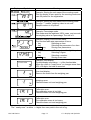
Refer to "6.1. Display and Symbols " and corresponding mode for displayed error code.
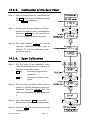
Refer to "14. Calibration (Adjusting Scale)" for precision weighing.
Periodically check the accuracy of weighing. Calibrate the scale, if it has been moved
to another location or the environment has changed.
19.1.1.
Repair
Do not disassemble/ assemble the scale without an authorized service technician. It
may cause an electric shock or damage to the scale, etc. In this case, the repair is not
covered under warranty. Contact your local A&D dealer if your scale needs service or
repair.
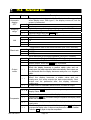
19.2. Check points Before Calling Maintenance Service
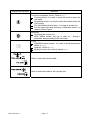
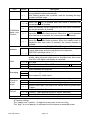
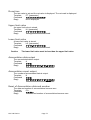
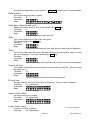
In this situation
No display.
Scale does not turn on.
The scale does not display
zero upon power on.
888888 is displayed and
does not proceed.
------ is displayed and
does not proceed.
Cal e is displayed
-Cal e is displayed
e
is displayed
-e
is displayed
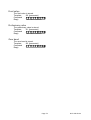
Fixed display
err
HVG-WP Series
1 is displayed
A
A
A
Is the AC power cord properly connected?
Is the AC power the correct voltage?
A
A
A
Check around the weighing pan.
Is there anything on the weighing pan?
A
The weighing value is unstable due to drift, A
A
vibration or other.
Check around the weighing pan.
A
Check the load cell cable connection.
A
Check around the weighing pan. Remove anything A
that is on the weighing pan.
A
Perform zero point calibration of the scale.
A
A
Load cell output too high.
A
A
Load cell output too low.
A
A
Weighing error that means "Overload".
A
A
Weighing error that means "Under load".
A
A
Do you use the "hold function".
Turn off scale and turn it on.
A
1 error occurs. Contact your local A&D dealer to A
repair the product.
A
Confirm these items
Page 67