1
Error messages
5
5
Error messages
5.1
Paper misfeeds
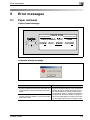
Control panel message
______CAUTION_______
ORIGINAL DOC. JAM
OPEN DOC.FEED COVER
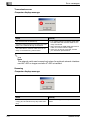
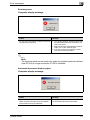
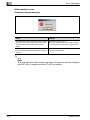
Computer display message
Cause
Remedy
A paper misfeed occurred in the automatic document feeder or reverse automatic document
feeder.
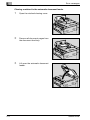
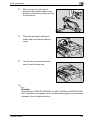
Open the misfeed-clearing cover and the automatic document feeder, and then remove
the misfed paper. For details on performing
the operation, refer to "Clearing a misfeed in
the automatic document feeder" on page 5-4.
When the misfed paper is removed, the memory size (percent) returns to its original value.
All misfed paper was not removed from the automatic document feeder or reverse automatic
document feeder.
TWAIN Driver
5-3