1
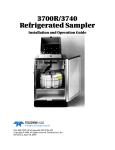
Avalanche Portable Refrigerated Sampler
Section 9 Maintenance
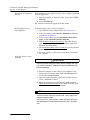
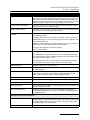
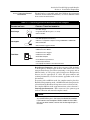
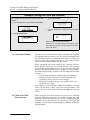
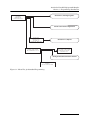
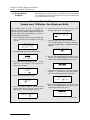
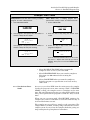
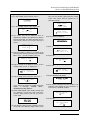
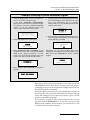
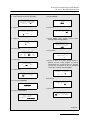
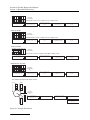
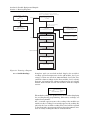
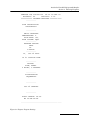
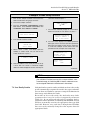
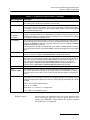
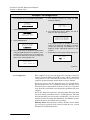
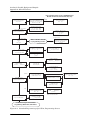
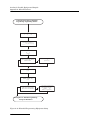
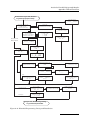
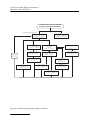
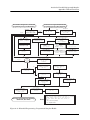
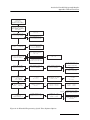
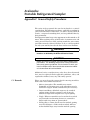
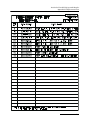
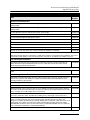
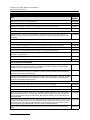
Example: Self-diagnostics
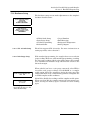
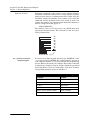
1. From the Main Menu select OTHER FUNCTIONS.
RUN
PROGRAM
VIEW REPORT
OTHER FUNCTIONS
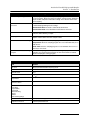
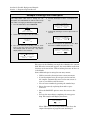
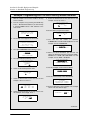
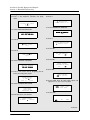
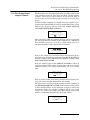
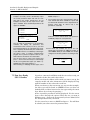
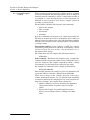
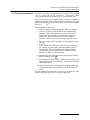
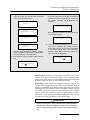
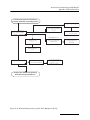
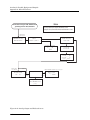
5. The controller continues by testing the ROM
(Read-only Memory).
PLEASE WAIT!
. . . ‘ROM’ PASSED TEST
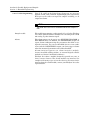
2. Select MAINTENANCE.
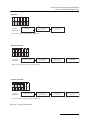
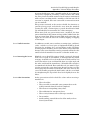
6. The controller then fills the display, first with all
pixels “on,” then with characters.
MAINTENANCE
MANUAL FUNCTIONS
PROGRAMMING STYLE
ABCDEFGHIJKLMNOPQRST
ABCDEFGHIJKLMNOPQRST
ABCDEFGHIJKLMNOPQRST
ABCDEFGHIJKLMNOPQRST
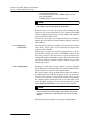
3. Select DIAGNOSTICS
SET CLOCK
PUMP TUBE ALARM
INTERNAL BATTERY
DIAGNOSTICS
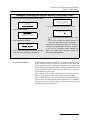
4. The controller starts the diagnostics routine by first
testing the RAM (Random Access Memory). If the
controller passes a memory test, it will advance to
the next test. Otherwise it will report a failure and
advise you to contact Teledyne Isco.
If the display is faulty (for example some pixels
always on or always off), the display or its driver
circuitry may need repair. Call Teledyne Isco. The
diagnostic routine automatically advances to the
next test.
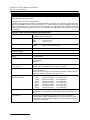
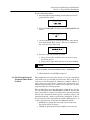
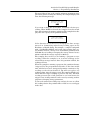
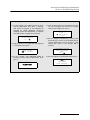
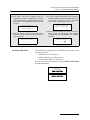
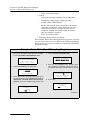
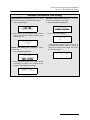
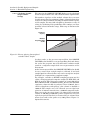
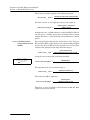
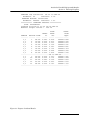
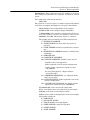
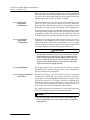
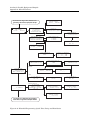
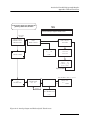
7. Select YES to test the pump or NO to skip this test.
TEST PUMP?
YES
NO
PLEASE WAIT!
. . . ‘RAM’ PASSED TEST
Continued…
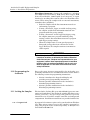
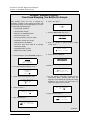
9.3.4 Diagnostics
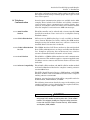
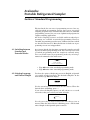
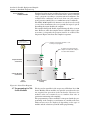
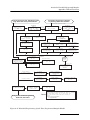
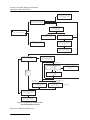
The sampler has several self-diagnostic tests that check the
memory (both the RAM and ROM), pump, and the distributor
arm position. It also contains screens that let you reset the
sampler’s program settings and memory to factory settings.
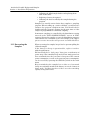
You do not need to run the diagnostic tests on a routine basis.
The diagnostic tests are a troubleshooting tool; Teledyne Isco’s
Technical Service department staff may ask you to run these
tests when they work with you in diagnosing problems with your
sampler.
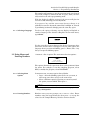
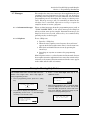
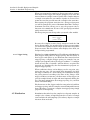
Access the diagnostic screens by selecting Other Functions from
the main menu, then Maintenance, and Diagnostics. The unit
will automatically test the memory and display; you can choose
whether it tests the pump and distributor, and whether it reinitializes the unit to its original factory settings.
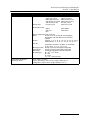
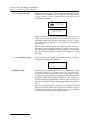
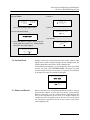
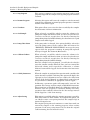
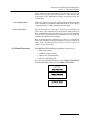
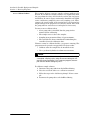
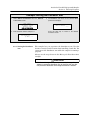
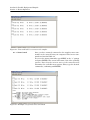
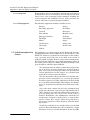
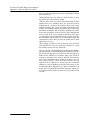
Memory Tests – Test the unit’s memory. If either screen shows
you a message saying that the memory failed the test, contact
Teledyne Isco’s Technical Service.
9-6