1
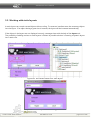
GUI Machine User's Manual
© 2007-2011 ALEE Software
GUI Machine 1.5.8
page 1 of 236
GUI Machine User's Manual
Table of Contents
1. INTRODUCING GUI MACHINE................................................................................................................................................6
1.1. ABOUT THE PROGRAM.......................................................................................................................................................................... 6
1.2. HOW TO USE THIS MANUAL ................................................................................................................................................................ 8
1.3. SUPPORT ............................................................................................................................................................................................ 8
2. INSTALLATION INSTRUCTIONS..............................................................................................................................................9
2.1. SYSTEM REQUIREMENTS........................................................................................................................................................................ 9
2.2. INSTALLATION .................................................................................................................................................................................. 10
2.3. LICENSING......................................................................................................................................................................................... 16
2.3.1. Online licensing................................................................................................................................................................................. 16
2.3.2. Activating the license without Internet connection............................................................................................................... 21
2.3.3. Activating and deactivating the license .................................................................................................................................... 24
2.4. LAUNCH........................................................................................................................................................................................... 25
2.5. UNINSTALLATION............................................................................................................................................................................. 30
3. WORKSPACE...............................................................................................................................................................................32
3.1. GENERAL INFORMATION ABOUT GUI MACHINE WORKSPACE............................................................................................................... 32
3.2. WORKSPACE CUSTOMIZATION........................................................................................................................................................... 33
3.2.1. Hide/show tools.................................................................................................................................................................................. 33
3.2.2. The Context Menu of the Panels.................................................................................................................................................. 33
3.3. THE MAIN MENU............................................................................................................................................................................ 38
3.3.1. The File menu..................................................................................................................................................................................... 38
3.3.2. The Edit menu.................................................................................................................................................................................... 39
3.3.2.1. Object Text Format.......................................................................................................................................................................................... 39
3.3.2.3. The aligning of the objects........................................................................................................................................................................... 41
3.3.3. Standard Menu.................................................................................................................................................................................... 44
3.3.4. Extended menu................................................................................................................................................................................... 45
3.3.5. The Shapes menu............................................................................................................................................................................... 45
3.3.6. Vaadin menu........................................................................................................................................................................................ 46
3.3.7. Tools and Frames menu................................................................................................................................................................... 46
3.3.7.1. The display of actions..................................................................................................................................................................................... 47
3.3.7.2. Objects view customization.......................................................................................................................................................................... 47
3.3.8. The Help Menu.................................................................................................................................................................................... 48
3.4. EDIT AREA........................................................................................................................................................................................ 49
3.4.1 Edit Area................................................................................................................................................................................................. 50
3.4.1.1. Rulers.................................................................................................................................................................................................................... 51
3.4.1.2. The grid................................................................................................................................................................................................................ 52
3.4.1.3. Guidelines........................................................................................................................................................................................................... 52
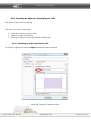
3.4.2. Settings for prototype preview..................................................................................................................................................... 53
3.4.2.1. Settings for the edit area.............................................................................................................................................................................. 54
3.4.2.2. Print settings ..................................................................................................................................................................................................... 54
3.4.2.3. Settings for the appearance of the edit area......................................................................................................................................... 56
3.4.2.4. Settings for guidelines.................................................................................................................................................................................... 57
3.4.2.5. Navigation settings.......................................................................................................................................................................................... 58
3.4.3. Page manager...................................................................................................................................................................................... 58
© 2007-2011 ALEE Software
GUI Machine 1.5.8
page 2 of 236
GUI Machine User's Manual
4. TOOLS...........................................................................................................................................................................................60
4.1. COMPONENTS................................................................................................................................................................................... 60
4.2. OBJECT PROPERTIES.......................................................................................................................................................................... 69
4.2.1. The Description of Object Properties.......................................................................................................................................... 69
4.2.1.1. Standard Properties......................................................................................................................................................................................... 69
4.2.1.2 Properties for Editor......................................................................................................................................................................................... 71
4.2.1.2. Properties for buttons.................................................................................................................................................................................... 71
4.2.1.3. Properties for images...................................................................................................................................................................................... 73
4.2.1.4. Properties for separators............................................................................................................................................................................... 74
4.2.1.5. Properties for layouts...................................................................................................................................................................................... 74
4.2.1.6.Properties for panels........................................................................................................................................................................................ 75
4.2.1.7. Properties for split panels............................................................................................................................................................................. 76
4.2.1.8. Properties for tabbed panels........................................................................................................................................................................ 76
4.2.1.9. Properties for text fields and areas............................................................................................................................................................ 77
4.2.1.10. Properties for the placeholder.................................................................................................................................................................. 78
4.2.1.11. Properties for the progress bar................................................................................................................................................................. 79
4.2.1.12. Properties for lists.......................................................................................................................................................................................... 79
4.2.1.13. Properties for the spinner........................................................................................................................................................................... 80
4.2.1.14. Properties for the slider............................................................................................................................................................................... 80
4.2.1.15. Properties for the scrollbar......................................................................................................................................................................... 81
4.2.1.16. Properties for the tree.................................................................................................................................................................................. 82
4.2.1.17. Properties for tables...................................................................................................................................................................................... 83
4.2.1.18. Properties for windows ............................................................................................................................................................................... 84
4.2.1.19. Properties for menus.................................................................................................................................................................................... 85
4.2.1.20. Properties for Google maps....................................................................................................................................................................... 86
4.2.1.21. Properties for collapsible panes............................................................................................................................................................... 87
4.2.1.22. Properties for clocks..................................................................................................................................................................................... 88
4.2.1.23. Properties for the audio player................................................................................................................................................................. 89
4.2.1.24. Properties for the connector object........................................................................................................................................................ 89
4.2.1.25. Properties for shapes.................................................................................................................................................................................... 90
4.2.1.26. Properties for data fields and calendars................................................................................................................................................ 90
4.2.1.27 Properties for the tray icon ........................................................................................................................................................................ 91
4.2.2. Auxiliary tools...................................................................................................................................................................................... 92
4.2.2.1. HTML/Text editor............................................................................................................................................................................................. 92
4.2.2.2. Image selection tool........................................................................................................................................................................................ 96
4.2.2.3. Editing tabs...................................................................................................................................................................................................... 101
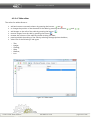
4.2.2.4. Table editor...................................................................................................................................................................................................... 102
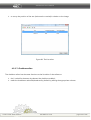
4.2.2.5. Tree editor........................................................................................................................................................................................................ 103
4.2.2.6. List editor.......................................................................................................................................................................................................... 103
4.2.2.7. Checkbox editor............................................................................................................................................................................................. 104
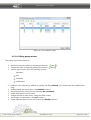
4.2.2.8. Editing popup menus .................................................................................................................................................................................. 105
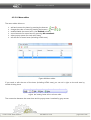
4.2.2.9. Menu editor..................................................................................................................................................................................................... 108
4.2.2.10. Selecting in a cursor................................................................................................................................................................................... 110
4.3. LAYERS........................................................................................................................................................................................... 112
4.3.1. Tools for working with layers....................................................................................................................................................... 114
4.4. HISTORY........................................................................................................................................................................................ 116
4.5. TEMPLATES..................................................................................................................................................................................... 119
4.5.1. Importing/exporting templates.................................................................................................................................................. 120
5.WORKING IN GUI MACHINE................................................................................................................................................121
5.1. GENERAL INFORMATION.................................................................................................................................................................. 121
5.2. WORKING WITH STATIC LAYOUTS..................................................................................................................................................... 125
© 2007-2011 ALEE Software
GUI Machine 1.5.8
page 3 of 236
GUI Machine User's Manual
5.3. WORKING WITH DYNAMIC LAYOUTS................................................................................................................................................. 126
5.3.1. Ruling................................................................................................................................................................................................... 126
5.3.2. The size of cells................................................................................................................................................................................. 126
5.3.3. Inserting an object in several cells............................................................................................................................................. 129
5.3.4. The background of cells................................................................................................................................................................ 130
5.4. RECOMMENDATIONS AND EXAMPLES................................................................................................................................................ 139
5.5. OPERATIONS ON THE PROJECT......................................................................................................................................................... 147
6. ACTIONS....................................................................................................................................................................................159
6.1. ADDING ACTIONS........................................................................................................................................................................... 159
6.2. EDITING AND REMOVING ACTIONS.................................................................................................................................................... 163
6.3. EVENT TYPES................................................................................................................................................................................... 165
6.4. TYPES OF ACTIONS.......................................................................................................................................................................... 170
6.4.1. Inserting an object or clearing layout cells............................................................................................................................. 174
6.4.1.1. Inserting an object into layout cells........................................................................................................................................................ 174
6.4.1.2. Clearing layout cells ..................................................................................................................................................................................... 177
6.4.1.3 Inserting an object without clearing cells............................................................................................................................................... 177
6.4.2. Opening/closing windows ......................................................................................................................................................... 178
6.4.3. Moving / resizing window............................................................................................................................................................ 181
6.4.4 Actions for displaying the message in the tray icon............................................................................................................ 183
6.4.5. Changing the appearance of the tray icon............................................................................................................................. 184
6.4.6. Connecting the prototype with other prototypes and applications.............................................................................185
7. REAL-TIME PREVIEW OF PROTOTYPES............................................................................................................................187
7.1 PREVIEWING OBJECTS...................................................................................................................................................................... 187
7.1.1 Previewing objects in GUI Machine............................................................................................................................................ 187
7.1.2 PREVIEWING OBJECTS IN GUI MACHINE VIEWER......................................................................................................................... 190
7.2 EXPORT TOOLS............................................................................................................................................................................... 193
7.2.1 Exporting prototypes....................................................................................................................................................................... 193
7.2.2. Exporting images............................................................................................................................................................................. 194
7.2.3 Exporting screenshots..................................................................................................................................................................... 199
8. CONTEXT MENU.....................................................................................................................................................................201
9. IMAGE EDITOR .......................................................................................................................................................................209
9.1. TOOLS OF THE IMAGE EDITOR ........................................................................................................................................................ 211
9.3. THE MAIN MENU............................................................................................................................................................................. 213
9.3.1. The File item...................................................................................................................................................................................... 213
9.3.2. The Edit menu .................................................................................................................................................................................. 214
9.3.3. The Image menu ............................................................................................................................................................................. 215
9.4. SAVING IMAGES ............................................................................................................................................................................. 217
9.5 THE HISTORY TOOL......................................................................................................................................................................... 218
10. PIXEL GRABBER.....................................................................................................................................................................219
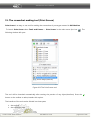
11. THE SCREENSHOT MAKING TOOL (PRINT SCREEN).................................................................................................221
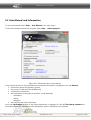
14. USER MANUAL AND INFORMATION.............................................................................................................................226
15. FEEDBACK...............................................................................................................................................................................227
© 2007-2011 ALEE Software
GUI Machine 1.5.8
page 4 of 236
GUI Machine User's Manual
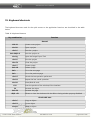
15. KEYBOARD SHORTCUTS....................................................................................................................................................229
16. CONCLUSION........................................................................................................................................................................231
APPENDIX 1. LIST OF TABLES.................................................................................................................................................232
APPENDIX 2. LIST OF FIGURES................................................................................................................................................233
© 2007-2011 ALEE Software
GUI Machine 1.5.8
page 5 of 236
GUI Machine User's Manual
1. Introducing GUI Machine
1.1. About the program
The program GUI Machine is designed for creating prototypes of desktop and web interfaces.
Graphical User Interface (GUI) is the space for human-computer interaction allowing
the user interact with the computer with images rather than text commands.
The program is designed for all specialists taking part in software development (programmers, analysts,
GUI designers, managers). Prototypes created in GUI machine are characterized by high fidelity and
interactivity. GUI Machine is an intuitive tool. No programming is necessary for the creation of prototypes.
The functionality of GUI Machine
GUI Machine comprises a large set of functions:
➢ Creation of interfaces for different types of applications:
✔ desktop applications;
✔ web applications;
✔ mobile applications
➢
➢
➢
➢
➢
➢
➢
➢
➢
➢
Creation of interactive graphical prototypes close to the original
Interactive preview of prototypes, their parts and single objects
Viewing prototypes with a free viewer without running the whole application
Option for rapid interface redesign
Rapid creation and structuring of screenshots
Rapid editing of images used in projects
Rollback of changes made
Option for detailed customization for each object
Creation of reusable templates
Preview of interfaces in different operating systems styles
© 2007-2011 ALEE Software
GUI Machine 1.5.8
page 6 of 236
GUI Machine User's Manual
Key functions of GUI Machine
➢ Platforms supported:
✔ Windows;
✔ MacOS;
✔ Linux.
➢ The application comprises a set of most widely components (ready-made interface elements)
including Vaadin web components set.
➢ The application comprises special modules giving additional options for creating and editing
prototypes
✔ Image Editor
✔ Print Screen — a screenshot making tool
✔ Pixel Grabber — a special tool for defining display dots color in RGB format
➢ Interface languages: English and Russian
What platforms does GUI Machine support?
GUI Machine is a crossplatform application able to work on different operating systems:
✔ Windows;
✔ Linux;
✔ Mac OS.
© 2007-2011 ALEE Software
GUI Machine 1.5.8
page 7 of 236
GUI Machine User's Manual
1.2. How to use this manual
Each item in the table of contents contains a hyperlink to the corresponding page. The page can be opened
by clicking its number. Most of the programs used for viewing documents have a function of key words
search. (For further information please consult the manual of the viewer you use ).
1.3. Support
Useful links
http://www.gui-machine.ru/ - GUI Machine official website (news, updates, technical support).
http://www.gui-machine.com/forum — GUI Machine Forum where you can ask any questions concerning
work in GUI Machine and express your opinion about the program.
Contacts
You can contact us and ask all questions concerning the work in GUI Machine on our forum http://www.guimachine.com/forum or by e-mail . [email protected]
© 2007-2011 ALEE Software
GUI Machine 1.5.8
page 8 of 236
GUI Machine User's Manual
2. Installation Instructions
2.1. System requirements
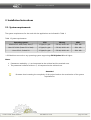
The system requirements for the work with the application are indicated in Table 1.
Table 1. System requirements
Operating system*
CPU
Memory
HDD
Windows XP, 2000, 2003, Vista, 7
1.5gHz/2+ gHz
512 M / 1024+ M
200+ Мb
Mac OS X 10.4 (Power PC or Intel)
1.5gHz/2+ gHz
512 M / 1024+ M
200+ Мb
Linux 2.2.6+, Solaris 10
1.5gHz/2+ gHz
512 M / 1024+ M
200+ Мb
* GUI Machine can work on any operating system supporting JDK 6 Update 20 and higher.
Notes:
➢ Parameters marked by «/» are interpreted as the minimal and the maximal ones.
➢ The parameter indicated without «/» is interpreted as the minimal one.
Attention!
Be aware that increasing the complexity of the project leads to the severization of the system
requirements.
© 2007-2011 ALEE Software
GUI Machine 1.5.8
page 9 of 236
GUI Machine User's Manual
2.2. Installation
Execute the setup file Alee_GUI_Machine_xxx_1.5.4zzz, where xxx is for the operating system (Unix, Linux or
MacOS) and zzz is the setup file extension.
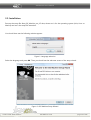
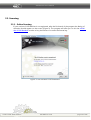
You should then see the following window appear:
Figure 1. Language selection
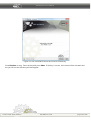
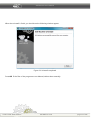
Select the language and press OK. Then you should see the welcome screen of the setup wizard:
Figure 2. GUI Machine Setup Wizard
© 2007-2011 ALEE Software
GUI Machine 1.5.8
page 10 of 236
GUI Machine User's Manual
Press Next to continue.
The next screen will allow you to select the location where GUI Machine will be installed. The default
location is the following
X:\Program files\AleeGuiMachine\, where Х is for the system drive letter
Figure 3. Destination directory selection
Enter the location in Destination directory field or press Browse... button. The following screen should
then appear:
© 2007-2011 ALEE Software
GUI Machine 1.5.8
page 11 of 236
GUI Machine User's Manual
Figure 4. Manual directory selection
Select the location and press OK.
Press Next to continue.
The next window will allow you to create file associations.
You can choose file extensions by selecting check boxes or by clicking buttons Select all and Select none.
© 2007-2011 ALEE Software
GUI Machine 1.5.8
page 12 of 236
GUI Machine User's Manual
Figure 5. Creating file associations
After creating associations files will be opened by double-clicking. Press Next to continue.
The next window will allow you to select the location for GUI Machine shortcuts:
Figure 6. Selection of the location for shortcuts
© 2007-2011 ALEE Software
GUI Machine 1.5.8
page 13 of 236
GUI Machine User's Manual
Select the destination folder from the given list or type the name of the folder in the text field.
You can also select the checkbox Do not create a Start menu folder. Press Next to complete the
installation.
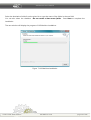
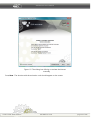
The next window will display the progress of GUI Machine installation:
Figure 7. GUI Machine installation
© 2007-2011 ALEE Software
GUI Machine 1.5.8
page 14 of 236
GUI Machine User's Manual
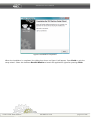
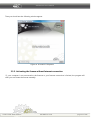
Figure 8. Installation completed
When the installation is completed, the dialog box shown on figure 8 will appear. Press Finish to quit the
setup wizard. Select the checkbox Run GUI Machine to launch the application right after pressing Finish.
© 2007-2011 ALEE Software
GUI Machine 1.5.8
page 15 of 236
GUI Machine User's Manual
2.3. Licensing
2.3.1. Online licensing
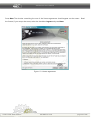
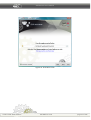
If your version of GUI Machine is not registered, after the fist launch of the program the dialog of
activation should appear on the screen (Figure 9). The program will offer you to visit the official
site of GUI Machine in order to buy the license or to enter the license key:
Figure 9. The activation of GUI Machine
© 2007-2011 ALEE Software
GUI Machine 1.5.8
page 16 of 236
GUI Machine User's Manual
Click Next to enter the key. The following window should appear on the screen:
Figure 10. Entering the license key
Enter the key in the text field and click Next.
NB : You can copy the key and enter it into the field by pressing Ctrl+V.
If the key you entered is incorrect, the following window should appear:
© 2007-2011 ALEE Software
GUI Machine 1.5.8
page 17 of 236
GUI Machine User's Manual
Figure 11. The information about the incorrect license key
Press Previous to retry. Enter the key and press Next. If the key is correct, the license will be activated and
the you will see the following window appear:
© 2007-2011 ALEE Software
GUI Machine 1.5.8
page 18 of 236
GUI Machine User's Manual
Figure 12. Information about the license
© 2007-2011 ALEE Software
GUI Machine 1.5.8
page 19 of 236
GUI Machine User's Manual
Press Next. The window containing the text of the license agreement should appear on the screen. Read
the license; if you accept the terms, select the checkbox I agree and press Next:
Figure 13. License agreement
© 2007-2011 ALEE Software
GUI Machine 1.5.8
page 20 of 236
GUI Machine User's Manual
Then you should see the following window appear:
Figure 14. Activation completed
2.3.2. Activating the license without Internet connection
If your computer is not connected to the Internet or your Internet connection is limited, the program will
offer you to activate the license manually:
© 2007-2011 ALEE Software
GUI Machine 1.5.8
page 21 of 236
GUI Machine User's Manual
Figure 15. The dialog box offering to activate the license
manually
Press Next. The window with the activation code should appear on the screen:
© 2007-2011 ALEE Software
GUI Machine 1.5.8
page 22 of 236
GUI Machine User's Manual
Figure 16. Activation code
© 2007-2011 ALEE Software
GUI Machine 1.5.8
page 23 of 236
GUI Machine User's Manual
Copy the code and paste it into a text file. Visit the site http://www.gui-machine.com/lm/activate/ from any
computer connected to the Internet and press Activate. Enter the serial number in the field The number of
your license. In the field “Activation code” enter the key your received. Press Activate. Then you will get the
validation code. Enter the code into the dialog box. Your license will be activated.
2.3.3. Activating and deactivating the license
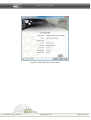
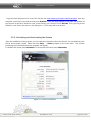
After the installation of the program you can read the information about the license. You can deactivate the
license and activate it again. Select the item Help - > About program in the main menu. The window
containing the information about the program will appear.
To validate the license press Validation. To deactivate the license press Deactivate.
Figure 17. License information
© 2007-2011 ALEE Software
GUI Machine 1.5.8
page 24 of 236
GUI Machine User's Manual
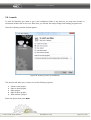
2.4. Launch
To start GUI Machine you need to go to the installation folder or any shortcut you may have chosen to
create and double-click on the icon. After that, you will see the startup image with loading progress bars.
Then the following window should appear :
Figure 18. Starting work in GUI Machine
This window will allow you to select one of the following options:
Create a new project ;
✔ Open a recent project;
✔ Open project;
✔ Open a demo project ;
✔ Start without a project .
✔
Select the option and press Next.
© 2007-2011 ALEE Software
GUI Machine 1.5.8
page 25 of 236
GUI Machine User's Manual
Creating a new project
To create a new project select Create new project and press Next. Type the name of the project in the field
Project name (by default the project is given the name GUI Machine Project). Then select the location for
saving the project.
Figure 19. Creating a new project
By default all projects are saved in C:\Documents and Settings\<User Name>\GUI Machine Project\. To
change the location press the button <...>; then the standard window for selecting the location should
appear.
If you need to create a separate folder within the selected directory, select the check box Select
subdirectory.
Press Create to create the new project.
Open recent project
To open the last project you worked with select Open recent project. The last opened project will be
loaded.
© 2007-2011 ALEE Software
GUI Machine 1.5.8
page 26 of 236
GUI Machine User's Manual
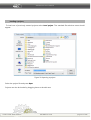
Loading a project
To load one of previously created projects select Load project. The standard file selection menu should
appear:
Figure 20. Opening a project
Select the project file and press Open.
Projects can also be loaded by dragging them to the edit area.
© 2007-2011 ALEE Software
GUI Machine 1.5.8
page 27 of 236
GUI Machine User's Manual
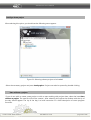
Loadig a demo project
After selecting this option you should see the following menu appear:
Figure 21. Selecting a demo project to be loaded
Select the necessary project and press Load project. Projects can also be opened by double-clicking.
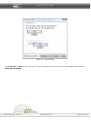
Start without a project
If you do not wish to create a new project or wish to start working with projects later, select the item Start
without a project. The new file will not be created. After selecting this option the window with the tip of
the day should appear. The tip of the day is a brief instruction or a brief description of some program
functions.
© 2007-2011 ALEE Software
GUI Machine 1.5.8
page 28 of 236
GUI Machine User's Manual
Figure 22. Tip of the day
Press Previous or Next to see other tips. If you do not want to see the tip of the day, deselect the checkbox
Show tips on startup.
© 2007-2011 ALEE Software
GUI Machine 1.5.8
page 29 of 236
GUI Machine User's Manual
2.5. Uninstallation
To begin the uninstallation press the Start button. Select in the menu All programs→ GUI Machine →
GUI Machine Uninstaller.
If you did not create shortcuts, execute the file Uninstall.
Figure 23. Launching the uninstall wizard
The window of the uninstall wizard should appear on the screen. Press Next to continue. If you do not
want to uninstall the program, press Cancel.
© 2007-2011 ALEE Software
GUI Machine 1.5.8
page 30 of 236
GUI Machine User's Manual
When the uninstall is finish, you should see the following window appear:
Figure 24. Uninstall completed
Press OK. If the files of the program are not deleted, delete them manually.
© 2007-2011 ALEE Software
GUI Machine 1.5.8
page 31 of 236
GUI Machine User's Manual
3. Workspace
3.1. General information about GUI Machine workspace
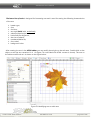
GUI Machine workspace comprises the following elements:
Figure 25. The workspace of GUI Machine
The Main Menu is located at the top of the application and includes eight root level items
The Edit Area displays the current project
The Layers panel allows to structure the objects used in the project
The Components palette displays components which can be used in work
The panel Object Properties displays the properties of a selected object (or that of a selected group
of objects on Edit Area).
➢ The Templates panel shows templates used in the current project
➢ The History panel contains records concerning all manipulations made during the work
➢
➢
➢
➢
➢
© 2007-2011 ALEE Software
GUI Machine 1.5.8
page 32 of 236
GUI Machine User's Manual
3.2. Workspace Customization
It is possible to move the tools, to change their size and close them if necessary with the help of the mouse.
3.2.1. Hide/show tools
To enlarge the space on the edit area the tools can be hidden.
The tools can be shown/hidden in the two following ways:
➢ by selecting the item Tools and Frames→ Hide all frames in the main menu;
➢ by pressing Ctrl+Alt+H;
➢ each tool can also be hidden by pressing the button
Toggle auto-hide.
The tabs of the hidden tools are displayed on the workspace borders. They are displayed when hovered.
The tools become hidden again when moving away the cursor. They can also be hidden by pressing the
button
at the top of the panel.
To return the panel to the previous state press the button
.
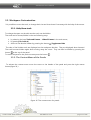
3.2.2. The Context Menu of the Panels
To activate the context menu move the cursor to the header of the panel and press the right mouse
button(figure 26 ):
Figure 26. The context menu for panels
© 2007-2011 ALEE Software
GUI Machine 1.5.8
page 33 of 236
GUI Machine User's Manual
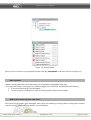
Select Close to close the panel. If you want to relocate the panel, select Floating. Then the panel can be
moved on the workspace. To hide the panel select Toggle auto-hide. The tab of the panel will be displayed
on the right border of the workspace. If you want to expand the panel, select Maximize.
Jointing and disjointing panels
A joint is a set of panels displayed together (usually the panels are jointed vertically). Panels can be jointed
and disjointed by dragging to the area.
➢ To fix the panel drag it to the joint and place it above or below or between other panels.
➢ To fix a group of panels drag it to the joint by the header.
➢ To delete a panel drag it out of the joint or double-click on the header.
Figure 27. Jointing panels
© 2007-2011 ALEE Software
GUI Machine 1.5.8
page 34 of 236
GUI Machine User's Manual
Figure 28. Jointed panels
NB: If you do not want to join the panels please clear flag Joint panels in the menu shown on figure 32)
Moving panels
When moving panels the zones where they can be placed are highlighted with gray.
To fix the panel drag it to the gray zone. When dragged out of the zone the panel becomes floating.
➢ To move the panel drag it by the header.
➢ To move a group of panels or a stack of floating panels, drag it by the header.
Adding and removing joints and panels
After removing all panels joints disappear. New joints are created by moving panels to drag zones located
near the existing joints or tho the border of the workspace.
© 2007-2011 ALEE Software
GUI Machine 1.5.8
page 35 of 236
GUI Machine User's Manual
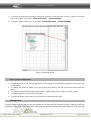
➢ To remove a panel click the button Close (the symbol x in the top-right corner) or remove (click) the
icon of the panel in the menu Tools and Frames → Frames Settings.
➢ To add the panel click its icon in the menu Tools and Frames → Frames Settings.
Figure 29. Moving panels
Panel groups manipulation
➢ To add the panel to the group drag the tab of this panel to the selected drag area in the upper part
of the group.
➢ To change the order of panels in the group drag the panel by the tab to the new place inside the
group.
➢ To remove a panel from the group and make it floating drag it by the tab out of the group.
➢ To bring a panel to front click it by the tab.
➢ To drag the whole group drag it by the header located above the tabs.
Floating panels
A panel dragged out of the joint but not placed in the drag area will become floating. Floating panels can
be placed in any point of the workspace. All panels can become floating after selecting the icon of the panel
© 2007-2011 ALEE Software
GUI Machine 1.5.8
page 36 of 236
GUI Machine User's Manual
in the menu Tools and Frames → Frames Settings. Floating panels or panel groups can be united; then
they will be moved as a unit when dragging the upper panel by the header. Panels being part of a joint
cannot be put into stacks or relocated in such a manner.
Creating a stack of floating panels
➢ To create a stack of floating panels move a panel by the tab to the drag area located in the lower
part of the other panel
➢ To change the order of panels in the stack move the panel by the header up or down.
NB. The tab should be placed above the narrow drag area between the panels, but not above the wide
drag area at the panel header.
➢ To remove the panel or a panel group from the stack and make it floating, drag it out of the stack
by the tab.
Resizing and collapsing panels
➢ To resize the panel move one of its borders or the resizing symbol located in the right lower corner.
➢ To change the width of all panels in the joint drag the capture area located in the upper left part of
the joint.
➢ To collapse the panel, a group or a stack of panels click the Collapse button on the header panel.
© 2007-2011 ALEE Software
GUI Machine 1.5.8
page 37 of 236
GUI Machine User's Manual
3.3. The Main Menu
The main menu panel is shown on the figure below:
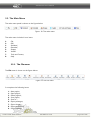
Figure 30. The main menu
The main menu includes 8 root items:
1.
2.
3.
4.
5.
6.
7.
8.
File;
Edit;
Standard;
Extended;
Shapes;
Vaadin:
Tools and Frames;
Help.
3.3.1. The File menu
The File menu is shown on the figure below:
Figure 31. The File menu
It comprises the following items:
1. New project;
2. Open project;
3.
4.
5.
6.
7.
8.
9.
Demo projects;
Save project;
Save as.....;
Export prototype;
Export images;
Export screenshots;
Project settings;
© 2007-2011 ALEE Software
GUI Machine 1.5.8
page 38 of 236
GUI Machine User's Manual
10. Program settings;
11. Print pages;
12. Show pages;
13. Print settings;
14. Close GUI Machine
3.3.2. The Edit menu
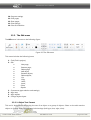
The Edit menu is shown on the following figure:
Figure 32. The Edit menu
This menu includes the following items:
1. Find (Find in project);
2. Edit:
✔
New page;
✔
Rename page;
✔
Delete page
✔
Add object;
✔
Rename objects;
✔
Delete objects;
✔
Cut;
✔
Copy;
✔
Undo;
✔
Insert;
✔
Clone;
✔
Repeat.
3. Format text (type selection and settings);
4. Align text;
5. Align objects;
6. Change objects layers.
3.3.2.1. Object Text Format
This tool is designed for formatting the text of an object or a group of objects. Select on the edit area the
objects to format. Enter the necessary bold settings (bold type, size, style, color):
© 2007-2011 ALEE Software
GUI Machine 1.5.8
page 39 of 236
GUI Machine User's Manual
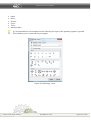
Figure 33. Bold settings
3.3.2.2. Text alignment
This function allows to align the text :
Figure 34. Text alignment
The following options for the text alignment can be selected:
✔
Vertical alignment:
●
●
●
✔
on top;
in the center;
at the bottom.
Horizontal alignment:
●
●
●
on the left;
in the center;
on the right.
NB: Not all objects contain text. The operations of changing bold, color and text alignment are not
applicable to all objects containing text. The format functions are not applicable to all objects. For some
objects they are not applicable to full extent,
If format functions for an object selected on the edit area are blocked, the set of formatting tools is also
blocked:
© 2007-2011 ALEE Software
GUI Machine 1.5.8
page 40 of 236
GUI Machine User's Manual
Figure35. Text format blocked
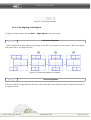
3.3.2.3. The aligning of the objects
To align the objects select the item Edit → Align objects in the main menu.
Horizontal alignment
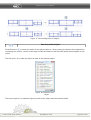
These tools allow to align objects horizontally to the left, to the right or to the center. Select the objects
and press click on the proper button.
Figure 36. Horizontal alignment of objects
Vertical alignment
These tools allow to align objects to the left, to the center and to the bottom. Select the objects and click on
the proper button.
© 2007-2011 ALEE Software
GUI Machine 1.5.8
page 41 of 236
GUI Machine User's Manual
Figure 37. Vertical alignment of objects
Matching width/heighth
Press the button
to match the width of the selected objects. After pressing the button the dropdown list
containing two options (match to the object's width and match to the maximal width) should appear on the
screen.
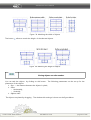
The first option is to make the object as wide as the selected object:
Figure 38. Selection of an
object
The second option is to make all objects as wide as the object with the maximal width.
© 2007-2011 ALEE Software
GUI Machine 1.5.8
page 42 of 236
GUI Machine User's Manual
Figure 39. Matching the width of objects
The button
allows to match the height of the selected objects.
Figure 40. Matching the height of objects
Placing objects one after another
You can rank the objects by clicking on this button. The following parameters can be set up for the
placement of the objects:
➢ Gap — the distance between the objects in pixels;
➢ Place:
◦ Horizontally ;
◦ Vertically;
➢ Objects order
The objects are placed by dragging . The window with settings is shown on the figure below:
© 2007-2011 ALEE Software
GUI Machine 1.5.8
page 43 of 236
GUI Machine User's Manual
Figure 41. Placement settings
After pressing the Place button the objects will be ranked in accordance with the settings.
3.3.3. Standard Menu
The Standard menu is shown on the figure below:
Figure 42. The Standard Menu
The Standard menu includes the following items:
1.
2.
3.
4.
5.
6.
Buttons
Images
Layouts
Text objects
State objects (checkboxes and radiobuttons)
Compound
© 2007-2011 ALEE Software
GUI Machine 1.5.8
page 44 of 236
GUI Machine User's Manual
7. WIndows
8. Menu
3.3.4. Extended menu
The Extended menu is shown on the figure below:
Figure 43. The Extended menu.
It consists of the following items:
1.
2.
3.
4.
5.
6.
7.
8.
Google map ;
Collapsible panel ;
Clock;
Audioplayer ;
Checkbox list;
Tray icon ;
Connector object;
Timer.
3.3.5. The Shapes menu
The Shapes menu is shown on the figure below:
Figure 44. The Shapes menu
This menu comprises the following items:
1) Simple:
1. Square
2. Circle
© 2007-2011 ALEE Software
GUI Machine 1.5.8
page 45 of 236
GUI Machine User's Manual
3. Rectangle
4. Losange
5. Rhombus
2) Extended :
6. Polygon
3.3.6. Vaadin menu
Figure 45. The Vaadin menu
The Vaadin menu includes the following items
1.
2.
3.
4.
5.
6.
Buttons
Layout
Text
Date
Compound
Window
3.3.7. Tools and Frames menu
The Tools and Frames menu is shown on the figure below:
Figure 46. The Tools and Frames menu
It includes the following items:
1.
2.
3.
4.
Area settings;
Frames settings;
Tools
Zoom
© 2007-2011 ALEE Software
GUI Machine 1.5.8
page 46 of 236
GUI Machine User's Manual
If a tool is available, its icon is highlighted. The description of the interfaces of all tools is given in section
Tools.
3.3.7.1. The display of actions
Hide/display actions on the edit area
Each action is designated by a blue arrow directed from the object defining the event towards the object of
the action.
The button
allows to display and to hide actions on the edit area.
Hiding the actions may be useful when, for instance, the objects are connected by a great number of actions
and their visualization makes difficulties in the perception of the interface. If it is necessary to define the
actions the objects are connected by, it is sufficient to display the actions again.
3.3.7.2. Objects view customization
Display the borders
This button allows to display the borders of the area occupied by the object. The borders are marked by the
black dotted line. The function may be useful when working with objects whose border is implicit.
Figure 47. The borders are not
displayed
© 2007-2011 ALEE Software
Figure 48. The borders are
displayed
GUI Machine 1.5.8
page 47 of 236
GUI Machine User's Manual
3.3.8. The Help Menu
The Help menu is shown on the figure below:
Figure 49. The Help Menu
It includes the following items:
1.
2.
3.
4.
5.
6.
7.
User's Manual;
Tip of the day;
GUI Machine site;
ALEE Software site;
About the programs;
Send us an e-mail;
GUI Machine forum
© 2007-2011 ALEE Software
GUI Machine 1.5.8
page 48 of 236
GUI Machine User's Manual
3.4. Edit Area
The Edit Area is the main working area in which prototypes are created. It consists of the following
elements:
➢ the edit area;
➢ the toolbar;
➢ the page manager
Figure 50. GUI Machine Edit Area
© 2007-2011 ALEE Software
GUI Machine 1.5.8
page 49 of 236
GUI Machine User's Manual
3.4.1 Edit Area
Single objects, interface elements and prototypes can be located on the edit area. The edit area can be
resized if necessary.
Edit Area Navigation
The Edit Area can be navigated :
with the help of the horizontal and the vertical scrollbars;
by moving the mouse with the wheel pressed;
by pressing the keys Page Up ans Page Down for shifting from screen to screen up and down;
by pressing the keys Page Up and Page Down together with Ctrl for moving from screen to screen
to the left and to the right;
➔ by pressing the keys End and Home together with Ctrl for moving to the right lower corner and the
left upper corner;
➔ by pressing the icons
,
или
in the left upper corner
➔ with the help of the Hand tool. Select the item Application Settings in the File menu or press Ctrl+S.
Deselect the checkbox Navigation scroll with middle mouse button:
➔
➔
➔
➔
Figure 51. Navigation settings
© 2007-2011 ALEE Software
GUI Machine 1.5.8
page 50 of 236
GUI Machine User's Manual
The Hand tool will appear right after clicking on the mouse wheel. The navigation with the Hand tool is
also available on pressing Space+PgUp/PgDn. This type of navigation may be very useful when working
with prototypes of great size.
3.4.1.1. Rulers
The rulers provide for the exact positioning and the size of the objects. They are located along the upper
and the left borders of the edit area. The tick marks on the ruler show the position of the cursir when
moving. The shifting of the grid origin allows to begin measuring from a definite point on the object. The
size of the objects is measured in pixels by default. The tick marks are located over one tick in five. To
change the settings of the ruler select the item File → Application settings or press Ctrl+S:
Figure 52. Ruler settings
© 2007-2011 ALEE Software
GUI Machine 1.5.8
page 51 of 236
GUI Machine User's Manual
3.4.1.2. The grid
The grid provides for the exact and symmetrical positioning of objects. It consists of nonprintable symbols.
It can be changed and hidden.
The size of the grid is changed when changing the ruler settings. It is possible to change the grid spacing
and the area width. To change the grid size select the item Tools and Frames → Area Settings
3.4.1.3. Guidelines
The guidelines as well as the grid allow to position the objects more exactly.
The guidelines are displayed as nonprintable blue lines on the edit area. The guidelines can be added,
moved, hidden and deleted. They can also be fixed lest they moved by mistake. The distance between the
guidelines can be set ad libitum. You can set any distance between the guidelines. When moving any
guideline is highlighted with red.
The guidelines work in the following way:
➢
The selected objects are snapped to the guidelines when moving for 8 pixels from them.
To disable snapping the objects to guidelines select Tools and Frames→ Area Settings and
click the icon
(snap to guidelines)
Adding guidelines
Guidelines can be added in the following way:
➔ Double-click the horizontal ruler to add a vertical guideline and the vertical rule to add a horizontal
guideline.
➔ Press the right mouse button when the cursor is on the vertical or on the horizontal ruler and move
the cursor to the edit area in order to create the guidelines.
➔ Press the left mouse button when the cursor is on the crossing of the rulers and move the cursor to
the edit area to create guidelines.
Moving guidelines
To move a guideline mouse it over (the appearance of the cursor must change) and move it to any place on
the edit area.
© 2007-2011 ALEE Software
GUI Machine 1.5.8
page 52 of 236
GUI Machine User's Manual
It is also possible to create two intersecting guidelines. Mouse the intersection over and move it to any
place on the edit area.
Hiding guidelines
To hide the guidelines select Tools and Frames → Area Settings and click the icon
guidelines). To display the guidelines click this button again.
(show
Deleting guidelines
To delete a guideline drag it to the area where the ruler is located. To delete all guidelines select the item
Tools And Frames → Area Settings and click on the icon
(delete guidelines). You should see the
following window appear:
Figure 53. Deleting guidelines
Select the guidelines to delete in the dropdown list. The following options are available:
✗ All;
✗ Horizontal only ;
✗ Vertical only.
Select the necessary option and press OK.
Locking the guidelines
To lock the guidelines select the item Tools and Frames → Area Settings and click on the icon
the guidelines). This will make the moving of the guidelines impossible.
If you need to move the guidelines, click on this icon again.
(lock
3.4.2. Settings for prototype preview
The set of tools for prototype preview is given on the figure below:
© 2007-2011 ALEE Software
GUI Machine 1.5.8
page 53 of 236
GUI Machine User's Manual
Figure 54. Tools for preview
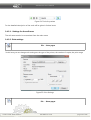
For the detailed description of the tools will be given in furhter items.
3.4.2.1. Settings for the edit area
The edit area can also be customized from the main menu.
3.4.2.2. Print settings
File → Print pages
In this item you can change such settings as the type of the printer, the number of copies, the print range.
Figure 55. Print Settings
File → Show pages
© 2007-2011 ALEE Software
GUI Machine 1.5.8
page 54 of 236
GUI Machine User's Manual
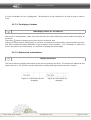
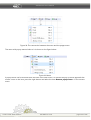
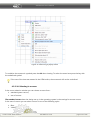
This item allows to display the borders of the printable pages and areas. The borders of pages are marked
by red lines.
Figure 56.The outline of printable pages
File → Print Settings
After selecting this option you should see the following window appear :
© 2007-2011 ALEE Software
GUI Machine 1.5.8
page 55 of 236
GUI Machine User's Manual
Figure 57. Print settings
In this window you may change the following settings:
➔
➔
➔
➔
Size;
Feeding;
Orientation;
Margin.
After changing the settings press OK.
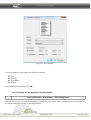
3.4.2.3. Settings for the appearance of the edit area
Tools and Frames→ Area Setting→ Show Background
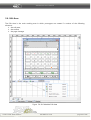
Clicking this icon you can switch the display of the background on/off. When the background is switched off
the edit area looks as shown on the figure below:
© 2007-2011 ALEE Software
GUI Machine 1.5.8
page 56 of 236
GUI Machine User's Manual
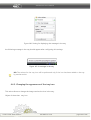
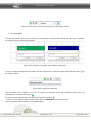
На аааоИконка
предназначена для
отключения/включения
отображения белого фона
области
редактирования.бласти
Figure 58. The edit аrea without background
редактирования
располагаются отдеые объекты, интерфейсные элементы либо прототеликом. Размер области
страивается и при необходимости автоматически увеличивается.Ф
This function may be useful for the more demonstrative display of transparent and nontransparent objects.
или
Figure 59. The white background
Джжж
Figure 60. Without background
Tool frame → Area settings→ Pages background color
Clicking on this button you can change the necessary color of the page background.
Tools and Frames → Area Settings →Show large grid
The size of the grid increases when pressing this button.
3.4.2.4. Settings for guidelines
Tools and Frames → Area settings→ Snap to guidelines
When this option is selected the objects are not snapped to guidelines serving as orienting points.
© 2007-2011 ALEE Software
GUI Machine 1.5.8
page 57 of 236
GUI Machine User's Manual
Tools and Frames → Area Settings→ Lock guidelines
After selecting this item the guidelines become locked and it will be impossible to move them.
If you want to move the guidelines, select this item one more time.
Tools and Frames→ Area settings → Show guidelines
All guidelines will be hidden after selecting this item. Select this item again to show the guidelines.
Tools and Frames→ Area settings → Delete guidelines
Guidelines can be deleted by selecting this item.
3.4.2.5. Navigation settings
Tools and Frames→ Area settings →Show the sidebars
,
The order of the objects on the edit area is shown by icons located on the right and at the bottom.(Fig. 50).
By this figure it s possible to define that the polygons are situates in the upper part of the edit area;
between them there is a window and to the left of it there is a menu; in the lowest part of the area there is a
list.
This function is useful for object search of the objects are situated far from each other.
3.4.3. Page manager
When a prototype includes multiple interfaces, it is more convenient to create its parts on separate pages
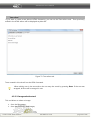
Figure 61. Page manager
The page manager allows to:
➔ create new pages;
© 2007-2011 ALEE Software
GUI Machine 1.5.8
page 58 of 236
GUI Machine User's Manual
➔
➔
➔
➔
remove pages;
rename pages;
to browse the list of pages;
to switch between the pages.
There are several ways to create a new page:
➔
➔
➔
➔
to make a right-button click on the tab of any page and select the item Create new page
to press Ctrl+N ;
to select the item Edit → New page in the main menu ;
to make left-button double-click on the empty area located on the right of the tabs of the pages
There are several ways to delete pages:
➔ to click the pages tab and select the item Delete page;
➔ to select the item Edit → Delete page in the main menu;
➔ to press Ctrl+W.
There several ways to rename pages:
➔
➔
➔
➔
to doubl- click on the tab of the page to be renamed;
to make a right-button click on the tab of the page and select the item Rename page;
to select the item Edit → Rename page in the name menu;
to press Ctrl+F2.
There are three ways to switch between the panels:
➔ to make a left-button click on the tab of the page. If the tab is located beyond the zone of vision,
press the buttons
or use scrolling by the mouse wheel;
➔ to select the necessary page from the list;
➔ to select the tab of the page and press the arrow buttons
Cache flush
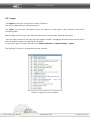
To flush the cache select the item File → Program settings and press the button Clear cache in the
window that will open.
Cache flush is recommended when you notice that some of the objects went out of the layout
and were modified.
© 2007-2011 ALEE Software
GUI Machine 1.5.8
page 59 of 236
GUI Machine User's Manual
4. Tools
The functions of the following tools are described in this section:
➔
➔
➔
➔
➔
Components ;
Object properties;
Layers ;
History ;
Templates
4.1. Components
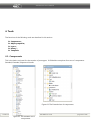
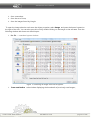
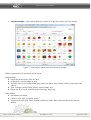
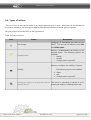
This is the basic tool used for the creation of prototypes. GUI Machine comprises four sets of components:
Standard, Extended, Shapes and Vaadin.
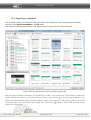
Figure 63. The Extended set of components
© 2007-2011 ALEE Software
Figure 62. The standard set of
components
GUI Machine 1.5.8
page 60 of 236
GUI Machine User's Manual
Figure 64. Vaadin menu
Figure 65. The Shapes menu
Components are represented by leaf nodes of the tree. They are united in groups in accordance with their
function forming terminal nodes
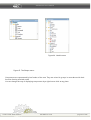
You can change the way of displaying components by a right-button click at any place:
© 2007-2011 ALEE Software
GUI Machine 1.5.8
page 61 of 236
GUI Machine User's Manual
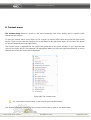
Figure 66. The compact view of the
components panel
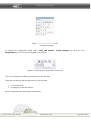
To display the components panel select Tools and Frames→ Frame Settings and click the icon
Components(Fig. 67). The tool is switched on by default.
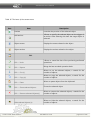
Figure 67. Swiching the components tool on/off
This tool is designed for adding components on the edit area.
There are two ways to add a component on the edit area:
➢ by a double-click
➢ by dragging it with the mouse
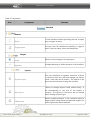
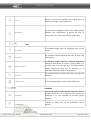
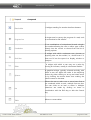
All the components are described in table below.
© 2007-2011 ALEE Software
GUI Machine 1.5.8
page 62 of 236
GUI Machine User's Manual
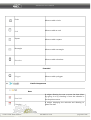
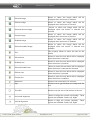
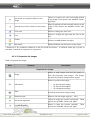
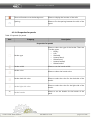
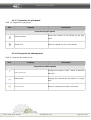
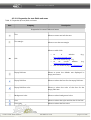
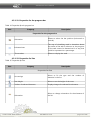
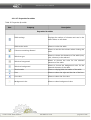
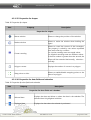
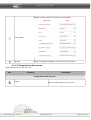
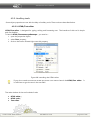
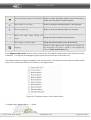
Table 2. Components
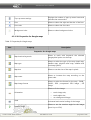
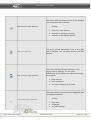
Icon
Component
Function
Standard
Buttons
A user interface element providing the user a simple
way to trigger an event.
Button
Toggle button
A button with the additional possibility to toggle a
state. It has two states, select and deselected.
Images
Allows to insert images in the prototype.
Image
A widget allowing to divide the parts of the interface.
Separator
Layouts
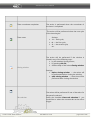
Dynamic layout
Static layout
Tabbed pane
© 2007-2011 ALEE Software
This is the wireframe of dynamic interfaces. It allows
to divide the area into cells and arrange the objects
inside. Each cells can be resized. The objects in the
layout are resized when resizing the interface.
Allows to arrange objects inside without lining. It
fits automatically to the size of the objects it
contains. The objects in the layout are not resized
when viewing the prototype.
Allows multiple elements to be contained within a
single window using tabs as navigational widgets for
switching between these elements.
GUI Machine 1.5.8
page 63 of 236
GUI Machine User's Manual
Panel
Allows to divide the interface into logical parts as
well as to arrange control elements.
Split pane
A panel with a draggable divider (also called splitter)
between two components. It allows the user to
change the size of the components dynamically.
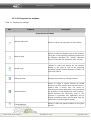
Text
Text label
A standard widget used for displaying text on the
screen.
Text field
An interface element allowing the user to enter text
information.
Password field
A standard widget used for entering passwords.
Password field allows to create a field, similar to a
text field, that users can type into. This field however
causes everything show up as asterisks (*) so
onlookers cannot see what is being typed.
Text area
An interface element inside which texts are type and
element/
HTML-editor
A text area designed for work with HTML-texts.
Condition
Checkbox
Radiobutton
© 2007-2011 ALEE Software
Permits the user to make multiple selections from a
number of options or to have the user answer yes
(checked) or no (not checked) on a simple yes/no
question.
Allows to select one of the predefined set of
options.
GUI Machine 1.5.8
page 64 of 236
GUI Machine User's Manual
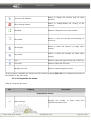
Compound
Placeholder
Progress bar
Combobox
Scroll bar
Slider
Spinner
List
Table
© 2007-2011 ALEE Software
A widget standing for another interface element .
A widget used to convey the progress of a task, such
as a download or file transfer.
It is a combination of a dropdown list and a singleline textbox allowing the user to either type a value
directly into the control or choose from the list of
existing options.
A widget with which continuous text, pictures or
anything else can be scrolled, i.e., viewed even if it
does not fit into the space in a display, window or
viewport.
A widget with which a user may set a value by
moving an indicator, usually in a horizontal fashion.
A graphical widget, typically oriented vertically, with
which a user can adjust the value in the adjoining
textbox by either clicking on an up and down arrow
or by holding the arrows down thus making the
value increase or decrease.
Allows the user to select one or more items from a
list contained within a static, multiple line text box.
The user clicks on an item to select it. Multiple
selections are made by clicking on items in
combination with the Shift key or with the Control
key.
Allows to create tables.
GUI Machine 1.5.8
page 65 of 236
GUI Machine User's Manual
A tree is a data-structure that emulating hierarchical
tree structure with linking nodes. Internal nodes can
be open by clicking (+) and (-).
Tree
Windows
Allows to create windows.
Window
Menu
Allows to create menu bar. A menu bar is a region of
a screen or application interface where dropdown
menus are displayed.
Menu bar.
Pop-up menu (context menu)
A menu appearing upon user interaction, typically
upon a right-button click. Usually it has a limited
number of choices related to the selected object.
Extended
Images
Google map
Allows to add a Google map
Layout
Collapsible pane
A panel which can store content in a compact space.
User can hide or reveal the content of the panel by
clicking on its tab.
Text
© 2007-2011 ALEE Software
GUI Machine 1.5.8
page 66 of 236
GUI Machine User's Manual
Clocks
Allows to add to the interface clocks of different
types
Media
Audio player
An interface element used for playing sound files.
Compound
A list consisting of checkboxes. Each checkbox can
be selected or deselected, enabled or disabled.
Checkbox list
System
Tray icon
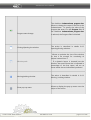
An icon that can be added to the system tray. It can
have a tooltip, an image, a popup menu or set of
listeners accociated with it,
Connector object
An interface element allowing to establish
connection with other prototypes or applications via
system sockets
Actions
A specialized type of clock used to control the
sequence of an event or a process.
Timer
Shapes
Simple
© 2007-2011 ALEE Software
GUI Machine 1.5.8
page 67 of 236
GUI Machine User's Manual
Circle
Allows to add a circle.
Allows to add an oval.
Oval
Square
Allows to add a square.
Rectangle
Allows to add a rectangle.
Allows to add a rhombus.
Rhombus
Extended
Polygon
Allows to add a polygon.
Vaadin Components
Date
Date field
Calendar
© 2007-2011 ALEE Software
A widget allowing the user to enter the date either
by typing it or by choosing it from the calendar in
the dropdown menu.
A widget displaying the calendar and allowing to
select the date.
GUI Machine 1.5.8
page 68 of 236
GUI Machine User's Manual
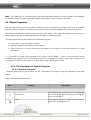
Note. The Vaadin set of components also includes components similar to those included in the standard
set. As their functions are the same, their detailed description is not included in this table.
4.2. Object Properties
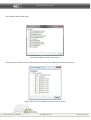
With the help of this tool you can select different settings for object thus modifying the look of interface
elements. When an object on the edit area is selected, its properties are displayed in the special window.
The number of properties depends upon the type of the object. Each object has unique (i.e. pertinent to a
certain type of objects) and repeated (pertinent to objects of different types)
All object properties can be divided into the following groups:
properties for concrete types of objects;
general properties characteristic for all objects;
➢ editor properties, i.e. those infuencing the display of the object on the edit area but not in the
prototypes
➢
➢
It is possible to modify the properties of the objects set by default. Some of the properties can be
modified when editing. Some of the properties cannot be changed (for instance, object type or object ID). It
is possible to modify the properties of several objects when selecting all of them.
4.2.1. The Description of Object Properties
4.2.1.1. Standard Properties
Standard properties are those which can be attributed to all objects. They are described in the table
below:
Table 3. Standard object properties
Icon
Property
Description
Standard object properties
Тool tip text
Cursor
© 2007-2011 ALEE Software
By changing this property you can change the
text in the tooltip appearing when hovering the
cursor on the object.
This property allows to select a cursor for the
object from a predefined set.
GUI Machine 1.5.8
page 69 of 236
GUI Machine User's Manual
Visible
Opacity
Scroll bars
Horizontal scroll
Vertical scroll
© 2007-2011 ALEE Software
By changing this property you can make the
object visible/invisible on the edit area.
Allows to change the opacity of the object in the
range from 0 (tranparent) to 1 (absolutely
opaque).
Allows to switch the display of scrollbars on/off.
This property works only when the scrollbars are
on. It allows to set up the display of the
horizonal scroll bar.
The following options can be selected from the
dropdown list:
• Always show;
• Show when needed;
• Never show.
This property works only when the scrollbars are
on. It allows to set up the display of the vertical
scroll bar.
The following options can be selected from the
dropdown list:
• Always show;
• Show when needed;
• Never show.
GUI Machine 1.5.8
page 70 of 236
GUI Machine User's Manual
4.2.1.2 Properties for Editor
Table 4. Properties for Editor
Icon
Propery
Description
Properties for Editor
Object type
Displays the type of the object. This property
cannot be edited.
Object ID
Displays the identical number of the object.
Cannot be edited.
Minimal size
Allows to set the minimal size of the object. This
property is editable but not for all objects. The
minimal size of the object cannot exceed the
default size.
Name
Displays the name of the object.
Resizable left-right
Allows/prohibits the changing of the object
width
Resizable up-down
Allows/prohibits the changing of the object
height.
Movable
Allows/prohibits to move the object
4.2.1.2. Properties for buttons
Тable 5. Properties of buttons
Icon
Property
Description
Properties for buttons (including checkboxes and radiobuttons)
Image
© 2007-2011 ALEE Software
This property allows to select an image for the
button.
GUI Machine 1.5.8
page 71 of 236
GUI Machine User's Manual
Selected image
Rollover image
Allows to select the image which will be
displayed when the button is selected.
Allows to select the image which will be
displayed when the button is hovered.
Selected rollover image
Allows to select the image which will be
displayed when the button is selected and
hovered.
Pressed image
Allows to select the image which will be
displayed when the button is pressed.
Disabled image
Allows to select the image which will be
displayed when the button is disabled.
Selected disabled image
Allows to select the image which will be
displayed when the button is selected and
disabled.
Text
This property allows to select the text for the
button.
Selected text
Allows to enter the text which will be displayed
when the button is selected.
Disabled text
Allows to enter the text which will be displayed
when the button is hovered.
Selected disabled text
Allows to enter the text which will be displayed
when the button is selected and hovered.
Rollover text
Allows to enter the text which will be displayed
when the button is pressed.
Pressed text
Allows to enter the text which will be displayed
when the button is disabled.
Mnemonic
Allows to set a mnemonic for a button
Gap
Allows to set a gap between the image and the
text.
Text shift
Allows to set the size of the lacunes in the text.
Horizontal alignment
Allows to align the content horizontally. Three
options are available: Center, Left, Right.
Vertical alignment
Allows to align the content vertically.
options are available: Center, Left, Right.
© 2007-2011 ALEE Software
GUI Machine 1.5.8
Three
page 72 of 236
GUI Machine User's Manual
Horizontal text position relative to the
image
Allows to position the text horizontally relative
to the image. Three options are available: Center,
Left, Right.
Vertical text position relative to the image
Allows to position the text vertically relative to the
image. Three options are available: Center, Left,
Right.
Font color
Allows to change the font color
Font
Allows to change the type and the size of the
font
Enable
Allows to enable/disable the object
Decorated
Enables/disables the decoration of the object
* Mnemonic is an underlined character in the text inside the button. It indicates which key to press to
activate a command or navigate to a component.
4.2.1.3. Properties for images
Table 6. Properties for images
Icon
Property
Description
Properties for images
Image
Allows to add images from the file system or
from the previously used images. The images
can also be found by Google search engine.
Allows to position the image:
Orientation
Scale
•
•
•
by the size of the image
by the size of the object;
as a background image.
Horizontal and vertical image scaling
Rotation angle
Allows to set the image angle (0° - 399°)
Horizontal alignment
Allows to align the content horizontally. Three
options are available: Center, Left, Right.
Vertical alignment
Allows to align the content vertically.
options are available: Center, Left, Right.
© 2007-2011 ALEE Software
GUI Machine 1.5.8
Three
page 73 of 236
GUI Machine User's Manual
4.2.1.4. Properties for separators
Table 7. Properties for separators
Icon
Property
Description
Properties for separators
Orientation
Allows to position the separator horizontally or
vertically
Background color
Allows to select the backgroung color for
separators.
Unlocked
Allows to lock/unlock the object
4.2.1.5. Properties for layouts
Table 8. Properties for layouts
Icon
Property
Description
Properties for layouts
Linked objects
This property shows the number of objects
linked to the layour and cannot be edited,
Columns/rows
This property shows the number of columns and
rows in the layout and cannot be edited.
Border color
Background color
Update content dynamically
Allows to change the border color.
Allow to set the background color.
Allows to display the layout object when it is
used in another interface (by means of an action
or a placeholder)
Show borders
Allows to display the border of a dynamic layout
when previewing.
Border width
Allows to set up the width of borders
© 2007-2011 ALEE Software
GUI Machine 1.5.8
page 74 of 236
GUI Machine User's Manual
Show cell borders over the background
Allows to display the borders of the cells.
Spacing
Allows to fix the spacing between the cells of the
layout
4.2.1.6.Properties for panels
Table 9. Properties for panels
Icon
Property
Description
Properties for panels
Border type
Allows to select the type of the border. There are
7 border types:
• Empty;
• Line;
• Rounded;
• Lowered bevel;
• Raised bevel;
• Lowered etched;
• Raised etched.
Border width
Allows to set the border width.
Border color
Border dark side color
Allows to select the border color.
Allows to select the color for the dark side of the
border.
Border light side color
Allows to select the color for the light side of the
border.
Border header
Allows to set the header for the border of the
panel
© 2007-2011 ALEE Software
GUI Machine 1.5.8
page 75 of 236
GUI Machine User's Manual
4.2.1.7. Properties for split panels
Table 10. Properties for split panels.
Icon
Property
Description
Properties for split panels
Divider location
Shows the location of the divider on the split
panel.
Divider size
Allows to change the size of the divider.
4.2.1.8. Properties for tabbed panels
Table 11. Properties for tabbed panels
Icon
Property
Description
Properties for tabbed panels
Tabs properties
Displays the number of tabs. Allows to add and
edit tabs.
Selected tab
Displays the selected tab and allows to change
tabs.
Tabs position
Allows to change the position of the tabs.
© 2007-2011 ALEE Software
GUI Machine 1.5.8
page 76 of 236
GUI Machine User's Manual
4.2.1.9. Properties for text fields and areas
Table 12. Properties for text fields and areas
Icon
Property
Description
Properties for texts fields and areas
Text
Text margin
Allows to enter and edit the text
Allows to set the text margin
Allows to add a link:
•
Link
•
•
•
to
a
website
(e.g.,
http://www.google.com);
to a local resource (e.g., С:\);
to
an
e-mail
address
(e.g.
mailto:[email protected]);
to a FTP resource (e.g., ftp://files.alee.ru).
Empty field text
Allows to enter the default text displayed in
empty text forms.
Empty field font
Allows to select the font for the empty field text.
Empty field font color
Allows to select the color of the font for the
empty field text.
Background color
Allows to select background color.
Font
Allows to select the style and the size of the font
Font color
Allows to select the font color
© 2007-2011 ALEE Software
GUI Machine 1.5.8
page 77 of 236
GUI Machine User's Manual
Empty field text horizontal alignment
Allows to align the empty field text horizontally.
Empty field text vertical alignment
Allows to align the empty field text vertically.
Masking character
Allows to select the masking character for
password fields.
Line break
Allows/prohibits the line break.
Wordwrap
Allows/prohibits the wordwrap.
Content type
Allows to change the way of displaying the
content (plain text or HTML).
Editable
Makes the text available for editing when
selected.
4.2.1.10. Properties for the placeholder
Table 13. Properties for the placeholder
Icon
Property
Description
Properties for the placeholder
Object to be replaced
© 2007-2011 ALEE Software
Allows to select an object to be replaced by the
placeholder.
GUI Machine 1.5.8
page 78 of 236
GUI Machine User's Manual
4.2.1.11. Properties for the progress bar
Table 14. Properties for the progress bar
Icon
Property
Description
Properties for the progress bar
Orientation
Allows to select the bar position (horizontal or
vertical).
Indeterminate
The way of visualizing used in situations where
the extent of the task is unknown or the progress
of the task cannot be determined in a way that
could be expressed as a percentage.
Show values
Allows to display the scale.
4.2.1.12. Properties for lists
Table 15. Properties for lists
Icon
Property
Description
Properties for lists
List settings
Allows to fix the type and the number of
elements in the list.
Row height
Allows to set the height of the rows
Indices of selected elements
Displays images for selected list elements.
Orientation
Allows to change orientation for the elements of
the list.
© 2007-2011 ALEE Software
GUI Machine 1.5.8
page 79 of 236
GUI Machine User's Manual
Visible range
Allows to fix the visible range of list elements.
Selected element
Displays the selected element. Allows to select
the element to be displayed in the field.
Selection fore ground
Allows to choose the color for the font of the
selected list elements
Selection background
Allows to choose the background for the selected
list elements
4.2.1.13. Properties for the spinner
Table 16. Properties for the spinner
Icon
Property
Description
Properties for the spinner
Current value
Allows to adjust the current value of the spinner.
Allows to select the type of the value (Number or
Date)
Value type
4.2.1.14. Properties for the slider
Table 17. Properties for the slider
Icon
Property
Desciption
Properties for the slider
Small division
Adjusts the size of small scale divisions
Coarse division
Sets the size of coarse scale divisions
© 2007-2011 ALEE Software
GUI Machine 1.5.8
page 80 of 236
GUI Machine User's Manual
Switches on/off the display of divisions value.
Show values
Show ticks
Allows to display the small and coarse divisions
of the scale with intervals equal to the sizes of
small and coarse divisions respectively.
Snap slider to divisions
Snaps the slider to the divisions of the scale.
4.2.1.15. Properties for the scrollbar
Table 18. Properties for the scrollbar
Icon
Property
Description
Properties for the scrollbar
Orientation
Allows to configure the orientation of the
scrollbar (horizontally or vertically).
Small division
Sets the size of small scale divisions
Coarse division
Sets the size of coarse scale divisions
Show values
Show ticks
© 2007-2011 ALEE Software
Switches on/off the display of divisions value.
Allows to display the small and coarse divisions
of the scale with intervals equal to the sizes of
small and coarse divisions respectively.
GUI Machine 1.5.8
page 81 of 236
GUI Machine User's Manual
Snap slider to divisions
Snaps the slider to the divisions of the scale.
Minimal value
Allows to set the minimal value of the interval
Maximal value
Allows to set the maximal value of the interval
Current value
Allows to set the current value
Allows to select the region which is visible when
viewing the slider.
Visible range
4.2.1.16. Properties for the tree
Table 19. Settings for trees
Icon
Property
Description
Properties for trees
Tree settings
Allows to modify the structure of the tree and
add new elements.
Tree selection mode
Allows to choose one of the three possible
selection modes for the elements of the tree:
• Single selection;
• Block selection
• Multiple selection
Show tree root
Allows to display the root of the tree
© 2007-2011 ALEE Software
GUI Machine 1.5.8
page 82 of 236
GUI Machine User's Manual
4.2.1.17. Properties for tables
Table 20. Properties for tables
Icon
Property
Description
Properties for tables
Table settings
Displays the number of columns and rows in the
table. Allows to edit them.
Table resize mode
Allows to resize the table.
Columns reordering allowed
Allows to reorder the columns when viewing the
table.
Selection type
Allows to choose the elements of the table (rows,
cells, columns) to be selected
Selection foreground
Allows to choose the color for the selected
elements of the table
Selection background
Allows to choose the background color for the
selected elements of the table
Show header
Allows to display/hide the header of the table
Font
Allows to select the style and the size of the font
Font color
Allows to select the font color
Background color
Allows to select background color.
© 2007-2011 ALEE Software
GUI Machine 1.5.8
page 83 of 236
GUI Machine User's Manual
4.2.1.18. Properties for windows
Table 21. Properties for windows
Icon
Property
Description
Properties for windows
Window menu bar
Allows to select the menu bar for the window,
Window style
Allows to select the design style for the window.
The styles of the following operating systems can
be selected: Windows XP, Ubuntu, Windows
Vista, Gnome, Mac OS, Windows, Mac OS Grey.
Header style
Allows to select the desing for the window
header in the style of one of the following
browsers: Пустой, Internet Explorer 8, Firefox 3.6,
Opera 10, Safari 5.
Dialog window
Displays the window as a dialog window
Modal window
Allows to create a modal window (A modal
window is a child window that requires users to
interact with it before they can return to
operating the parent application, thus preventing
the workflow on the application main window .
Modal windows are commonly used in GUI
systems to command user awareness and to
display emergency states. On the Web, they are
often used to show images in detail)
Parent window
Allows to select the parent window for the given
window.
© 2007-2011 ALEE Software
GUI Machine 1.5.8
page 84 of 236
GUI Machine User's Manual
On top of all windows
Allows to display the window atop all other
windows.
Allow closing window
Allows to enable/disable the closing of the
window*
Resizable
Allows to change the size of the window
Pack width
Allows to close the window automatically on
focus loss
Pack height
Allows to shrink the window by height when
viewing
Pack width
Allows to shrink the window by width when
viewing
Font
Allows to select the style and the size of the font
Font color
Allows to select the font color
Background color
Allows to select background color.
*If this property is disabled, the window can be closed by pressing Shift +F4 or by stopping the preview of
all interfaces in the main menu.
4.2.1.19. Properties for menus
Table 22. Properties for menus
Icon
Property
Description
Properties for menus
Menu settings
© 2007-2011 ALEE Software
Displays the number of menu items and
launches the menu editor.
GUI Machine 1.5.8
page 85 of 236
GUI Machine User's Manual
Pop-up menu settings
Displays the number of pop-up menu items and
launches the menu editor
Font
Allows to select the style and the size of the font
Font color
Allows to select the font color
Background color
Allows to select background color.
4.2.1.20. Properties for Google maps
Table 23. Properties for Google maps.
Icon
Property
Description
Properties for Google maps
Map location keywords
Allows to mark with keywords the selected
geographical points on the map.
Map type
Allows to select the type of the map (road map,
satellite map, physical relief map, satellite and
road map hybrid)
Map size
Allows to set the size of the map in pixels.
Map zoom
Allows to increase the map according to the
given scale.
Map image format
Allows to select the format for the map : PNG8 ;
PNG32; JPEG ;compressed JPEG image ; GIF
imagе.
Allows to fit the image:
Orientation
Scale
Rotation angle
© 2007-2011 ALEE Software
•
•
•
to the image size;
to the object size
as a background image.
Horizontal and vertical scaling of the image.
Allows to set the rotation angle for the image
(from 0 up to 359°)
GUI Machine 1.5.8
page 86 of 236
GUI Machine User's Manual
Horizontal alignment
Allows to align the object horizontally. There are
three possible options: Left, Right, Center.
Vertical alignment
Allows to align the object vertically. There are
three possible options: Left, Right, Center.
4.2.1.21. Properties for collapsible panes
Table 24. Properties for collapsible panes
Icon
Property
Description
Properties for collapsible panes
Allows to select the design of the collapsible
pane:
Style
•
•
•
•
Dropdown list
Tree;
Separator;
Plain.
Placement
Allows to select the position of the pane. There
are four possible options: Top, Right, Left,
Bottom.
Emphasized
Allows to emphasize the header of the pane.
Expandable
Switches on/off the ability of the pane to
collapse/expand.
Collapsed
Allows to collapse the pane.
Image
Allows to select the image which will be
displayed in the panel header.
Text
Allows to enter the text which will be displayed
in the panel header.
Font
Allows to select the style and the size of the font
© 2007-2011 ALEE Software
GUI Machine 1.5.8
page 87 of 236
GUI Machine User's Manual
Font color
Allows to select the font color
Background color
Allows to select background color.
4.2.1.22. Properties for clocks
Table 25. Properties for clocks
Icon
Property
Description
Properties for clocks
Allows to set the pattern for displaying time and
date. By default the time is displayed according
to the pattern hh:mm:ss. The following patterns
are also possible:
Time pattern
Clock type
Allows to select the type of the clock (clock, stop
watch, timer).
Time to complete
Allows to set the time interval for the timer in
millisec
Font
Allows to select the style and the size of the font
Font color
Allows to select the font color
© 2007-2011 ALEE Software
GUI Machine 1.5.8
page 88 of 236
GUI Machine User's Manual
Background color
Allows to select background color.
4.2.1.23. Properties for the audio player
Table 26. Properties for the audio player
Icon
Property
Description
Properties for the audio player
Allows to select an audio file to be played. The
location of the file should be typed manually in
the text field. Now it is possible to play mp3 files
only.
Audio resource
4.2.1.24. Properties for the connector object
Table 27. Properties for the connector object
Icon
Property
Description
Properties for the connector object
Port number
© 2007-2011 ALEE Software
Allows to set the port number for connection
GUI Machine 1.5.8
page 89 of 236
GUI Machine User's Manual
4.2.1.25. Properties for shapes
Table 28. Properties for shapes
Icon
Property
Description
Properties for shapes
Moves window
Allows to change the position of the window
Resizes window
Allows to resize the window when holding the
figure
Corner rounding
Allows to round the corners of the rectangles..
The property is coded by two values separated
from each other by a column.
For circular rounding enter two equal values.
For elliptical rounding enter two different values .
If the first number is greater than the second, the
ellipse will be extended horizontally, othervise –
vertically.
Polygon corners
Displays the number of corners in a polygon.
Snap points to sides
Allows to enable/disable snapping points to the
sides of a polygon
4.2.1.26. Properties for data fields and calendars
Table 29. Properties for data fields and calendars
Icon
Property
Description
Properties for data fields and calendars
Selected date
Displays the date and allows to select the date in the calendar. The
selected date is highlighted with blue.
Displayed date
Displays the date when the calendar is previewed
© 2007-2011 ALEE Software
GUI Machine 1.5.8
page 90 of 236
GUI Machine User's Manual
Allows to select a pattern of date and time display:
Time pattern
Opaque
Allows to change the degree of the opacity of the object
4.2.1.27 Properties for the tray icon
Table 30.Properties for the tray icon.
Icon
Property
Description
Properties for the tray icon
Image
© 2007-2011 ALEE Software
Allows to add image to the tray icon.
GUI Machine 1.5.8
page 91 of 236
GUI Machine User's Manual
4.2.2. Auxiliary tools
Some object properties are set with the help of auxiliary tools. These tools are described below.
4.2.2.1. HTML/Text editor
HTML/Text editor is designed for typing, editing and formatting text. The interface of this tool is simple
and user familiar.
To launch HTML/Текстового редактора you need to :
➢ open the properties object;
➢ select Text property;
➢ click on the button located right near this property
Figure 68. Launching the HTML-editor
If you do no need to work with HTML text, there is no need to launch theHTML/Text editor. It
is sufficient to type the text in the text field.
The main window of the tool includes 3 tabs:
✔ HTML-editor ;
✔ HTML-code ;
✔ Text editor
© 2007-2011 ALEE Software
GUI Machine 1.5.8
page 92 of 236
GUI Machine User's Manual
HTML-editor
HTML-editor allows to create and edit texts in HMTL-format. You do not need to know HTML-language to
work with the editor.
The workspace of the editor includes:
➢ the toolbar;
➢ the workspace where the text is entered.
Figure 69. HTML editor.
The toolbar consists of the upper and the lower line.
The upper line of tools includes the instruments for:
➢
➢
➢
➢
➢
➢
➢
working with clipboard copying and pasting);
inserting different objects (images, tables, symbols, links)
cancelling/repeating the operations;
copying text formatting;
creating and editing tables;
zooming;
drawing figures.
© 2007-2011 ALEE Software
GUI Machine 1.5.8
page 93 of 236
GUI Machine User's Manual
The lower line of tools is designed for formatting text and is used for setting the following characteristics
of the text:
➢
➢
➢
➢
➢
➢
➢
➢
➢
➢
header type;
font;
font size;
text style (bold, italic, underlined);
subscript/superscript mode;
horizontal text alignment;
the size of indents;
numbered/bullet list;
font coloer;
background color.
After creating the text in the HTML editor you can modify them right on the edit area. Double click on the
object to edit the text contained in it. On figure 70 a text-label with HTML content is shown). The text on
the edit area will look as it is shown on the figure below:
Figure 70. Modifying text on edit area.
© 2007-2011 ALEE Software
GUI Machine 1.5.8
page 94 of 236
GUI Machine User's Manual
The font of the text can be changed with the help of the standard key shortcuts:
➢ Ctrl+I — italic;
➢ Ctrl+B — bold;
➢ Ctrl+U — underlined
HTML-code
After editing the text in the HTML-editor you can view the automatically generating HTML-code in the
appropriate tab.
Figure 71. HTML-code
You can edit the HTML code manually. Switch to the HTML-code tab and enter the necessary text. In the
HTML-editor tab you can see how the texts looks like after the changes you made.
© 2007-2011 ALEE Software
GUI Machine 1.5.8
page 95 of 236
GUI Machine User's Manual
Text editor
If you want to create a text without HTML formatting, you can use the Text editor tools. Texts previously
edited in the HTML-editor will be displayed as plain text:
Figure 72. Text editor tab.
Texts created in this tab will not be HTML-formated.
When editing text in the text editors do not wrap the words by pressing Enter. If the text was
wrapped, all lines will be merged in one.
4.2.2.2. Image selection tool
This tool allows to select an image:
➢ from the file system;
➢ from the previously used images;
© 2007-2011 ALEE Software
GUI Machine 1.5.8
page 96 of 236
GUI Machine User's Manual
➢ from screenshots
➢ from the set of icons;
➢ from the images found by Google.
To open the image selection tool enter the object properies, select Image and press the button located on
the right of the text. You can also open this tool by double-clicking on the image on the edit area. Then the
following window with three text should open:
➢ For file — a standard system window:
➢
Figure 73. Selecting an image from the file system
From used before —the window displaying the thumbnails of previously used images;
© 2007-2011 ALEE Software
GUI Machine 1.5.8
page 97 of 236
GUI Machine User's Manual
Figure 74. Selecting an image from the previously used ones
By selecting/deselecting the checkbox Draw alpha as background you can enable/disable the displaying
of the alpha layer.
To change the size of the thumnails enter the necessary parameters in the field Thumbnail size.
The checkbox Show image size enables/disables the dipslaying of the borders of images.
It contains the following information:
•
•
•
Name ;
Image type ;
Image size .
➢ From screenshots — this window contains the screenshots made with the help of the screenshot
making tool:
© 2007-2011 ALEE Software
GUI Machine 1.5.8
page 98 of 236
GUI Machine User's Manual
Figure 75. Selecting an image from the screenshots
➢ From icons collection — the window containing a set of icons available with the application :
Figure 76. Selecting an image from the icon collection
© 2007-2011 ALEE Software
GUI Machine 1.5.8
page 99 of 236
GUI Machine User's Manual
➢ Search in Google — the window allowing to select an image from those found by Google:
Figure 77. Selecting an image from those found by Google
Different parameters for the search can be set up:
Image settings:
1. Image file format (PNG, JPEG, GIF, any)
2. Grayscale or Colored image (or any)
3. The main color of the image (black, gray, white, red, green, blue, orange, brown, pink, purple, teal
yellow)
4. Type of image content (Faces, photos, clipart, lineart, any)
5. Image size (Icon, small, medium, large, extra large, huge, any )
Filter settings:
1. Site address for search;
2. Filtration level (high, moderate, none)
3. Image license type (Any, Public Domain, Attribution, Share-alike, Noncommercial, No Derivate
Works)
© 2007-2011 ALEE Software
GUI Machine 1.5.8
page 100 of 236
GUI Machine User's Manual
Preview settings:
1. Draw alpha as background
2. Preview size (in pixels)
4.2.2.3. Editing tabs
The editor for tabbed panels allows to:
➢
➢
➢
➢
➢
➢
add and remove tabs by pressing the buttons
and
;
change the position of the tabs by pressing the buttons
and ;
add images to the headers of the tabs by pressing the button
;
remove images from the headers of the tabs by pressing the button
lock/unlock the tabs by pressing the button
;
rename the tabs by double-clicking on them.
;
Figure 78. Editor for tab panels
The text of the tab headers can be changed without launching the editor. Double-click the header to edit
the text contained in it.
© 2007-2011 ALEE Software
GUI Machine 1.5.8
page 101 of 236
GUI Machine User's Manual
4.2.2.4. Table editor
The editor for tables allows to:
➢
➢
➢
➢
➢
➢
➢
add and remove rows and columns by pressing the buttons
and ;
to change the position of the elements of the table by pressing the buttons ,
add images to the cells of the table by pressing the button
;
remove images from the cells by pressing the button
;
rename the columns of the table by double-clicking on them;
permit/prohibit the editing of the cells by selecting the appropriate checkbox;
select one of the following 6 tab types:
◦
◦
◦
◦
◦
◦
and
,
;
Text;
Integer;
Floating;
Date;
Boolean;
Icon
Figure 79. Table editor
© 2007-2011 ALEE Software
GUI Machine 1.5.8
page 102 of 236
GUI Machine User's Manual
4.2.2.5. Tree editor
The tree editor allows to:
➢
➢
➢
➢
➢
➢
add and remove tree elements by pressing the buttons
and ;
change the level of elements by pressing the buttons
and ;
move elements up and down by pressing the buttons
and ;
to add images to the tree elements by pressing the button
;
remove images by pressing the button
;
rename the tree elements by double-clicking on them.
Figure 80. The tree editor
4.2.2.6. List editor
The list editor allows to:
➢
➢
➢
➢
➢
add and remove elements by pressing the buttons
and
;
to change the position of the elements by pressing buttins
and
;
to change the background of the elements of the list by pressing the buttons
rename elements of the list by double-clicking on them;
to select images by double-clicking on the Icon field
© 2007-2011 ALEE Software
GUI Machine 1.5.8
and
;
page 103 of 236
GUI Machine User's Manual
➢ to set up the position of the text (horizontal or vertical) in relation to the image.
Figure 81. The list editor
4.2.2.7. Checkbox editor
The checkbox editor has the same functions as the list editor. It also allows to
➢ lock / unlock list elements by selected the checkbox enabled ;
➢ make the checkboxes selected/deselected by default by editing the appropriate columns
© 2007-2011 ALEE Software
GUI Machine 1.5.8
page 104 of 236
GUI Machine User's Manual
Figure 82. The checkbox editor
4.2.2.8. Editing popup menus
The popup menu editor allows to
➢ add and remove the items by pressing the buttons
➢ change the order of items by pressing the buttons
➢ select a type of items from the following options :
and ;
and ;
separator;
text;
checkbox;
radiobutton;
➢ make an item selected by default by setting the flag Selected (for checkboxes and radiobuttons
only);
➢ enable/disable the menu items (the Enabled column );
➢ set mnemonics for menu items by pressing Alt+mnemonic;
➢ create submenus for menu items;
➢ change the text of menu items using the HTML-editor;
➢ add images to menu items ( the Icon column ) ;
➢ create keyboard shortcuts for menu items (the Hotkey column ).
© 2007-2011 ALEE Software
GUI Machine 1.5.8
page 105 of 236
GUI Machine User's Manual
Figure 83. Pop-up menu editor
Pressing the hot keys during the preview is equal to the selection of the items.
You can see the menu with the settings as shown above on the figure below:
Figure 84. A pop-up menu
If you need to edit the text of the menu items (without changing their format), you can do it on the edit
area by double-clicking them:
© 2007-2011 ALEE Software
GUI Machine 1.5.8
page 106 of 236
GUI Machine User's Manual
Figure 85. Editing pop-up menu items
You can edit the item even if it contains HTML-text:
Figure 86. Editing HTML -text in popup menu items
You can add a submenu to any of the items by hovering it and opening the context menu by a right-button
click:
Figure 87. Adding submenus to popup menu items
© 2007-2011 ALEE Software
GUI Machine 1.5.8
page 107 of 236
GUI Machine User's Manual
4.2.2.9. Menu editor
The menu editor allows to:
➢
➢
➢
➢
➢
➢
add and remove the items by pressing the buttons
and
change the order of items by pressing the buttons
and
enable/disable the menu items (the Enabled column );
set mnemonics for menu items by pressing Alt+mnemonic
select popup menus for each menu items
edit the text of menu items (including HTML texts)
;
,
;
Figure 88. Menu editor
If you need to edit the text of the items (including HTML texts) you can do it right on the edit area by
double-clicking them:
Figure 89. Editing HTML text in a menu item
The connection between the menu item and its popup menu is marked by gray arrows:
© 2007-2011 ALEE Software
GUI Machine 1.5.8
page 108 of 236
GUI Machine User's Manual
Figure 90. The connection between the menu and the popup menu
The menu with popup menus looks as it is shown on the figure below:
Figure 91. Menu
A popup menu can be removed from the item in the main menu. To remove the pop up menu approach the
mouse cursor to the item, press the right button and select the item Remove popup menu... in the context
menu.
© 2007-2011 ALEE Software
GUI Machine 1.5.8
page 109 of 236
GUI Machine User's Manual
Figure 92. Removing a popup menu.
To underline the mnemonic symbols press the Alt when viewing. To select the menu item press the key with
the underlined symbol.
If the text of the item was created in the HTML editor, the mnemonic will not be underlined.
4.2.2.10. Selecting in a cursor
In the cursor selection window you can choose a cursor from :
➢ standard system cursors;
➢ sets of cursors.
The standard cursors have the design set up in the operating system in the settings for mouse cursors.
In the sets of cursors you can select a cursor in one of the following styles:
➢ Blue ;
➢ Yellow ;
© 2007-2011 ALEE Software
GUI Machine 1.5.8
page 110 of 236
GUI Machine User's Manual
➢
➢
➢
➢
➢
➢
Hand;
Static ;
Arrows ;
Cross ;
Tools ;
Windows Aero.
It is recommended to use standard cursors matching the style of the operating system in general.
This will allow you to create realictic prototypes.
Figure 93. Selecting a cursor
© 2007-2011 ALEE Software
GUI Machine 1.5.8
page 111 of 236
GUI Machine User's Manual
4.3. Layers
The Layers are the main tool used for creating interfaces.
This tool is indipensable for editing interfaces.
The Layers tool provides information about the location of the objects, their hierarchy and actions
connecting them.
With the help of this tool you can show and hide objects, remove them, add and edit actions.
Thus the object located on the layer with the greatest number is displayed above all others and the object
with the smallest number is located below all others.
To open the Layers tool select the menu item Tools and Frames→ Frames Settings →Layers.
The hierarchy of objects is represented as a tree structure:
Figure 94. Layers. The tree of objects
© 2007-2011 ALEE Software
GUI Machine 1.5.8
page 112 of 236
GUI Machine User's Manual
Th tree of objects is created on the basis of connections between them . Actions and events are also
included in the tree structure. The tree allows to visualize the structure of the interface. The tree-like
structure is used for the representation of interfaces the most often.
The fashion of the representation of the objects can be changed. Approach the cursor to the Layers panel
and press the right mouse button:
Figure 95. Context menu for the layers
Select the item Show objects list. The content of the panel will be displayed as shown below:
Figure 96. The list of objects
© 2007-2011 ALEE Software
GUI Machine 1.5.8
page 113 of 236
GUI Machine User's Manual
The names of the objects as well as those of the actions can be edited . To rename an object or an action
select it and press F2. Objects in the tree can be renamed by triple click upon them.
The context menu
Make a right-button click on the tree to access to the context menu (рис.95)
The context menu allows to select to select the main preview object, sort objects, show and hide actions.
To select the main preview object in the project select the item Set as main preview object in the context
menu .
To show/hide actions select the item Show actions .
Settings for sorting:
➢ Sorting order:
➔ Ascending sorting;
➔ Descending sorting;
➔ Do not sort .
➢ Property for sorting:
➔ Sort by object layer;
➔ Sort by object name ;
➔ Sort by the text property ;
➔ Sort by object type .
4.3.1. Tools for working with layers
Tools for working with layers are located in the menu Edit→Change object layers. The description of the
tools is given in the table below.
Table 31. Tools for working with layers
Icon
Tool
Description
Bring forward
Raises the object one layer up
Bring back
Moves the object one layer down
Move object to the top layer
© 2007-2011 ALEE Software
GUI Machine 1.5.8
Moves the selected object to the
top layer
page 114 of 236
GUI Machine User's Manual
Move object to the bottom layer
© 2007-2011 ALEE Software
Moves the selected object to the
bottom layer
Hide layer
Hides the selected layer
Show layer
Shows the selected layer
Select all layers
Selects all visible layers
Deselect all layers
Allows to undo the selection
GUI Machine 1.5.8
page 115 of 236
GUI Machine User's Manual
4.4. History
The tool History allows to return to any of the previous stages of the project.
Every time you make an operation in the project a new entry is added to the History.
If you add, for instance, a new element to the project and then change its properties, these operations will
be listed in the History. If you select one of the entries, all the changes brought to the project after the
appropriate operation will be abolished. You can continue the work from the selected project state.
Figure 97. The history of the project
The number of entries saved in the History can be limited by the user. When this number is exceeded, the
entries are deleted.
New entries are added to the end of the list. Thus the entries concerning the earlier operations can be
found in the beginning of the list, the entries about the newer ones – in the end.
For each page of the project a separate History list is created. If the number of the entries in the list is too
great, the size of the project file will increase. If there is no need to save the information about all entries,
the History list can be cleared
© 2007-2011 ALEE Software
GUI Machine 1.5.8
page 116 of 236
GUI Machine User's Manual
➢ open the context menu by a right-button click on the History panel;
Figure 98. History context menu
➢ select the item Clear page history .
The History list for the selected page will be cleared.
To clear all history lists select the item Clear all history
The entries in the history can be marked with color. The colors can be changed :
Figure 99.Colored history entries
The context menu also allows to display the date and the time for each operation in the project. Select the
items Show event date and Show event time.
Return to the previous state
There are two ways of returning to the previous state of the project:
➢ Pressing Ctrl+Z. Each time the keys are pressed a change in the project is abolished.
© 2007-2011 ALEE Software
GUI Machine 1.5.8
page 117 of 236
GUI Machine User's Manual
➢ A left-button click on the entry related to the state to which you would like to return.
The repeated of abolished operations
If you made an error when abolishing an operation, there are two ways of correcting it:
➢ Pressing Ctrl+Shift+Z. Each time you press the keys the abolished operation is repeated.
➢ A left-button click on the entry related to the stage to which you would like to return.
NB: If a new operation is made after canceling several operations, the entries related to the canceled
operations will be deleted. The return to the canceled operations will become impossible.
© 2007-2011 ALEE Software
GUI Machine 1.5.8
page 118 of 236
GUI Machine User's Manual
4.5. Templates
A template is a ready-made mockup of a frequently used object.
Using templates can make the creation of prototypes easier and faster, especially when different parts of
the prototype contain similar objects.
Templates can be created for all types of objects.
Figure 100. User templates
The templates are represented as a tree-like structure. You can create and delete folders for keeping
templates.
Tabl3 32. Tools for working with templates
Icon
© 2007-2011 ALEE Software
Description
Сreate new template
Allows to create a new template
Remove template
Removes the selected template
Сreate new folder
Creates a new folder
Remove folder
Removes the selected folder
GUI Machine 1.5.8
page 119 of 236
GUI Machine User's Manual
To create a template do the following:
➔
➔
➔
➔
add an object to the edit area;
modify the object;
press the button Create new template
enter the name of the template.
To use a template in the project drag it to the edit area.
4.5.1. Importing/exporting templates
The templates created by the user are stored in the folder /templates/data located inside GUI Machine
install folder. Each template is stored as a separate XML file. The images for each template are stored in
separate folders. Thus the templates are not tied to a concrete project; they can be used in any project you
like.
To import the templates to another computer or to another folder just copy the the folder templates to
the new GUI Machine install folder.
© 2007-2011 ALEE Software
GUI Machine 1.5.8
page 120 of 236
GUI Machine User's Manual
5.Working in GUI Machine
5.1. General information
General recommendations
To insert one object into another drag it to the necessary location. The insert area will be highlighted with
blue:
Figure 101. Inserting an object
The following objects cannot be inserted into other ones:
✗
✗
✗
✗
✗
Standard and Vaadin windows;
Popup menus ;
Timers
Audio players
Tray icons.
© 2007-2011 ALEE Software
GUI Machine 1.5.8
page 121 of 236
GUI Machine User's Manual
The following objects can contain other objects:
✔
✔
✔
✔
✔
✔
✔
Windows ;
Dynamic layouts;
Static layouts;
Panels;
Tabbed panels;
Split panels;
Collapsible panels .
Use the templates. It can help you to save time and make prototyping easier.
Use hot keys. In some situations it is the best way to access to necessary operations.
Use context menus. It also allows to perform some operations faster.
Use placeholders. Add a placeholder to the edit area. Insert it to the location where you are going to place
an object. The are two ways to select an object to be replaced by the placeholder:
➢ Click on the property Object to be replaced and select an object in the tree;
➢ Select the item Object to be replaced in the context menu of the placeholder. The object towards
which the cursor is pointed is highlighted:
Figure 102. Selecting an object to be replaced by the placeholder
© 2007-2011 ALEE Software
GUI Machine 1.5.8
page 122 of 236
GUI Machine User's Manual
During the preview the substitute object is displayed on the place of the placeholder.
The usage of placeholders can prevent you from creating too complicated cumbersome interfaces.
If you wish to unlink the placeholder from the object it substitute, select the item Unlink the replaced
object in the context menu.
It is recommended to create different interfaces on different pages. This will prevent you from overloading
pages. If the page is overloaded with interface elements and actions, the navigation may become more
complicated.
Getting started
Choose the working mode (section 2.4. Launch).
When making a prototype of an application it is convenient to create the large interface parts first and the
work through details.
To begin prototyping add a window to the edit area first. Select is properties. Select the header style and
resize it if necessary. When selecting the style of the window check into consideration the size and the
resolution of the screen.
When adding new objects it is recommended to name them in accordance with their function.
This will allow you to navigate a large project more easily.
Static and dynamic layouts
Layout is the framework for prototypes. All interfaces are designed on the basis of layouts.
There are three ways of prototyping in GUI Machine:
➢ prototyping with static layouts;
➢ prototyping with dynamic layouts;
➢ mixed prototyping.
Prototyping with static layouts is rather simple and fast, but prototypes created in such a way are not
interactive.
© 2007-2011 ALEE Software
GUI Machine 1.5.8
page 123 of 236
GUI Machine User's Manual
Static layouts can be used when the goal of prototyping is to create a set of screenshots. When such a
prototype is previewed, the objects remain immobile. Static layouts cannot be lined, so it is recommended
to use guidelines and operations of aligning.
Prototypes created with dynamic layouts are lively and realistic. This way of prototyping is recommened if
you want to simulate the work of a real program.
In mixed prototyping both static and dynamic layouts are used. This is the optimal way of creating
prototypes but it requires a certain experience of working with GUI Machine.
© 2007-2011 ALEE Software
GUI Machine 1.5.8
page 124 of 236
GUI Machine User's Manual
5.2. Working with static layouts
A static layout can contain several objects without ruling. To create an interface enter the necessary objects
into the layout. If an object having a great size is inserted, the layout will be increased automatically.
If the objects in the layout are not displayed correctly, rearrange them with the help of the Layers tool.
The possibility of adding actions to static layouts is limited. A possible solution is inserting a dynamic layout
into a static one.
Figure 103. An interface based on a static layout
Figure 104. A static layout interface being previewed
© 2007-2011 ALEE Software
GUI Machine 1.5.8
page 125 of 236
GUI Machine User's Manual
5.3. Working with dynamic layouts
5.3.1. Ruling
Ruling allows to divide a dynamic layout into several rectangle cells.
Select the layout and press the button
➢ If you press the button under the layout a column is added;
➢ If you press the button on the right of the layout a row is added.
To remove a column or a row press the button
.
NB: when removing a row or a columns all objects inside it are also removed.
Figure 105. Ruling a layout
5.3.2. The size of cells
The size of each cell can be set by moving the slider:
➢ in pixels ( ) ;
➢ fit to the optimal size of an object inserted into a layout cell— Preferred size ( ) ;
➢ in percentage of the free layout space.
The size indicated in pixels is fixed. Changes brought to the layout do not cause resizing such zones.
The size of the zone set as preferred size becomes equal to that of the object inserted into the appropriate
cell. The optimal size is the size of the object at which its image, text, etc. are seen. The size of the zone
indicated during the editing of the layout will be ignored. The size of the zone set as the preferred size can
be changed when clearing cells or inserting a new object.
© 2007-2011 ALEE Software
GUI Machine 1.5.8
page 126 of 236
GUI Machine User's Manual
The size indicate in percentage of the free layout space, can be changed dynamically. The free space of the
layout is that left after selecting the zones whose size is indicated in pixels or set as the preferred size. It is
these zones that are changed when changing the size of the layout. The size of at least one zone in the
layout should be indicated in the percentage of free space.
To indicate the size of a zone in percentage of free layout space press the button
last zone with the size in percentage of free layout space is blocked: .
To set the size as the preferred size press , to set the size in pixels press .
. The button above the
Example:
Figure 106. Type of the size of the layout cells
On figure 106 it is obvious that:
➔ zone 1 the size of which is indicated in pixels, was not resized during the preview
➔ zone 2, whose size is set as preferred size, was diminished and fitted to the size of the object
inserted in it;
➔ zones 3 and 4, whose sized is indicated in percentage of the free layout space increased 25 and 75%
of the space occupied by zone 2
The layout contains one column whose size ought to have been indicated in percentage of free layout space
and cannot be changed. That is why the button above it is blocked.
From the layout on the right part of figure 106 it is obvious that after decreasing the size of the layout:
➔ zones 1 and 2 were not modified;
➔ zoned 3 and 4 were diminished 25% и 75% of the diminished part of the layout
© 2007-2011 ALEE Software
GUI Machine 1.5.8
page 127 of 236
GUI Machine User's Manual
For the exact setting of layout rows and columns select the items Set px columns height and Set px rows
width in the context menu.
Enter the necessary size in pixels. The cells will be resized in accordance with the value you entered:
Figure 107. Identification of rows and columns
It is possible to enter the values of the size for each Nth zone divided by a comma. If you enter “10,20” the
size of the zones with odd number will become equal to 10 pixels and the size of the zones with even
numbers will be equal to 20 pixels.
Figure 108. Setting the size of layout zones
The size of the zones can also be set up manually (by moving the slider)/.
© 2007-2011 ALEE Software
GUI Machine 1.5.8
page 128 of 236
GUI Machine User's Manual
5.3.3. Inserting an object in several cells
There are two ways of inserting objects in several layout cells :
➢ stretch the object over the cells:
Figure 109. Stretching the object over two layout cells
➢ open the context menu and select the item Add object by cells. Select the cells keeping the left
mouse button pressed and insert the object:
Figure 110. Inserting an object in two layout cells
If the object exceeds the size of the layout, it will be decreased to the size of a layout cell. If it is impossible
to decrease the object, it will not be inserting and you should see the following tooltip:
Figure 111. An error occuring at inserting an object into a dynamic layout
© 2007-2011 ALEE Software
GUI Machine 1.5.8
page 129 of 236
GUI Machine User's Manual
5.3.4. The background of cells
In GUI Machine it is possible to change the background of the selected layout cells:
➢ open the context menu of the layout;
➢ select the item Change cells background :
Figure 112. Changing the background of layout cells
➢ select the cells keeping the left button of the mouse pressed:
Figure 113. Selecting cells to change the background
Release the mouse button. The following window should open:
© 2007-2011 ALEE Software
GUI Machine 1.5.8
page 130 of 236
GUI Machine User's Manual
Figure 114. Background settings for layout cells
There are the following options for the background of the cells:
➢ Color ;
➢ Gradient;
➢ Image;
➢ Alpha layer
Select the necessary tab.
When selecting the tab Color the cells will be painted with solid color:
Figure 115. Selecting color
© 2007-2011 ALEE Software
GUI Machine 1.5.8
page 131 of 236
GUI Machine User's Manual
When selecting the item Gradient the selected cells will be flooded with gradient:
Figure 116. Gradient
You can select the type of the gradient (linear or radial) in the dropdown menu Type. In the dropdown
menu Repeat you can define whether the gradient will repeat. The range of the gradient can be set up by
moving the slider located above the dropdown menu. Set the necessary parameters and press Save button.
To use and image as the background for the layout cells select the tab Image.
© 2007-2011 ALEE Software
Figure 117.
an image
GUISelecting
Machine 1.5.8
page 132 of 236
GUI Machine User's Manual
Select the way of placing the image in the Image placement dropdown list :
➢ As background image;
➢ Fit to full object size
➢ Fit to image size :
Figure 118. Selecting the image placement
If you select the option As background image, the image will be set as background. It will be multiply
repeated without resizing.
Figure 119. Placing an image as a background image
If you select the option Fit to image size, the image will be located in the center of the selected cells
without resizing:
© 2007-2011 ALEE Software
GUI Machine 1.5.8
page 133 of 236
GUI Machine User's Manual
Figure 120. Fitting to image size
If you select the option Fit to full object size the image will be extended to the size of the selected cells:
Figure 121. Fitting to full image size
If you select the option Alpha layer, the selected cells will be filled with alpha layer. The alpha layer is a
sequence of squares used for marking transparent areas. Enter the size of a square side in pixels in the field
Square size. The default size of a square size is 10 pixels. You can also select the color for the squared.
© 2007-2011 ALEE Software
GUI Machine 1.5.8
page 134 of 236
GUI Machine User's Manual
After changing the settings press the Save button:
Figure 122.Settings for the alpha-layer
© 2007-2011 ALEE Software
GUI Machine 1.5.8
page 135 of 236
GUI Machine User's Manual
Example.
On the figure below you can see a layout in which backgrounds with all possible settings are used:
Figure 123. Settings for the background of cells
© 2007-2011 ALEE Software
GUI Machine 1.5.8
page 136 of 236
GUI Machine User's Manual
When previewed the layout shown on figure 123 looks as it is shown on the figure below:
Figure 124. Previewing a layout
To change the background of a single cell :
➢ select the cell and click on it to open the context menu;
➢ select the item Change selected cell background :
Figure 125. Changing the background of a single cell
It is possible to put several backgrounds into one layout cell. That is why in the program there are two ways
of clearing the background of cells:
➢ total clearing;
© 2007-2011 ALEE Software
GUI Machine 1.5.8
page 137 of 236
GUI Machine User's Manual
➢ selective clearing.
Total clearing is removing all backgrouns from the cells.
For total clearing:
➢ Select the item Clear cells background in the context menu:
Figure 126. Clearing the background of cells
➢ press the left mouse button and select the cells to be cleared
After clearing the cells will have the background indicated in Background color property.
Selective clearing allows to remove one of the previously set backgrounds:
➢ select the item Clear cells background in the context menu. Press the left mouse button and select
the cells the background of which you need to clear. Press Clear button in the window that should
open.
During the selective clearing choose the cells for which the background was cells. The button
Clear will not be active otherwise.
The property Background color does not depend upon the background set by means of the
operations described above. If you change the background of all cells with the help of the context
menu, the property will remain unchanged.
The background selected in the context menu is displayed above the background indicated in the
property Background color .
© 2007-2011 ALEE Software
GUI Machine 1.5.8
page 138 of 236
GUI Machine User's Manual
5.4. Recommendations and examples
Avoid situations when the size of a layout cell is equal to the minimal size of the object inserted
into it. In the.
If you cannot diminish a layout on the edit area, check the zones whose size is indicated in
percentage of the free layout space. It is more than likely that one of these zones reached its
minimal size.
If one of the zones whose size is indicated in percentage of the free layout space has reached
its minimal size when adding a new cell to the layout, the size of the layout will be increased
by 10 pixels.
How to remove table headers
To remove the header of a table disable the property Scroll bars. Thus the borders of the table will also be
removed.
Figure 127. A table without header
Scroll bars
Be attentive when using scroll bars. On figure 128 you can see the layout with the disabled (on the left)
and enabled (on the right) Scroll bars property.
If this property is disabled, the layout looks as it is displayed on the edit area when previewed. In the
layout with scroll bars enabled the horizontal scroll bar lead to the increasement of the first column whose
size was indicates in percentage of the free layout space. Thus the images shifted to the right.
© 2007-2011 ALEE Software
GUI Machine 1.5.8
page 139 of 236
GUI Machine User's Manual
Sometimes it is necessary to prevent from the increasing of layout columns when scrollbars are enabled. If
you do not want the column to increase, indicate its size in pixels. If you want the column to increase,
indicate its size in percentage of the free layout space.
To avoid the increasing of all layout columns, add an empty column with the minimum size and assing
100% of free space to it.
Figure 128. The influence of scroll bars on the display of the layout
© 2007-2011 ALEE Software
GUI Machine 1.5.8
page 140 of 236
GUI Machine User's Manual
One more way of selecting images
There is one more way to select an image and it faster and more convenient than those described above:
➢ click on an existing image or on an object containing images;
➢ copy the value of the Image property ;
➢ insert it into the Image property of the necessary object
How to create a pop-up window
Add a window on the edit area. Disable the property Decorated and enable the property Close on focus
loss . Despite of the fact that it is displayed as a decorated window on the edit area, it will look like a pop up
window and will be closed on focus loss when launched.
Example: a pop-up window appears when pressing the button.
Figure 129. A pop-up window in preview
NB: the property Decorated can be disabled for standard windows only. With Vaadin windows the operation
described above is impossible.
© 2007-2011 ALEE Software
GUI Machine 1.5.8
page 141 of 236
GUI Machine User's Manual
Grouping objects
Objects like radio buttons and toggle buttons can be united in groups. Select the objects you would like
to unite and enter the number of the group into the property Grouping.
During the preview these objects will work as a group. This means that:
➢ only one object from the group can be in the selected state;
➢ if only one objects in the group is selected the other ones become deselected.
How to create single line and multiline texts
Sometimes it is necessary to make the text in a label single-line or multiline.
If you want to locate the text on several lines, open the Text property and select the tab HTML editor.
HTML-texts are always multiline
If you want to make multiline text single-line, go to the tab HTML-code and tag it <nobr></nobr>
Figure 130.Multiline and single-line texts
You can use all HTML tags in the tab HTML-code.
© 2007-2011 ALEE Software
GUI Machine 1.5.8
page 142 of 236
GUI Machine User's Manual
Operations with images on the edit area
On images located on the edit area the following operations can be performed:
➢ increasing or decreasing the size of the object to the size of the image;
➢ rotating the image around its center.
These operations are performed by pressing the buttons above the image:
Figure 131. Operations with imae
By double -clicking the
the rotation angle is set as 0°.
How to set the border for an object/a region
You can use a Panel as a border for a region. Insert the panel into necessary region and disable the
property Border header. Select the type, the color and the width for the border in the properties.
How to create a switching
To create a checkbox with switching icons:
➢ select the image representing the checkbox in the Image property;
➢ select the image for the selected state of the checkbox in the Selected image property;
The same procedure can be applied to Radiobuttons.
This procedure can be applied to toggle buttons if the property Decorated is disabled.
Copying objects containing actions
To copy the objects with actions related to them, select the objects being event triggers and action targets
together and copy them.
If only one object (either event trigger or action target) is selected and copied, the action will not be copied.
© 2007-2011 ALEE Software
GUI Machine 1.5.8
page 143 of 236
GUI Machine User's Manual
Working with polygons
To add a corner press the icon . To remove an angle press Ctrl and click on it. To move the vertex of angle
not only on the borders of the object but also inside it disable the property Snap points to sides.
To curving the sides of the polygon disable the property Snap points to sides и and move the vertices
holding the Shift key.
Figure 132. Curving the sides of a polygon
How to add a menu to a window
There to ways to add a menu to a window:
Open the context menu and select the item Choose window menu bar; then click on the menu so
it be inserted into the window.
➢ In the properties of the window select the property Window menu bar and select the menu to be
inserted into the window in the tree.
➢
You can also select a submenu for each menu item by the following ways:
➢ Right-click on the item to which you would like to a add a submenu. The context menu will open.
Select the item Choose popup for menu in the context menu and then left-click on the necessary
submenu.
➢ Open the Menu editor. In the column Popup menu select the submenu for the item by pressing the
button
© 2007-2011 ALEE Software
GUI Machine 1.5.8
page 144 of 236
GUI Machine User's Manual
A window containing a menu with a submenu is shown on the figure below:
Figure 133. A window with a menu
To unlink the menu and the window select the item Unlink window menu bar in the context menu. To
replace the existing menu by another one open the context menu and select the item Change window
menu bar.
© 2007-2011 ALEE Software
GUI Machine 1.5.8
page 145 of 236
GUI Machine User's Manual
How to create a tailor-made window
In GUI Machine it possible to create original windows (not only rectangular, but also round, elliptical, etc.)
To create a tailor-made window:
➢
add a window to the edit area;
➢
disable the properties Decorated and Opaque ;
➢
select the geometrical configuration for the window in the Shapes menu;
➢
set up the limits within which it will be possible to move the window:
Figure 134. Editing the properties for a figure
➢
drag the figure on the window.
The window will take the shape of the selected figure when previewed. Other components can also be
added to tailor-made windows.
© 2007-2011 ALEE Software
GUI Machine 1.5.8
page 146 of 236
GUI Machine User's Manual
5.5. Operations on the project
Saving the project
To save the project select the item File→ Save project in the file menu or press Ctrl+S.
If you would like to change the location for saving the project or if you did not create project in the
beginning of the work, select the item File→ Save project as... Select the directory in the window that will
open.
It is highly recommended to backup all projects you work upon. This can prevent you from data
loss.
When a project is saved:
➢ All the images are saved in the subdirectory /resources located in the directory of the projects.
➢ All the screenshots are saved in the subdirectory /screenshots located in the directory of the project.
The templates are not linked to any project. They are saved in the subdirectory /templates located in GUI
Machine install folder.
Opening a project
To open a project:
➔ select the item File → Open project in the main menu
➔ select the necessary file;
➔ press the button Open ;
To open a demo project :
➔ select the item File → Demo projects in the main menu
➔ select a project in the list and click on it
© 2007-2011 ALEE Software
GUI Machine 1.5.8
page 147 of 236
GUI Machine User's Manual
If you have made the association of *.gui files with GUI Machine during the installation, they can be opened
by double-clicking.
Creating a project
To create a project select the item File→New project or press Ctrl+N. Enter the name of the new project
and select the directory for saving it.
The current project will not be saved when creating a new project in the fashion described
above. All the changes will be lost. Save the current project before creating a new one.
Project settings
To access to the project settings select the item File → Project settings in the main menu or press
Ctrl+Alt+S. The following window should open:
© 2007-2011 ALEE Software
GUI Machine 1.5.8
page 148 of 236
GUI Machine User's Manual
Figure 135. Project settings
In the tab Main settings the following parameters can be edited:
➢
➢
➢
➢
the name of the project;
the owner of the project;
the company of the owner;
the description of the project.
With the help of the preview settings you can manage the work of the prototype during its preview in
GUI Machine Viewer.
Click on the field Main preview object
object and press the button Choose.
© 2007-2011 ALEE Software
to access to the tree-like structure of project elements. Select the
GUI Machine 1.5.8
page 149 of 236
GUI Machine User's Manual
Figure 136. Selecting the main preview object
If you do not need to choose the main preview object, deselect all objects by clicking on them while
keeping the Ctrl key pressed and then press the button Choose.
To enable the preview of all launchable objects in GUI Machine Viewer select th appropriate checkbox.
If you want to preview all the objects of the project in GUI Machine Viewer, select the checkbox Allow to
preview all objects.
With the help of the History settings panel it is possible to manage the history records.
If you want to limit the number of records to be stored, select the checkbox Keep limited number of record
and enter the value in the text field.
If the checkbox is deselected, the text field will be blocked and the number of history records will not be
limited.
The tab Project information is shown on the figure below :
© 2007-2011 ALEE Software
GUI Machine 1.5.8
page 150 of 236
GUI Machine User's Manual
Figure 137. Project information
In this tab you can find the following information:
1. The number of pages;
2. The number of preview objects;
3. The number of guidelines;
4. The total number of objects
5. The number of objects of different typers
6. The total number of actions (and the number of multipage actions)
7. The number of events of different types
8. The number of actions of different types
9. The size of the project file
10. The number of images and their total size
11. The number of screenshots and their total size
12. The total size of the project (the used RAM).
© 2007-2011 ALEE Software
GUI Machine 1.5.8
page 151 of 236
GUI Machine User's Manual
Application settings
Select the item File → Application settings in the context menu. The following window will open:
Figure 138. Application settings
By clicking on the icons you can select different types of settings:
General settings, Visual settings, Search settings, Preview settings, Component settings
© 2007-2011 ALEE Software
GUI Machine 1.5.8
page 152 of 236
GUI Machine User's Manual
General settings
In this window (fig. 138) you can edit the following parameters:
1.
2.
3.
4.
Application language ( English/ Russian)
Minimum available memory
Maximum available memory
Settings for saving edited images (Always ask; Always into a separate file ; Always into the
same file)
5. Setting for autosaving the project
6. Time intervals for autosaving
7. Proxy settings (address, exceptions, login, password).
© 2007-2011 ALEE Software
GUI Machine 1.5.8
page 153 of 236
GUI Machine User's Manual
Visual settings
Figure 139. Visual settings for the application
In this window you can configure the following settings:
1.
2.
3.
4.
5.
6.
7.
The position of the tabs of the pages
Hiding the tabs when only one page is open
Minimal area size (height * width in pixels);
Settings for the supplementary size of the area when extended
Supplementary size in pixels;
Show pages preview
Enabling the scroll with the mouse wheel;
© 2007-2011 ALEE Software
GUI Machine 1.5.8
page 154 of 236
GUI Machine User's Manual
8. Enabling the smooth scroll when navigating between objects;
9. Animate the area including active elements;
10. Animation frame rate;
11. Showing the preview of objects being inserted;
12. The transparency of the preview;
13. Ruler units (pixels, centimeters, millimeters, inches);
14. The spacing between minor ticks
15. The spacing between major ticks.
Search settings
In this window the following settings can be configured :
1. Time to start the research (in millisecunds or after pressing the Tab button
2. Show the previous research request;
3. Repeat previous search when opening the window
4. Jump to event/action object;
5. Open event/action edit dialog;
6. Sorting search results;
7. Sort order (ascending, descending, do not sort);
8. Sort type (by layer, by name, by text,by object type);
9. Group objects by pages
10. Default search properties for objects
© 2007-2011 ALEE Software
GUI Machine 1.5.8
page 155 of 236
GUI Machine User's Manual
Figur 140. Search settings
Preview settings
.
In this window the following settings can be configured:
Settings for the dynamic preview:
1. Automatic closing of previously previewed objects
2. Displaying the previewed objects above all windows
3. Launching the screenshot making tool when launching the preview
© 2007-2011 ALEE Software
GUI Machine 1.5.8
page 156 of 236
GUI Machine User's Manual
Figure 141. Preview settings
Settings for image preview
1. Selecting images for preview (Each unlinked object, Divide by guidelines, All together,
Without selection)
2. Setting gaps for the selection in pixels
Settings for components
Click on the icon above to configure these settings .
In the window shown on the figure below you can configure the properties for all components inserted into
the prototype:
© 2007-2011 ALEE Software
GUI Machine 1.5.8
page 157 of 236
GUI Machine User's Manual
Figure 142. Settings for components
© 2007-2011 ALEE Software
GUI Machine 1.5.8
page 158 of 236
GUI Machine User's Manual
6. Actions
Actions are a key feature that provides the prototypes created in GUI Machine with interactivity.
An action consists of two elements – th event being the action trigger and the action itself.
Actions can be triggered by the following events: mouse manipulations, pressing keyboard combinations,
the changing of the focus.
Actions may have such results as changing objects properties, opening/closing windows, establishing
connections between objects.
6.1. Adding actions
In GUI Machine there are several ways :
➢ With the help of the context menu:
➔
➔
➔
➔
select the object of an action
press the right mouse button and open the context menju;
select the item Add action;
click on the object of the action.
If the object of the action has not been add it on the edit area, you can edit by clicking on the
Components panel.
You can create several actions for one object. Select the item Add action in the context menu
as many times as it is necessary to create the actions. After adding the first action the interface
of creating the second one will open.
➢ By pressing the button on the Layers panel:
➔ select the object of the event;
➔ press the button
on the Layets panel.
Not all objects can become action targets or action triggers.
© 2007-2011 ALEE Software
GUI Machine 1.5.8
page 159 of 236
GUI Machine User's Manual
The following objects cannot perform the function of action triggers (event objects) :
✗ All shapes:
◦ Oval ;
◦ Rectangle ;
◦ Rhombus;
◦ Polygon;
✗ Placeholder.
The following objects cannot become action targets :
✗
✗
All shapes:
◦ Oval ;
◦ Rectangle ;
◦ Rhombus;
◦ Polygon;
Placeholder.
One and the same object can be the action target and the action trigger at the same time.
The interface for adding actions is shown on the figure below :
Figure 143. Adding a new action
© 2007-2011 ALEE Software
GUI Machine 1.5.8
page 160 of 236
GUI Machine User's Manual
By default or actions are named as New Action (….). The number of the action is indicated in brackets.
It is recommended to name the actions in accordance with their function. It can make the
orientation in projects containing multiple actions much easier.
In the Event settings field the event object is displayed. You can change the event object by pressing the
button
. The type of the event can be selected in the dropdown menu.
Figure 144. Selecting an action/event object
Objects that cannon used as action triggers are blocked,
In the Action settings field the action object is displayed. You can change the object by pressing the
button
. The type of the action can also be selected in the dropdown menu.
The event object and the action object can be located on different pages. Such actions are
called multipage actions.
© 2007-2011 ALEE Software
GUI Machine 1.5.8
page 161 of 236
GUI Machine User's Manual
Configure the action and press the button Add action.
Events and actions related to objects are marked by
panel.
and
signs in the tree-like structure on Layers
Figure 145. Events and actions in the tree of objects
If you double-click on the signs, the interface for editing actions will open.
On the edit area each action is marked by an arrow directed from the action trigger (event object) towards
the action target. The type of the event and that of the image are denoted by icons.
Figure 146. Icons denoting actions on the edit area
© 2007-2011 ALEE Software
GUI Machine 1.5.8
page 162 of 236
GUI Machine User's Manual
If the event object or the action object is removed, the action is also removed.
One and the same object can be a part of multiple actions.
In chapters 6.3. Event types и 6.4. Types of actions the types of events and actions are described in details.
6.2. Editing and removing actions
There are two ways of editing actions:
➢ By a double-click on an action or on an event in the Layers tree.
➢ By pressing the buttin
on the Layers panel. This button works only when an action or an event is
selected.
The interface of editing actions is similar to that of adding actions:
Figure 147. Editing actions
© 2007-2011 ALEE Software
GUI Machine 1.5.8
page 163 of 236
GUI Machine User's Manual
The two interfaces differ only in headers and control buttons.
Edit the actions and press the button Save changes. To undo the changes press Cancel.
There are several ways for removing actions:
➢ By pressing Delete action on the action editing panel .
➢ By selecting the object to be removed in the tree of objects and pressing the button
Layers panel.
➢ By removing either the object of the event or the object of the action.
© 2007-2011 ALEE Software
GUI Machine 1.5.8
on the
page 164 of 236
GUI Machine User's Manual
6.3. Event types
A set of events for a concrete objects depends upon its type. There are unique (related to only on type of
objects) and repeatable (related to several types of objects) events.
All event types are described in the table below
Table 33. Types of events
Icon
Event
Button click
Focus gain/focus loss
Check state change
Item selection
© 2007-2011 ALEE Software
Description
The action is performed when one of mouse
bottons is clicked. It can also be performed on
pressing Space and Enter keys.
The action will be performed on gaining/losing the
focus by the selected object.
Settings:
➢ Focus gain;
➢ Focus loss;
➢ Changing focus state
The action will be performed on changing the state
of the object:
Settings:
➢ Selected;
➢ Unselected;
➢ Opposite to the current
The action will be performed on selecting an item
in the list. To indicate the item enter its number.
The numeration of items begins with 0.
Settings:
➢ -1 — any item;
➢ 0 — the first item
➢ 1 — the second item;
GUI Machine 1.5.8
page 165 of 236
GUI Machine User's Manual
The action will be performed after the selected
mouse event:
➢ Mouse button click:
Left button
Mouse wheel;
Right button;
Any button;
➢ Pressing mouse button:
Left button;
Mouse wheel;
Right button;
Any button;
➢ Releasing mouse button:
Left button;
Mouse wheel;
Right button;
Any button;
Mouse event
➢ Mouse enter into the area of the selected
object;
➢ Mouse exit from the area of the selected
object;
➢ Scrolling the mouse wheel:
Up;
Down;
In any direction.
You can specify the area for this type of events.
Key event
© 2007-2011 ALEE Software
The action is performed by pressing the key
combination specified by the user.
GUI Machine 1.5.8
page 166 of 236
GUI Machine User's Manual
The action will be performed if one of the elements
of the dropdown list is selected.
Dropdown list item selection
Settings:
➢ selection of any element;
➢ selection of the empty element;
➢ selection of the definite element.
Table cell selection
Pop-up menu item selection
The action will be performed if one of the table
cells is selected. You can select a cell in the table
preview.
The action will be performed if an item in the
popup menu is selected . For the items
Radiobutton and Checkbox the additional settings
are available:
➢ Item selected
➢ Item deselected;
➢ Any other changing of the state.
The action will be performed if the collapsible pane
is collapsed/expanded
Collapsible pane expanded
Settings:
➢ Expanded;
➢ Collapsed;
➢ Any state change.
© 2007-2011 ALEE Software
GUI Machine 1.5.8
page 167 of 236
GUI Machine User's Manual
Timer countdown completion
The action is performed when the countdown of
the timer is completed.
The action will be performed when the new cycle
of the timer begins.
Timer event
Closing window
Settings:
➢ -1 — each cycle;
➢ 0 — the first cycle;
➢ 1 — the second cycle;
etc.
The action will be performed if the window is
closed in any of the following ways:
➢ by the standard closing button;
➢ by pressing Alt+F4;
➢ with the help of the action Closing window
Settings:
➢ before closing window — the action will
be performed before closing the window;
➢ after closing window — the action will be
performed after closing the window
Tab selection
© 2007-2011 ALEE Software
The action will be performed if one of the tabs of a
tab-panel is selected.
Select the checkbox Exact tab selection if you
would like to select the concrete tab as the action
trigger.
GUI Machine 1.5.8
page 168 of 236
GUI Machine User's Manual
The action is performed when an item in the tree is
selected.
Select one of the following options (Exact
selecting elements):
Tree item selection
➢ On any marked object selection — the
action will be performed if any of the tree
items is selected;
➢ On all marked object selection — the
action will be performed when all elements
of the tree are selected.
If the checkbox is deselected, the action will be
performed is anyone of the tree elements is
selected
Receiving a message
© 2007-2011 ALEE Software
Receiving a message on the port specified by the
user
GUI Machine 1.5.8
page 169 of 236
GUI Machine User's Manual
6.4. Types of actions
The set of actions that can be added to an object depends upon its type. All actions can be divided into
the unique (related to only one type of objects) and repeated (related to several types of objects).
All types of actions are described in the figure below.
Table 34. Types of actions
Icon
Action
Description
Text change
Changing of formatting the text of the
object. The text can be edited in the Text
and HTML-editor.
Enable/Disable
Allows to enable/disable the activity of the
selected object. The following options are
available:
• Enable
• Disable
• Change state to opposite
Allows to configure the visibility of objects.
Visibility
The following options are available:
➢ Show;
➢ Hid;
➢ Change state to opposite.
Inserting an objects of clearing the cells of a This action is described in details in 6.4.1.
dynamic layout
Inserting an object or clearing layout cells.
© 2007-2011 ALEE Software
GUI Machine 1.5.8
page 170 of 236
GUI Machine User's Manual
Progress state change
The checkbox Indeterminate progress bar
allows to change the state of the bar to the
indeterminate. To specify the value of the
progress bar enter it in the Progress field. If
the checkbox Indeterminate progress bar
is selected, the Progress field is blocked.
Closing/Opening the window
The action is described in details 6.4.2.
Opening/closing windows .
Window pack
Allows to optimize the size of the window
so that it be enough for containing th
objects inserted into it.
If a dynamic layout is inserted into the
window, the zones whose size is indicated in
percentage of the free space, will act as
zones whose size as indicated as preferred.
Moving/resizing window
The action is described in details in 6.4.3.
Moving / resizing window.
Show pop up menu
Allows to display the pop up menu over the
object of the action
© 2007-2011 ALEE Software
GUI Machine 1.5.8
page 171 of 236
GUI Machine User's Manual
After the event specified by the user the
object of the action will be clicked upon as if
by the mouse.
Perform click
Settings
➢ Click delay
Allows to enter the time (in milliseconds)
after which the object will be clicked upon.
1000 milliseconds = 1 second
Focus transfer
Allows to transfer the focus to the selected
object
Play
Allows to start playing a sound file
Stop
Allows to stop playing a sound file
Add icon to tray
Allows to add an icon to the tray
Remove icon from tray
Allows to remove the icon from the tray
Show tray message
The detailed description of this actions is
given in 6.4.4 Actions for displaying the
message in the tray icon
Change icon
Count action (for clocks)
Tab selection
© 2007-2011 ALEE Software
The detailed description of this actions is
given in 6.4.5. Changing the appearance
of the tray icon)
This action is designed for timers.
Settings:
1. Start count (launches the timer)
2. Pause count
3. Stop count
Allows to select a tab on the tabbed panel.
GUI Machine 1.5.8
page 172 of 236
GUI Machine User's Manual
Collapsing the panel
Allows to collapse/expand or change the
state of a tabbed panel.
Settings:
➢ Collapse;
➢ Expand;
➢ Change the state to opposite
Sending a message
Allows to send a message to the port
specified by the user.
© 2007-2011 ALEE Software
GUI Machine 1.5.8
page 173 of 236
GUI Machine User's Manual
6.4.1. Inserting an object or clearing layout cells
This action is very useful for creating
This action can work in three ways:
➢ inserting an object into layout cells;
➢ clearing the cells of the layout;
➢ inserting an object into the cells without clearing them
6.4.1.1. Inserting an object into layout cells
For inserting objects into cells the Object checkbox should be selected:
Figure 148. Settings for inserting action
© 2007-2011 ALEE Software
GUI Machine 1.5.8
page 174 of 236
GUI Machine User's Manual
Select the object to be inserted from the tree by pressing the button .
In the field located on the left of the button the name of the object being inserted will be displayed.
Select the item to insert the object in the sketch of the layout in the lower part of the window. Then press
the Save button.
Example.
The task is to insert a calendar into the cells marked with red after pressing the appropriate buttin ( figure
149 ):
Figure 149. Inserting a calendar into layout cells
Add the action Object insert or cells clear and configure its settings as follows(fig. 150):
➢ the event object: VaadinButton5 (Calendar) ;
➢ the object of the action: dynamic layout
Select the Object checkbox and add VaadinCalendar2 from the tree-like structure. Press the button Add
action.
© 2007-2011 ALEE Software
GUI Machine 1.5.8
page 175 of 236
GUI Machine User's Manual
Figure 150. Adding an action
The work of the action is shown on the figure below:
Figure 151. The work of the the action of inserting
© 2007-2011 ALEE Software
GUI Machine 1.5.8
page 176 of 236
GUI Machine User's Manual
6.4.1.2. Clearing layout cells
Figure 152.Clearing layout cells
To clear the cells deselect the checkbox Object. The text of this checkbox will be changed into Clear cells
and the object selection field will be blocked (figure 152).
In the sketch of the layout select the cells to be cleared. This action is configured similarly to the action of
inserting objects into the layout described above.
6.4.1.3 Inserting an object without clearing cells
The default settings for the action of inserting suppose that the cells the inserting of a new object the cells
are cleared. If you do not want to clear the cells, deselect the checkbox Clear cells before insert. New
objects will be inserted without deleting the existing content.
© 2007-2011 ALEE Software
GUI Machine 1.5.8
page 177 of 236
GUI Machine User's Manual
6.4.2. Opening/closing windows
Almost all interfaces include windows. It is impossible to create a realistic prototypes without actions
related to windows.
The objects of the action:
➢ Window;
➢ Vaadin window.
Figure 153. Settings for opening the window
Select the necessary option:
➢ Open;
➢ Close;
➢ Change state to the opposite.
If you choose the option Close all other fields will be blocked:
Figure 154.Settings for closing window
There is no need to configure any additional settings. Save the action and check it for correctness.
© 2007-2011 ALEE Software
GUI Machine 1.5.8
page 178 of 236
GUI Machine User's Manual
If you select the options Open or Change state to opposite, the additional settings are available.
The checkbox Do not move outside screen bounds allows/prohibits to locate the window beyond the
borders of the screen.
There are four options for locating the opening window on the screen:
➢ Under event object (the window opens right under the object of the event. The fields for setting
coordinates are blocked).
➢ Middle of the screen (the window opens in the center of the screen. The fields for setting
coordinates are blocked);
➢ Relative to object (the shifting of the object relative to the upper left point of the object of the
actionis entered in coordinates x,y )
➢ Exact x,y coordinates (the shifting of the object relative to the upper left corner of the screen is
entered in coordinates x, y).
Settings for the coordinates of object shifting
Coordinates X,Y can be specified by two ways:
➢ in exact number of pixels;
➢ in special parameters
Th coordinates in exact number of pixels can be set us:
➢ 0,0 for locating the upper left point of the window exactly in the left upper point of the event
object (over the object) or in t he left upper point of the screen ;
➢ -1,-1, in this case:
◦ if you select the option Relative to object the window will be located over the object;
◦ if you select the option Exact x,y coordinates the coordinates of the object will remain the
same to those of the last opening (if the window is opened for the first time, it will be located in
the center of the screen).
➢ any integral number (including minus ones) for upward and leftward shifting
When setting the coordinates with special parameters you can use the following values:
➢ {x} и {y} — coordinates of the event object relative to the upper left point of the screen;
➢ {width} и {height} — the width and the height of the event object;
➢ {window.width} и {window.height} — the width and the height of the window being opened;
➢ {screen.width} и {screen.height} — the width and the height of the screen.
It is also possible to use the following mathematical operations:
➢ + addition;
➢ - substraction;
© 2007-2011 ALEE Software
GUI Machine 1.5.8
page 179 of 236
GUI Machine User's Manual
➢ * multiplication;
➢ / division.
When you right-click on the window the context menu with all possible settings will appear.
Example:
➢ If the option Relative to object is selected :
➔ X=0, Y={height} — locating the window under the object :
Figure 155. A window under the object
➔ X={width}, Y=-{window.height} — locating the window over the upper right corner of the
object:
Figure 156. A window over the right upper corner
➢ If the option Exact x,y coordinates is selected :
➔ X={screen.width}-{window.width}, Y={screen.height}-{window.height}
window in the lower right corner of the screen;
—
locating
the
➔ X={screen.width}/2-{window.width}/2, Y={screen.height}/2-{window.height}/2 — locating
the window in the center of the screen;
➔ X=0, Y=0 — locating the window in the left upper corner of the screen.
© 2007-2011 ALEE Software
GUI Machine 1.5.8
page 180 of 236
GUI Machine User's Manual
6.4.3. Moving / resizing window
This action allows to resize windows and change their position.
The object of the action:
➢ Window;
➢ Vaadin Window.
Figure 157. Settings for moving/resizing windows
The checkbox Do not move outside screen bounds allows/prohibits to locate the window beyond the
borders of the screen.
For moving the window enter the coordinates X,Y. Thus the shifting of the window being opened relativ
to the upper left corner is configured.
To resize the window enter the width and the height.
Configuring settings for moving/resizing windows
Coordinates X,Y as well as the width and the height can be configured in two ways:
➢ in exact number of pixels;
➢ with special parameters.
The coordinates in exact number of pixels can be entered as follows:
➢ 0,0:
◦ X,Y for moving the window to the left-upper corner of the screen;
◦ width, height for reducing the size of the window to smallest possible one.
© 2007-2011 ALEE Software
GUI Machine 1.5.8
page 181 of 236
GUI Machine User's Manual
➢ -1,-1, in this case the action will not be moved or resized;
➢ any integer number for the indication of the position or the size of the window.
When configuring the coordinates with special parametes you can use the following values:
➢ {x} и {y} — а coordinates of the position of the window relative to the upper left point of the screen;
➢ {width} и {height} — the width and the height of the window;
➢ {screen.width} и {screen.height} — he width and the height of the screen.
It is also possible to use the following mathematical operations:
➢
➢
➢
➢
+ addition;
- substraction;
* multiplication;
/ division.
When you right-click on the field, the context menu with all settings will appear. Click on the
necessary item to insert it in the field being edited.
Examples:
➢ X={x}+{width}, Y={y}+{height} —
position:
moving window rightwards and downwards from the current
Figure 158. Moving the window rightwards and downwards
➢ Width={Width}, Height={Width} — makes the width equal to the height;
➢ Width={Width}*2, Height={Width}*2 — doubles the size of the window;
© 2007-2011 ALEE Software
GUI Machine 1.5.8
page 182 of 236
GUI Machine User's Manual
➢ X=0, Y=0, Width={screen.width}, Height={screen.height} —
the window will be expanded to the size of the screen;
➢ X={x}-100, Y={y}-200 — the window will be moved 100 pixel leftward на 200 pixels upward from
the current position.
6.4.4 Actions for displaying the message in the tray icon
The object of the action: tray icon
You can select one of the following types of the message displayed:
➢ error;
➢ warning;
➢ information;
➢ message
Figure 159. Selecting the type of the message to be displayed in the tray.
.The text entered in the Caption field is displayed in bold type as the name of the message appearing in the
tray.
The text of the message itself is entered in the Message field.
If you select Error as the type of the message and configure the settings as it is shown on the figure below:
© 2007-2011 ALEE Software
GUI Machine 1.5.8
page 183 of 236
GUI Machine User's Manual
Figure 160. Setting for displaying the message in the tray
the following message in the tray should appear after configuring this settings:
Figure 161. A message in the tray
NB: The actions for the tray icon will be performed only if the icon has been added to the tray
by another action.
6.4.5. Changing the appearance of the tray icon
This action allows to change the image used as the icon in the tray .
Object of the action: tray icon
© 2007-2011 ALEE Software
GUI Machine 1.5.8
page 184 of 236
GUI Machine User's Manual
Figure 162. Setting for changing the tray icon.
Press the arrow near the Change icon field. The standard tool for selecting images will open(Cf. 4.2.2.2.
Image selection tool ). Select the new image for the icon.
6.4.6. Connecting the prototype with other prototypes and applications
GUI Machine allows to connect the prototype with other prototypes and applications.
Select the
component Connector object from the Extended set. The connector object can become the target of
actions of different types (pressing a button, selecting a checkbox, etc.)
Example
The action of sending a message by pressing a button is configured in the following way:
1. Add a button and a connector object on the edit area. Select the connector object as the target
object of the action.
2. In action settings indicate the number of the port and enter the text of the message to be sent:
Figure 163. Settings for sending a message
© 2007-2011 ALEE Software
GUI Machine 1.5.8
page 185 of 236
GUI Machine User's Manual
If you want to trigger an action by receiving a message on the specified port do the following:
1.
In the event settings for the connector object specify the event Receiving a message and enter the
text.
2. In action settings specify the action to be performed after receiving the message. If you want the
action to be performed after the concrete message is received, select the checkbox Certain
message(figure 164):
Figure 164. Settings for receiving a message
© 2007-2011 ALEE Software
GUI Machine 1.5.8
page 186 of 236
GUI Machine User's Manual
7. Real-time preview of prototypes
7.1 Previewing objects
7.1.1 Previewing objects in GUI Machine
This tool allows to preview prototypes, their elements and single objects in real-time mode. It also allows to
control the work of objects and make screenshots of the interfaces. During the preview prototypes look like
real working programs.
The look of the prototype being previewed differs from that on the edit area. It is
recommended to preview prototypes when working upon them.
Not all objects can be previewed.
The following objects cannot be previewed:
✗
✗
✗
✗
✗
Pop-up menus;
Timer;
Tray icon;
Connector object;
Audio player.
There are several ways to preview the selected object;
➢
by opening the context menu of the object and selecting the Preview item:
Figure 165.Launching preview in the context
menu
➢ By pressing the button
© 2007-2011 ALEE Software
in the upper toolbar:
GUI Machine 1.5.8
page 187 of 236
GUI Machine User's Manual
Figure 166. The button for launching preview in the upper toolbar
➢ By pressing F5
If there are several objects on the edit area, it is impossible to preview them all at the same time. However,
the objects can be previewed separately.
Figure 167. Preview of an object with different properties
You can create the bookmark of the object for the quick launch. Select the object and press the button
the upper toolbar.
in
Figure 168. Creating a bookmark
The bookmark will be added to the list. To launch the preview select the necessary object from the
dropdown list and press the button
.
To remove the bookmark select the object and press the button
.
To return to the default preview mode choose the item Selected in the dropdown list.
You can preview either interface or its separate parts:
© 2007-2011 ALEE Software
GUI Machine 1.5.8
page 188 of 236
GUI Machine User's Manual
Figure 169. Preview of the interface and of its parts
To stop the preview it is sufficient to close the window of the prototype. If the window cannot be closed in
the standard fashion, press Alt+F4.
It usually takes a long time to launch the preview of objects containing numerous objects and
actions.
© 2007-2011 ALEE Software
GUI Machine 1.5.8
page 189 of 236
GUI Machine User's Manual
7.1.2 Previewing objects in GUI Machine Viewer
GUI Machine Viewer allows to preview prototypes saved in *.gdv format without launching GUI Machine. It
is installed automatically when installing the program. It is sufficient to double-click on a *.gdv file to
launch its preview.
GUI Machine Viewer can also be launched from the Start menu (Start→Programs→GUI Machine→GUI
Machine Viewer). Select an object for preview in the window that should open:
Figure 170. Selecting an object for preview
Select the object and press the Open project button.
Depending on project setting either the object marked as the main will be launched or the window for
selecting the object for the preview will be opened:
© 2007-2011 ALEE Software
GUI Machine 1.5.8
page 190 of 236
GUI Machine User's Manual
Figure 171. Settings for object preview in GUI Machine Viewer.
Selecting the radiobutton Preview other object you can preview any other object of the project:
Figure 172.Selecting the next
object for preview
© 2007-2011 ALEE Software
GUI Machine 1.5.8
page 191 of 236
GUI Machine User's Manual
7.2 Export tools
7.2.1 Exporting prototypes
Prototypes can be exported and launched as fully-functional applications. Select File→Export prototype in
the main menu. The following window should open :
Figure 173.Settings for exporting prototypes
Specify the folder in which you would like to save the prototype in the field Save directory. Configure the
settings for the preview of the prototype. You can select any of the objects included in the prototype as the
main launchable object.
Select the operating system under which the prototype will be launched in Export settings. You can select
several operating systems at once. Press the Export now button. The following window should appear:
Figure 174. The progress of the export of the prototype
After exporting the prototype is saved in the directory named after the operating system. If you select
several folders will be created.
The exported prototype can be previewed on any other computer. It is not necessary to install GUI Machine
or GUI Machine Viewer: just open the folder and launch the file designreviewer.exe or designreviewer.sh.
© 2007-2011 ALEE Software
GUI Machine 1.5.8
page 192 of 236
GUI Machine User's Manual
7.2.2. Exporting images
The image export tool allows to make configurable screenshots of the edit area.
The tool is launched:
➢ by selecting File → Save images in the main menu ;
➢ by pressing Ctrl+Q.
The following window will open:
Figure 175. The preview of the edit area
The main window of the tool can be divided into three parts:
➢ the Images panel ;
➢ the Settings panel;
➢ the workspace.
© 2007-2011 ALEE Software
GUI Machine 1.5.8
page 193 of 236
GUI Machine User's Manual
The workspace
The workspace is a snapshot of the part of the edit area occupied by objects. The part not containing
objects is not displayed.
You can navigate the snapshot in one of the following ways:
➢ by pressing the middle mouse button;
➢ by holding pressing the left mouse button and holding the Space key;
➢ by pressing the arrow keys and Ctrl+Home, Ctrl+End.
The blue box on the workspace displays the borders of the snapshot. It is possible to move the box by
pressing the left mouse button and to resize it. The area outside the box is covered by the semitransparent
layer. The degree of opacity of this level can be configured.
If there are several snapshots on the workspace, each of them is displayed in a box. The box of every
snapshot can be modified.
The first snapshot is made automatically at the launch of the tool. Its box outlines the region occupied by
all objects,
The image panel
The tools of the panel are described in the table below.
Table 35. The tools of the Image panel
Button
Function
Add image
Add smart image
Deletee selected image
Delete all images
The list of snapshots is displayed under the toolbar. To rename a snapshot double-click ob it and enter the
new name in the window that will open:
Figure 176.Renaming a snapshot
© 2007-2011 ALEE Software
GUI Machine 1.5.8
page 194 of 236
GUI Machine User's Manual
The Settings panel
Backgrond - the settings for the background.
The checkbox Fill background allows to enable/disable the displaying of the background. If the checkbox
is deselected, the alpha-layer is displayed and the settings for the background color are blocked.
Settings for the background color:
А. The field for selecting the main background color
B. Default colors (black and white);
С. Switching between colors;
D. The field for selecting the additional background coloer
Area shadowing — the opacity of the shadowing layer (from 0% up to 100%, where 0% is absolutely
transparent, 100% is absolutely opaque).
Smart selection border spacing — settings for configuring smart selection borders.
The spacing can be configured by entering the size in the appropriate fields:
Top
Left
Bottom
Right
—
—
—
—
the upper spacing ;
the left spacing;
the bottom spacing ;
the right spacing .
Figure 177. Configuring the spacing
© 2007-2011 ALEE Software
GUI Machine 1.5.8
page 195 of 236
GUI Machine User's Manual
Making a snapshot
To make a new snapshot:
➢ press the snapshot creation button or the A key;
➢ holding the left mouse button select the snapshot area on the workspace.
The new snapshot will be added to the list.
Creating smart images
With smart snapshots you need not select the area manually, for it is selected automatically when clicking
on the object. The area is set above the object that has been clicked. The spacing settings are taken into
consideration.
To make a smart snapshot:
➢ press the button for creating smart snapshots or the S key;
➢ on the workspace click on the object the snapshot of which you would like to add.
An example of creating a smart snapshot is given on the figure below. The following objects have been leftclicked upon successively :
➔ the Align left button;
➔ the Large icon-text gap button;
➔ the Text at bottom button.
Figure 178. Making a smart snapshot
© 2007-2011 ALEE Software
GUI Machine 1.5.8
page 196 of 236
GUI Machine User's Manual
As the spacing was set as (5; 5; 5; 5), these settings were taken into consideration. Three new images have
been added to the list. Smart snapshots are named automatically after one of the object properties:
1. Text;
2. Text on selection;
3. Border header ;
4. Tooltip text;
5. The name of the object
In the list of properties their priority is taken into consideration. If all properties are configured, the
snapshot is name after the text of the object. If the value of the Text property is empty, the object is named
after the Text on selection, and so on.
Saving images
After creating the snapshot press the Save button in the lower right corner. Select the location for saving
the snapshots in the window that will open and press the Save button.
If the names of the files in the selected directory coincide with those of the created screenshots, the
following window will open:
Figure 179. File conflict
You can do the following:
➢ Replace the existing file — the existing file will be replaced by the new one;
➢ Save both files — the both files will be saved. The new snapshot will be saved with the new name.
➢ Skip this file — the old file will remain unchanged and the new one will not be saved..
Select the checkbox Do same action for all conflicts in order to repeat the selected operations in case of
future conflicts.
© 2007-2011 ALEE Software
GUI Machine 1.5.8
page 197 of 236
GUI Machine User's Manual
7.2.3 Exporting screenshots
The screenshot making tool allows to create and export the screenshots of the prototype automatically.
Select the item Export screenshots in the File menu.
The window containing the previews of all objects saved for quick preview launch will open:
Figure 180.The main window of the screenshot export tool
Drag the objects whose screenshots you would like to make to the central part of the window. Delete the
objects whose screenshots you do not need by clicking on the button
or pressing the Delete key. The
objects can be added/removed by double-clicking on their icons in the tree. The button
allows to add all
the objects saved for quick launch by a single click. The button
allows to add all the windows of the
project by a single click.
© 2007-2011 ALEE Software
GUI Machine 1.5.8
page 198 of 236
GUI Machine User's Manual
The button
allows to add all the unlinked object of the project by a single click. If you need to get
screenshots without window headers and borders, select the checkbox Save content only.
Select the color for the background of the windows being shot in the dropdown menu Background
color. Enter the time interval between the object launch and making its screenshot in the field
Screenshot delay.
If you need to use the actions in the launched objects, deselect the checkbox Do not load actions.
All screenshots are combined into sets and saved together with the project. The saved sets can be
opened even on other computers. You can select the sets of screenshots in the dropdown menu.
Press the button
to rename the set of screenshots. You can add a new set of screenshots by
pressing the button . To delete a set of screenshot select it and press the button .
Select a folder to save the screenshots at the bottom of the window.
Click on the Export button. The screen will be painted with the background color you selected and the
windows will be opened, shot and closed automatically. When the work is finished the folder in which the
screenshots are saved will be opened.
© 2007-2011 ALEE Software
GUI Machine 1.5.8
page 199 of 236
GUI Machine User's Manual
8. Context menu
The context menu allows to access to the most frequently used tools quickly and to perform some
operations with objects.
To open the context menu for an object (or for a group of objects) select them and press the right mouse
button. If you do not want the context menu to be related to any particular object, do not select any object
on the edit area and press the right button.
The context menu is displayed for the object being selected at the given moment. If you approach the
cursor to an object which is not selected it is highlighted. When you press the right mouse button, it will be
selected and its context menu will be displayed.
Figure 181. The context menu
For some objects certain items of the context menu can be blocked.
The detailed information about the items of the context menu is given in the table below.
© 2007-2011 ALEE Software
GUI Machine 1.5.8
page 200 of 236
GUI Machine User's Manual
Table 36. The items of the context menu
Icon
Item
Preview
Description
Launches the preview of the selected object
Allows to specify the selected object as the trigger of
an action. After selecting this item the target object is
selected.
Add actions
Object events
Displays the events related to the object
Object actions
Displays the actions related to the object
Edit
Edit → Undo
Edit → Repeat
Allows to cancel the last of the previously performed
operations.
Brings the last canceled operation back.
Edit → Cut (x)
Allows to cut the selected objects; x stands for the
number of objects
Edit → Copy (x)
Allows to copy the selected objects; x stands for the
number of objects
Edit → Paste
Edit → Clone selected objects
Allows to paste objects from the clipboard
Clones the selected object
Edit → Remove selected objects(x)
Allows to remove the selected objects; x stands for the
number of objects
Hide selected objects (x)
Allows to hide the selected objects; x stands for the
number of objects
© 2007-2011 ALEE Software
GUI Machine 1.5.8
page 201 of 236
GUI Machine User's Manual
Show all hidden objects (Total hidden: Allows to show all hidden objects on the edit area; x
x)
stands for the number of hidden objects.
Move object to top layer
Allows to bring the selected object on the top layer
Move one layer up
Allows to raise the selected object on one layer.
Move one layer down (Bring the
Brings the selected object one layer down
object
Move object to bottom layer
Brings the selected object to the bottom layer
Aligning
Allows to align object and configure the settings for
the alignment. This item is equal to the appropriate
items in Tools and Frames menu.
In the Objects under cursor section of the context menu the objects located beyond the mouse cursor are
numbered. The objects are arranged by layers (from the bottom layer to the lower one).
The maximal number of objects displayed in the context menu is 10. If there are more than 10 objects under
cursor, the context menu looks as it is shown on the figure below:
Figure 182. The lower section of the context menu
To display other objects click on … (dots) .
© 2007-2011 ALEE Software
GUI Machine 1.5.8
page 202 of 236
GUI Machine User's Manual
The following window will open:
Figure 183. Objects under mouse cursor
If the objects are linked to each other and form a tree, they are displayed as tree-like structure:
Figure 184. The tree of objects under the mouse cursor
© 2007-2011 ALEE Software
GUI Machine 1.5.8
page 203 of 236
GUI Machine User's Manual
For some types of objects the additional items are added to the context menu.
Additional items for menus
Figure 185. Additional item for menus
The detailed description of the additional items is given in the table below.
Table 37. Additional items of the context menu for menus
Icon
Item
Description
Delete menu <name>
Allows to remove the selected menue item
Allows to add a new item preceding the selected
item. Double-click on the item to rename it.
Add menu before<name>»
Add menu after <name>
Allows to add a new item following the selected
item. Double-click on the item to rename it.
Select popup menu for the item<name>
Allows to choose the pop up menu for the selected
item. Select this item and click on the pop up menu
on the edit area.
Additional item for placeholders
Figure 186. The additional item in the context menu for placeholders
© 2007-2011 ALEE Software
GUI Machine 1.5.8
page 204 of 236
GUI Machine User's Manual
This item allows to select an object to be replaced by the placeholder. After selected this item click on the
object on the edit area.
If an object is being replaced by the placeholder, two more items are added:
Figure187. Additional items for the
placeholder replacing an object
If you select the item Unlink the replaced object the link between the placeholder and the object it replaces
will be canceled.
Additional context menu items for windows
For windows with no menus linked two more items are added to the context menu:
Figure 188. The additional context menu items for windows without menus
The item Choose window menu bar allows to select a menu for the window. Click on the menu on the edit
area after selecting this item.
The item Choose default focus component allows to select the element of the window to which the focus
will be transferred on opening.
If a menu is linked to the window, two more items are added:
Figure 189. Additional items for windows containing menus
The item Change window menu bar allows to replace the existing menu by a new one. Click on a new
menu on the edit area after selecting this item.
The item Unlink menu bar allows to cancel the link between the window and its menu bar.
© 2007-2011 ALEE Software
GUI Machine 1.5.8
page 205 of 236
GUI Machine User's Manual
Additional context menu items for images
Figure 190. Additional context menu items for images
Select the item Edit image to launch the image editor. If you want to copy the path to the image, select
the appropriate item.
Additional context menu items for dynamic layouts
Figure 191.Additional context menu items for dynamic layouts
The functions of all items are described in the table below
Table 38. Additional context menu items for dynamic layouts.
Icon
Item
Add object by cells
Description
Allows to insert an object into several layout cells. After
selecting this item choose the cells for the object being
inserted, and the select the object itself on the edit
area.
Change selected cell backgrounds
Allows to change the background for the cells
(Change background for the selected
specified by the user.
cell)
© 2007-2011 ALEE Software
GUI Machine 1.5.8
page 206 of 236
GUI Machine User's Manual
Change cells background
Allows to change the background for all layout cells.
Clear cells background
Allows to clear the background of layout cells
Set px columns width
Allows to set the width for all columns whose size is
indicated in pixels
Set px columns height
Allows to set the height for all columns whose size is
indicated in pixels
The detailed description of all tools described above is given in 5.3. Working with dynamic layouts.
The additional context menu items for toggle buttons, checkboxes and radiobuttons
Figure 192. The specific items for toggle buttons, checkboxes and radiobuttons
When the item Toggle check state is chosen, the value of the Selected property is changed to the opposite .
You can change the value of this property for several objects at once.
© 2007-2011 ALEE Software
GUI Machine 1.5.8
page 207 of 236
GUI Machine User's Manual
9. Image Editor
The Image Editor is a simple easy-to-use tool for processing images used in prototypes. It allows to
process and correct images without recourse to any other special software. It allows to perform all basic
operations upon images.
Launching the image editor
Add an image on the edit area; then perform one of the following operations:
double-click on the object and select an image from the file system or from the previously used
images;
➢ select the value for the Image property
➢ paste an image from the clipboard by the selecting the appropriate item in the context menu or by
pressing Ctrl+V.
➢
Open the context menu and select the item Edit Image. The image editor will be launched.
The editor can also be launched by selecting Tools and frames → Open image editor in the main menu
(the icon .
© 2007-2011 ALEE Software
GUI Machine 1.5.8
page 208 of 236
GUI Machine User's Manual
Figure 193. The Image editor
© 2007-2011 ALEE Software
GUI Machine 1.5.8
page 209 of 236
GUI Machine User's Manual
9.1. Tools of the Image Editor
The tools of the Image editor are described in the table below.
Table 39. Image Editor Tools
Icon
Item
Description
Marquee tool
Allows to select a part of the image
Move tool
Allows to change the position for the selected
region
Crop tool
Allows to select an are of the image and discard
everything outside this area by pressing the Enter
key.
Pencil tool
Allows to draw and to change the opacity of the
marker from 0% (tranparent) to 100% (totally
opaque) by moving the slider.
Paint bucket tool
Allows to paint the selected area with color. The
Tolerance property allows to set the color tolerance
(from 0 – filling the areas whose color is similar to
that of the selected point up to 239 – filling the
areas whose color is different from that of the
selected point. The checkbox Save pixels
transparency allows save the degree of the
transparency of pixels after the work of this tool.
Eraser tool
Allows to clear the area specified by the user.
Eraser fill tool
Allows to paint an area with alpha-layer.
© 2007-2011 ALEE Software
GUI Machine 1.5.8
page 210 of 236
GUI Machine User's Manual
Eyedropper tool
Allows to sample a color from the image in order
to use this color further.
Zoom tool
Allows to zoom images in and out (from 100% to
3200%). You can zoom images by either pressing
the mouse buttons (the left button for zooming in
and the right button for zooming out) or by using
the slider. Images can also be zoomed out by
pressing the left mouse button together with the
Ctrl key.
Draw pixels greed
Allows to show/hide the greed above the image.
Do not fill background with color
Allows to switch between the alpha-layer and the
selected background color.
Paintining antialias (antialiasing)
Allows to anti-alias the lines made by the pencil and
eraser tools.
Change first color
Allows to configure the color for the background of
images.
© 2007-2011 ALEE Software
GUI Machine 1.5.8
page 211 of 236
GUI Machine User's Manual
9.3. The main menu
The main menu of the image editor is shown on the figure below:
Figure 194. The main menu of the image editor
It comprises 3 items:
➢ File ;
➢ Edit ;
➢ Image .
9.3.1. The File item
The submenu for the File item is shown on the figure below:
Figure 195. The File menu
It includes the following items:
➢
➢
➢
➢
Insert image ;
Save and exit;
Save image as... ;
Exit the editor .
If you select the Insert image item, the standard image selection tool will open (Cf. Figure 73. Selecting an
image from the file system)
© 2007-2011 ALEE Software
GUI Machine 1.5.8
page 212 of 236
GUI Machine User's Manual
If you select Save and exit item, the editor will be closed but the image will be saved. It will be opened at
the next launch of the editor.
If yoy select Save image as ... , the standard interface for saving files should open.
Images can be saved in the following formats:
➢
➢
➢
➢
➢
*.jpeg;
*.jpe;
*.jpg;
*.gif;
*.png.
9.3.2. The Edit menu
The Edit mеnu is shown on the figure below:
Figure196. The Edit menu of the image editor
It comprises the following items:
➢
➢
➢
➢
➢
Undo — cancels the last operation performed on the image;
Redo — allows to repeat the last canceled operation;
Cut selection — cuts the selected area and copies it to the clipboard;
Copy selection — copies the selected area;
Paste — pastes an image from the clipboard
© 2007-2011 ALEE Software
GUI Machine 1.5.8
page 213 of 236
GUI Machine User's Manual
9.3.3. The Image menu
The Image menu is shown on the figure below:
Figure 197. The Image menu
The Image menu contains the following items:
➢ Image size ;
➢ Canvas size .
If you select the item Image size, the window for configuring the size of the image will open:
Figure 198. The image size
Enter the necessary size in pixels and press Ok.
При выборе пункта Размер области открывается окно для установки размера области и
расположения изображения: If you select the Canvas size item, the window for configuring the canvas and
the location of the image should open:
© 2007-2011 ALEE Software
GUI Machine 1.5.8
page 214 of 236
GUI Machine User's Manual
Figure 199. Canvas size
To change the size of canvas enter the width and the height in pixels.
To specify the position of the image use the arrows. There are 10 possible positions for an image on the
area.
© 2007-2011 ALEE Software
GUI Machine 1.5.8
page 215 of 236
GUI Machine User's Manual
9.4. Saving images
After editing the image press the Save button. The following window will open:
Figure 200. Saving an image
After pressing the Yes button the source image file will be modified.
If you press the No button, the new image file will be created. The source file will remain unchanged.
© 2007-2011 ALEE Software
GUI Machine 1.5.8
page 216 of 236
GUI Machine User's Manual
9.5 The History tool
With the help of the History tool you can return to any previous state of the image in the current workimg
session. Each time you bring a change a new entry is added to the History.
Specify the stage you would like to return to by selecting the appropriate entry.
Figure 201. Image editor history tool
Operations of configuring the settings of the editor are not registered in the history for they do
not modify the image.
The history is cleared after closing the editor.
Each new entry is added to the end of the list.
You can navigate the history in one of the following ways:
➢
➢
➢
➢
by selecting an entry in the history and clicking upon it;
by selecting the items Undo and Redo in the Edit menu ;
by pressing Ctrl+Z and Ctrl+Shift+Z ;
by selecting and entry in the History and pressing the arrow keys
© 2007-2011 ALEE Software
GUI Machine 1.5.8
page 217 of 236
GUI Machine User's Manual
10. Pixel Grabber
Pixel Grabber is the tool for defining the color of display dots. It can be used when working GUI Machine
and separately.
To launch Pixel Grabber select Tools and Frames→Pixel Grabber (the icon
).
To launch Pixel Grabber without launching GUI Machine press the Start button .
Select All programs → GUI Machine → Pixel Grabber.
You can also go to GUI Machine save directory and double-click on the file pixelgrabber.exe.
With the help of the Pixel Grabber you can define the color of any display dot in the RGB format. Pixel
Grabber is very simple and easy-to-use.
Figure 202. PixelGrabber
© 2007-2011 ALEE Software
GUI Machine 1.5.8
page 218 of 236
GUI Machine User's Manual
The PixelGrabber tool consists of the following elements:
Icon
Description
Start/Pause recording
Eyedropper tool
Image selection tool
Zooming the recorded image
Display PixelGrabber atop all windows
Hide preview area on the image being recorded
Show/hide cursor on the image being recorded
Color value
The example of color
To define the color of a display dot:
1. Place the cursor in the necessary area.
2. Press the Space button. The Pixel Grabber will fix the image.
3. The image can be zoomed in with the help of the zooming tool (the images can be zoomed from 1x
– 100% up to 64x - 6400%).
4. Select a display dot on the fixed image.
5. The color value in RGB format will be displayed in the Color field. In the neighboring field the color
value will be displayed in the hexadecimal format. The example of the color is shown in the
appropriate field.
6. Press the Space key or the Continue button.
© 2007-2011 ALEE Software
GUI Machine 1.5.8
page 219 of 236
GUI Machine User's Manual
11. The screenshot making tool (Print Screen)
Print Screen is an easy-to-use tool for making the screenshots of prototypes created in GUI Machine.
To launch Print Screen select Tools and Frames → Print Screen in the main menu (the icon
). The
following window will open:
Figure 203. The Print Screen tool.
The tool will be launched automatically after starting the preview of any object/interface). Press the
button on the toolbar to select/unselect this option.
The interface of the tool can be divided into three parts:
➢ the toolbar;
➢ the screenshot tree;
© 2007-2011 ALEE Software
GUI Machine 1.5.8
page 220 of 236
GUI Machine User's Manual
➢ the available windows.
The tool bar
The functions of the toolbar buttons are described in the table below:
Table 40. The Print Screen toolbar.
Icon
Description
Add a new screenshot
Remove the selected screenshot from the tree
Create a new folder in the tree
Remove the selected folder from the tree
Refresh the screenshot tree
Enable/disable launching Print Screen during the preview
The screenshot tree
It is recommended to create a tree-like structure of folders before starting to make screenshots.
Enter the name of the folder in the window shown on the figure below:
Figure 204. Entering the name of the folder
To rename folders/screenshots:
➢ select a folder/a screenshot and press F2 ;
➢ double-click on the folder/screenshot
The tree is duplicated in the file system (in the folder Screenshots located in the project directory). If you
modified the tree in the file system, refresh it by pressing the appropriate button so that it be displayed
correctly in Print Screen main window.
© 2007-2011 ALEE Software
GUI Machine 1.5.8
page 221 of 236
GUI Machine User's Manual
Available windows
In the list of available windows the following elements are displayed:
➢ nterfaces being previewed;
➢ objects linked to the interfaces being previewed by means of actions.
NB:
➢ interfaces not being previewed are displayed as disabled;
➢ if you click on the interface being previewed, it will be displayed atop all windows;
➢ the screenshot of the interface being previewed is created when clicking upon it
Making a screenshot
When you press the Add screenshot button, the main window of the instrument will be hidden and the
interface being previewed will be covered by the semitransparent layer:
Figure 205. Making a screenshot
The layer specifies the region of the screen that will be shot. The layer can be moved by the corners and
thus resized. If you right-click on the layer, it will cover the content of the window:
Figure 206. A screenshot of window content
Right-click on the layer to return to the previous size.
© 2007-2011 ALEE Software
GUI Machine 1.5.8
page 222 of 236
GUI Machine User's Manual
To make the screenshot the window covered by the layer press either
button either the Print Screen
key. Enter the name of the new screenshot in the window that should open:
Figure 207. Entering the name of the screenshot
The window of the Print Screen tool will open. The new screenshot will be added to the folder selected
before making it.
After pressing the button
the making of the screenshot will be canceled. The window of the Print Screen
tool will open.
If several interfaces are being previewed simultaneously and yoy want the semitransparent layer to be
moved from one window to another, do the following
➢ press the button
;
➢ click on the location to which you would like to move the layer.
The layer can be moved not only on the windows being previewed, but also to the windows of GUI Machine
tools or to the windows of the application itself. For instance, the layer can be moved to a stack of floating
panels.
Figure 208. Covering a stack of floating panels with the semitransparent layer
© 2007-2011 ALEE Software
GUI Machine 1.5.8
page 223 of 236
GUI Machine User's Manual
The location for the saved screenshots
All screenshots you make are saved to the directory of the project, to the folder Screenshots.
© 2007-2011 ALEE Software
GUI Machine 1.5.8
page 224 of 236
GUI Machine User's Manual
14. User Manual and Information
To open this manual select Help → User Manual in the main menu.
To see the information about the program select Help → About program.
Figure 209. Information about the program
In the window shown on the figure above the following information is displayed in the tab General:
➢ information about the operating system;
➢ the version of JVM (Java Virtual Machine);
➢ GUI Machine official site;
➢ the participants of the projects and their e-mail addresses
◦ developers;
◦ testers;
◦ designers
➢ the company that owns the license
In the tab Agreement the text of the license agreement is displayed. In the tab Third party software the
information about the software of other developers used in GUI Machine is presented.
© 2007-2011 ALEE Software
GUI Machine 1.5.8
page 225 of 236
GUI Machine User's Manual
15. Feedback
To contact the developers select Help → Send us an e-mail:
The following window will open :
Figure 210. Sending an e-mail message
Fill in the fields Your name, Your E-mail, Subject and enter the text of your message in the lower field.
You can add files and images to your message
To add a file click on the
© 2007-2011 ALEE Software
button and select the file int the window that will open.
GUI Machine 1.5.8
page 226 of 236
GUI Machine User's Manual
To add an image press
To add one more file press
. The window described in 4.2.2.2. Image selection tool will open.
.
To remove a file select it and press
.
You can up to 5 files whose size does not exceed 40 Мb.
The fields GUI Machine version and License number are filled in automatically and cannot be added.
Press the Send button to send your message.
If you do not want to send the message, press the Cancel button.
To clear all fields and remove all files press the Reset button.
© 2007-2011 ALEE Software
GUI Machine 1.5.8
page 227 of 236
GUI Machine User's Manual
15. Keyboard shortcuts
The keyboard shortcuts used for the quick access to the application functions are described in the table
below.
Table 41. Keyboard shortcuts
Key combination
Function
General
Ctrl+N
Create a new project
Ctrl+O
Open a project
Ctrl+S
Save the project
Ctrl+Shift+S
Save the project as...
Ctrl+Q
Open the Image Export Tool
Ctrl+P
Print the project
Alt+F4
Close the project
Ctrl+T
Create a page
Ctrl+W
Delete a page
Ctrl+ →
Go to the next page
Ctrl+ ←
Go to the previous page
Ctrl+Z
Cancel the last operation performed
Ctrl+R
Repeat the last cancel operation
Ctrl+H
Show/hide all tools
F12
Start the preview of the window/of the interface
F2
Rename the object
Ctrl+F2
Rename the page
Shift +F4
Allows to close the windows with the Allow closing window property disabled
On the edit area
Ctrl+C
Copy an object
Ctrl+X
Cut an object
Ctrl+V
Paste an object
© 2007-2011 ALEE Software
GUI Machine 1.5.8
page 228 of 236
GUI Machine User's Manual
Ctrl+D
Clone an object
Ctrl+A
Select all
Ctrl+Shift+D
Deselect all
Ctrl+End
Go to the right lower corner of the edit area
Ctrl+Home
Go to the left upper corner of the edit area
Ctrl+ Page Up
Ctrl+ Page Down
Shift+ →, ←, up или
down
Alt+ →, down
Alt+ ←, up
Page Up
Page Down
Delete
→ , ← , up , down
Space+mouse move
A screen size shift to the left
A screen size shift to the right
Move object to the left, to the right , up or down
Increase the width or the height of the selected object
Reduce the width or the heigt of the selected object
A screen size shift up
A screen size shift down
Remove the selected objects
Move the selected object to the right, to the left, up, down
Free edit area navigation
In the Image Export tool
Ctrl+End
Go to the right lower corner of the workspace
Ctrl+Home
Go to the left upper corner of the workspace
Ctrl+ Page Up
Ctrl+ Page Down
Page Up
Page Down
A screen size shift to the left
A screen size shift to the right
A screen size shift up
A screen size shift down
A
Add a new image
S
Add a smart image
In the Print Screen tool
Print Screen
Take a picture of the area covered by the semitransparent layer.
Enter
Take a picture of the area covered by the semitransparent layer.
© 2007-2011 ALEE Software
GUI Machine 1.5.8
page 229 of 236
GUI Machine User's Manual
16. Conclusion
GUI Machine is a tool for successful interface design
We have studied the existing GUI editing tools and united the most useful features and solutions in GUI
Machine. We have also added a lot of unique features. With the help of GUI Machine it is possible to solve a
wide range of problems related to GUI design.
GUI Machine has been used for designing interfaces in Alee Software company. It has proved the high
quality. We hope our program will help you to solve complex problems within the shortest possible periods
of time.
The conception of constant development
GUI Machine is a dynamically developing program.
Choosing GUI Machine you can be sure, that all your wishes, propositions and recommendations will be
taken into consideration in the text versions. The program is constantly being improved and provided with
new functions.
GUI Machine is a thoroughly supported product.
You can always contact our specialists if you have any problems concerning the work in GUI Machine. We
will help you to surmount the difficulties and solve the problems.
© 2007-2011 ALEE Software
GUI Machine 1.5.8
page 230 of 236
GUI Machine User's Manual
Appendix 1. List of tables
The list of tables
Table 1. System requirements............................................................................................................................................................ 9
Table 2. Components.......................................................................................................................................................................... 63
Table 3. Standard object properties ............................................................................................................................................. 69
Table 4. Properties for Editor........................................................................................................................................................... 71
Тable 5. Properties of buttons......................................................................................................................................................... 71
Table 6. Properties for images......................................................................................................................................................... 73
Table 7. Properties for separators.................................................................................................................................................. 74
Table 8. Properties for layouts......................................................................................................................................................... 74
Table 9. Properties for panels ......................................................................................................................................................... 75
Table 10. Properties for split panels............................................................................................................................................. 76
Table 11. Properties for tabbed panels........................................................................................................................................ 76
Table 12. Properties for text fields and areas............................................................................................................................. 77
Table 13. Properties for the placeholder..................................................................................................................................... 78
Table 14. Properties for the progress bar.................................................................................................................................... 79
Table 15. Properties for lists............................................................................................................................................................. 79
Table 16. Properties for the spinner.............................................................................................................................................. 80
Table 17. Properties for the slider.................................................................................................................................................. 80
Table 18. Properties for scrollbars.................................................................................................................................................. 81
Table 19. Settings for trees............................................................................................................................................................... 82
Table 20. Properties for tables......................................................................................................................................................... 83
Table 21. Properties for windows.................................................................................................................................................. 84
Table 22. Properties for menus....................................................................................................................................................... 85
Table 23. Properties for Google maps.......................................................................................................................................... 86
Table 24. Properties for collapsible panes.................................................................................................................................. 87
Table 25. Properties for clocks......................................................................................................................................................... 88
Table 26. Properties for the audio player.................................................................................................................................... 89
Table 27. Properties for the connector object........................................................................................................................... 89
Table 28. Properties for shapes....................................................................................................................................................... 90
Table 29. Properties for data fields and calendars................................................................................................................... 90
Table 30.Properties for the tray icon............................................................................................................................................. 91
Table 31. Tools for working with layers..................................................................................................................................... 114
Tabl3 32. Tools for working with templates............................................................................................................................. 119
Table 33. Types of events............................................................................................................................................................... 165
Table 34. Types of actions ............................................................................................................................................................. 170
Table 35. The tools of the Image panel..................................................................................................................................... 193
Table 36. The items of the context menu................................................................................................................................. 200
Table 37. Additional items of the context menu for menus.............................................................................................. 203
Table 38. Additional context menu items for dynamic layouts........................................................................................ 205
© 2007-2011 ALEE Software
GUI Machine 1.5.8
page 231 of 236
GUI Machine User's Manual
Table 39. Image Editor Tools......................................................................................................................................................... 209
Table 40. The Print Screen toolbar. ............................................................................................................................................ 220
Table 41. Keyboard shortcuts........................................................................................................................................................ 227
Appendix 2. List of figures
List of figures
Figure 1. Language selection........................................................................................................................................................... 10
Figure 2. GUI Machine Setup Wizard............................................................................................................................................ 10
Figure 3. Destination directory selection..................................................................................................................................... 11
Figure 4. Manual directory selection............................................................................................................................................. 12
Figure 5. Creating file associations................................................................................................................................................ 13
Figure 6. Selection of the location for shortcuts....................................................................................................................... 13
Figure 7. GUI Machine installation................................................................................................................................................. 14
Figure 8. Installation completed..................................................................................................................................................... 15
Figure 9. The activation of GUI Machine.................................................................................................................................... 16
Figure 10. Entering the license key................................................................................................................................................ 17
Figure 11. The information about the incorrect license key................................................................................................. 18
Figure 12. Information about the license.................................................................................................................................... 19
Figure 13. License agreement......................................................................................................................................................... 20
Figure 14. Activation completed..................................................................................................................................................... 21
Figure 15. The dialog box offering to activate the license manually...............................................................................22
Figure 16. Activation code................................................................................................................................................................. 23
Figure 17. License information........................................................................................................................................................ 24
Figure 18. Starting work in GUI Machine..................................................................................................................................... 25
Figure 19. Creating a new project.................................................................................................................................................. 26
Figure 20. Opening a project........................................................................................................................................................... 27
Figure 21. Selecting a demo project to be loaded................................................................................................................... 28
Figure 22. Tip of the day................................................................................................................................................................... 29
Figure 23. Launching the uninstall wizard................................................................................................................................... 30
Figure 24. Uninstall completed........................................................................................................................................................ 31
Figure 25. The workspace of GUI Machine................................................................................................................................. 32
Figure 26. The context menu for panels...................................................................................................................................... 33
Figure 27. Jointing panels.................................................................................................................................................................. 34
Figure 28. Jointed panels.................................................................................................................................................................. 35
Figure 29. Moving panels.................................................................................................................................................................. 36
Figure 30. The main menu............................................................................................................................................................... 38
Figure 31. The File menu .................................................................................................................................................................. 38
Figure 32. The Edit menu................................................................................................................................................................... 39
Figure 33. Bold settings...................................................................................................................................................................... 40
Figure 34. Text alignment.................................................................................................................................................................. 40
© 2007-2011 ALEE Software
GUI Machine 1.5.8
page 232 of 236
GUI Machine User's Manual
Figure35. Text format blocked......................................................................................................................................................... 41
Figure 36. Horizontal alignment of objects................................................................................................................................ 41
Figure 37. Vertical alignment of objects...................................................................................................................................... 42
Figure 38. Selection of an object.................................................................................................................................................... 42
Figure 39. Matching the width of objects.................................................................................................................................. 43
Figure 40. Matching the height of objects................................................................................................................................ 43
Figure 41. Placement settings.......................................................................................................................................................... 44
Figure 42. The Standard Menu........................................................................................................................................................ 44
Figure 43. The Extended menu........................................................................................................................................................ 45
Figure 44. The Shapes menu............................................................................................................................................................ 45
Figure 45. The Vaadin menu........................................................................................................................................................... 46
Figure 46. The Tools and Frames menu....................................................................................................................................... 46
Figure 49. The Help Menu................................................................................................................................................................ 48
Figure 50. GUI Machine Edit Area................................................................................................................................................. 49
Figure 51. Navigation settings......................................................................................................................................................... 50
Figure 52. Ruler settings................................................................................................................................................................... 51
Figure 53. Deleting guidelines......................................................................................................................................................... 53
Figure 54. Tools for preview............................................................................................................................................................. 54
Figure 55. Print Settings..................................................................................................................................................................... 54
Figure 56.The outline of printable pages................................................................................................................................... 55
Figure 57. Print settings...................................................................................................................................................................... 56
Figure 58. The edit аrea without background........................................................................................................................... 57
Figure 61. Page manager................................................................................................................................................................... 58
Figure 62. The standard set of components............................................................................................................................... 60
Figure 63. The Extended set of components.............................................................................................................................. 60
Figure 64. Vaadin menu.................................................................................................................................................................... 61
Figure 65. The Shapes menu............................................................................................................................................................ 61
Figure 66. The compact view of the components panel........................................................................................................ 62
Figure 67. Swiching the components tool on/off..................................................................................................................... 62
Figure 68. Launching the HTML-editor........................................................................................................................................ 92
Figure 69. HTML editor....................................................................................................................................................................... 93
Figure 70. Modifying text on edit area......................................................................................................................................... 94
Figure 71. HTML-code....................................................................................................................................................................... 95
Figure 72. Text editor tab.................................................................................................................................................................. 96
Figure 73. Selecting an image from the file system................................................................................................................ 97
Figure 74. Selecting an image from the previously used ones........................................................................................... 98
Figure 75. Selecting an image from the screenshots.............................................................................................................. 99
Figure 76. Selecting an image from the icon collection....................................................................................................... 99
Figure 77. Selecting an image from those found by Google............................................................................................ 100
Figure 78. Editor for tab panels.................................................................................................................................................... 101
Figure 79. Table editor..................................................................................................................................................................... 102
Figure 80. The tree editor................................................................................................................................................................ 103
Figure 81. The list editor.................................................................................................................................................................. 104
Figure 82. The checkbox editor..................................................................................................................................................... 105
© 2007-2011 ALEE Software
GUI Machine 1.5.8
page 233 of 236
GUI Machine User's Manual
Figure 83. Pop-up menu editor.................................................................................................................................................... 106
Figure 84. A pop-up menu............................................................................................................................................................. 106
Figure 85. Editing pop-up menu items...................................................................................................................................... 107
Figure 86. Editing HTML -text in popup menu items........................................................................................................... 107
Figure 87. Adding submenus to popup menu items............................................................................................................ 107
Figure 88. Menu editor..................................................................................................................................................................... 108
Figure 89. Editing HTML text in a menu item......................................................................................................................... 108
Figure 90. The connection between the menu and the popup menu........................................................................... 109
Figure 91. Menu.................................................................................................................................................................................. 109
Figure 92. Removing a popup menu.......................................................................................................................................... 110
Figure 93. Selecting a cursor.......................................................................................................................................................... 111
Figure 94. Layers. The tree of objects......................................................................................................................................... 112
Figure 95. Context menu for the layers.................................................................................................................................... 113
Figure 96. The list of objects.......................................................................................................................................................... 113
Figure 97. The history of the project........................................................................................................................................... 116
Figure 98. History context menu.................................................................................................................................................. 117
Figure 99.Colored history entries................................................................................................................................................ 117
Figure 100. User templates............................................................................................................................................................ 119
Figure 101. Inserting an object..................................................................................................................................................... 121
Figure 102. Selecting an object to be replaced by the placeholder............................................................................... 122
Figure 103. An interface based on a static layout.................................................................................................................. 125
Figure 104. A static layout interface being previewed......................................................................................................... 125
Figure 105. Ruling a layout............................................................................................................................................................. 126
Figure 106. Type of the size of the layout cells....................................................................................................................... 127
Figure 107. Identification of rows and columns..................................................................................................................... 128
Figure 108. Setting the size of layout zones........................................................................................................................... 128
Figure 109. Stretching the object over two layout cells...................................................................................................... 129
Figure 110. Inserting an object in two layout cells................................................................................................................ 129
Figure 111. An error occuring at inserting an object into a dynamic layout...............................................................129
Figure 112. Changing the background of layout cells......................................................................................................... 130
Figure 113. Selecting cells to change the background........................................................................................................ 130
Figure 114. Background settings for layout cells................................................................................................................... 131
Figure 115. Selecting color............................................................................................................................................................ 131
Figure 116. Gradient.......................................................................................................................................................................... 132
Figure 117. Selecting an image..................................................................................................................................................... 132
Figure 118. Selecting the image placement............................................................................................................................. 133
Figure 119. Placing an image as a background image........................................................................................................ 133
Figure 120. Fitting to image size.................................................................................................................................................. 134
Figure 121. Fitting to full image size......................................................................................................................................... 134
Figure 122.Settings for the alpha-layer..................................................................................................................................... 135
Figure 123. Settings for the background of cells................................................................................................................... 136
Figure 124. Previewing a layout.................................................................................................................................................. 137
Figure 125. Changing the background of a single cell........................................................................................................ 137
Figure 126. Clearing the background of cells.......................................................................................................................... 138
© 2007-2011 ALEE Software
GUI Machine 1.5.8
page 234 of 236
GUI Machine User's Manual
Figure 127. A table without header............................................................................................................................................ 139
Figure 128. The influence of scroll bars on the display of the layout............................................................................ 140
Figure 129. A pop-up window in preview ............................................................................................................................... 141
Figure 130.Multiline and single-line texts................................................................................................................................. 142
Figure 131. Operations with imae............................................................................................................................................... 143
Figure 132. Curving the sides of a polygon............................................................................................................................. 144
Figure 133. A window with a menu............................................................................................................................................ 145
Figure 134. Editing the properties for a figure........................................................................................................................ 146
Figure 135. Project settings............................................................................................................................................................ 149
Figure 136. Selecting the main preview object....................................................................................................................... 150
Figure 137. Project information.................................................................................................................................................... 151
Figure 138. Application settings................................................................................................................................................... 152
Figure 139. Visual settings for the application........................................................................................................................ 154
Figur 140. Search settings............................................................................................................................................................... 156
Figure 141. Preview settings.......................................................................................................................................................... 157
Figure 142. Settings for components......................................................................................................................................... 158
Figure 143. Adding a new action................................................................................................................................................. 160
Figure 144. Selecting an action/event object.......................................................................................................................... 161
Figure 145. Events and actions in the tree of objects.......................................................................................................... 162
Figure 146. Icons denoting actions on the edit area........................................................................................................... 162
Figure 147. Editing actions............................................................................................................................................................. 163
Figure 148. Settings for inserting action................................................................................................................................... 174
Figure 149. Inserting a calendar into layout cells................................................................................................................. 175
Figure 150. Adding an action........................................................................................................................................................ 175
Figure 151. The work of the the action of inserting.............................................................................................................. 175
Figure 152.Clearing layout cells................................................................................................................................................... 176
Figure 153. Settings for opening the window......................................................................................................................... 177
Figure 154.Settings for closing window..................................................................................................................................... 177
Figure 155. A window under the object.................................................................................................................................... 179
Figure 156. A window over the right upper corner............................................................................................................... 179
Figure 157. Settings for moving/resizing windows............................................................................................................... 180
Figure 158. Moving the window rightwards and downwards........................................................................................... 181
Figure 159. Selecting the type of the message to be displayed in the tray.................................................................182
Figure 160. Setting for displaying the message in the tray................................................................................................ 183
Figure 161. A message in the tray............................................................................................................................................... 183
Figure 162. Setting for changing the tray icon...................................................................................................................... 184
Figure 163. Settings for sending a message........................................................................................................................... 184
Figure 164. Settings for receiving a message.......................................................................................................................... 185
Figure 165.Launching preview in the context menu........................................................................................................... 186
Figure 166. The button for launching preview in the upper toolbar.............................................................................. 187
Figure 167. Preview of an object with different properties................................................................................................ 187
Figure 168. Creating a bookmark................................................................................................................................................. 187
Figure 169. Preview of the interface and of its parts........................................................................................................... 188
Figure 170. Selecting an object for preview........................................................................................................................... 189
© 2007-2011 ALEE Software
GUI Machine 1.5.8
page 235 of 236
GUI Machine User's Manual
Figure 171. Settings for object preview in GUI Machine Viewer...................................................................................... 190
Figure 172.Selecting the next object for preview.................................................................................................................. 190
Figure 173.Settings for exporting prototypes........................................................................................................................ 191
Figure 174. The progress of the export of the prototype.................................................................................................. 191
Figure 175. The preview of the edit area................................................................................................................................... 192
Figure 176.Renaming a snapshot................................................................................................................................................. 193
Figure 177. Configuring the spacing........................................................................................................................................... 194
Figure 178. Making a smart snapshot....................................................................................................................................... 195
Figure 179. File conflict................................................................................................................................................................... 196
Figure 180.The main window of the screenshot export tool............................................................................................. 197
Figure 181. The context menu....................................................................................................................................................... 199
Figure 182. The lower section of the context menu............................................................................................................. 201
Figure 183. Objects under mouse cursor.................................................................................................................................. 202
Figure 184. The tree of objects under the mouse cursor................................................................................................... 202
Figure 185. Additional item for menus...................................................................................................................................... 203
Figure 186. The additional item in the context menu for placeholders .......................................................................203
Figure187. Additional items for the placeholder replacing an object............................................................................ 204
Figure 188. The additional context menu items for windows without menus............................................................204
Figure 189. Additional items for windows containing menus........................................................................................... 204
Figure 190. Additional context menu items for images ..................................................................................................... 205
Figure 191.Additional context menu items for dynamic layouts .................................................................................... 205
Figure 192. The specific items for toggle buttons, checkboxes and radiobuttons...................................................206
Figure 193. The Image editor......................................................................................................................................................... 208
Figure 194. The main menu of the image editor.................................................................................................................. 211
Figure 195. The File menu............................................................................................................................................................... 211
Figure196. The Edit menu of the image editor....................................................................................................................... 212
Figure 197. The Image menu........................................................................................................................................................ 213
Figure 198. The image size............................................................................................................................................................. 213
Figure 199. Canvas size.................................................................................................................................................................... 214
Figure 200. Saving an image........................................................................................................................................................ 215
Figure 201. Image editor history tool......................................................................................................................................... 216
Figure 202. PixelGrabber................................................................................................................................................................ 217
Figure 203. The Print Screen tool................................................................................................................................................. 219
Figure 204. Entering the name of the folder............................................................................................................................ 220
Figure 205. Making a screenshot................................................................................................................................................. 221
Figure 206. A screenshot of window content.......................................................................................................................... 221
Figure 207. Entering the name of the screenshot.................................................................................................................. 222
Figure 208. Covering a stack of floating panels with the semitransparent layer......................................................222
Figure 209. Information about the program ......................................................................................................................... 224
Figure 210. Sending an e-mail message................................................................................................................................... 225
© 2007-2011 ALEE Software
GUI Machine 1.5.8
page 236 of 236