1
FEATURE
Getting Started with the SQL Server Driver for PHP
The SQL Server Driver for PHP uses Windows
Authentication by default. If you do not specify a user
name or password, the driver will attempt to connect
to the SQL Server instance using the credentials of the
process that’s running the code. Remember that code
running in a Web-based PHP application will not run
in a process using the user’s credentials by default.
For example, PHP code running in Microsoft Internet
Information Services 7.0, the process will use the local
IUSR account’s credentials by default.
You can specify a number of different options, such
as a user name, password, database, etc. when connecting to SQL Server by using the second argument in
the sqlsrv_connect function. Supply the list of connection attributes and values in an array as shown here:
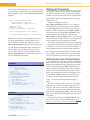
$connOptions = array('UID' => 'MyUser', 'PWD' =>
'MyPassword', 'Database' => 'AdventureWorks');
$conn =
sqlsrv_connect('.\SQLExpress', $connOptions);
The SQL Server Driver for PHP uses connection pooling by default. With this option enabled, the physical connection to the database is pooled rather than
closed when you call sqlsrv_close or when the connection variable falls out of scope. When you attempt
to connect to SQL Server, the driver first checks for
any pooled connections that have matching location,
database and credential information. If a matching
pooled connection is found, that connection is re-used.
Otherwise, a new connection is established. The first
time a connection is used once it’s been retrieved from
the pool, the connection is reset prior to any activity
on the connection. Resetting the connection ensures
that temporary resources (such as temporary tables or
stored procedures), or queries that alter the connection’s context (such as changing databases using the
USE statement), do not cause unintended effects.
For more information on connection options, including the ones mentioned earlier and other handy features (like encrypted connections), see the documentation for the sqlsrv_connect function: http://msdn.
microsoft.com/en-us/library/cc296161(SQL.90).aspx
Checking for Errors
If a connection attempt fails, the sqlsrv_connect function returns false. You can then use the sqlsrv_errors
function to retrieve error information on the last operation performed by the driver. The sqlsrv_errors function returns an array of arrays, where the inner array
39 | May 2009 www.phparch.com
consists of name value pairs. You could use this code
to check to see if the connection attempt failed, and
display error information if a failure occurred:
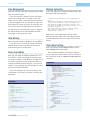
if ($conn === false) {
foreach(sqlsrv_errors() as $error) {
echo 'SQLSTATE: '.$error['SQLSTATE']."\n";
echo 'Code: '.$error['code']."\n";
echo 'Message: '.$error['message']."\n";
}
}
As a general rule, the driver’s functions allow you to
follow this error handling approach of checking to see
if a call to the driver returned false and then using
sqlsrv_errors to retrieve error information. Other coding examples omit error checking for the sake of brevity.
Executing a Query
The simplest way to execute a query using the SQL
Server Driver for PHP is to call the sqlsrv_query function and specify both the connection on which you
want to execute the query and the query string as
shown here:
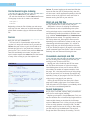
$sql = 'SELECT ReviewerName, EmailAddress
FROM Production.ProductReview';
$stmt = sqlsrv_query($conn, $sql);
Fetching Results
Once you’ve executed a query, you can retrieve the
results in a number of different ways. The simplest way
is to call sqlsrv_fetch_array, which will return the
contents of the current row as an array. By default, you
can access the value for a particular field by specifying either the numeric index (0-based) or the field
name. Once you’ve reached the end of the resultset, the
sqlsrv_fetch_array function returns null.
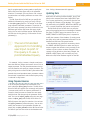
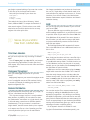
LISTING 1
1. $sql = 'SELECT ReviewerName, EmailAddress, ReviewDate
2. FROM Production.ProductReview
3. WHERE ProductID = 937';
4. $stmt = sqlsrv_query($conn, $sql);
5. 6. while (sqlsrv_fetch($stmt)) {
7. echo 'Name: '.sqlsrv_get_field($stmt, 0)."\n";
8. echo 'Email: '.sqlsrv_get_field($stmt, 1)."\n";
9. echo 'Date: '.sqlsrv_get_field($stmt, 2,
10. SQLSRV_PHPTYPE_STRING(SQLSRV_ENC_CHAR))."\n";
11. }