1
ENTERING LETTERS,
NUMBERS & SYMBOLS
MEMORY FUNCTIONS
ENTERING LETTERS,
NUMBERS & SYMBOLS
MEMORY FUNCTIONS
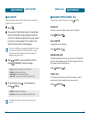
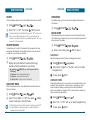
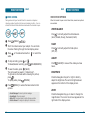
■ STANDARD INPUT MODE
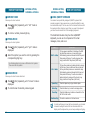
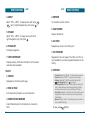
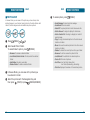
■ T9WORD INPUT MODE
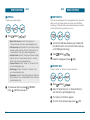
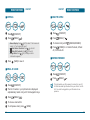
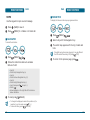
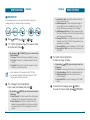
Use the number keys to enter letters, numbers and characters.
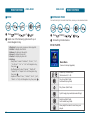
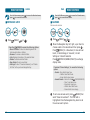
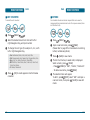
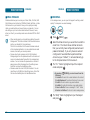
The T9Word input mode incorporates a built-in-dictionary to
determine a word based on the entered characters. A T9Word can
be entered more quickly by pressing a key once per character.
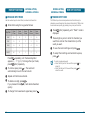
Enter letters using the key pad as follows:
Press
[Abc] repeatedly, until “T9abc” mode is
displayed.
Key Pad
Press
1 Time
Press
2 times
Press
3 times
Press
4 times
Press
5 times
2ABC
A
B
C
2
A
3DEF
D
E
F
3
D
4GHI
G
H
I
4
G
Press a digit key once to enter the character you
want then enter all the characters to input the
word you want.
:
:
:
:
:
:
To view the next matching word, press
9WXYZ
W
X
Y
Z
9
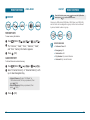
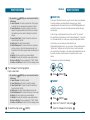
To accept the matching word and enter a space,
press
.
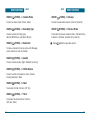
Press
repeatedly, until the desired symbol
appears (. , - ? ! ' @ : 1). To change the input mode,
press
[Abc] repeatedly.
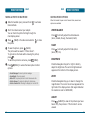
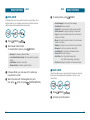
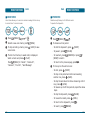
To enter a compound word:
• Enter the first part of the word then press
accept it.
• Enter the last part of the word then press
enter the word.
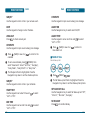
To enter a space, press
. The cursor will
automatically move to the next column.
.
to
to
Repeat until letters are entered.
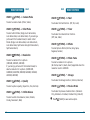
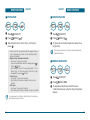
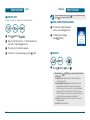
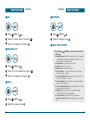
To delete one digit, press
.
If you press and hold
, it will delete characters
quickly.
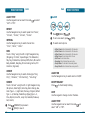
To change from lowercase to uppercase, press
40
.
41