1
MENU FUNCTIONS
PLAN
PLAN
MENU FUNCTIONS
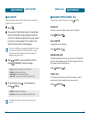
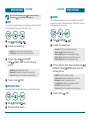
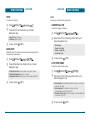
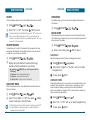
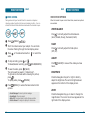
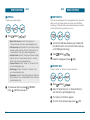
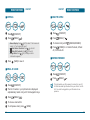
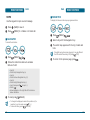
SUBJECT
CONTENTS
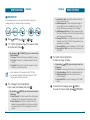
Use the keypad to enter a title in your annual event.
Use the keypad to input an anniversary plan message.
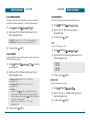
DATE
ALARM ON
Use the keypad to change or enter the date.
Use the Navigation Key to select alarm On/Off.
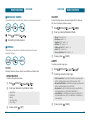
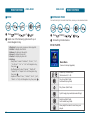
ANNUALLY
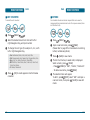
ALARM TIME
Press
Use the keypad to set an end time and
“AM” or “PM”.
to check annually set.
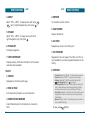
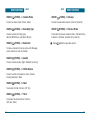
CONTENTS
Use the keypad to input an anniversary plan message.
Press
[SAVE] to save it or
calendar.
to return to
to return to the
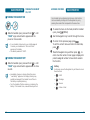
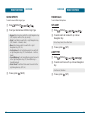
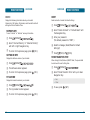
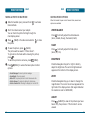
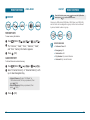
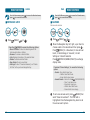
■ WAKE-UP CALL
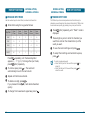
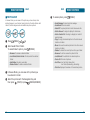
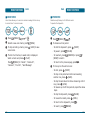
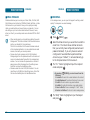
To set a new schedule, press
[MENU] then
select “New Event”. Select “Set Time”, “Everyday”,
“Every Week”, “Every Month” or “Every Year”.
The title/period field is highlighted. Press the
Navigation Key down to set the schedule options.
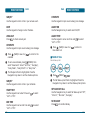
SUBJECT
Use the keypad to enter a title in your schedule.
Use the keypad to set a start time and
“AM” or “PM”.
to select
Press
[MENU]
.
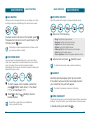
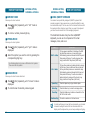
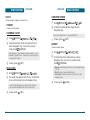
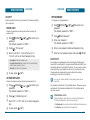
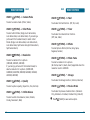
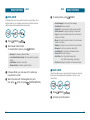
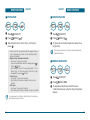
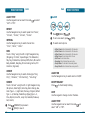
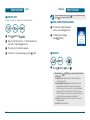
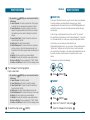
The Set Wake-up Call field is highlighted. Press the
Navigation Key down to set the Wake-up Call options.
Use the Navigation Key to select Set Wake-up Call “Off”,
“Mon-Fri”, “Mon-Sat”, “Everyday”.
NO HOLIDAY
END TIME
Use the keypad to set an end time and
“AM” or “PM”.
Sets a Wake-up Call.
SET WAKE-UP CALL
START TIME
100
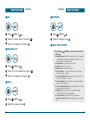
Press
[SAVE] to save it or
New Event List.
to select
to select
Press
to check No Holiday.
101