1
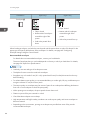
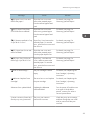
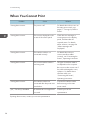
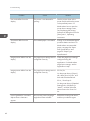
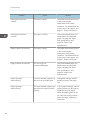
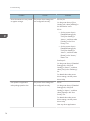
Other Printing Problems
Problem
The image on the back side of
duplex printing has mottled
blank patches or is smudged.
Cause
Solution
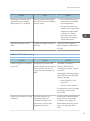
Missing patches and smudges
are caused by moisture leaking
from the paper.
• Do not install the printer in
areas that are susceptible
to low temperature.
• Use paper that has been
stored in the recommended
temperature and humidity
conditions. For details
about the proper way to
store paper, see page 31
"Paper Precautions".
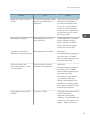
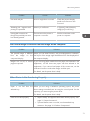
White stripes appear on the
OHP.
Fragments of paper are stuck to
the OHP.
Use a dry cloth to wipe any
paper fragments off the back of
the OHP.
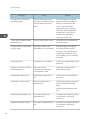
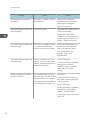
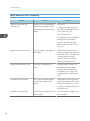
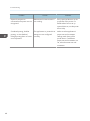
Additional Troubleshooting
Problem
Causes
Solutions
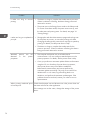
It takes a long time to complete
a print job.
Photographs and other data
intensive pages take a long time
for the printer to process, so
simply wait when printing such
data.
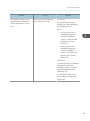
If the Data In indicator is
flashing, data has been
received by the printer. Wait for
a moment.
Changing the following settings
with the printer driver may help
speed up printing:
• Select [Speed] in "Print
Priority" list.
• Select a lower resolution.
For details about how to change
the settings, see the printer
driver Help.
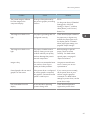
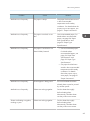
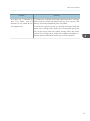
Images are printed in the wrong
orientation.
The feed orientation you
selected and the feed
orientation selected in the
printer driver's option setup
might not be the same.
Set the printer's feed orientation
and the printer driver's feed
orientation accordingly. For
details about settings for printer
driver, see the printer driver
Help.
67