1
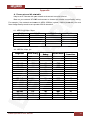
Table of contents
Table of contents
CHAPTER 1. SAFETY INSTRUCTIONS ............................................................................................................ 3
1.1. BEFORE YOU USE THIS PRODUCT ............................................................................................................... 3
CHAPTER 2. SYSTEM REQUIREMENTS AND PRODUCT FEATURES.......................................................... 5
2.1. SYSTEM REQUIREMENTS ........................................................................................................................... 5
2.2. PRODUCT FEATURES ................................................................................................................................. 6
CHAPTER 3. USING IP CAMERA VIA WEB BROWSER.................................................................................. 7
3.1. W INDOWS WEB BROWSER ......................................................................................................................... 7
3.2. MAC WEB BROWSER................................................................................................................................. 7
CHAPTER 4. USING IP CAMERA VIA MOBILE PHONE ................................................................................ 10
4.1. USING IP CAMERA VIA PHONE....................................................................................................................11
4.2.1. 3G Mobile Phone Streaming Viewing ........................................................................................................... 11
4.2.2. 2.5G Mobile Phone WAP Viewing ................................................................................................................. 11
4.2.3. 2.5G Mobile Phone Browser Viewing............................................................................................................ 11
CHAPTER 5. CONFIGURATION OF MAIN MENU .......................................................................................... 12
5.1. LIVE VIEW............................................................................................................................................... 12
5.1.1. Snapshot ....................................................................................................................................................... 12
5.1.2. Zoom in / out the image via the monitor window ........................................................................................ 13
5.1.3. Video Play Buttons ........................................................................................................................................ 13
5.1.4. Audio Buttons................................................................................................................................................ 14
5.2. SETTING ................................................................................................................................................. 14
5.3. CLIENT SETTING ...................................................................................................................................... 15
5.3.1. Mode............................................................................................................................................................. 15
5.3.2. View Size ....................................................................................................................................................... 15
5.3.3. Protocol......................................................................................................................................................... 15
5.3.4. Video Buffer .................................................................................................................................................. 15
5.4. IMAGE SETUP .......................................................................................................................................... 15
5.4.1. Brightness ..................................................................................................................................................... 15
5.4.2. Contrast......................................................................................................................................................... 16
5.4.3. Saturation ..................................................................................................................................................... 16
5.4.4. Hue................................................................................................................................................................ 16
5.4.5. Default .......................................................................................................................................................... 16
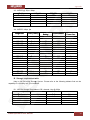
CHAPTER 6. SETTING-BASIC MENU............................................................................................................. 17
6.1. SYSTEM ................................................................................................................................................. 17
6.1.1. Information ................................................................................................................................................... 17
6.1.2. Date/Time ..................................................................................................................................................... 17
6.1.3. Initialize......................................................................................................................................................... 18
6.2. CAMERA ................................................................................................................................................. 19
6.2.1. General.......................................................................................................................................................... 19
6.2.2. MPEG-4 ......................................................................................................................................................... 21
6.2.2.1. Computer View........................................................................................................................................... 21
6.2.2.2. Mobile View ............................................................................................................................................... 22
6.2.3. MJPEG ........................................................................................................................................................... 23
6.3. NETWORK............................................................................................................................................... 24
6.3.1. Information ................................................................................................................................................... 24
6.3.2. PPPoE (Point-to-Point Protocol over Ethernet).............................................................................................. 25
6.3.3. DDNS (Dynamic DNS) .................................................................................................................................... 26
6.3.4. UPnP (Universal Plug and Play)..................................................................................................................... 30
6.3.5. Bonjour.......................................................................................................................................................... 31
6.3.6. IP notification................................................................................................................................................ 31
6.3.7. Wireless (only for N1250).............................................................................................................................. 33
6.4. SECURITY ............................................................................................................................................... 34
6.4.1. Account ......................................................................................................................................................... 35
6.4.2. HTTPS ............................................................................................................................................................ 35
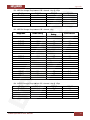
CHAPTER 7. SETTING-ADVANCED MENU.................................................................................................... 37
7.1. FTP CLIENT ............................................................................................................................................ 37
N1000 Operations User Manual
1