1
30
TimeNET 4.0 User Manual — Net Class EDSPN
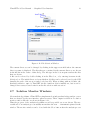
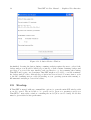
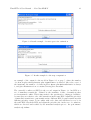
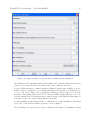
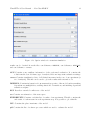
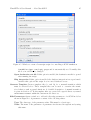
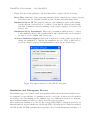
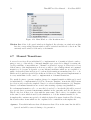
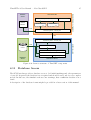
Figure 3.12: Option window for transient analysis
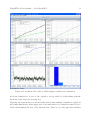
Transient Simulation estimates the initial behavior until a given time. It can be used
for any type of model, but is restricted to basic measures. Figure 3.13 shows the
corresponding option window.
The simulation is always running in sequential mode. The Number of sampling
points can be specified to adapt the resolution of the generated curves. If the Percentage rule is on, only a decreasing percentage of all sampling points need to reach the
predefined accuracy, otherwise this must hold for all sampling points. The remaining
settings have equivalent meanings like the ones for the steady-state simulation.
3.5
Evaluation Results
After a successful evaluation of the model, measure definitions in the model (see page 19)
are updated automatically and their result attribute gets the evaluation result. The result is
shown in the drawing area on the right side of the measure name. An already existing result
value for a measure is overwritten with the new result if a new performance evaluation has
been finished.
A performance evaluation also creates some text files with intermediate results (e.g. the
extended conflict set) and detailed output of the end results. These files are available in a
new directory which is named <modelname>.dir and is located in the same directory where
the current model is loaded from.
Some of these text files can be used to plot the result data with a tool such as gnuplot.
The following list describes the different text files based on their file extension. Note that
each type of performance evaluation creates only a subset of the following files. The main