1
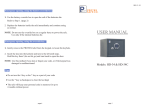
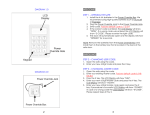
DIAGRAM 1.0
WELCOME:
WELCOME:
STEP 1 – OPENING THE SAFE:
1. Install the 4 AA batteries in the Power Override Box. We
recommend using high-quality batteries such as Duracell or
Energizer.
2. Plug the Power Override Jack to the Power Override Hole.
3. Enter code. Factory default code is: 1-2-3
4. Press the # key.
5. Turn the Knob clockwise (right) and open the door.
NOTE: Remove the batteries from the Power Override Box and
install them in the battery box that is located in the back of the
safe door.
ENROLLING:
STEP 2 – CHANGING CODE:
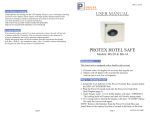
1. Open the safe using the code.
DIAGRAM 2.0
2. Press the Setup Button (located in the left side of the back of
door, next to the hinges).
3. Now: (while the LED is Yellow)
a. Enter your new code (1-6 digits).
b. Press the # key.
c. The LED will turn off.
d. Your personal code has been changed.
Note: It is highly recommended to leave the door open and test
your new code several times before closing the door.
:
2
3
EMERGENCY OPENING:
POWER OVERRIDE:
1. Open the safe by following STEP 1.
KEY OVERRIDE:
1. Gently remove the Protex Label on the bottom of the
keypad, this will reveal the Keyhole.
2. Turn the key clockwise (right) and then turn the knob to open
the safe.
Note: The safe keeps the code in memory up to 6 months without
power.
TIPS:
•
Don’t use the # key or the ¿ key for your code.
•
Use digits 1 – 0 to enter your code.
•
Use the ¿ key as backspace to clear the last digit.
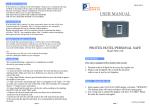
User Manual
For
Electronic safe
Model:
HD-20
Rev. 012808
4