1
elements) and using the information entered in the ‘Project details’ page. These default calculations reduce
the need to have detailed quantity information on all of the components in a building project.
It is possible to overwrite both default quantity and other information on any component in the Tool by
either modifying existing components or adding new components from scratch. Therefore, if desired, the
dataset can be customised to reflect the exact specification and quantities to be used on a project (although
this is usually not necessary to achieve a sufficiently reliable estimate to inform decision making).
4.5
Data security
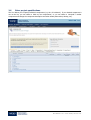
Project information held within the Tool is maintained on secure servers and only users that create a project
or have explicitly been invited to view or enter information on a project will have access to project data.
Guest users can have their access removed by the project creator, if required, further protecting the security
of project data.
WRAP have no access to information on individual projects but will be monitoring only high level statistics
relating to the use of the website (e.g. number of projects created, average level of recycled content, etc).
Your project information is therefore totally confidential and only individuals with ‘User’ or ‘Guest User’
access rights to the project will be able to view information.
4.6
Types of Tool user
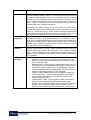
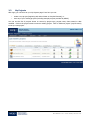
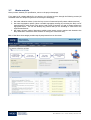
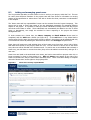
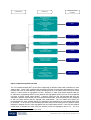
The Tool provides secure access to two types of user; Registered Users and Guest Users. In addition, a
Registered User can also nominate a Corporate Guest User who will automatically have Guest access to all
the projects created by the user. These user types are defined below.
4.6.1
Registered User
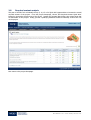
Registered Users are the core user group. Registered Users are able to create new project datasets for
which they are assigned ownership and the right to control the ability to perform a ‘save as’ operation on
those datasets.
4.6.2
Guest User
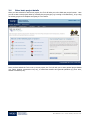
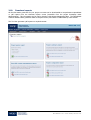
Guest Users have access to Tool projects created by Registered Users. Once a Registered User has created
the project they can invite Guests to view or contribute information relevant to their expertise. For example,
a Project Manager may create a project and then invite the Architect, Structural Engineer and Services
Engineer to add elements of the building specification relevant to their discipline.
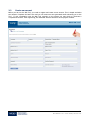
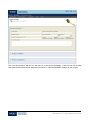
Guest Users for each project are nominated by the project owner (the Registered User that creates the
project) and defined simply by their name and email address. When adding a Guest User to the project, the
project owner has the option of granting full (read/write) or read only access to the information on the
project and may also enter a text note to the Guest User informing them of the action required from them.
When the Guest User is added to the project, the Guest is sent a notification e-mail automatically.
Guest Users may also be Registered Users in the NW Tool but this is not necessary. Unregistered Guest
Users can view, edit and generate reports on projects but cannot create new projects.
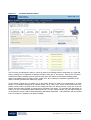
Registered Users
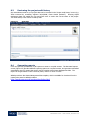
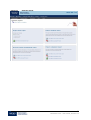
will have a list of all projects for which they are a Guest on a tab in their ‘My Projects’ page. Unregistered
Guest Users do not have a ‘My Projects’ page and therefore need to enter into each project for which they
are a Guest by entering the project ID and password or by following the hotlink included in the email
notification.
4.6.3
Corporate Guest User
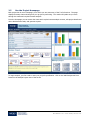
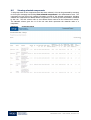
To enable corporate performance to be monitored and reported, it may be useful for one person (e.g. a
sustainability or CSR manager) to be able to view and report on all of the projects set up by employees in
the company. To facilitate this, the ‘Corporate Guest User’ function allows users to invite a ‘corporate guest’
to view or edit all of their projects.
Multiple users can invite the same corporate guest, allowing that person to review a portfolio of projects. An
example of this is where several project managers may be assessing different projects with the same
29
Net Waste Tool – User Guide, Version 1.0