1
WATCHING TV
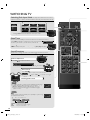
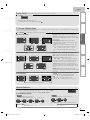
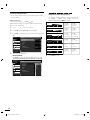
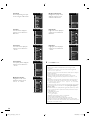
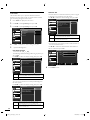
Switching Each Input Mode can easily switch with the remote control
between TV (ATSC or NTSC) and external devices when they are connected to the unit.
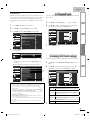
Press SOURCE or CH K repeatedly to cycle through the input modes.
e.g.)
Source
11.1
TV
Video
Component
HDMI1
HDMI2
PC
Video
Component
DTV /TV channel
SOURCE
PC
HDMI3
HDMI2
SLEEP
HDMI1
BACK
Pressing CH L reverses the direction of the input modes.
•
Sleep Timer
FORMAT
ECO
OK
can be set to automatically turn off the unit after an incremental period of time.
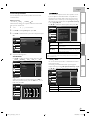
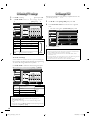
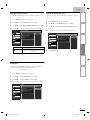
Press SLEEP repeatedly to change the amount of time (increases
the time by 30 minutes up to 120 minutes) until shut off.
FREEZE
Sleep
120min.
MENU
INFO
SLEEP
P once to call up the display for checking the remaining time.
• To cancel sleep timer, press SLEEPP repeatedly until [Sleep Off] is displayed.
SAP
Sound Functions
VOL
MUTE
CH
1
2
3
4
5
6
7
8
9
PREV CH
0
.
describe how to change the audio or the audio language as well as the volume.
Volume Adjustment
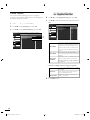
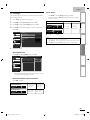
Use VOL
/
Volume
to adjust the volume.
30
will be displayed for a few seconds when adjusting the volume.
Silence Mode
Press MUTE
hi!
salut!
hola
!
Mute
to turn off the sound temporarily.
will be is displayed for a few seconds.
• Press MUTE
volume.
again or VOL
/
to recover the original
Switching Audio Mode
ATSC
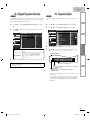
Press SAP
P repeatedly to cycle through the available audio languages.
• Available languages differ depending on the broadcast.
• [Other] is displayed when the audio language cannot be
acquired, or the acquired languages are other than English,
Spanish or French.
11.1
English 1/3
NTSC
SAP
P to display the currently selected audio mode.
While receiving an MTS broadcast, press repeatedly to cycle through
the available audio channel.
11
SAP / STEREO
e.g.) When all audio are available
SAP/ STEREO
SAP / MONO
SAP / STEREO
STEREO : Outputs stereo-audio
SAP
: Outputs second audio program
MONO : Outputs mono-audio
16
EN
A0173_N3UH_EN_v1.indd 16
2010/02/03 18:56:31