1
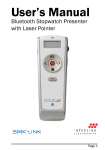
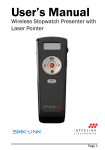
Using the Presenter
Key
Description
Next Page key to advance to the next slide.
Previous Page key to return to the previous slide.
Application Switch (Alt-Tab) key displays all the open
windows and switches to the desired open window by
pausing over the selected window icon for 3 seconds.
Important, Read Me First!
• Please make sure the windows/files you plan to use with the
Application Switch button remain open on Desktop. Do not
minimize the windows/files to the System Tray as the Application
Switch function does not detect minimized windows/files.
Dark Screen toggle key blackens the screen and
resumes the presentation.
Laser Pointer key triggers the laser beam. The laser
beam emits red light when the key is pressed.
Operating Tips & Troubleshooting
• Check the on/off switch located on the side of the Presenter to
make sure the Presenter is turned on before using it.
Page 7
Page 8