1
System Requirements
• Hardware: 1 available USB port
• Installing the Battery (Supplied)
• Operating System: Windows 2000, XP, Vista or 7
Package Contents
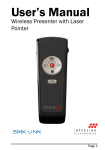
• Wireless 2.4 GHz Presenter
• USB receiver dongle
• 1 x AAA battery
Slide the battery cover off
Insert battery to
the correct polarities
• User’s manual
• Open the battery compartment by pressing down the cover latch
and sliding the door off the Presenter.
• Insert a AAA battery (included in the package) in the battery slot.
Make sure the positive (+) and negative (-) ends of the battery
match the polarity inside the battery compartment. (Note: the
coil spring is negative pole.)
• Slide the battery cover back into position.
Page 3
Page 4