1
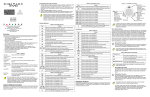
Arm System:
Arms entire area when all zones are closed.
Disarm:
Disarms entire area.
Stay Arm:
Arms area’s perimeter only, which allows you
to remain in the protected area.
Force Arm:
Arms entire area without waiting for all zones
to close.
Instant Arm:
Same as Stay arming, except that an alarm
occurs instantly if any armed zones are
opened, including entry delay zones.
Alarm Memory:
Displays a record of recently triggered alarms.
Trouble:
Displays a list of system troubles.
Bypass:
Deactivates specific zones the next time the
system is armed.
View Status:
View floor plans and the status of zones,
events and areas.
Programming:
Program user codes, user profiles, timed
auto-arming and send test reports.
Alarm Clock:
Set the alarm clock.
Keypad Settings:
Set the system tones, LCD contrast, backlight
and more.
Some of the features mentioned in this guide need to be activated by your installer. We recommend that
you test your system on a weekly basis. Please refer to the appropriate user manual.
© 2002-2003 Paradox Security Systems Ltd.
Grafica is a trademark of Paradox Security Systems Ltd, or its affiliates in Canada, the United States and/
or other countries. All rights reserved.