1
1 Using the OSD
The EFFIO P and Enhanced EFFIO E cameras equipped with DSP (Digital Signal Processing) include OSD (On Screen Display)
functions for adjusting the camera via menus displayed on the screen.
1.1
Controlling the OSD MENU
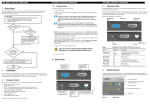
The OSD menu can be controlled using a joystick or several buttons, depending on the type of camera (dome, modular or
outdoor camera).
Joystick or buttons for
controlling theOSD menu
RCA connector.
Use the RCA-BNC cable provided
to display the analogue output
Pressthecentralbuttonor the joysticktoaccessthecamera'sconfiguration(OSD) menu.
Themainconfigurationmenuappearsonthe screen:
Select a function using the directions of the joystick or the up and down buttons.
Modify the value of a parameter using the joystick or the left and right buttons.
If a submenu is available, it can be accessed by pressing the central button or the joystick.
General settings
Actions
Indicates that there is a submenu. The value of the setting preceding this symbol can be modified.
NEXT/BACK
Displays the rest of the main menu or returns to the previous menu.
EXIT
Closes the menu and retains the modifications as long as the camera remains switched on.
SAVE ALL
Saves the settings and retains them after the camera is switched off.
3