1
MTS/MDA Sensor Board User’s Manual
Wireless Sensor Networks
8 TinyOS Drivers and Test Firmware
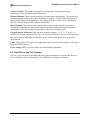
This section summarizes the drivers and test firmware for Crossbow’s sensor and data
acquisition boards. Table 8-1 below lists the names of the folder for test and demo application
firmware and driver for the various sensor and data acquisition boards:
Table 8-1. Listing of Sensor/DAQ boards, test and demo applications, and drivers.
Sensor or DAQ Board
MTS101
MTS300
MTS310
MTS400, 420
MTS510
MDA300
MDA500
Test and Demo
Application Name(s)
Oscilloscope,
OscilloscopeRF
Driver Name
basicsb
micasb
Surge_Reliable1
XSensorMTS400
XSensorMTS5101,
Surge_Reliable_Dot1
XSensorMDA3001
XSensorMDA5001
1
mts4002
mts5102
mda3002
mda5002
1
As of 4-29-2004, Surge_Reliable and Surge_Reliable_Dot and all the XSensor-Series applications are not
included in the main tinyos-1.x distribution. These applications are on the TinyOS Support Tools CDROM under
Crossbow Software/xbow.zip. Unzip this file while in the opt/tinyos-1.x/contrib directory. The test and demo
applications will appear under the contrib/xbow/apps/ directory. Drivers will be located under
contrib/xbow/tos/sensorboards/. The latest test and demo applications can be downloaded from the TinyOS page
at Sourceforge.net under tinyos-1.x/contrib/xbow/apps/.
2
As of 4-29-2004, the drivers for these sensor boards (MTS) and data acquisition cards (MDA) are not included in
the main tinyos-1.x distribution. Drivers are on the TinyOS Support Tools CDROM under Crossbow
Software/xbow.zip. Unzip this file while in the tinyos-1.x/contrib/ directory. The drivers will appear under the tinyos1.x/contrib/xbow/tos/sensorboards/ directory. The latest drivers can be downloaded from the TinyOS page at
Sourceforge.net under tinyos-1.x/contrib/xbow/tos/sensorboards.
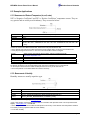
8.1 Testing a Sensor or Data Acquisition Board
To test a sensor or data acquistion board, the appropriate test or demo firmware needs to be built
and then loaded into a Mote. Then the sensor or data acquistion board would then be attached to
the Mote. Finally, the data from it could then be displayed on a text user-interface called XListen.
All the details for doing this is in our Wireless Sensor Networks: Getting Started Guide, Chapter
5.
Doc. # 7430-0020-03 Rev.A
Page 33