1
LCU ONE-CAN+Analog
User manual
Release 1.05
17
6.3 – LCU-ONE CAN configuration
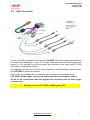
As said before, LCU-ONE can communicate using the CAN bus too and this type of
communication allows it to interface with AIM MXL/EVO3. To better profit by this
channel it is necessary to configure the controller with Race Studio 2 software. Refer to
the related user manual for further information on the software and to the loggers user
manual for further information on these latter and their configuration.
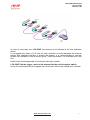
It is suggested to perform this operation with the logger and the controller switched on
and connected. Run the software and select the desired logger: MXL or EVO3
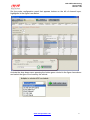
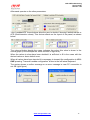
PRO/Pista. The window below appears. Select “CAN-Expansions configurator” layer.
In case of very first configuration the layer is empty as shown below.
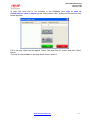
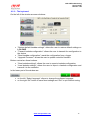
Press “Add Expansion” button and the window shown below appears:
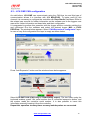
Select LCU-ONE CAN (CAN only or CAN+analog output). The two fields under the
keyboard enables, press “Get serial number from a connected expansion button” and
the system reads the controller serial number. It is also possible to insert this
information manually keeping it from the controller.
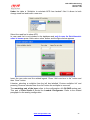
Repeat this operation as many times as many lambda probes are connected.
www.aim-sportline.com
19