1
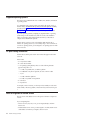
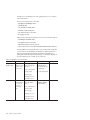
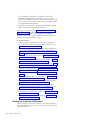
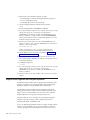
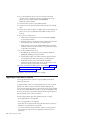
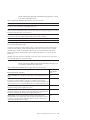
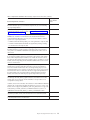
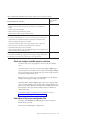
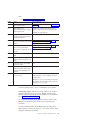
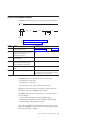
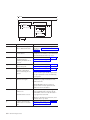
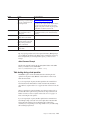
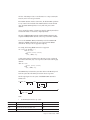
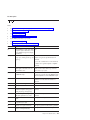
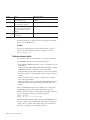
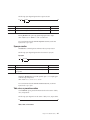
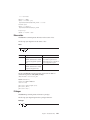
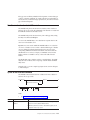
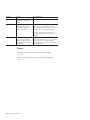
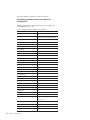
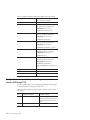
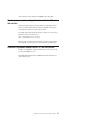
Element
Purpose
Key Considerations
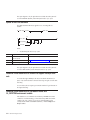
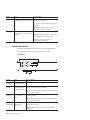
database
Specifies the name of the
database
Requirement: The database name cannot include a database server
name, such as database@dbservername.
References: Syntax must conform to the Identifier segment; see the IBM
Informix Guide to SQL: Syntax.
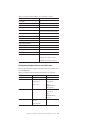
owner.
Specifies the owner of the Requirement: The owner name must not include invalid characters.
table
References: For path name syntax, refer to your operating-system
documentation.
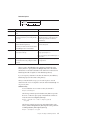
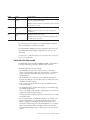
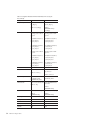
table
Specifies the name of the
table
Requirement: The table must not exist.
References: Syntax must conform to the Table Name segment; see the
IBM Informix Guide to SQL: Syntax.
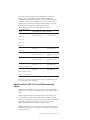
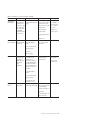
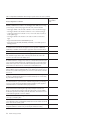
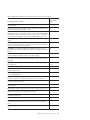
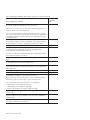
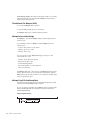
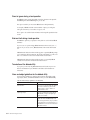
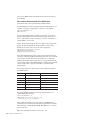
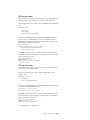
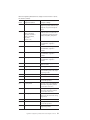
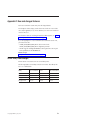
If you do not specify any create options for non-fragmented tables, the onload
utility stores the database or table in the root dbspace.
For fragmented tables, onunload preserves the fragmentation expression for later
use by onload. Thus an imported table is fragmented in the same way as the
original table.
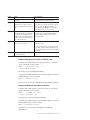
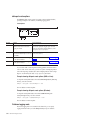
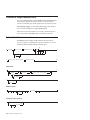
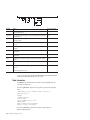
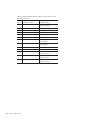
You can use the -c, -i, -fd, and -fi options in any order and as often as necessary as
long as you use unique pairs.
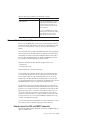
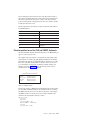
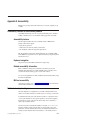
Constraints that affect onload
The onload utility performs faster than the dbimport, dbload, or LOAD methods.
In exchange for this higher performance, onload has certain constraints.
The onload utility has the following constraints:
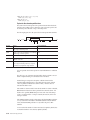
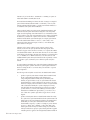
v The onload utility only creates a new database or table; you must drop or
rename an existing database or table of the same name before you run onload.
During execution, the onload utility's prompt will ask you if you want to
rename blobspaces.
v The onload utility places a shared lock on each of the tables in the database
during the load. Although you cannot update a table row with the lock in place,
the database is available for queries.
v When you load a complete database, the user who runs onload becomes the
owner of the database.
v The onload utility creates a database without logging; you must initiate logging
after onload loads the database.
v When you use onload to load a table into a logged database, you must turn off
logging for the database during the operation.
v For fragmented tables, the dbspace assignment is preserved, unless you override
it using the -fn option.
v For non-fragmented tables, the onload utility attempts to store the table in root
dbspace if a target dbspace is not specified with the -d option. If storing the
table in root dbspace or in the dbspace specified with the -d option is not
possible due to difference in page sizes, the onload utility tries to use a dbspace
that has the same dbspace number as the dbspace number of the originally
unloaded table. If this dbspace still has a different page size, the load operation
will fail.
Chapter 13. The onunload and onload utilities
13-9