1
AMF-10
Automatic Mains Failure Module
2. OPERATION
2.1 Summary
Disengaging the starter is vital to prevent damage to
the starter motor and ring gear, and is done by
sensing.
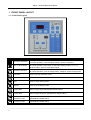
Operating the AMF-10, is divided into four functions;
each one is controlled by a single push button
located on the top right hand corner of the front
panel.
● Engine Oil pressure switch on
1. AUTO : Automatic Operation
Next the AMF-10 goes into idle (only if you have the
proper engine governor idle connection), the screen
shows 【Id.XX】. Each entered value equals to 5sec
idle delay (see page 12). To disable enter 0 and the
engine will not idle.
2. OFF : Shutdown/System OFF Mode
3. MANU : Manual Operation
4. TEST : Testing Mode
(CAUTION) only one operation mode can be
selected at one time.
2.2 In Auto Mode of Operation
In AUTO mode, the START - STOP - MAIN - GEN
buttons do not operate. They work only when the
controller is in Manual operation. See paragraph
2.5.
Press the AUTO button and notice the LED
lights-up confirming that you are in AUTO. In AUTO
mode the ATS (Automatic Transfer Switch) and
genset are directly controlled by the AMF-10.
The operation sequence in AUTO is as follows;
when the AMF-10 detects any unusually voltage or
no voltages or a missing phase coming from the
normal (city grid), it automatically initiates the
generator start sequences.
First activating the engine Preheat, and at the same
time displaying the Pre-Heat countdown in seconds
【PH.XX】on the front screen.
Second, after the preheat times out, the starter
motor begin to start and the screen displays the
starter motor running time【St.XX】 The starter
motor runs for 6 sec. (the user can change the
running time of the starter motor for up to 30
seconds) If the engine fails to start the first time, the
AMF-10 returns to Preheat and tries again. The
AMF-10 tries 3 times (The user can also change how
many times the engine tries to start - up to 9 times).
If the engine fails to start, the AMF-10 lights-up the
LED for Start Failure icon, and the screen flashes,
FAIL.
● AC voltage builds up
● AC frequency over 18Hz
After engine starts, the AMF-10 enters a 30sec
grace period, delaying any shutdowns, and giving
the generator time to reach normal engine speed,
together with oil pressure, AC voltage and other
operating parameter, the screen displays【Ac.XX】
after confirming that everything is running OK.
But if the genset does not run normally before the
30sec grace period is up, the module shutdown the
generator displaying the reason for stopping the
genset on the front panel.
Now if the generator stabilizes and reaches its rated
output, The AMF-10 starts the TDNE (Time Delay
Normal to Emergency) countdown, showing
【nE.XX】on the front screen. (Remember that each
entered value is equals to 5sec delay, the preset
TDNE countdown is 10sec, See page 12). When the
countdown stops, the module sends a signal to the
transfer switch to change-over from normal to
emergency (standby generator) power. If the
transfer switch fails to do this in 15sec, the AMF-10
flashes emergency on LED and display FAIL on the
screen, after the problem is resolved, press the SET
/ Failure reset button to remove the warning signal.
As soon as Normal power returns, the AMF-10
verifies this and begins the TDEN (Time Delay
Normal to Emergency) countdown showing
【En.XX】on the screen. Again each entered value
equals 5sec, the factory preset TDEN countdown is
10sec (see page 12). When the countdown stops,
the module sends a signal to the transfer switch to
change-over from emergency to normal power.
Finally the engine executes TDEC. (Time Delay
Engine Cool down) The screen display【CL.XX】
Again each entered value equals to 5sec; the preset
TDEC count down is 60sec (See page 12).
But if the engine starts normally the AMF-10
immediately disengages the starter motor.
______________________________________________________________________________________
7