1
1.3 RX3i PROFINET Scanner Controls and Indicators
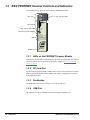
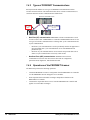
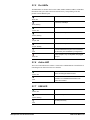
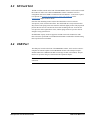
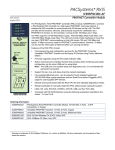
The illustration below shows the front of an RX3i PROFINET Scanner.
LEDs: Ports
1
OK
2
LAN
3
STATUS
4
CONN
LEDs: OK, LAN, STATUS, CONN
PNS001
S D CARD
SD Card Slot
TO INSTALL ,
TORQUE TO
6 IN-LB.
ACTIVE
LEDs: ACTIVE , USB COMM
Micro-USB Port and Pushbutton
US B !
USB
IP ADDRESS
Labels
MAC ADDRESS
PORTS
FRONT
3 4
1 2
Ethernet Ports
IO DEVICE
1.3.1 LEDs on the PROFINET Scanner Module
LEDs provide an immediate visual indication of the PNS’s operational state and port link
status. The LEDs and their operation are described in Chapter 2 LED Operation and
Connector Details.
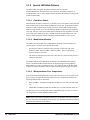
1.3.2 SD Card Slot
The SD Card Slot supports an SD or SDHC card. It can be used to transfer the I/O Device
Name to another PROFINET Scanner Module unit without a configuration tool such as
Proficy Machine Edition.
1.3.3 Pushbutton
The pushbutton adjacent to the USB port is reserved for future use.
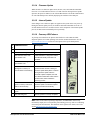
1.3.4 USB Port
The USB Port is used for installing new firmware using the Winloader tool.
14
GFK-2737D
PACSystems RX3i PROFINET Scanner