1
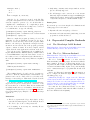
using foreign sources, you cannot also use built-in WaveScript “timer” sources. When driving the system from foreign sources, the entire WaveScript system becomes just a
set of functions that can be called from C. The system is
dormant until one of these entrypoints is called.
Because the main thread of control belongs to the foreign
C code, there is another convention that must be followed.
The user must implement three functions that WaveScript
uses to initialize, start up the system, and handle errors
respectively.
can do this by using the merge primitive to combine it with
any other Stream (this will not affect that other stream,
as inline C never produces any tuples). Alternatively, you
can return the output of inline C directly to the “main”
stream, as follows:
main = inline C(...)
3.4
void wsinit(int argc, char** argv)
void wsmain(int argc, char** argv)
void wserror(const char*)
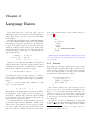
There are a few differences in how foreign code works
in TinyOS. The foreign source function is virtually the
same. The foreign function is similar, but it should be
noted that one can cheat a little by suppying an arbitrary
string for the function name. For example, here is a foreign
function that toggles an LED, written using NesC’s call
syntax:
Wsinit is called at startup, before any WaveScript code
runs (e.g. before state{} blocks are initialized, and even
before constants are allocated). Wsmain is called when
the WaveScript dataflow graph is finished initialing and is
ready to receive data. Wsmain should control all subsequent acquisition of data, and feed data into WaveScript
through the registered foreign source functions. Wserror
is called when WaveScope reaches an error. This function
may choose to end the process, or may return control to the
WaveScope process. The WaveScope process is thereafter
“broken”; any pending or future calls to entrypoints will
return a non-zero error code.
3.3
Foreign code in TinyOS
led0Toggle =
(foreign("call Leds.led0Toggle", [])
:: () -> ());
Currently [2008.02.22] foreign only works for functions
returning void. Bug me to fix this.
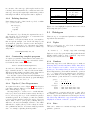
The major difference lies in inline C, which is replaced
by inline TOS. TinyOS simply has more places that one
might want to stick code, thus more hooks are exposed:
Inline C Code
inline TOS(top, conf1, conf2, mod1, mod2, boot)
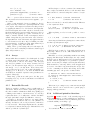
The function for generating and including C code in the
compiler’s output is inline C. We want this bso that we
can generate new/parameterized C code (by pasting strings
together) rather than including a static .c or .h file, and
instead of using some other mechanism (such as the C preprocessor) to generate the C code. The function is called
as “inline C(c-code, init-function)”. Both of its arguments are strings. The first string contains raw C-code
(top level declarations). The second argument is either the
null string, or is the name of an initialization function to
add to the list of initializers called before wsmain is called
(if present). This method enables us to generate, for example, an arbitrary number of C-functions dependent on an
arbitrary number of pieces of global state. Accordingly we
also generate initializer functions for the global state, and
register them to be called at startup-time.
The return value of the inline C function is a bit odd.
It returns an empty stream (a stream that never fires). This
stream may be of any type; just as the empty list may
serve as a list of any type. This convention is an artifact of
the WaveScript metaprogram evaluation. The end result of
metaprogram evaluation is a dataflow graph. For the inline
C code to be included in the final output of the compiler,
it must be included in this dataflow graph. Thus inline C
returns a “stream”, that must in turn be included in the
dataflow graph for the inline C code to be included. You
All arguments are strings. They inject code into different
contexts as follows:
1. top: Inject code at top-level, not iside a configuration
or module block.
2. conf1: Inject code into the configuration block produced by the WaveScript compiler.
3. conf2: Inject code into the implementation section of
that configuration block.
4. mod1: Inject code into the module block produced by
the WaveScript compiler.
5. mod2: Inject code into the implementation section of
that module block.
6. boot: Inject code into the Boot.booted() event handler.
14
This mechanism for inlining NesC code can be used for
adding support for new timers or data sources. In fact, this
is how existing functions like tos timer and sensor uint16
are implemented. (See internal wstiny.ws inside the
lib/ directory.)