1
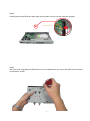
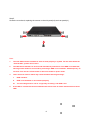
Step 5
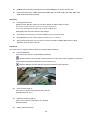
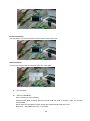
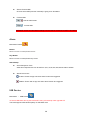
Screw the cover back, replacing the screws on the side panel(x4) and rear panel(x1)
Note:
1.
The new HDD must be formatted in order to work properly in system. For the detail about the
“Format HDD”, please refer to 4.3.5.
2.
The HDD will be started in 5~30 seconds after NVR is powered on. If the HDD is not detected,
warning will be shown for 3 seconds by a message “HDD is not installed!” with beep every 10
seconds. You can turn off the buzzer or leave live mode to quiet it down.
3.
4.
There are three reasons which may cause the above warning message:
I.
HDD is broken
II.
HDD is not installed or not installed properly
III.
The recording model is set as “single-way recording” and HDD is full.
If the HDD is not detected and not started within 30 seconds. It will be determined as a failed
HDD.
8