1
HXr Graphical Engine Display Setup
Section 1: HXr Graphical Engine Display Layout
1.1 Introduction
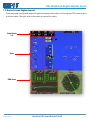
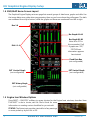
When connected to a Grand Rapids Technologies EIS (Engine Information System), the HXr is capable of
displaying a multitude of engine and environmental parameters. Two suites of systems information are
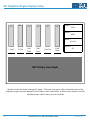
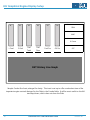
presented on the Home screens, along with configurable Engine inset windows and a dedicated
Engine/Moving Map split-screen designed for multi-display systems.
This section of the manual covers basic arrangement and configuration of the graphical engine display
on the HXr. Please refer to the EIS manual and individual probe wiring diagrams, supplements and
information sheets for wiring and configuration of your EIS system and probes.
1.2 Working with the GRT Engine Information System (EIS)
A GRT EIS (Engine Information System) is required to gather most of the engine and systems data. The
EIS is the computer that gathers information from all of the sensors and probes and feeds it into the
HXr. The EIS is connected to the HXr through one of the serial ports.
Some sensors have the option of being wired directly to the EFIS system. For example, fuel level probes
can be connected directly to the HXr using the Analog inputs. Outside Air Temperature (OAT) can be
wired directly to the AHRS or the EIS.
Blind-Mounting the EIS
The EIS does not have to be mounted to the instrument panel face. Due to the size of the HXr, many
builders choose to mount their EIS in a tucked-away location that is accessible only for initial
programming. Because warnings on the EIS can not be canceled in flight if the unit is out of pilots’ reach,
the HXr is programmed with all of the engine limits, and the EIS limits are set to “0,” with few exceptions.
The EIS will send all of the raw sensed data to the HXr, which then detects any out-of-limit parameters
and displays a warning for the pilot. Warnings on the HXr are acknowledged by pressing the yellow
MSG softkey.
Monitoring Oil Pressure at Engine Start
The HXr should not be wired to the master circuit because of possible current spikes during engine start.
However, the EIS will not be bothered by these spikes and should be wired to the master for the sole
reason of showing an oil pressure reading during engine start. The minimum oil pressure limit should
be set in the EIS regardless of whether the unit is blind-mounted. A simple warning light can be wired
to the EIS and placed on the instrument panel to monitor oil pressure before the HXr is booted up.
2
Horizon HXr User Manual Draft
Revision A1