1
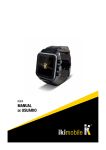
KW4
USER MANUAL - ENGLISH
Please read the manual before use.
1. Key Features
· Dual-core Cortex-A7
· 3G, GPS, Bluetooth
· Android 4.4.2
· 1.54” IPS display (240x240)
· High-sensitive touch panel
· Memory: 512 MB RAM + 4 GB ROM
· Battery: 600mAh
7. Writing SMS
· You can add one or multiple contacts in the receiver area, words,
images, facial expressions are supported in the texting.
· Long press the message, and forward, copy, or delete it.
On/Off Key
Touch Panel
Camera
Home Key
2. Connectivity
· 2G GSM: (900/1800/850/1900) GPRS EDGE
· 3G WCDMA: 2100 MHz HSPA
3. Lock / Unlock Screen
8. Gallery
· Touch the screen to unlock it, press the power button to lock.
· Go to the Gallery, and you can view the pictures. Select one picture and you can zoom it. Swipe to the left or right to see the
previous/next picture.
4. Make a call
· You can make a call directly in the virtual keypad, and also search
the person in the contact list.
9. People
· Go to “people” and set up new contacts.
5. Capture
· Open the camera, continuous shot is supported, slide the key to the
video icon, and you can start the video recording.
6. Wallpaper change
· Long press the blank area of the home screen, it will pop up the
option to select wallpaper.
· You can also swipe from left to the right, and it will pop up to select
wallpaper.
2