1
4 - The Individual Components
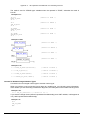
If the system reports
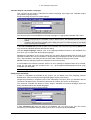
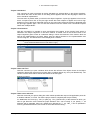
Error:
"The selected controller profile does not match that of the target system..."
Check that the target system entered in the target system settings (Resources) matches the
parameters entered in 'Online' 'Communication parameters'.
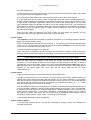
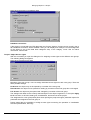
Error:
„Communication error. Log-out has occurred"
Check whether the controller is running. Check whether the parameters entered in 'Online'
'Communication parameters' match those of your controller. In particular, you should check whether
the correct port has been entered and whether the baud rates in the controller and the programming
system match. If the gateway server is used, check whether the correct channel is set.
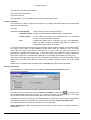
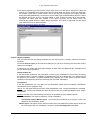
Error:
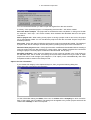
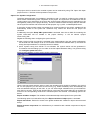
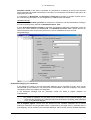
"The program has been modified! Should the new program be loaded?"
The project which is open in the editor is incompatible with the program currently found in the PLC (or
with the Simulation Mode program being run). Monitoring and debugging is therefore not possible.
You can either choose "No," logout, and open the right project, or use "Yes" to load the current project
in the PLC.
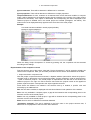
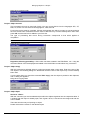
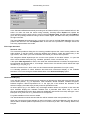
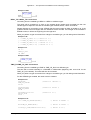
Message:
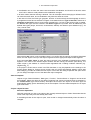
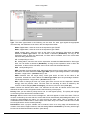
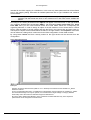
„The program has been changed. Load changes? (ONLINE CHANGE)".
The project is running on the controller. The target system supports 'Online Change' and the project
has been altered on the controller with respect to the most recent download or the most recent Online
Change. You may now decide whether these changes should be loaded with the controller program
running or whether the command should be cancelled. You can also, however, load the entire
compiled code by selecting the Load all button.
'Online' 'Logout'
Symbol:
Shortcut <Ctrl>+<F8>
The connection to the PLC is broken, or, the Simulation Mode program is ended and is shifted to the
offline mode.
Use the 'Online' 'Login' command to change to the online mode.
'Online' 'Download'
This command loads the compiled project in the PLC.
During compilation the download information gets saved in a file called <projectname>0000000ar.ri ,
which is used during Online Change to compare the current program with the one most recently
loaded onto the controller, so that only changed program components are reloaded. This file is erased
by the command 'Project' 'Clear all'. Concerning Online Change on several PLCs please see chapter
'Online' 'Login'. Regard that the *.ri-file also gets updated during an Online Change.
Depending on the target system settings at each creation of a boot project in offline mode the *.ri-file
might be regenerated.
Only persistent variables (see Chapter 5.2.1, Remanent variables) keep their values even after a
download.
'Online' 'Run'
Symbol:
Shortcut: <F5>
This command starts the program in the PLC or in Simulation Mode.
CoDeSys V2.3
4-71