1
Managed Switch Manual (UI 2.0)
Featured Functions
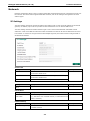
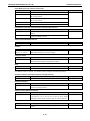
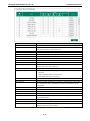
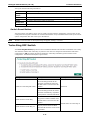
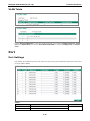
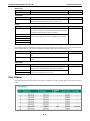
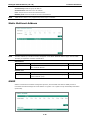
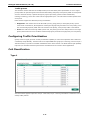
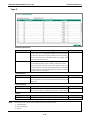
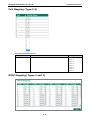
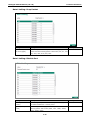
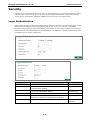
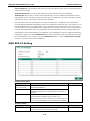
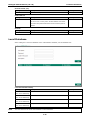
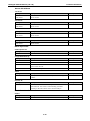
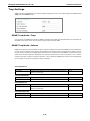
Port
Setting
Description
Factory Default
Port name
Read only
N/A
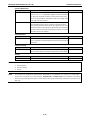
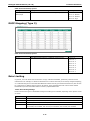
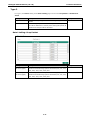
Type
Setting
Description
Factory Default
Access
When this port is connected to a single device, without tags.
Access
Trunk
When this port is connected to another 802.1Q VLAN aware
switch.
Hybrid
When this port is connected to another Access 802.1Q VLAN
aware switch or another LAN that combines tagged and/or
untagged devices and/or other switches/hubs.
ATTENTION
For communication redundancy in the VLAN environment, set Redundant Port Coupling Ports and
Coupling Control Ports to Trunk Port, since these ports act as the backbone for transmitting packets
from different VLANs to different Moxa switch units.
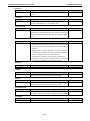
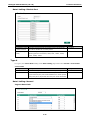
PVID
Setting
Description
Factory Default
1 to 4094
Sets the default VLAN ID for untagged devices connected to the 1
port.
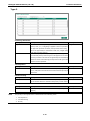
Tagged VLAN
Setting
Description
1 to 4094
This field will be active only when selecting the Trunk or Hybrid None
Factory Default
port type. Set the other VLAN ID for tagged devices that
connect to the port. Use commas to separate different VIDs.
Untagged VLAN
Setting
Description
Factory Default
VID range from 1 to
This field is only active when the Hybrid port type is selected.
None
4094
Set the other VLAN ID for tagged devices that connect to the
port and tags that need to be removed in egress packets. Use
commas to separate different VIDs.
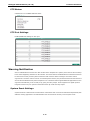
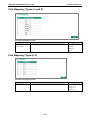
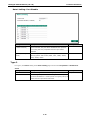
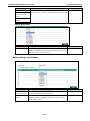
Forbidden VLAN
Setting
Description
Factory Default
1 to 4094
This field is only active when Trunk or Hybrid port type is
None
selected. Set the other VLAN IDs that will not be supported by
this port. Use commas to separate different VIDs.
NOTE
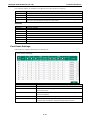
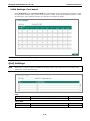
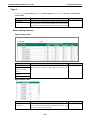
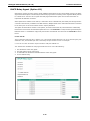
The Quick Setting Panel provides a quick way of configuring multiple VLAN ports with the same setting.
3-27