1
ACC-11E User Manual
USING ACC-11E WITH POWER UMAC SCRIPT PROGRAMING
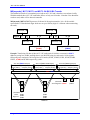
The following section describes two software configuration procedures that are needed when using the
Power PMAC script programming language:
1. Configuring the Control Word
2. Accessing I/O data points (pointers)
Configuring the Control Word
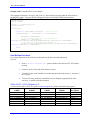
Write a 7 to the control word which is located at {base address + 7}.n.8 where:
n = 8 if using low byte addressing
n = 16 if using middle byte addressing
n = 24 if using high byte addressing
The control word must be configured every time the POWER UMAC is powered or reset. This can be
done in an initialization (one that disables itself) PLC, usually PLC 1.
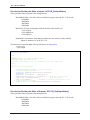
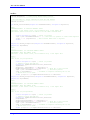
Example: Setting up Control Word at Startup for Card at $A00000, Low Byte Addressing
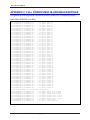
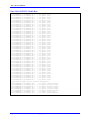
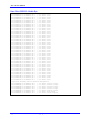
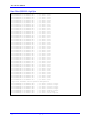
ptr IoCard0Reg7->u.io:$A0001C.8.8 // I/O Card 0 control register from suggested M-Variables
open plc 1
IoCard0Reg7=$7;
disable plc 1;
close
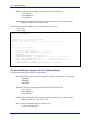
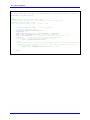
Example: Setting up Control Word at Startup for 3 Cards at Base Address $A00000; Low, Middle, and
High Byte Addressing
ptr IoCard0Reg7->u.io:$A0001C.8.8 // I/O Card 0 control register from suggested M-Variables
ptr IoCard1Reg7->u.io:$A0001C.16.8 // I/O Card 1 control register from suggested M-Variables
ptr IoCard2Reg7->u.io:$A0001C.24.8 // I/O Card 2 control register from suggested M-Variables
open plc 1
IoCard0Reg7=$7;
IoCard1Reg7=$7;
IoCard2Reg7=$7;
disable plc 1;
close
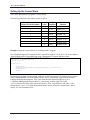
See Appendix for control word details and explanations.
Note
Using ACC-11E with Power UMAC
16