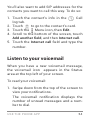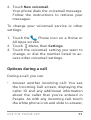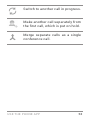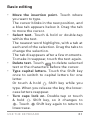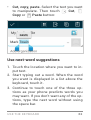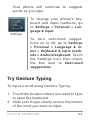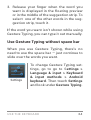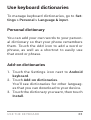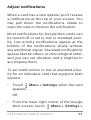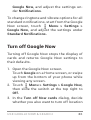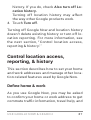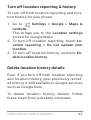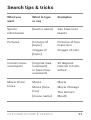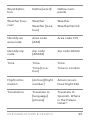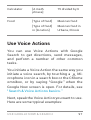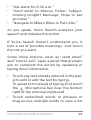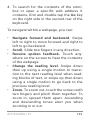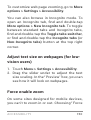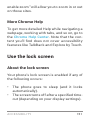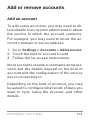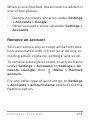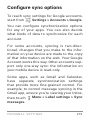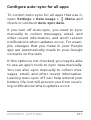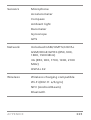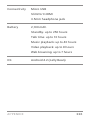
1
For Android TM mobile technology platform 4.2 Copyright © 2012 Google Inc. All rights reserved. Edition 1.2. Google, Android, Gmail, Google Maps, Chrome, Nexus 4, Google Play, YouTube, Google+, and other trademarks are property of Google Inc. A list of Google trademarks is available at http://www. google.com/permissions/guidelines.html. LG and the LG logo are trademarks of LG electronics Inc. All other marks and trademarks are properties of their respective owners. The content of this guidebook may differ in some details from the product or its software. For best results, make sure you’re running the latest Android system update. To check, go to Settings > System > About phone > System updates. All information in this guidebook is subject to change without notice. For online help and support, visit support.google. com/nexus. NEXUS 4 GUIDEBOOK ii Table of contents Part One: Using Nexus 4 1. Get started2 Insert a SIM card 2 Charge the battery 4 Get around 7 Browse & organize your Home screens 10 Touch & type 14 Type text by speaking 16 Why use a Google Account? 18 What’s New in Android 20 2. Explore your phone24 Swipe up for Google Now 24 Swipe down for notifications & settings 27 Relax with Google Play 31 NEXUS 4 GUIDEBOOK iv Use & customize the lock screen 35 Try Face Unlock 38 Share content with Android Beam 39 Change the wallpaper 41 Take a screenshot 42 Connect to keyboards, mice, & other devices 43 3. Use the Phone app47 Make a phone call 47 Answer or divert calls 49 Work with the Call log 51 Place an Internet (SIP) call 52 Listen to your voicemail 54 4. Use the keyboard59 Enter & edit text 59 Try Gesture Typing 63 Use keyboard dictionaries 65 NEXUS 4 GUIDEBOOK v 5. Try some apps66 Use All Apps 66 Start Gmail 68 Find People 69 Manage your Calendar 71 Open & use Clock 73 Manage downloads 75 6. Use Google Now & Search 77 About Google Now 77 Use Google Now 83 Turn off Google Now 86 Control location access, reporting, & history 87 Search & Voice Actions basics 92 Search tips & tricks 95 Use Voice Actions 97 Voice Actions commands 99 Google Now Card list 102 About Gmail Cards 114 NEXUS 4 GUIDEBOOK vi About the Location History card 115 About the Stocks card 116 Search settings 117 Privacy & accounts 120 7. Accessibility122 Accessibility overview 122 Accessibility gestures for Android 4.2 (Jelly Bean) 124 Set up your phone 127 Use magnification gestures 130 Use TalkBack 131 Change TalkBack settings 132 Use Explore by Touch with TalkBack134 Navigate the Home screen 136 Try Google Play 140 Use Gmail 144 Browse Chrome 148 Use the lock screen 151 Accessibility settings 152 NEXUS 4 GUIDEBOOK vii Part Two: Adjusting settings 8. Wireless & network settings156 Connect to Wi-Fi networks 156 Connect to Bluetooth devices 163 Optimize data usage 168 Control airplane mode & other network settings 174 Connect to virtual private networks 176 9. Device settings 179 Change sound settings 179 Set up Daydream 180 Use Wireless Display 182 Transfer files through USB 183 Extend battery life 185 Manage memory usage 187 NEXUS 4 GUIDEBOOK viii 10. Security settings192 Security on Android 192 Manage security settings 193 Protect against harmful apps 195 Set screen lock 197 Encrypt your data 200 Work with certificates 203 11. Personal, account, & system settings Manage location access 208 208 Change backup & reset options 211 Add or remove accounts 214 Configure sync options 216 Appendix: Hardware reference220 What’s in the box 220 Nexus 4 222 Specs224 NEXUS 4 GUIDEBOOK ix Part One Using Nexus 4 1 Get started Insert a SIM card Before you start using your phone, you may need to insert your Micro SIM card. If no card is installed, the message “No SIM card” ap pears on the phone’s lock screen. Eject button aperture GET STARTED 2 The SIM card tray is located on the left side of the phone below the volume button. The eject button is a small hole just above the tray door. To install a new Micro SIM card: 1. Insert the SIM ejection tool that comes with the phone (or a thin pin) into the eject button hole, and push firmly but gently un til the tray pops out. 2. Remove the tray and place the micro SIM card inside it, with the contacts out and the angled corner to the right. There is only one possible way to fit the card snug ly into the tray. 3. Carefully reposition the tray in the slot and push it gently back into the phone. TIP: Your phone’s IMEI identification number is on the SIM card tray. You may need this number later to identify your phone for service purposes. Write down the IMEI number or take a photo of the label on the product box. GET STARTED 3 Charge the battery Your battery will not be fully charged when you first unpack your Nexus 4. It’s a good idea to fully charge the battery as soon as you get a chance. If you’re using the travel adapter that comes with the phone, connect one end of the data cable to the charger port at the bottom of the phone, and the other end to the travel adapter. Then connect the travel adapter to a power outlet. GET STARTED 4 • The travel adapter varies by country or region. • Use only the travel adapter and Mi cro USB cable that come with your Nexus 4. Using a different travel adapter or cable may damage your phone. • The input voltage range between the wall outlet and this travel adapt er is AC 100V–240V, and the travel adapter’s output voltage is DC 5V, 2A. • Charging your phone through a USB cable attached to another device, such as a laptop computer, takes longer than charging with a travel adapter. • Nexus 4’s battery can’t be removed. Don’t attempt to open the phone. GET STARTED 5 IMPORTANT: If you use a wireless char ger, you must use an approved model and only as directed. The Nexus 4 trav el adapter may not generate enough current to power a wireless charger. DO NOT throw the battery in municipal waste. The symbol of the crossed out wheeled bin indicates that the battery should not be placed in mu nicipal waste. Set up your phone The first time you turn on the phone, you’ll see a Welcome screen. • To choose a different language, touch the menu. • To continue, touch Start and follow the instructions. When prompted, sign in using the email ad GET STARTED 6 dress and password for your Google Ac count. If you don’t have one yet, create one. An email address that you use for any of the following counts as a Google Account: • • • • • Gmail YouTube Google Apps AdWords Any other Google product When you sign in with a Google Account, all the email, contacts, Calendar events, and other data associated with that account are automatically synced with your phone. If you have multiple Google Accounts, you can add the others later. Get around Every Home screen shows the Favorites tray: another quick way to get to your apps: GET STARTED 7 At the bottom of every Nexus 4 screen, no matter what you’re doing, you’ll always find these three navigation buttons: Back Opens the previous screen you were working in, even if it was in a different app. Once you back up to the Home screen, you can’t go back any further in your history. Home Opens Home. If you’re view ing a left or right Home screen, opens the central Home screen. To open Google Now, swipe up. Google Now gives just what you need to know, right when you need it. GET STARTED 8 Recent apps Opens a list of thumbnail images of apps you’ve worked with re cently. To open an app, touch it. To remove a thumbnail from the list, swipe it left or right. If you don’t use these buttons often, they may shrink to dots or fade away, depending on the current app. To bring them back, touch their location. Settings On the All Apps screen avail able from the Favorites tray, notice the Settings icon. This brings you to the Settings screens for your phone, where you can adjust things like net work, sound, and account set tings, among many others. GET STARTED 9 TIP: You can use Quick Settings to tog gle Wi-Fi, change display brightness, and more. To open Quick Settings, swipe down with two fingers from the top of any screen. Or, swipe down with one finger to pull down the notification shade, and touch the Quick Settings icon at the top right. At the top of the screen you’ll find Google Search, which lets you search your phone or the Internet. Touch Google to type your Microphone icon to search terms, or the speak them; you can also say “Google” and your query to activate a voice search. Browse & organize your Home screens Browse Home screens To move between Home screens, swipe left or right. GET STARTED 10 The My Library widget displays apps, music, movies, magazines, books, and games you already have – including free content that comes with your Nexus 4: Touch any title to open it GET STARTED 11 When you’re ready to shop for more, try the suggestions in one of the Play Recommenda tions widgets: Touch to avoid future suggestions like this Touch to learn more Touch to see a different suggestion To resize a widget, touch & hold, then let go and drag the blue dots. To remove it, touch & hold, then drag it to the Remove icon at the top of the screen. GET STARTED 12 Organize Home screens To add an app or widget to a Home screen: 1. Go to the Home screen where you want to place the app or widget. 2. Touch the All Apps icon. 3. Swipe right, if necessary, to find the app or widget you want.. 4. Touch & hold the app or widget until the Home screen appears, slide it into place, and lift your finger. To move an app or widget icon to a different location on a Home screen: 1. Touch & hold the icon. 2. Slide your finger to the new position. To move between Home screens, slide to ward the edge of the screen. To bump another icon out of the way, slide slowly into it. 3. Lift your finger. The icon drops into its new position. GET STARTED 13 To combine two icons in a folder, slide one quickly over the other. To open a folder, touch it. To rename a folder, touch its name. Touch & type To select or activate something, touch it. To type something, such as a name, pass word, or search terms, just touch where you want to type. A keyboard pops up that lets you type into the field. Other common gestures include: • Touch & hold. Touch & hold an item on the GET STARTED 14 • • • • screen by touching it and not lifting your finger until an action occurs. Drag. Touch & hold an item for a moment and then, without lifting your finger, move your finger on the screen until you reach the target position. For example, you can move apps around on the Home screen. Swipe or slide. Quickly move your finger across the surface of the screen, with out pausing when you first touch (so you don’t drag something instead). For exam ple, you can slide a Home screen left or right to view the other Home screens. Double-tap. Tap quickly twice on a web page, map, or other screen to zoom. For example, double-tap a picture in Chrome to zoom in, and double-tap again to zoom out. Pinch. In some apps (such as Maps, Chrome, and Gallery), you can zoom in and out by placing two fingers on the screen at once and pinching them togeth er (to zoom out) or spreading them apart (to zoom in). GET STARTED 15 • Rotate the screen. The orientation of most screens rotates with your phone as you turn it. To lock or unlock the screen’s vertical orientation, swipe down with two fingers from the top of any screen and touch the Rotation icon in Quick Settings. Settings To change your phone’s noti fication sounds, volumes, and Settings > Demore, go to vice > Sound. To change your phone’s bright ness, font size, and more, go Settings > Device > to Display. Type text by speaking You can speak to enter text in most places that you can enter text with the onscreen keyboard. 1. Touch a text field, or a location in text you’ve already entered in a text field. GET STARTED 16 2. Touch the Microphone key on the on screen keyboard. 3. When you see the microphone image, speak what you want to type. Say “comma,” “period,” “question mark,” “ex clamation mark,” or “exclamation point” to enter punctuation. When you pause, what you spoke is tran scribed by the speech-recognition service and entered in the text field, underlined. You can touch the Delete key to erase the under lined text. If you start typing or entering more text by speaking, the underline disappears. To improve processing of your voice input, Google may record a few seconds of ambient background noise in temporary memory at any time. This recording remains on the de vice only fleetingly and is not sent to Google. GET STARTED 17 To change your phone’s speech settings, go to Settings > Personal > Language & input. Settings Why use a Google Account? A Google Account lets you organize and ac cess your personal information from any computer or mobile device: • Use Google Play. Google Play brings to gether all your favorite content in one place: movies, TV shows, books, music, magazines, apps, and more. When you sign in with your Google Account, you can reach any of this content from any of your devices – as long as you have a network connection. You can also shop for more in the Google Play store. • Synchronize and back up everything. Whether you draft an email, add an event to your calendar, or add a friend’s ad dress, your work gets backed up continu GET STARTED 18 • • • • ously by Google and synchronized with any computer where you use the same Google Account. Access from anywhere. Check your latest calendar, email, text messages, or social stream, no matter what computer or mo bile device you’re using. Keep your stuff secure and available. Google works round the clock to protect your personal data from unauthorized ac cess and to ensure that you get it when you need it, wherever you need it. Simplify shopping. You can connect your Google account with Google Wallet, which makes it easy to purchase music, books, apps, and more on Google Play and other online stores. Use other Google services. Your Google Account also lets you take full advan tage of other Google apps and services that you may want to use, such as Gmail, Google Maps, Navigation, Google Play, YouTube, Google Talk, Messaging, and more. GET STARTED 19 What’s New in Android Whether you’re new to Android or an avid user, check out some of the new features in Android 4.1 and 4.2 (Jelly Bean). For a com prehensive list of all changes since Android 4.0, see Android 4.1, Jelly Bean and Android 4.2: A new flavor of Jelly Bean. • Gesture Typing (Android 4.2) Instead of typing each letter, use Ges ture Typing to input a word without lifting your finger. You don’t need to worry about spaces because they’re added automati cally for you. Glide your finger over the letters you want to type, and lift it after each word. • Google Play widgets New widgets on your Home screens dis play recently used apps, music, movies, books, or games you already have – in cluding preloaded content that comes with your device. Other widgets offer sug gestions for browsing Google Play. GET STARTED 20 Touch a widget to access its content on Google Play. Touch & hold a widget to resize it or remove it. • Quick Settings (Android 4.2) Use Quick Settings to easily access WiFi settings, manage display brightness, open the main Settings menu, and more. Swipe down with two fingers from the top right corner of any screen to open Quick Settings, then touch one of the boxes to open a specific setting. • Expandable notifications Expandable notifications were introduced in Android 4.1, including the option to per form actions from the notification itself. In Android 4.2, you can expand notifica tions more easily with a swipe of your finger. Swipe down the notification shade from the top of the screen, then glide your finger down the notifications to expand them. Touch an icon inside a notification to handle a task directly. GET STARTED 21 • Rearrange Home screens Slide an icon slowly to move other icons or widgets gently aside. Touch & hold an icon and slide slowly to the location of your choice. Slide an icon quickly over another to create a folder. • Screen magnification (Android 4.2) Users with visual impairments can enter full-screen magnification by triple-tap ping the screen. Go to Settings > System > Accessibility > Magnification gestures to turn on screen magnification. • Google Now Google Now shows you information at just the right time, such as today’s weath er before you start your day, how much traffic to expect before you leave for work, and even your favorite team’s score while they’re playing. Swipe up from the bottom center of any GET STARTED 22 screen, or touch the Google Search bar on any Home screen. • Say “Google” to search When the Google Now screen is open, you can say “Google” to activate a voice search. Open Google Now, then say “Google” and your query to search. GET STARTED 23 2 Explore your phone Swipe up for Google Now Google Now is about getting you just the right information, at just the right time. It tells you today’s weather before you start your day, how much traffic to expect before you leave for work, and even your favorite team’s score while they’re playing. All of this happens automatically. Google Now intelligently brings you the information you want to see, when you want to see it. No digging required. For example, here’s a Google Now card that EXPLORE YOUR PHONE 24 appears when you’re about to start your commute home: Give it a try! Swipe your finger up from the bottom of any screen, or touch the Google Search bar at the top of the screen. When you want to see more cards, touch Show more cards at the bottom of the screen. When you don’t need them any more, swipe them out of the way. You’re in control When you decide to use Google Now, you’re turning on location reporting and location EXPLORE YOUR PHONE 25 history. Google Now also uses location information provided by Google’s location service and GPS, if those are currently turned on. Google Now also uses data that you may have stored in other Google products. For example, if you have searches stored in your Web History, Google Now can show cards based on sports scores, flight status, and so on. Similarly, Google Now can use data that you may have stored in third-party products that you allow Google to access. For example, your phone’s synced calendar may include entries from non-Google calendar products. If you have such an entry for a dentist appointment that includes the dentist’s address, Google Now can check traffic and suggest when to leave. You’re in control. You can choose exactly which cards you’d like to see, adjust the details of what they display, and adjust your privacy settings. EXPLORE YOUR PHONE 26 For more information about Google Now and your location information, see “Chapter 5, Use Google Now & Search.” Swipe down for notifications & settings Notifications alert you to the arrival of new messages, calendar events, and alarms, as well as ongoing events, such as video downloads. When a notification arrives, its icon appears at the top of the screen. Icons for pending notifications appear on the left, and system icons showing things like Wi-Fi signal or bat tery strength on the right: Pending notifications EXPLORE YOUR PHONE Bluetooth, Wi-Fi, & battery status 27 To open the notification shade, swipe down from the top left corner of any screen. Certain notifications can be expanded to show more information, such as email pre views or calendar events. The one at the top is always expanded when possible. To open the related app, touch the notifica tion icon on the left. Some notifications also allow you to take specific actions by touch ing icons within the notification. For ex ample, Calendar notifications allow you to Snooze (remind you later) or send email to other guests. When you’re finished with a notification, just swipe it away. To dismiss all notifications, touch the Dismiss icon at the top right of the notification shade. You can perform these actions from the no tification shade: EXPLORE YOUR PHONE 28 Dismiss all Swipe down using one finger to expand certain notifications EXPLORE YOUR PHONE Go to Quick Settings Touch to respond to other guests 29 Quick Settings Use Quick Settings to easily toggle Wi-Fi, manage display brightness, open the main Settings menu, and more. To open Quick Set tings, swipe down from the top right corner of any screen: Go to notifications Touch to open all settings Touch a square to open the specific setting EXPLORE YOUR PHONE 30 Relax with Google Play Google Play brings together all your favorite content in one place – movies, TV shows, books, music, magazines, apps, and more – so you can reach it from any of your devices. Use Google Play widgets These widgets are available on your Home screens: • My Library. Displays your most recently used music, books, and so on. Touch any of the images to see your content – plus free gifts from Google. • Recommended on Play. Suggests music, movies, and other content that may inter est you. Touch the suggestion to learn more about it. • Recommended apps. Recommends apps that you can add to your Home screen. Touch the recommendation to learn more about it. EXPLORE YOUR PHONE 31 All Google Play recommendation widgets work the same way: Touch to avoid future suggestions like this Touch to learn more Touch to see a different suggestion To resize a widget, touch & hold, then let go and drag the blue dots. To remove it, touch & hold, then drag it to the Remove icon at the top of the screen. To add another Play widget, touch the All Apps icon, then Widgets, and swipe from right to left until you see the one you want. Then touch & hold, and let go in the Home screen location you want. EXPLORE YOUR PHONE 32 Shop on Google Play Play Store To open the Google Play Store app, touch the Play Store icon in your Favorites tray on every Home screen. Most things you purchase on Google Play are available from your computer as well as from any of your Android mobile de vices. (Android apps are one exception – they run only on Android devices.) Sign in to play.google.com to get your enter tainment from anywhere. Find your content If you purchased on Google Play in the past, you’ll automatically have access to this con tent on your Nexus 4 — just make sure you’re signed in using the same account that you used to purchase it. EXPLORE YOUR PHONE 33 You can get to your content using any of the Google Play icons in your Favorites tray, including Books, Magazines, Movies, and Music. Play Store icon to open Or, touch the Google Play, and then go to one of the main sections, such as Apps, Music, and so on. Menu icon in any When you touch the section, the first item in the menu is always something like My Apps or My Music, which will bring you your content for that section of Google Play. You can quickly access your content this way, from the Google Play Store app, even if you originally purchased it on Google Play using a different phone or phone. If you get a new device, all your media will automatically be waiting for you here when you turn on and sign in. Google Play settings To adjust your Google Play settings, switch accounts, or get help, choose the option EXPLORE YOUR PHONE 34 you want from the corner. Menu in the top right The Google Play Settings screen lets you control when you’re notified about updates to apps and games, clear your search histo ry, and enable user controls. To filter Android apps based on maturity level or require a PIN before completing any purchase, touch Content filtering or Set or change PIN. Google Play support For more detailed information about Google Play, including phone and email support op tions, visit support.google.com/googleplay. Use & customize the lock screen You can add widgets to the top of the lock screen and swipe between them. Lock screen widgets let you scan recent Gmail EXPLORE YOUR PHONE 35 messages, Calendar entries, and other app content without unlocking your screen. To set or change the type of lock, see Set screen lock. Navigate the lock screen Clock is the default widget. To hide the PIN, pattern, or password lock, swipe down from the clock or other widget at the top of the lock screen. Touch the lock icon at the bot tom of the screen to show the lock again. To access the Camera app without unlocking the screen: 1. Swipe left from the right edge of the screen. 2. If necessary, switch to the mode you want. The mode is indicated by the cam era or other icon at the lower left in por trait mode. 3. Start taking photos or videos. To view what you captured, swipe left to open EXPLORE YOUR PHONE 36 the Filmstrip view of your Gallery. The image or video is automatically saved to your Gal lery, but you can’t view any of your other pho tos and videos until you unlock your screen. To get back to the main Camera app, swipe right. To close the Camera app, touch the bottom of your screen to bring up the navigation but tons, then touch one of the buttons. Add a widget to the lock screen 1. Swipe left from the right edge of the Plus icon. screen until you see the 2. Touch the Plus icon. If prompted, en ter your PIN, pattern, or password. A list of widgets appears. Apps that sup port lock screen widgets can add their own widgets to this list. 3. Touch the widget you want to add. You can add up to five widgets to your lock screen. To move between them, swipe be tween screens. EXPLORE YOUR PHONE 37 Reorder lock screen widgets 1. Touch & hold a widget. 2. Drag the widget and release it in the loca tion of your choice. Remove a lock screen widget Touch & hold the widget, then drag it onto the Remove icon. Try Face Unlock You can set an automatic screen lock for your phone. After you set a lock, the screen locks when the display goes to sleep or when you press the Power button. You can set locks of different strengths us ing lock settings: 1. Go to Settings > Personal > Security > Screen lock. 2. Touch the type of lock you’d like to use. EXPLORE YOUR PHONE 38 Face Unlock is one of the options available. After you’ve set it up, you can unlock your phone simply by looking at it. Although Face Unlock is not very secure, it can be conve nient and fun to use. TIP: After you set up Face Unlock, look under Settings > Personal > Security for two additional settings: Improve face matching and Liveness check. Use these to make Face Unlock more reliable and secure. Share content with Android Beam You can beam a web page, a video, or other content from your screen to another device by bringing the devices together (typically back to back). EXPLORE YOUR PHONE 39 Before you begin: Make sure both devices are unlocked, support Near Field Communi cation (NFC), and have both NFC and Android Beam turned on. 1. Open a screen that contains something you’d like to share, such as a webpage, YouTube video, or place page in Maps. 2. Move the back of your phone toward the back of the other device. When the devices connect, you hear a sound, the image on your screen reduces in size, and you see the message Touch to beam. 3. Touch your screen anywhere. Your friend’s device displays the trans ferred content. Or, if the necessary app isn’t installed, Google Play opens to a screen where your friend can download the app. EXPLORE YOUR PHONE 40 TIP: When you touch another device to the back of your Nexus 4, make sure it’s near the “u” in “nexus” to success fully beam content. To turn on NFC, go to Settings > Wireless & networks > More > NFC. Settings To turn on Android Beam, go to Settings > Wireless & networks > More > Android Beam. Change the wallpaper To change the wallpaper that’s displayed on your Home screens: 1. Touch & hold anywhere on a Home screen that’s not occupied. A list of options appears. 2. Touch a wallpaper source: Gallery. Choose from pictures that you’ve EXPLORE YOUR PHONE 41 synced with your phone. Live Wallpapers. Choose from a scrolling list of animated wallpapers. Wallpapers. Choose from thumbnails of default images, or touch a thumbnail for a larger version. You can download additional wallpapers on Google Play. 3. To set a wallpaper, touch Set wallpaper or, for Gallery images, determine the crop ping and touch Crop. To change your phone’s wall paper, go to Settings > Device > Display > Wallpaper. Settings Take a screenshot You can easily take a screenshot on your phone that you can save in your Gallery or share with others: EXPLORE YOUR PHONE 42 1. Make sure the image you want to capture is displayed on the screen. 2. Press the Power and Volume down but tons simultaneously. The screenshot is automatically saved in your Gallery. TIP: To easily share your screenshot via Gmail, Google+, and more, swipe down the notification shade and touch Share icon next to the preview the of your screenshot. Connect to keyboards, mice, & other devices You can connect a keyboard, mouse, or even a joystick or other input device to your phone via USB or Bluetooth and use it just as you would with a PC. EXPLORE YOUR PHONE 43 You may need an adapter to connect the key board or other device to your phone’s USB port. To connect more than one USB device at a time, use a powered USB hub to reduce the drain on your phone’s battery. IMPORTANT: Using external devices such as keyboards via USB will cause a significant additional drain on your battery, as will continuous use of a mouse via Bluetooth. You pair and connect Bluetooth input de vices to your phone in the same way as any other Bluetooth device. Keyboards In addition to entering text, you can use your keyboard to navigate your phone’s features: • Use the arrow keys to select items on screen. EXPLORE YOUR PHONE 44 • Pressing Return when an item is selected is equivalent to touching that item. • Pressing Escape is equivalent to touch ing Back. • Press Tab or Shift-Tab to move from field to field in a form or other screen with mul tiple text fields. Mice When you connect a mouse to your phone and move the mouse, an arrow-shaped cur sor appears, just as on a computer: • Use the mouse to move the cursor. • Clicking, pressing, and dragging with the mouse button is equivalent to touching, touching & holding, and dragging with your finger. • Only one mouse button is supported. • If your mouse has a trackball or scroll wheel, you can use it to scroll both verti cally and horizontally. EXPLORE YOUR PHONE 45 Other input devices You can connect joysticks, gamepads, and other input devices to your phone. If they work without special drivers or adapters on your PC, they will likely work with your phone. However, games and other apps must be de signed to support any special features of an input device, such as dedicated buttons or other controls, to take full advantage of them. EXPLORE YOUR PHONE 46 3 Use the Phone app Make a phone call You can place calls from the Phone app , , or other apps or widgets the People app that display contact information. Wherever you see a phone number, you can usually touch it to dial. To dial using the Phone app: 1. Touch the Phone icon All Apps screen. on a Home or Notice the three tabs at the top of the phone. You can make calls from any of them. USE THE PHONE APP 47 • The Dialer tab lets you dial manually. Touch the keys to enter the number, then below the key touch the Phone icon pad to dial. to If you enter a wrong number, touch erase digits one by one. To dial an international number, touch & hold the 0 key to enter the plus ( + ) sym bol. Then enter the international prefix for the country, followed by the full phone number. • The Call log tab shows recent calls. Touch a call to return it. • The Contacts tab shows the numbers you frequently call at the top, and all your contacts below. Touch to dial. You can switch applications during a call – for example, to look up information by using Chrome. USE THE PHONE APP 48 To return to the Phone app while a call is in progress: 1. Swipe down from the top of the screen to reveal your notifications. 2. Touch the green phone icon. To end a call in progress, touch the End Call at the bottom of the screen. icon Answer or divert calls When you receive a phone call, the Incom ing Call screen opens, displaying the caller ID and any additional information about the caller that you’ve entered in People. All incoming calls are recorded in the Phone app’s Call log tab. If you miss a call, you re ceive a notification. To silence the ringer before answering the call, press the Volume Down button on the side of your phone. USE THE PHONE APP 49 When a call arrives, touch the white phone icon and slide over one of these icons: Answer call Start talking to the caller. Send to voicemail Direct the caller to leave a voice mail message. Send a message Opens a list of quick text re sponses. Touch one to send it to the caller immediately. TIP: To edit text responses from within Menu icon > the Phone app, touch Settings > Quick responses. USE THE PHONE APP 50 Work with the Call log The Call log is a list of all the calls you’ve placed, received, or missed. It provides a convenient way to redial a number, return a call, or add a number to your Contacts. , the Call log is un Within the Phone app . Touch a number for der the middle tab more information about the call, or touch the phone icon beside it to call back. Arrow icons beside a call indicate the type of call. Multiple arrows indicate multiple calls: • • • Missed incoming call Received incoming call Outgoing call While viewing details for a call: • Touch the number to call it. • Touch to send a text message. • Touch the Contacts icon to view con tact details. USE THE PHONE APP 51 • Touch to add a new People card for the caller. To clear the Call log: 1. Touch the Menu icon. 2. Touch Clear Call Log. Place an Internet (SIP) call You can place calls over the Internet when connected to a Wi-Fi network, rather than over your mobile network. To do so, you must first configure your phone to use an Internet calling account. After you set up the account, placing an In ternet call is no different than placing any other call. However, you must be connected to a Wi-Fi network. When you’re making an Internet call, the phone displays Internet Call near the top of the screen. Internet calling is based on the Session Ini USE THE PHONE APP 52 tiation Protocol (SIP) for voice calls on Inter net Protocol (IP) networks. IMPORTANT: Calling a phone number over the Internet requires that your service provider supports it. You may incur additional charges. Check with your service provider for details.. To add an Internet calling account and config ure your incoming and outgoing preferences: 1. Touch the Phone icon on a Home or All Apps screen. 2. Touch the Menu icon. 3. Touch Settings. 4. At the bottom of the screen, under Inter net call settings: To change your incoming call preference or account settings, touch Accounts. To change your outgoing call preferences, touch Use Internet calling. USE THE PHONE APP 53 You’ll also want to add SIP addresses for the contacts you want to call this way. To do so: 1. Touch the contact’s info in the Call log tab. 2. Touch to go to the contact’s card. 3. Touch the Menu icon, then Edit. 4. Scroll to the bottom of the screen, touch Add another field, and then Internet call. 5. Touch the Internet call field and type the number. Listen to your voicemail When you have a new voicemail message, the voicemail icon appears in the Status area at the top left of your screen. To read your voicemail: 1. Swipe down from the top of the screen to view your notifications. The voicemail notification displays the number of unread messages and a num ber to dial. USE THE PHONE APP 54 2. Touch New voicemail. Your phone dials the voicemail message. Follow the instructions to retrieve your messages. To change your voicemail service or other settings: 1. Touch the Phone icon on a Home or All Apps screen. 2. Touch Menu, then Settings. 3. Touch the voicemail setting you want to change, or dial the number listed to ac cess other voicemail settings. Options during a call During a call, you can • Answer another incoming call: You see the Incoming Call screen, displaying the caller ID and any additional information about the caller that you’ve entered in People. As with any incoming call, touch the white phone icon and slide to answer, USE THE PHONE APP 55 respond with a text message, or send the call to voicemail. If you answer, the first call will be put on hold. If you respond with a message or send to voicemail, you return to the first call. • Adjust the volume: Use the volume but tons on the side of the phone. During a call, you can also use buttons near the bottom of the screen to Switch to the dialer, for example to enter a code. USE THE PHONE APP 56 Controls the audio output as follows: • If a Bluetooth headset is not connected: Turns the speaker phone on or off. • If a Bluetooth headset is con nected: Functions as a 3-way switch between the built-in earpiece, the speakerphone, and the headset. The icon changes to indicate the cur rent output. Touch & hold to see a 3-way menu. • If a wired headset is plugged into the phone, it replaces the phone’s built-in earpiece. Mute your microphone. Put the other party on hold. USE THE PHONE APP 57 Switch to another call in progress. Make another call separately from the first call, which is put on hold. Merge separate calls as a single conference call. USE THE PHONE APP 58 4 Use the keyboard Enter & edit text You can enter text using the onscreen key board. Some apps open it automatically. In others, you open it by touching where you want to type. USE THE KEYBOARD 59 Touch a suggestion to type it Touch & hold to see input and keyboard settings Touch & hold to type this character Touch & hold to choose a smiley face To make the keyboard go away, touch the Back button below it. modified USE THE KEYBOARD 60 Basic editing • Move the insertion point. Touch where you want to type. The cursor blinks in the new position, and a blue tab appears below it. Drag the tab to move the cursor. • Select text. Touch & hold or double-tap within the text. The nearest word highlights, with a tab at each end of the selection. Drag the tabs to change the selection. The tab disappears after a few moments. To make it reappear, touch the text again. • Delete text. Touch to delete selected text or the characters before the cursor. • Type capital letters. Touch the Shift key once to switch to capital letters for one letter. Shift key while you Or touch & hold type. When you release the key, the lower case letters reappear. • Turn caps lock on. Double-tap or touch & hold Shift key, so it changes to . Touch Shift key again to return to lowercase. USE THE KEYBOARD 61 • Cut, copy, paste. Select the text you want Cut, to manipulate. Then touch Paste button: Copy or Use next-word suggestions 1. Touch the location where you want to in put text. 2. Start typing out a word. When the word you want is displayed in a list above the keyboard, touch it. 3. Continue to touch one of the three op tions as your phone predicts words you may want. If you don’t want any of the op tions, type the next word without using the space bar. USE THE KEYBOARD 62 Your phone will continue to suggest words as you type. Settings To change your phone’s key board and input methods, go to Settings > Personal > Language & input. To turn next-word sugges tions on or off, go to Settings > Personal > Language & input > Keyboard & input methods > Android keyboard. Touch the Settings icon, then check the box next to Next-word suggestions. Try Gesture Typing To input a word using Gesture Typing: 1. Touch the location where you want to type to open the keyboard. 2. Slide your finger slowly across the letters of the word you want to input. USE THE KEYBOARD 63 3. Release your finger when the word you want is displayed in the floating preview or in the middle of the suggestion strip. To select one of the other words in the sug gestion strip, touch it. If the word you want isn’t shown while using Gesture Typing, you can type it out manually. Use Gesture Typing without space bar When you use Gesture Typing, there’s no need to use the space bar — just continue to slide over the words you want. Settings To change Gesture Typing set tings, go to go to Settings > Language & input > Keyboard & input methods > Android keyboard. Then touch Settings and look under Gesture Typing. USE THE KEYBOARD 64 Use keyboard dictionaries To manage keyboard dictionaries, go to Settings > Personal > Language & input. Personal dictionary You can add your own words to your person al dictionary so that your phone remembers them. Touch the Add icon to add a word or phrase, as well as a shortcut to easily use that word or phrase. Add-on dictionaries 1. Touch the Settings icon next to Android keyboard. 2. Touch Add-on dictionaries. You’ll see dictionaries for other languag es that you can download to your device. 3. Touch the dictionary you want, then touch Install. USE THE KEYBOARD 65 5 Try some apps Use All Apps To see all your apps, touch All Apps in the Favorites tray on any Home screen. This is where you can see all your apps, in cluding those downloaded on Google Play. You can move app icons to any of your Home screens. From All Apps, you can: • Move between screens. Swipe left or right. • Open an app. Touch its icon. • Place an app icon on a Home screen. Touch & hold the app icon, slide your fin ger, and lift your finger to drop the icon in place. TRY SOME APPS 66 • Browse widgets. Touch the Widgets tab at the top of any All Apps screen. • Get more apps. Touch the Play Store icon in the list of app icons, or the Shop icon at the upper right. To remove an app icon from the Home screen, touch & hold it, slide your finger to ward the top of the screen, and drop the app Remove icon . over the To view info about an app from an All App screen, touch & hold it, slide your finger to ward the top of the screen, and drop the app App Info icon . over the Most apps include a Menu icon near the top or bottom of the screen that lets you con trol the app’s settings. TRY SOME APPS 67 Start Gmail Gmail Use the Gmail app to read and write email from any mobile device or browser. To open it, touch the Gmail icon on a Home or All Apps screen. But Gmail isn’t just about email. You can use your Gmail account to sign in to all Google apps and services, including these and many more: • Google Now, for getting just the right in formation at just the right time • Calendar • People, for keeping track of your contacts • Google Drive, for working with docu ments, spreadsheets, or drawings While you’re reading a message: • Touch the icons and menu along the top of the screen to archive, throw away, label, or perform other actions on that message. TRY SOME APPS 68 • Swipe left or right to read the previous or next conversation. To organize your email, check the box beside a message to select it. Then use the icons and menu along the top of the screen to man age the selected messages. To change your settings, add an account, or Menu icon. get help, touch the No matter where you are within Gmail, you can always get back to the Inbox by touching Gmail icon at the top of the screen. the Find People People The People app gives you quick access to everyone you want to reach. To open it, touch the People icon on a Home or All Apps screen. TRY SOME APPS 69 When you first turn on your phone and sign into a Google Account, any existing contacts from that account are synced with your Peo ple app. After that, all your contacts stay in sync automatically on your phone, another device, or a Web browser. If you use Exchange, you can also sync that contact information with People. All your People information is available from Gmail, Google Talk, and other apps. As you add contacts from different sources, they’re synced automatically across all the places you need them. When you open the People app, you can: • View all contacts, favorites, or groups. Choose from the top left of the screen. • Read details. Touch a name to see details for a contact or group. • View recent activity. When viewing a contact, swipe to the right to see recent updates. • Edit details. While viewing a contact, TRY SOME APPS 70 touch icons at the top of the screen or Menu icon to search contacts, add the a contact, edit or share contact details, delete a contact, and so on. You can also touch the star beside the contact’s name to add that contact to your Favorites list. • Change your settings. While viewing the Menu icon main list screen, touch the to import or export contacts, choose dis play options for the Groups and All tabs, and add or edit accounts. Manage your Calendar Calendar Use the Calendar app to view and edit your schedule. To open it, touch the Calendar icon on a Home or All Apps screen. When you first set up your phone, you con figured it to use an existing Google Account (such as Gmail), or you created a new one. The first time you open the Calendar app on TRY SOME APPS 71 your phone, it displays any existing calendar events from that Google Account on the web. As you edit events from any mobile device or web browser, they’re synced automatically across all the places you need them. To change the Calendar view, choose Day, Week, Month, or Agenda from the top of the screen. From any of these views, you can: • Read or edit event details. Touch an event to view its details. • Manage events and calendars. Touch icons across the top of the screen or Menu to search or create events, return to today, or adjust settings. To email everyone who’s invited to an event, you have two options: • Open the event from the Calendar app at any time and touch Email guests. • When a notification of the event arrives just before the meeting starts, swipe TRY SOME APPS 72 down the notification shade. Then swipe using one finger to expand the notifica tion if necessary, and touch Email guests. Open & use Clock To open the Clock, touch the Clock icon from a Home or All Apps screen. Set an alarm 1. Touch the Alarm Clock icon in the lower left corner of the screen. 2. Touch the Add icon to add a new alarm. 3. Select the time you want, then touch OK. Any existing alarms will show in the main Clock screen. To turn one On or Off, slide the switch. You can also add a label to an alarm and change the ringtone. To change these op tions for a single alarm, touch the arrow un derneath the On/Off switch. TRY SOME APPS 73 Set a timer 1. Touch the Timer icon in the top left corner of the screen. 2. Enter the time you want, then touch Start. When the timer is going, you can add an ad ditional minute, pause the timer, or delete the current timer. The timer beeps when the time is up. It keeps beeping until you touch Stop. Use the stopwatch 1. Touch the Stopwatch icon in the top right corner of the screen. 2. Touch Start to start the stopwatch. If you want to pause the stopwatch, touch Stop. You can also add laps while the stop watch is running by touching the icon to the left of the stopwatch. To share your results, touch the Share icon to share via Google+, Gmail, and more. TRY SOME APPS 74 View your Clock To view the current date and time, touch the Clock icon at the top center of the screen. Manage downloads Downloads To manage most downloads, touch the Downloads icon on the All Apps screen. Movies and some other content that you download don’t show up in the Downloads app. Google Play streams your purchases and rentals from Google servers while you’re playing them. They don’t occupy permanent storage space. However, you can pin (down load) books, movies, and other content in or der to access it offline. In addition to downloading content from Google Play, you can download files from Gmail or other sources. Use the Downloads TRY SOME APPS 75 app to view, reopen, or delete what you down load in this way. From the Downloads app: • Touch an item to open it. • Touch headings for earlier downloads to view them. • Check items you want to share. Then Share icon and choose a touch the sharing method from the list. • Check items you want to delete. Then Trash icon. touch the • At the bottom of the screen, touch Sort by size or Sort by date to switch back and forth. When your phone is connected to a comput er, look in the Download directory to view files available in the Downloads app. You can view and copy files from this directory. TRY SOME APPS 76 6 Use Google Now & Search About Google Now Google Now gives you just the right informa tion at just the right time. Swipe up from the bottom of your phone to get commute traffic before work, popular nearby places, your fa vorite team’s current score, and more. You can turn Google Now on or off at any time. Swipe up the same way and touch Menu > Settings > Google Now. If the key board’s covering the menu, touch the modi Back button to lower it. fied After you decide to start using Google Now, USE GOOGLE NOW & SEARCH 77 you don’t need to do anything else. If you like, you can fine-tune some settings, but Google Now doesn’t need any elaborate setup. The information you need is always at your fingertips. To know when to display what information, Google Now uses contextual data from your phone and from other Google products, plus data from third-party products that you allow Google Now to access. For example, Google Now uses the time of day, your current location, and your loca tion history to show you what the traffic on your commute is like when you wake up in the morning. It also uses information from Google services such as your Web History for sports or flight updates, or from your synced calendar entries for appointment reminders. About Google Now cards A Google Now card is a short snippet of use ful information that slides into view right USE GOOGLE NOW & SEARCH 78 when you’re most likely to need it. For exam ple, here’s a traffic card: To see some sample cards from the main Menu > Sample Google Now screen, touch cards. When you’re finished and want to get back to the main Google Now screen, touch Hide sample cards. In addition to the cards shown in the list of samples, you may also see a Public Alerts card. Public Alerts provide emergency information from sources such as the National Weath USE GOOGLE NOW & SEARCH 79 er Service and the U.S. Geological Survey. Coverage is currently provided by a limited number of key partners, only in the United States (excepting U.S. Geological Survey earthquake alerts). Google can’t guarantee that you’ll see every relevant alert. However, Google Now attempts to show you what’s important when you need it, in the hope that such alerts are a useful additional source of information. To learn more, visit support. google.com/publicalerts. About location access, reporting, & history Location access settings determine whether your phone can use your current location. When location access is turned on, apps can use it to give you more relevant informa tion, such as nearby restaurants or commute traffic. To turn off location access for all apps, go to Settings > Personal > Location access. If you prefer, you can turn off location access by USE GOOGLE NOW & SEARCH 80 Google apps while still permitting its use by non-Google apps – just go to Settings > Accounts > Google > Location settings. Location reporting refers your phone’s abil ity to report your current location for the pur pose of recording your location history. Location history refers to your phone’s ability to store your past locations, including home and work. When you decide to use Google Now, you’ll start reporting your location and turn on your location history. Google won’t share this information with other users or marketers without your permission. If you opted in to location history in the past, Google Now uses your previously recorded locations as well as ongoing details when making suggestions. Turning off location history pauses the collection of location in formation, but doesn’t delete your history. To manage or delete your location details, visit http://google.com/locationhistory. USE GOOGLE NOW & SEARCH 81 Along with location history, Google Now uses Google’s location service and GPS. To manage these settings from the Google Now Menu > Settings > Privacy screen, touch and accounts > Location services. For more details, see “Control location ac cess, reporting, & history.” About Web History & other data Google Now uses data from multiple sources to help predict what you need. For example, if you have a synced calendar entry for a dentist appointment, Google Now can check traffic and suggest when to leave. And if you have relevant searches saved in your Web History, such as for your favorite sports team or for upcoming flights, Google Now can also show cards for sports scores, flight status, and more. To manage your Web History, visit google. com/history. You can delete or pause your Web History and still use Google Now, but USE GOOGLE NOW & SEARCH 82 certain kinds of information, such as flight details, won’t show up. Use Google Now To view the Google Now cards that are wait ing for you at any particular time, swipe up from the bottom of your phone, or touch Google on any Home screen. Google Now displays cards when they’re most likely to be useful and relevant based on the current time and your current loca tion. To expand that search and get addition al ones, touch Show more cards at the bot tom of the main Google Now screen. When you’re finished with a card, just swipe it away to dismiss it from the Google Now screen. Don’t worry – it appears again when a new update is available. USE GOOGLE NOW & SEARCH 83 Edit card settings To change the settings for an individual Google Now card: • Touch Menu > Settings on the card. OR • From the lower right corner of the Google Menu > Settings > Now screen, touch Google Now. The Google Now settings screen appears, where you can turn a specific card On or Off or adjust its settings. After you turn off a card, it won’t appear when you open Google Now. Dismiss cards To dismiss a card from the Google Now screen, swipe it away. The card will return the next time it’s relevant, which may be hours or days from now. USE GOOGLE NOW & SEARCH 84 Adjust notifications When a card has a new update, you’ll receive a notification at the top of your screen. You can pull down the notifications shade to open the card or dismiss the notification. Most notifications for Google Now cards can be turned off or set to low or standard prior ity. Low priority notifications appear at the bottom of the notifications shade without any additional signal. Standard notifications appear like the others, in chronological order, and you can set vibration and a ringtone to accompany them. To set notifications to low or standard prior ity for an individual card that supports both options: • Touch Menu > Settings when the card appears. OR • From the lower right corner of the Google Menu > Settings > Now screen, touch USE GOOGLE NOW & SEARCH 85 Google Now, and adjust the settings un der Notifications. To change ringtone and vibrate options for all standard notifications, start from the Google Menu > Settings > Now screen, touch Google Now, and adjust the settings under Standard Notifications. Turn off Google Now Turning off Google Now stops the display of cards and returns Google Now settings to their defaults. 1. Open the Google Now screen. Touch Google on a Home screen, or swipe up from the bottom of your phone while viewing any screen. 2. Touch Menu > Settings > Google Now, then slide the switch at the top right to Off. 3. In the Turn off Now cards dialog, decide whether you also want to turn off location USE GOOGLE NOW & SEARCH 86 history. If you do, check Also turn off Location history. Turning off location history may affect the way other Google products work. 4. Touch Turn off. Turning off Google Now and location history doesn’t delete existing history or turn off lo cation reporting. For more information, see the next section, “Control location access, reporting & history.” Control location access, reporting, & history This section describes how to set your home and work addresses and manage other loca tion-related features used by Google Now. Define home & work As you use Google Now, you may be asked to confirm your home or work address to get commute traffic information, travel help, and USE GOOGLE NOW & SEARCH 87 more. You can change these addresses in several other ways: • When a Traffic card appears for home or Menu > Edit. work, touch • On the main Google Now screen, go to Menu > Settings > Google Now > Traffic, then edit Home or Work under Locations. • On the main Google Now screen, go to Menu > Settings > Google Now > Traffic, then edit Home or Work under Locations. • Open the Latitude app, find your own lo cation, touch your name on the map, and then Location history > Change home location / Change work location. • Visit maps.google.com from a browser and open My Places. • Visit https://www.google.com/latitude/b /0/history/dashboard from a browser, click Change next to Time at Work or Time at Home, edit the address, and click Save. You can turn off and delete your location his tory and still use Google Now, but certain kinds of information, such as commute traf fic, may be limited or won’t show up at all. USE GOOGLE NOW & SEARCH 88 Turn off location reporting & history To turn off both location reporting and loca tion history for your phone: 1. Go to Settings > Google > Maps & Latitude. This brings you to the Location settings screen for Google Maps. 2. To turn off location reporting, touch Location reporting > Do not update your location. 3. To turn off location history, uncheck Enable location history. Delete location history details Even if you turn off both location reporting and location history, your previously record ed history is still available to Google services such as Google Now. To delete location history details, follow these steps from a desktop computer: USE GOOGLE NOW & SEARCH 89 1. Open a web browser and make sure you’re signed in with the account whose loca tion history you want to manage. 2. Visit http://google.com/locationhistory. A page appears that allows you to view your location history for any date. 3. To delete all your recorded location his tory, click Delete all history. Alternatively, from this screen you can delete a portion of your location history starting from a date you choose in the calendar. 4. Click OK. Turn off location access for your phone Even when location reporting and location history are turned off, Google can periodical ly report data for use by various apps from sources such as Wi-Fi, mobile networks, and GPS to determine your precise location at any given time. To turn off access to precise location infor Settings mation for your phone, go to USE GOOGLE NOW & SEARCH 90 > Personal > Location access and slide the switch to Off. IMPORTANT: Turning off location ac cess for your phone also turns it off for Google Now, other Google apps, and third-party apps. That means that no apps can receive your precise location information and many useful features will be disabled. To keep location access on, you must keep GPS satellites, Wi-Fi & mobile network location, or both settings checked. If you prefer, you can turn off location access by Google apps while still permitting its use by non-Google apps – just go to Settings > Accounts > Google > Location settings. For more information about location access settings, see “Control location access, re porting, & history.” USE GOOGLE NOW & SEARCH 91 Search & Voice Actions basics To use Google Search, touch Google on any Home screen or swipe up from the bottom of your phone. You can use Voice Actions with Google Search to get directions, send messages, and perform a number of other common tasks. Voice Search & Voice Actions You can initiate a Voice Search or Voice Ac tion in several ways: • Touch the Microphone icon in the Google Chrome omnibox. • Touch the Microphone icon on the Home screen or Google Now screen and speak. • Touch Google on the Home screen and say “Google”. • When you’re viewing the Google Now USE GOOGLE NOW & SEARCH 92 screen, you don’t have to touch anything. Just say “Google.” Next, speak the terms to search for or the Voice Action to perform. For more details on Voice Actions, see “Use Voice Actions.” The ability to trigger a search or action by saying “Google” is called hotword detection. To turn it off or on, start from the Google Now screen and touch Menu > Settings > Voice > Hotword detection. IMPORTANT: To detect when you say “Google” to launch Voice Search or Voice Actions, Google analyzes sound picked up by your phone’s microphone in intervals of a few seconds or less. The sound is immediately discarded after analysis and is not stored on the device or sent to Google. For more information about Voice Actions, USE GOOGLE NOW & SEARCH 93 see “Use Voice Actions” and ”Voice Actions commands.” Search by typing Type your query in the search box on the Home or Google Now screen, or in Google Chrome’s omnibox. As you type, suggestions appear below the Search box. The first few suggestions attempt to com plete what you’re typing: • To search for a suggestion immediately, touch it. • To search for the contents of the search field, touch the Search icon on the right side of the keyboard. USE GOOGLE NOW & SEARCH 94 Search tips & tricks What you want What to type or say Examples Sports information [team’s name] San Francisco Giants Pictures Pictures of [topic] Pictures of San Francisco images of [topic] Images of cats Convert mea surements [original mea surement] in [new mea surement] 30 degrees Celsius in Fahr enheit Movie show times Movie Movie Movie [loca tion] Movie Chicago [movie name] USE GOOGLE NOW & SEARCH The Horse’s Mouth 95 Word defini tion Define [word] Define cam panile Weather fore cast Weather Weather Weather [loca tion] WeatherDetroit Identify an area code Area code [###] Area code 215 Identify zip code Zip code [#####] Zip code 46202 Time Time Time Time [loca tion] Time in London Flight infor mation [Airline] [flight number] American air lines flight 390 Translation Translate to [language] [phrase] Translate to Spanish, Where is the Palace Hotel?’ USE GOOGLE NOW & SEARCH 96 Calculator [A math phrase] 75 divided by 6 Food [Type of food] Mexican food [Type of food] in [location] Mexican food in Urbana, Illinois Use Voice Actions You can use Voice Actions with Google Search to get directions, send messages, and perform a number of other common tasks. You initiate a Voice Action the same way you Mi initiate a voice search, by touching a crophone icon in a search box or the Chrome omnibox, or by saying “Google” when the Google Now screen is open. For details, see “Search & Voice Actions basics.” Next, speak the Voice Action you want to use. Here are some typical examples: USE GOOGLE NOW & SEARCH 97 • “Set alarm for 8:30 a.m.” • “Send email to Marcus Foster. Subject: Coming tonight? Message: Hope to see you later.” • “Navigate to Mike’s Bikes in Palo Alto.” As you speak, Voice Search analyzes your speech and initiates the action. If Voice Search doesn’t understand you, it lists a set of possible meanings. Just touch the one you want. Some Voice Actions, such as “send email” and “note to self,” open a panel that prompts you to complete the action by speaking or typing more information. • Touch any text already entered in the pan el to add or edit the text by typing. To speak text instead of typing, first touch Microphone key near the bottom the right of the onscreen keyboard. • Touch underlined words or phrases or drag across multiple words to view a list USE GOOGLE NOW & SEARCH 98 of alternate transcriptions, or to edit by speaking or typing. When confident that the transcription is accurate, Voice Search displays tran scribed words as regular text. Words or phrases for which it has provided alter nate transcriptions are underlined. • Touch a button at the bottom of the win dow to add any optional fields (you can also speak the name and content of any of these fields in your original voice action). • When you’re done, touch the button ap propriate to complete the action, such as Send. Voice Actions commands You can search and control your phone with the following Voice Action commands. For de tails, see “Use Voice Actions.” USE GOOGLE NOW & SEARCH 99 Say Followed by Examples “bike shoes” Words you want to search for “Map of” Address, name, business name, type of business, or other location “Map of Golden Gate Park, San Francisco.” “Directions to” or “Navigate to” Address, name, business name, type of business, or other destination “Directions to 1299 Colusa Avenue, Berkeley, California” USE GOOGLE NOW & SEARCH or “Navigate to Union Square, San Francisco.” 100 Contact name “Mike LeBeau” (opens Mike’s contact card) “Go to” Search string or URL “Go to Google. com” “Send email” One or more of: “Send email to Hugh Briss, subject, new shoes, mes sage, I can’t wait to show you my new shoes, period.” “To” & contact names, “Cc” & contact names, “Bcc” & contact names, “Sub ject” & subject text “Message” & message text (speak punc tuation) “Note to self” Message text USE GOOGLE NOW & SEARCH “Note to self: remember the milk” 101 “Set alarm” “Time” or “for” & time, such as “10:45 a.m.” or “20 minutes from now,” “La bel” & name of alarm “Set alarm for 7:45 p.m., label, switch the laundry” “Listen to” Words to search You Tube for, such as the name of a song, artist, or album. “Listen to: Smells Like Teen Spirit” Google Now Card list Cards are displayed when you’re most likely to need them. Most are based on informa tion available to your Google account, such as your current location, recent searches, or calendar entries. Gmail cards display information based on recent confirmation messages in the Gmail USE GOOGLE NOW & SEARCH 102 account you’ve selected for use with Goog le Now. For more details, see “About Gmail Cards.” Travel cards appear when you’re away from home. Birthdays Displays an interesting fact about your birthdate on your birthday. USE GOOGLE NOW & SEARCH 103 Concerts Shown before your favorite artists give concerts near you. Flights Shown before flights that you’ve searched for. USE GOOGLE NOW & SEARCH 104 Gmail: Event bookings Shown before an event booking confirmed by Gmail. Gmail: Flights Shown before flights confirmed by Gmail. USE GOOGLE NOW & SEARCH 105 Gmail: Hotels Shown when you receive a confirmation email and before your scheduled checkout. Gmail: Packages Displayed when you receive a shipping notification for an online purchase. USE GOOGLE NOW & SEARCH 106 Gmail: Restaurants Shown before a restaurant reservation confirmed by Gmail. Location history Shows a rough approximation of how far you walked or cycled during the past month. USE GOOGLE NOW & SEARCH 107 Movies Shows movies playing in your vicinity, and tells you when a movie you’re interested in is playing nearby. USE GOOGLE NOW & SEARCH 108 News update Shows updates related to news items you’ve read recently. Next appointment Shown before scheduled meetings. Photo spot nearby Shown when you’re near a popular spot for taking photos. USE GOOGLE NOW & SEARCH 109 Places Shows nearby businesses and other places of potential interest. Public alerts Gives public advisories for your location from the National Weather Service, U.S. Geological Survey, and similar services. USE GOOGLE NOW & SEARCH 110 Public transport Shown with relevant schedules when you’re near a train station, bus stop, or other public transit stop. Sports Shown for teams that interest you before, during, or after a game. USE GOOGLE NOW & SEARCH 111 Stocks Shown periodically for stocks you’re tracking. For more details, see About Stocks card. Traffic Shown before your usual commute times. Travel: Currency Shows the latest currency conversion information for your location. USE GOOGLE NOW & SEARCH 112 Travel: Nearby attractions Shown when you’re near well-known attractions, such as restaurants, museums, cafes, and so on. Travel: Time back home Shown periodically when you’re in a different time zone than usual. USE GOOGLE NOW & SEARCH 113 Travel: Translate Shown when you’re visiting a place with a different language, to help translate words and phrases. Weather Periodically displays weather for home, work, or your current location. About Gmail Cards Gmail cards are based on confirmation mes sages sent to the Gmail account you’ve se USE GOOGLE NOW & SEARCH 114 lected for use with Google Now. For example, cards appear before restaurant reservations you’ve made with OpenTable or when you re ceive email updates for packages in transit. Gmail cards typically include links to oth er useful information, such as a link to the email on which the card is based, or direc tions to a restaurant or hotel from your cur rent location. You can turn Gmail cards off or on at any time .To do so from the main Google Now screen go to Menu > Settings > Google Now and check or uncheck Show cards based on Gmail. About the Location History card The Location History card appears once a month. It provides a very rough approxima tion of how far you’ve walked or cycled dur ing that month compared to the previous one. These estimates are based on occa sional samples of the accelerometer in your USE GOOGLE NOW & SEARCH 115 phone, which are then compared to typical movements involved in walking or cycling. This information isn’t available unless you’ve turned on location reporting and history for at least one of your Android devices. If you’ve turned these on for more than one device, the location history card reflects the one you used most often that month. For more information, see “Control location access, reporting, & history.” About the Stocks card The Stocks card displays stocks that: • You’ve searched on recently. • You’re tracking through Google Finance. • You’ve explicitly listed in the Stocks card settings. • You can choose whether to display stocks when their price changes by 1% or more, or in the mornings or evenings. USE GOOGLE NOW & SEARCH 116 To change Stock card settings from the main Google Now screen ,go to Settings > Google Now > Stocks. Search settings To view Google Search settings, including those for Google Now, scroll to the bottom of Menu the Google Now screen and touch > Settings. The first three types of settings are de scribed here. For Privacy and accounts, see the next section. Google Now Google Now settings let you turn Google Now on or off. If you turn it on, you’re taken through a brief introduction and given the chance to opt in. While Google Now is on, you can also set your preferences for individual Google Now USE GOOGLE NOW & SEARCH 117 cards and related notifications from the Google Now settings screen. Options for each card vary. Most include a Notifications section that lets you control how you’re informed when a card changes. Typically, you can choose between Off, Low priority, or Standard notifications. Low priority notifications appear at the bot tom of the notifications shade without any additional signal. Standard notifications ap pear like the others, in chronological order, and you can set vibration and a ringtone. To set the ringtone and vibrate options for Menu standard notifications, go to touch > Settings > Google Now and look at the end of the list. Voice settings Voice settings control different aspects of speech input and output when you search by voice or use voice actions: USE GOOGLE NOW & SEARCH 118 • Language. The language you select here for Voice Search input and output can be different from the language displayed by your phone. • Speech output. To turn on speech output only when you’ve got a headset attached to your phone, select Hands-free only. • Block offensive words. Check to ensure that search results with offensive lan guage are blocked. • Hotword detection. When this is checked, you can say “Google” when viewing the Google Now screen rather than touching the Microphone icon to initiate a voice search or action. • Download offline speech recognition. Check to select one or more additional languages for speech recognition when you don’t have a network connection. USE GOOGLE NOW & SEARCH 119 IMPORTANT: To detect when you say “Google” to launch Voice Search or Voice Actions, Google analyzes sound picked up by your phone’s microphone in intervals of a few seconds or less. The sound is immediately discarded after analysis and is not stored on the device or sent to Google. Phone search Phone search settings let you select which apps on your phone are included in Google searches. Privacy & accounts These settings control the account for use with Google Search and search-related pri vacy options for that account. You can view them in two ways: USE GOOGLE NOW & SEARCH 120 • From the Google Now screen: Menu > Settings > Privacy & accounts. • From your phone’s main Settings app: Settings > Accounts > Google > Search. Touch each setting to learn more: • Google Account. The account used with Google Search and Google Now. • Manage location history. Opens Google Maps settings, where you turn location settings and location reporting on or off. • Google location settings. Lets you turn location access by all Google apps on or off. If location access is turned on for your phone, you can turn Google apps access off here without affecting access by nonGoogle apps. • Show recent searches. Check if you want search suggestions based on your recent searches. • Manage Web History. Opens your Web History settings in a browser. You may have to sign in to reach them. USE GOOGLE NOW & SEARCH 121 7 Accessibility Accessibility overview Your phone’s accessibility features make it easier to use if you have visual impairments: TalkBack is a pre-installed screen reader service provided by Google. It uses spoken feedback to describe the results of actions, such as opening an app, and events, such as notifications. Explore by Touch is a system feature that works with TalkBack, allowing you to touch your phone’s screen and hear what’s under your finger via spoken feedback. This feature is helpful to users with no vision. Accessibility settings let you modify your phone’s display and sound options, such as ACCESSIBILITY 122 increasing the text size, changing the speed at which text is spoken, and more. Users with low vision If you have low vision and don’t plan to use Explore by Touch, go to support.google. com/nexus to see Help content formatted for sighted users. You can make reading and navigating this material easier by increasing the text size – just go to Settings > Accessibility, and check the Large text option. Related Settings • To view Accessibility settings, go to Settings > Accessibility. • To control sound feedback and other Talk Back behaviors, go to Settings > Accessibility > TalkBack and touch Settings at the top right corner of the screen. ACCESSIBILITY 123 Accessibility gestures for Android 4.2 (Jelly Bean) When TalkBack and Explore by Touch are turned on, you can use simple gestures to navigate your Nexus 4: • Drag one finger. Explore your screen and hear audible feedback for what is being touched. • Double-tap anywhere on the screen. Opens or activates the item that you last touched. • Swipe up or down using two fingers. Scroll within lists. • Swipe left or right using two fingers. Change pages and screens. • Swipe right (or down) using one finger. Move to the next item. • Swipe left (or up) using one finger. Move to the previous item. • Swipe down then up using a single motion. Transition to the next reading level when reading blocks of text, then swipe right to read forward or left to go back. ACCESSIBILITY 124 • Swipe up then down using a single motion. Transition to the previous reading level when reading blocks of text, then swipe right to read forward or left to go back. • Swipe right then left using a single motion. Move to the next page. • Swipe left then right using a single motion. Move to the previous page. While you’re exploring with one finger, you can use another finger to double-tap to open an app, widget, and so on. IMPORTANT: The way these gestures are interpreted is specific to TalkBack. Other accessibility services may use the same gestures for different actions ACCESSIBILITY 125 Shortcut gestures in TalkBack Note: These gestures work only when Ex plore by Touch is turned on. TalkBack has shortcut gestures to help you get to your Home screen, go back, and more. To try these shortcuts, swipe using a single motion: • Up then right: Open continuous reading menu • Up then left: Home button • Down then right: Open global context menu • Down then left: Back button • Right then down: Open notifications • Left then up: Recent apps button You can modify your shortcut gestures and the corresponding actions in TalkBack by go ing to Settings > Accessibility > TalkBack > Settings > Manage shortcut gestures. ACCESSIBILITY 126 Set up your phone Your Nexus 4 has the following hardware: • Power button/lock key. The Power button is located on the right side of your phone. • Volume. The Volume key is directly under the Power button. • Front-facing camera. The camera is locat ed at the top center of your screen. • Micro USB port. The USB is at the bottom of your phone. • Headset jack. The headset jack is in the lower right side at the bottom of your phone. • SIM tray. The SIM tray is located on the lower left side of your phone (available only for Nexus 4 with mobile data). When you turn on your phone for the first time, you’ll arrive at a Welcome screen. • To turn on TalkBack and Explore by Touch, place two fingers slightly apart on your screen. You’ll hear spoken feedback when your phone recognizes the gesture. Keep ACCESSIBILITY 127 holding your fingers for two more sec onds to enable TalkBack and Explore by Touch. After turning on these features, the Explore by Touch tutorial starts, giv ing you a chance to experience navigating on Android. When you’ve completed the tutorial, the phone displays the Welcome screen again. • To choose a different language, swipe right and double-tap the menu. • To finish setting up your phone, swipe right and double-tap Start towards the center of the screen. A series of screens takes you through the setup process. When prompted, you can sign in using the email address and password for your Google Account. When you sign in with a Google Account, all the email, contacts, Calendar events, and other data associated with that account are automatically synced with your phone. If you have multiple Google Accounts, you’ll be able to add the others later. ACCESSIBILITY 128 TIP: If you share your phone with other users and need to turn accessibility features off, you can use a shortcut to turn them back on again. To turn on this shortcut, go to Bettings > Accessibility > Accessibility shortcut, then slide the switch to the On position. To turn on accessibility features using the shortcut, touch & hold the Power button until you hear a sound or feel a vibration. Then touch & hold two fingers until you hear audio confirmation. Overlays After completing the setup process, you’ll encounter several overlays that explain how to use various features on your phone. To dismiss an overlay, swipe right and doubletap OK. ACCESSIBILITY 129 Use magnification gestures When this feature is turned on, you can mag nify your screen by triple-tapping. (For users with low vision) Note: Triple-tap for magnification works ev erywhere except for the keyboard and navi gation buttons. Magnify: Triple-tap & hold. Magnify & pan: Triple-tap & hold, then drag your finger. Toggle magnification in or out: Triple tap & release. While you’re zoomed in, you can: Pan: Drag two or more fingers across the screen. Adjust zoom level: Pinch or expand using two or more fingers. ACCESSIBILITY 130 Use TalkBack TalkBack provides spoken feedback to help you navigate your phone, describing what you touch and activate. Note: Sighted assistance is needed for users with no vision to enable TalkBack if it wasn’t turned on during the initial setup. To turn TalkBack off or on: 1. Go to Settings > Accessibility > TalkBack. 2. Slide the TalkBack switch to the On or Off position. 3. Touch OK to turn on TalkBack. 4. When asked if you want to enable Explore by Touch, touch OK only if you want to change the way your phone works and have your phone describe each item that your finger moves over on the screen. When you turn on TalkBack, spoken feed back starts immediately. As you navigate your phone, TalkBack describes your actions ACCESSIBILITY 131 and alerts you of notifications and other occurrences. If you also enabled Explore by Touch, moving your finger around the screen triggers a de scription of each item it touches. Double-tap to activate the last spoken item, and swipe with two fingers to perform swiping actions that normally require just one finger. Change TalkBack settings To modify TalkBack settings, go to Settings > Accessibility > TalkBack, then double-tap Settings in the top right corner. When to speak • Speech volume. You can set this as a per centage of media volume. • Use pitch changes. Check to speak key board feedback at a lower pitch. • Speak when screen is off. Check to turn on spoken feedback when the screen is off. ACCESSIBILITY 132 Feedback settings • Sound feedback. Check to control naviga tion sounds. • Sound volume. Available when Sound feedback is checked. You can set this as a percentage of media volume. Touch exploration • Launch “Explore by touch” tutorial. • Manage shortcut gestures. Allows you to assign the operations that different ges tures trigger. Control speed of Text-to-Speech To control the speed of TalkBack’s speech, go to Settings > Accessibility > Text-tospeech output > Speech rate. Manage TalkBack volume To change the volume settings for TalkBack, go to Settings > Sound > Volumes. Use the ACCESSIBILITY 133 slider for Music, video, games, & other media to change the volume level. You can also use the volume control on the right side of your phone when you hear spo ken feedback. Enhance web accessibility In order to have full accessibility support for products such as Gmail and Chrome, you’ll need to turn on the Enhance web accessibility option. Go to Settings > Accessibility > Enhance web accessibility, and double-tap Allow. This allows apps to install scripts that make web content more accessible. Use Explore by Touch with TalkBack When TalkBack is turned on, you have the op tion to use the Explore by Touch feature. Ex plore by Touch allows you to drag your finger ACCESSIBILITY 134 slowly over your screen and describes each item that your finger touches. TalkBack must be turned on for Explore by Touch to be available. When you turn on Talk Back for the first time, you’ll receive a prompt to turn on Explore by Touch. IMPORTANT: If you chose not to turn on Explore by Touch when you turned on TalkBack, you can switch it on later. Go to Settings > Accessibility > TalkBack > Settings, then check Explore by touch. You can use the same checkbox to turn it off at any time. Each action you take with your finger alerts you with spoken feedback, as well as sound (if enabled). To navigate your phone using Explore by Touch, you can: ACCESSIBILITY 135 • Explore your screen using one finger to hear what icons and buttons are on the screen and can be selected. • After finding icons and buttons, doubletap anywhere on the screen to open apps, menus, and more. To learn about the gestures you can use with TalkBack and Explore by Touch, visit “Acces sibility gestures for Android 4.2 (Jelly Bean).” Recommended tutorial: To learn more about Explore by Touch, go to Settings > Accessibility > TalkBack > Settings > Launch “Explore by touch” tutorial. Navigate the Home screen Note: These instructions assume that you have turned on Explore by Touch. At the bottom of the screen, you’ll find three Navigation buttons. They’re always avail able. No matter what you’re doing with your ACCESSIBILITY 136 phone, you can always get back to the main Home screen or return to previous screens: • Back. Opens the previous screen you were working in, even if it was in a differ ent app. Once you back up to the Home screen, you can’t go back any further in your history. • Home. Opens Home. If you’re on a left or right Home screen, this button opens the central Home screen. • Recent apps. Opens a list of thumbnail im ages of apps you’ve worked with recently. To open an app, touch and double-tap. To remove a thumbnail from the list, use two fingers to swipe it left or right. After a short time without getting used, these buttons may shrink to dots or fade away, depending on the current app. To bring them back, double-tap in their approximate location. You can use easy gestures to activate the Navigation buttons and access your notifica tions. Swipe with a single motion: ACCESSIBILITY 137 • Up then right: Open continuous reading menu • Up then left: Home button • Down then right: Open global context menu • Down then left: Back button • Right then down: Open notifications • Left then up: Recent apps button Just above the Navigation buttons in por trait mode, or on the right side of the screen in landscape mode, you’ll find the Favorites tray. The apps you keep in the tray are avail able on every Home screen. The Apps icon in the center is permanent. Find it and double-tap to reveal all your apps and widgets. Your Home screen can hold app and widget icons, plus folders. • To open an app, folder, or widget, find its icon and double-tap. • To see additional Home screens, swipe ACCESSIBILITY 138 left then right or right then left in a single motion, or left or right using two fingers. At the top of the screen, you’ll find the sta tus bar: • Status icons on the left tell you which apps have sent you notifications—for ex ample, that a message has arrived, or it’s time for a meeting. If you have TalkBack or another accessibility service running, it will speak the notification when it first appears. To find your notifications, use two fingers to pull down the notification shade from the top of the screen, or swipe up then right using a single motion. • System icons on the right display the cur rent wireless and network connection strength, battery level, time, and more. Google Search, just below the status and system icons, lets you search your phone or the Internet. Find Search and double-tap to type your search terms, or Voice Search to speak them. ACCESSIBILITY 139 To find your notifications, use two fingers to pull down the notification shade from the top left side of the screen, or swipe up then right using a single motion. You can also use the Quick Settings menu to easily open settings for Wi-Fi, Bluetooth, and more. To open Quick Settings, use three fin gers to pull down the menu from the top right side of the screen. Try Google Play Note: These instructions assume that you have turned on TalkBack and Explore by Touch. Google Play brings together all your favorite content in one place – movies, books, mu sic, magazines, apps, and more – so you can reach it from any of your devices. ACCESSIBILITY 140 Use Google Play widgets These widgets are available on your Home screens: • Recommended on Play: Suggests music, movies, and other content that may inter est you. Find the suggestion and doubletap to learn more about it. • Recommended apps: Recommends apps that you can add to your Home screen. Find the recommendation and double-tap to learn more about it. To remove a widget, double-tap & hold on the second tap, then drag it to the Remove icon at the top of the screen. To add another Google Play widget, find the Apps icon and double-tap, then Widgets, and swipe left until you find the one you want. Then double-tap & hold on the second tap, and let go in the Home screen location you want. ACCESSIBILITY 141 Shop on Google Play To open the Google Play Store app, find and double-tap the Play Store icon in your Favor ites tray on every Home screen. Most things you purchase on Google Play are available from your computer as well as from any of your Android mobile devices. (Android apps are one exception – they run only on Android devices.) Sign in to play.google.com to get your entertainment from anywhere. Find your content If you purchased from Google Play in the past, you’ll automatically have access to this content on your Nexus 4 – just make sure you’re signed in using the same account that you used to purchase it. You can get to your content using any of the Google Play icons in your Favorites tray, in cluding Books, Magazines, Movies, and Mu sic. (Note: To read magazines in text mode, ACCESSIBILITY 142 visit Reading in text mode at the end of this article.) Or, find the Play Store icon and double-tap to open Google Play. In the top right corner, to the left of the Menu and Search icons, you’ll find a My Library icon corresponding to the section of Google Play you’re currently view ing. For example, while browsing the Movies & TV section, you’ll find the Google Play Mov ies app icon, which will take you to My Mov ies & TV. You can quickly access your content this way, from the Google Play Store app, even if you originally purchased it on Google Play using a different phone or phone. If you get a new device, all your media will automatically be waiting for you here when you power on and sign in. Google Play Settings To adjust your Google Play settings, switch ACCESSIBILITY 143 accounts, or get help, choose the option you want from the Menu at the top right. The Google Play Settings screen lets you control when you’re notified about updates to apps and games, clear your search his tory, and enable user controls. To filter An droid apps based on maturity level or to re quire a PIN before completing any purchase, find and double-tap Content filtering or Set or change PIN. For more detailed information about Google Play, visit support.google.com/googleplay. Use Gmail Note: These instructions assume that you have turned on TalkBack, Explore by Touch, and Enhanced Web Accessibility. Read your messages • From a Home or Apps screen, find the ACCESSIBILITY 144 Gmail app and double-tap to open it. Gmail opens to your Inbox. To hear the subject lines of your conversa tions, swipe right or down. When you find a conversation you want to hear: • Double-tap to open it. If you have chosen to allow enhanced web accessibility, you can touch once to hear a conversation. • To navigate back to your Inbox, find the Gmail icon at the top of the screen and double-tap. OR Using the Navigation buttons at the bot tom of the screen, find and double-tap the Back button, or swipe down then left us ing a single motion. Compose and send a message 1. From a conversation list, find the Com pose icon at the top of the screen and double-tap. 2. To use the keyboard to fill in the To, Subject, and Compose email fields, slide your ACCESSIBILITY 145 finger across the keyboard and lift your finger on the chosen key to input text. 3. Find and double-tap the Send icon in the main action bar at the top of the screen to send your message. Search your Inbox 1. From a conversation list, find the Search icon in the action bar at the top of the screen and double-tap. 2. To use the keyboard to edit the Search mail field, slide your finger across the key board and lift your finger on the chosen key to input text. 3. As you type, suggestions appear below the Search field. Find a suggestion and double-tap to search for it immediately. 4. To search, find and double-tap the Search key on the right side of the second row of the keyboard. ACCESSIBILITY 146 Gmail settings You can change a number of settings for Gmail from any Gmail screen. • Find and double-tap More options at the top right corner of the screen, then find and double-tap Settings. General settings apply to all Gmail accounts. Other settings apply only to a specific account. More Gmail help To get more detailed Help while reading your conversations, composing a message, and so on, find and double-tap More options in the top right corner of the screen, then find and double-tap Help. Note that the content you’ll find covers general Gmail behavior, but not accessibility features like TalkBack and Explore by Touch. ACCESSIBILITY 147 Browse Chrome These instructions assume that you have turned on TalkBack, Explore by Touch, and Enhanced Web Accessibility. • From a Home or Apps screen, find the Chrome icon and double-tap to open it. Chrome opens to display your homepage or the most recent page you were browsing. The web address (URL) of the current page is located at the top of the screen in the ad dress box (also called the omnibox). To edit or input a web address, you can: 1. Swipe right to find the omnibox at the top of the screen, and double-tap to edit. 2. Slide your finger across the onscreen key board and release a key to input text. 3. As you type, a list of matching sugges tions appears. You can keep on typing or find a suggestion and double-tap to open the page. ACCESSIBILITY 148 4. To search for the contents of the omni box or open a specific web address it contains, find and double-tap the Go key on the right side in the second row of the keyboard. To navigate within a webpage, you can: • Navigate forward and backward. Swipe left to right to move forward and right to left to go backward. • Scroll. Slide two fingers in any direction. • Receive spoken feedback. Touch any where on the screen to hear the contents of the webpage. • Change the reading level. Swipe down then up using a single motion to transi tion to the next reading level when read ing blocks of text, or swipe up then down using a single motion to go back to the previous reading level. • Zoom. To zoom out, touch the screen with two fingers and pinch them together. To zoom in, spread them apart. Ascending and descending tones alert you when zooming in or out. ACCESSIBILITY 149 To customize web page zooming, go to More options > Settings > Accessibility. You can also browse in Incognito mode. To open an Incognito tab, find and double-tap More options > New Incognito tab. To toggle between standard tabs and Incognito tabs, find and double-tap the Toggle tabs switcher, or find and double-tap the Incognito tabs (or Non-Incognito tabs) button at the top right corner. Adjust text size on webpages (for lowvision users) 1. Touch Menu > Settings > Accessibility. 2. Drag the slider under to adjust the text size scaling. In the “Preview” box, you can see how it will look on webpages. Force enable zoom On some sites designed for mobile devices, you can’t to zoom in or out. Choosing “Force ACCESSIBILITY 150 enable zoom” will allow you to zoom in or out on those sites. More Chrome Help To get more detailed Help while navigating a webpage, working with tabs, and so on, go to the Chrome Help Center. Note that the con tent you’ll find does not cover accessibility features like TalkBack and Explore by Touch. Use the lock screen About the lock screen Your phone’s lock screen is enabled if any of the following occurs: • The phone goes to sleep (and it locks automatically). • The screen turns off after a specified time out (depending on your display settings). ACCESSIBILITY 151 • You force your screen to turn off and the phone to lock by pressing the power button. Unlock your phone 1. Hold the screen in portrait mode and turn it on by pressing the Power button on the right side of your phone. 2. Touch the lower center of the screen. 3. Slide your finger all the way across the screen to the right. You’ll receive spoken feedback that the phone is unlocked if you do this successfully. Accessibility settings To modify your phone’s Accessibility set tings, go to Settings > Accessibility. A list of options appears: • TalkBack. Controls spoken feedback for visually impaired users. ACCESSIBILITY 152 • Magnification gestures. Turn on to zoom in and out as well as magnify what’s un der your finger. (For users with low vision) • Large text. Check to increase the text size on all your phone’s screens. (For users with low vision) This option changes the font size to the largest available. For more fine-grained control over font size, go to Settings > Display > Font size. Note that this setting does not apply to the Google Chrome app – it has its own text scaling control. • Auto-rotate screen. Check to have the screen rotate automatically when you change the phone’s orientation. • Speak passwords. Check to get spoken feedback while typing passwords. If this option is not checked, you will need a headset to hear the letters you type for passwords. • Text-to-Speech output. Lets you specify text-to-speech engine details and speech rate. • Touch & hold delay. Lets you adjust the delay required for the phone to notice ACCESSIBILITY 153 that you’re touching and holding an item (for example, to move an app to a Home screen). • Enhance web accessibility. Enable this option to have ChromeVox provide spoken feedback as you browse and interact with web sites and apps. To make sure specialized accessibility apps work correctly on your phone, be sure to turn on this option. ACCESSIBILITY 154 Part Two Adjusting settings 8 Wireless & network settings Connect to Wi-Fi networks Turn Wi-Fi on & connect to a Wi-Fi network If you’re adding a Wi-Fi network when first setting up your phone, Wi-Fi is turned on automatically. 1. Touch > Wi-Fi. Settings > Wireless & networks WIRELESS & NETWORK SETTINGS 156 2. Slide the Wi-Fi switch to the On position. The phone scans for available Wi-Fi net works and displays the names of those it finds. Secured networks are indicated with a Lock icon. If the phone finds a net work that you connected to previously, it connects to it. 3. Touch a network name to see more de tails or connect to it, and type a password if necessary. Or, if your Wi-Fi router supports Wi-Fi Pro WPS icon on tected Setup, touch the your phone, and then touch the same but ton on your router. To modify a network’s settings, touch & hold the network name. WIRELESS & NETWORK SETTINGS 157 TIP: To extend the life of your battery between charges, turn off Wi-Fi when you’re not using it. You can also set your phone to disconnect automati cally from Wi-Fi networks when it’s sleeping. Add a Wi-Fi network You can add a Wi-Fi network so that your phone will remember it, along with any secu rity credentials, and connect to it automati cally when it’s in range. You must also add a Wi-Fi network if the network does not broad cast its name (SSID), or to add a Wi-Fi net work when you are out of range. To join a secured network, you first need to learn security details from the network’s administrator. WIRELESS & NETWORK SETTINGS 158 1. Turn on Wi-Fi, if it’s not already on. 2. Touch the Plus icon at the top of the screen. 3. Enter the SSID (name) of the network. If necessary, enter security or other net work configuration details. 4. Touch Save. The information about the network is saved. Your phone will connect to this network au tomatically the next time you come within range. Forget a Wi-Fi network You can make the phone forget about the de tails of a Wi-Fi network that you added—for example, if you don’t want the phone to con nect to it automatically or if it’s a network that you no longer use. 1. Turn on Wi-Fi, if it’s not already on. 2. In the Wi-Fi settings screen, touch the name of the network. 3. Touch Forget in the dialog that opens. WIRELESS & NETWORK SETTINGS 159 Configure proxy settings for a Wi-Fi network Some network administrators require you to connect to internal or external network resources via a proxy server. By default, the Wi-Fi networks you add are not configured to connect via a proxy, but you can change that for each Wi-Fi network you’ve added. Proxy settings are used by Chrome but may not be used by other apps. 1. Touch & hold a network in the list of Wi-Fi networks you’ve added. 2. Touch Modify network in the dialog that opens. 3. Select Show advanced options. 4. If the network has no proxy settings, touch None under Proxy Settings, then touch Manual in the menu that opens. 5. Enter the proxy settings supplied by your network administrator. 6. Touch Save. WIRELESS & NETWORK SETTINGS 160 The proxy settings apply only to the Wi-Fi network you modified. To change the proxy settings for other Wi-Fi networks, modify them individually. Set Wi-Fi notifications, disconnect policy, & other advanced options To work with advanced Wi-Fi settings: 1. Turn on Wi-Fi, if it’s not already on. 2. In the Wi-Fi settings screen, touch Menu > Advanced. These are the settings you can adjust: • Network notification. By default, when Wi-Fi is on, you receive notifications in the Status bar when your phone detects an open Wi-Fi network. Uncheck this op tion to turn off notifications. • Keep Wi-Fi during sleep. To conserve mo bile data usage, your phone stays con nected to Wi-Fi when the screen goes to sleep. Touch this option to change this WIRELESS & NETWORK SETTINGS 161 default behavior: either to stay connected to Wi-Fi only when the phone is connect ed to a charger (when battery life isn’t a problem), or never to stay connected to Wi-Fi during sleep. • Avoid poor connections: Check to au tomatically avoid using networks with a low-quality or intermittent Internet connection. • Wi-Fi optimization: Check to minimize battery usage when Wi-Fi is on. This screen also displays the following information: • MAC address. The Media Access Control (MAC) address of your phone when con nected to a Wi-Fi network. • IP address. The Internet Protocol (IP) ad dress assigned to the phone by the Wi-Fi network you are connected to (unless you used the IP settings to assign it a static IP address). WIRELESS & NETWORK SETTINGS 162 To turn Wi - Fi on or off, go to Settings > Wireless & networks > Wi-Fi. Settings To manage data usage and Setmobile hotspots, go to tings > Wireless & networks > Data usage. Connect to Bluetooth devices To connect to a Bluetooth device, first turn on your phone’s Bluetooth. Then, the first time you use a new Bluetooth device, you need to “pair” it with your phone so that both devices know how to connect securely to each other. After that, they connect automatically. WIRELESS & NETWORK SETTINGS 163 TIP: To extend the life of your battery between charges, turn off Bluetooth when you’re not using it. You may also be required to turn Bluetooth off in some locations. Bluetooth is turned off when you switch to Airplane mode. System bar icons in the top right corner of the screen indicate Bluetooth status. Turn Bluetooth on or off 1. Touch Settings > Wireless & networks. 2. Slide the Bluetooth switch on or off. Change your phone’s Bluetooth name Your phone has a generic Bluetooth name by default, which is visible to other Blue tooth devices when you connect them. You WIRELESS & NETWORK SETTINGS 164 can change the name so that it is more recognizable. 1. Under Settings > Wireless & networks, make sure Bluetooth is turned on. 2. Touch Bluetooth. 3. In the Bluetooth screen, touch Menu > Rename phone. 4. Type a new name and touch Rename. Pair your phone with a Bluetooth device You must pair your phone with a device be fore you can connect to it. Once you pair your phone with a device, they stay paired unless you unpair them. If the device you want to pair with isn’t in the list, ensure that the it’s turned on and set to be discoverable. 1. Under Settings > Wireless & networks, make sure Bluetooth is turned on. 2. Touch Bluetooth. Your phone scans for WIRELESS & NETWORK SETTINGS 165 and displays the IDs of all available Blue tooth devices in range. 3. If your phone stops scanning before your Bluetooth device is ready, touch Search for devices. 4. Touch the ID of the Bluetooth device in the list to pair with it. 5. Follow the instructions to complete the pairing. If you’re prompted to enter a pass code, try entering 0000 or 1234 (the most common passcodes), or consult the docu mentation that came with the device. If the pairing is successful, your phone con nects to the device. Connect to a Bluetooth device Once you’ve paired with a Bluetooth device, you can connect to it manually—for example, to switch devices or to reconnect after it is back in range. 1. Under Settings > Wireless & networks > WIRELESS & NETWORK SETTINGS 166 Bluetooth, make sure Bluetooth is turned on. 2. In the list of devices, touch a paired but unconnected device. When the phone and the device are con nected, the device is displayed as con nected in the list. Configure or unpair a Bluetooth device Some Bluetooth devices have multiple pro files. Profiles can includes the ability to transmit your conversations, play music in stereo, or transfer files or other data. You can select which profiles you want to use with your phone. You can also change the name of the Bluetooth device as it appears on your phone. 1. Under Settings > Wireless & networks > Bluetooth, make sure Bluetooth is turned on. 2. In the Bluetooth settings, touch the Set tings icon beside the connected Blue WIRELESS & NETWORK SETTINGS 167 tooth device you want to configure. A screen opens that allows you to change the device’s name, unpair it, or select pro files. Touch the Back button when you’re finished. Optimize data usage Data usage refers to the amount of data up loaded or downloaded by your device during a given period. Depending on the device and your wireless plan, you may be charged ad ditional fees when your data usage exceeds your plan’s limit. SetTo monitor your data usage, go to tings > Wireless & networks > Data usage. WIRELESS & NETWORK SETTINGS 168 WARNING: The usage displayed on the data usage settings screen is mea sured by your phone. Your carrier’s data usage accounting may differ. Usage in excess of your carrier plan’s data limits can result in steep overage charges. The settings described here can help you track your usage, but are not guaranteed to prevent additional charges. Data usage settings allow you to: • Set the data usage level at which you’ll re ceive a warning. • Set a data usage limit. • View or restrict data usage by app. • Identify mobile hotspots and restrict background downloads that may result in extra charges. To view mobile hotspot settings, touch Menu > Mobile hotspots. WIRELESS & NETWORK SETTINGS 169 By default, when you open the data usage settings screen you see the settings for mo bile data: that is, the data network or net works provided by your carrier. It’s possible to show Wi-Fi data usage set tings in a separate tab. To do so, touch the , then Show Wi-Fi usage. Menu icon Near the top of the screen, note the on-off switch for mobile data. The instructions that follow assume that this switch is turned on. If it’s off, you won’t be able to use mobile data at all and many features of your phone and apps won’t work correctly. Just below the on-off switch, note the data usage cycle. Touch it to choose a different cycle. This date range is the period of time for which the graph displays data usage. The vertical white lines on the graph show a period of time within the data usage cycle. This range determines the usage amount displayed just below the graph. Drag lines to change the period. WIRELESS & NETWORK SETTINGS 170 Set auto-sync You can also conserve data usage by sync ing your apps manually, only when you need the data, rather than relying on auto-sync. To turn auto-sync off or on, touch Menu > Auto-sync data. Set data usage warning Drag the orange line by its right side to the level where you want to receive a warning. When your data usage reaches this level, you’ll receive a notification. Set data usage limit 1. Check Set mobile data limit. A dialog appears that describes the limit you’re setting. 2. Read the message. If you’re willing to pro ceed, touch OK. The red line at the top of the graph acti vates, so you can drag it up or down. WIRELESS & NETWORK SETTINGS 171 3. Drag the red line by its right side to the limit you want to set. When your data usage reaches the limit, mobile data will be turned off automati cally and many features of your phone won’t work correctly. You’ll receive a no tification when this occurs. View or restrict data usage by app Some apps transfer data in the background— that is, when you’re not actually using the app, it may download data for future refer ence. Restricting background data usage for individual apps can sometimes be a useful way to reduce your overall data usage. How ever, this is a drastic measure that may also affect the app’s performance or cause it to malfunction. Check whether data usage can be restricted from the app’s own settings (available from within the app) before re stricting it here. 1. Make sure you’re viewing the network for which you want to view or restrict app WIRELESS & NETWORK SETTINGS 172 2. 3. 4. 5. data usage. If more than one is displayed, you can switch between them by touching tabs at the top of the screen. Scroll down to find the app whose data us age you want to view. The blue bar for each app indicates its total data usage for the cycle displayed above the main graph, near the top of the screen. To see more details for an app, touch its name. The main graph switches to show just this app’s data usage for the specified cycle. Below the main graph, a pie chart breaks out foreground versus background data usage for this app. To stop background data usage for this app, check Restrict background data. Read the message that appears. If you’re willing to proceed, touch OK. WIRELESS & NETWORK SETTINGS 173 Advanced data usage settings Two other settings available from the Menu icon can have dramatic effects—but may sometimes be useful: • Data roaming can result in steep addition al charges. However, in some locations this may be the only way to connect to the Internet. • Restrict background data affects all your apps across all available networks, and may cause some features to stop work ing. This is an extreme step that should be used with caution. Control airplane mode & other network settings These settings are available under Settings > Wireless & networks > More. • Airplane mode. Check to turn off all data transmission from the phone. WIRELESS & NETWORK SETTINGS 174 • VPN. Touch to adjust settings for access ing a secured local network from outside that network. See “Connect to virtual pri vate networks”. • NFC. Check to turn on Near Field Commu nication (NFC) feature (required for An droid Beam). • Android Beam. Touch to turn Android Beam off or on. When NFC is checked and Android Beam is on, you can touch your phone to other devices to exchange web pages, contact info, and other data. See “Share content with Android Beam.” • Mobile networks. Touch to adjust set tings that control your phone’s connec tions with mobile data networks. • Cell broadcasts. Touch to adjust settings for emergency alerts. Note that these alerts provided through your wireless car rier are independent of the public alerts available through Google Now. WIRELESS & NETWORK SETTINGS 175 Connect to virtual private networks Virtual private networks (VPNs) allow entry into secured local networks from the out side. Corporations, schools, and other insti tutions use VPNs to grant access to local network resources when people are not on campus or connected to a wireless network. To configure VPN access, you must first ob tain the details from your network admin istrator. Depending on your organization’s solution, you may need to obtain a VPN app, either from your administrator or on Google Play. Settings The VPN settings screen al lows you to add VPN networks and adjust their settings. To view this screen and perform the tasks described here, go to Settings > Wireless & networks > More > VPN. WIRELESS & NETWORK SETTINGS 176 Add a VPN 1. From the VPN screen, touch Add VPN profile. 2. In the form that appears, fill in the in formation provided by your network administrator 3. Touch Save. The VPN is added to the list on the VPN screen. Connect to or disconnect from a VPN 1. From the VPN screen, touch the name of the VPN. 2. In the dialog that opens, enter any re quested credentials. 3. Touch Connect. When you’re connected to a VPN, a Status icon and notification are displayed continu ously. To disconnect, touch the notification for the VPN connection. WIRELESS & NETWORK SETTINGS 177 Edit a VPN 1. From the VPN screen, touch & hold the name of the VPN profile. 2. In the dialog that opens, touch Edit profile. 3. Edit the VPN settings you want. 4. Touch Save. Delete a VPN 1. From the VPN screen, touch & hold the name of the VPN profile. 2. Touch & hold the VPN. 3. In the dialog that opens, touch Delete profile. WIRELESS & NETWORK SETTINGS 178 9 Device settings Change sound settings To customize the sounds your phone makes, Settings > Device > Sound: go to • Volumes sets the master volume sepa rately for music, notifications, and alarms. You can still use the physical volume con trol on the phone to raise or lower volume of whatever sound is currently playing. • Default notification announces the arrival of notifications unless you specify a dif ferent sound in an individual app. • Touch sounds give audible feedback when you touch active icons or buttons on the screen. • Screen lock sound is triggered when you unlock the screen. DEVICE SETTINGS 179 Set up Daydream When Daydream is on, your phone displays photos, colors, and more while it is charging or docked. Turn on Daydream 1. Go to Settings > Device > Display. 2. Touch Daydream. 3. Slide the switch to On. To decide if your phone sleeps while docked, charging, or both, touch When to daydream. You can choose what your phone displays when Daydream is on: • Clock displays the phone’s digital or ana log clock. You can change the clock style or select the Night mode option by touch ing the Settings icon next to Clock. • Colors shows changing colors on the screen. DEVICE SETTINGS 180 • Currents displays snippets from the Cur rents app. You can touch one to open it or swipe it away to hide it. • Photo Frame presents a slideshow of photos on your phone or Google+ ac count. Touch the Settings icon next to Photo Frame to control what photos are displayed. • Photo Table scatters photos on your phone or Google+ account across your screen. Touch & hold an image to move it around the screen, or swipe it away to hide it. Touch the Settings icon next to Photo Table to control what photos are displayed. Time to sleep You can choose the amount of time your phone is inactive before Daydream starts. 1. Go to Settings > Device > Display. 2. Touch Sleep. 3. Touch one of the options. DEVICE SETTINGS 181 Turn off Daydream 1. Go to Settings > Device > Display. 2. Touch Daydream. 3. Slide the switch to Off. Use Wireless Display Nexus 4 supports the Miracast protocol for wireless display. You can connect your phone via Wi-Fi to a variety of displays and other devices that support Miracast, even when a standard Wi-Fi network isn’t avail able. For example, you can use Wireless Dis play to show your phone’s screen on a TV equipped with a certified Miracast adapter. For more information, see the documenta tion that comes with the Miracast-certified device you wish to connect to your phone. DEVICE SETTINGS 182 Transfer files through USB You can use a USB cable to transfer music, pictures, and other files from your phone to a computer and vice versa. This connec tion uses the MTP protocol, which is sup ported by most recent versions of Windows but not by Mac OS X. For file transfer to Mac OS X, you use the free Android File Transfer application. Windows transfer 1. Connect your phone to the USB port on your computer. Its USB storage is mount ed as a drive and appears on your com puter screen. 2. Copy files back and forth as you would us ing any other external device. 3. When you finish, eject the phone from within Windows before unplugging the USB cable. DEVICE SETTINGS 183 Mac OS transfer 1. Install Android File Transfer from www. android.com/filetransfer, and follow the instructions there. (If you are using An droid File Transfer for the first time, dou ble-click it to open it. After the first con nection, it opens automatically whenever you connect.) 2. Connect your phone to your computer with a USB cable. Android File Transfer starts, if it’s not already running, and opens a window that displays the contents of your phone, along with storage space details at the bottom of the window. 3. Work with this window much as you do in the Finder window: open and close fold ers, create new folders, and drag files to or from it and other Finder windows. 4. Disconnect the USB cable when you finish. Related settings To change your phone’s USB connection op DEVICE SETTINGS 184 tions, touch Settings > Device > Storage > Menu > USB computer connection. Extend battery life To control Battery settings, go to tings > Device > Battery. Set- You can extend your battery’s life between charges by turning off features that you don’t need. You can also monitor how apps and system resources consume battery power. • If you aren’t using Wi-Fi, Bluetooth, or GPS, use the Settings app to turn them off. The GPS setting is located in Settings > Personal > Location access. • Don’t leave the Maps or Navigation apps open on the screen when you’re not using them. They use GPS (and thus more pow er) only when they’re running. • Turn down screen brightness and set a shorter Sleep timeout: Settings > Device > Display. DEVICE SETTINGS 185 • If you don’t need it, turn off automatic syncing for all apps: Settings > Accounts > Google account-name. This means you need to sync manually to collect messag es, email, and other recent information, and won’t receive notifications when up dates occur. • If you know you won’t be near a Wi-Fi net work for a while, switch to Airplane mode: press and hold the Power button, or go to Settings > Wireless & Networks > More > Airplane mode. Check battery level and usage details Open Settings > Device > Battery. The list at the bottom of the screen shows the breakdown of battery usage for individu al apps and services. Touch a graph for more details. The details screen for some apps in cludes buttons that allow you to adjust set tings affecting power usage, or stop the app completely. DEVICE SETTINGS 186 WARNING: If you stop some apps or services, your device may not work correctly. Battery status (charging, discharging) and level (as a percentage of fully charged) are displayed at the top of the screen. The discharge graph shows battery level over time since you last charged the device, and how long you’ve been running on battery power. Manage memory usage You typically don’t need to worry about man aging apps beyond installing, opening, and using them. But there may be times when you want to know more about what’s hap pening behind the scenes in order to better manage your storage. DEVICE SETTINGS 187 IMPORTANT: Android manages and carefully guards the portion of inter nal storage where the system, apps, and most data for those apps are stored, because this area may contain your private information. It’s not pos sible to view this portion of internal storage when you connect your de vice to a computer with a USB cable. The other portion of internal storage, where music, downloaded files, and so on are stored, remains visible for your convenience. You’re able to optimize your memory usage by: • Uninstalling apps you don’t use. • Deleting downloaded files or files you cre ated and copying them over to a computer via USB. • Removing content from Google Play DEVICE SETTINGS 188 that’s saved for offline use and streaming it via a Wi-Fi or mobile network. Use the Apps screen Settings The Apps screen allows you to adjust several aspects of the way your device uses memory. To view these settings, go to Settings > Device > Apps. You’ll see three tabs at the top of the screen, each displaying a list of apps or their components: • Downloaded. Displays apps you’ve down loaded on Google Play or other sources. • Running. Displays all apps, processes, and services that are currently running or that have cached processes, and how much RAM they are using. The graph at the bottom of the Running tab shows the total RAM in use and the amount free. At the top right of the screen, touch Show cached processes or Show DEVICE SETTINGS 189 running services to switch back and forth. • All. Displays all apps that came with An droid and all apps you downloaded on Google Play or other sources. To switch the order of the lists displayed in Menu > the Downloaded or All tabs, touch Sort by name or Sort by size. To view details about an app or other item listed under any tab, touch its name. The information and controls available vary among different types of apps, but common ly include: • Force stop button. Stops an app that is misbehaving. Stopping an app, process, or service may cause your device to stop working correctly. You may need to re start your device after doing this. • Uninstall button. Deletes the app and all of its data and settings. • Disable button. Prevents the app from running, but does not uninstall it. This op tion is available for some apps and servic es that can’t be uninstalled. DEVICE SETTINGS 190 • Clear data button. Delete an app’s set tings and other data without removing the app itself. • Clear cache button. If the app stores data in a temporary area of the phone’s mem ory, lists how much information is stored, and includes a button for clearing it. • Launch by default. If you have configured an app to launch certain file types by de fault, you can clear that setting here. • Permissions. Lists the kinds of informa tion about your phone and data the app has access to. DEVICE SETTINGS 191 10 Security settings Security on Android Android takes a multi-layered approach to security: Prevent. Apps in Google Play are scanned continuously to block harmful apps and pol icy violators. You can also choose to have apps installed from other sources verified. Control. App “sandboxes” keep apps from accessing other parts of your phone’s oper ating system, or each other, unless you give permission at installation. Screen lock and SECURITY SETTINGS 192 encryption help prevent unauthorized ac cess to the entire phone. Defend. Once identified, dangerous apps can be removed remotely. This chapter includes information about the verify apps feature (used both for prevention and defense), screen lock, encryption, and other security features of your phone. Manage security settings You can manage the security settings for your phone by going to Settings > Personal > Security. • Screen security. Manage screen lock op tions, such as using the Power button to lock your screen. • Encryption. Encrypt the data on your phone. • SIM card lock. Set up a PIN to lock your phone’s SIM card. SECURITY SETTINGS 193 • Passwords. Make passwords visible, which helps you to enter a password that is more complex and secure. • Device administration. Manage device administrators, allow apps to be in stalled from sources other than the Play Store, and choose to verify apps from all sources. • Credential storage. Manage, install, or clear certificates on your phone. TIP: Touch Owner info under Screen Security to enter information that’s displayed on the lock screen. This is useful in case you lose or misplace your phone. SECURITY SETTINGS 194 Protect against harmful apps About verifying apps Some apps can harm you or your phone. You can choose to verify apps in order to help pre vent harmful software from being installed on your phone. If you attempt to install an app from any source while app verification is turned on, your phone may send information identifying the app to Google. If the app is harmful, Google may warn you not to install it, or it may block the installa tion completely. SECURITY SETTINGS 195 IMPORTANT: When you verify apps, Google receives log information, URLs related to the app, and general infor mation about the device, such as the Device ID, version of the operating system, IP address, and one or more cookies. Control app verification App verification is turned on by default, but no data is sent to Google unless you agree to allow this when asked in the dialog that ap pears prior to installing the first app from an unknown source. To control app verification, go to Settings > Security > Verify apps. If you attempt to install an app that may be unsafe, you may see one of the following dialogs: SECURITY SETTINGS 196 • Installing this app may harm your phone. The app may be harmful to your phone and personal information. • Installation has been blocked. The app is harmful and can’t be installed. Turn off app verification To stop verifying apps at any time, go to Settings > Security > Verify apps, then uncheck the box. Set screen lock You can lock your screen for additional secu rity. After you set a lock, the screen is locked after the display goes to sleep. If your phone’s playing music when the screen locks, you can continue listening or pause the selection without unlocking. To adjust your lock settings: SECURITY SETTINGS 197 1. Go to Settings > Personal > Security > Screen lock. 2. Touch the type of lock you want and fol low the onscreen instructions. To change the screen lock that’s currently set, enter the pattern, PIN, or password to ac cess the lock options. You can choose among these lock options, listed in approximate order of strength: • Slide provides no protection, but lets you get to the Home screen quickly, or open Camera and start taking pictures immediately. • Face Unlock lets you unlock your phone by looking at it. This is the least secure lock option. SECURITY SETTINGS 198 TIP: Face Unlock lets you un lock your phone by looking at the screen. After you set it up, look un der Settings > Personal > Security for two additional settings: Improve face matching and Liveness check. Use these to make Face Unlock more reliable and secure. • Pattern lets you draw a simple pattern with your finger to unlock the phone. This is slightly more secure than Face Unlock. • PIN requires four or more numbers. Lon ger PINs tend to be more secure. • Password requires four or more letters or numbers. This is the most secure option, as long as you create a strong password. Password tips: For best security, specify a password that is • A least 8 characters long. • Contains a mixture of numbers, letters, and special symbols. SECURITY SETTINGS 199 • Doesn’t contain any recognizable words or phrases. To change when your phone goes to sleep, go to Settings > Device > Display > Sleep. Settings To see your passwords when you input them, go to Settings > Personal > Security > Make passwords visible. Encrypt your data You can encrypt all your data: Google Ac counts, app data, music and other media, downloaded information, and so on. If you do, you must enter a numeric PIN or pass word each time you turn on your phone. Note that this is the same PIN or password that you use to unlock your phone without en cryption, and can’t be set independently. SECURITY SETTINGS 200 WARNING: Encryption is irreversible. The only way to revert is to perform a factory data reset, which erases all your data. Encryption provides additional protection in case your phone is stolen, and may be required or recommended in some organi zations. Consult your system administrator before turning it on. In many cases the PIN or password you set for encryption is controlled by the system administrator. Before turning on encryption, prepare as follows: 1. 2. 3. 4. Set a lock screen PIN or password. Charge the battery. Plug in your phone. Schedule an hour or more for the encryp tion process: you must not interrupt it or you will lose some or all of your data. SECURITY SETTINGS 201 When you’re ready to turn on encryption: 1. Touch Settings > Personal > Security > Encryption > Encrypt phone. 2. Read the information about encryption carefully. The Encrypt phone button is dimmed if your battery’s not charged or your phone’s not plugged in. If you change your mind about encrypting your phone, touch the Back button. WARNING: If you interrupt the en cryption process, you will lose data. 3. Touch Encrypt phone. 4. Enter your lock screen PIN or password and touch Continue. 5. Touch Encrypt phone again. The encryption process starts and displays its progress. Encryption can take an hour or more, during which time your phone may re start several times. SECURITY SETTINGS 202 When encryption is complete, you’re prompt ed to enter your PIN or password. Subsequently, you must enter your PIN or password each time you power on your phone, to decrypt it. Work with certificates You can use digital certificates to identify your device for a variety of purposes, includ ing VPN or Wi-Fi network access as well as authentication to servers by apps such as Email or Chrome. To use a certificate to iden tify your device, you must obtain it with help from your system administrator, and install it in your device’s trusted credential storage . Android supports DER-encoded X.509 cer tificates, saved in files with a .crt or .cer file extension. If your certificate file has a .der or other extension, you must change it to .crt or .cer or you won’t be able to install it. Android also supports X.509 certificates SECURITY SETTINGS 203 saved in PKCS#12 key store files with a .p12 or .pfx extension. If your key store has some other extension, you much change it to .p12 or .pfx or you won’t be able to install it. When you install a certificate from a PKCS#12 key store, Android also installs any accom panying private key or certificate authority certificates. Install client & CA certificates To install a certificate from your phone’s in ternal storage: 1. Copy the certificate or key store from your computer to the root of your device’s in ternal storage (that is, not in a folder). 2. Touch Settings > Personal > Security > Credential storage > Install from storage. 3. Touch the filename of the certificate or keystore to install. Only certificates that you haven’t already installed are displayed. SECURITY SETTINGS 204 4. If prompted, enter the key store password and touch OK. 5. Enter a name for the certificate and touch OK. Typically, a CA certificate included with a cli ent certificate is installed at the same time. You can also install separate CA certificates using the same steps. If you have not already set a pattern, PIN, or password for your device, you’re prompted to set one up. The type of lock that’s accept able may be predetermined by your system administrator. You can now use the certificate that you in stalled when connecting to a secure net work or for client authentication with Email, Chrome, and third-party apps. After a cer tificate is installed successfully, the copy in storage is deleted. SECURITY SETTINGS 205 IMPORTANT: Apps such as Email that support certificates allow you to in stall certificates directly from within the app. For details, see the Help or other instructions that come with each app. Work with CA certificates If a certificate authority (CA) certificate gets compromised, or for some other reason your organization doesn’t want to trust it, you can disable or remove it. To do so, follow these steps: 1. Touch Settings > Personal > Security > Credential storage >Trusted credentials. The trusted credentials screen has two tabs: System displays certificate authority (CA) certificates that are permanently in stalled in the ROM of your phone. User displays any CA certificates that you SECURITY SETTINGS 206 have installed yourself, for example in the process of installing a client certificate. 2. To examine the details of CA certificate, touch its name. A scrolling screen displays the details. 3. To remove or disable a CA certificate, scroll down to the bottom of the de tails screen and touch either Disable for system certificates or Remove for user certificates. When you disable a system CA certificate, the button at the bottom of its details screen changes to Enable, so you can enable the certificate again if necessary. When you remove a user-installed CA cer tificate, it is gone permanently and must be re-installed if you want it back. 4. In the confirmation dialog that appears, touch OK. SECURITY SETTINGS 207 11 Personal, account, & system settings Manage location access You can let your phone access GPS, Wi-Fi networks, and mobile networks to estimate your location. Apps that have your permis sion can use this information to deliver lo cation-based services, such as the ability to check in, view commute traffic, or find nearby restaurants. PERSONAL, SETTINGS 208 For your phone To control what location information your phone can use, go to Settings > Personal > Location access. When the Access to my location switch at the top of the screen is On, you can select either or both of these checkboxes: • GPS satellites. Just like a GPS device in your car, lets your phone calculate your location based on satellite signals. • Wi-Fi & mobile network location. Lets your phone use Google’s location service to help estimate your location faster, with or without help from GPS. When the switch is Off, your phone can’t find your precise location or share it with any apps. PERSONAL, SETTINGS 209 IMPORTANT: Turning off location ac cess for your phone also turns it off for Google Now, other Google apps, and non-Google apps. That means that no apps can receive your precise location information, and many useful features will be disabled. For Google apps When location access for your phone is turned on, you can prevent Google apps from using this information with one easy setting – without affecting access by non-Google apps. To do so: 1. Go to Settings > Accounts > Google > Location settings. 2. Slide the switch to the Off position. PERSONAL, SETTINGS 210 IMPORTANT: When you turn Location settings off, non-Google apps and Google’s location service will continue to receive your location. To change these settings, go to Settings > Personal > Location access. Change backup & reset options To view the settings described here, go to Settings > Backup & reset. You can back up settings and other data as sociated with one or more of your Google Ac counts. If you need to replace or factory reset your device, you can restore your data for any accounts that were previously backed up. These options are available: • Back up my data. If you check this option, a wide variety of your personal data is backed up automatically, including your PERSONAL, SETTINGS 211 Wi-Fi passwords, Chrome bookmarks, a list of the apps you’ve installed on Google Play, the words you’ve added to the dic tionary used by the onscreen keyboard, and most of your customized settings. Some third-party apps may also take ad vantage of this feature, so you can restore your data if you reinstall an app. If you uncheck this option, your data stops getting backed up, and any existing backups are deleted from Google servers. • Backup account. Displays the Google Ac counts whose information gets backed up. You must sign in with one or more of these accounts on a new or reset device to retrieve the associated information. To add a new account, touch Backup account > Add account. • Automatic restore. Check this option to restore settings and other data when you reinstall an app. This feature requires that you are backing up your data with your Google Account and that the app is using the backup service. PERSONAL, SETTINGS 212 • Factory data reset. Touch this option, then Reset phone to erase all your person al data from internal storage, including information about your Google Account, any other accounts, your system and app settings, any downloaded applications, and your music, photos, videos, and other files. After resetting your phone, you’ll need to re-enter the same information requested when you first set up your phone. If you’ve been backing up your data to a Google ac count, an option during the setup process allows you to restore it. Some third-party apps also make use of the backup service, so if you reinstall one, its set tings and data are restored. PERSONAL, SETTINGS 213 Add or remove accounts Add an account To add some accounts, you may need to ob tain details from system administrator about the service to which the account connects. For example, you may need to know the ac count’s domain or server address. 1. Go to Settings > Accounts > Add account. 2. Touch the kind of account to add. 3. Follow the on-screen instructions. Most accounts require a username and pass word, but the details depend on the kind of account and the configuration of the service you’re connecting to. Depending on the kind of account, you may be asked to configure what kinds of data you want to sync, name the account, and other details. PERSONAL, SETTINGS 214 When you’re finished, the account is added in one of two places: • Google Accounts show up under Settings > Accounts > Google. • Other accounts show up under Settings > Accounts. Remove an account You can remove any account and all informa tion associated with it from your device, in cluding email, contacts, settings, and so on. To remove a Google account, touch its name under Settings > Accounts or Settings > AcMenu > Remove counts >Google, then account. For any other type of account go, to Settings > Accounts > account-name and look for the Remove option. PERSONAL, SETTINGS 215 Configure sync options To reach sync settings for Google accounts, Settings > Accounts > Google. start from You can configure synchronization options for any of your apps. You can also decide what kinds of data to synchronize for each account. For some accounts, syncing is two-direc tional; changes that you make to the infor mation on your device are made to the copy of that information on the web. Your Google Account works this way. Other accounts sup port only one-way sync: the information on your mobile device is read-only. Some apps, such as Gmail and Calendar, have separate synchronization settings that provide more fine-grained control. For example, to control message syncing in the Gmail app, ensure you’re viewing your Inbox, Menu > Label settings > Sync then touch messages. PERSONAL, SETTINGS 216 Configure auto-sync for all apps To control Anto-sync for all apps that use it, open Settings > Data usage > Menu and check or uncheck Auto-sync data. If you turn off Auto-sync, you need to sync manually to collect messages, email, and other recent information, and won’t receive notifications when updates occur. For exam ple, changes that you make in your People app are automatically made to your Google contacts on the web. If this option is not checked, you may be able to use an app’s tools to sync data manually. You can also sync manually to collect mes sages, email, and other recent information. Leaving Auto-sync off can help extend your battery life, but will prevent you from receiv ing notifications when updates occur. PERSONAL, SETTINGS 217 Configure Google Account sync settings To adjust a single Google Account’s sync settings: 1. Go to Settings > Personal > Accounts > Google. indicates that some or all of an ac count’s information is configured to sync automatically. indicates that none of an account’s information is configured to sync automatically. 2. Touch the account whose sync settings you want to change. 3. The Sync Settings screen opens, display ing a list of the kinds of information the account can sync. 4. Check or uncheck items as needed. Unchecking an option does not remove the information from your device; it simply stops it from being kept in sync with the version on the web. PERSONAL, SETTINGS 218 Sync a Google Account manually 1. Go to Settings > Accounts > Google. 2. Touch the account whose data you want to sync. 3. Touch Menu > Sync now. PERSONAL, SETTINGS 219 Appendix: Hardware reference What’s in the box Micro USB cable Travel adapter Nexus 4 SIM ejection tool APPENDIX 220 This Quick Start Guide and a Safety & War ranty booklet are also included. • If any item is damaged or missing, contact your point of purchase for assistance. • Use only approved accessories. • Accessories may vary by country or region. APPENDIX 221 Nexus 4 Microphone 3.5mm headset jack TOP Front-facing camera Proximity sensor Earpiece Volume key Power/ Lock key SIM card tray LED FRONT APPENDIX 222 3.5mm headset jack Camera lens Power/ Lock key Volume key Flash Induction coil Speaker BACK Charger/ USB/ SlimPort Microphone BOTTOM APPENDIX 223 Specs Screen 4.7” diagonal 1280x768 pixel resolution (320 ppi) WXGA IPS Corning® Gorilla® Glass 2 Size 133.9 x 68.7 x 9.1mm Weight 139g Cameras 8 MP (main) 1.3 MP (front) Memory 8GB or 16GB (actual formatted capacity will be less) 2GB RAM CPU APPENDIX Qualcomm Snapdragon™ S4 Pro 1.5GHz 224 Sensors Microphone Accelerometer Compass Ambient light Barometer Gyroscope GPS Network Unlocked GSM/UMTS/HSPA+ GSM/EDGE/GPRS (850, 900, 1800, 1900 MHz) 3G (850, 900, 1700, 1900, 2100 MHz) HSPA+ 42 Wireless Wireless charging compatible Wi-Fi (802.11 a/b/g/n) NFC (Android Beam) Bluetooth APPENDIX 225 Connectivity Micro USB SlimPort HDMI 3.5mm headphone jack Battery 2,100 mAh Standby: up to 250 hours Talk time: up to 10 hours Music playback: up to 40 hours Video playback: up to 8 hours Web browsing: up to 7 hours OS APPENDIX Android 4.2 (Jelly Bean) 226