1
EBS POS User Guide
Table of Contents
Revision 17-01-2014
User Manual ...................................................................................................................................................... 5
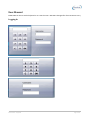
Logging In....................................................................................................................................................... 5
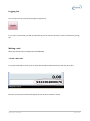
Logging Out.................................................................................................................................................... 7
Making a sale ................................................................................................................................................. 7
1. Scan a barcode....................................................................................................................................... 7
2. Type in the barcode. .............................................................................................................................. 8
3. Press a Stock code Key........................................................................................................................... 8
4. Type in a full or partial stock code or description ................................................................................. 8
5. Do a product search............................................................................................................................... 9
Stock Level Enquiry ........................................................................................................................................ 9
Selling multiple items .................................................................................................................................. 10
1. Scan or enter the item multiple times................................................................................................. 10
2. Type the number of items you are selling and then press the * button ............................................. 10
3. Press the * button then type the number of items ............................................................................. 11
Deleting a line .............................................................................................................................................. 11
Cancelling a transaction .............................................................................................................................. 11
Price Override .............................................................................................................................................. 12
To give a line discount ................................................................................................................................. 12
Total Discount (% and $).............................................................................................................................. 13
Refund Mode ............................................................................................................................................... 14
Selecting a customer account...................................................................................................................... 14
Receiving a payment from a customer ........................................................................................................ 15
Paying off an account .................................................................................................................................. 17
Menu Shift ................................................................................................................................................... 18
Hold Transaction.......................................................................................................................................... 19
Revision Date: 17/1/2014
Page 2 of 62