1
File Management, Accounting and Notices
the logged user. From this user can browse their entire
directory structure and also by selection of check box (es)
and clicking on remove the respective files will get removed
from the GHN. However the removal of directory is not
allowed.
5.2 GSRM File Upload
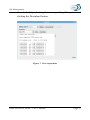
This module allows the user to upload file into the GSRM
data grid. For this, the user needs to select the files from
'Grid Head Node' or from the desktop using 'Local' option, as
Source and required to select the suitable directory name as
the Destination by Clicking the 'SRM Files' button. And
there is option for the user to select the Reservation ID by
clicking on the field 'Use Disk Space Reservation', this will
make sure that user will be getting the Disk space as per the
reservation id. The user can also obtain a details of the
corresponiding Reservation ID by clicking on 'Get Status'
button
After selecting the Source and Destination info, by clicking
on 'Upload Submit' button the corresponding file will get
uploaded into GSRM datagrid and suitable message will be
updated with the page based on the status of the Upload.
5.3 GSRM File Download
GARUDA Access Portal – User’s Manual
Page 31