1
3--6
Using NetEdit3
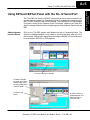
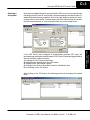
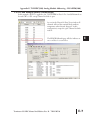
Ethernet Address
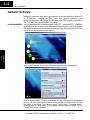
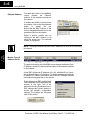
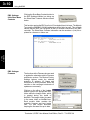
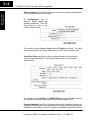
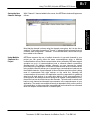
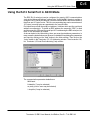
The upper left section of the NetEdit3
screen
displays
the
Ethernet
Address of the modules currently on
the network.
If modules are added or removed from
the network, click on the Scan Network
button
to
update
the
list.
Notice that the MAC Address is the
factory-assigned address that is on the
permanent label on the module.
Select a specific module here by
clicking on the MAC Address or by
using the arrow keys. The selected
module is highlighted.
Using
NetEdit3
NOTE: The Module window may list the MAC Addresses of devices not covered by
this manual.
Module Type, IP
Address and ID
Installation and
Safety Guidelines
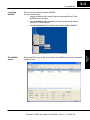
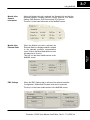
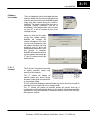
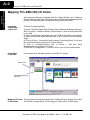
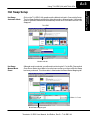
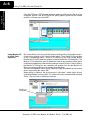
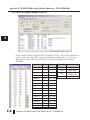
The upper mid section of the NetEdit3 screen displays the Module Type,
IP Address, module ID, Name and Description of the modules currently
on the network.
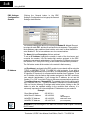
A new EBC will have an IP Address of 0.0.0.0, a Module ID of 0 (zero),
and no Module Name or Description. To assign or change a module an
IP address, ID, name or description refer to the EBC Settings>General
Information description later in this section.
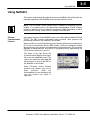
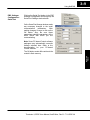
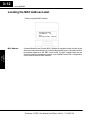
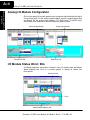
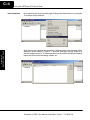
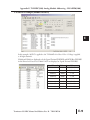
Right clicking on an EBC module listed
on the NetEdit3 screen will display the
window to the right. This is an
alternative to using the Module Info or
EBC settings tabs (shown below) to
access the module’s configuration
settings. The settings are discussed
later in this section.
Terminator I/O EBC User Manual, 2nd Edition, Rev B -- T1H--EBC--M