1
Installation
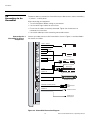
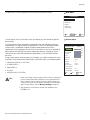
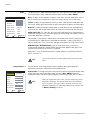
HDMI Connections: The CinemaWall has two HDMI inputs for connecting a DVD player,
DTV decoder or any other device with a DVI or HDMI output. Connect such devices to the
DVD/HD3 and DVD/HD4 inputs.
Tip
Use the HDMI inputs whenever possible. This ensures the highest
video quality because the signal is carried in the digital domain
throughout the entire signal path, from source component output
into the display.
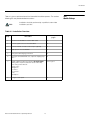
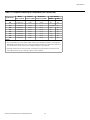
1. Refer to Computer/Video Signal Compatibility on page 52 for
a list of computer signals compatible with the CinemaWall. Use
with signals other than those listed may cause some functions not
to work.
EL
IM
IN
A
R
Note
Y
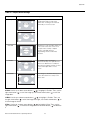
RGB-HD Connection: Connect your personal computer or DTV decoder with an RGB
output to the PC/RGB input on the CinemaWall.
2. Some Macintosh computers may require a Macintosh video
adapter. Contact your nearest authorized service center or dealer.
3. This CinemaWall may not be able to display images from
notebook computers in simultaneous (CRT/LCD) mode. Should
this occur, switch the notebook computer to “CRT only” mode. If
you are unsure how to do this, refer to your notebook computer’s
user manual.
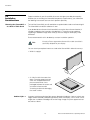
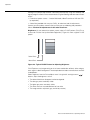
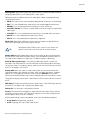
Component Video Connections: If you have a DVD player or DTV decoder with a
component (YPbPr) output, connect it to the DVD/HD1 or DVD/HD2 input of the
CinemaWall.
PR
Composite/S-Video Connections: The CinemaWall has S-Video (VIDEO2) and
Composite (VIDEO1) video inputs for connecting a VCR, camcorder, laser disc player or
DVD player.
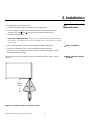
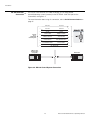
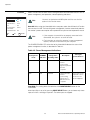
Audio Inputs: The CinemaWall has three (3), stereo audio inputs. Connect the audio
outputs from your source components to these inputs.
You can associate each audio input with any video input -- that is, specify which audio
input becomes active when a given video source is selected. For more information, refer
to Audio on page 34.
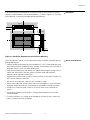
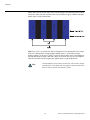
Speakers: The CinemaWall has an internal, 9W per channel stereo amplifier that can
drive a pair of stereo speakers. Connect the
(positive) and
(negative) speaker wires
to the EXT SPEAKER terminals on both the LEFT and RIGHT channels. Maintain the
correct polarity. For more information, refer to the owner’s manual for your speakers.
Runco CinemaWall Owner’s Operating Manual
19
Audio Connections