1
4.2
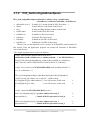
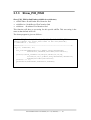
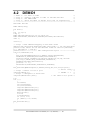
DEMO1
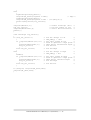
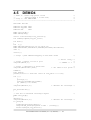
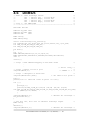
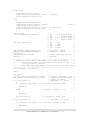
/* demo 1 : D/O demo of CON3
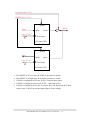
/* step 1 : connect a DB-24C to CON3 of PIO-D56/PIO-D24
/* step 2 : run DEMO1.EXE
/* step 3 : check the LEDs of DB-24C will turn on sequentially
/* -------------------------------------------------------------#include "PIO.H"
*/
*/
*/
*/
*/
WORD wBase,wIrq;
int main()
{
int i1,i2,i3;
long i;
WORD wBoards,wRetVal,t1,t2,t3,t4,t5,t6;
WORD wSubVendor,wSubDevice,wSubAux,wSlotBus,wSlotDevice;
char c;
clrscr();
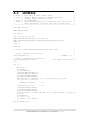
/* step1 : find address-mapping of PIO/PISO cards
*/
wRetVal=PIO_DriverInit(&wBoards,0x80,0x01,0x40);/* for PIO-D56/D24*/
printf("\n(1) Threr are %d PIO-D56/D24 Cards in this PC",wBoards);
if ( wBoards==0 ) exit(0);
printf("\n\n-------------- The Configuration Space --------------");
for(i=0;i<wBoards;i++)
{
PIO_GetConfigAddressSpace(i,&wBase,&wIrq,&wSubVendor,
&wSubDevice,&wSubAux,&wSlotBus,&wSlotDevice);
printf("\nCard_%d:wBase=%x,wIrq=%x,subID=[%x,%x,%x],SlotID=
[%x,%x]",i,wBase,wIrq,wSubVendor,wSubDevice,
wSubAux,wSlotBus,wSlotDevice);
printf(" --> ");
ShowPioPiso(wSubVendor,wSubDevice,wSubAux);
}
PIO_GetConfigAddressSpace(0,&wBase,&wIrq,&t1,&t2,&t3,&t4,&t5);
/* select card_0 */
/* step2 : enable all D/I/O port
*/
outportb(wBase,1);
/* /RESET -> 1
*/
/* step3 : configure I/O direction
*/
outportb(wBase+0xcc,0x07);
/* set CON3 as D/O ports */
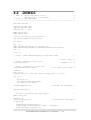
i=1;
for (;;)
{
i1=i&0xff;
i2=(i>>8)&0xff;
i3=(i>>16)&0xff;
outportb(wBase+0xc0,i1);
outportb(wBase+0xc4,i2);
outportb(wBase+0xc8,i3);
delay(10000);
i=i<<1;
i=i&0x0ffffff;
if (i==0) i=1;
if (kbhit()!=0) break;
}
PIO_DriverClose();
}
PIO-D56/PIO-D24 User Manual (Ver.1.0, 09/20/99) ---- 40