1
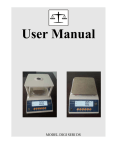
User Manual
EE20003
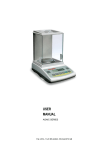
B alance User Manual
Contents
1
MAIN FEATURES AND SPECIFICATION
------------------
1
1-1 Main Features
------------------
1
1-2 Specification
------------------
1
2
PRECAUTIONS
------------------
1
3
INSTALLATION AND START TO USE
------------------
2
3-1 Requirements before using
------------------
2
3-2 Start to use
------------------
2
4
KEYPAD AND PANEL INTRODUCTION
------------------
3
5
FUNCTIONS AND OPERATION
------------------
4
5-1 Simple Weighing
------------------
4
5-2 Tare Function
------------------
4
5-3 Units Shift and Setting
------------------
4
5-4 Simple counting setting
------------------
4
5-5 Simple percent counting
------------------
5
5-6 Hold function
------------------
5
5-7 Printing function
------------------
5
6
------------------
6
ERROR MESSAGE AND TROUBLESHOOTING
B alance User Manual
1、MAIN FEATURES AND SPECIFICATION
Introduction
This is a multi-function weighing balance that offer flexibility together with
good features!
1-1. Main features:
A: Automatic zero point tracking function.
B: With multi-rang calibration.
C: Tare function.
D: Many units can be selection.
E: Simple counting function and percentage function are applicable.
F: Fast, stable and accurate display reading with simple operation.
1-2、Specification
Capacity (g)
Out Display
Resolution
Display
Tare
Power supply
Temperature
Humidity
150-6000
1/60000-1/150000 count
6-7 digits LCD display with backlight/LED display
Full range of max capacity
Rechargeable battery DC 6V/1.3AH/Adapter AC
110~220V/DC 12V/ 500mA
Storage -10~+50℃ Work 0~+40 ℃
Storage 5%-90% R.H
Work 10%-80% R.H.
2、 PRECAUTIONS:
2-1、Full charge the battery after unpacking the scale.
Recharge the battery: When battery symbol appears on the LCD
display, charge the battery with AC adapter, the balance of charge will
light up in red, when it becomes green means charge completed. (It takes
about 8 hours to full charge the battery.)
2-2、Install the equipment on a level and stable surface.
2-3、Do not install the equipment near the air conditioning or a vibrating
machine.
2-4、Install the equipment in an environment with steady temperature(0℃
~40℃), prevent from rapid temperature changes.
2-5、Independent AC adapter for this equipment is recommended, check the
Page
1
B alance User Manual
2-6、Warm up the equipment for 15 minutes before use.
2-7、Avoid overloading or dropping material onto the platform.
3、INSTALLATION AND START TO USE
3-1、Installation:
3-2、Start to use
⑴Accessories:
① adapter
② balance body
③ plastic pan
④ SS pan
⑤ wind shield
page
2
B alance User Manual
⑵ Turn on the indicator
① Press the [ ON/OFF] key.
② Wait till the screen displays “0.00”. If it doesn’t shows “0.00”, press
[ZERO] key to enter weighing mode.
4、KEYPAD AND PANEL INTRODUCTION
ITEM
OPERATION
FUNCTION
ON/OFF
ON/OFF
Power switch
ZERO
ZERO
Reset to zero
TARE
TARE
Tare
UNIT
UNIT
Change the present unit
MODE
MODE
Change Weight/PCS/%
PRINT
PRINT
Print out the data
HOLD
HOLD
Lock the display weight value
functions
LCD MODEL:
Front display pannel
Back display pannel (Optional)
Page
3
B alance User Manual
LED MODEL:
Front display pannel
Back display pannel (Optional)
5、FUNCTIONS AND OPERATION
5-1、Simple weighing
①Press the [ on/off] key or Turn on the power switch on the right side of balance.
② The balance power on with beep and backlight flash.
③ Wait till the screen displays “0.00g”. Press [ZERO] key to enter
weighing mode if the screen doesn’t display “0.00g”.
④ Put the object on weighing pan then read the weight within 2~3 seconds.
5-2、Tare funciton:
① Put the container (object) on weighing pan, press [TARE] to deduct the
container(object) weight, the screen displays “0.00g”.
② Put more objects on the weighing pan, the screen displays weight of
new objects excluding weight of container.
5-3、Units shift and setting
Under weighing mode, press [UNITS] key to change to the unit you need.
Open more units or close any units, please contact your local agent.
5-4、Simple counting setting
① Under weighing mode, press [PCS] choose the simple counting function.Put
on the weights,if no unit weight setting before, screen will display “ 0 pcs”.
page
4
B alance User Manual
②Press [UNIT] key, enter quantity setting,.The screen displays “ N- XXX”
( “XXX” stands for sample quantity. )
③Press [UNIT]key, move the digit.
④Press[TARE] key, add up the persent digits.
⑤Press [ZERO] key, reduce the persent digits.
⑥Press [PCS] key, save the above setting,you can begin to use this function.
5-5、Simple percent counting
In counting mode,press [MODE] to change % mode or weighting mode.
① Under weighing mode, press [MODE], choose the % function.Put
on the weights, screen will display “ S-100 %”.
②Press [MODE] key, save the above setting,you can begin to use this function.
***
LED model do not have % mode,so only change to weighting mode.
5-6、Hold function
①Press once to lock the persent weight value.
②Press again to cancel lock status.
* * * This function usually set to close,if you want to use this function,please
contact your local agent.
5-7、Printing function
connect the balance with PC or printer,this function is effective.
Under weighing mode, press the [PRINT] key to print out percent weight value.
5-8 、Simple calibration
Attentuion:Essential to use the standard weight.
① Under weighing mode, press [TARE] key 2 seconds to enter simple calibration.
② Press [UNIT] to move the digits.
③ Press [TARE] key, add up the persent digits.
④ Press [ZERO] key, reduce the persent digits.
⑤Put on the right weights(the same as the display weight.)
⑥Wait the stable symbol appears for 2 seconds.
⑦Press [MODE] key, the buzzer will send out a short beep,that means simple
calibration successfully.
Page
5
B alance User Manual
6、ERROR MESSAGE AND TROUBLESHOOTING
1、Error message
Message
Problem
ADO---
Over A/D resolution range
ADL---
Low A/D resolution range
OVR---
Over load (max: capacity +9e)
Battery symbol Low battery alarm
Lo-bAt
Low battery, Need charge
2、Trouble shooting:
Where
Possible Error
Trouble shooting.
message
Power on
ADO---
Check and remove the object from
weighing pan or send back for
repair.
Power on
ADL---
send back for repair.
Power on
Battery symbol
Charge the battery.
Normal
mode
weighing
Normal
mode
weighing
OVR---
Lo-bAt
Check if weighing object over the
capacity +9e.
Charge the battery.
Call your agent here:
page
6
V1203