1
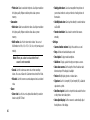
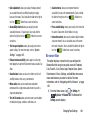
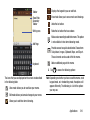
• Share via: allows you to share your memo as either an Image
file (.jpg), a PDF file (.pdf), Plain text, or S Memo file (.snb) via
Group Play, Wi-Fi Direct, Bluetooth, ChatON, Flipboard,
Hangouts, Picasa, Google+, Messaging, AT&T Locker, Gmail,
or Email.
• Delete: allows you to delete the S Memo.
• Export: allows you to save the memo to your Gallery as either a
JPG, a PDF, or as a SNB.
• Save as: allows you to save the memo with a different name.
• Add tag: allows you to set tags to add in searches.
• Add to Favorites: allows you to tag the current memo as a
favorite.
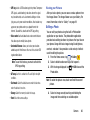
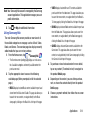
• Change background: allows you to set the background for
your memo. Tap the background that you want, then tap
.
• Edit pages: allows you to add and manage additional memo
pages.
• Create event: allows you to link the memo to your Calendar
events.
• Set as: allows you to set a memo as a contact icon, Home
screen wallpaper, or Lock screen wallpaper.
211
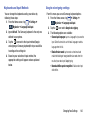
• Print: allows you to print the screen or web page on a
Samsung printer using Wi-Fi.
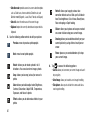
When you are finished creating your memo, tap Save on the
top menu bar.
S Translator
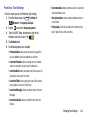
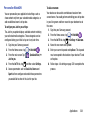
With the S Translator you can easily translate words and
phrases into many different languages.
1. Sign in with your Samsung Account if you have not
already done so. For more information, refer to
“Creating a Samsung Account” on page 13.
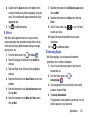
2. From the Home screen, tap
➔ S Translator
.
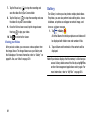
3. At the S Translator screen, tap the top language bar
and enter your language.
4. Tap the language bar at the bottom of the screen to
select the language that you would like to translate to.
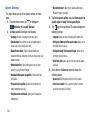
5. Enter text into the upper box and tap
.
It will be translated into the language of the upper box.
– or –
Enter text into the lower box and tap
.
It will be translated into the language of the lower box.