1
12SETTINGS
Modifying the Basic Settings
Notice
MODIFYING THE BASIC SETTINGS
The changed settings are stored as new
default settings. If you select a special
function for a one-time process, take care
to restore the default settings or factory
settings after that.
EN
Settings
Notice
CALLING THE WEB INTERFACE
You can also edit the device settings with
the device's web interface (see also the
chapter Web Interface, page 20).
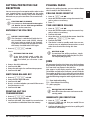
SET UP TONER SAVING
FUNCTION
Set Up Toner Saving Function
You use this function to switch on the toner saving
function. The print appears a little paler, thereby
increasing the number of pages that you are able to
print with one toner cartridge.
1 Press ECO.
2 Use [ to select TONER SAVE.
3 Confirm with OK.
Notice
ACCESS FUNCTION
You can also call the function by pressing C, 0022 and OK.
Cursor Navigation 6
Notice
NAVIGATING IN THE MENU
You can move the cursor using [. Press C
to return to the previous menu level. Press
j to close the menu and return to the
starting mode.
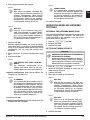
SET UP POWER SAVING
FUNCTION
Set Up Power Saving Function
You use this function to set after what period of time
the device switches to power saving mode following
the print job. Whenever you receive a fax or if you
would like to print or make a copy, your device will
automatically switch back from its energy saving
mode to its operating mode.
1 Press ECO.
2 Use [ to select POWER SAVE.
3 Confirm with OK.
Notice
ACCESS FUNCTION
You can also call the function by pressing C, 0021 and OK.
4 Use [ to select whether you would like to turn
the function on or off.
5 Confirm with OK.
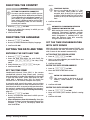
SET UP PAPER SAVING
FUNCTION
Set Up Paper Saving Function
Using this function, switch on automatic Duplex
printing for printing and copying in order to save
paper. With Duplex printing, both sides of the paper
are printed.
1 Press ECO.
2 Use [ to select PAPER SAVE.
3 Confirm with OK.
Notice
ACCESS FUNCTION
You can also call the function by pressing C, 0023 and OK.
4 Select one-sided print (Simplex) or double-sided
print (Duplex) using [.
5 Confirm with OK.
4 Select the time (in minutes) after which the device
should switch to power saving mode using [.
Select 0 if the device should switch to the power
saving function immediately after a print job.
5 Confirm with OK.
56
Sagemcom · MF 5571dw