Transcript
SSE232-LE
Quick Start Guide
Serial Server
1. Introduction
This quick guide will lead you step by step through the most
important aspects of SSE232-LE installation. It is intended to
system administrators that are familiar with operating systems or
other Exemys products.
CD that is distributed together with this product. SSE232-LE will
appear in the list of devices found in the network.
IMPORTANT.
You will find a detailed description for SSE232-LE installation
and configuration in the User’s Manual that is distributed
together with this product in the CD .
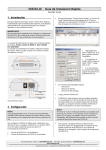
The power input connection is done in the connector indicated
in the figure.
You may connect 9-30VDC or 9-26VAC (without polarity)
The network connection is made through the Ethernet
connector (see figure). Use a crossover network cable if the
connection is made directly to a PC.
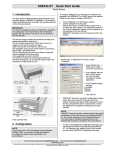
Double-click on
SSE232-LE in the list or
press “Properties”.
If your Network has
a DHCP server, select
“Use DHCP” and click
Ok.
If your network
does not have a DHCP
server, you must
complete manually the
network parameters.
DB25 Connector COM A
In the Properties dialog box type:
IP Address
Netmask
Gateway.
Then click Ok.
Data Indicator Led
SSE232-LE will reset to accept the configuration changes made.
After a few seconds, if the yellow led of the network connector
(see figure) blinks, being dark most of the time, and lightened
only for a short instant, it means that SSE232-LE accepted the
configuration and reset correctly.
(green)
Power Connector
Ethernet Connector
Net Indicator Led
(yellow)
Front and Rear View
NOTE.
2. Configuration
NOTE.
If you do not have a PC in the Network running Windows
95/98/NT-2000 , you will find and alternative method
to configure the network basic parameters in the User’s
Manual.
To configure SSE232-LE you will need an IP address to be
assigned to the SSE232-LE or a DHCP server in the network.
Follow the next steps to configure SSE232-LE:
SSE232-LE does not provide a default password for remote
configuration. If this is the first time you configure SSE232-LE,
do not type a password in the Properties dialog box. You will
be able to change this password later on by following the
instructions contained in the User’s Manual.
To enter to the SSE232-LE configuration web page use a
web browser that allows Javascript. By typing SSE232-LE ´s
IP Address in the “address” field of your browser, you will
access SSE232-LE configuration web page.
Connect SSE232-LE to the Ethernet network.
Connect SSE232-LE to the power and turn it on.
Execute the Program “Exemys Device Locator” from a PC
within the same network. You will find this program in the
For technical support please contact: [email protected] - For sales please contact: [email protected]
www.exemys.com
Exemys products are in constant evolution to satisfy our customer’s needs. For that reason, the specifications and capabilities are subject to change without prior notice. Updated information can be found at www.exemys.com.
Copyright © Exemys, 2004. All Rights Reserved. R1.00