1
OPERATING INSTRUCTIONS
The OzCharge Battery Charger is easy to operate and requires no technical experience.
1. Connecting the Battery charger to your Battery
(a) Simply plug the charger lead into the fly lead from your device, ensuring the connector is lined up
correctly and not stressed.(Note: The plugs only fit one way and excess force is not advised)
2. Connect the battery charger to the Mains power (240Vac),
(b) The Charger will automatically start when AC power is connected.
(Note: If the Fault Indicator LED illuminates Red, please check your connections.
Refer to Trouble Shooting Page for further information)
The Charging process
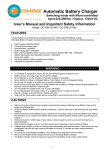
The Charging LED’s will indicate the Charging Stages.
The charging stages are as follows:
STAGE (#1) - Soft start:
Charges the battery using half the maximum current until the battery
voltage is over 11V. (YELLOW Charging LED Flashing)
STAGE (#2) - Bulk Charge: Charges using a constant maximum current until the battery rises to the
Absorption level. (YELLOW Charging LED ON)
STAGE (#3) - Absorption:
This stage charges the battery using a constant voltage providing that the
Battery Voltage is over 85%. (YELLOW Absorption LED ON)
STAGE (#4) - Full / Float:
Battery is fully charged and is ready for use. It will be maintained at a safe
constant voltage. (GREEN Full / Float LED ON)
3. Disconnecting the Battery charger from Battery.
(a)
(b)
Switch OFF and Remove the AC Power Socket from the outlet.
Disconnect the charger lead from the battery.
OC-1204A User’s Manual - Rev 1.0