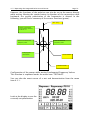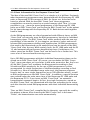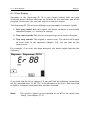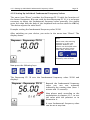
1
4.2. Menu Item “Direct“
Page 22
4.2 Menu Item „Direct“
4.2.1 Testing and Harmonising a Fundamental Frequency Value
with the Integrated Polariser and Sensor
It makes no difference whether you want to test a fundamental frequency
value, an allergen, a parasite, a Chakra etc., the course of testing and
harmonising is always the same.
Here is the description of a liver test (fundamental frequency value 56.00) as
an example.
Before beginning with the testing process, please consider whether you are
testing yourself or another person. For a self-test, connect yourself to the
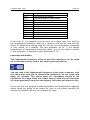
hand and foot detectors or the Velcro detectors. You hold the sensor in your
right hand for the test, your index finger must touch the knurled screw of the
sensor. The frequency spectra of the device also enter the circulation of your
right arm in this way. If you are testing another person, your patient is
connected to the hand and foot detectors or Velcro detectors, too. In this
case, your index finger must not touch the knurled screw to avoid accidental
testing of your own resonances.
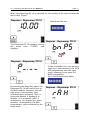
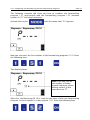
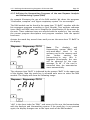
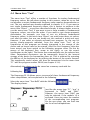
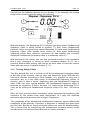
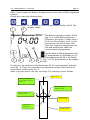
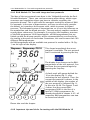
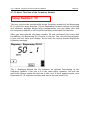
Now set the fundamental frequency value 56.00 (example) in the menu item
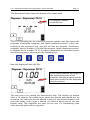
“Direct” to the Rayocomp PS 10. The polariser integrated in the device is set
to N. Test with the sensor to find out whether you achieve a rotation (left or
right motion) or a linear movement. A rotation means that the field in the
organism linked to the fundamental frequency value is stable and therefore
does not require treatment. If, however, the achieved motion is linear, this
patient is suffering from an energetic blockade.
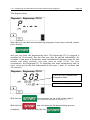
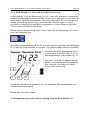
If you want to know more precisely, which type of polarisation is most
suitable for helping the organism, or if you want to find out whether the
disturbance is strong or weak, press the button backward after having tested
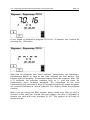
a linear movement on N. Now the polariser is switched over to polarisation
+/-. If the sensor starts rotating, the disturbance is not very strong. However,
if the linear movement continues when set to +/- polarisation, the
disturbance is stronger. Press the button backward and test whether the +
polarisation, which is now set, leads to a rotation. Rotation indicates that the
+ polarisation is most suitable for harmonisation. If still no rotation is
achieved, press the button of the sensor once more backward. Now you will
see a rotation on the – polarisation.
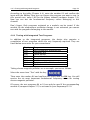
Harmonisation has been completed as soon as the sensor performs a
rotation when the polariser is set to N.