1
62
Communication
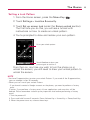
To reply to or forward a message
1. Touch
to the right of the sender's name to view your
message options.
2. Touch Reply, Reply to all, or Forward.
3. Enter the recipient, if necessary, and you message. Then
touch Send to send the email.
Working with Conversations in Batches
You can archive, label, delete, or perform other actions on a batch of
conversations at once, in your Inbox or in another label views.
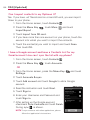
1. From the Inbox or messages with another label, touch the
checkmark for all the messages you want to include in the
batch.
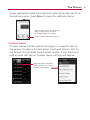
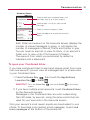
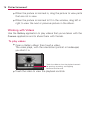
When you checkmark a conversation, the Archive, Delete,
and Labels buttons appear at the bottom of the screen.
Touch to include the message in the batch.
Touch to select an action for the batch or press the
Menu Key
for more options.
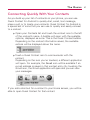
2. Touch Archive, Delete, or Label or press the Menu Key
and touch Add star, Report spam, Mute, Mark read/ Mark
unread, or Deselect all.
You action affects the selected batch of messages.
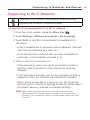
If you accidentally delete a batch of conversations, you can
touch Undo in the green bar (that appears briefly after the
action) at the top of the screen to undelete them. You can
also use Undo after muting, archiving, and reporting spam.