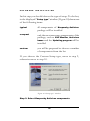
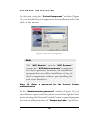
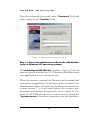
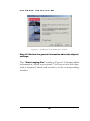
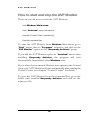
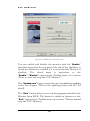
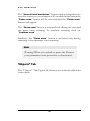
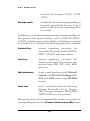
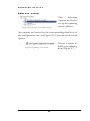
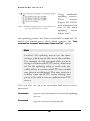
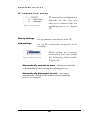
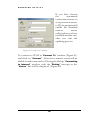
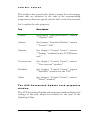
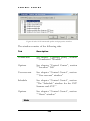
1
KASPERSKY LAB Kaspersky Antivirus Gold edition for Windows USER MANUAL KASPERSKY ANTIVIRUS GOLD EDITION FOR WINDOWS User Manual Kaspersky Lab JSC Tel. (095)797.87.00 • Fax (095)797.87.00 Please, visit our WEB site: http://www.kasperskylabs.com/ Tableofcontents Standard shipment package......4 How this user manual is organized......................................5 System requirements..................7 Step-by-Step Setup.....................8 Quick Setup................................23 Setup command line options...25 Executive Summary ..................30 How to check files for viruses.32 The AVP Monitor functions ......35 Anti-virus databases update...36 New Control Center scan-forviruses task creation.................37 Executive Summary ..................40 What the AVP Scanner is used for.................................................41 The Program Main Menu....62 “Find” Window................65 The Report Window.............66 Executive summary ..................67 What the AVP Monitor is used for................................................68 How to start and stop the AVP Monitor.......................................69 AVP Monitor interface description.................................71 “General” Tab.......................72 “Objects” Tab.......................74 “Actions” Tab........................77 “Options” Tab.......................79 “Statistics” Tab....................80 “About” Tab..........................81 Executive Summary..................82 What is the updating utility used for................................................83 Starting the AVP Scanner.........41 How to start the updating utility .....................................................83 The AVP Scanner Interface Description.................................46 Updating utility interface description.................................84 “Location” Tab......................46 “Objects” Tab........................48 “Actions” Tab........................51 “Infected object” Dialog Window............................54 “Options” Tab.......................56 “Customize AVP” window ...........................................58 “Statistics” Tab.....................61 “Connection” Window.........85 Setup your updating process from Internet...86 Updating from Local Folder...............................94 Choosing objects for updating...........................95 “Settings” window...............95 “Updating” window.............97 “Finish” window...................99 Executive Summary ............... 100 What the Control Center is used for.............................................. 101 Control Center Launch........... 102 Control Center Interface....... 105 Report Viewer interface description...............................155 Find in report................158 Executive Summary................159 What is Tree-Chart?................160 The “Tasks” Tab................. 105 “Properties” window... 112 “Components” Tab............ 117 The Install New Product Wizard window............ 120 “Settings” Tab.................... 121 The “Security” category ........................................ 122 “Alerts” category ......... 125 “Remote management” category ........................ 130 “Customize” category . 133 How to use Tree-Chart...........161 New Task Wizard.................... 136 Starting the program and the operating principles................172 “Tasks” window................. 137 “Schedule” window for the AVP Monitor task............... 138 The “Schedule” window for the AVP Scanner and AVP automated update ............ 139 Task launch on event .. 140 The task launch by condition....................... 141 Start task every hour .. 143 Start task every day.... 144 Start task every week. 145 Start task every month145 “Alerts” window................ 147 “User account” window... 147 Task settings...................... 149 “Settings” window for the AVP Scanner task launch ........................................ 151 “Settings” window for the AVP Monitor task ......... 152 Executive Summary ............... 152 What Report Viewer is used for ................................................... 154 Report Viewer activation...... 154 Executive summary ................166 What Script Checker is used for ...................................................167 The Script Checker operation principles..................................167 Executive summary ................170 What the program is used for ...................................................171 Appendix. “Kaspersky Labs.” JSC ...................................................176 About “Kaspersky Labs.”..176 Other antiviral products of “Kaspersky Labs.”..............176 Contact information..........178 1 I N T R O D U C T I O N Chapter Introduction What is Kaspersky Antivirus Gold Edition for Windows?. K aspersky Antivirus Warning! New viruses appear each day, therefore to keep your product up-to-date, you should update your anti-virus bases at least once a week (read further for more information). Remember to update the anti-virus bases immediately after installing this product! for Windows is a software package designed to provide antiviral protection of your computer operating under Windows operating system. Gold Edition The main features of this product are:. Search for and deletion of all types of viruses and malicious programs in files,; boot sectors and RAM Reliable control over all possible sources of viral infection Advanced protection against viruses: resident interceptor, scanner, changes auditorinspector of modifications, behavioral blocker Detection and deletion of viruses from files packed by PKLITE, LZEXE, DIET, COM2EXE and other compression utilities Checking of archived files in all the most commonly used formats (ZIP, ARJ, LHA, RAR etc.) Checking for viruses of local mailboxes of the most commonly used mailing systems Advanced heuristic search mechanism for detecting unknown viruses (success rate – up to 92%) Redundant scanning mode Weekly real time updates of the anti-virus databases through from the Internet User friendly interface N O T A T I O N 1 Note Standard shipment package Product shipment package includes: a CD with the software, license & Summarize Executive agreement, user manual and summary registration card. The purpose of some documents in brief:. : Example Software license agreement is a legal agreement between you and “Kaspersky Labs.” company. You are recommended to 4 read it and if you don’t agree with the terms, you can return the package to the distributor where you purchased it. You would get a full refund of the money paid for the subscription. Registration card is a document, which identifies you as a legal user of the product and entitles you to receive technical support and updates of anti-virus databases during the term of subscription. How this user manual is organized This user manual can be used by both beginners and experienced users. The manual includes the following parts: Introduction contains initial product information, describes standard shipment package and structure of the manual Software installation contains system requirements, which the system must meet and description of installation procedure Quick start provides main “procedures” for working with Kaspersky Antivirus components. This part of the manual is strongly recommended for the beginners AVP Monitor describes in detail the interface and functions of the AVP Monitor 5 AVP Scanner describes the interface and provides particulars of operating your AVP scanner. Updating program describes in detail anti-virus databases update wizard’s windows. Control Center describes the interface and setup options for the Control Center. Script Checker describes functions and gives examples of operating Script Checker. Rescue disk program describes the work of the program, which creates the disks for system recovery following a virus attack. 6 S O F T W A R E I N S T A L L A T I ON 2 Chapter Software installation System requirements for program installation. How to install the package onto your computer. Installation options. System requirements T o ensure full utilization of the software capabilities the computer should meet the following system requirements: 1. Intel 80486 Pentium processor. 2. Windows 95/98 or Windows Workstation operating system. 3. at least 8 MB of RAM. 4. At least 15 MB of hard disk memory. 7 NT S O F T W A R E I N S T A L L A T I ON In addition the computer should have: screen resolution at least 640 by 480; correctly set system date. The program can be installed on a computer using two different methods: Step-by-Step Setup or Quick Setup. Stepby-Step Setup means the installation will be conducted in the interactive mode, i.e. at each consecutive step the program will display a dialog box and prompt you to enter the necessary data. During Quick Setup all necessary information is taken from the setup file and the installation process continues automatically. There is an example file on the CD (named setup.avp) containing recommended installation settings. Step-by-Step Setup To install the software, start Setup.exe program from the CD. As mentioned, the Step-by-Step Setup program works in the interactive mode. Each dialog box contains an appropriate set of buttons for installation process management. Briefly, the purposes of the main types of these buttons are: “OK” – action accepted; “Cancel” – action canceled; “Next” – move one step further; “Back” – move one step back; “Exit” – interruption of the installation process and subsequent exiting from the program; 8 S O F T W A R E I N S T A L L A T I ON “Continue” – continue with the current action (this button appears only to confirm ‘go-ahead’ with the critical actions). Step 1. Select the setup language and read the additional product information Figure 1 “Choose Setup Language” window. Following installation program start, there will be a “Choose Setup Language” window on the screen (Figure 1). This window allows you to select the language in which the software installation program’s interface and the help system will be shown. Select the required language from the list. From this moment on all the dialog boxes will be displayed in the language you selected! Then, the “ Setup” window will appear on the screen. That means that the installation wizard took on the job. Wait for a while until the wizard completes all necessary actions and displays a “Welcome” window (Figure 2). This window contains general information concerning installation of Windows applications, and a copyright information for this software. The next window - “Product information” (Figure 3) contains information concerning this product. Read this information before continuing with software installation. 9 S O F T W A R E I N S T A L L A T I ON Figure 2 “Welcome” window. Figure 3 “Setup information” window. Step 2. Choose installation mode: “Upgrade” or “Clean installation” If Kaspersky Antivirus is already installed on your computer, the program will display “ Installation mode” window (Figure 3), where it will prompt you either to update the old version of the program or to install the new package, i.e. to continue in a “Clean installation” or in an “Upgrade” mode (otherwise move to step 3). Upgrading the old version means removing old and installing new components (when the current version is later then the version already installed) or adding new components (when the installed version is the same as the new one). The program will be installed in the same folders, which are used by the current version and all the settings will be preserved. Clean installation means that Kaspersky Antivirus will be installed in new folders using new settings. Thus, if you select clean installation, the installation will start from step 3, otherwise - from step 8. 10 S O F T W A R E I N S T A L L A T I ON Figure 4 “Installation mode” window. Step 3. Study the software license agreement At this step the installation program will display a window (Figure 5), with software license agreement text. Carefully study the terms of this agreement and if you agree, click “ Yes” to continue the installation, otherwise click “ No” to terminate the process. There is a printed copy of the software license agreement in a standard shipment package of Kaspersky Antivirus. 11 S O F T W A R E I N S T A L L A T I ON Figure 5 “Software license agreement” window. Step 4. Enter user information. In “User information” window (Figure 6) enter user related information. By default the “Name” and “Company” lines will display the information stored in Windows registry. Figure 6 “User information” window. 12 S O F T W A R E I N S T A L L A T I ON Step 5. Select the destination folder for Kaspersky Antivirus components In “Choose destination location” window (Figure 7) you should select a directory, where Kaspersky Antivirus files will be installed. By default the “Destination Folder” field contains a standard path, for example “C:\Program Files\Kaspersky Lab\Kaspersky Antivirus”. To select a different path, click the “Browse” button and select a new path in the displayed window. Figure 7 “Choose destination location” window Step 6. Give a Group Name for Kaspersky Antivirus in “Start”\”Programs” menu In “Select program folder” window (Figure 8) enter the folder, whose name will be displayed in the “ Programs” item of the “Start” menu. The default name of this folder is “Kaspersky Antivirus”. 13 S O F T W A R E I N S T A L L A T I ON Figure 8 “Select program folder” window. Step 7. Choose Report files folder In this step, using “ Choose Report files” window (Figure 9) you should select a folder where different report files will be stored, for example the updating program operation report file. Figure 9 “Choose Report Files Folder” window. Step 8. Choose Setup Type 14 S O F T W A R E I N S T A L L A T I ON In this step you should choose the type of setup. To do that, in the displayed “ Setup type” window (Figure 10) choose one of the following items: typical all components of Kaspersky package will be installed compact only the most necessary components of the package, such as AVP Monitor, Anti-virus bases and the Updating program will be installed custom you will be proposed to choose a number of components from the list Antivirus If you choose the Custom Setup type, move to step 9, otherwise move to step 10. Figure 10 “Setup type” window. Step 9. Select Kaspersky Antivirus components 15 S O F T W A R E I N S T A L L A T I ON At this step, using the “ Select Component” window (Figure 11) you should choose components for installation with a left click of the mouse. Figure 11 Selection of components. Note The “AVP Monitor” and the “AVP Scanner” require the “ AVP Anti-virus bases” component for their operation, therefore, the installation program does not allow installation of any of these components without pre-installing the anti-virus databases. Step 10. Enter a password for the Control Center administration In the “Administration password” window (Figure 12) you should enter a password for remote control through the local network using the Network Control Center (a special program for remote administration of “ Kaspersky Labs.” products). 16 S O F T W A R E I N S T A L L A T I ON Type the codeword (password) in the “ Password” field and type it again in the “Confirm” field. Figure 12 “Administration password” window. Step 11. Select the installation mode for the AVP Monitor (only for Windows NT operating system) In “Installation of AVP Monitor” window (Figure 13) you are asked to specify whether the AVP Monitor should be run as a user application or as a system service. When the session is opened, the Monitor can be started and operated as an application, but in this case the user must have administrator’s rights. Alternatively, the Monitor can work as a system service, i. e. it will start before the system login procedure and operate irrespectively of user rights. If you want the AVP Monitor start as a system service, check the “System service” checkbox; otherwise, clear this checkbox. 17 S O F T W A R E I N S T A L L A T I ON Figure 13 “ Installation of AVP Monitor” window. Step 12. Review the general information about the objects’ settings. The “ Start copying files” window (Figure 14) displays all the information, which was entered. You can review this data, and, if required, check and correct it in the corresponding window. 18 S O F T W A R E I N S T A L L A T I ON Figure 14 “Start copying files” window. Step 13. Uninstall the previous version of Kaspersky Antivirus If there is a previous version of the product installed on your computer, the installation program will display a warning box “Uninstall information” (Figure 15). If you confirm your decision by clicking the “ Continue” button, the “ Uninstaller – Antiviral ToolKit Pro” window will be displayed (Figure 16), and the process of uninstalling the previous version of the product from your computer will start. You should wait until the uninstaller finishes its job. 19 S O F T W A R E I N S T A L L A T I ON Figure 15 “Uninstall information” window. Figure 16 “Uninstaller - AVP” window. Then, the installation program will automatically start components installation in accordance with the previously specified settings. Step 14. Select the key file At the end of the setup -- if there was no key file in the installation directory – the installation program will prompt you to specify the disk and folder where the key file for this product is located (Figure 17). You should enter the path to the key file or click “Browse” and select the appropriate directory in the displayed window. Your key file will be a file with the .key extension. 20 S O F T W A R E I N S T A L L A T I ON Key file is your personal “key”, where all housekeeping information, required for Kaspersky Antivirus operation is stored: Figure 17 “Setup needs the next disk” window. this version vendor information (firm, addresses, telephone numbers); technical support information (who provides and where you can get it); product release date; license name and number table of components’ features period of the license validity. Note If there is no key file in the “ AVP Shared Files” folder, the program will operate as a. demo version. It will lack a number of key capabilities, such as file disinfection, checking of network disks, getting updates etc. This folder may be located, for example, at the following path: “C:\Program Files\Common Files\AVP Shared Files” Step 15. Select the key file 21 S O F T W A R E I N S T A L L A T I ON At this step the program will display the “Select key file” window (Figure 17). Left-click to choose the appropriate key file in this window. By moving cursor through the list you can see the information related to any particular key at the bottom of the window. If the folder specified in the previous step does not contain any key files the list will be empty. Figure 18 “Select key file” window. Step 16. Finish setup At this step the system will display either the “Setup complete” window ( variant 1) (Figure 19) if your computer did not have a previous version of Kaspersky Antivirus installed, or “Setup complete” (variant 2) window (Figure 20) if it did. In “Setup complete” window (Figure 19) choose one of the options to complete the task: “Yes, I want to restart my computer now” or “No, I will restart my computer later”. In order to correctly finish Kaspersky Antivirus software 22 S O F T W A R E I N S T A L L A T I ON installation you need to restart the computer. Choose the appropriate option and click “Finish”. Figure 19 “Setup complete” window. Figure 20 “Setup complete” window. Variant 1. Variant 2. The “ Setup complete” window ( variant 2 ) (Figure 20) offers to launch the AVP Scanner and the Control Center. Check the appropriate checkbox and click “ Ready”, this will launch the checked components and the installation program will open the folder with Kaspersky Antivirus program group icons. Quick Setup Quick Setup is installation of Kaspersky Antivirus in accordance with a predetermined scenario stored in a separate file. To launch Quick Setup, start the installation program with the following settings: Setup.exe /p<path>\<scenario-file> /s 23 S O F T W A R E I N S T A L L A T I ON or Setup.exe /s : Let’s consider an example. We’ll start the installation program and begin the setup according to the scenario stored in setup.avp file. Setup.exe /pC:\MyFolder\setup.avp /s See below an example of setup.avp file. [COMMON] FOLDER=C:\Program Files\Kaspersky Lab\Kaspersky Antivirus GROUP=Kaspersky Antivirus USERNAME= COMPANY= REPFOLDER= C:\Program Files\Kaspersky Lab\Report [AVPCONTROLCENTER] INSTALL=YES CCPASWORD= AUTOSTART=YES [AVPSCANNER] INSTALL=YES [AVPDOSSCANNER] INSTALL=YES 24 S O F T W A R E I N S T A L L A T I ON [AVPMONITOR] INSTALL=YES ASSERVICE=YES [AVPBASES] INSTALL=YES [AVPUPDATES] INSTALL=YES] Setup command line options The installation program has command line options (keys), which allow various actions to perform. You can specify the keys directly in the command line of Setup.exe or you can locate them in Setup.ini file. Syntax : Setup [Nonstandard keys] [Standard keys InstallShield] Here is the list of nonstandard keys (they can be entered in either case but should always precede standard InstallShield keys): /? displays setup.exe keys related information; /k<path\key-file> specifies the alternative key file location and name. Default location of Kaspersky Antivirus key file is in the same directory as Setup.exe; 25 S O F T W A R E I N S T A L L A T I ON /n Setup.exe does not restart computer after finishing installation; /p<path\scenario file> specifies the alternative location and name of the installation program’s scenario file. The shipment package includes Setup.avp file with recommended product installation scenario; /u specifies the location of antiviral databases’ update files used by the installation program to replace the cumulative set of databases from the installation package. The default path is: <Installation program folder >\Updates. /I specifies the location of the setup files for Kaspersky Antivirus components. The earlier installed product may be used to obtain setup files, which should be placed in a particular folder to be later used by the installation program instead of the standard setup files from the installation package. The installation program is written using InstallShield software development environment. All installation programs 26 S O F T W A R E I N S T A L L A T I ON written using this environment, always have a standard set of keys for the command line. The keys can be entered in either of the two cases. Following is a list of standard command line keys and the function of each key. /f2<path\report file> specifies the alternative location and name of the report file created by InstallShield Silent. By default the report file Setup. log is created and stored in the same directory as Setup. ins. If another compiled batch file is specified using -f key, the –f2 key should follow -f key; /l<Lang_ID> specifies the installation language. <Lang_ID> - is the number of a language, included in the installation package. If the language is not included in the installation program, the installer will be started using the default system language. When <Lang_ID> is determined in setup. iss file, this key is ignored; /m<file name> cause Setup. exe to automatically generate Management Information Format file (.mif) at the end of the installation process. Don’t include path because mif-file always lodges in Windows directory. <file name> 27 S O F T W A R E I N S T A L L A T I ON is an optional parameter. If you don’t specify the file name, the resultant file will be named Status.mif; /m1<serial number> informs the installation program about location of the serial number in mif-file being created; /m2<localization line> informs the installation program about location of the localization line in mif-file. An English localization (ENU) is used by default. For a complete list of localization lines refer to Microsoft documentation. /s launches InstallShield Silent for the setup start with default settings without displaying any dialog boxes /SMS prohibits shutting down of network connections and Setup.exe before the setup is complete. This key operates with installers started from Windows NT server through the network. Please, note that SMS word should be in the upper case, because this key is case sensitive /z cancels checking of available memory during setup 28 S O F T W A R E I N S T A L L A T I ON initialization. This key is needed when the installation program is run on a computer having more then 256 MB of memory. If it’s not used, the Setup.exe will display “not enough memory” error message and terminate the process. Notes • Separate command line keys with spaces but don’t insert spaces inside a key (for example, /r /fInstall.ins correct usage, /r/f Install.ins – incorrect usage). • When using expressions with long pathand file names use double quotation marks. Double quotes inform the operating system that the spaces inside should not be interpreted as command line separators. : The following examples illustrate Setup.exe usage, including usage of command line keys /k /? /n /p /s and /f2: Setup /? displays help information Setup /s starts InstallShield Silent. Report file Setup.log is created in the same 29 S O F T W A R E I N S T A L L A T I ON folder. Setup /s /f2C:\Mydir\Mydir.log starts InstallShield Silent, installs Mydir.ins in C:\Mydir folder and generates Mydir.log report file in C:\Mydir folder. Setup /pC:\Mydir\setup.avp /s /f2C:\Mydir\Mydir.log starts InstallShield Silent, uploads installation information from Setup. avp from C:\Mydir folder and generates Mydir.log report file in C:\Mydir folder. Setup /pC:\Mydir\setup.avp /kC:\Mydir\avp.key /n /s /f2C:\Mydir\Mydir.log starts InstallShield Silent, uploads installation information from Setup.avp from C:\Mydir folder, installs avp. key file from C:\Mydir directory, prohibits restart and generates Mydir. log report file in C:\Mydir folder. & Executive Summary To install Kaspersky Antivirus your computer should meet some software and hardware requirements (see section “System requirements”). There are two ways to install the program – Step-by- Step Setup (see section “Step-by-Step Setup”) and Quick Setup (see “Quick Setup” section). During the Step-by-Step Setup the process is conducted in the interactive mode, i.e. at each step of the installation procedure the program displays a window 30 S O F T W A R E I N S T A L L A T I ON where it prompts you to enter the product settings (location, program group name, passwords etc.). During the Quick Setup the program reads these settings from an external file and proceeds in accordance with this information. In addition, the installation program has command line keys (see section “Setup command line ”), which manage the installation process. 31 Q U I C K S T A R T 3 Chapter Quick Start How to check files for viruses. Basics of the anti-virus filter feature. Anti-virus bases update. How to schedule the automated launch of anti-virus applications. Preparation of a rescue disk for the case of virus attack. How to check files for viruses T o check the files for viruses by a command, use the AVP Scanner (see section “What the AVP Scanner is used for”). To scan the files for viruses, you should do the following: 1. start the AVP Scanner; 2. mark the disks to be scanned; 3. customize the scanner settings (determine the objects to be checked (See section ““Objects” Tab”), select actions to be 32 Q U I C K S T A R T applied to infected objects (See section ““Actions” Tab”), customize the scanning settings (See section ““Objects” Tab”)); 4. click on the “Start” button to activate scanning for viruses. : Let’s describe one of the possible situations. Let’s imagine you want to check a suspicious CD for viruses. To do this, take the following actions: Figure 21 Start the AVP Scanner from Windows menu. 2. Insert your CD in the CD drive. 33 1. Start the AVP Scanner: go to “Start” menu on the Windows Taskbar, click on “Programs”, “Kaspersky Antivirus”, then click on “AVP Scanner”. Q U I C K S T A R T In the “Location” tab select CD and right-click for the context menu. 3. Figure 22 Scanner conte xt menu. 4. In the context menu select “ Unmark selection”. Then, on the CD icon you will see a check mark. Figure 23 Marked object. 5. Click on the “ Start” button. The scanning process will start. When the scanning process is done, the application will prompt you to check another removable disk. If you insert another CD and click “Yes”, the AVP Scanner will check it for viruses. If you click “ No”, the Scanner will switch to the “ Statistics” tab. Note • The above sequence of actions is available only for standard scanner configuration. This means the after-installation configuration. The user can customize the settings, but in this case the sequence of actions will differ. The AVP Scanner prompts you to check another disk only if the previously scanned disk was removable. There is no such message for hard disks. • During the scan-for-viruses process you can see the dynamically refreshing report on the Scanner work in the bottom of the window. • For the detailed description of the AVP Scanner interface read “AVP Scanner”. 34 Q U I C K S T A R T The AVP Monitor functions The AVP Monitor (for detail see section “What the AVP Monitor is used for”) checks the opening files for viruses. Before permitting file access, the Monitor scans it then, in case a virus was found, it will prompt you to either cure it or delete it, or block the file access. This will depend on your settings. To scan for viruses, the Monitor should be launched and enabled. Otherwise, it won’t carry on the scanning. : Let’s take a look at how the AVP Monitor is launched and enabled. 1. Start your AVP Monitor. To do this, go to “Start” menu on Windows Taskbar, select “Programs”, then click on “Kaspersky Antivirus” and start “AVP Scanner”. Figure 24 The AVP Monitor display 2. Make sure that the Monitor is enabled. To do so, point the mouse cursor to the Monitor icon and you will see the pop-up prompt “ AVP monitor is enabled”. Now let’s imagine that you’ve tried to execute the mothersday.vbs file, which contained a virus code – the AVP Monitor will immediately send a warning (See Figure 25). 35 Q U I C K S T A R T Figure 25 The alert window about the detected virus. Anti-virus databases update To provide a reliable antiviral protection, you should regularly update your anti-virus databases. The anti-virus databases contain the virus and cure methods descriptions. The AVP Monitor and Scanner use these descriptions for computer viruses detection and scanning. Kaspersky Labs. carries out the anti-virus databases update on a daily basis. To provide a reliable virus protection, the user should update the databases at least once a week. To get the anti-virus databases update, use the updating utility (for detail read the section “What is the updating utility used for”). It allows you to copy the anti-virus databases from a WEB or FTP Server and locate them in the destination file, so that they were available for the AVP Monitor and the Scanner. To start the updating program, go to “Start” menu on the Windows Taskbar, click “Programs”, “AVP “AVP Updates”. The updating program is designed as a Windows Wizard. In each window you should customize the settings and move to 36 Q U I C K S T A R T the following phase. The program contains the default settings, which, probably, will fit with the majority of users. In this case the updating procedure will come to a simple windows transition without any new settings, this means that you will have to start the updating program and then, double-click on the “Next” button, and click once on “Finish”. New Control Center scan-for-viruses task creation Quite often a user may need to organize the installation and updating procedure of the package components, automated task1 launch scheduling, and task completion results management. That is the purpose the Control Center exists for (see description in chapter “Control Center”). : Let’s study an example of the Control Center usage. Let’s imagine, that we need to set up an automated AVP Scanner launch on each Sunday at 1-40 am. Start your AVP Control Center. You can do the following: go to “ Start” menu on Windows Taskbar, click on “Programs”, “AVP Control Center”. By “task” we mean a program, which is launched by the Control Center at a determined time and with predetermined settings. 1 37 Q U I C K S T A R T Figure 26 The Control Center work display. Double-click the left mouse button on the Control Center icon located on Windows Taskbar. Then in the context menu on the “Tasks” tab select the “Task” section, and then “New task” (see Figure 27). You will see the New Task Wizard (Figure 28). Figure 27 Context menu on the “Tasks” tab. Figure 28 The New Task Wizard first window. 38 Q U I C K S T A R T In the “Name” line enter the task name. For example, “ Start scanner each Sunday”, and in the “ Task type” list select the task type. In our case we have to select the “ Memory and discs scanning. Task of AVP Scanner”. After doing so click “ Next” to change to another window. In the next window (Figure 29) set the frequency and day of launch. In our case select “Weekly” and “Sunday”. Figure 29 Task launch time setup. 39 Q U I C K S T A R T Then click the button. You will see the (Figure 30) window, where you should select the task launch time. Figure 30 Task launch time entry. Then, in the “Time” column you will see the task launch time. To finish the process, click “Finish”. Figure 31 Task launch time. & Executive Summary In this chapter a brief overview of the basic features of Kaspersky Antivirus was provided, and some examples were given of handling the package components. 40 T H E A V P S C A N N E R 4 Chapter The AVP Scanner What the AVP Scanner is used for. Starting the program. Program activity after start. Return codes. Detailed description of the program interface. What the AVP Scanner is used for T he AVP scanner is a program, that scans the computer for viruses by user command. Starting the AVP Scanner You can start the program: from Windows main menu; from the Control Center; from the command line. 41 T H E A V P S C A N N E R Using the Windows main menu is one of the quick ways to start the program. To do this, click “Start” button then, select “Programs”, “Kaspersky Antivirus”, “Kaspersky Antivirus”. Now, launch your “AVP Scanner”. Or you can use the Control Center by means of special job creation, which would launch the scanner with specified settings at indicated time. To start the scanner from the command line, enter the folder where “ Kaspersky Antivirus” is located then, launch avp32.exe program. To start the scanner you can use the following command line options: [/P=settings_file_name] Starts the scanner with settings stored in the settings_file_name file; [/S] Initiates virus scanning immediately after scanner start; [/W] Creates the report file; [/N] Minimizes the scanner main window immediately after start; [/Q] Closes the scanner main window after scanning process is finished; [/D] Indicates that the scanner will not start if one successful 42 T H E A V P S C A N N E R scanning has been performed (i.e. scanning was not interrupted and no viruses were detected) within current day. [/@[!]=file_name] Scans only objects specified in the file named file_name, where file_name is an ordinary ASCII text file containing a list of files to be scanned. Each string should contain a single file name (with full path specification). If “!” symbol is indicated in the key (i.e. /@!=file_name), file with “file_name” name will be deleted after scanning completion. If “!” is not specified, this file will be preserved. [/virlist= file_name] Creates a file named file_name where the list of the detected viruses will be written. 1 Files and folders to be scanned could be specified in the command line. In case if long file/folder names contain spaces, quotation marks should be used. 43 T H E A V P S C A N N E R Wildcards (‘*’ or ‘‘?’) cannot be used, i.e. expressions like “*.exe”, “av?32.exe” are not allowed. : Let’s have a look at some command line options usage examples: Example 1. Starting the scanner and subsequent checking of files in “My Documents” folder for viruses. "C:\Program Files\AVP\Avp32.exe" /S "C:\My Documents" Example 2. Starting the scanner program, forming the virus list in file R:\VE\virlist.txt and quitting the program. "C:\Program Files\AVP\Avp32.exe" /virlist= R:\VE\virlist.txt /q Example 3. Starting the scanner with subsequent virus scanning if previous scan result is more then one day old or viruses were detected during current scanning. Quitting the program after the scan completion. "C:\Program Files\AVP\Avp32.exe" /s/d/q 44 T H E A V P S C A N N E R Let’s consider the AVP Scanner initial actions performed immediately after start. After start the scanner downloads the antivirus bases, then it performs a self-check for viruses. If these operations are successful, the following message appears in the bottom string of the scanner window: “Antiviral bases are loaded. Known viruses: XXXX”, where XXXX is the number of known viruses. If the scanner is infected, “Infected object” dialog window will be displayed. If you have “Kaspersky Antivirus” distributive, it is recommended to remove infected copy and reinstall the program. If reinstallation is impossible, select the “ Disinfect” item in the “Infected object” window. “Kaspersky Antivirus” will cure itself then prompt you to restart the program. Note After job completion the scanner shows the following return codes: 0 – no viruses detected; 1 – scanning is not completed; 2 – objects containing altered or corrupted virus found; 3 – suspicious objects found; 4 – known virus detected; 5 – all viruses detected have been deleted; 7 - scanner is corrupted; 10 – scanner internal error. These return codes can be used in batch files employing the antiviral scanner. 45 T H E A V P S C A N N E R The AVP Scanner Interface Description The AVP Scanner contains “ Location”, “ Objects”, “Options”, “Statistics” tabs and the main menu. Navigating the tabs and the main menu, you can change the program settings. If you click the “Start virus search” button (in the right part of the window), the program starts scanning for viruses. Infected objects report and management buttons are at the bottom of the window. Note During scanning the “Start…” button is transformed to “Stop virus search” button. Once you click the “ Stop…” button, the scanner is paused and the following message appears: “ Cancel virus search?”. Click “ Yes” to cancel or “ No” to resume. “Location” Tab The “Location” tab (see Figure 32) contains the list of drives (floppy, local, network) and folders to be scanned. To begin scanning, specify drives and folders to be checked then click “Start…”. 46 T H E A V P S C A N N E R Figure 32 The “Location” tab of the AVP Scanner. Double-clicking the respective drive name you mark it “to be scanned”. You can also use the arrows keys to move up and down the list and the space key to mark any drive. To mark a group of drives (or all drives), use the following checkboxes in the “Location” tab: Local drives Mark all drives of your computer; Network drives Mark all accessible network drives; Floppy drives Mark all floppy drives. Unfortunately, this version does not support quick selection of all CD drives, so you have to manually mark all CD drives. A folder can be added to the “to be scanned” list by clicking the “Add folder” button. Then you will see a window containing a list 47 T H E A V P S C A N N E R of drives and folders, where you can select a desired folder and click “OK”. To delete a folder from the “to be scanned” list, select it by double click than press the “Delete” key. To exclude a marked folder from the scanning process, doubleclick to unmark it. To select a group of neighbor objects in the list, left-click and holding the button down, drag to expand the appeared frame over all objects you want to select, then release the mouse button. You can work with selected objects by means of the context menu. To call it, right-click the selected objects. The context menu consists of several items (Figure 33). – mark selected drives and folders to be scanned; Mark selection Figure 33 Scanner context menu. Unmark selection Unmark all selected drives and folders Virus search selection Scan only selected drives and folders (marks will be ignored) “Objects” Tab The “Objects” tab specifies the objects (memory, boot sectors, files, packed objects, archives etc.) to be scanned for viruses. 48 T H E A V P S C A N N E R Check the objects you want to scan for viruses. Figure 34 “Objects” tab of the AVP Scanner. This tab has the following checkboxes: Memory Enable (disable) RAM scanning; SectorsMbr/Dbr Enable (disable) (main) boot sector(s) and file allocation table scanning; Files Enable (disable) file scanning (including files with System, Hidden and Read Only attributes); Packed files Enable (disable) the unpacking tool (PKLITE, DIET, LZEXE and other packers) to unpack the compressed files for scanning; Archives Enable (disable) mechanisms allowing virus search in ARJ, ZIP, LHA, RAR and several 49 T H E A V P S C A N N E R search in ARJ, ZIP, LHA, RAR and several other archives; Mail databases Enable (disable) mail databases of Microsoft Outlook, Microsoft Exchange (.PST, .PABfiles, MS Mail archive type) for virus checking; Mail files Enable (disable) e-mail files checking of Eudora Pro & Lite, Pegasus Mail, Netscape Navigator Mail, JSMail, and SMTP/POP3 user database. 1 If you enable the scan of packed objects, archives and mail/text databases, the scanner performance will slow down. These options should be enabled if such files infection is highly probable. You can specify certain file types when selecting files as scanning objects, namely: Programs by format (Smart) Scan programs, i.e. files having *.BAT, *.COM, *.EXE, *.OV*, *.SYS, *.BIN, *.PRG extensions as well as those having the same internal format (e.g. *.VxD, *.DLL); Programs by extension (Programs) Scan programs i.e. files having *.BAT, *.COM, *.EXE, *.OV*, *.SYS, *.BIN, *.PRG extensions; All files Scan all files regardless of their names, extensions and format (it fits the “*.*” 50 T H E A V P S C A N N E R mask); By mask Scan files matching user-defined masks. If you checking this option, the entry line will be accessible, and you can enter masks separating them by commas (for instance, “*.com”, “*.exe” – exclusive scan files with com or exe extension); Exclusion by mask Scan all files except matching the mask entered in the line below. To initiate this mode, check the corresponding option and enter the masks of files to be excluded from the scanning process into the line, separating them by commas. 1 It is recommended to mark “Memory”, “ Sectors…”, and “ Files” and choose the “Smart” option for daily scanning. It is a good idea to check all files for viruses once in a month, i.e. mark “Memory”, “Sectors…”, “Files”, “Packed files”, “Archives”, “Mail databases”, “ Mail files” (“Mail text databases”) and select the “All files” option. “Actions” Tab The “Actions” tab allows you to define the action to be undertaken by the AVP Scanner when it detects the infected and suspicious objects while scanning. 51 T H E A V P S C A N N E R Figure 35 The “Actions” tab of the AVP Scanner. This tab contains selectors and checkboxes. Use selectors to define one of the following actions: Report only The program will only inform you about the detected infected or suspicious objects The report can be viewed in the Report window as well as in the report file if corresponding option is enabled in the “Options” tab (see section ““Objects” Tab” for more detail); Display disinfect dialog The “Infected object” dialog window will appear in case of virus detection (see below for window description). This window contains the infected file name, the detected virus name and a list of possible actions upon the infected object; Disinfect automatically Cure all infected objects without asking the user permission before, i.e. without 52 T H E A V P S C A N N E R automatically displaying the “Infected window; Delete object automatically Delete all infected objects without warning, i.e. without displaying the “ Infected object” window. 1 object” dialog Since some viruses cause irreversible information damage, not every infected object can be healed. In such case, the program will prompt you to delete these objects: “ Disinfecting of NAME_OBJECT infected by NAME_VIRUS impossible. Delete this object?” where “NAME_OBJECT ” is the infected object name and “NAME _VIRUS” - the virus name. Click “ Yes” button to delete this object. A new message will appear: “Delete all incurable objects?”. If you click “ Yes”, all incurable infected objects will be deleted. If you click “ No”, this message will appear again when the next incurable object is detected. If you answer “ No” to “ Disinfecting of NAME_OBJECT infected by NAME_VIRUS impossible. Delete this object?” message, the current object will be skipped and new message “ Do not delete the incurable object?” will be displayed. If you choose “ Yes”, further incurable infected objects will be skipped, if your choice is “No”, respective message will reappear. If system sectors (main boot sector, other boot sectors or FAT) are infected, warning “ You are running risk disinfecting sector objects! It is recommended to make a full backup of you disk. Disinfect now?” will be displayed in case of choosing “ Disinfect” action. If confirmation is received, the scanner will immediately disinfect sectors, otherwise scanning process will stop and you can quit the program to backup your disk prior to disinfection. 53 T H E A V P S C A N N E R If “Delete objects automatically” option is enabled, at the scanner start this message will be displayed: “Are you sure to DELETE ALL infected objects?”. Click “ Yes” if you are or “ No” if you want to change settings for actions upon infected objects. In latter case scanner will open the “Actions” tab, where new action can be selected. Then you can continue work. In the “Actions” tab there are checkboxes opposite “infected objects” and “ suspicious objects” allowing to copy these object to specific folders: Copy to Infected folder when infected object is detected, the scanner will copy it to a specific folder. If (on “Infected this option is enabled, it activates (makes objects” panel) bright) the field where you can enter the folder for copying the infected objects. Default folder name is “Infected”, it is situated in the same location as Kaspersky Antivirus Copy to Suspicious when infected object is detected, the scanner will copy it to a specific folder. If folder (on this option is enabled, it activates (makes “Suspicious bright) the field where you can enter the objects” panel) folder for copying the suspicious objects Default folder name is “ Suspicious”, it is situated in the same location as Kaspersky Antivirus “Infected object” Dialog Window If the selector in the “ Action” tab is set to the “ Display disinfect options” position, the “Infected object” dialog window will 54 T H E A V P S C A N N E R appear on such object detection. It will display the infected object and the virus, and offer some actions to be taken upon this infected object. Figure 36 “Infected object window”. The AVP Scanner allows you to take the following actions upon the infected objects: Report only Write down information about the object and the virus it is infected by; Disinfect Disinfect the infected object; as a result, the virus will be deleted and the object functionality will be restored; Delete Delete the infected file from the disk; Copy separate folder to Copy the infected object to the folder specified in the “Actions” tab; Apply to infected objects all Expand actions selected over all infected objects. If you enable this option, the 55 T H E A V P objects S C A N N E R “Infected object” dialog window will not be displayed, actions specified will be applied to all infected objects automatically. Results could be viewed in the report window, report file (if chosen) or in the “Statistics” tab after scanning completion. There are three buttons on the right side of the window: “ OK” (accept actions selected), “Cancel” (close the window and continue with scanning) and “Stop” (stop scanning). “Options” Tab The “Options” tab allows additional scanning modes as well as report options to be set Figure 37 The “Options” tab of the AVP Scanner. The next three checkboxes allow you to set some additional virus search modes: 56 T H E A V P S C A N N E R Warnings Enable additional mechanisms of scanning. With this option set, you will be warned if any part of the file checked match any of known viruses; Code analyzer Enable the heuristic code analyzer, which can detect viruses in files by means of their executing commands analysis. Redundant scan Enable thorough file content scanning (not only program entries) 1 It should be noted that enabling these modes will slow down the scanner performance but will increase the virus detection extent. They are not recommended to be used for daily virus check but could be effective in monthly check. Following options help manage the report information output. Show clean objects in the log Indicate clean objects names in report column “ Object” while scanning. In the “Result” column “OK” will be shown. Show pack info in the log Show the information about packed objects/archives as separate string in report window while scanning. With this option selected, the object name will be displayed in the “Object” column and the compression tool name by which object is packed in the “ Result” column. 57 T H E A V P S C A N N E R There are following options in the report file setup: Report file Write scanning results to the report file. Marking this checkbox will make the near entry field and the “Append to existing report” and “ Limit size of report file, Kb” lines active. Report file name can be entered in the entry field. Default file name is Report.txt. Append Append scanning results to the end of existing report file. If this option is selected, it allows all previous scanning results to be stored in a single file, otherwise only the last scanning result will be preserved. This option is accessible only if “Report file” option is set. Limit size of report file, Kb The number entered in this field will limit the report file size; default value is 500 Kb. This option is accessible only if “Report file” option is set. This tab also contains the “ Customize” button. If you click this button, the “Customize AVP ” window will be displayed. Additional parameters of the scanner program could be adjusted by means of this window (see section ““Customize AVP” window” for more detail). “Customize AVP” window This window (Figure 38) allows you to set additional scanner program parameters. You can call it doing the following: 58 T H E A V P S C A N N E R click the “Customize” button in the “Settings” tab; in the main menu select “Service”, then “Customize”. Figure 38 “ AVP settings” window. Possible meanings of the settings are listed below: Sound effects Enable/disable accompanying operation Select path for scan with single click Change standard double-click for scan location selection (in the “Location” tab) to a single-click selection; Pop-up AVP window after scan finish Scanning result may be seen immediately after the scanning completion. If this option is disabled, scanning results can be 59 any the sounds program T H E A V P S C A N N E R seen later; Switch to Statistics tab after scan start Automatically switch to the “Statistics” tab for scanning process monitoring; Switch to Statistics tab after scan finish Automatically switch to the “Statistics” tab to see scanning results after completion search fir viruses Insert next disk prompt for removable drives Prompt user to scan next removable disk. Disable this option if you usually scan a single disk at a time. Attention message about redundant scan Disable/enable warning message, which will tell you that the redundant scan for viruses is timeconsuming. Disable this warning if you always use redundant virus search. Attention message about delete all infected objects option Enable/disable message about all infected objects deletion. Disable it if you always delete all infected objects and don’t want this message to be displayed. Other messages attention Enable/disable other attention messages New updates check … interval (days) Automatically start the update utility after the indicated number of days (becomes active after this option 60 T H E A V P S C A N N E R selection). There are two buttons at the window bottom: “ ? ? ” (accept the settings and close the window) and “ Cancel” (cancel the settings and close the window). “Statistics” Tab The “ Statistics” tab (Figure 39) displays last scanner program job results. Figure 39 The “Statistics” tab of the AVP Scanner. The “ Statistics” tab is divided into two panels: “ Scanned” and “Found”. The panel The “Found” contains a number of number of: “Scanned” contains scanned: a known viruses; 61 T H E A V P S C A N N E R sector objects, virus bodies, i.e. number of files infected by any known virus; files, folders, archives disinfected, i.e. infected objects from which viruses were properly deleted; packed (files), deleted objects; and reflects scanning speed in (Kb/sec) and total time spent on all objects scanning. warnings, i.e. number of objects containing the code resembling known virus(es); suspicious (objects), i.e. code analyzer messages; corrupted (objects); I/O errors. The Program Main Menu The AVP Scanner main menu consists of four sections: “File”; “Scan”; “Tools”; “Help” Let’s consider them in greater detail. 62 T H E A V P S C A N N E R The “File” section contains the setup files (profiles); management commands and exit command. Figure 40 The “File” section. Here’s a more detailed description of the “File” section. Save profile as default Write current settings to profile with default. prf name, which will be loaded automatically at program start. Load profile… Load the scanner settings from profile; Save profile as… Save current settings in profile named…; Exit Close the program main window and exit The “Scan” section contains virus search start/stop commands; their functions are analogous to those of “Start…”/”Stop…” buttons. Figure 41 The “Scan” section. Scan now Initiates scan for viruses. Stop Stop scan for viruses. 63 T H E A V P S C A N N E R The “Tools” section contains service commands granting additional antiviral scanner functionality. Figure 42 The “Tools” section. There are the following commands in the “Tools” section: Update now Start the anti-virus bases updating utility; Customize Display the “Customize AVP ” window (see section ““Customize AVP” window” for more information); Find in report Displays the “ Find” window, which helps to search report for any string or its part; Make virus list Show the full list of viruses detected in the report window. Figure 43 The “Help” section The “Help” section contains commands allowing you to get information about the program and company it was developed by, i.e. about “Kaspersky Labs.”. The “Help” section consists of these commands: Contents Displays the help information AVP on the Web Go to “Kaspersky server. 64 Lab.” WEB- T H E A V P S C A N N E R server. About AVP Displays the window with product version number, name and license time, date of last update, number of known viruses, etc. “Find” Window The “ Find” window (Figure 44) servers for the string/substring search in the report. It can be called by selecting the “Find in report” item in the “Tools” section. Type in the string (or its part) of the report to be searched for Figure 44 The “Find” window. in the entry field then click the “Find “Cancel” to close the window. next” button. Click Additional options can be found in the window. Here are their purposes: Match case Toggles case sensitive search on/off. If it’s toggled on, capital letters will be distinguished from small ones at search. No difference between them will be made when this option is disabled. Whole word Enable/disable search for exact match of words entered. If enabled, only the 65 T H E A V P S C A N N E R whole words will participate in the search, partial matches will be ignored. The Report Window The report window (Figure 45) contains the scanning results. It consists of two parts: “ Object”, with processed objects list and “Result” with scanning results. It is situated in the main window bottom. Figure 45 The report window. For convenience, it has additional buttons on the left side. Let’s describe their functions: Scrolls the report window automatically as report formation is progressing; Calls the “ Find” window (see the ““Find” Window” section for more detail) for search report for any string or its part; Search for the next string (or its part), specified in the “Find” window (see the ““Find” Window” section for more detail). 66 T H E A V P S C A N N E R & Executive summary The AVP Scanner is a program checking objects for viruses by user command . The program has command line options allowing you to define the scan location, scan settings, etc. See section “Starting the AVP Scanner” for more detailed information. The program has the following tabs in the main window: “Location” (choice of the scan location, i.e. drives and folders to be scanned), “ Actions” (choice of the actions to be undertaken upon the infected and suspicious objects), “ Options” (report and additional scanning modes setup), “ Statistics” (overview of the scanner program operation statistics) Some settings of the Scanner program can be adjusted, namely: warning messages can be set on/off, automatic switching to “Statistics” tab can also be enabled. These adjustments are made in the “Customize AVP ” window. See section ““Settings” window” for more detailed information. The AVP Scanner also has the main menu (See section “The Program Main Menu”), including program control commands and report window (See section “The Report Window”), containing scanning results. The “Find window” serves for the report search for strings and their parts (See section ““Find” Window”). It can be called from the “Tools” section by choosing the “ Find in report” item or by clicking the “Customize” button in the “Options” tab. 67 A V P 5 M O N I T O R AVP Monitor What the AVP Monitor is used for. How to start the Monitor. The program interface detailed description. What the AVP Monitor is used for T he AVP Monitor is an application, which is constantly stored in RAM. It controls the calls to files and sectors (main boot sector and boot sectors). Prior to giving access to the object, the monitor will search it for viruses. If a virus is detected you can either cure the infected file, or delete it, or disable access to the object (the action depends on your setup). Thus, the AVP Monitor allows you to detect and delete a virus before the system is actually infected. Note It should be pointed out that programs similar to the Kaspersky labs. AVP Monitor can have other names, i.e.: resident scanner, anti-virus filter, scanner on access, etc. 68 A V P M O N I T O R How to start and stop the AVP Monitor There are several ways to start the AVP Monitor: from Windows Main menu; from “Autoload” menu (automated); from the Control Center (automated); from the command line. To start the AVP Monitor from Windows Main menu, go to “Start” menu, then to “Programs” submenu, and click on the “AVP Monitor” option in the “Kaspersky Antivirus” group. If you add the AVP Monitor option to “ Autoload” menu when installing Kaspersky Antivirus, the program will start automatically immediately after Windows start. If you select the automated Monitor start option in the Control Center, the AVP Monitor will start automatically after starting the Control Center (see chapter “Control Center” for detail). To start the AVP Monitor from the command line, go to the folder with installed Kaspersky Antivirus and click on the avpm.exe file. 69 A V P M O N I T O R Figure 46 The Monitor menu in the taskbar. The Monitor icon will appear on start in the right corner of the Taskbar. It you rightclick on it the user menu will open. It consists of the following options: Enable (Disable); AVP Monitor Properties; Exit. To pause the Monitor operation, click on the “ Disable” option. The Monitor will remain in RAM but will not search files for viruses. After you disable the Monitor, the corresponding option in the menu will change its name to “ Enable”; the Monitor’s icon will change the color. The “ Enable” option starts the Monitor and changes the color of the program icon. Figure 46 shows the enabled Monitor. To open the Monitor window, select the “ AVP Monitor” option or double-click on the program icon. To exit and rollout the AVP Monitor, select the “ Exit” option in the menu or click on “ Exit” in the Monitor main window in the “General” Tab (see section ““General” Tab” ) Note 1. Essential summary of the characteristic features of the Enabled Monitor option: 70 A V P M O N I T O R the icon looks the following way - (with a light •red bandif on youit); point the cursor to the icon the “AVP ? onitor enabled” pop-up prompt will appear; • the Taskbar menu includes the “Disable” option. The Disabled Monitor option is characterized by the following features: • the icon looks like this - (with a dark red band on it); • if you place the cursor on the icon the popup prompt: “AVP ? onitor disabled” will be displayed; • the Taskbar menu includes the “Enable” option. You can also use the “General” Tab to Enable or disable the Monitor (see section ““General” Tab” for detail). 2. It is advisable not to use two AVP Monitors designed by different companies on the same computer since it can lead to a conflict and misoperations. 3. If you start the Monitor from the Control Center all its options become inaccessible. All setup should be done via the Control Center. AVP Monitor interface description The Monitor main window has the following Tabs: “General”, “Objects”, “Actions”, “Options”, “Statistics”, “About”. You can modify the program settings by changing the inlays and 71 A V P M O N I T O R selecting the necessary options. The next chapters explain in detail what the tabs are used for. The following buttons are located in the lower part of the window: “OK” “Cancel” “Apply” “Help” 1 To enable the selected options, either click on “Apply” – the Monitor window will remain open and you can continue setting up, or click on “OK” to enable the settings with the main window closed. To cancel the executed operations, click on “Cancel”; to get help click on “Help” or press F1. It should be pointed out that if you click on you will minimize the window (not rollout or pause the Monitor!). For rollout and pause detail see section “How to start and stop the AVP Monitor”. “General” Tab Control buttons for the AVP Monitor application are located on the “General” Tab (see Figure 47), where you can also find the operation indicator showing the Monitor status during search for viruses. 72 A V P M O N I T O R Figure 47 AVP Monitor “General” Tab. You can enable and disable the monitor with the “Enable” checkbox located in the top part of the tab. If the checkbox is ticked the Monitor is enabled, if it is not ticked the Monitor is disabled. The check mark is equivalent to the “Enable”/”Disable” option in the Taskbar menu. (see section “How to start and stop the AVP Monitor”). The “ Update now” button starts the anti-virus databases updating utility (see chapter “What is the updating utility used for” for detail). The “ Exit” button allows you to exit the program and rollout the Monitor from RAM. The button is similar in function to the “Exit” option in the Taskbar menu (see section “How to start and stop the AVP Monitor). 73 A V P M O N I T O R The “ Scan all local hard drives” button starts a comprehensive scan-for-viruses on your computer. If you click on this button the “Pause scan” button will be activated and the “Finish scan” button will appear. The “Pause scan” button is activated only during the scan and can pause virus scanning. To continue scanning, click on “Continue scan”. Similarly, the “Finish scan” button is activated only during scanning; it can interrupt virus scanning. Note Warning! When you unload or pause the Monitor your permanent virus protection is deactivated. “Objects” Tab The “Objects” Tab (Figure 48) allows you to select the objects for virus check. 74 A V P M O N I T O R Figure 48 AVP Monitor “Objects” Tab. You can select one of the following file types for your virus check: Smart check only programs, i.e. files, which have the internal format of executable files, and all files with the extensions: .BAT, .COM, .EXE, .OV*, .SYS, .BIN, .PRG, .VxD, .DLL, .OLE; Programs check all executable files with the extensions: *.BAT, *.COM, *.EXE, *.OV*, *.SYS, etc.; All files check all files irrespective of their internal format. User defined check files by masks specified by the user. Type in masks separated by comma in the 75 A V P M O N I T O R entry line. For example: *.EXE, *.COM, *.DOC. Exclude mask exclude files from scanning depending on the masks specified by the user. Type in masks in the entry line, separating them by comma. In addition, you can also initiate processing of compound files, i.e. files packed with special utilities, such as PKLITE, DIET, LZEXE, and other types, archived files, mail databases and mail text formats. You can select the following options for your check: Packed files activate unpacking procedure for executable files packed with PKLITE, DIET, LZEXE, and other utilities. Archives activate unpacking procedure for archives and search for viruses in files archived with ARJ, ZIP, LHA, RAR archivers. Mail databases check e-mail databases with Microsoft Outlook and Microsoft Exchange (files .PST and .PAB, archive type MS Mail) formats. Plain text check e-mail files with the following formats: Eudora Pro & Lite, Pegasus Mail, Netscape Navigator Mail, JSMail SMTP/POP3 server (user base). Because the check of the compound files can take a long time, the corresponding tab has the “ Process if size at most (Kb)” option. 76 A V P M O N I T O R The option activates virus search only for those files whose sizes do not exceed the set point. To exclude large-size files from scanning, activate the “ Process if size at most (Kb)” option, and enter in the Edit window the maximum size (in kilobytes) for files to be checked for viruses. Note does not cure the infected files in the Outlook Express mail; it can only detect them and disable access to the whole MBX-file. To delete the viruses, you need to temporarily deactivate the Monitor’s mail databases check, then delete manually the infected messages and compress the folders containing the messages (compress command in Outlook Express is ? ? ? ?\? ? ? ? ? \? ? ? ? ? (in Russian version) or File\Folder\Compress (in English version). Kaspersky Antivirus “Actions” Tab The “ Actions” Tab (see Figure 49) allows you to specify the AVP Monitor actions when an infected object is detected. 77 A V P M O N I T O R Figure 49 The AVP Monitor “Actions” Tab. When a virus is detected the Monitor can execute the following actions to handle the infected objects: Deny access to object access to the infected objects will be denied; Disinfect automatically the infected objects will be automatically disinfected, i.e. without a pre-request; Delete object all infected objects will be deleted automatically when you attempt to call them. If you select this option and save the settings, the warning message “Do you really want to 78 DELETE ALL infected objects?”. Click “Yes” to A V P M O N I T O R reassert the action, or click “No” to return to the Monitor main window. To display the warning every time the Monitor detects a virus, activate the check mark “ Pop up Alert message box in case of detection”. “Options” Tab This tab (Figure 50) controls extra anti-virus devices connection and the report file settings. Figure 50 AVP Monitor “Options” Tab. The AVP Monitor provides two extra virus check features: “Warnings” and “Code analyser”, which can increase the number of detected viruses, when activated. However, these procedures have two shortcomings: they slow down the Monitor 79 A V P M O N I T O R execution rate and cause a few misoperations (i.e. the Monitor can regard a clean program as infected). You can select the following extra checking features: Warnings activate an extra checking feature. The Monitor checks files for viruses; if any parts of the file concur with the known viruses a corresponding message will appear; Code analyser activate the heuristic code analyzer, which can detect viruses in files by analyzing the active job. Besides, the Monitor can create a report file, where data about detected infected objects will be recorded. To keep a record in the report file, activate the “ Report file” option and type in its name. To limit the size of the report file activate the “ Report file size limit, ? ? ”, mark this option and type in the maximum file size. “Statistics” Tab This Tab (Figure 51) displays and dynamically updates the quantity data: checked objects; infected objects; warnings; suspicious objects; disinfected objects; deleted objects; 80 A V P M O N I T O R and the following information: Last infected object – the name of the last detected virus; Last checked object – the name of the last checked object (the full pathname must be given). Figure 51 AVP Monitor “Statistics” Tab. “About” Tab This tab contains various data about the program (version number, date of the last update, number of viruses known to the program, registration data, and information about the creators). If you click on “ Technical Support” you will get the information on how to get in touch with Kaspersky Labs. technical support service. 81 A V P M O N I T O R Figure 52 AVP Monitor “About ” Tab. & Executive Summary The AVP Monitor is an application, which is constantly stored in RAM. It controls the calls to files and sectors (main boot sector and boot sectors). The program window consists of the following Tabs: “ General” (control buttons, the status indicator), “ Objects” (setup objects for virus check), “Actions” (action setup for infected objects), “Options” (enable and disable extra features, report setup), “Statistics” (operation statistics), “About” (the program version, date of the last anti-virus databases update, etc.) 82 U P D A T I N G U T I L I T Y 6 Chapter Updating utility What is the updating utility used for? Start the updating utility for antivirus databases and executable modules. The interface description. What is the updating utility used for T he updating utility is a part of Antiviral Toolkit Pro which is used for automated updating of antivirus databases with viruses descriptions, methods of infected files repair, and the package component. The updating utility can copy antivirus databases and executable modules from Internet (using a network or remote connection) or from a Local Folder. How to start the updating utility There are several ways to start the updating utility: 83 U P D A T I N G U T I L I T Y from Windows Main menu; from the Control Centre (automated); from the command line; from other applications of Antiviral Toolkit Pro package. To start the updating utility from Windows Main menu, go to “Start” menu, then to “Programs” submenu, and click on the “AVP Updates” option in the “Antiviral Toolkit Pro” group. With installed Control Center you can create a task to automatically start the updating utility (see Control Centre chapter for detail). Alternatively you can start the updating program from the command line. Go to “AVP Shared Files” common folder and click on the avpupd.exe file. The common folder can be located at the following path: “C:\Program Files\Common Files\AVP Shared Files”. Updating utility interface description The design of the updating utility interface is similar to Windows Wizard and consists of a sequence of windows (steps); which can be changed with “Back” and “Forward” buttons. To finish updating, click on “Finish”; to close the program at any stage, click on “Cancel”. Tree-Chart element is located in the middle of each window (see “Tree-Chart” chapter for usage instructions). The control element configuration settings are grouped in a hierarchical tree. 84 U P D A T I N G U T I L I T Y “Connection” Window After the updating program has been started the Wizard will open the first window -- “Connection”. (Figure 53). Figure 53 “Connection” window. The window allows you to set up the mode and object for updating. Functions of the tree first-level options in the Tree-Chart control element. (Figure 54): Figure 54 The first level of the configuration tree. Update AVP from Internet updating from Internet; Update AVP from Local Folder updating from a Local Folder; 85 U P D A T I N G U T I L I T Y Update antivirus databases updating antivirus databases; Update executable files updating executive modules of the Antiviral Toolkit Pro package. On this level you should chose the way of updating -- Internet or a Local Folder, as well as the object to be updated, antivirus databases and (or) executable modules. Setup your updating process from Internet Figure 55 The second level of the configuration tree when updating via Internet. If you have chosen updating from Internet you can set up the second level of the tree, correspondingly. (Figure 55). Functions of the second-level configuration options of the tree: Address set up the updating source (protocol, server name, etc.); Connection set up connection with a remote server. 86 U P D A T I N G U T I L I T Y Address setup Figure 56 Updating server address setup. The following options are used to set up the updating server address. (the options are located on the corresponding third level of the configuration tree; see Figure 56). Let’s take a look at each option. Choose a server to fulfill your updating from (Figure 57) Figure 57 Updating server name 87 U P D A T I N G U T I L I T Y Figure 58 Additional updating servers to be used in case of the main updating server failure. Using additional updating servers. These servers (Figure 58) will be used alternatively in case of the main updating server failure until the updating process has been successfully completed. To enable the feature put a check mark opposite the “Use alternative Internet addresses from the list” option. Note Caution! All updating servers use the same settings, which may be the case of the conflicts. For example, if a fail occurred while you were trying to connect with HTTP server, which was set for the updating utility to work with, the utility will try to connect with FTP server which was chosen as additional. This may result in a conflict since the HTTP server settings can prove to be unfit to receive updates from FTP server. You can also set up your username and server access password: Username type in your username to access the updating server; Password type in your access password. 88 U P D A T I N G U T I L I T Y IP connection setup Figure 59 Connections IP connection configuration depends on the way you choose to connect with the updating server, i.e.: (Figure 59) Dial-up settings set up remote connection with IP; LAN settings set up IP connection using the local network. Figure 60 Dial-up settings When setting up a remote connection you can enable the following check marks (Figure 60): Automatically connect on start – dial-up automatically to IP immediately after starting the updating process; Automatically disconnect on exit – disconnect automatically (switch off the modem) after the updating process is completed. 89 U P D A T I N G U T I L I T Y If you have chosen the automated connection feature to set up a remote access to IP, the program will enable the standard remote access utility(unless you have installed another one) after you start the updating process Figure 61 “Connect To” window . To connect to IP fill in “Connect To” window (Figure 61) and click on “Connect”. After that a remote server will be dialed-in and connected to. During the dial-up “ Connecting to Internet” window with the “Dialing” message in the “Status” line will be displayed. (Figure 62). 90 U P D A T I N G U T I L I T Y Figure 62 “Connecting to Internet” window. Dial-up. When you have dialed-in successfully, your username and password will be verified. In the “Status” line the message “Verifying user name Figure 63 “Connected to Internet” window. Username and password verification. and ” will appear (Figure 63). password… If the user cannot be identified by his settings the “User Logon” window will appear (Figure 64), Figure 64 “User Logon” window. with spaces for the following connection settings to be filled in: “User name”, “Password”, “Logon domain”. 91 U P D A T I N G U T I L I T Y When you have connected to Internet, a special symbol will appear on the Taskbar. Figure 65 “Connected to Internet” window. Connection settings. To view the connection settings double-click on the relevant icon on the Taskbar. (Figure 65). If you use the local network for IP connection you can either choose the settings from the “Control Panel” or configure the connection manually, i.e.: Figure 66 LAN settings. Use Internet settings from Control Panel – choose the connection settings from the Control Panel; Setup Internet settings manually – set up connection manually. 92 U P D A T I N G U T I L I T Y If you have chosen the manual setup feature you need to do the following: (Figure 67): Figure 67 Setup Internet settings manually. Use a proxy-server – use proxy -server or Firewall for IP connection; Address – Use the proxy -server (or Firewall) address for the connection. You can type in the address in decimal notation (i.e., 125.5.29.1), in a full domain notation (i.e., test.russia.ru), or in short notation (i.e., test); Port – a proxy -server (or Firewall) connection port; Proxy (Firewall) user – user individual settings; Name – proxy -username (or Firewall-username); 93 U P D A T I N G U T I L I T Y Password – proxy -server (or Firewall) access password; HTTP proxy FTP support – FTP-server access via HTTP- proxy -server (CERN-proxy); Use passive mode FTP transfers – use passive mode when working with FTP-server (essential for users connecting to IP via proxy -server or Firewall). Note Contact your network system administrator for further information on the above connection setup. Updating from Local Folder If you have chosen the Local Folder as a source of updating you must give the full pathname of the folder. Figure 68 Update AVP from Local Folder. When you click on the button (which is outlined in Figure 68), a window will open (Figure 69), where you should choose the updating folder. 94 U P D A T I N G U T I L I T Y Figure 69 Finding the updating folder. Choosing objects for updating Figure 70 Choosing objects for updating. There are two options in the lower part of Tree-Chart element (Figure 70), i.e.: Update antivirus databases – copy antivirus databases from the updating server; Update executable files– copy the updated executable modules. Choose the objects, which need to be updated. “Settings” window In this window you can configure extra features of the antivirus databases updating program. 95 U P D A T I N G U T I L I T Y Figure 71 “Settings” window. Figure 72 The first level of the configuration tree in the “Settings” window There are two elements on the first level of the configuration tree (Figure 72): Report – creates reports on the updating process; Customize – configuration of the user interface; 96 U P D A T I N G U T I L I T Y The following two options are available to set up a report (Figure 73): Figure 73 Report configuration. Report file – type in the report file name and location; Append – add new data to the existing file or create a new file every time. Limit size of report file (? B) – the maximum size of the report file. The file will be overwritten when the limit is exceeded. To configure the user interface open the “Customize” element (Figure 74), then “Show execution window” Figure 74 User interface configuration. will appear. Enable the option to display the “Updating” window (see below). “Updating” window The window (Figure 75) will appear only if you have placed the “Show execution window” check mark for the “Customize” element in the “Settings” window (Figure 74). 97 U P D A T I N G U T I L I T Y Figure 75 “Updating” window. The window consists of four parts showing stages of antivirus databases updating in progress: Connecting to the server – connection to the source server for files download; Loading file… - files are copied from the server to the computer (the name of the copied file is displayed on top, the scale of update completion is shown below); Installing files… - files are installed onto the computer (the name of the installed file is displayed on top, the scale of the updating process completion is shown below); Disconnecting… - connection session is over. The level of completion is shown by the icon located to the left of the above messages (the icon is displayed only when the corresponding part is being updated). Icon indicates a successful completion of this part of the updating process, while 98 U P D A T I N G U T I L I T Y shows that the updating program is executing this part at the moment. “Finish” window This is the last window (Figure 76) where you can view the updating report (click on the ”Report” button) and enable or disable the check mark “Visit Kaspersky labs Web-site”. Click “Finish” button to finish a work session with the program. If you have enabled the check mark “ Visit Kaspersky labs Website” Internet Explorer will automatically open Kaspersky labs WEB-site. Figure 76 “Finish” window. 99 U P D A T I N G U T I L I T Y & Executive Summary The updating utility is used to copy updated antivirus databases and executable modules from the server onto the user’s computer. The utility is designed as a Windows Wizard. Updating process is completed in four stages. The utility performance results are recorded into a report file. 100 C O N T R O L C E N T R E 7 Chapter Control Center The application purpose and launch. The interface description. What the Control Center is used for T he AVP Control Center is a part of the anti-virus package Kaspersky Antivirus It functions as a command shell. It is used for the package component installation and updating, scheduling of automated task launch, and task execution results management. The feature of gathering of compound information about the installed components composition and versions makes it easy for the user to communicate with the Support Service of the Kaspersky Labs., and allows you to take prompt updating actions. Using the Control Center, you can schedule the launch of the anti-virus programs included in the package. Thus you can 101 C O N T R O L C E N T R E improve you productiveness and at the same time you can keep your system safe from viruses. The automated launch of the external programs allows you to use the Control Center as a conventional task schedule. Most commonly there is no need to use other tools of automated launch, which leads to the effective usage of your computer resources. Additionally, the exact mutual synchronization of your processors is granted, provided that the processors are connected to the system anti-virus safety system and other tasks, thus providing the exclusion of the conflicts. Control Center Launch There are several ways to launch your Control Center: § From Windows Main menu; § Automated launch at Windows start-up. To launch the Control Center from Windows Main Menu, click the “Start” button, then go to the “Programs” submenu and click “AVP Control Center” in the “Kaspersky Antivirus”. After the Kaspersky Antivirus installation the AVP Control Center will launch automatically at Windows start-up and until the logon procedure. 102 C O N T R O L C E N T R E Figure 77 The Control Center menu in the Taskbar. When the Control Center is successfully launched, in the right end of the Taskbar you will see an icon, which will look like this . Point the mouse cursor to it, right-click, and you will see the user menu (Figure 77), which includes the following options: § AVP Control Center … (The Control Center window is activated); § About … (Displays the information including the product version, license, license termination date and more (see Figure 78 for example)); § Help (displays the Help browser); § Exit (exits the Control Center). In the top of the user menu (above the line) you will see the task list and find the manual launch function in the settings menu. 103 C O N T R O L C E N T R E Figure 78 The “AVP Control Center” window. 1 Note, that clicking on the button will not result in the Control Center close-down. You will know that, when you see an icon in the Windows Taskbar, which will look like this . To exit the Control Center, click on the “ Exit” option in the Taskbar. When you do so, the program will prompt you to unload its service part (“Stop the AVP Control Center System Service?”). To exit the program and terminate the task execution, you should stop the whole system service. You should be aware of some terms, regarding the program features. The Control Center consists of two parts: the service block, which is launched as a system service and starts up before the logon procedure, and the interface -- a graphical environment, which provides the communication with the user. If you unload only the interface, the tasks determined in the Control Center settings will still run, but you won’t have the opportunity the customize the settings or create new tasks. And when you unload the service part, your Control Center will stop executing the specified tasks. 104 C O N T R O L C E N T R E Control Center Interface There are three tabs in the main window: “Tasks”, “Components” and “Settings” (read further for the details). For actions use the context menu and the Control Panel. In the bottom of the window you will see the buttons “Ok”, “Cancel”, “ Apply” and “ Help”. If you click on the “ Ok” button, all configuration modifications will be saved; if you click on the “Cancel” button – you will lose them. In both cases the main window will close. If you click on the “Apply” button the modifications will be saved and the main window will remain open, so that you can carry on with the setup. If you run the resident tasks, your settings will be loaded directly to the executable module. To get help, click on the “Help” button. The “Tasks” Tab This tab (Figure 79) is used for the tasks management. As we defined above, “task” means a program execution. This program is launched at a certain time, or at a certain event or at a user’s direct command with a specified set of parameters and settings. 105 C O N T R O L C E N T R E Figure 79 The “Tasks” Tab. The tab consists of three parts: § In the left part the task list and status are displayed; § In the right part the program statistics is displayed2; § In the bottom you will see the list of events (errors, warnings, notifications). Let’s have a look at each part of the tab. The event list is divided into two columns: “ Name” and “ Status”. In the “ Name” column you will see the list of tasks, and in the “Status” column – the respective task execution status. There are several status variants: Program performance statistics -- a short form of the report on the program performance. 2 106 C O N T R O L C E N T R E § Running– the task is being executed; § Finished – the task has been successfully executed; § Fail – a failure occurred during the task execution; § Interrupted by user – the task was interrupted by the user; § Pause – the task is suspended; § Start – the task is launched; § Stop – the task is stopped; § Start fail – task launch error; § Restart – the task is restarted. In the right part of the window you will see the statistics bar. The statistics bar contents depend on the task type. : Thus, for example, the automated update task has the following lines in the statistics bar: Date, Time, Action, Result and Object, which respectively display the date and time of the task launch, the undertaken actions and their results, and the object on which the action was applied. In the bottom of the window you will see the list of events showing the date and time of occurrence, and the component, which sent the event. The events come to the Control Center from all the running package components. This list shows only the critical events, and the last event is listed on the top. When choosing the event from the list, the program, which has sent it, is highlighted. 107 C O N T R O L C E N T R E Figure 80 Context menu in the event list. The list has a context menu (Figure 80). The context menu items are used for the following actions: § Delete – deletes the selected event (with confirmation); § Delete all – deletes all events from the list (with confirmation). To carry out the task management (such as creation, configuration, removal, launch, and termination) use the context menu, and the Tool Panel buttons (Figure 81 and Figure 82). Figure 81 Context menu for the task list. Figure 82 Control Panel on the “Tasks” tab. To open the context menu, right-click in the left part of the window, i.e. there, where the task list and the status bar are located. § Start – launch the program; 108 C O N T R O L C E N T R E § Stop – stop t he execution and unload the task from memory; § Pause – suspend the task execution, leaving it in memory. Task execution is stopped; § Reload bases – reload the anti-virus databases. This command is used only for the resident tasks, which require the new anti-virus databases loading without the task restart; § Reset statistics – clear the task performance statistics (only for the resident programs); § Activate – include or exclude the task form the schedule. If you include the task, it will still be listed, but the schedule will not launch it. § Properties – display the task settings. § Task – customize the task settings (this item contains a submenu with the following entries: • New task – create a new task. If you checkmark this entry, the New Task Wizard will be launched (see “New Task Wizard ”); • Rename – rename a task; • Cut – “cut” a task from the list and save it in the internal exchange buffer of the Control Center; the task name, settings, and launch schedule will be saved; • Copy – copy the task to the internal exchange buffer; • Paste – paste the task from the exchange buffer into the program task list; • Delete – delete the task from the list; • • Up – move the task name one step up the list; Down – move the task name one step down the list; • Export – save the task in the file. If you checkmark this entry, a window will open prompting you to save the task settings in the file with the .tsk extension; 109 C O N T R O L • C E N T R E Import – download the task from the file. 1 machine. The Export and Import commands are used for task sharing between the computers, i.e. you can create a task on one computer, save it in a common folder file on the server, and then download it on a different Some commands can be unavailable for some task types. The task location on the list indicates the launch order. The task management, as we have mentioned above, is carried out with the ToolBar buttons. These buttons are corresponded with the context menu items in the following way. 110 C O N T R O L Button C E N T R E Context menu entry Start Stop Pause Reload bases Reset statistics Report New task Cut Copy Paste Up Down Properties When you point the cursor to a button, a pop-up menu will appear to illustrate its purpose. 111 C O N T R O L C E N T R E 1 There are several ways to manipulate the tasks. Left-click once on the task name and you will move to the Customize window. Click on a letter key and you will move to the list element starting with the chosen letter. There are other access hot keys. § Insert – create a new task. If you click on this button, the “New task” window will open (See chapter “New Task Wizard ” for more detail). § Delete – remove the task from the list (with confirmation). § Space – show the selected task properties. If you press this button the “Properties” window will open (see chapter ““Properties”” for more detail). : For example, if there is a task called “Automated update” in the list, and you press the key on the keyboard, the list pointer will move to this task. “Properties” window This window appears when you press the button or select “Properties” in the context menu. The window appearance depends on the task type, which it describes. In this product version there are the following windows variants: 112 C O N T R O L C E N T R E § The AVP Scanner task properties window; § The AVP Monitor task properties window; § The AVP Automated Update window; The AVP Scanner task properties window The AVP Scanner task properties window (Figure 83) displays the task settings, provided that the task was created on the base of the AVP Scanner component. Figure 83 The AVP Scanner task properties window. The window has the following tabs. Tab Description Location See chapter “Antivirus Scanner”, section ““Location” Tab” Objects See section “Antivirus Scanner”, chapter ““Objects” Tab” Actions See section “Antivirus Scanner”, chapter ““Actions” Tab” 113 C O N T R O L C E N T R E ““Actions” Tab” Options See chapter “Control Center”, section ““Settings” window for the AVP ” User account See chapter “Control Center”, section ““User account” window” Schedule See chapter “Control Center”, section “The “Schedule” window for the AVP Scanner and AVP ” Alerts See chapter “Control Center”, section ““Alerts” window” The AVP Monitor task properties window The AVP Monitor window (Figure 84) displays the settings of the tasks created on the base of the AVP Monitor component. Figure 84 The AVP Monitor task window. 114 C O N T R O L C E N T R E This window has several tabs, which contain the task settings. Some tabs are identical to the tabs of the corresponding component, others are typical only for the Control Center tasks. Let’s explain the tabs purposes. Tab Description Objects See chapter “Antivirus Monitor”, section ““Objects” Tab” Actions See chapter “Antivirus Monitor”, section ““Actions” Tab” Options See chapter “Control Center”, section ““Settings” window for the AVP Monitor task” User account See chapter “Control Center”, section ““User account” window” Schedule See chapter “Control Center” section ““Schedule” window for the AVP ” Alerts See chapter “Control Center”, section ““Alerts” window” T h e A V P A u t o m a t e d U p d a t e t a s k properties window The AVP Automated Update task properties window displays the settings of the task, which was created on the base of the Updating Utility. 115 C O N T R O L C E N T R E Figure 85 The AVP Automated update task properties window. The window consists of the following tabs. Tab Description Connection See chapter “Updating Utility”, section ““Connection” Window” Options See chapter “Control Center”, section ““Location” Tab” User account See chapter “Control Center”, section ““User account” window” Schedule See chapter “Control Center”, section “The “Schedule” window for the AVP Scanner and AVP ” Options See chapter “Control Center”, section ““Alerts” window” Note 116 C O N T R O L C E N T R E The “Connection” tab in the properties window contains two additional options, which let you update your anti-virus bases and executable modules in the folder on the AVP Server. The options are: • Update the anti-virus bases repository on the AVP Server; • Update the executable modules repository on the AVP Server. “Components” Tab “Components” tab (Figure 86) contains the list of the Kaspersky Antivirus package components3. Figure 86 “Components” Tab. In the right part of the tab the Tool Bar is located (Figure 87); when you right click on it, the context menu appears (Figure 88). Component – a program, utility, library or database, included in the Kaspersky Antivirus package, which is responsible for a strictly limited task number. 3 117 C O N T R O L C E N T R E Figure 87 Context menu in the “Components” tab. Figure 88 Tool Bar in the “Components” tab The Tool Bar buttons are strictly correspondent to the items of the context menu (see below). 118 C O N T R O L Button C E N T R E Context menu item Description New task Creates a new task on the base of the selected component. If you click on this button or select this menu entry, the “New task” window will open (See section “New Task Wizard ”) About Display the information about the product version, last antivirus bases update date, and more. If you click on this button or select this menu entry, the “ About” window will open (See Figure 78) Install… Installs the new component. When you click on this button, the New Product Installation Wizard is launched (see section “The Install New Product Wizard window) Uninstall… Uninstalls the component confirmation). 119 selected (with C O N T R O L C E N T R E The Install New Product Wizard window The Install New Product Wizard window (Figure 89) is used for new components installation into the Control Center. Figure 89 The Install new Product Wizard. There are two installation options: § Installation from the Local Folder, i.e. installation program launch from your computer Local Folder (the Installation Program name can be manually written or selected with the “Browse” button from the list of files and folders); § Installation using the AVP Server. Choose one of the two options and click on the “ Next>” button to start the new component installation process. 120 C O N T R O L C E N T R E “Settings” Tab The “Settings” tab (Figure 90) is used for the Control Center settings entry. The settings are split into four categories. Each category unites the settings with a strictly fixed functionality. Let’s explain the purpose of the settings categories: Figure 90 Example of the “Settings” tab. Security This category contains parameters responsible for the system safety and limiting the Control Center components access; Alerts This category contains parameters responsible for the processing of the alerts about critical events in the Control Center task performance; Remote management This category contains settings of the remote administration using the Network Management Center (this category is used only with packages containing remote management programs – the Network 121 C O N T R O L C E N T R E Management Center); Customize This category contains the user interface customization settings of the Control Center. The settings categories list is located in the left part of the window. When you select a category the settings tree is displayed on the right. The settings tree is based on the Tree-Chart management element (See section “Tree-Chart” for more detail on how to work with this element). 1 When you limit the size of the window, the list of the categories shows the buttons and , which allow you to browse the list. The “Security” category Figure 91 The “Parameters” Tab. The “Security” category. This category (Figure 91) is used for the system safety feature setup. It is responsible for the password setup and access denial to some task types. Some actions are protected by a password in the “Password protection” section, and some task types are not given access to in the “Excluded Tasks”. We’ll take a closer look at these features further in this chapter. 122 C O N T R O L C E N T R E The “Password protection” section The Control Center allows you to protect some running actions by a password. Thus the user access to the specified commands is limited. Figure 92 The “Password protection” section. These features, as mentioned above, are regulated in the tree section “Password protection” (See Figure 92). This section unites the following parameters: Password Password logon for Kaspersky administration with the Network Management Center, as well as for access limitation to some program features (the features list is located down the tree). If you click on the button , the “Change password” window will open (see section ““Change password” window” for more details”). Antivirus Protect resident task stopping Lock down the resident tasks unload. For example, if the Antivirus Monitor is running and this feature is enabled, to stop the Monitor the user has to logon his password. Protect resident stopping Lock up the non-resident tasks unload. When this feature is enabled, to stop the non-resident programs execution (such as, Antivirus Scanner or Updating Utility launch), the user has to log in his nontasks 123 C O N T R O L C E N T R E password. Protect AVP Control Center Settings modification Lock up the opening of the window and the Control Center settings modification. Protect Control quitting Lock up the quitting of the Control Center window. AVP Center Note When you select the protected actions, remember to log in your password! This tab allows you to disable the execution of some task types, which can be dangerous (if the remote administration is involved) in case of an unauthorized access (system crack). Figure 93 The “Excluded tasks” settings section. This feature is enabled in the “Excluded tasks” section (Figure 93). This product version has only one option available: Run user program When this option is checkmarked, the user programs launch is disabled. 124 C O N T R O L C E N T R E “Change password” window Figure 94 “Change password” window This window (Figure 94) is used for password logon and modification. In the “New password” line type in your password, and then type it in one more time in the “Confirm Password ” line. “Alerts” category Figure 95 The “Settings” tab. The “Alerts” category. With this category (Figure 95) you can manage the processing of alerts generated by the tasks. There are the following options of the alerts processing: Skip all alerts Disable sending Process alerts via AVP Server Send alerts using the AVP Server. AVP Server is a server execution of the the Kaspersky remote system Process alerts via AVP Control Center 125 alerts Antivirus management Send alerts using the Control Center; C O N T R O L C E N T R E Control Center; If the “Process via AVP alerts Control Center” option is enabled, you should customize the alerts sending settings. To enable the option of sending e-mail messages Figure 96 The “process alerts via AVP Control Center” option. checkmark the “ Send e-mail messages” option. Then customize the following settings: To: Type in the receiver’s e-mail address in this line; From: Type in the name or address to be displayed in the “ From” line of an email message. Any string can be the value of this line. This setting is binding for work with some SMTP servers and is used for user authentication; Subject: e-mail message subject; Message: The message text to be sent with the e-mail; Mail settings Specify the e-mail system settings for alerts sending methods. There are two methods of sending: § using MAPI (See section “Send mail using MAPI”); 126 C O N T R O L C E N T R E § using SMTP (See section “Send mail using SMTP”). Note Contact your network system administrator for more information about SMTP and MAPI. To limit the number of alert sent from a single task, enable the “Maximum alerts for single task” option, then type in the maximum number. : Figure 96 illustrates the situation, when the maximum number of alerts is limited to 10. This means that when the Control Center receives the eleventh alert from a task, the received alerts list will be automatically cleared. Send mail using SMTP To send the alerts using SMTP, select the Figure 97 SMTP settings. “Send mail using SMTP” option (Figure 97), then select the following parameters: SMTP Server address Contains the SMTP server address, which can be typed in as a decimal notation (e.g. 125.5.29.1), or as a full domain notation (e.g. test.mail.ru), or a short 127 C O N T R O L C E N T R E notation (e.g. test); SMTP server port : Contains the SMTP server port address. The default value is 25. Let’s study an example of tab “Alerts” settings usage. Let’s say we need to setup the SMS-messages sending about the network critical events to a mobile phone of a system administrator via e-mail-gate. Input data: § administrator’s mobile phone number – 1234567 (direct number) ; § telephone connection operator – “Beeline GSM” (i.e. the access code to direct phone numbers – 7 901); § SMTP server address – mysmtp.home.ru; § SMTP server port – 25; Make sure that § The message has been sent from the “Control Center”, § The message had the “Alert” subject, § The message body contained the following text: “Warning! There was a critical event!” 128 C O N T R O L C E N T R E To do this, enable the following settings (See Figure 98). Figure 98 Settings for critical event SMS message sending. The example note The email-gate address, as well as the access code to the operator’s cellular phone can vary depending on the region. Send mail using MAPI If you have the operating system Windows 95/98 running on your computer, the Control Center application allows you to setup the message sending through MAPI. Figure 99 MAPI settings To setup MAPI parameters select the “ Send mail using MAPI” option (Figure 99), then enable the following settings: Configuration Profile name (configuration file) of the MAPI client; Profile password Profile access password; MAPI client MAPI client name, which will be used for the alerts 129 C O N T R O L C E N T R E sending. Note Some MAPI clients do not use profiles, in which cases leave the “Configuration” and “Profile password” lines empty. “Remote management” category This category (Figure 100) is used for remote administration setup using the Network Management Center. Figure 100 The “Settings” tab. The “Remote Management” category. To disable the remote management feature, select the “ Disable remote management” option; to enable the network functioning of the Kaspersky Antivirus using Network Management Center, set the selector to the “Remote management using Network Control Center” position. Figure 101 “Remote management using Network Control Center”. After doing so, set up the program security parameters to networking, as well as the used ports. Use the following settings: 130 C O N T R O L C E N T R E Security Setup of the network security with the Kaspersky Antivirus remote management option enabled (See section “Safety system setting for the remote management” for more detail.) Used TCP/IP Ports Setup of ports (TCP and UDP) used for the package components management (See section “Remote management ports setup” for more detail). Safety system setting for the remote management Figure 102 Safety system setup for the remote management Kaspersky Antivirus The safety system setup for the remote connection allows you to limit the number of computers, which can remotely manage the components. There are two options for the system safety setup: enable the Control Center administration for all network computers or set the IP addresses of the computers with permitted remote management. 131 C O N T R O L C E N T R E The “Security” tree branch contains the following items: Allow all addresses Gives permission to all network computers to remotely manage the Kaspersky Antivirus components installed on your computer Allow addresses form following list Gives remote management permission only to computers with numerical IP addresses listed below. 1 It is recommended to give the remote management permission only to your system administrator computer. To do so, enable the “allow addresses form following list” option, then add the system administrator’s computer IP address to the list. Remote management ports setup Figure 103 Remote management ports setup. TCP port The TCP and UDP ports are used for the remote management of the AVP Server and the Control Center. The default settings are as follows: 8086 132 C O N T R O L C E N T R E UDP port 8087 AVP Server TCP port 8084 AVP Server UDP port 8084 To set new settings, go to the “TCP/IP ports” section (Figure 103), then set the new values. “Customize” category Figure 104 The “Settings” tab. The “Customize” category. The “ Customize” category (Figure 104) contains the program interface settings. In this category you can setup the audio accompaniment of certain actions execution, as well as the color mode of a program setting. The “ Customize” category includes two sections: “ Sound” and “Colors”. Here is their short description: Sound Setting of the sound effects, following the specified operations execution (or completion) (See section “Sound setup” for further detail); Color Setup the color mode of your program (See section “Color setup” for more 133 C O N T R O L C E N T R E detail) Sound setup The Control Center application allows you to assign the sound effects to specified events. This would give your program some additional service features. Figure 105 Sound setup. The sounds setup, as mentioned above, is carried out in the “Sound” section (Figure 105). To enable this option, put a checkmark opposite its name and click on the button to activate the window, in which you want to select the audio file. This file should be written in the WAV format. Let’s explain each sound purpose: Task start Play the sound immediately after the task launch (non regarding its type); Task finished successfully Play the sound at successful task completion, i.e. in case the task hasn’t been canceled by the user and hasn’t terminated with errors; Task canceled by user Play the sound if the task was canceled by the user; Task fail Play the sound at the emergency task close-down; 134 C O N T R O L C E N T R E Color setup The Control Center application allows you to change the interface color setting. To change the interface elements colors, as mentioned above, is carried out in the “Colors” section. Figure 106 To make it easy for a user to set up the colors, the application provides a selection of standard color schemes. To choose a color scheme, go to the “ Schemes” list. Each scheme is characterized by the following settings: Main window background The application main window background color; Task list window background The background color of the task list window at the “Tasks” tab Component background window The tab “Components” background color Event list background window The tab “Tasks” background color : On the Figure 107 and Figure 108 below, the example of the “Lilac” color scheme is shown and its settings are given. 135 C O N T R O L Figure 107 C E N T R E Figure 108 New Task Wizard The scheduled execution of a specified application with a set parameters and settings list can be saved as a named task. The New Task Wizard is activated when you select the “New Task” in the context menu or click on the Taskbar, the “Tasks” or “Components” tabs. button on the The new task creation in the Control Center is designed as a Windows Wizard with a sequence of windows (steps), each of which is used for a specified action execution. To change windows, click the “Next” (one step forward) and “Back” (one step backward) buttons. To terminate the process, click the “ Finish” button. To cancel the new task creation, click “Cancel”. To get operation help on each step, click “Help”. 136 C O N T R O L C E N T R E “Tasks” window In accordance with the task type, running applications or settings features the tasks can be divided into two groups: § tasks, which launch the Kaspersky Antivirus applications during running; § other tasks. Type task name and type in the “Task” window (Figure 109). Figure 109 “Task” window. There exist the following task types: § memory and disks scanning – the anti-virus scanner launch with the individual settings feature for different scan parameters for each task. Task launch can be activated automatically on schedule, at a certain event occurrence or on direct command of a user; § real-time scanning – launches the AVP Monitor and/or makes temporal modifications of its settings without reboot. The start-up period for each setting can be strictly specified in accordance to the schedule, or be determined by occurrence of some system events, or be specified by the user at swapping to a different activity (for 137 C O N T R O L C E N T R E example, during new software installation, imported programs and documents copying, email reception and so on); § anti-virus bases update – automated database update for new viruses information. You can update from Internet, as well as from the LAN – which reduces the connection expenditures, speeds up the update process and makes it easy to administrate your package; § Run user program – any application, which can be launched from the Control Center; § New product installation – Windows Application Setup Wizard start-up. “Schedule” window for the AVP Monitor task Creating an AVP Monitor task in the “Schedule” window (Figure 110) you should set the launch and pause intervals. To launch a task at the Control Center start, select “ Always”. To set a work interval, Figure 110 “Schedule” window for the AVP Monitor task. select “ Interval”, then set up the launch and halt schedule. To set up the application launch, click on the “ Start” button. You will see an activated window, similar to the “ Schedule” window for the AVP Scanner task (read further for this window description). Clicking on the “ Pause” button will result in the task pause setup. 138 C O N T R O L C E N T R E The “Schedule” window for the AVP Scanner and AVP automated update Creating an AVP Scanner task in the “ Schedule” window, you should set the conditions and frequency of the launch. Figure 111 The “Schedule” window for the AVP Scanner and AVP automated update. There exist the following launch options: On event The task launches on occurrence of an event or by the user command (See “Task launch on event ”); By condition This task launches at occurrence of a certain task type close-down condition (“The task launch by condition ”); Hourly The task launches at a scheduled time with an hour interval (See “Start task 139 C O N T R O L C E N T R E every hour”); Daily The task launches every day at a scheduled time (See “Start task every day”); Weekly The task launches every week on a scheduled day and time (See “Start task every week”); Monthly The task launches on scheduled days and time (See “Start task every month”). Select the required start option in the left part of the window, then set up the schedule in accordance with descriptions given in the following sections. Task launch on event The Control Center allows you to set the task launch on occurrence of a certain system event, or by the user command. To select this launch option, point to “On event”, then in the right part of the “Schedule” window you will see the condition list (Figure 112). Figure 112 Start on event setup. Select a launch condition from the list. There are several options available: Manually The task is launched manually from the Control 140 C O N T R O L C E N T R E Center by command; the user At AVP Control Center start The task is launched at the Control Center start, i.e., in fact at the user login; At screensaver start The task is launched at the application (screensaver) start-up; At AVP Control Center system service start The task is launched at the Control Center System Service start-up, i.e., in fact, at system boot. You can schedule any of your task types to be launched once a day or on each occurrence of the event. The task launch by condition The Control Center allows you to set the task launch at specified conditions occurrence, related to the work result of some package components. In this product version this is realized in the following way: the user can create a task, which will be launched, provided that an Kaspersky Antivirus closes down with a certain return code. 141 C O N T R O L C E N T R E To select this option, position the selector in the left part of the “Schedule” screen to “By condition” (Figure 113). Figure 113 Start by condition setup. After doing so, in the “ If task” window select the task status, in respect to which the condition will be formulated, and in the “finished with” list select the task closedown value. Let’s name the task status, in respect to which the condition is formulated – the Main Task, and the Main Task Close-down value – the Main Task Result. There are the following types of the Main tasks: Start AVP Monitor Launches monitor; Antivirus bases update Updates the antiviral databases and modules from the “Kaspersky Labs.” server (WEB or FTP); Start AVP Scanner Starts the AVP Scanner task. the anti-virus The program processes the following Main task results: § Any – the created task will run immediately after the Main task execution non-respecting of its result; § Done – the created task will run only if the Main task has been successfully finished; § Failed – the created task will run only in case of Main task failure; 142 C O N T R O L § C E N T R E Doesn’t finish – the created task will run if the Main Task hasn’t been launched at the Control Center start-up. : Sometimes the viruses can affect the AVP Monitor. In this case you should delete the viruses by other means. Use this tab for creating such tasks, which will automatically start the AVP Scanner, when the AVP Monitor has sent the error message start failure. You can set up the automated launch of the AVP Scanner. Start task every hour To launch a created task on the hourly schedule, select the “Hourly” option in the left part of the “Schedule” window (Figure 114), then specify the launch time in the right part of the window. Figure 114 Start task every hour. : Figure 114 illustrates the setup of the task launch on the hourly basis within a 25 minutes period. For example, if it’s 12 a.m., the task will be launched at 12-25, 13-25, 14-25 and so on. 143 C O N T R O L C E N T R E Start task every day To start the task on the daily basis at a scheduled time, select the “Daily” option in the “Schedule” window (Figure 115), then set up the launch time. Figure 115 Start task every day. The launch time setup is done in the “ Time” list. Use the Control Center and the context menu for this purpose. You can use them as follows. ToolBar button Context menu option Purpose Create… Create a new launch time record. When you select this option and the “Time” window is activated, type in the task launch time. Modify… Modify the task launch time value. When you enable this option and the “Time” window is activated, type in the modified time value. Delete… Delete the task launch time record from the list. 144 C O N T R O L C E N T R E Start task every week To launch a task on a weekly basis on a scheduled day and time enable the “Monthly” option in the “Schedule” window, then specify the days and hours of the task launch in the right part of the window Figure 116 Start task every week. To specify the dates and hours for the task launch, checkmark the days of the week, then type in the time in the “ Time” window. See “Start task every day” for more detail on how to specify the time. : Figure 116 illustrates the setup of a task launch on Monday (3-40 a.m. and 10-40 p.m.) and on Friday (3-40 am and 10-40 p.m.). Start task every month To setup the task to be started each month on scheduled days and time, select the “ Monthly” option on the “ Schedule” tab (Figure 117). 145 C O N T R O L C E N T R E Figure 117 Start task every month. Then, use your mouse to checkmark the dates, when the created task will be launched and specify the launch time in the “ Time” tab (See “Start task every day” for more information on how to specify the time in the list). : The task launch days are checkmarked . Figure 117 illustrates the settings of the created task launch on the 1st, 3rd, 13th and 30the of each month at 3-40 a.m. and 10-40p.m. 146 C O N T R O L C E N T R E “Alerts” window In the “Alerts” window (Figure 118) checkmark the alert types, which will be created by the task. As has been mentioned above, the alerts are messages, generated by tasks. Figure 118 Alert types selection. To select an alert, place a checkmark opposite to it. “User account” window The Control Center can be launched as a Windows system service before login. In this case define the user account, which will be used by the task. User account contains the information about the user (such as full name, password and more). To configure the account go to the (Figure 119). 147 “User account” window C O N T R O L C E N T R E Figure 119 User account login for the task start. You can use the following accounts: Local system account Windows Currently logged on user account The current user account This account Account of the user, whose settings are specified in the lines “Username”, “Password” and “Confirm password”. account To assign a task desktop access permission, checkmark the option “Allow task to interact with desktop”. 148 C O N T R O L C E N T R E Task settings At this phase of the task creation, set up the task parameters, specific for this task type. As a rule, these settings contents are equivalent to the tabs. Let’s take a look at task types and windows, which are activated at this phase: Task type Windows sequence Description AVP Scanner 1. Location launch task See chapter “AVP Scanner”, section ““Location” Tab” 2. Objects See chapter “AVP Scanner”, section ““Objects” Tab” 3. Actions See chapter “AVP Scanner”, section ““Actions” Tab” 4. Settings Read further for the description in the ““Settings” window for the AVP Scanner” section AVP Monitor 1. Objects launch task See chapter “AVP Monitor” section ““Objects” Tab”. 149 C O N T R O L C E N T R E 2. Actions See chapter “AVP Monitor”, section ““Actions” Tab”. However there is an additional option in this window – “Disable”, which will show whether the task will be enabled or disabled after the system boot. 3. Settings Read further for the description in the section “Settings” window for the AVP Monitor task” AVP Automated 1. Connecting See description in the Update “Updating program” chapter, section ““Connection” Window”. There are two additional options in this window, which allow you to enable the anti-virus databases and executable modules installation to the specified folder on the AVP Server. 2. Settings See description in the “Updating program” chapter, the ““Settings” window section”. 150 C O N T R O L C E N T R E “Settings” window for the AVP Scanner task launch The “ Settings” window for the AVP Scanner launch task options (Figure 120) are similar to the “Settings” window in the AVP Scanner (See the ““Options” Tab” section for this window description). Figure 120 The “Parameters ” window for the AVP Scanner task. The exception is the management element “ Scan priority”, which allows you to give priority to the task during an object scanning by several anti-virus scanners, and the “Statistics refreshing”, where the order is set for the statistics update in the “Report Viewer” component. The statistics can be updated by the timer (checkmark the “ On timer” option in the Customize window and specify the updating interval in seconds) and at a system event occurrence (checkmark the “ On event” option, then select the event type). In this product version you can update the statistics on critical events and other events. 151 C O N T R O L C E N T R E “Settings” window for the AVP Monitor task Figure 121 The “Parameters” window for the AVP Monitor task. & This window options (Figure 121) are similar to the “Settings” window in the AVP Monitor (see section ““Options” Tab” For further description). The only difference lies in the existence of the “Statistics refreshing” window (See previous section for its description). Executive Summary The Control Center application functions as a management shell for Kaspersky Antivirus It is used for organizing the setup and updating of the package components, scheduling the automated task launch, and their execution results. The application includes three tabs: “ Tasks”, “Components” and “Settings”. The “Tasks” tab is used for the Control Center tasks management (for example, the Task Creation Wizard launch, task start and pause, task removal and more), and for review of their work statistics and alerts. The “Components” tab is used for the Kaspersky Antivirus components management (component installation and removal, version information review, and task creation on the selected component basis). 152 C O N T R O L C E N T R E The “Settings” tab is used for the Control Center settings configuration. This tab is divided into four categories: “ Security” (the Control Center security setup), “ Alerts” (critical events alerts processing setup), “ Remote management” (remote management using the Network Management Center setup), and “Customize” (the interface parameters and audio sounds setup). The New Task Creation Wizard consists of a sequence of windows, where the settings for the created task are to be configured. Here you should setup the parameters and schedule for task launch, the alerts list, account, name and more. 153 R E P O R T 8 V I E W E R Report Viewer The program purpose. Activation. The interface description What Report Viewer is used for R – is used for management and review of reports, which are developed by the Kaspersky Antivirus package components. In this product version the Report Viewer handles the reports developed by the updating utility. eport Viewer Report Viewer activation Report Viewer (Figure 122) is activated when you click “ Report” in the “Finish” window (see section “Finish” window). 154 R E P O R T V I E W E R Report Viewer interface description The Report parts: Viewer window (Figure 122) is divided into two § The left part – session list of the current report files (there can be just one report file open at a time!); § The right part – session report. To view the session report, select it in the left part of the window then, on the right you will see the corresponding report. The report includes the following items: § Date – the date of an action execution; § Time – the time of an action execution; § Action – the action description; § Result – the job result; § Object – the object to which the action was applied. 155 R E P O R T V I E W E R Figure 122 The report window. To the right of the report contents you can see the Tool Bar, which contains buttons for operation execution. The buttons have the pop-up prompts. To get them, point the mouse cursor to a button then, next to it you will see a small window with a short help line. On the top you will see the main menu. We should note, that the Task Bar buttons and some menu commands duplicate each other. Below there is the comparative table of the buttons and menu commands correspondence. We will explain their purposes. 156 R E P O R T Task Bar V I E W E R Menu Description View\Over other Locates an application windows window over all other program windows on the desktop. View\Monitor the report Report monitoring (if you enable this option, the report will automatically be positioned on the top line, when the new data come). View\Show previous session Shows the last session report. View\Refresh Repeats the last report download from the file. 157 R E P O R T V I E W E R Edit\Find Finds a line and its part in the report. If you click this button, you will see a search window (See section “"“Find” Window”) Edit\Find next Finds the next line (or its part), which matches the search pattern. File\Save as… Saves the report in the file with a different name. File\Clear report Clears the report file. Apart form the mentioned above items the main menu includes the “ Help” section, which is used for getting help on the product. Find in report The search window (Figure 123) appears in the report window when you click on the Tool Bar or select the Figure 123 Find in report. “Find” command in the “Edit” menu tab. 158 R E P O R T V I E W E R To fund a line (or its part), enter it in the “String to find” line, then set the required search parameters and click “Ok”. Let’s explain the search settings: § Match whole word only – find in report all words that match the specified sample; § Match case – consider the letter case; § Match whole string – search for report lines, which match the pattern. To close the window, click “Cancel”, and to get help, click “Help”. Note After you have found the first line (or its part) matching the search pattern, you can find the rest of strings (or sub-lines). To do so, click or select the “Find next” command in the “Edit” menu. & Executive Summary is a tool, used for management and view of reports developed by the Kaspersky Antivirus package components. The utility window is divided into two parts: in the left part the session names of the current report file are displayed, in the right part, session report is displayed. You can open only one report file at a time. Report Viewer 159 9 Chapter T R E E - C H A R T Tree-? hart The technology description. Operating principles. Tree-Chart management. What is Tree-Chart? T is a universal technology of data interactive presentation, developed by the “Kaspersky Labs.” vendors. It can be used by both beginners and experienced users. In accordance with this technology all data is represented as a tree. The tree nodes are standard management elements (buttons, lists, selectors and so on). ree-Chart This allows you to combine the advantages of a mathematical tree (for example, the information structuring feature) and the standard management element feature. The management element Tree-Chart is based on this technology (see Figure 124 for an example). 160 T R E E - C H A R T Figure 124 Tree-Chart . How to use Tree-Chart Each tree node can have branches. If a branch is expanded, you will see a symbol next to each node, and if the branch is collapsed, you will see a symbol next to the node. To manage Tree-Chart, use the keyboard and the context menu. The following actions are possible. Action Activation To expand the node key or (for elements, where The in the context menu. you see ) To collapse the node key or (for elements, where The in the context menu. you see ) Check mark (for “Space” key or elements of the 161 in T R E E - C H A R T elements of the or type) the context menu. Unmark the node “Space” key or (for elements of the context menu. or type) Edit Left-click on the icon left to the corresponding tree node, or or F2 key. the context menu, Note Context menus can include combinations of different values. The examples are given below (Figure 125, Figure 126, or Figure 127). Besides, some programs and utilities, which use this management elements, can have additional items in the context menu. Figure 125 Figure 126 Figure 127 Different management elements serving for information entry and editing can be represented as tree nodes of the TreeChart. The management element type and the type of the entered values determine the way of work with the tree elements. 162 T R E E - C H A R T Each element is determined by an icon, located to the left of its name. Let’s list the management elements types, corresponding icons and short descriptions. Icon Element name Short description Check mark (mark Enables button) disables options selector button) and the (select Selects an item on one level of the tree Line of entry (edit Data entry line) The password line Data entry, when the typed symbols are represented by ‘ *’ IP address line IP address entry in the decimal form, e.g. 127.0.0.1) Date line Date entry (see an example below) Time line Time entry (see the example below) 163 T R E E - C H A R T Entry line with a Data entry, where built-in element of you can increase increase/decrease or decrease the entered values by means of the built-in arrows ( ) Element list Selection of elements from the list. There are two kinds of such lists: lists allowing data adding and lists not allowing data adding External windows Activation of activation button external windows (for example, activation of a window with file and folder list) Non-editable element 164 Displays the text, which cannot be edited T R E E - C H A R T The above mentioned elements of interface can be united in the special list (Figure 128). To browse the list use the Figure 128 Element list. and arrows, and the and automated scrolling use the buttons Ctrl+ keys. For Ctrl+ and . To delete an element from the list, press the “Delete” key or select in the context menu. In the bottom of the list you will see “New Value”. You can enter a new value instead of it, thus adding a new element. The way you enter and edit the data in the Tree-Chart, as mentioned above, also depends on the data type. : For example, to enter and edit the time value, use this management element , and to enter and edit the date value, use this element . There also exists an element, which comprises the date and time entries. 165 T R E E - C H A R T & Executive summary is a universal technology of data interactive presentation. It is used by both beginners and experienced users. Tree-Chart utility is based on this technology. It is a tree with built-in standard management tools. This element is a compound part of some package components. Tree-Chart is managed by means of the keyboard and the context menu. Tree-Chart 166 S C R I P T C H E C K E R 10 Chapter Script Checker The program purpose. Operation principles. Message examples. What Script Checker is used for S – is an antiviral application, which protects your computer from script viruses and worms, which are executed directly in the memory. cript Checker The Script Checker operation principles Different programs, which use Microsoft Windows Script Host (e.g., Microsoft Explorer, Microsoft Internet Explorer, Microsoft Outlook and others), send scripts (such as VB Script and Java Script) to Script Hosting for processing and further execution. Before executing these script files, Script 167 S C R I P T C H E C K E R sends them to the AVP Monitor for checking (provided that it is installed and launched) and, if the Monitor doesn’t detect viruses, it carries out an heuristic analysis4 of the script file code. In case there is a suspicious file, Script Checker sends a message and prohibits this script execution. Checker Notes • Script Checker doesn’t use the antivirus databases. The anti-virus databases are used by the AVP Monitor and Scanner. • To provide a reliable protection of your computer, it is recommended to install the Monitor and to regularly update the anti-virus databases from the WEB or FTP Servers of the “Kaspersky Labs.” (www.avp.ru/updates or ftp.avp.ru/updates). • The advantage of the Script Checker in comparison to other antiviral applications is that it warns the user of a possible infection with a new, not yet defined in anti-virus databases virus. • Script files in Windows are executed in memory without any preliminary call to the disk, therefore such protection tool as the AVP monitor can’t check script files before their execution. Script Checker allows you to intercept the script files execution and send Heuristic analysis – analysis of commands succession in the checked object, a set of some statistics and decision making of the “possibly infected” or “not infected” type (See www.viruslist.com for further information). 4 168 S C R I P T C H E C K E R these files to the AVP Monitor for a check-out. Thus, Script Checker in combination with the AVP Monitor offers a full protection from all virus types. : Let’ study a situation, when the Script Checker protects your computer from a virus. Let’s imagine, that you go to a WEB site, which holds a script virus, similar to LoveLetter5. If your Internet browser has a low-level protection, then the script virus will be immediately executed, but Script Checker will prevent the execution of the infected script and protect your computer from the virus attack. The Script Checker will send a warning, similar to the shown below (Figure 129). Figure 129 Warning about the possible virus. LoveLetter – is a dangerous Internet worm, which led to mass computer infection in May, 2000. The worm was spread by e-mail messages. When activated it would send itself to all addresses, stored in the Microsoft Outlook address book (see www.viruslist.com for more detail). 5 169 S C R I P T C H E C K E R & Executive summary – is an antiviral application, which provides a reliable protection of your computer from script viruses and worms, which are executed directly in the computer memory. The application performs as follows: before executing a script file it sends it to the AVP Monitor for a check-out, then, if the Monitor doesn’t detect a virus, it checks the file with an heuristic code analysis. Script Checker allows to detect new viruses, which are not defined in the anti-virus database. Script Checker 170 R E S C U E D I S K P R O G R A M 11 Chapter The rescue disk program The program purpose. Starting the program. The operation principles. What the program is used for T he rescue disks are used for the system recovery after a virus attack. These disks include: § System files of Linux operating system; § Antiviral scanner; § Anti-virus databases. 171 R E S C U E D I S K P R O G R A M : The rescue disks work on the following principle. Let’s imagine that as a result of a virus attack your computer is not capable of initial boot, then you have to boot your computer using a bootable disk from an emergency set. The bootable disk will install Linux operating system, then start the antiviral scanner. When needed, the disk will require the disks with anti-virus databases. The Kaspersky Antivirus package has a special application, which allows you to create such disk set. Starting the program and the operating principles To start you rescue disk creation program, go to the Windows main menu and select Kaspersky Antivirus. Click “Rescue disks”. The “Configuration” window will open (Figure 130). 172 R E S C U E D I S K P R O G R A M Figure 130 The “Configuration” window. In this window mark the disk types you need to create. Note The bootable disk containing Linux operating system and the AVP executable files can be created only once, and the disk with anti-virus databases should be created each time the update is released. In the next window –“Anti-virus bases” (Figure 131) you should determine the path name to the AVP.SET file. This file is included into the Kaspersky Antivirus and contains the list of available databases. 173 R E S C U E D I S K P R O G R A M Figure 131 The “Anti-virus bases” window. In the “Drive” window (Figure 132) you have to select the logical drive, where the files will be copied. Figure 132 The “Drive” window. Then, the program will copy the files to the selected logical drive. During the copying process the application may demand additional disks. 174 R E S C U E D I S K P R O G R A M Figure 133 The “Copying files” window. When the files are copied to the disks, you will see the “Finished” window. This means, that the rescue disk creation program has completed operation. Figure 134 The “Finished” window The disk set you finally get is the required rescue disk set. 175 R E S C U E D I S K P R O G R A M Appendix. “Kaspersky Labs.” JSC Company information. Antiviral products. Contact information. About “Kaspersky Labs.” “Kaspersky Labs.” is a leading Russian vendor of anti-virus safety systems: more than a half of Russian users have chosen the quality and reliability of our products. Being an independent corporate body, the company was founded in the summer of 1997. The development and commercial distribution of Kaspersky Labs. main product — Kaspersky Antivirus started in 1989. “Kaspersky Labs.” is a recognized leader in the antiviral technologies. Many features of almost all advanced anti-viruses were originally developed in our company. A range of large-scale Western vendors of antiviral software use the kernel of Kaspersky Antivirus in their products. The exclusive reliability and quality of Kaspersky Antivirus are confirmed by numerous awards and certifications of Russian and foreign computer contemporaries and independent test laboratories. Anti-viruses are the main field of “Kaspersky Labs.”, where the major company efforts are concentrated. The offered range of products is oriented on both home PCs and corporate networks of any scale. Kaspersky Labs. anti-virus solutions provide reliable control of all potential computer virus sources: they are used on workstations, file servers, WEB servers, mail systems and gateways. Handy management tools give users a way of making the antiviral protection of their computers and corporate networks as automated as possible. Other antiviral products of “Kaspersky Labs.” Kaspersky Antivirus Lite edition for Windows 95/98/NT Workstation – is the most easy-to-use product. In includes a resident AVP Monitor (interceptor of viruses “on-thefly”) with the scanning feature for Microsoft Windows 95/98, and a lite version of the AVP Scanner for DOS 32, used for computer inspection when Windows operating system doesn’t boot. All settings of Kaspersky Antivirus Lite are preinstalled, so user doesn’t have to spend much time finding out “how things work”. 176 R E S C U E D I S K P R O G R A M Kaspersky Antivirus Silver edition for Windows 95/98/NT Workstation includes resident AVP Monitor and Scanner for Microsoft Windows 95/98/NT Workstation and DOS 32. Thus, a higher level of antiviral protection is achieved, since the AVP Scanner provides a regular control of all disk contents (both by command and on schedule). In this package the user is given a flexible system of personal customizable settings. Kaspersky Antivirus Platinum edition for Windows 95/98/NT Workstation includes the same modules as AVP Silver. Apart from them, this product has an AVP Scanner for Microsoft Windows NT Workstation, a Control Center, which helps to concurrently manage all applications of the AVP family, and an automated updating program. Kaspersky Antivirus for Novell NetWare – the first Russian antiviral system for computer networks based on Novell NetWare – is concurrently an anti -virus Scanner and filter, which constantly control the stored files on the server. Kaspersky Antivirus for Windows NT Server is aimed at creation of a reliable anti-virus protection system for file servers and application servers, which work under Microsoft Windows NT Server. Kaspersky Antivirus for OS/2 is a 32-bit application, purposely created for operating in IBM OS/2. It includes the pioneering resident anti -virus monitor and scanner with a user interface OS/2 Presentation Manager. Kaspersky Antivirus for Linux/FreeBSD/ FreeBSDi is a powerful antiviral protection system for workstations and servers operating under FreeBSD/FreeBSDi. It includes an anti-virus scanner and a deamon process, which is aimed at integration of search and deletion processes of viruses, managed by FreeBSD/FreeBSDi with client programs. Kaspersky Antivirus for Microsoft Office 2000 is aimed at anti-virus protection of Office 97/2000 documents. It includes an AVP Office Monitor, AVP Office Guard and AVP Office MailChecker. The AVP Office Monitor is built in Microsoft Office 2000 and checks every file that is opened by any of Microsoft Office 2000 applications, before the opening. The AVP Office Guard controls the macros operation, written in the Visual Basic for Application languages, in applications Microsoft Office 97/2000. The AVP Office MailChecker checks for viruses all messages received and sent by means of a compatible with Microsoft Exchange Client software (for example, Outlook 2000). Kaspersky Antivirus FireWall – is an anti-virus server, which checks all information in the files coming by HTTP, FTP, SMTP and other protocols. Kaspersky Antivirus Inspector (inspector of disk anti -modification protection) gives users extended protection features of workstations, which operate in the Windows environment, not only from the computer viruses, but also from any other destructive modifications in files, directories and disk sectors. It also monitors other factors of malicious programs presence. 177 R E S C U E D I S K P R O G R A M Kaspersky Antivirus WEB Inspector is an additional utility of a web server protection from any unauthorized modifications. This product represents an ideal tool for an advanced system creation of web server full control. Kaspersky Antivirus for MS Exchange is an Kaspersky Antivirus version, purposely designed for anti -virus protection of mail servers, operating under Microsoft Exchange Server. This application allows you to centrally detect and delete computer viruses and malicious codes of all types from e-mail messages. The product “clears” the e-mail messages before they get to local computers. Network Management Center allows the administrator to configure the settings of the antivirus protection of other network computers: install and update the AVP components, organize the schedule for the automated launch of these components, and control the execution results. All Kaspersky Antivirus versions use the same anti -virus databases, this makes it very handy for usage on multiple platforms. Contact information If you should have any questions, please, don’t hesitate to contact our distributors ( you will find their list in the Readme.txt file), or directly “Kaspersky Labs.”. We provide customer support by telephone and e-mail. We will give full answers to all your questions. Address: Russia, 123363, Moscow, Geroev Panfilovtsev Str., 10 Telephone: +7 (095) 797-8700 Sales department +7 (095) 948-4331 +7 (095) 948-8350 +7 (095) 797-8700 Technical support +7 (095) 493-0300 +7 (095) 948-5650 Marketing and advertising Fax: +7 (095) 797-8700, 948-4331, 948-8350 BBS: +7 (095) 948-6333, +7 (095) 948-3601 (24 hour) E-Mail: [email protected] Sales department [email protected] Technical support [email protected] Anti-virus laboratory (exclusively for sending new viruses in archived format) [email protected] Marketing and advertising 178 R E S C U E WWW: D I S K P R O G R A M http://www.kasperskylabs.com http://www.viruslist.com 179