1
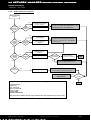
The following procedure features an overview of how to create and manage a system (virtual or physical) using LA
NETWORK MANAGER software:
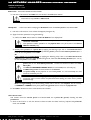
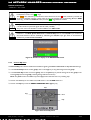
1. Units Over Network window (list of the units)
Fast create, delete, or modify the units (IP Address, unit type, preset) composing the system by left and
right mouse clicking operations [6.2].
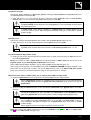
2. System/Groups window (list of the groups and attached units)
Fast form the groups and assign units to each one by dragging and dropping units from the Units Over
Network window [6.3].
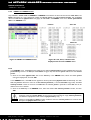
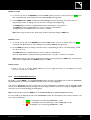
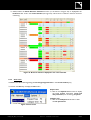
3. Control window (output channel import/export functions, unit and group parameters settings)
Use mouse clicking operations to fast import/export output channels and set the group parameters
(applying for all units in the selected group) and unit parameters (applying only for the selected unit).
Importing at least one output channel into a unit results in creating a custom preset [6.7.2].
IMPORTANT
The group parameters are the mute/solo, gain, delay, and contour EQ parameters (see step 4). The unit
parameters are the mute, gain, delay, polarity, and matrix parameters. The gain and delay parameters
have their group and unit values summed in the Abs. columns that show absolute values.
The matrix parameter is for selecting the way an output channel is driven by the IN A and/or IN B input
channels (A, B, A+B, or A-B).
In online mode, the control window provides real-time monitoring and control of each group and unit status
(including audio signal path and faults) [6.4].
In both offline and online modes, the resources of each loudspeaker (headroom) can be displayed at all times
[6.6.3].
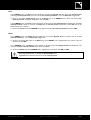
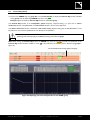
4. Contour EQ windows (loudspeaker system frequency response settings for each group)
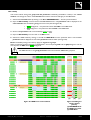
For each group, a selectable Contour EQ window allows fast intuitive loudspeaker frequency response
settings by mouse click and drag operations [6.5].
The ARRAY MORPHING section is dedicated to line source array response setting using both ZOOM
FACTOR and LF CONTOUR tools.
The EQ SECTION is a mini EQ station composed of 2 parametric IIR filters (#1-2) for room acoustic
equalization and 3 linear phase FIR plateau filters (#3-5) for air absorption compensation.
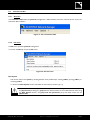
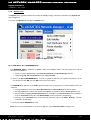
5. Command toolbar (File, L-NET Network functionalities, and user options)
Feature system file, L-NET Network, as well as software option menus [6.6].
NWM_UM_EN_1-2-0-102c
www.l-aco u sti cs.co m
19/59